Page 137 of 441
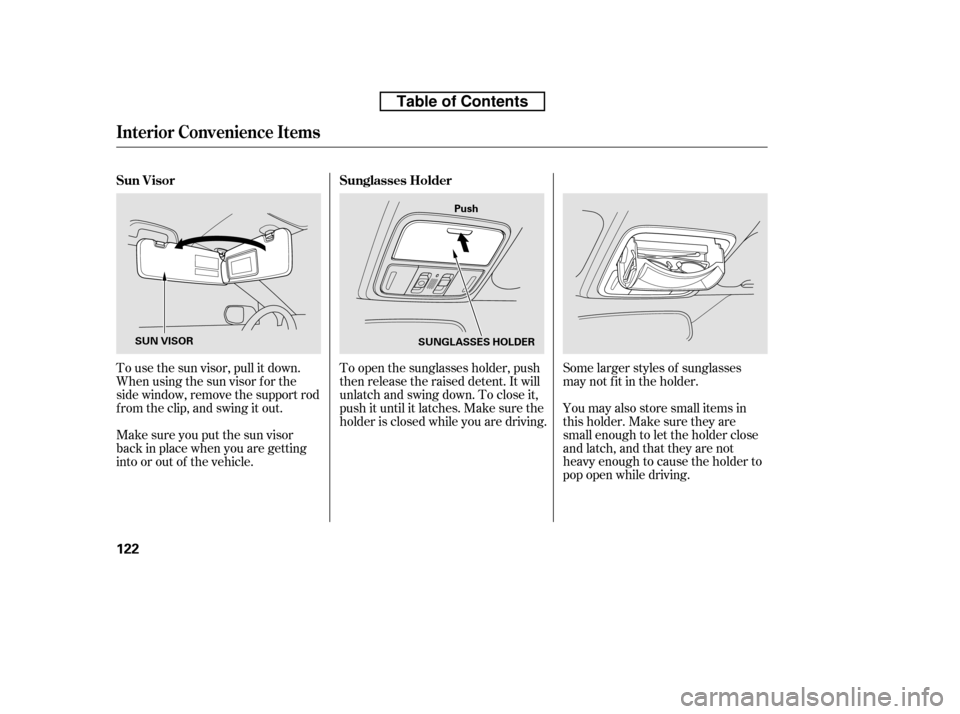
Some larger styles of sunglasses
may not f it in the holder.
You may also store small items in
thisholder.Makesuretheyare
small enough to let the holder close
and latch, and that they are not
heavy enough to cause the holder to
pop open while driving.
To open the sunglasses holder, push
then release the raised detent. It will
unlatch and swing down. To close it,
push it until it latches. Make sure the
holder is closed while you are driving.
To use the sun visor, pull it down.
Whenusingthesunvisorforthe
side window, remove the support rod
f rom the clip, and swing it out.
Make sure you put the sun visor
back in place when you are getting
into or out of the vehicle. Sunglasses Holder
Sun Visor
Interior Convenience Items
122
Push
SUNGLASSES HOLDER
SUN VISOR
Table of Contents
Page 138 of 441
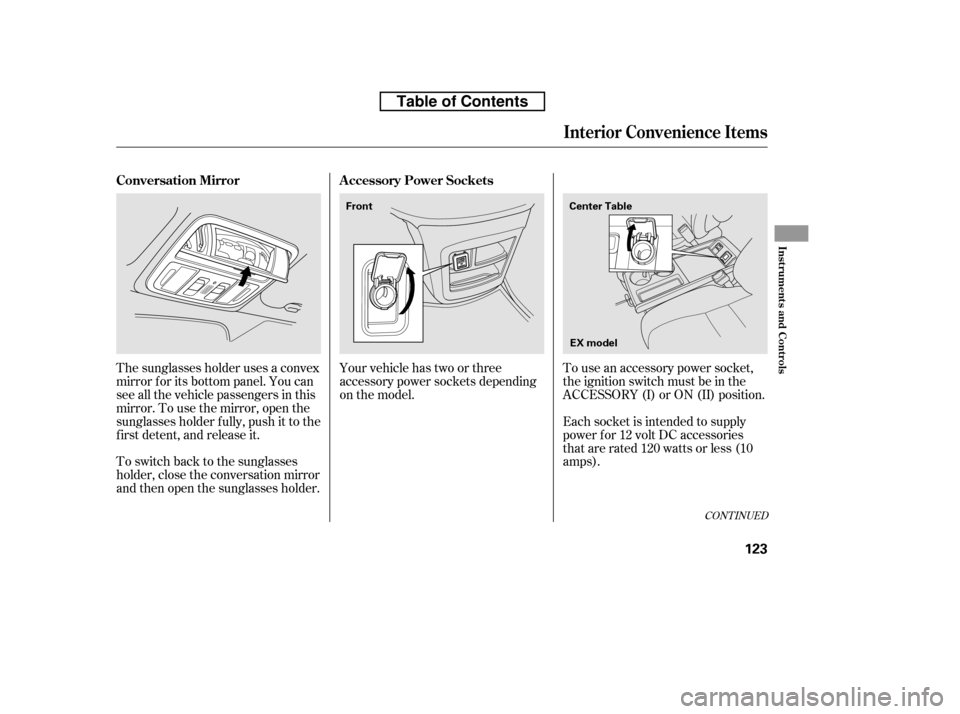
To use an accessory power socket,
the ignition switch must be in the
ACCESSORY (I) or ON (II) position.
Each socket is intended to supply
power f or 12 volt DC accessories
that are rated 120 watts or less (10
amps).
Your vehicle has two or three
accessory power sockets depending
on the model.
The sunglasses holder uses a convex
mirror f or its bottom panel. You can
see all the vehicle passengers in this
mirror. To use the mirror, open the
sunglasses holder f ully, push it to the
f irst detent, and release it.
To switch back to the sunglasses
holder, close the conversation mirror
and then open the sunglasses holder.
CONT INUED
A ccessory Power Sockets
Conversation Mirror
Interior Convenience Items
Inst rument s and Cont rols
123
EX model
Center Table
Front
Table of Contents
Page 139 of 441
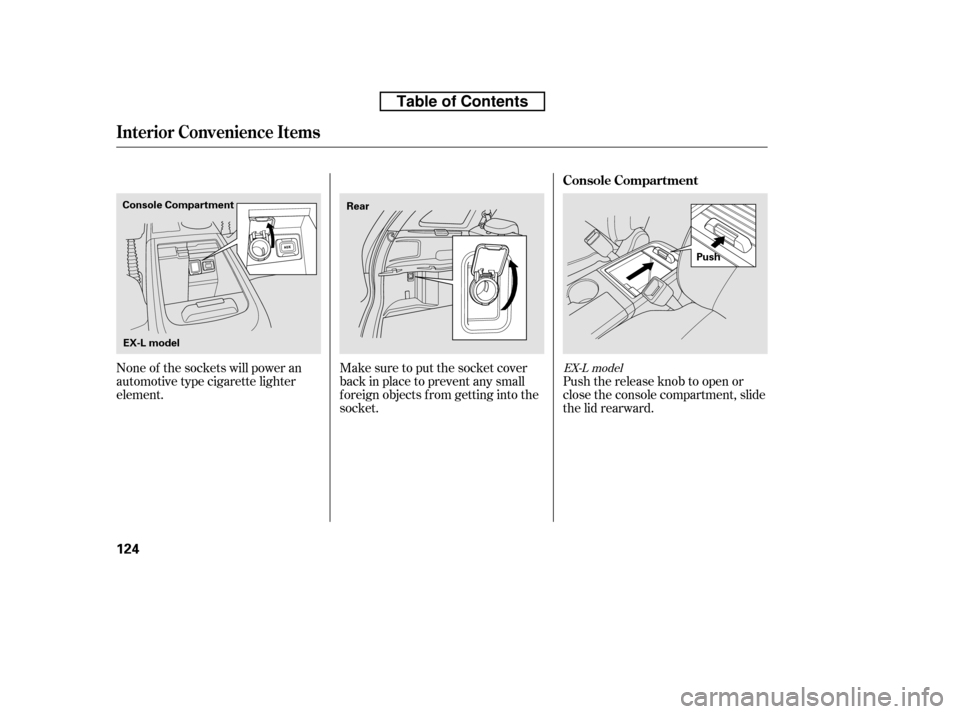
Push the release knob to open or
close the console compartment, slide
the lid rearward.
Make sure to put the socket cover
back in place to prevent any small
foreign objects from getting into the
socket.
None of the sockets will power an
automotive type cigarette lighter
element.
EX-L model
Console Compartment
Interior Convenience Items
124
Push
EX-L model
Console Compartment
Rear
Table of Contents
Page 141 of 441
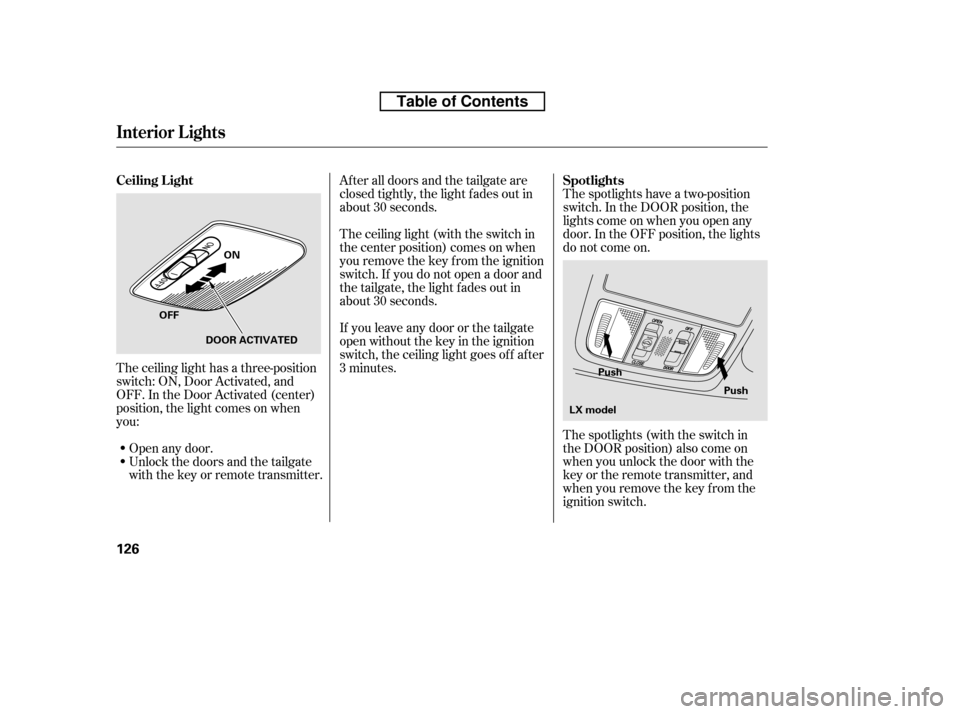
The spotlights have a two-position
switch. In the DOOR position, the
lights come on when you open any
door. In the OFF position, the lights
do not come on.
The spotlights (with the switch in
the DOOR position) also come on
when you unlock the door with the
key or the remote transmitter, and
when you remove the key f rom the
ignition switch.
Af ter all doors and the tailgate are
closed tightly, the light fades out in
about 30 seconds.
The ceiling light (with the switch in
the center position) comes on when
you remove the key f rom the ignition
switch. If you do not open a door and
the tailgate, the light f ades out in
about 30 seconds.
If you leave any door or the tailgate
open without the key in the ignition
switch, the ceiling light goes of f af ter
3 minutes.
The ceiling light has a three-position
switch: ON, Door Activated, and
OFF. In the Door Activated (center)
position, the light comes on when
you:
Unlock the doors and the tailgate
with the key or remote transmitter.
Open any door.
Interior Lights
Spotlights
Ceiling L ight
126
Push
Push
ON
OFF DOOR ACTIVATED
LX model
Table of Contents
Page 142 of 441
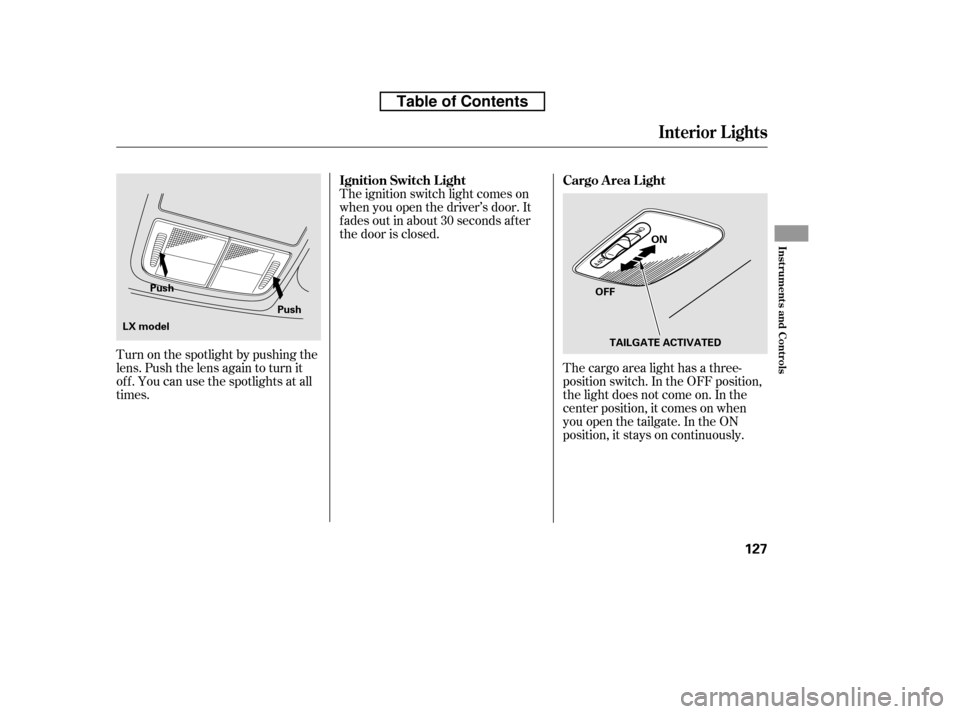
The cargo area light has a three-
position switch. In the OFF position,
the light does not come on. In the
center position, it comes on when
you open the tailgate. In the ON
position, it stays on continuously.
The ignition switch light comes on
when you open the driver’s door. It
f ades out in about 30 seconds af ter
the door is closed.
Turn on the spotlight by pushing the
lens. Push the lens again to turn it
of f . You can use the spotlights at all
times.
Interior Lights
Cargo Area Light
Ignition Switch L ight
Inst rument s and Cont rols
127
OFF ON
TAILGATE ACTIVATED
Push
Push
LX model
Table of Contents
Page 148 of 441

Air conditioning places an extra load
on the engine. Watch the engine
coolant temperature gauge (see page). If it moves near the red zone,
turn of f the A/C until the gauge
reading returns to normal.
Turn on the A/C by pressing the
button. The indicator in the button
comesonwhenafanspeedis
selected.
Make sure the temperature is set
to maximum cool.
Select .
If the outside air is humid, select
recirculation mode. If the outside
air is dry, select f resh air mode.
Set the f an to the desired speed. you can
cool it down more rapidly by partially
opening the windows, turning on the
air conditioning, and setting the f an
to maximum speed in f resh air mode.
To cool the interior with MAX A/C: Set the f an to the desired speed.
Select MAX A/C.
The system automatically turns on
the A/C, selects , and
switches to recirculation mode.
Make sure the temperature is set
to maximum cool. Air conditioning, as it cools, removes
moisture from the air. When used in
combination with the heater, it
makes the interior warm and dry and
can prevent the windows f rom
f ogging up.
This setting is suitable f or all driving
conditions whenever the outside
temperature is above 32°F (0°C).
Turn the fan on.
Turn on the air conditioning.
Select and fresh air mode.
Adjust the temperature to your
pref erence.
1. 2. 3. 4. 5. 1. 2.3.4.
1.2. 3.
71
If the interior is very warm,Dehumidif y the Interior
Using the A /C
Vents, Heating, and A/C
Features
133
Table of Contents
Page 180 of 441

Depending on where you drive, you
may experience reception problems.
Interf erence can be caused by any of
these conditions:Driving on the north side of a
large commercial truck on an
east/west road.
Driving in tunnels.
Driving on a road beside a vertical
wall, steep clif f , or hill to the south
of you.
Driving on the lower level of a
multi-tiered road.
Driving on a single lane road
alongside dense trees taller than
50 ft. (15 m) to the south of you.
Driving on the north side of an
east/west mountain road.
Large items carried on a roof rack.
There may be other geographic
situations that could af f ect XM Radio
reception. If your XM Radio service has expired
or you purchased your vehicle f rom
a previous owner, you can listen to a
sampling of the broadcasts available
on XM Radio. With the ignition
switch in the ACCESSORY (I) or ON
(II) position, push the button to
turn on the audio system and press
the XM button. A variety of music
types and styles will play.
After you’ve registered with XM
Radio, keep your audio system in the
XM radio mode while you wait f or
activation. This should take about 30
minutes.
If you decide to purchase XM Radio
service, contact XM Radio at ,orat
1-800-852-9696. In Canada, contact
XM CANADA
at , or
at 1-877-209-0079. You will need to
give them your radio I.D. number
and your credit card number. To get your radio I.D. number, press SEEK
until ‘‘CH000’’ appears in the display.
Your I.D. will appear in the display.
While waiting f or activation, make
sure your vehicle remains in an open
area with good reception. Once your
audio system is activated, you’ll be
able to listen to XM Radio broadcasts.
XM Radio will continue to send an
activation signal to your vehicle f or
at least 12 hours from the activation
request. If the service has not been
activated after 36 hours, contactXM
Radio. In Canada, contact XM
CANADA
.
As required by the FCC:
Changes or modif ications not expresslyapproved by the party responsible f or
compliance could void the user’sauthority to operate the equipment.
www.xmradio.com www.xmradio.ca
Receiving XM Radio Service
Playing t he XMRadio (EX-L model without navigation system)
Features
165
Table of Contents
Page 194 of 441
Connect your dock connector to
the iPod correctly and securely.
Install the dock connector to the
USB adapter cable securely.If the iPod indicator does not appear
in the audio display, check the
connections, and try to reconnect the
iPod a f ew times.
If the audio system still does not
recognize the iPod, the iPod may
need to be reset. Follow the
instructions that came with your
iPod, or you can f ind reset
instructions online at
Push the release button to release
the USB adapter cable.
Open the upper glove box.
1. 2. 3. 4.
www.apple.com/
ipod.
CONT INUED
Connect ing an iPod
Playing an iPod(EX and EX-L models without navigation system)
Features
179
DOCK CONNECTOR
USB ADAPTER
CABLE
USB ADAPTER CABLE
RELEASE BUTTON
Table of Contents