Page 81 of 441

This indicator normally comes on f or
a f ew seconds when you turn the
ignition switch to the ON (II)
position. If it comes on while driving,
it indicates that one or more of your
vehicle’s tires are signif icantly low
on pressure.
If this happens, pull to the side of the
road when it is saf e, check which tire
has lost the pressure, and determine
the cause. If it is because of a flat tire,
replace the flat tire with the compact
spare (see page ), and have the
f lat tire repaired as soon as possible.
If two or more tires are underinf lated,
call a prof essional towing service
(see page ). For more
inf ormation, see page .This indicator normally comes on f or
a f ew seconds when you turn the
ignition switch to the ON (II)
position.
This indicator reminds you that the
exterior lights are on. It comes on
when the light switch is in either the
or position. If you turn the
ignition switch to the ACCESSORY
(I) or LOCK (0) position without
turning of f the light switch, this
indicator will stay on. A reminder
chime will also sound when you open
the driver’s door.
If this indicator comes on and stays
on at any other time, or if it does not
come on when you turn the ignition
switch to the ON (II) position, there
is a problem with the TPMS. With
this indicator on, the low tire
pressure indicator will not come on
when a tire loses pressure. Take the
vehicle to your dealer to have the
system checked.
382
403 326
Low Tire Pressure
Indicator
Tire Pressure Monitoring
System (T PMS) IndicatorLights On Indicator
Instrument Panel Indicators
66
Table of Contents
Page 92 of 441

�µ
�µ �µ�µ
Push down on the
lever to signal a lef t turn and up to
signal a right turn. To signal a lane
change, push lightly on the lever,
and hold it. The lever will return to
center when you release it or
complete a turn.
Turning the switch to
the ‘‘ ’’ position turns on the
parking lights, taillights, instrument
panel lights, side-marker lights, and
rear license plate light.
Turning the switch to the ‘‘ ’’
position turns on the headlights. If
you leave the lights on with the key
removed f rom the ignition switch,
you will hear a reminder chime when
you open the driver’s door. When the light switch is in either of
these positions, the lights on
indicator comes on as a reminder.
This indicator stays on if you leave
the lights on and turn the ignition
switch to the ACCESSORY (I) or
LOCK (0) position.
Push the lever
f orward and the high beam indicator
will come on (see page ). Pull it
back to return to low beams.
To f lash the high beams, pull the
lever back lightly, then release it.
The high beams will stay on as long
as you hold the lever back. The automatic lighting
f eature turns on the headlights and
all other exterior lights, when it
senses low ambient light.
To turn on automatic lighting, turn
the light switch to AUTO. The lights
will come on automatically when the
outside light level becomes low (at
dusk, f or example). The lights on
indicator comes on as a reminder.
The lights and indicator will turn of f
automatically when the system
senses high ambient light.
The lights will remain on when you
turn of f the ignition switch. They will
turn of f automatically when you
remove the key and open the driver’s
door. To turn them on again, either
turn the ignition switch to the ON
(II) position or turn the light switch
to the position.
65
CONT INUED
EX-L models onlyTurn Signal
Headlights
High BeamsAUTO
Turn Signals and Headlights
Inst rument s and Cont rols
77
Table of Contents
Page 99 of 441
�µ�µ
�µ
�µ
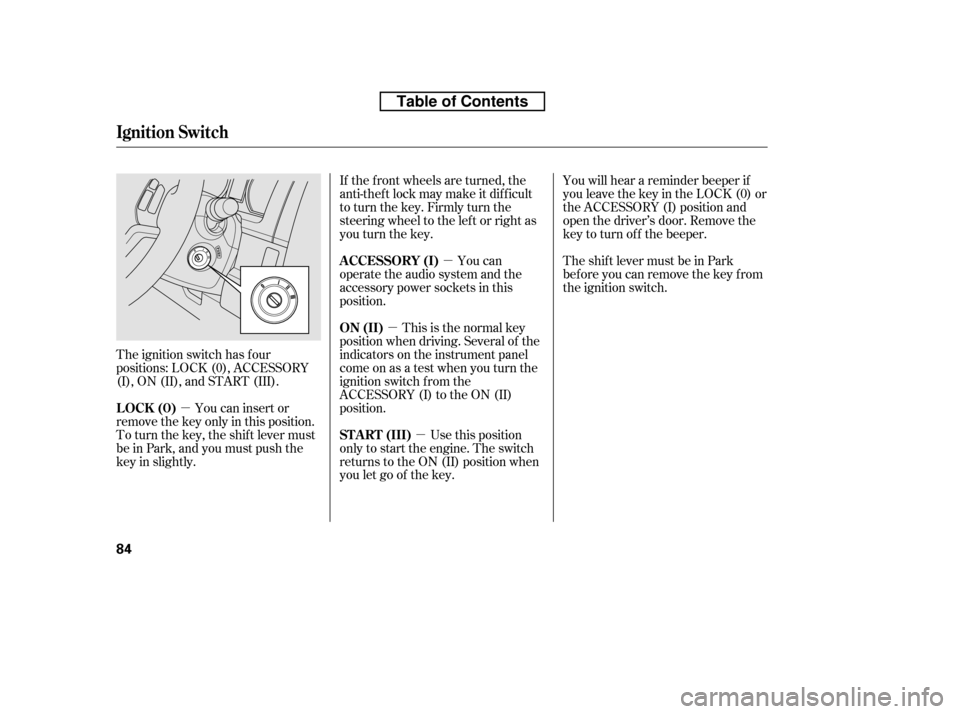
The ignition switch has f our
positions: LOCK (0), ACCESSORY
(I), ON (II), and START (III). If the f ront wheels are turned, the
anti-theft lock may make it difficult
to turn the key. Firmly turn the
steering wheel to the lef t or right as
you turn the key.
This is the normal key
position when driving. Several of the
indicators on the instrument panel
come on as a test when you turn the
ignition switch f rom the
ACCESSORY (I) to the ON (II)
position. You can
operate the audio system and the
accessory power sockets in this
position.
Use this position
only to start the engine. The switch
returns to the ON (II) position when
you let go of the key. You will hear a reminder beeper if
you leave the key in the LOCK (0) or
the ACCESSORY (I) position and
open the driver’s door. Remove the
key to turn of f the beeper.
TheshiftlevermustbeinPark
bef ore you can remove the key f rom
the ignition switch.
You can insert or
remove the key only in this position.
To turn the key, the shift lever must
be in Park, and you must push the
key in slightly. ON (II)
A CCESSORY (I)
ST A RT (III)
LOCK (0)
Ignition Switch
84
Table of Contents
Page 101 of 441

With any door and the tailgate open
and the key in the ignition, locking
with master door lock switches is
disabled. The lock tab on the driver’s
door is not disabled if the driver’s
door is closed. Pulling the driver’s
lock tab rearward will lock all doors
and the tailgate. If you try to lock an
open driver’s door by pulling the lock
tab rearward, the lock tab on the
driver’s door pops out and unlocks
the driver’s door.When you customize the setting,
make sure your vehicle is parked
saf ely, the engine is of f , and the
parking brake is applied. Make all
settings bef ore you start driving.The auto door locking f eature has
three possible settings:
The auto door locking is
deactivated all the time.
The doors and tailgate lock when
the vehicle speed reaches 9 mph
(15 km/h).
Your vehicle has customizable
settings f or the doors and tailgate to
automatically lock and unlock. There
are default settings for each of these
f eatures. You can turn of f or change
the settings for these features as
described on the f ollowing pages. The doors and tailgate lock
whenever you move the shif t lever
out of the Park (P) position.
This is the def ault setting.
L ockout Prevent ionA uto Door L ocking/Unlocking A uto Door L ocking
Door L ocks
86
Table of Contents
Page 102 of 441
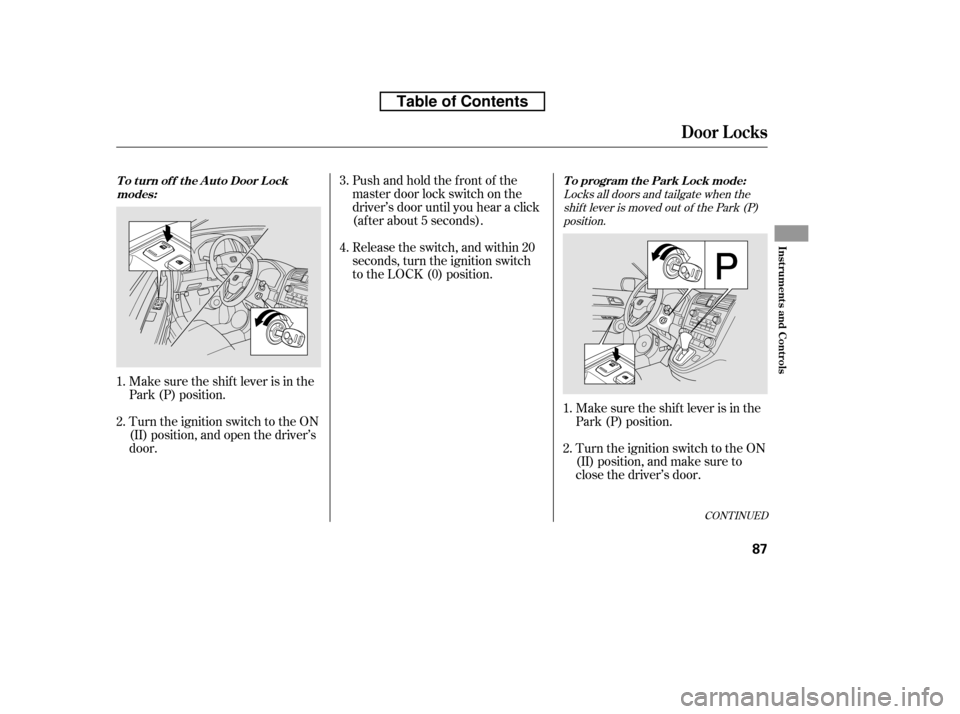
Locks all doors and tailgate when theshif t lever is moved out of the Park (P)position.
Make sure the shif t lever is in the
Park (P) position.
Turn the ignition switch to the ON
(II) position, and make sure to
close the driver’s door.
Turn the ignition switch to the ON
(II) position, and open the driver’s
door. Pushandholdthefrontof the
master door lock switch on the
driver’s door until you hear a click
(af ter about 5 seconds).
Make sure the shif t lever is in the
Park (P) position. Release the switch, and within 20
seconds, turn the ignition switch
to the LOCK (0) position.
1. 2.
1.2. 4.
3.
CONT INUED
To program the Park Lock mode:
T o t urn of f t he A ut o Door L ock
modes:
Door L ocks
Inst rument s and Cont rols
87
Table of Contents
Page 104 of 441
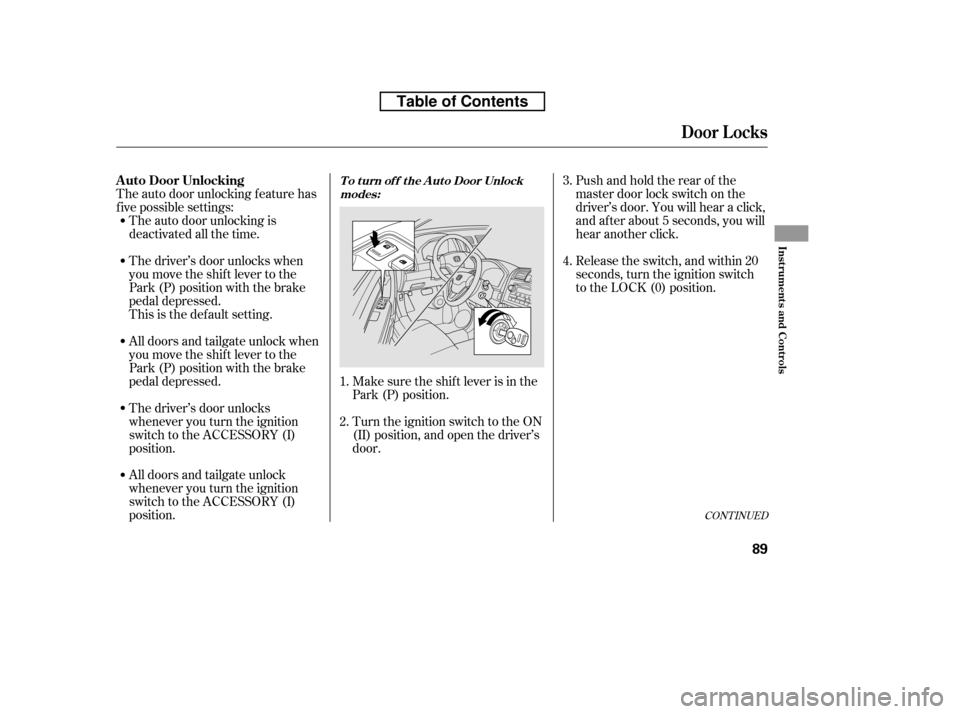
The auto door unlocking f eature has
f ive possible settings:Make sure the shif t lever is in the
Park (P) position.
Turn the ignition switch to the ON
(II) position, and open the driver’s
door.Pushandholdtherearof the
master door lock switch on the
driver’s door. You will hear a click,
and after about 5 seconds, you will
hear another click.
Release the switch, and within 20
seconds, turn the ignition switch
to the LOCK (0) position.
All doors and tailgate unlock when
you move the shif t lever to the
Park (P) position with the brake
pedal depressed.
All doors and tailgate unlock
whenever you turn the ignition
switch to the ACCESSORY (I)
position.
The driver’s door unlocks
whenever you turn the ignition
switch to the ACCESSORY (I)
position.
The auto door unlocking is
deactivated all the time.
The driver’s door unlocks when
you move the shif t lever to the
Park (P) position with the brake
pedal depressed.
This is the def ault setting.
1. 2. 3. 4.
CONT INUED
A uto Door UnlockingT o t urn of f t he A ut o Door Unlock
modes:
Door L ocks
Inst rument s and Cont rols
89
Table of Contents
Page 106 of 441
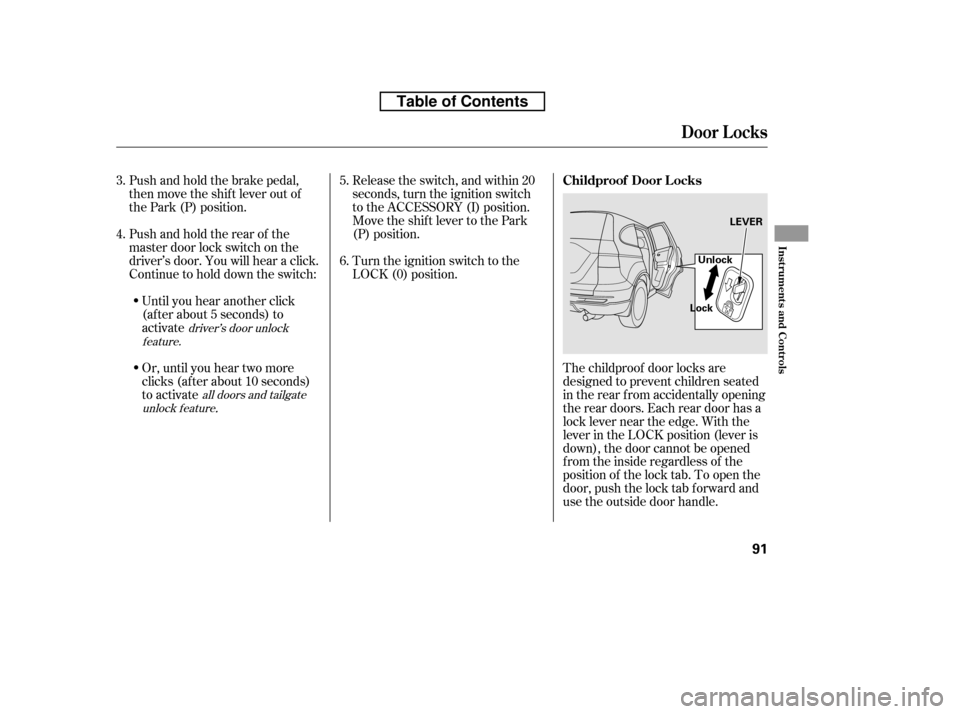
The childproof door locks are
designed to prevent children seated
in the rear f rom accidentally opening
the rear doors. Each rear door has a
lock lever near the edge. With the
lever in the LOCK position (lever is
down), the door cannot be opened
fromtheinsideregardlessof the
position of the lock tab. To open the
door, push the lock tab f orward and
use the outside door handle.
Turn the ignition switch to the
LOCK (0) position.
Push and hold the brake pedal,
then move the shift lever out of
the Park (P) position.
Pushandholdtherearof the
master door lock switch on the
driver’s door. You will hear a click.
Continue to hold down the switch:
Until you hear another click
(af ter about 5 seconds) to
activate
Or, until you hear two more
clicks (af ter about 10 seconds)
to activate
.
Release the switch, and within 20
seconds, turn the ignition switch
to the ACCESSORY (I) position.
Move the shift lever to the Park
(P) position.
3. 4. 5. 6.
driver’s door unlock
feature.
all doors and tailgate
unlock f eature
Childproof Door L ocks
Door L ocks
Inst rument s and Cont rols
91
LEVER
Lock Unlock
Table of Contents
Page 107 of 441
�µ
�µ �µ
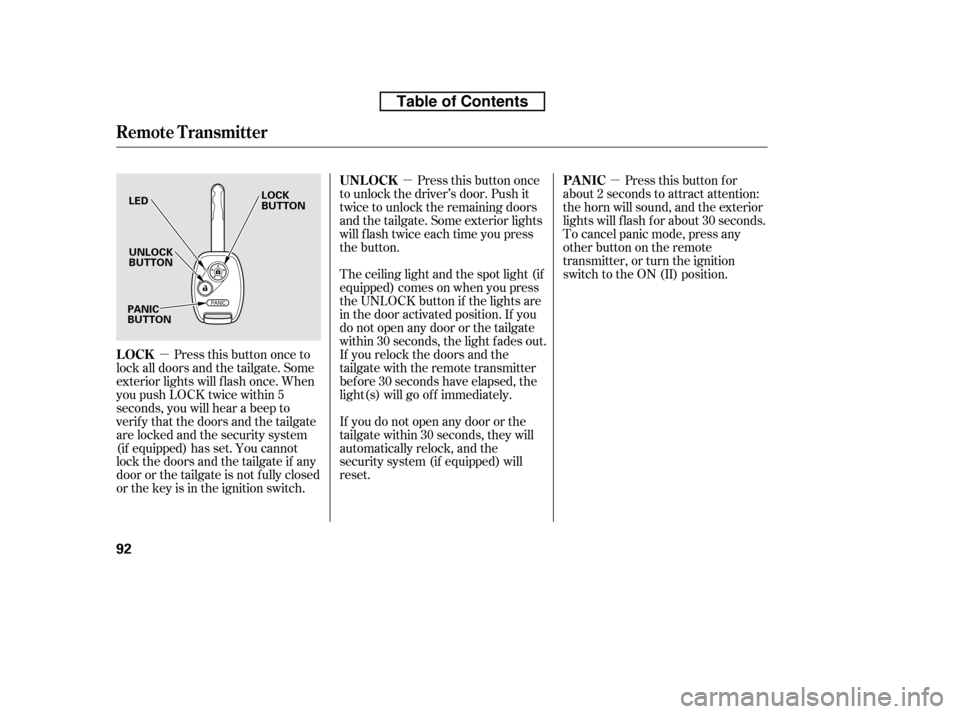
Press this button once
to unlock the driver’s door. Push it
twice to unlock the remaining doors
and the tailgate. Some exterior lights
will f lash twice each time you press
the button.
Press this button once to
lock all doors and the tailgate. Some
exterior lights will f lash once. When
you push LOCK twice within 5
seconds, you will hear a beep to
verify that the doors and the tailgate
arelockedandthesecuritysystem
(if equipped) has set. You cannot
lockthedoorsandthetailgateif any
door or the tailgate is not f ully closed
or the key is in the ignition switch. The ceiling light and the spot light (if
equipped) comes on when you press
the UNLOCK button if the lights are
in the door activated position. If you
do not open any door or the tailgate
within 30 seconds, the light f ades out.
If you relock the doors and the
tailgate with the remote transmitter
bef ore 30 seconds have elapsed, the
light(s) will go of f immediately.
If you do not open any door or the
tailgate within 30 seconds, they will
automatically relock, and the
security system (if equipped) will
reset. Pressthisbuttonfor
about 2 seconds to attract attention:
the horn will sound, and the exterior
lights will f lash f or about 30 seconds.
To cancel panic mode, press any
other button on the remote
transmitter, or turn the ignition
switch to the ON (II) position.
UNL OCK
LOCK PA NIC
Remote Transmitter
92
LED UNLOCK
BUTTON
LOCK
BUTTON
PANIC
BUTTON
Table of Contents