2010 CHEVROLET IMPALA clock
[x] Cancel search: clockPage 17 of 432
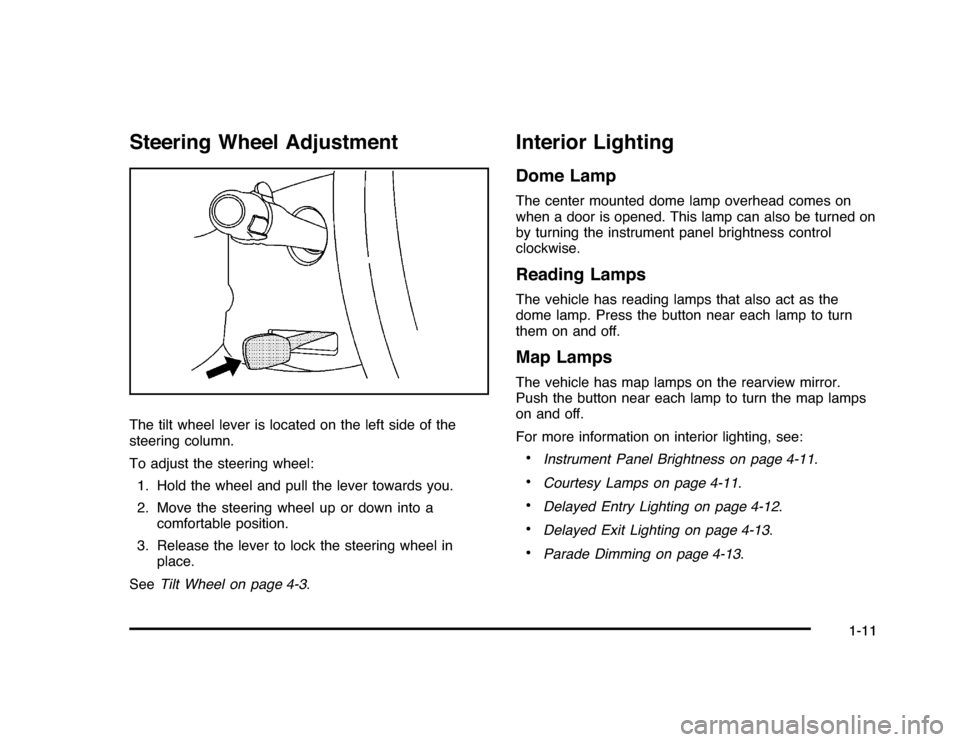
Steering Wheel AdjustmentThe tilt wheel lever is located on the left side of the
steering column.
To adjust the steering wheel:
1. Hold the wheel and pull the lever towards you.
2. Move the steering wheel up or down into a
comfortable position.
3. Release the lever to lock the steering wheel in
place.
SeeTilt Wheel on page 4-3.
Interior LightingDome LampThe center mounted dome lamp overhead comes on
when a door is opened. This lamp can also be turned on
by turning the instrument panel brightness control
clockwise.Reading LampsThe vehicle has reading lamps that also act as the
dome lamp. Press the button near each lamp to turn
them on and off.Map LampsThe vehicle has map lamps on the rearview mirror.
Push the button near each lamp to turn the map lamps
on and off.
For more information on interior lighting, see:•
Instrument Panel Brightness on page 4-11.
•
Courtesy Lamps on page 4-11.
•
Delayed Entry Lighting on page 4-12.
•
Delayed Exit Lighting on page 4-13.
•
Parade Dimming on page 4-13.
1-11
Page 22 of 432

Setting the ClockTo set the time and date for the Radio with CD (MP3):
1. Turn the radio on.
2. Press
H
and the HR, MIN, MM, DD, YYYY
(hour, minute, month, day, and year) displays.
3. Press the pushbutton located below any one of the
tabs that you want to change.
4. Increase or decrease the time or date by
turningf
clockwise or counterclockwise.
For detailed instructions on setting the clock for your
specific audio system, seeSetting the Clock on
page 4-58.
Satellite RadioXM is a satellite radio service that is based in the
48 contiguous United States and 10 Canadian
provinces. XM satellite radio has a wide variety
of programming and commercial-free music,
coast-to-coast, and in digital-quality sound.
A fee is required to receive the XM service.
For more information, refer to:•
www.xmradio.com or call 1-800-929-2100 (U.S.)
•
www.xmradio.ca or call 1-877-438-9677 (Canada)
See “XM Satellite Radio Service” underRadio(s)
on page 4-59.
Portable Audio DevicesThis vehicle may have an auxiliary input jack, located
on the audio faceplate. External devices such as iPod
®,
MP3 players, etc. can be connected to the auxiliary
input jack using a 3.5 mm (1/8 in) input jack cable.
See “Using the Auxiliary Input Jack” underRadio(s) on
page 4-59.
1-16
Page 115 of 432

Doors and LocksDoor Locks
{
WARNING:
Unlocked doors can be dangerous.
•
Passengers, especially children, can easily
open the doors and fall out of a moving vehicle.
When a door is locked, the handle will not open
it. The chance of being thrown out of the
vehicle in a crash is increased if the doors are
not locked. So, all passengers should wear
safety belts properly and the doors should be
locked whenever the vehicle is driven.
WARNING: (Continued)
WARNING: (Continued)
•
Young children who get into unlocked vehicles
may be unable to get out. A child can be
overcome by extreme heat and can suffer
permanent injuries or even death from heat
stroke. Always lock the vehicle whenever
leaving it.
•
Outsiders can easily enter through an
unlocked door when you slow down or stop
your vehicle. Locking your doors can help
prevent this from happening.
From the outside, use the key in the driver door or use
the Remote Keyless Entry (RKE) transmitter to lock
and unlock the vehicle. From the inside, use the manual
or power door locks.
To lock or unlock the driver side door from the outside
with the key, insert the key and turn it clockwise or
counterclockwise.
To lock or unlock the door from the inside, push or pull
the manual lock knob.
3-9
Page 126 of 432
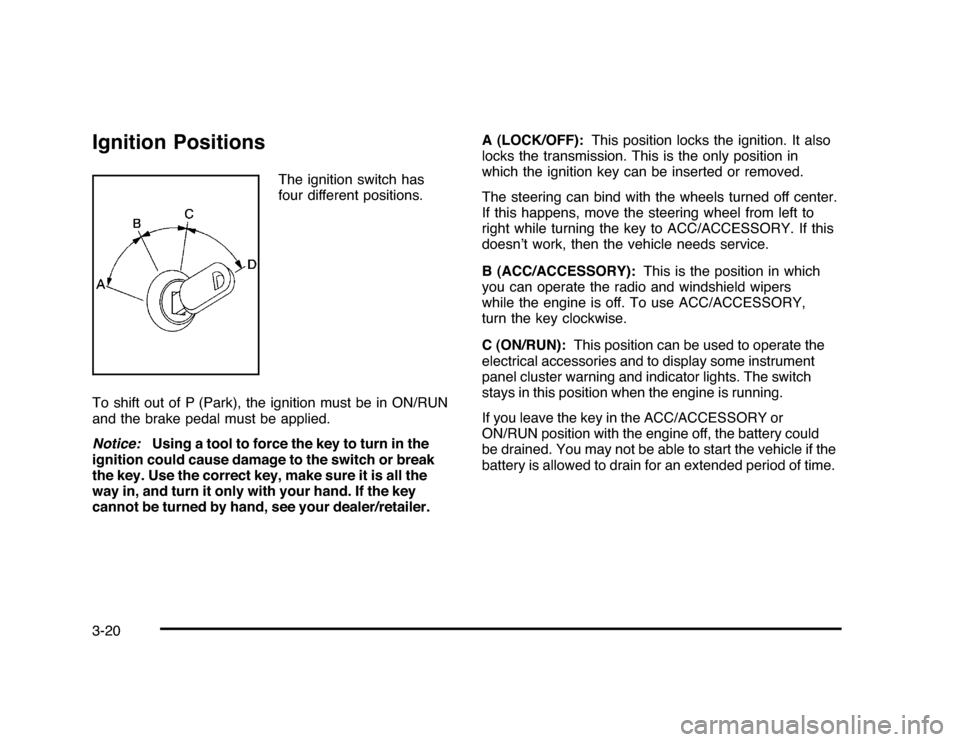
Ignition Positions
The ignition switch has
four different positions.
To shift out of P (Park), the ignition must be in ON/RUN
and the brake pedal must be applied.
Notice:Using a tool to force the key to turn in the
ignition could cause damage to the switch or break
the key. Use the correct key, make sure it is all the
way in, and turn it only with your hand. If the key
cannot be turned by hand, see your dealer/retailer.A (LOCK/OFF):This position locks the ignition. It also
locks the transmission. This is the only position in
which the ignition key can be inserted or removed.
The steering can bind with the wheels turned off center.
If this happens, move the steering wheel from left to
right while turning the key to ACC/ACCESSORY. If this
doesn’t work, then the vehicle needs service.
B (ACC/ACCESSORY):This is the position in which
you can operate the radio and windshield wipers
while the engine is off. To use ACC/ACCESSORY,
turn the key clockwise.
C (ON/RUN):This position can be used to operate the
electrical accessories and to display some instrument
panel cluster warning and indicator lights. The switch
stays in this position when the engine is running.
If you leave the key in the ACC/ACCESSORY or
ON/RUN position with the engine off, the battery could
be drained. You may not be able to start the vehicle if the
battery is allowed to drain for an extended period of time.
3-20
Page 152 of 432
Oil Pressure Light.........................................4-34
Security Light . ..............................................4-35
Fog Lamp Light............................................4-35
Cruise Control Light......................................4-35
Highbeam On Light.......................................4-36
Fuel Gage . ..................................................4-36
Driver Information Center (DIC).......................4-37
DIC Operation and Displays . ..........................4-37
DIC Compass . . . . ..........................................4-42
DIC Warnings and Messages.........................4-44
DIC Vehicle Customization . . ...........................4-51Audio System(s).............................................4-57
Setting the Clock..........................................4-58
Radio(s)......................................................4-59
Using an MP3..............................................4-68
XM Radio Messages.....................................4-72
Bluetooth
®
...................................................4-74
Theft-Deterrent Feature..................................4-84
Audio Steering Wheel Controls.......................4-84
Radio Reception...........................................4-85
Backglass Antenna.......................................4-86
XM™ Satellite Radio Antenna System.............4-86
Section 4 Instrument Panel
4-2
Page 161 of 432
Fog Lamps#
(Fog Lamps):For vehicles with fog lamps,
the button is located on the exterior lamps control.
The exterior lamps control is located on the instrument
panel to the left of the steering column.
The ignition must be in the ON/RUN position for the fog
lamps to come on.
Press
#
to turn the fog lamps on or off. A light will
come on in the instrument panel cluster.
When the headlamps are changed to high-beam, the
fog lamps also go off.
Some localities have laws that require the headlamps to
be on along with the fog lamps.
Instrument Panel BrightnessD
(Instrument Panel Brightness):The knob with this
symbol on it is located next to the exterior lamps control
to the left of the steering wheel. Push the knob in all the
way until it extends out and then turn the knob clockwise
or counterclockwise to brighten or dim the lights. Push
the knob back in when finished.
Courtesy LampsWhen a door is opened, the courtesy lamps
automatically come on. They make it easy for you to
enter and leave your vehicle. You can also manually
turn these lamps on by fully turning the instrument
panel brightness control clockwise.
The reading lamps, located on the rearview mirror,
can be turned on or off independent of the automatic
courtesy lamps, when the doors are closed.Dome LampThe center mounted dome lamp overhead comes on
when a door is opened. This lamp can also be turned
on by turning the instrument panel brightness control
clockwise.
4-11
Page 167 of 432

A. Fan Control
B. Outside Air
C. Temperature Control
D. RecirculationE. Air Delivery Mode
Control
F. Air Conditioning
G. Rear Window
Defogger
Temperature Control:For dual zone, turn the
thumbwheels up or down to increase or decrease
the temperature on the driver or the passenger side
of the vehicle. For single zone, turn the knob clockwise
or counterclockwise to increase or decrease the
temperature.
9
(Fan Control):Turn clockwise or counterclockwise to
increase or decrease the fan speed. Positioning the knob
between two modes, can select a combination of those
modes.
If the airflow seems low when the fan is at the highest
setting, the passenger compartment air filter may need to
be replaced. There will be some airflow noticeable from
the various outlets when driving, even with the fan in
the off position. For more information, seePassenger
Compartment Air Filter on page 4-20andScheduled
Maintenance on page 7-3.
Air Delivery Mode Control:Turn clockwise or
counterclockwise to change the direction of the airflow
inside the vehicle.
To change the current mode, select one of the following:
H
(Vent):Air is directed to the instrument panel
outlets.
)
(Bi-Level):Air is divided between the instrument
panel outlets and the floor outlets. Single Zone
4-17
Page 208 of 432
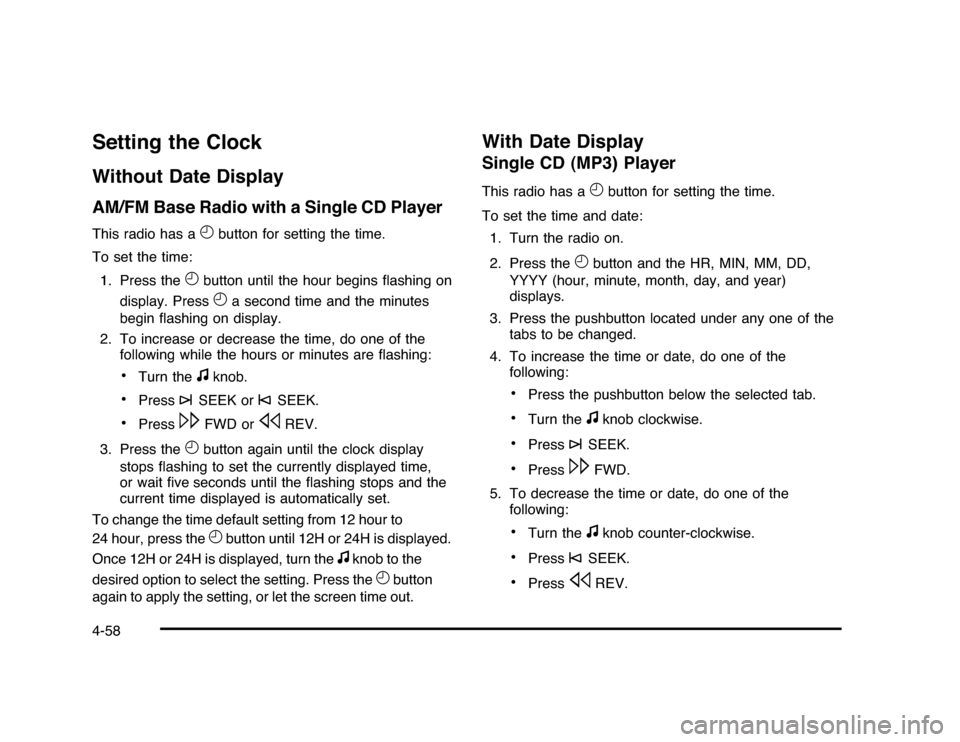
Setting the ClockWithout Date DisplayAM/FM Base Radio with a Single CD PlayerThis radio has a
H
button for setting the time.
To set the time:
1. Press the
H
button until the hour begins flashing on
display. PressH
a second time and the minutes
begin flashing on display.
2. To increase or decrease the time, do one of the
following while the hours or minutes are flashing:
•
Turn the
f
knob.
•
Press
¨
SEEK or
©
SEEK.
•
Press
\
FWD or
s
REV.
3. Press the
H
button again until the clock display
stops flashing to set the currently displayed time,
or wait five seconds until the flashing stops and the
current time displayed is automatically set.
To change the time default setting from 12 hour to
24 hour, press theH
button until 12H or 24H is displayed.
Once 12H or 24H is displayed, turn the
f
knob to the
desired option to select the setting. Press the
H
button
again to apply the setting, or let the screen time out.
With Date DisplaySingle CD (MP3) PlayerThis radio has a
H
button for setting the time.
To set the time and date:
1. Turn the radio on.
2. Press the
H
button and the HR, MIN, MM, DD,
YYYY (hour, minute, month, day, and year)
displays.
3. Press the pushbutton located under any one of the
tabs to be changed.
4. To increase the time or date, do one of the
following:
•
Press the pushbutton below the selected tab.
•
Turn the
f
knob clockwise.
•
Press
¨
SEEK.
•
Press
\
FWD.
5. To decrease the time or date, do one of the
following:
•
Turn the
f
knob counter-clockwise.
•
Press
©
SEEK.
•
Press
s
REV.
4-58