Page 27 of 432

Driving for Better Fuel EconomyDriving habits can affect fuel mileage. Here are some
driving tips to get the best fuel economy possible.•
Avoid fast starts and accelerate smoothly.
•
Brake gradually and avoid abrupt stops.
•
Avoid idling the engine for long periods of time.
•
When road and weather conditions are appropriate,
use cruise control, if equipped.
•
Always follow posted speed limits or drive more
slowly when conditions require.
•
Keep vehicle tires properly inflated.
•
Combine several trips into a single trip.
•
Replace the vehicle’s tires with the same TPC Spec
number molded into the tire’s sidewall near the size.
•
Follow recommended scheduled maintenance.
Roadside Assistance ProgramU.S.:1-800-CHEV-USA (1-800-243-8872)
TTY Users:1-888-889-2438
Canada:1-800-268-6800
As the owner of a new Chevrolet, you are automatically
enrolled in the Roadside Assistance program. This
program provides technically trained advisors who are
available 24 hours a day, 365 days a year, minor repair
information or towing arrangements.Roadside Assistance and OnStarIf you have a current OnStar subscription, press the
OnStar button and the current GPS location will be sent
to an OnStar Advisor who will assess your problem,
contact Roadside Assistance, and relay exact location
to get you the help you need.Online Owner CenterThe Online Owner Center is a complimentary service
that includes online service reminders, vehicle
maintenance tips, online owner manual, special
privileges and more.
Sign up today at:www.gmownercenter.com/chevrolet
(U.S.) orwww.gm.ca(Canada).
1-21
Page 36 of 432
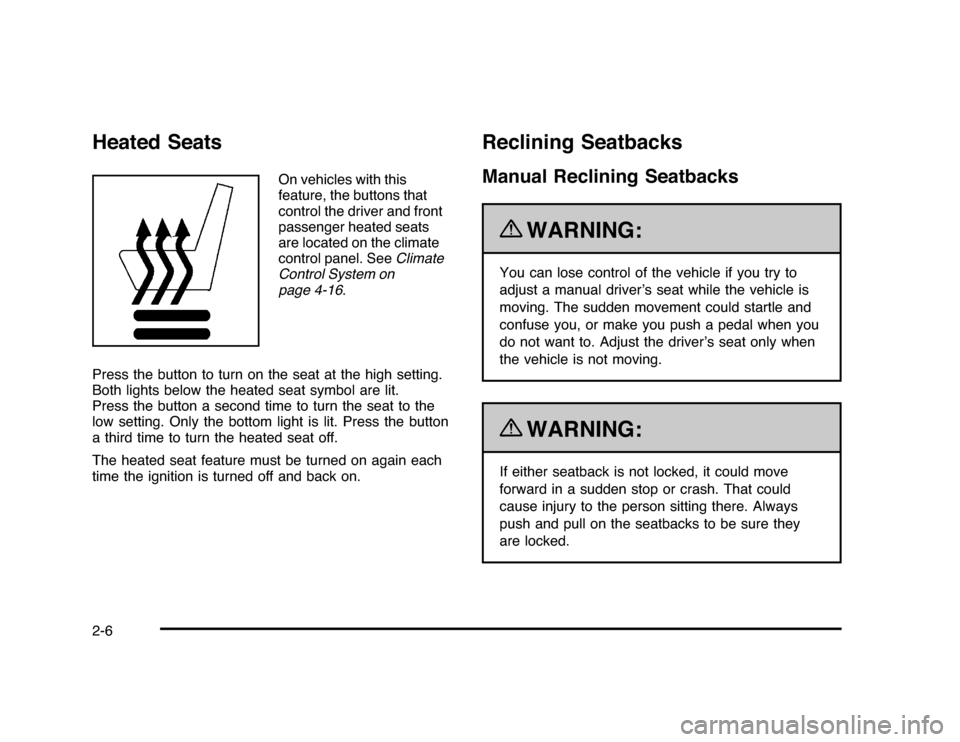
Heated Seats
On vehicles with this
feature, the buttons that
control the driver and front
passenger heated seats
are located on the climate
control panel. SeeClimate
Control System on
page 4-16.
Press the button to turn on the seat at the high setting.
Both lights below the heated seat symbol are lit.
Press the button a second time to turn the seat to the
low setting. Only the bottom light is lit. Press the button
a third time to turn the heated seat off.
The heated seat feature must be turned on again each
time the ignition is turned off and back on.
Reclining SeatbacksManual Reclining Seatbacks
{
WARNING:
You can lose control of the vehicle if you try to
adjust a manual driver’s seat while the vehicle is
moving. The sudden movement could startle and
confuse you, or make you push a pedal when you
do not want to. Adjust the driver’s seat only when
the vehicle is not moving.{
WARNING:
If either seatback is not locked, it could move
forward in a sudden stop or crash. That could
cause injury to the person sitting there. Always
push and pull on the seatbacks to be sure they
are locked.
2-6
Page 189 of 432

If the retro-active reset feature is activated after the
vehicle is started, but before it begins moving, the display
will show the number of miles (mi) or kilometers (km) that
were driven during the last ignition cycle.Fuel RangePress the trip/fuel button until FUEL RANGE displays.
This display shows the approximate number of remaining
miles (mi) or kilometers (km) the vehicle can be driven
without refueling.
The fuel range estimate is based on an average of the
vehicle’s fuel economy over recent driving history and the
amount of fuel remaining in the fuel tank. This estimate
will change if driving conditions change. For example, if
driving in traffic and making frequent stops, this display
may read one number, but if the vehicle is driven on a
freeway, the number may change even though the same
amount of fuel is in the fuel tank. This is because different
driving conditions produce different fuel economies.
Generally, freeway driving produces better fuel economy
than city driving.
If your vehicle is low on fuel, the FUEL LEVEL LOW
message displays. See “FUEL LEVEL LOW” underDIC
Warnings and Messages on page 4-44for more
information.
Average EconomyPress the trip/fuel button until AVG ECONOMY displays.
This display shows the approximate average miles
per gallon (mpg) or liters per 100 kilometers (L/100 km).
This number is calculated based on the number of
mpg (L/100 km) recorded since the last time this menu
item was reset. To reset this display to zero, press
and hold the set/reset button.Instantaneous EconomyPress the trip/fuel button until INST ECONOMY displays.
This display shows the current fuel economy at a
particular moment and will change frequently as driving
conditions change. This display shows the instantaneous
fuel economy in miles per gallon (mpg) or liters per
100 kilometers (L/100 km). Unlike average economy,
this screen cannot be reset.Average SpeedPress the trip/fuel button until AVERAGE SPEED
displays. This display shows the average speed of the
vehicle in miles per hour (mph) or kilometers per hour
(km/h). This average is calculated based on the various
vehicle speeds recorded since the last reset of this value.
To reset the value, press and hold the set/reset button.
The display will return to zero.Blank DisplayThis display shows no information.
4-39
Page 334 of 432

TPMS Sensor Matching ProcessEach TPMS sensor has a unique identification code.
Any time you rotate your vehicle’s tires or replace one or
more of the TPMS sensors, the identification codes
will need to be matched to the new tire/wheel position.
The sensors are matched to the tire/wheel positions
in the following order: driver side front tire, passenger
side front tire, passenger side rear tire, and driver
side rear tire using a TPMS diagnostic tool. See your
dealer/retailer for service.
The TPMS sensors can also be matched to each
tire/wheel position by increasing or decreasing the tire’s
air pressure. If increasing the tire’s air pressure, do
not exceed the maximum inflation pressure indicated on
the tire’s sidewall.
To decrease air-pressure out of a tire you can use the
pointed end of the valve cap, a pencil-style air pressure
gage, or a key.
You have two minutes to match the first tire/wheel
position, and five minutes overall to match all four
tire/wheel positions. If it takes longer than two minutes, to
match the first tire and wheel, or more than five minutes
to match all four tire and wheel positions the matching
process stops and you need to start over.The TPMS sensor matching process is outlined below:
1. Set the parking brake.
2. Turn the ignition switch to ON/RUN with the
engine off.
3. Press the Remote Keyless Entry (RKE) transmitter’s
lock and unlock buttons at the same time for
approximately five seconds. The horn sounds twice
to signal the receiver is in relearn mode and TIRE
LEARNING ACTIVE message displays on the DIC
screen.
4. Start with the driver side front tire.
5. Remove the valve cap from the valve cap stem.
Activate the TPMS sensor by increasing or
decreasing the tire’s air pressure for five seconds,
or until a horn chirp sounds. The horn chirp,
which may take up to 30 seconds to sound,
confirms that the sensor identification code has
been matched to this tire and wheel position.
6. Proceed to the passenger side front tire, and repeat
the procedure in Step 5.
7. Proceed to the passenger side rear tire, and repeat
the procedure in Step 5.
6-64