2010 CHEVROLET IMPALA lock
[x] Cancel search: lockPage 222 of 432

Once the disc has scanned, the player defaults to playing
MP3 files in order by artist. The current artist playing is
shown on the second line of the display between the
arrows. Once all songs by that artist are played, the
player moves to the next artist in alphabetical order on
the CD and begins playing MP3 files by that artist. If you
want to listen to MP3 files by another artist, press the
softkey below either arrow button. The CD goes to the
next or previous artist in alphabetical order. Continue
pressing either button until the desired artist displays.
To change from playback by artist to playback by album,
press the softkey below the Sort By tab. From the sort
screen, push one of the softkeys below the album button.
Press the softkey below the back tab to return to the main
music navigator screen. Now the album name displays on
the second line between the arrows and songs from the
current album begins to play. Once all songs from that
album have played, the player moves to the next album
in alphabetical order on the CD and begins playing MP3
files from that album.
To exit music navigator mode, press the softkey below
the Back tab to return to normal MP3 playback.
XM Radio MessagesXL (Explicit Language Channels):These channels,
or any others, can be blocked at a customer’s request,
by calling 1-800-852-XMXM (9696).
XM Updating:The encryption code in the receiver is
being updated, and no action is required. This process
should take no longer than 30 seconds.
No XM Signal:The system is functioning correctly,
but the vehicle is in a location that is blocking the XM™
signal. When the vehicle is moved into an open area,
the signal should return.
Loading XM:The audio system is acquiring and
processing audio and text data. No action is needed.
This message should disappear shortly.
Channel Off Air:This channel is not currently in
service. Tune in to another channel.
Channel Unauth:This channel is blocked or cannot be
received with your XM Subscription package.
4-72
Page 223 of 432

Channel Unavail:This previously assigned channel is
no longer assigned. Tune to another station. If this station
was one of the presets, choose another station for that
preset button.
No Artist Info:No artist information is available at this
time on this channel. The system is working properly.
No Title Info:No song title information is available
at this time on this channel. The system is working
properly.
No CAT Info:No category information is available
at this time on this channel. The system is working
properly.
No Information:No text or informational messages are
available at this time on this channel. The system is
working properly.
CAT Not Found:There are no channels available for
the selected category. The system is working properly.XM Theftlocked:The XM receiver in the vehicle
could have previously been in another vehicle.
For security purposes, XM receivers cannot be
swapped between vehicles. If this message is
received after having the vehicle serviced, check
with your dealer/retailer.
XM Radio ID:If tuned to channel 0, this message
alternates with the XM™ Radio 8 digit radio ID label.
This label is needed to activate the service.
Unknown:If this message is received when tuned
to channel 0, there could be a receiver fault. Consult
with your dealer/retailer.
Check Antenna:If this message does not clear within
a short period of time, the receiver or antenna could
have a fault. Consult with your dealer/retailer.
Check XM Receivr:If this message does not clear
within a short period of time, the receiver could have a
fault. Consult with your dealer/retailer.
XM Not Available:If this message does not clear
within a short period of time, the receiver could have a
fault. Consult with your dealer/retailer.
4-73
Page 234 of 432

Other InformationThe Bluetooth
®
word mark and logos are owned by
the Bluetooth
®
SIG, Inc. and any use of such marks
by General Motors is under license. Other trademarks
and trade names are those of their respective owners.
SeeRadio Frequency Statement on page 8-20for
FCC information.
Theft-Deterrent FeatureTHEFTLOCK
®
is designed to discourage theft of the
vehicle’s radio by learning a portion of the Vehicle
Identification Number (VIN). The radio does not operate
if it is stolen or moved to a different vehicle.
Audio Steering Wheel Controls
Vehicles with audio
steering wheel controls
could differ depending on
the vehicle’s options.
Some audio controls can
be adjusted at the steering
wheel.
w
(Next):Press to go to the next radio station stored
as a favorite, or the next track if a CD is playing.
cx
(Previous/End):Press to go to the previous
radio station stored as a favorite, the next track if a CD is
playing, to reject an incoming call, or end a current call.
4-84
Page 237 of 432

Your Driving, the Road, and the Vehicle............5-2
Defensive Driving...........................................5-2
Drunk Driving.................................................5-2
Control of a Vehicle........................................5-3
Braking . . .......................................................5-4
Antilock Brake System (ABS)...........................5-5
Braking in Emergencies...................................5-6
Electronic Stability Control (ESC)......................5-6
Traction Control System (TCS).........................5-7
Steering........................................................5-9
Off-Road Recovery.......................................5-11
Passing.......................................................5-11
Loss of Control.............................................5-11
Driving at Night............................................5-13Driving in Rain and on Wet Roads..................5-14
Before Leaving on a Long Trip.......................5-15
Highway Hypnosis........................................5-15
Hill and Mountain Roads . . ..............................5-16
Winter Driving..............................................5-17
If Your Vehicle is Stuck in Sand, Mud, Ice,
or Snow...................................................5-19
Rocking Your Vehicle to Get It Out . . . ..............5-20
Loading the Vehicle......................................5-20
Towing..........................................................5-26
Towing Your Vehicle.....................................5-26
Recreational Vehicle Towing...........................5-26
Towing a Trailer...........................................5-28
Section 5 Driving Your Vehicle
5-1
Page 241 of 432

Antilock Brake System (ABS)The vehicle might have the Antilock Brake System
(ABS), an advanced electronic braking system that helps
prevent a braking skid.
If the vehicle has ABS, this
warning light on the
instrument panel cluster
comes on briefly when the
vehicle is started.
When the engine is started, or when the vehicle begins
to drive away, ABS checks itself. A momentary motor
or clicking noise might be heard while this test is going
on, and it might even be noticed that the brake pedal
moves or pulses a little. This is normal.Let us say the road is wet and you are driving safely.
Suddenly, an animal jumps out in front of you. You slam
on the brakes and continue braking. Here is what
happens with ABS:
A computer senses that the wheels are slowing down.
If one of the wheels is about to stop rolling, the computer
will separately work the brakes at each front wheel
and at both rear wheels.
ABS can change the brake pressure to each wheel, as
required, faster than any driver could. This can help
the driver steer around the obstacle while braking hard.
As the brakes are applied, the computer keeps
receiving updates on wheel speed and controls braking
pressure accordingly.
Remember: ABS does not change the time needed to
get a foot up to the brake pedal or always decrease
stopping distance. If you get too close to the vehicle in
front of you, there will not be enough time to apply
the brakes if that vehicle suddenly slows or stops.
Always leave enough room up ahead to stop, even
with ABS.
5-5
Page 242 of 432
Using ABSDo not pump the brakes. Just hold the brake pedal
down firmly and let antilock work. A slight brake pedal
pulsation might be felt or some noise might be
heard, but this is normal.Braking in EmergenciesABS allows the driver to steer and brake at the same
time. In many emergencies, steering can help more than
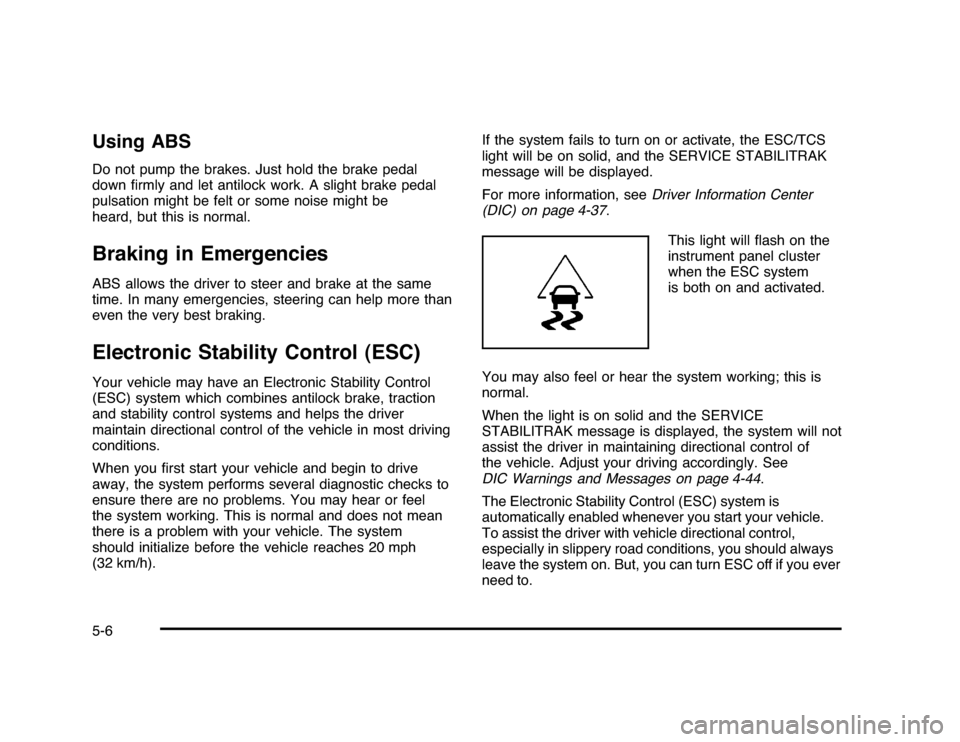
even the very best braking.Electronic Stability Control (ESC)Your vehicle may have an Electronic Stability Control
(ESC) system which combines antilock brake, traction
and stability control systems and helps the driver
maintain directional control of the vehicle in most driving
conditions.
When you first start your vehicle and begin to drive
away, the system performs several diagnostic checks to
ensure there are no problems. You may hear or feel
the system working. This is normal and does not mean
there is a problem with your vehicle. The system
should initialize before the vehicle reaches 20 mph
(32 km/h).If the system fails to turn on or activate, the ESC/TCS
light will be on solid, and the SERVICE STABILITRAK
message will be displayed.
For more information, seeDriver Information Center
(DIC) on page 4-37.
This light will flash on the
instrument panel cluster
when the ESC system
is both on and activated.
You may also feel or hear the system working; this is
normal.
When the light is on solid and the SERVICE
STABILITRAK message is displayed, the system will not
assist the driver in maintaining directional control of
the vehicle. Adjust your driving accordingly. See
DIC Warnings and Messages on page 4-44.
The Electronic Stability Control (ESC) system is
automatically enabled whenever you start your vehicle.
To assist the driver with vehicle directional control,
especially in slippery road conditions, you should always
leave the system on. But, you can turn ESC off if you ever
need to.5-6
Page 246 of 432

Steering in EmergenciesThere are times when steering can be more effective
than braking. For example, you come over a hill and find
a truck stopped in your lane, or a car suddenly pulls
out from nowhere, or a child darts out from between
parked cars and stops right in front of you. These
problems can be avoided by braking — if you can stop
in time. But sometimes you cannot stop in time
because there is no room. That is the time for evasive
action — steering around the problem.
The vehicle can perform very well in emergencies like
these. First apply the brakes — but, unless the
vehicle has antilock brakes, not enough to lock the
wheels. SeeBraking on page 5-4. It is better to remove
as much speed as possible from a collision. Then
steer around the problem, to the left or right depending
on the space available.An emergency like this requires close attention and a
quick decision. If holding the steering wheel at the
recommended 9 and 3 o’clock positions, it can be turned
a full 180 degrees very quickly without removing either
hand. But you have to act fast, steer quickly, and just as
quickly straighten the wheel once you have avoided the
object.
The fact that such emergency situations are always
possible is a good reason to practice defensive driving
at all times and wear safety belts properly.5-10
Page 248 of 432

SkiddingIn a skid, a driver can lose control of the vehicle.
Defensive drivers avoid most skids by taking reasonable
care suited to existing conditions, and by not overdriving
those conditions. But skids are always possible.
The three types of skids correspond to the vehicle’s
three control systems. In the braking skid, the wheels
are not rolling. In the steering or cornering skid, too
much speed or steering in a curve causes tires to slip
and lose cornering force. And in the acceleration
skid, too much throttle causes the driving wheels
to spin.
If the vehicle starts to slide, ease your foot off the
accelerator pedal and quickly steer the way you want
the vehicle to go. If you start steering quickly enough,
the vehicle may straighten out. Always be ready for
a second skid if it occurs.
Of course, traction is reduced when water, snow, ice,
gravel, or other material is on the road. For safety, slow
down and adjust your driving to these conditions. It is
important to slow down on slippery surfaces because
stopping distance will be longer and vehicle control more
limited.While driving on a surface with reduced traction, try your
best to avoid sudden steering, acceleration, or braking,
including reducing vehicle speed by shifting to a lower
gear. Any sudden changes could cause the tires to
slide. You may not realize the surface is slippery until
the vehicle is skidding. Learn to recognize warning
clues — such as enough water, ice, or packed snow on
the road to make a mirrored surface — and slow down
when you have any doubt.
If the vehicle has the Antilock Brake System (ABS),
remember: It helps avoid only the braking skid. If
the vehicle does not have ABS, then in a braking skid,
where the wheels are no longer rolling, release
enough pressure on the brakes to get the wheels rolling
again. This restores steering control. Push the brake
pedal down steadily when you have to stop suddenly. As
long as the wheels are rolling, you will have steering
control.
5-12