2010 CHEVROLET IMPALA instrument cluster
[x] Cancel search: instrument clusterPage 154 of 432
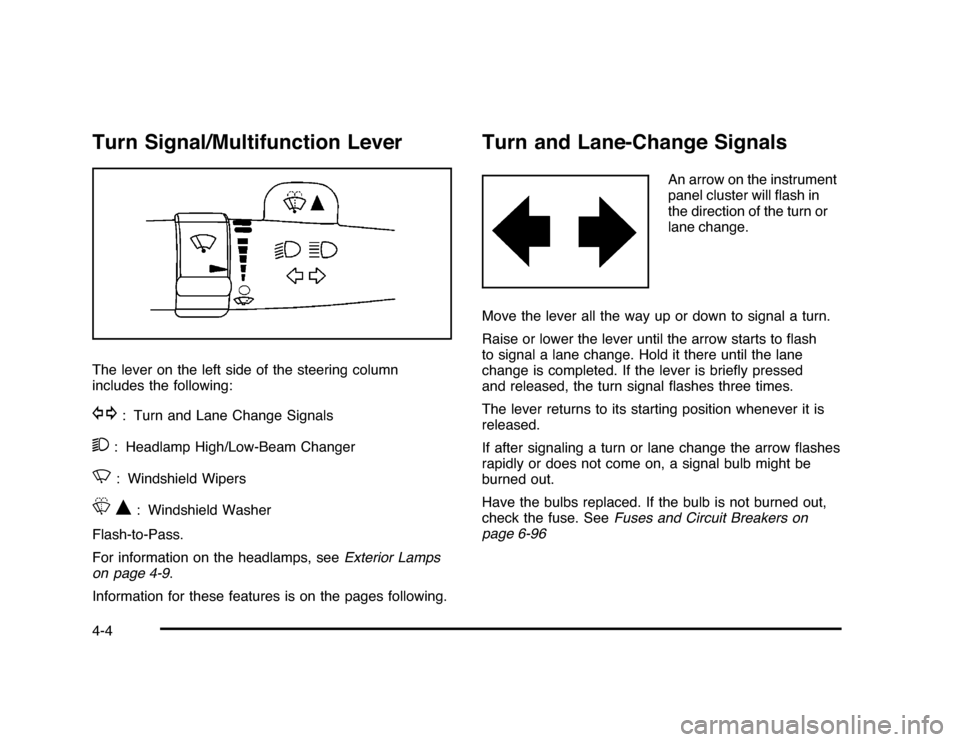
Turn Signal/Multifunction LeverThe lever on the left side of the steering column
includes the following:G
: Turn and Lane Change Signals
2
: Headlamp High/Low-Beam Changer
N
: Windshield Wipers
LQ
: Windshield Washer
Flash-to-Pass.
For information on the headlamps, seeExterior Lamps
on page 4-9.
Information for these features is on the pages following.
Turn and Lane-Change Signals
An arrow on the instrument
panel cluster will flash in
the direction of the turn or
lane change.
Move the lever all the way up or down to signal a turn.
Raise or lower the lever until the arrow starts to flash
to signal a lane change. Hold it there until the lane
change is completed. If the lever is briefly pressed
and released, the turn signal flashes three times.
The lever returns to its starting position whenever it is
released.
If after signaling a turn or lane change the arrow flashes
rapidly or does not come on, a signal bulb might be
burned out.
Have the bulbs replaced. If the bulb is not burned out,
check the fuse. SeeFuses and Circuit Breakers on
page 6-96
4-4
Page 155 of 432
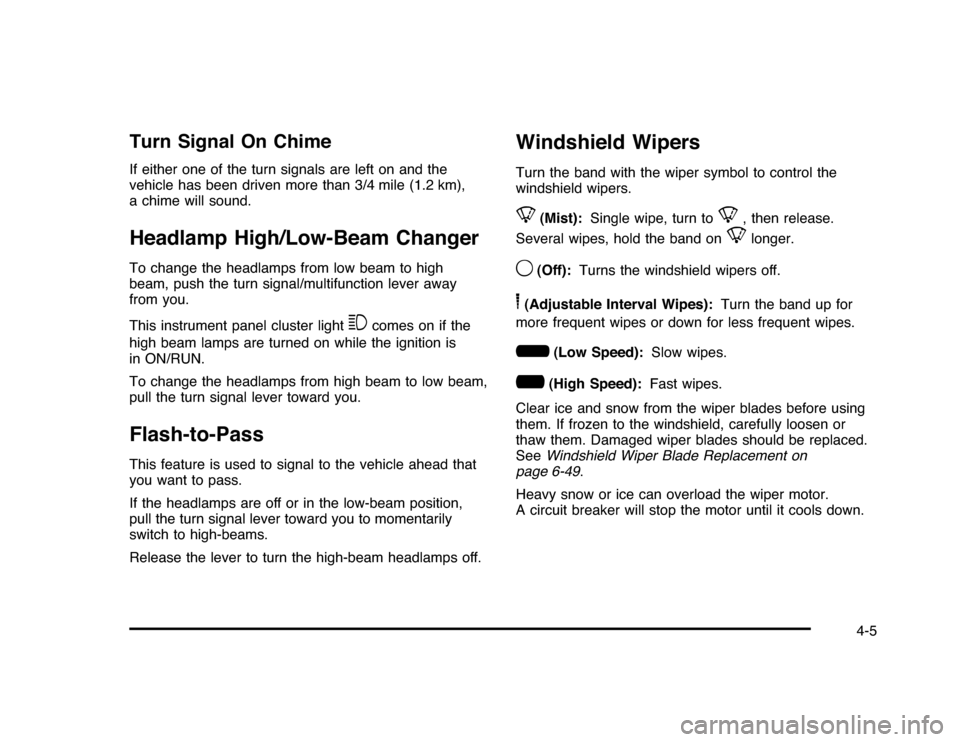
Turn Signal On ChimeIf either one of the turn signals are left on and the
vehicle has been driven more than 3/4 mile (1.2 km),
a chime will sound.Headlamp High/Low-Beam ChangerTo change the headlamps from low beam to high
beam, push the turn signal/multifunction lever away
from you.
This instrument panel cluster light
3
comes on if the
high beam lamps are turned on while the ignition is
in ON/RUN.
To change the headlamps from high beam to low beam,
pull the turn signal lever toward you.
Flash-to-PassThis feature is used to signal to the vehicle ahead that
you want to pass.
If the headlamps are off or in the low-beam position,
pull the turn signal lever toward you to momentarily
switch to high-beams.
Release the lever to turn the high-beam headlamps off.
Windshield WipersTurn the band with the wiper symbol to control the
windshield wipers.8
(Mist):Single wipe, turn to
8
, then release.
Several wipes, hold the band on
8
longer.
9
(Off):Turns the windshield wipers off.
6(Adjustable Interval Wipes):Turn the band up for
more frequent wipes or down for less frequent wipes.6
(Low Speed):Slow wipes.
?
(High Speed):Fast wipes.
Clear ice and snow from the wiper blades before using
them. If frozen to the windshield, carefully loosen or
thaw them. Damaged wiper blades should be replaced.
SeeWindshield Wiper Blade Replacement on
page 6-49.
Heavy snow or ice can overload the wiper motor.
A circuit breaker will stop the motor until it cools down.
4-5
Page 157 of 432
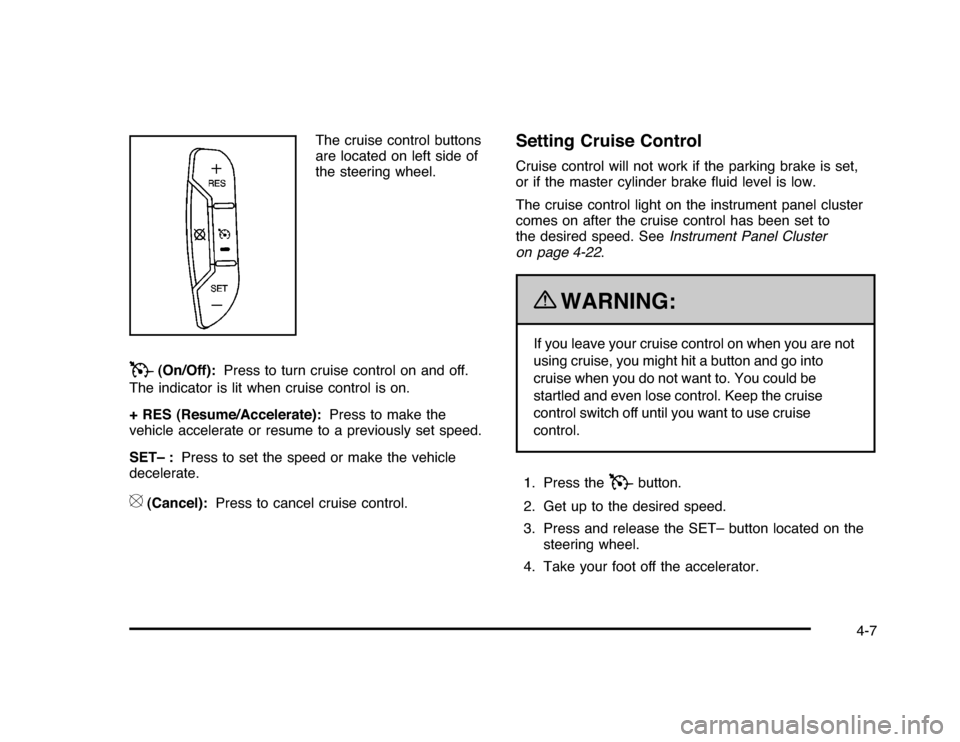
The cruise control buttons
are located on left side of
the steering wheel.
T
(On/Off):Press to turn cruise control on and off.
The indicator is lit when cruise control is on.
+ RES (Resume/Accelerate):Press to make the
vehicle accelerate or resume to a previously set speed.
SET– :Press to set the speed or make the vehicle
decelerate.
[
(Cancel):Press to cancel cruise control.
Setting Cruise ControlCruise control will not work if the parking brake is set,
or if the master cylinder brake fluid level is low.
The cruise control light on the instrument panel cluster
comes on after the cruise control has been set to
the desired speed. SeeInstrument Panel Cluster
on page 4-22.
{
WARNING:
If you leave your cruise control on when you are not
using cruise, you might hit a button and go into
cruise when you do not want to. You could be
startled and even lose control. Keep the cruise
control switch off until you want to use cruise
control.
1. Press the
T
button.
2. Get up to the desired speed.
3. Press and release the SET– button located on the
steering wheel.
4. Take your foot off the accelerator.
4-7
Page 160 of 432
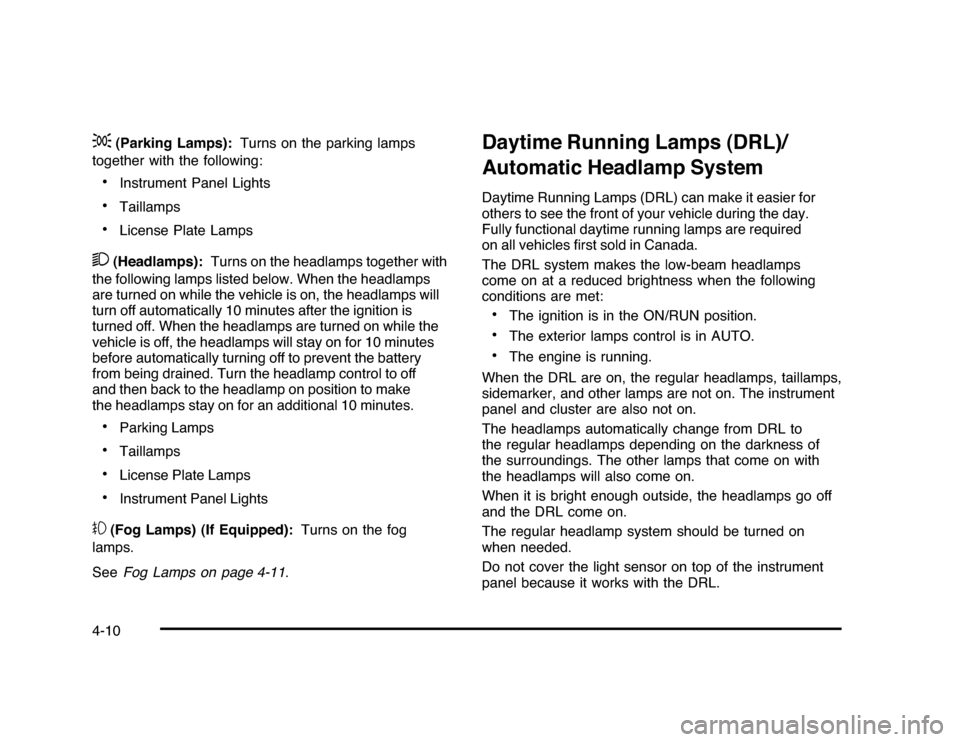
;
(Parking Lamps):Turns on the parking lamps
together with the following:
•
Instrument Panel Lights
•
Taillamps
•
License Plate Lamps
2
(Headlamps):Turns on the headlamps together with
the following lamps listed below. When the headlamps
are turned on while the vehicle is on, the headlamps will
turn off automatically 10 minutes after the ignition is
turned off. When the headlamps are turned on while the
vehicle is off, the headlamps will stay on for 10 minutes
before automatically turning off to prevent the battery
from being drained. Turn the headlamp control to off
and then back to the headlamp on position to make
the headlamps stay on for an additional 10 minutes.•
Parking Lamps
•
Taillamps
•
License Plate Lamps
•
Instrument Panel Lights
#
(Fog Lamps) (If Equipped):Turns on the fog
lamps.
SeeFog Lamps on page 4-11.
Daytime Running Lamps (DRL)/
Automatic Headlamp SystemDaytime Running Lamps (DRL) can make it easier for
others to see the front of your vehicle during the day.
Fully functional daytime running lamps are required
on all vehicles first sold in Canada.
The DRL system makes the low-beam headlamps
come on at a reduced brightness when the following
conditions are met:•
The ignition is in the ON/RUN position.
•
The exterior lamps control is in AUTO.
•
The engine is running.
When the DRL are on, the regular headlamps, taillamps,
sidemarker, and other lamps are not on. The instrument
panel and cluster are also not on.
The headlamps automatically change from DRL to
the regular headlamps depending on the darkness of
the surroundings. The other lamps that come on with
the headlamps will also come on.
When it is bright enough outside, the headlamps go off
and the DRL come on.
The regular headlamp system should be turned on
when needed.
Do not cover the light sensor on top of the instrument
panel because it works with the DRL.
4-10
Page 161 of 432
Fog Lamps#
(Fog Lamps):For vehicles with fog lamps,
the button is located on the exterior lamps control.
The exterior lamps control is located on the instrument
panel to the left of the steering column.
The ignition must be in the ON/RUN position for the fog
lamps to come on.
Press
#
to turn the fog lamps on or off. A light will
come on in the instrument panel cluster.
When the headlamps are changed to high-beam, the
fog lamps also go off.
Some localities have laws that require the headlamps to
be on along with the fog lamps.
Instrument Panel BrightnessD
(Instrument Panel Brightness):The knob with this
symbol on it is located next to the exterior lamps control
to the left of the steering wheel. Push the knob in all the
way until it extends out and then turn the knob clockwise
or counterclockwise to brighten or dim the lights. Push
the knob back in when finished.
Courtesy LampsWhen a door is opened, the courtesy lamps
automatically come on. They make it easy for you to
enter and leave your vehicle. You can also manually
turn these lamps on by fully turning the instrument
panel brightness control clockwise.
The reading lamps, located on the rearview mirror,
can be turned on or off independent of the automatic
courtesy lamps, when the doors are closed.Dome LampThe center mounted dome lamp overhead comes on
when a door is opened. This lamp can also be turned
on by turning the instrument panel brightness control
clockwise.
4-11
Page 172 of 432
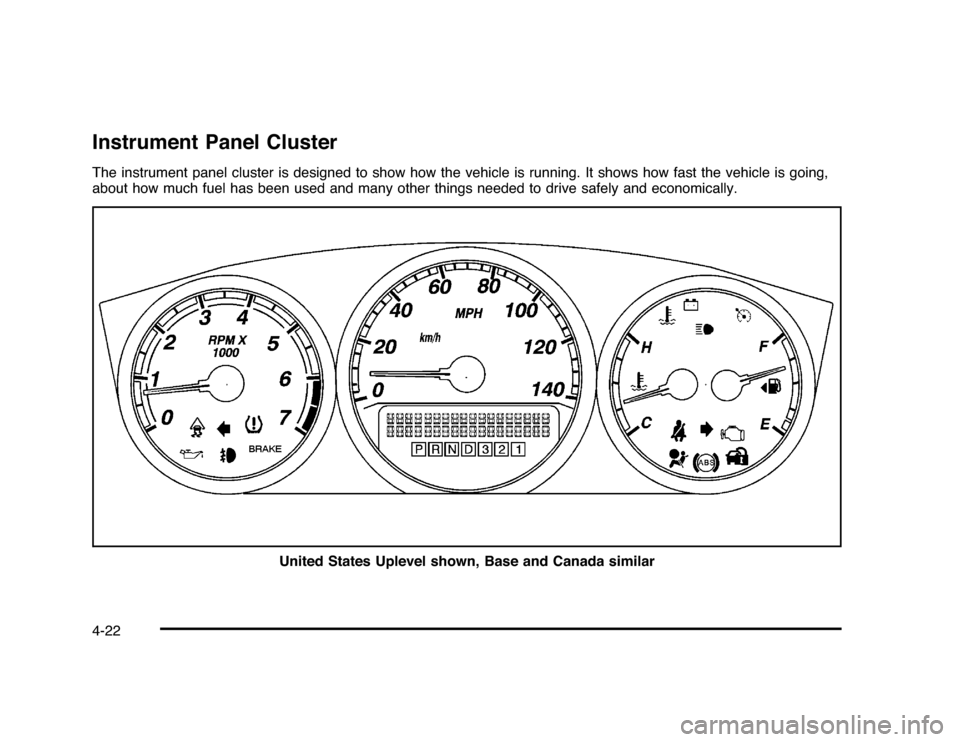
Instrument Panel ClusterThe instrument panel cluster is designed to show how the vehicle is running. It shows how fast the vehicle is going,
about how much fuel has been used and many other things needed to drive safely and economically.
United States Uplevel shown, Base and Canada similar4-22
Page 187 of 432
Driver Information Center (DIC)Your vehicle has a Driver Information Center (DIC).
All messages will appear in the DIC display located
below the speedometer in the instrument panel cluster.
The DIC buttons are located on the instrument panel,
to the right of the instrument panel cluster.
The DIC comes on when the ignition is on. After a short
delay, the DIC will display the information that was
last displayed before the engine was turned off.
The DIC displays trip, fuel, and vehicle system
information, and warning messages if a system problem
is detected. The bottom line of the DIC shows the shift
lever position indicator. SeeAutomatic Transmission
Operation on page 3-24for more information.
If your vehicle has these features, the DIC also displays
the compass direction and the outside air temperature
when viewing the trip and fuel information. The compass
direction appears on the top right corner of the DIC
display. The outside air temperature automatically
appears in the bottom right corner of the DIC display.
If there is a problem with the system that controls the
temperature display, the numbers will be replaced with
dashes. If this occurs, have the vehicle serviced by your
dealer/retailer.
The DIC also allows some features to be customized.
SeeDIC Vehicle Customization on page 4-51for
more information.
DIC Operation and DisplaysThe DIC has different displays which can be accessed
by pressing the DIC buttons located on the instrument
panel, to the right of the instrument panel cluster.DIC Buttons
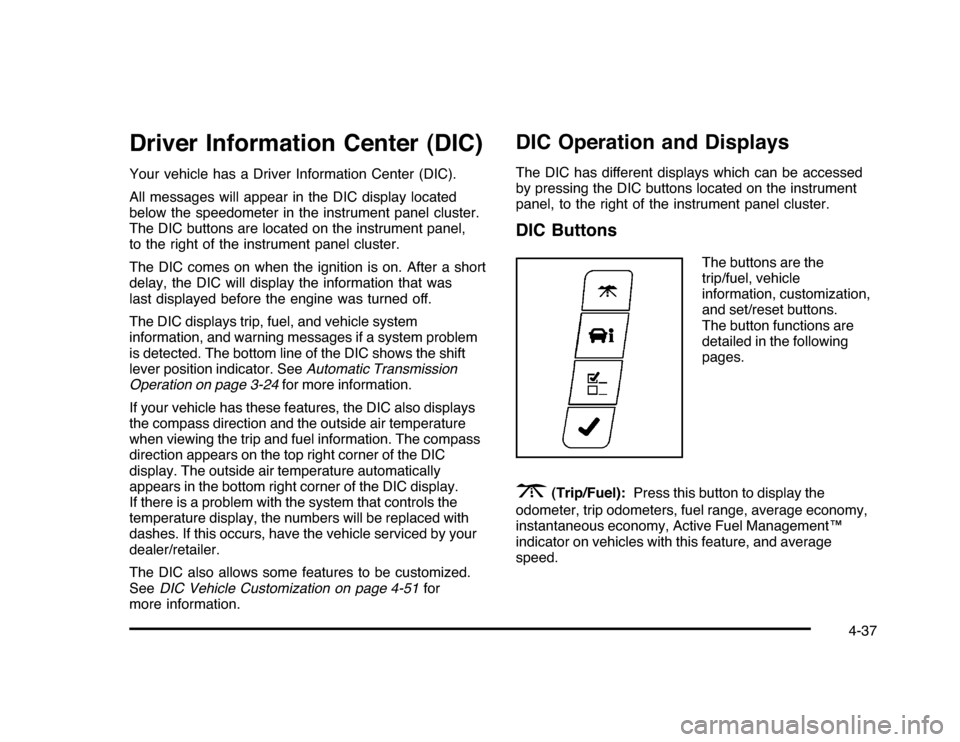
The buttons are the
trip/fuel, vehicle
information, customization,
and set/reset buttons.
The button functions are
detailed in the following
pages.
3
(Trip/Fuel):Press this button to display the
odometer, trip odometers, fuel range, average economy,
instantaneous economy, Active Fuel Management™
indicator on vehicles with this feature, and average
speed.
4-37
Page 195 of 432
DRIVER DOOR OPENThis message displays when the driver door is not
closed properly. Make sure that the door is closed
completely.ENGINE HOT A/C
(Air Conditioning) OFFThis message displays when the engine coolant
becomes hotter than the normal operating temperature.
To avoid added strain on a hot engine, the air
conditioning compressor is automatically turned off.
When the coolant temperature returns to normal, the A/C
operation automatically resumes. You can continue to
drive your vehicle. If this message continues to appear,
have the system repaired by your dealer/retailer as soon
as possible to avoid compressor damage.ENGINE OVERHEATED IDLE ENGINENotice:If you drive your vehicle while the engine
is overheating, severe engine damage may occur.
If an overheat warning appears on the instrument
panel cluster and/or DIC, stop the vehicle as soon as
possible. Do not increase the engine speed above
normal idling speed. SeeEngine Overheating
on page 6-29for more information.This message displays when the engine coolant
temperature is too hot. Stop and allow the vehicle to
idle until it cools down.
ENGINE OVERHEATED STOP ENGINENotice:If you drive your vehicle while the engine
is overheating, severe engine damage may occur.
If an overheat warning appears on the instrument
panel cluster and/or DIC, stop the vehicle as soon
as possible. SeeEngine Overheating on page 6-29
for more information.
This message displays along with a continuous chime
when the engine has overheated. Stop and turn the
engine off immediately to avoid severe engine damage.
SeeEngine Overheating on page 6-29.ENGINE POWER IS REDUCEDThis message displays when the vehicle’s engine power
is reduced. Reduced engine power can affect the
vehicle’s ability to accelerate. If this message is on, but
there is no reduction in performance, proceed to your
destination. The performance may be reduced the next
time the vehicle is driven. The vehicle may be driven at a
reduced speed while this message is on, but acceleration
and speed may be reduced. Anytime this message stays
on, the vehicle should be taken to your dealer/retailer for
service as soon as possible.
4-45