2010 CHEVROLET CORVETTE manual transmission
[x] Cancel search: manual transmissionPage 204 of 472
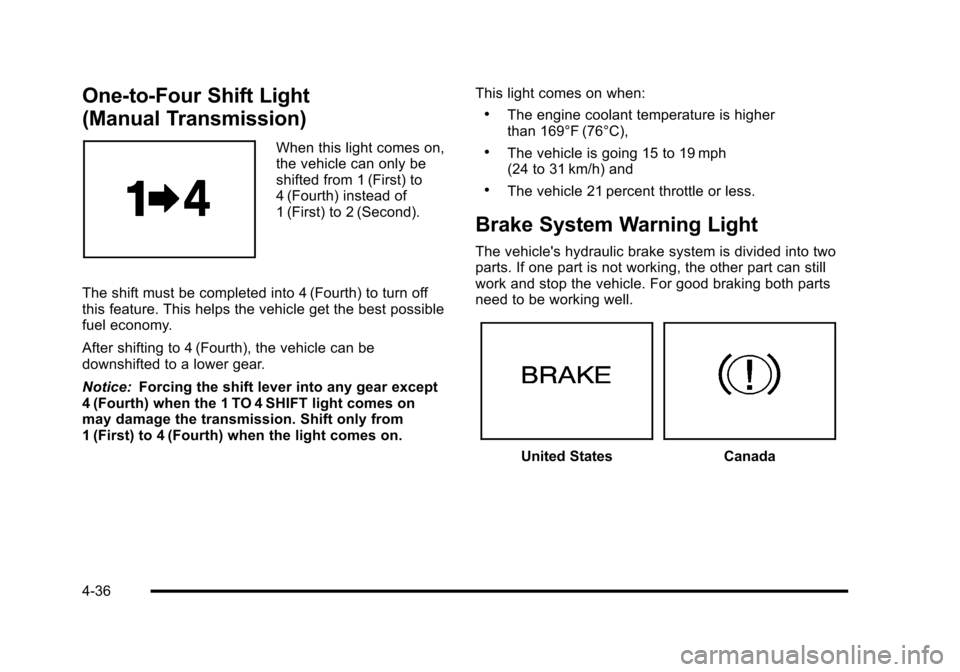
One-to-Four Shift Light
(Manual Transmission)
When this light comes on,
the vehicle can only be
shifted from 1 (First) to
4 (Fourth) instead of
1 (First) to 2 (Second).
The shift must be completed into 4 (Fourth) to turn off
this feature. This helps the vehicle get the best possible
fuel economy.
After shifting to 4 (Fourth), the vehicle can be
downshifted to a lower gear.
Notice: Forcing the shift lever into any gear except
4 (Fourth) when the 1 TO 4 SHIFT light comes on
may damage the transmission. Shift only from
1 (First) to 4 (Fourth) when the light comes on. This light comes on when:
.The engine coolant temperature is higher
than 169°F (76°C),
.The vehicle is going 15 to 19 mph
(24 to 31 km/h) and
.The vehicle 21 percent throttle or less.
Brake System Warning Light
The vehicle's hydraulic brake system is divided into two
parts. If one part is not working, the other part can still
work and stop the vehicle. For good braking both parts
need to be working well.
United StatesCanada
4-36
Page 215 of 472
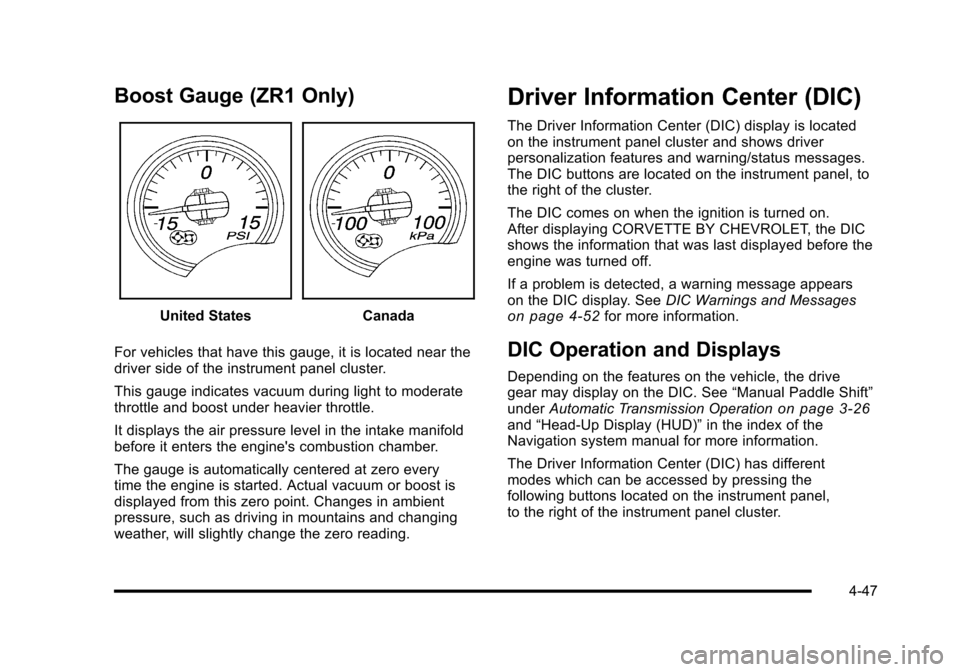
Boost Gauge (ZR1 Only)
United StatesCanada
For vehicles that have this gauge, it is located near the
driver side of the instrument panel cluster.
This gauge indicates vacuum during light to moderate
throttle and boost under heavier throttle.
It displays the air pressure level in the intake manifold
before it enters the engine's combustion chamber.
The gauge is automatically centered at zero every
time the engine is started. Actual vacuum or boost is
displayed from this zero point. Changes in ambient
pressure, such as driving in mountains and changing
weather, will slightly change the zero reading.
Driver Information Center (DIC)
The Driver Information Center (DIC) display is located
on the instrument panel cluster and shows driver
personalization features and warning/status messages.
The DIC buttons are located on the instrument panel, to
the right of the cluster.
The DIC comes on when the ignition is turned on.
After displaying CORVETTE BY CHEVROLET, the DIC
shows the information that was last displayed before the
engine was turned off.
If a problem is detected, a warning message appears
on the DIC display. See DIC Warnings and Messages
on page 4‑52for more information.
DIC Operation and Displays
Depending on the features on the vehicle, the drive
gear may display on the DIC. See “Manual Paddle Shift”
under Automatic Transmission Operation
on page 3‑26and“Head-Up Display (HUD)” in the index of the
Navigation system manual for more information.
The Driver Information Center (DIC) has different
modes which can be accessed by pressing the
following buttons located on the instrument panel,
to the right of the instrument panel cluster.
4-47
Page 223 of 472
CHECK COOLANT LEVEL
This message displays when the engine coolant level is
low. Have the cooling system serviced by your dealer/
retailer as soon as possible. See Engine Coolant
on
page 6‑34.
CHECK GAS CAP
This message displays if the fuel cap has not been fully
tightened. Check the fuel cap to make sure that it is on
properly. Once tightened, it takes at least one overnight
park to reset or clear this message. If both the CHECK
GAS CAP message and the malfunction indicator lamp
in the instrument panel cluster are on, you may need to
see your dealer/retailer for service. See Malfunction
Indicator Lamp
on page 4‑41for more information.
CHECK OIL LEVEL
On some vehicles, this message displays and two
chimes sound if the oil level in the vehicle is low. Once
the vehicle senses a change in the engine oil level, the
light remains off.
If this message appears after starting the engine, the
engine oil level may be too low. You may need to add
oil. See Engine Overheating on page 6‑38.
To acknowledge the message, press the RESET button.
The message reappears every 10 minutes until this
condition changes.
CLOSE TRUNK TO MOVE TOP
This message displays and a sound will be heard if
the trunk is open while you are trying to operate the
convertible top. Make sure the trunk is closed before
operating the convertible top. See Convertible Top
(Manual)
on page 3‑59or Convertible Top (Power)on
page 3‑66.
COMPETITIVE DRIVING MODE
This message displays and a sound will be heard
when the Competitive Driving mode is selected.
The instrument panel cluster light will be on when
the Competitive Driving mode is selected. If your
vehicle is equipped with a manual transmission,
Launch Control is available when this mode selected.
The Traction Control System (TCS) will not be operating
while in the Competitive Driving mode. Adjust your
driving accordingly. This system is available on all
models except ZR1. See Competitive Driving Mode
on
page 5‑9, including the “Launch Control” information,
and Racing or Other Competitive Drivingon page 5‑19for more information.
4-55
Page 224 of 472
COOLANT OVER TEMPERATURE
This message displays and a sound will be heard if the
engine coolant exceeds 124°C (255°F). If you have
been operating the vehicle under normal driving
conditions, pull off the road, stop the vehicle, and
turn off the engine as soon as possible.
You can monitor the coolant temperature with the
gauges button on the DIC or the engine coolant
temperature gauge on the instrument panel cluster.
See Engine Overheating
on page 6‑38,DIC Operation
and Displayson page 4‑47, and Engine Coolant
Temperature Gauge on page 4‑40.
To acknowledge the message, press the RESET button.
The message and sound will come back on until this
condition changes. If you do not press the RESET
button, the message remains on until the condition
changes.
CRUISE DISENGAGED
This message displays briefly when you disengage
the cruise control system by stepping on the brake on
an automatic transmission vehicle or the clutch on a
manual transmission vehicle, or by turning off the cruise
control switch. See Cruise Control
on page 4‑7for
more information.
ENGINE DRAG CONTROL ACTIVE
This message displays when engine drag control is
active. When driving in a lower gear in rainy, snowy,
or icy conditions and then letting up on the accelerator
or downshifting, the rear wheels may begin to slip and
this message displays. This message stays on for a few
seconds following the engine drag control event.
ENGINE OVERHEATED –STOP ENGINE
This message displays and a sound will be heard when
the engine has overheated. Stop and turn the engine
off immediately to avoid severe engine damage.
See Engine Overheating on page 6‑38.
ENGINE PROTECTION REDUCE
ENGINE RPM
This message displays if the engine oil temperature
exceeds 160°C (320°F). Check the engine coolant
temperature and engine oil level. If the engine is
too hot, see Engine Overheating
on page 6‑38.
The vehicle may need service, so see your dealer/
retailer.
You can monitor the oil temperature with the gauges
button on the DIC. See DIC Operation and Displays
on
page 4‑47.
4-56
Page 233 of 472
SERVICE TRACTION SYSTEM
If this message displays when you are driving, there is a
problem with the Traction Control System (TCS) and the
vehicle is in need of service. See your dealer/retailer.
When this message is displayed, the system will not
limit wheel spin. Adjust your driving accordingly.
The traction control system (TCS) warning light on the
instrument panel cluster will also turn on and a sound
will be heard.
When this message is displayed, the computer
controlled systems will not assist the driver in controlling
the vehicle. Have the system repaired by your dealer/
retailer as soon as possible. Adjust your driving
accordingly. See Traction Control System (TCS)
on
page 5‑6for more information.
To acknowledge the message, press the RESET button.
SERVICE TRANSMISSION
This message displays when there is a problem with the
transmission. See your dealer/retailer for service.
SERVICE VEHICLE SOON
This message displays and a sound will be heard when
there may be an electrical or another system problem
with the vehicle. Have your vehicle checked by your
dealer/retailer if this message keeps appearing.
SET PARK BRAKE FOR SEAT RECALL
If the vehicle has a manual transmission, this message
displays if you try to recall the memory positions when
the ignition is on and the parking brake is not set. If the
vehicle is on, you must set the parking brake in order
for the memory positions to recall. See Memory Seat,
Mirrors and Steering Wheel
on page 2‑4for more
information.
SET PARK BRAKE TO MOVE TOP
If the vehicle has a manual transmission, this message
displays and a sound will be heard if you try to operate
the power convertible top without first setting the
parking brake. Set the parking brake before trying to
operate the power convertible top. See Convertible Top
(Manual)
on page 3‑59or Convertible Top (Power)on
page 3‑66for more information.
SHIFT TO PARK
If the vehicle has an automatic transmission, this
message displays if the vehicle is not in P (Park) when
the engine is being turned off. The vehicle will be in
ACCESSORY Once the shift lever is moved to P (Park),
the vehicle will turn off.
4-65
Page 234 of 472
The vehicle will remain in ACCESSORY, without the
20 minute time-out period, until the shift lever is moved
to P (Park) or until the driver presses the pushbutton to
restart the vehicle. See Ignition Positions
on page 3‑23for more information.
SHIFT TO PARK OR SET PARK BRAKE
FOR TOP
If the vehicle has an automatic transmission, this
message displays and a sound will be heard if you
try to operate the power convertible top without first
shifting into P (Park) or setting the parking brake.
Either shift the vehicle into P (Park) or set the parking
brake before trying to operate the power convertible
top. See Convertible Top (Manual)
on page 3‑59or
Convertible Top (Power)on page 3‑66for more
information.
SHOCKS INOPERATIVE
This message displays when a malfunction is present in
the Selective Ride Control system which is causing the
shocks to be in their full soft mode. This is a warning to
the driver that the vehicle handling may be affected.
Have the vehicle serviced by your dealer/retailer as
soon as possible.
To acknowledge the message, press the RESET button.
The message reappears every 10 minutes until this
condition changes.
TIRE FLAT
{WARNING:
When the LOW TIRE PRESSURE or TIRE FLAT
message is displayed on the Driver Information
Center, your vehicle's handling capabilities will
be reduced during severe maneuvers. If you drive
too fast, you could lose control of your vehicle.
You or others could be injured. Do not drive
over 55 mph (90 km/h) when the LOW TIRE
PRESSURE or TIRE FLAT message is displayed.
Drive cautiously and check your tire pressures as
soon as you can.
This message displays when one or more of the tires is
flat. This message also displays LEFT FRONT, RIGHT
FRONT, LEFT REAR, or RIGHT REAR to indicate
which tire is affected. Multiple chimes sound and the tire
pressure light on the instrument panel cluster comes on
when this message is displayed. See Tire Pressure
Light
on page 4‑40.
4-66
Page 237 of 472
TRANSMISSION HOT IDLE ENGINE
This message displays and four chimes sound if the
transmission fluid temperature rises above 132°C
(270°F) or rises rapidly. The transmission may shift
gears or apply the torque converter clutch to reduce the
fluid temperature. Driving aggressively or driving on
long hills can cause the transmission fluid temperature
to be higher than normal. If this message appears, you
may continue to drive at a slower speed. Monitor the
transmission fluid temperature and allow it to cool to at
least 110°C (230°F). The transmission fluid temperature
can be monitored with the gauges button on the DIC.
See DIC Operation and Displays
on page 4‑47and
Automatic Transmission Fluidon page 6‑31. Also
check the engine coolant temperature. If it is also hot,
see Engine Overheating on page 6‑38.
If this message is displayed during normal vehicle
operation on flat roads, the vehicle may need service.
See your dealer/retailer for an inspection.
If driving in a performance or competitive manner, the
use of (S) Sport Automatic Mode or (S) Sport Manual
Paddle Shift gear selection is recommended. See
Automatic Transmission Operation
on page 3‑26for
more information. To acknowledge the message, press the RESET button.
The message reappears every 10 minutes until this
condition changes. If you do not press the RESET
button, the message remains on the display until the
condition changes.
TURN SIGNAL ON
This message displays and a sound will be heard if a
turn signal is left on for 1.2 km (three-quarters of a mile).
Move the turn signal/multifunction lever to the off
position.
To acknowledge this message, press the RESET
button.
UNLATCH HEADER TO MOVE TOP
This message displays and a sound will be heard if you
try to lower the convertible top without first unlocking
the top. Move the latch handle to unlock the convertible
top. See
Convertible Top (Manual)
on page 3‑59or
Convertible Top (Power) on page 3‑66.
4-69
Page 238 of 472
Other Messages
Here are more messages that you can receive on your
Driver Information Center (DIC). To acknowledge a
message and read another message that may have
come on at the same time, press the RESET button.
.ACCESSORY MODE ON
.BATTERY VOLTAGE HIGH
See Voltmeter Gauge on page 4‑35.
.BATTERY VOLTAGE LOW
See Voltmeter Gauge on page 4‑35.
.CHECK WASHER FLUID
See Windshield Washer Fluid on page 6‑42.
.CRUISE SET TO XXX MPH (XXX km/h)
See Cruise Control on page 4‑7.
.DRIVER DOOR AJAR
.FOB AUTOLEARN WAIT XX MINUTES
See “Matching Transmitter(s) to Your Vehicle”
under Keyless Access System Operation
on
page 3‑5.
.FOB BATTERY LOW
See “Battery Replacement” underKeyless Access
System Operation on page 3‑5.
.HATCH AJAR (Coupe)
.INTRUSION SENSOR OFF, if your vehicle has this
feature
.INTRUSION SENSOR ON, if your vehicle has this
feature
.KNOWN FOB
See “Matching Transmitter(s) to Your Vehicle”
under Keyless Access System Operation
on
page 3‑5.
.MAXIMUM NUMBER OF FOBS LEARNED
See “Matching Transmitter(s) to Your Vehicle”
under Keyless Access System Operation
on
page 3‑5.
.OFF–ACCESSORY TO LEARN
See “Matching Transmitter(s) to Your Vehicle”
under Keyless Access System Operation
on
page 3‑5.
.PASSENGER DOOR AJAR
.READY FOR FOB #X
See “Matching Transmitter(s) to Your Vehicle”
under Keyless Access System Operation
on
page 3‑5.
.TONNEAU AJAR (Convertible)
.TRUNK AJAR (Convertible)
.UPSHIFT NOW
See Manual Transmission Operation on page 3‑32.
4-70