2010 CHEVROLET CORVETTE steering
[x] Cancel search: steeringPage 164 of 472
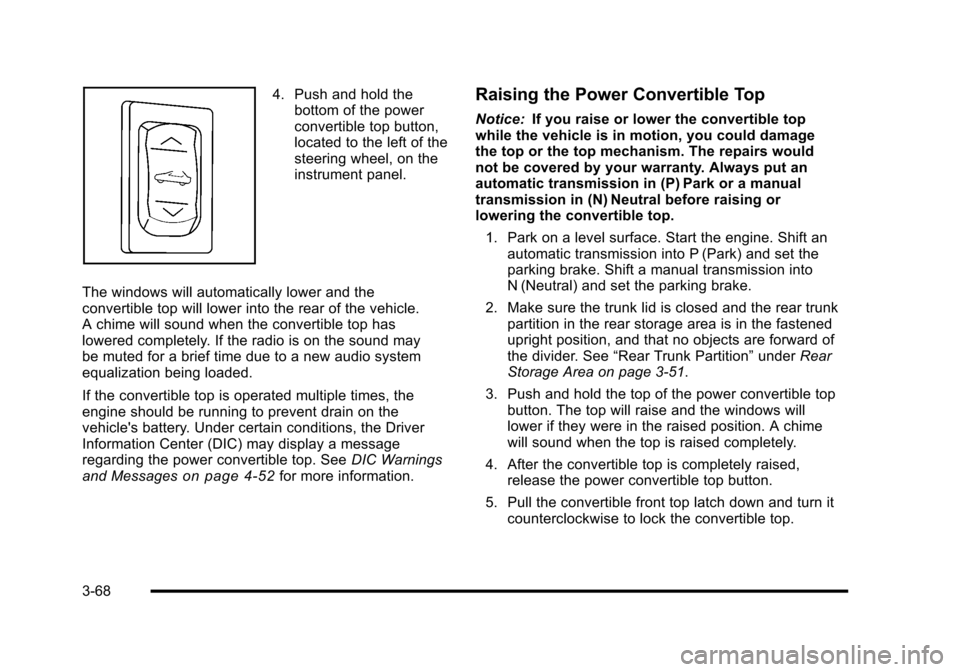
4. Push and hold the bottom of the power
convertible top button,
located to the left of the
steering wheel, on the
instrument panel.
The windows will automatically lower and the
convertible top will lower into the rear of the vehicle.
A chime will sound when the convertible top has
lowered completely. If the radio is on the sound may
be muted for a brief time due to a new audio system
equalization being loaded.
If the convertible top is operated multiple times, the
engine should be running to prevent drain on the
vehicle's battery. Under certain conditions, the Driver
Information Center (DIC) may display a message
regarding the power convertible top. See DIC Warnings
and Messages
on page 4‑52for more information.
Raising the Power Convertible Top
Notice: If you raise or lower the convertible top
while the vehicle is in motion, you could damage
the top or the top mechanism. The repairs would
not be covered by your warranty. Always put an
automatic transmission in (P) Park or a manual
transmission in (N) Neutral before raising or
lowering the convertible top.
1. Park on a level surface. Start the engine. Shift an automatic transmission into P (Park) and set the
parking brake. Shift a manual transmission into
N (Neutral) and set the parking brake.
2. Make sure the trunk lid is closed and the rear trunk partition in the rear storage area is in the fastened
upright position, and that no objects are forward of
the divider. See “Rear Trunk Partition” underRear
Storage Area on page 3‑51.
3. Push and hold the top of the power convertible top button. The top will raise and the windows will
lower if they were in the raised position. A chime
will sound when the top is raised completely.
4. After the convertible top is completely raised, release the power convertible top button.
5. Pull the convertible front top latch down and turn it counterclockwise to lock the convertible top.
3-68
Page 170 of 472

Section 4 Instrument Panel
Fog Lamp Light . . . . . . . . . . . . . . . . . . . . . . . . . . . . . . . . 4-45
Lights On Reminder . . . . . . . . . . . . . . . . . . . . . . . . . . . 4-45
Highbeam On Light . . . . . . . . . . . . . . . . . . . . . . . . . . . . 4-45
Fuel Gauge . . . . . . . . . . . . . . . . . . . . . . . . . . . . . . . . . . . . 4-46
Boost Gauge (ZR1 Only) . . . . . . . . . . . . . . . . . . . . . . 4-47
Driver Information Center (DIC) . . . . . . . . . . . . . . . . . . 4-47
DIC Operation and Displays . . . . . . . . . . . . . . . . . . . 4-47
DIC Warnings and Messages . . . . . . . . . . . . . . . . . . 4-52
Other Messages . . . . . . . . . . . . . . . . . . . . . . . . . . . . . . . 4-70
DIC Vehicle Personalization . . . . . . . . . . . . . . . . . . . 4-71 Audio System(s)
. . . . . . . . . . . . . . . . . . . . . . . . . . . . . . . . . . 4-80
Setting the Clock . . . . . . . . . . . . . . . . . . . . . . . . . . . . . . 4-80
Radio(s) . . . . . . . . . . . . . . . . . . . . . . . . . . . . . . . . . . . . . . . 4-81
Using an MP3 . . . . . . . . . . . . . . . . . . . . . . . . . . . . . . . . . 4-92
XM Radio Messages . . . . . . . . . . . . . . . . . . . . . . . . . . . 4-95
Navigation/Radio System . . . . . . . . . . . . . . . . . . . . . . 4-96
Bluetooth
®. . . . . . . . . . . . . . . . . . . . . . . . . . . . . . . . . . . . . 4-96
Theft-Deterrent Feature . . . . . . . . . . . . . . . . . . . . . . 4-106
Audio Steering Wheel Controls . . . . . . . . . . . . . . . 4-107
Radio Reception . . . . . . . . . . . . . . . . . . . . . . . . . . . . . . 4-108
Diversity Antenna System . . . . . . . . . . . . . . . . . . . . 4-109
XM™ Satellite Radio Antenna System . . . . . . . . 4-109
4-2
Page 171 of 472

Instrument Panel Overview
Hazard Warning Flashers
The hazard warning flashers warns others that you
have a problem. The button is located near the center
of the instrument panel.
|: Press to make the front and rear turn signal lamps
flash on and off. Press again to turn the flashers off.
The hazard warning flashers work no matter what mode
the ignition is in, even if the ignition is turned off.
When the hazard warning flashers are on, the turn
signals will not work.
Horn
Press near or on the horn symbols on the steering
wheel pad to sound the horn.
Tilt Wheel
The lever is located on the left side of the steering
column. To adjust the steering wheel:
1. Pull the lever toward you.
2. Move the steering wheel up or down into a comfortable position.
3. Release the lever to lock the steering wheel in place.
4-3
Page 172 of 472

Telescopic Steering Column
For vehicles with this
feature, the telescopic
steering column switch is
located on the right side
of the steering column.
To adjust the telescopic steering column: 1. Push the switch forward to move the wheel away from you.
2. Pull the switch toward you to move the wheel closer to you.
The telescopic steering column position can be stored
with your memory settings. See Memory Seat, Mirrors
and Steering Wheel
on page 2‑4for more
information.
Turn Signal/Multifunction Lever
The lever on the left side of the steering column
includes the following:
G :Turn and Lane-Change Signals
3 :Headlamp High/Low-Beam Changer
# :Fog Lamps
I :Cruise Control
P :Exterior Lamps Control
.Flash-to-Pass Feature. See Flash-to-Passon
page 4‑5.
Information for these features is on the pages following.
4-4
Page 174 of 472
Windshield Wipers
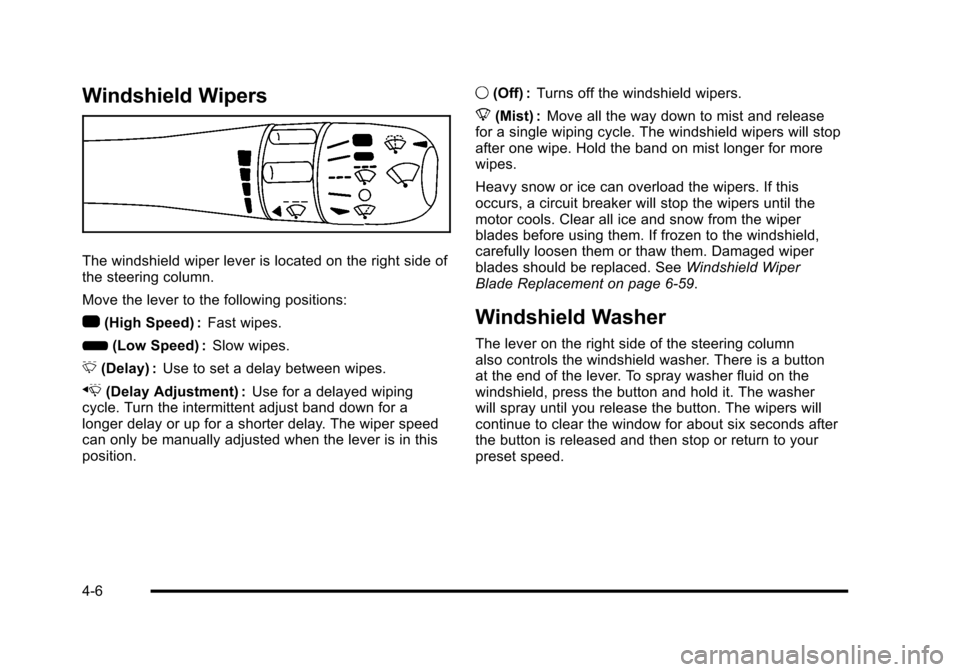
The windshield wiper lever is located on the right side of
the steering column.
Move the lever to the following positions:
1 (High Speed) : Fast wipes.
6 (Low Speed) : Slow wipes.
& (Delay) : Use to set a delay between wipes.
x (Delay Adjustment) : Use for a delayed wiping
cycle. Turn the intermittent adjust band down for a
longer delay or up for a shorter delay. The wiper speed
can only be manually adjusted when the lever is in this
position. 9
(Off) : Turns off the windshield wipers.
8 (Mist) : Move all the way down to mist and release
for a single wiping cycle. The windshield wipers will stop
after one wipe. Hold the band on mist longer for more
wipes.
Heavy snow or ice can overload the wipers. If this
occurs, a circuit breaker will stop the wipers until the
motor cools. Clear all ice and snow from the wiper
blades before using them. If frozen to the windshield,
carefully loosen them or thaw them. Damaged wiper
blades should be replaced. See Windshield Wiper
Blade Replacement on page 6‑59.
Windshield Washer
The lever on the right side of the steering column
also controls the windshield washer. There is a button
at the end of the lever. To spray washer fluid on the
windshield, press the button and hold it. The washer
will spray until you release the button. The wipers will
continue to clear the window for about six seconds after
the button is released and then stop or return to your
preset speed.
4-6
Page 179 of 472
Exterior Lamps
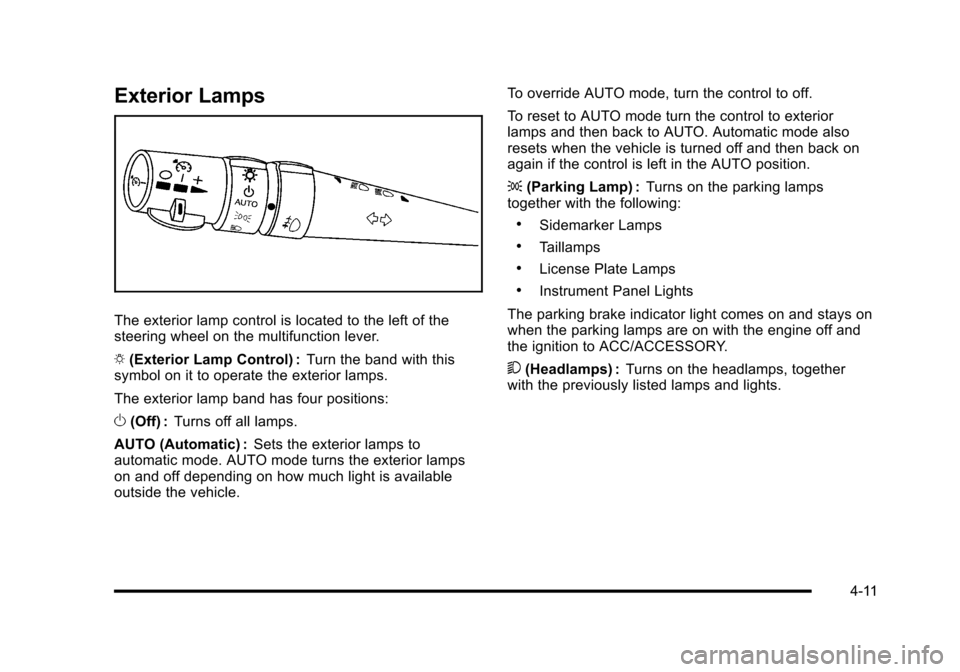
The exterior lamp control is located to the left of the
steering wheel on the multifunction lever.
O (Exterior Lamp Control) : Turn the band with this
symbol on it to operate the exterior lamps.
The exterior lamp band has four positions:
O (Off) : Turns off all lamps.
AUTO (Automatic) : Sets the exterior lamps to
automatic mode. AUTO mode turns the exterior lamps
on and off depending on how much light is available
outside the vehicle. To override AUTO mode, turn the control to off.
To reset to AUTO mode turn the control to exterior
lamps and then back to AUTO. Automatic mode also
resets when the vehicle is turned off and then back on
again if the control is left in the AUTO position.
;
(Parking Lamp) : Turns on the parking lamps
together with the following:
.Sidemarker Lamps
.Taillamps
.License Plate Lamps
.Instrument Panel Lights
The parking brake indicator light comes on and stays on
when the parking lamps are on with the engine off and
the ignition to ACC/ACCESSORY.
5 (Headlamps) : Turns on the headlamps, together
with the previously listed lamps and lights.
4-11
Page 187 of 472
The HUD controls are
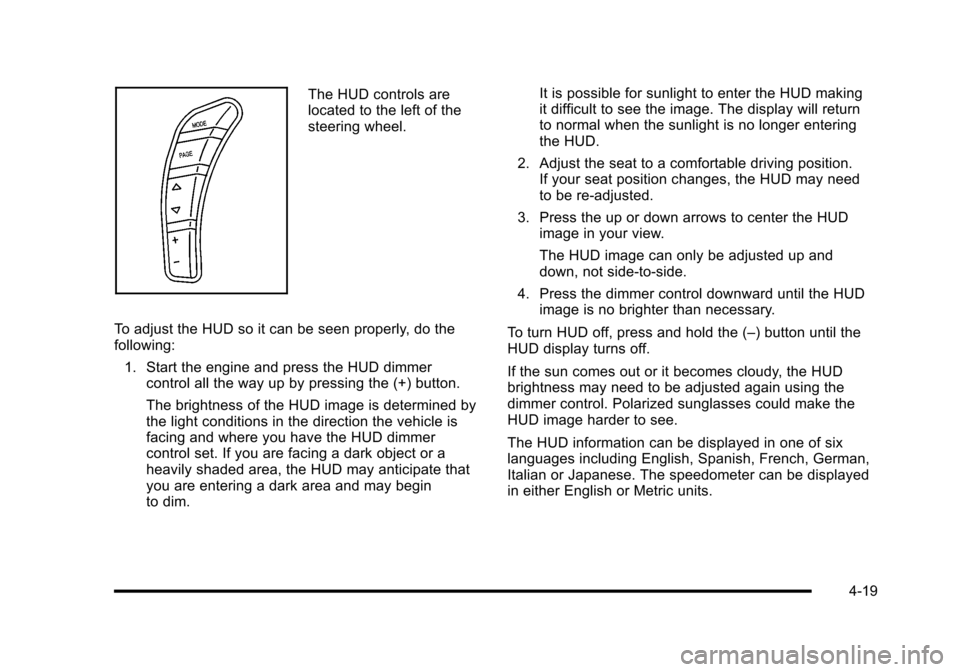
located to the left of the
steering wheel.
To adjust the HUD so it can be seen properly, do the
following: 1. Start the engine and press the HUD dimmer control all the way up by pressing the (+) button.
The brightness of the HUD image is determined by
the light conditions in the direction the vehicle is
facing and where you have the HUD dimmer
control set. If you are facing a dark object or a
heavily shaded area, the HUD may anticipate that
you are entering a dark area and may begin
to dim. It is possible for sunlight to enter the HUD making
it difficult to see the image. The display will return
to normal when the sunlight is no longer entering
the HUD.
2. Adjust the seat to a comfortable driving position. If your seat position changes, the HUD may need
to be re-adjusted.
3. Press the up or down arrows to center the HUD image in your view.
The HUD image can only be adjusted up and
down, not side-to-side.
4. Press the dimmer control downward until the HUD image is no brighter than necessary.
To turn HUD off, press and hold the (–) button until the
HUD display turns off.
If the sun comes out or it becomes cloudy, the HUD
brightness may need to be adjusted again using the
dimmer control. Polarized sunglasses could make the
HUD image harder to see.
The HUD information can be displayed in one of six
languages including English, Spanish, French, German,
Italian or Japanese. The speedometer can be displayed
in either English or Metric units.
4-19
Page 233 of 472
SERVICE TRACTION SYSTEM
If this message displays when you are driving, there is a
problem with the Traction Control System (TCS) and the
vehicle is in need of service. See your dealer/retailer.
When this message is displayed, the system will not
limit wheel spin. Adjust your driving accordingly.
The traction control system (TCS) warning light on the
instrument panel cluster will also turn on and a sound
will be heard.
When this message is displayed, the computer
controlled systems will not assist the driver in controlling
the vehicle. Have the system repaired by your dealer/
retailer as soon as possible. Adjust your driving
accordingly. See Traction Control System (TCS)
on
page 5‑6for more information.
To acknowledge the message, press the RESET button.
SERVICE TRANSMISSION
This message displays when there is a problem with the
transmission. See your dealer/retailer for service.
SERVICE VEHICLE SOON
This message displays and a sound will be heard when
there may be an electrical or another system problem
with the vehicle. Have your vehicle checked by your
dealer/retailer if this message keeps appearing.
SET PARK BRAKE FOR SEAT RECALL
If the vehicle has a manual transmission, this message
displays if you try to recall the memory positions when
the ignition is on and the parking brake is not set. If the
vehicle is on, you must set the parking brake in order
for the memory positions to recall. See Memory Seat,
Mirrors and Steering Wheel
on page 2‑4for more
information.
SET PARK BRAKE TO MOVE TOP
If the vehicle has a manual transmission, this message
displays and a sound will be heard if you try to operate
the power convertible top without first setting the
parking brake. Set the parking brake before trying to
operate the power convertible top. See Convertible Top
(Manual)
on page 3‑59or Convertible Top (Power)on
page 3‑66for more information.
SHIFT TO PARK
If the vehicle has an automatic transmission, this
message displays if the vehicle is not in P (Park) when
the engine is being turned off. The vehicle will be in
ACCESSORY Once the shift lever is moved to P (Park),
the vehicle will turn off.
4-65