Page 305 of 508
305
3-4. Using the hands-free
system (for cellular phone)
3
Interior features
PRIUS_U_(OM47614U)
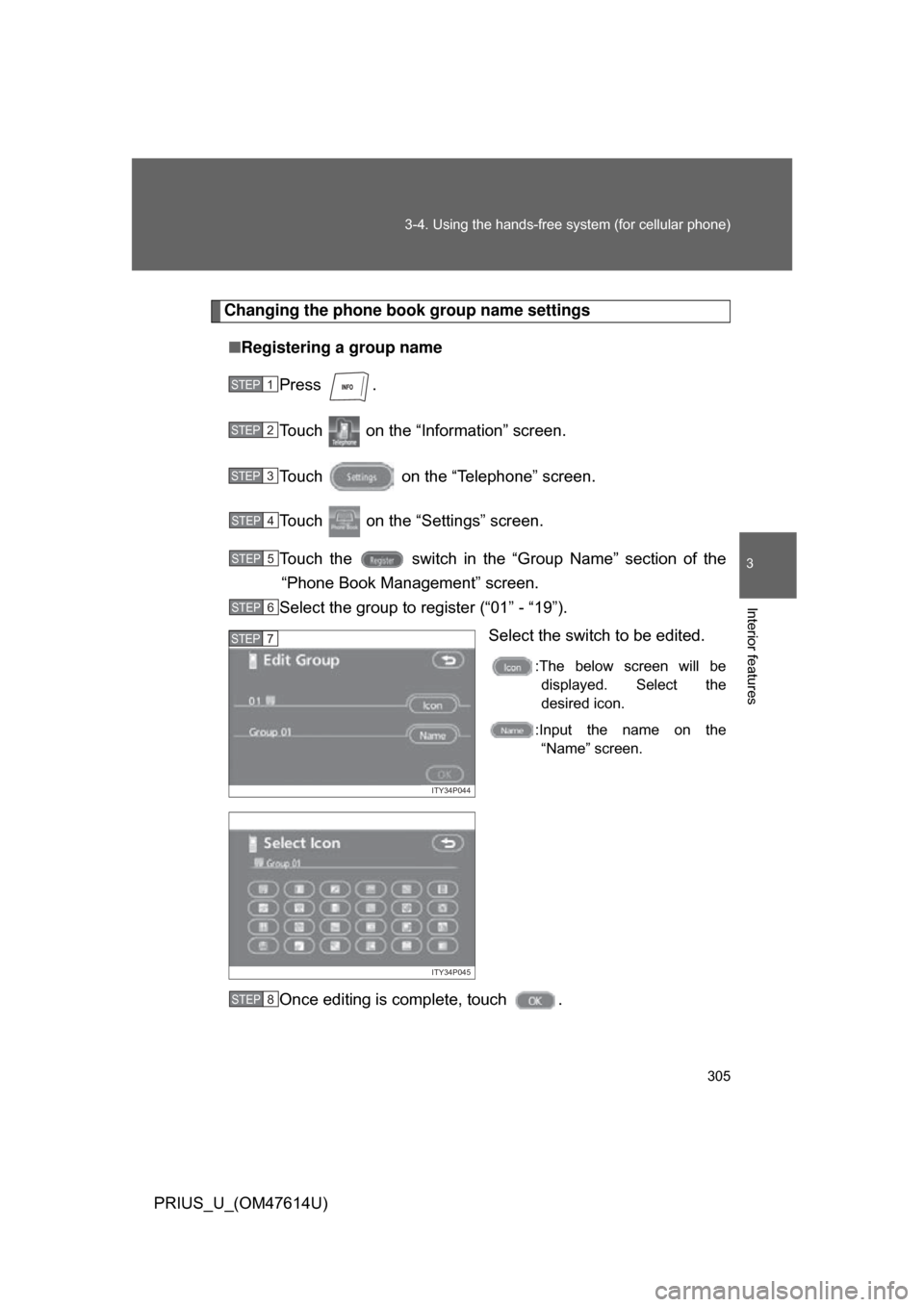
Changing the phone book group name settings
■ Registering a group name
Press .
Touch on the “Information” screen.
Touch on the “Telephone” screen.
Touch on the “Settings” screen.
Touch the switch in the “G roup Name” section of the
“Phone Book Management” screen.
Select the group to register (“01” - “19”).
Select the switch to be edited.
:The below screen will bedisplayed. Select the
desired icon.
:Input the name on the “Name” screen.
Once editing is complete, touch .
STEP1
STEP2
STEP3
STEP4
STEP5
STEP6
ITY34P044
STEP7
ITY34P045
STEP8
Page 306 of 508
306 3-4. Using the hands-free system (for cellular phone)
PRIUS_U_(OM47614U)■
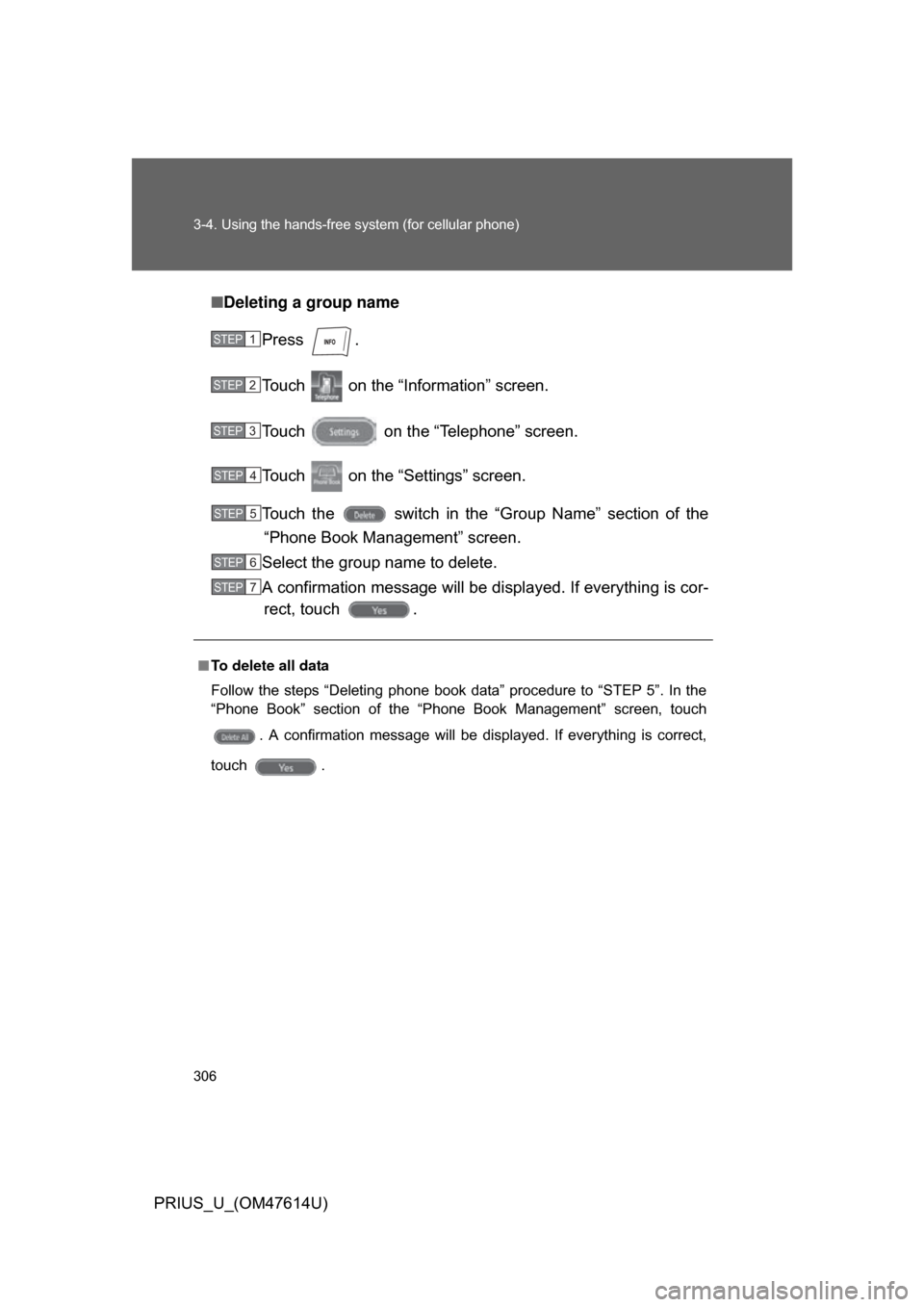
Deleting a group name
Press .
Touch on the “Inf ormation” screen.
Touch on the “Telephone” screen.
Touch on the “Settings” screen.
Touch the switch in the “G roup Name” section of the
“Phone Book Management” screen.
Select the group name to delete.
A confirmation message will be di splayed. If everything is cor-
rect, touch .
■ To delete all data
Follow the steps “Deleting phone book data” procedure to “STEP 5”. In the
“Phone Book” section of the “Phone Book Management” screen, touch
. A confirmation message will be displayed. If everything is correct,
touch .
STEP1
STEP2
STEP3
STEP4
STEP5
STEP6
STEP7
Page 310 of 508
310 3-4. Using the hands-free system (for cellular phone)
PRIUS_U_(OM47614U)■
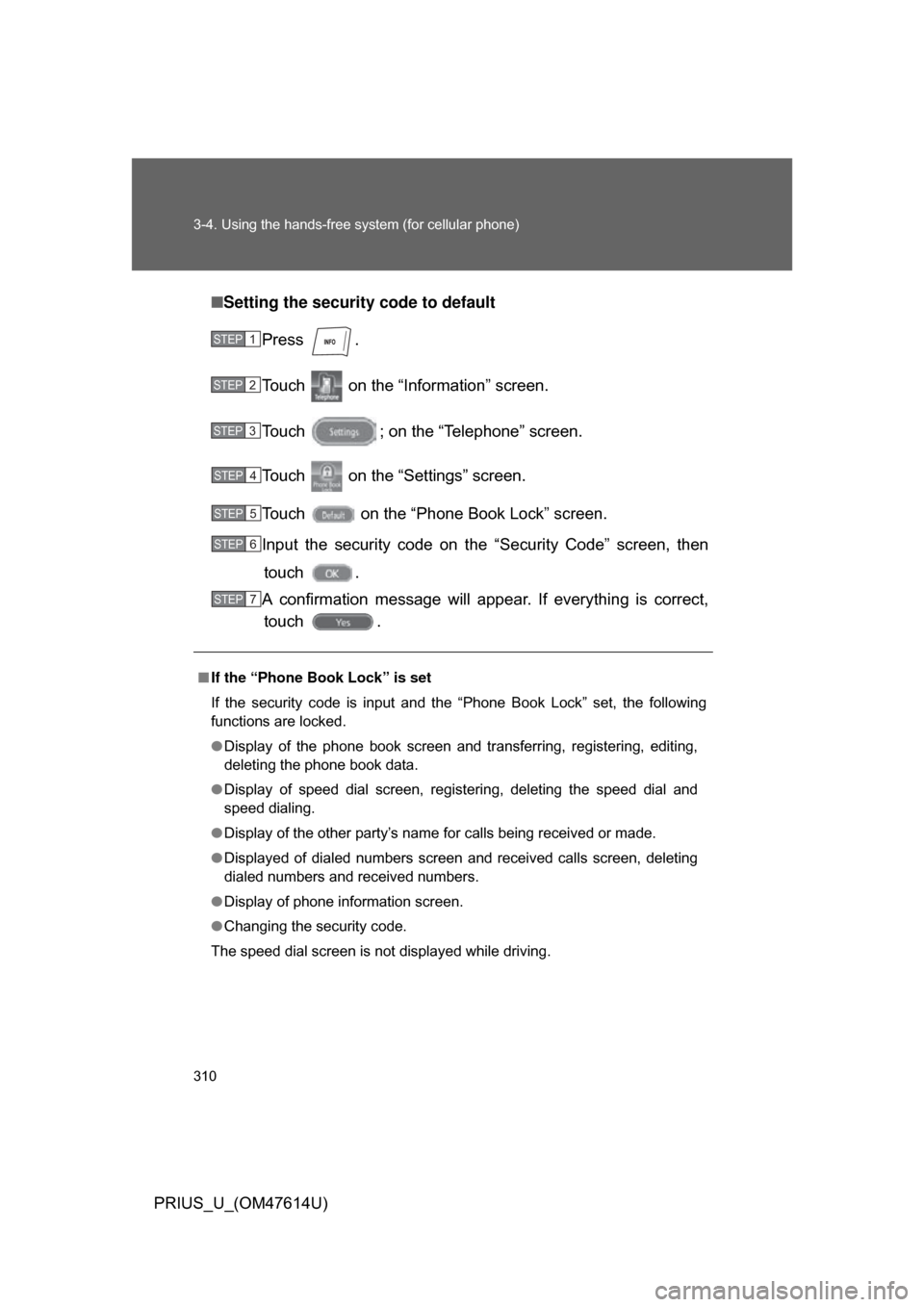
Setting the security code to default
Press .
Touch on the “Inf ormation” screen.
Touch ; on the “Telephone” screen.
Touch on the “Settings” screen.
Touch on the “Phone Book Lock” screen.
Input the security code on t he “Security Code” screen, then
touch .
A confirmation message will appear. If everything is correct, touch .
■ If the “Phone Book Lock” is set
If the security code is input and the “Phone Book Lock” set, the following
functions are locked.
● Display of the phone book screen and transferring, registering, editing,
deleting the phone book data.
● Display of speed dial screen, registering, deleting the speed dial and
speed dialing.
● Display of the other party’s name for calls being received or made.
● Displayed of dialed numbers screen and received calls screen, deleting
dialed numbers and received numbers.
● Display of phone information screen.
● Changing the security code.
The speed dial screen is not displayed while driving.
STEP1
STEP2
STEP3
STEP4
STEP5
STEP6
STEP7
Page 312 of 508
312 3-4. Using the hands-free system (for cellular phone)
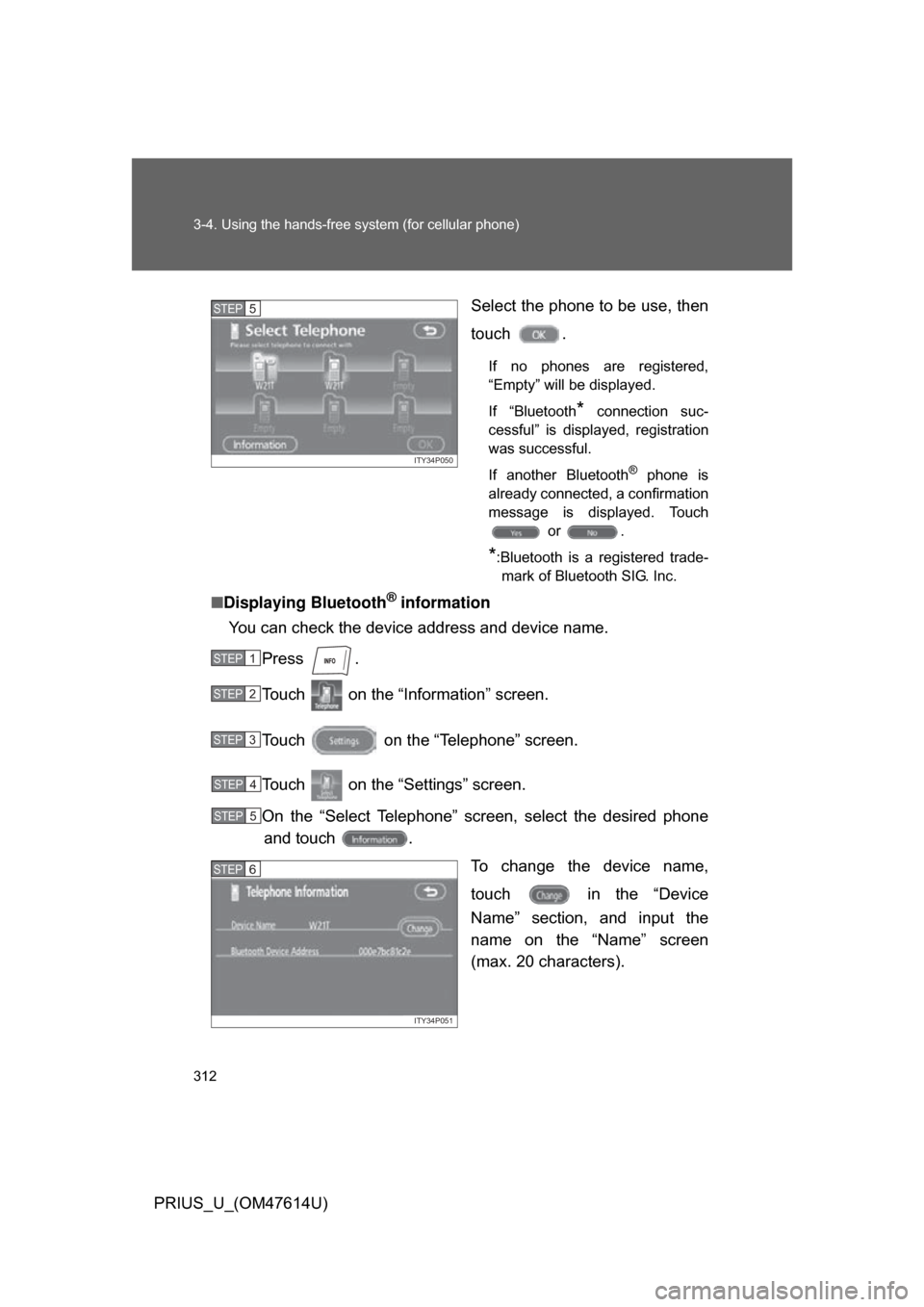
PRIUS_U_(OM47614U)Select the phone to be use, then
touch .
If no phones are registered,
“Empty” will be displayed.
If “Bluetooth
* connection suc-
cessful” is displayed, registration
was successful.
If another Bluetooth
® phone is
already connected, a confirmation
message is displayed. Touch or .
*:Bluetooth is a registered trade-mark of Bluetooth SIG. Inc.
■ Displaying Bluetooth® information
You can check the device address and device name.
Press .
Touch on the “Inf ormation” screen.
Touch on the “Telephone” screen.
Touch on the “Settings” screen.
On the “Select Telephone” screen, select the desired phone and touch .
To change the device name,
touch in the “Device
Name” section, and input the
name on the “Name” screen
(max. 20 characters).
ITY34P050
STEP5
STEP1
STEP2
STEP3
STEP4
STEP5
ITY34P051
STEP6
Page 314 of 508
314 3-4. Using the hands-free system (for cellular phone)
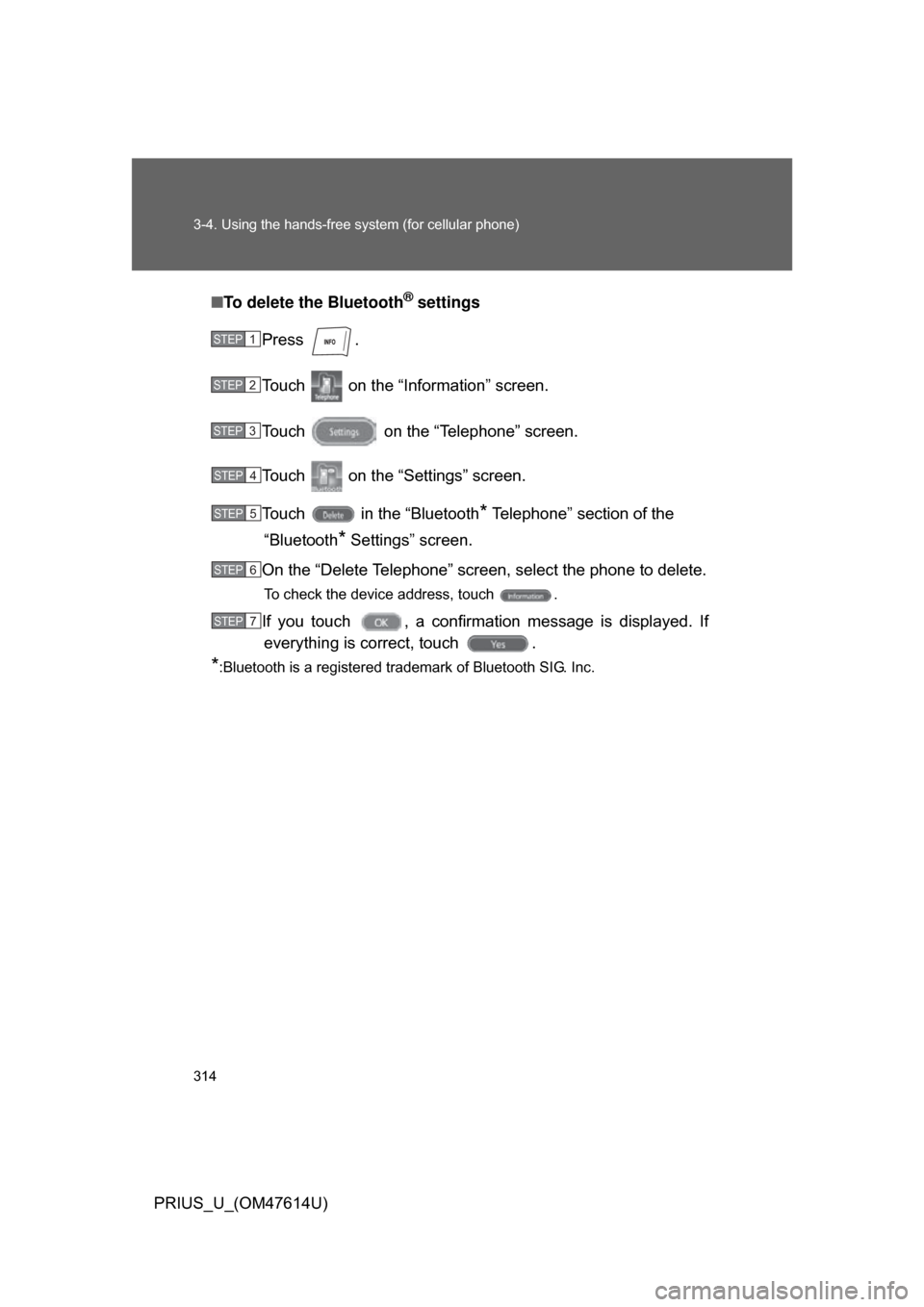
PRIUS_U_(OM47614U)■
To delete the Bluetooth
® settings
Press .
Touch on the “Inf ormation” screen.
Touch on the “Telephone” screen.
Touch on the “Settings” screen.
Touch in the “Bluetooth
* Telephone” section of the
“Bluetooth
* Settings” screen.
On the “Delete Telephone” screen, select the phone to delete.
To check the device address, touch .
If you touch , a confirmation message is displayed. If everything is correct, touch .
*:Bluetooth is a registered trademark of Bluetooth SIG. Inc.
STEP1
STEP2
STEP3
STEP4
STEP5
STEP6
STEP7
Page 328 of 508
328
3-7. Other interior features
PRIUS_U_(OM47614U)
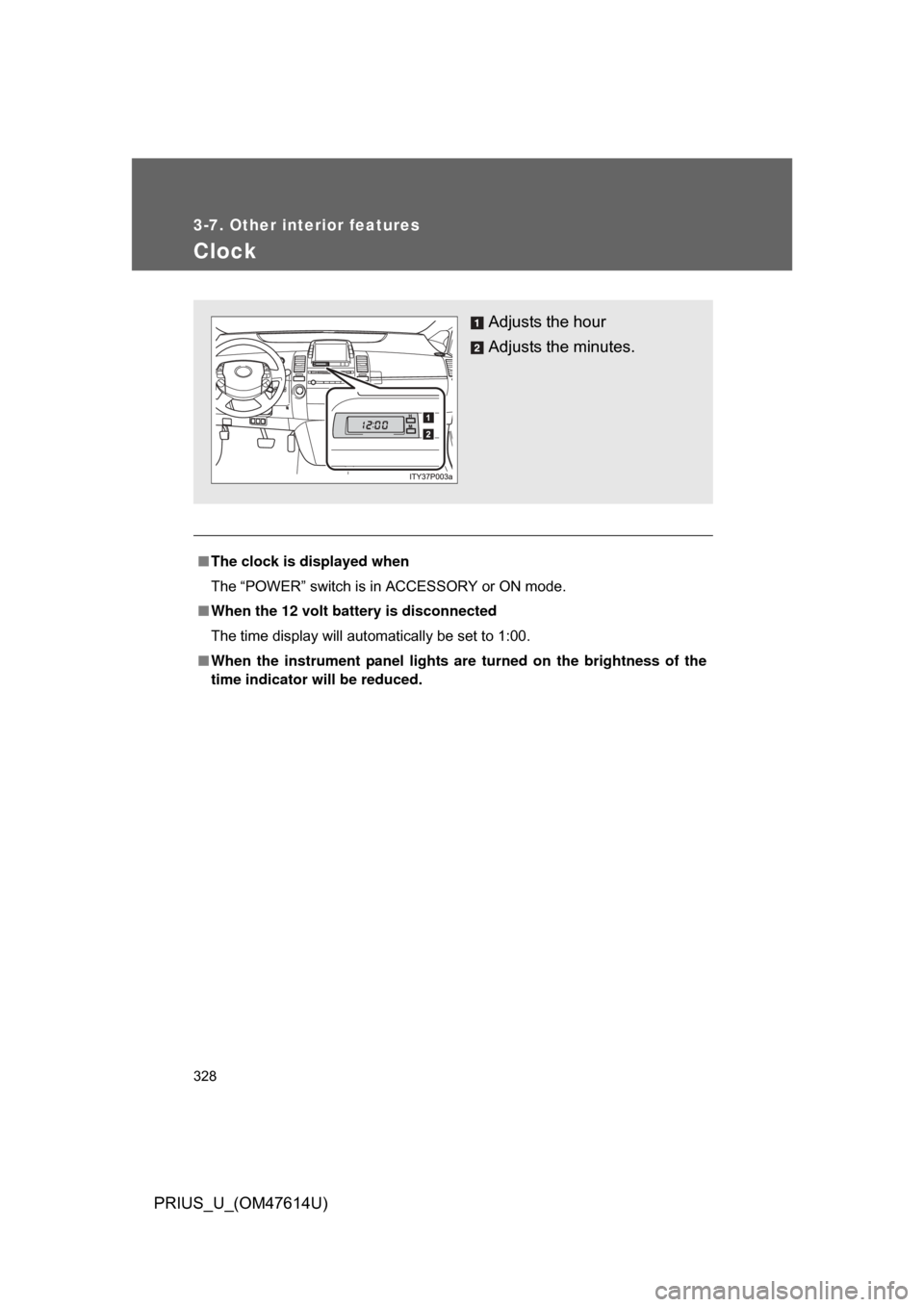
Clock
■The clock is displayed when
The “POWER” switch is in ACCESSORY or ON mode.
■ When the 12 volt battery is disconnected
The time display will automatically be set to 1:00.
■ When the instrument panel lights ar e turned on the brightness of the
time indicator will be reduced.
Adjusts the hour
Adjusts the minutes.
Page 427 of 508
5
When trouble arises
427
5-2. Steps to take in an emergency
PRIUS_U_(OM47614U)
*1: This warning light is di
splayed on the touch screen.
*2: Open door warning buzzer:
(U.S.A.)
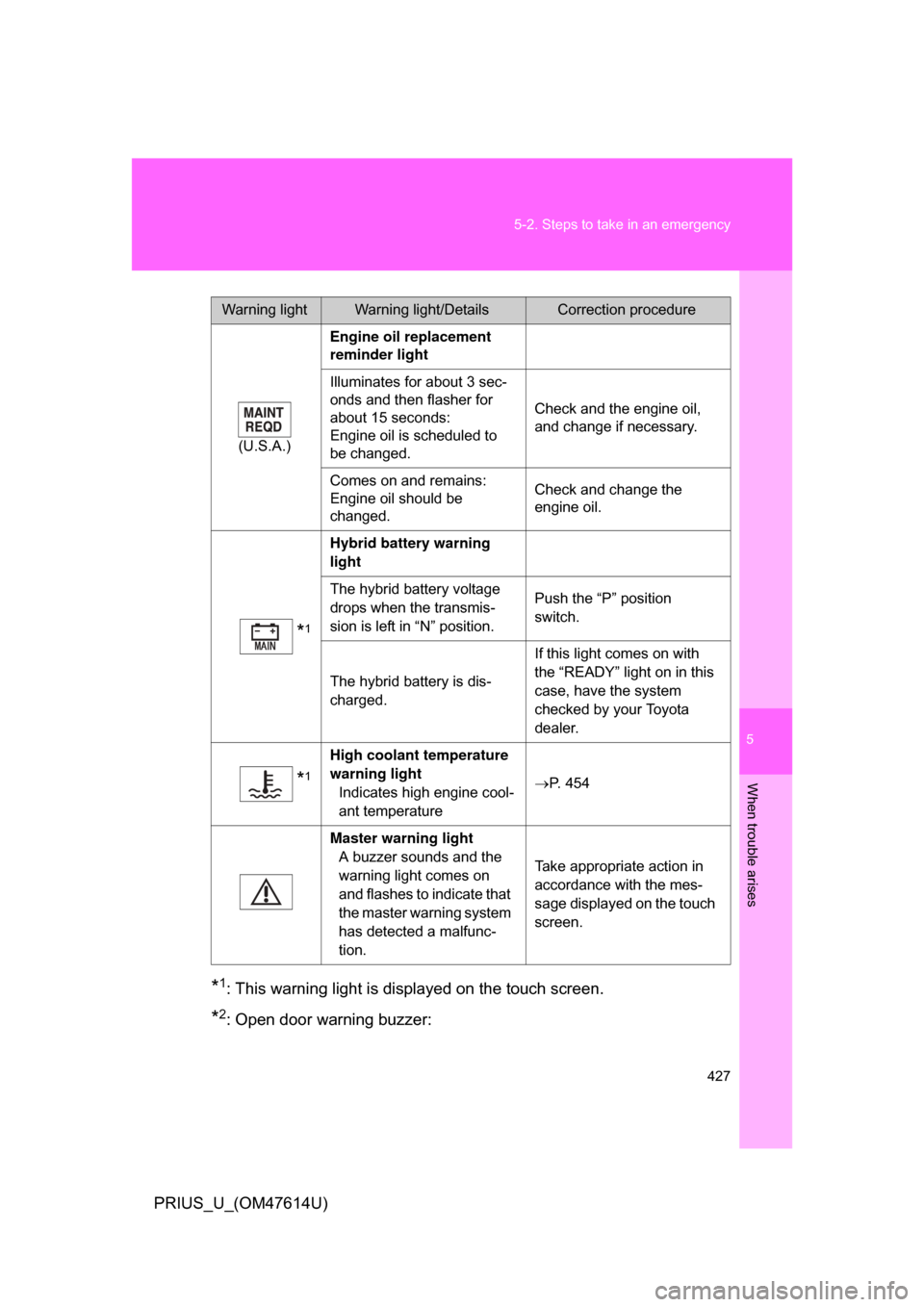
Engine oil replacement
reminder light
Illuminates for about 3 sec-
onds and then flasher for
about 15 seconds:
Engine oil is scheduled to
be changed. Check and the engine oil,
and change if necessary.
Comes on and remains:
Engine oil should be
changed. Check and change the
engine oil.
*1
Hybrid battery warning
light
The hybrid battery voltage
drops when the transmis-
sion is left in “N” position. Push the “P” position
switch.
The hybrid battery is dis-
charged. If this light comes on with
the “READY” light on in this
case, have the system
checked by your Toyota
dealer.
*1
High coolant temperature
warning light Indicates high engine cool-
ant temperature P. 454
Master warning light A buzzer sounds and the
warning light comes on
and flashes to indicate that
the master warning system
has detected a malfunc-
tion. Take appropriate action in
accordance with the mes-
sage displayed on the touch
screen.
Warning lightWarning light/DetailsCorrection procedure
Page 455 of 508
5
When trouble arises
455
5-2. Steps to take in an emergency
PRIUS_U_(OM47614U)
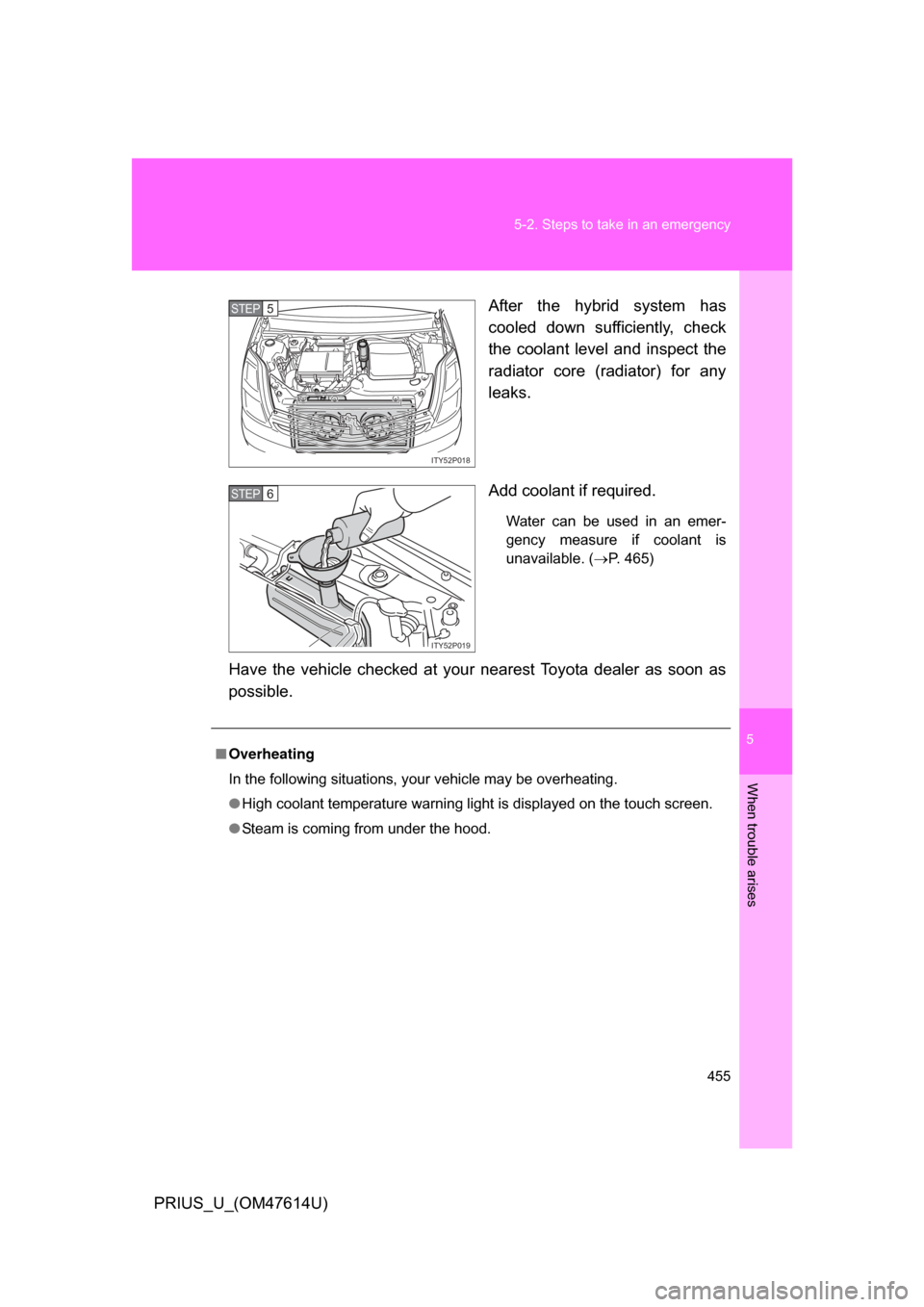
After the hybrid system has
cooled down sufficiently, check
the coolant level and inspect the
radiator core (radiator) for any
leaks.
Add coolant if required.
Water can be used in an emer-
gency measure if coolant is
unavailable. (
P. 465)
Have the vehicle checked at your nearest Toyota dealer as soon as
possible.
ITY52P018
STEP5
ITY52P019
STEP6
■Overheating
In the following situations, your vehicle may be overheating.
● High coolant temperature warning light is displayed on the touch screen.
● Steam is coming from under the hood.