Page 252 of 508
252 3-3. Using the audio system
PRIUS_U_(OM47614U)
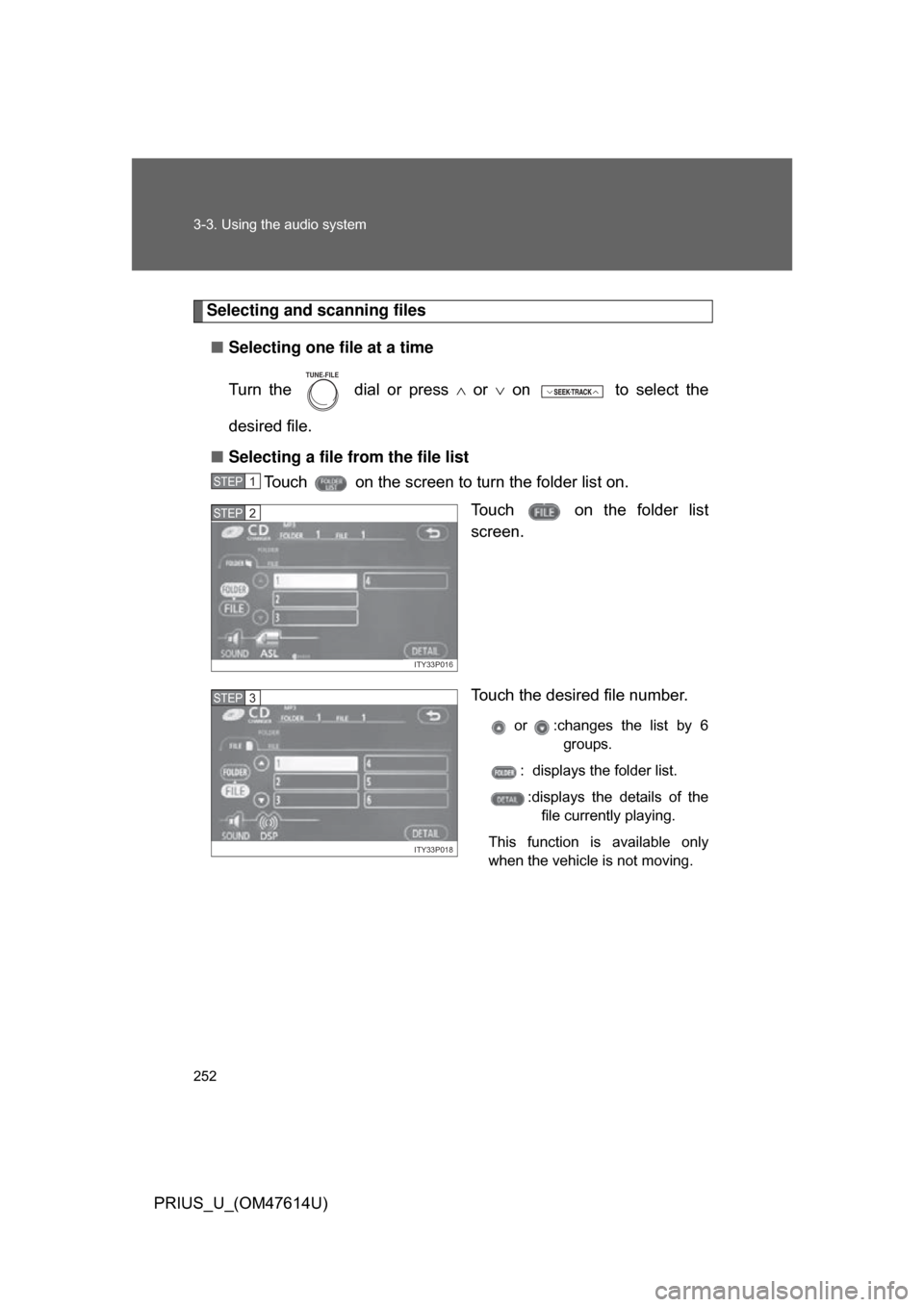
Selecting and scanning files■ Selecting one file at a time
Turn the dial or press or on to select the
desired file.
■ Selecting a file from the file list
Touch on the screen to turn the folder list on.
Touch on the folder list
screen.
Touch the desired file number.
or :changes the list by 6groups.
: displays the folder list.
:displays the details of the file currently playing.
This function is available only
when the vehicle is not moving.
TUNE FILE
STEP1
ITY33P016
STEP2
ITY33P018
STEP3
Page 255 of 508
255
3-3. Using the audio system
3
Interior features
PRIUS_U_(OM47614U)
●
WMA file compatibility
• Compatible standards
WMA Ver. 7, 8, 9
• Compatible sampling frequencies 32, 44.1, 48 (kHz)
• Compatible bit rates Ver. 7, 8: CBR 48, 64, 80, 96, 128, 160, 192 (kbps)
Ver. 9: CBR 48, 64, 80, 96, 128, 160, 192, 256, 320 (kbps)
*: Only compatible with 2-channel playback
● Compatible media
Media that can be used for MP3 and WMA playback are CD-Rs and CD-
RWs.
Playback in some instances may not be possible, depending on the status
of the CD-R or CD-RW. Playback may not be possible or the audio may
jump if the disc is scratched or marked with fingerprints.
● Compatible disc formats
The following disc formats can be used.
• Disc formats: CD-ROM Mode 1 and Mode 2
CD-ROM XA Mode 2, Form 1 and Form 2
• File formats: ISO9660 level 1, level 2, (Romeo, Joliet) MP3 and WMA files written in any format other than those listed above
may not play correctly, and their file names and folder names may not be
displayed correctly.
Items related to standards and limitations are as follows:
• Maximum directory hierarchy: 8 levels
• Maximum length of folder names/file names: 32 characters
• Maximum number of folders: 192 (including the root)
• Maximum number of files per disc: 255
Page 259 of 508
259
3-3. Using the audio system
3
Interior features
PRIUS_U_(OM47614U)
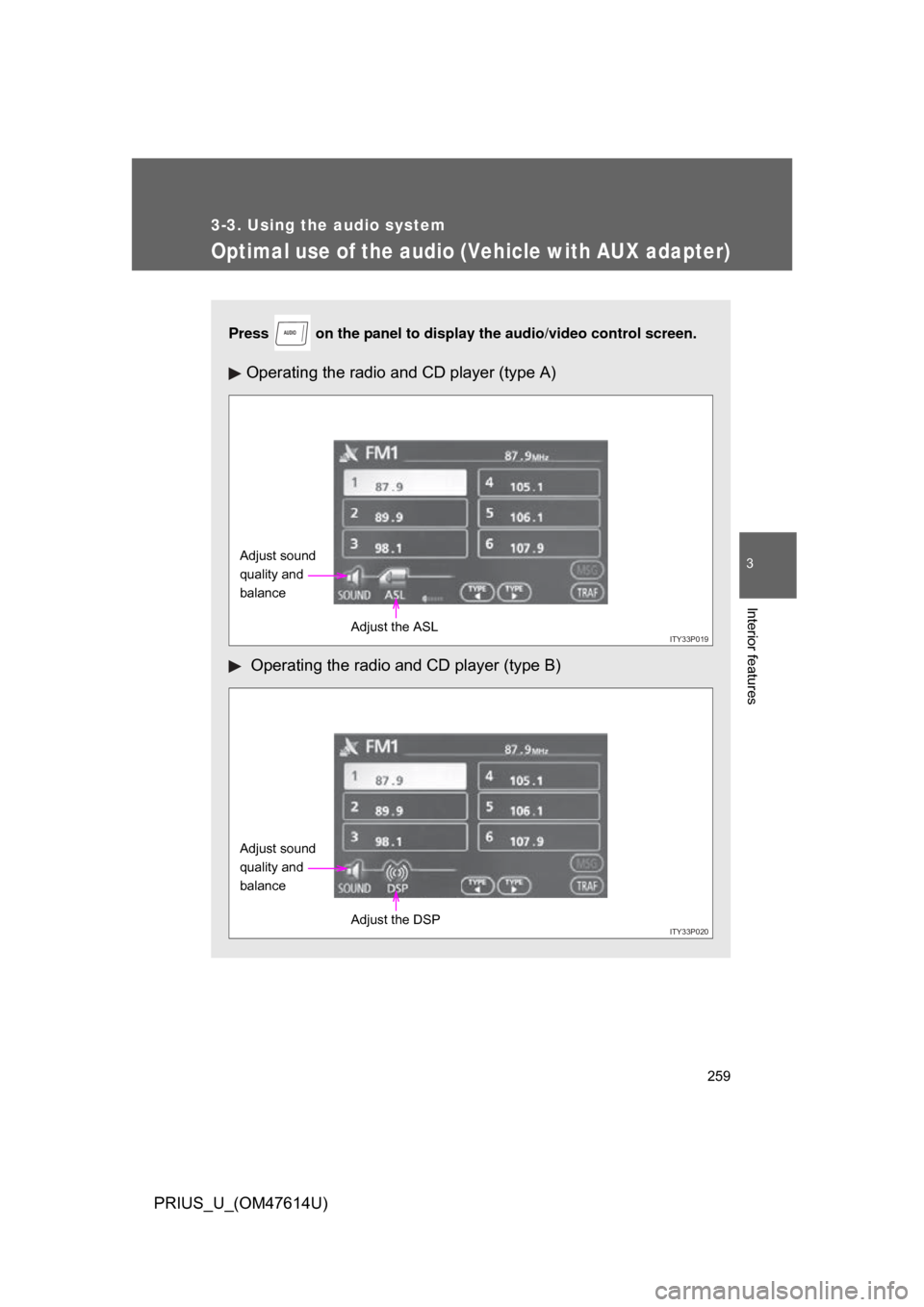
Optimal use of the audio (Vehicle with AUX adapter)
Press on the panel to display the audio/video control screen.
Operating the radio and CD player (type A)
Operating the radio and CD player (type B)
AUDIO
ITY33P019
Adjust sound
quality and
balance
Adjust the ASL
ITY33P020
Adjust sound
quality and
balanceAdjust the DSP
Page 260 of 508
260 3-3. Using the audio system
PRIUS_U_(OM47614U)
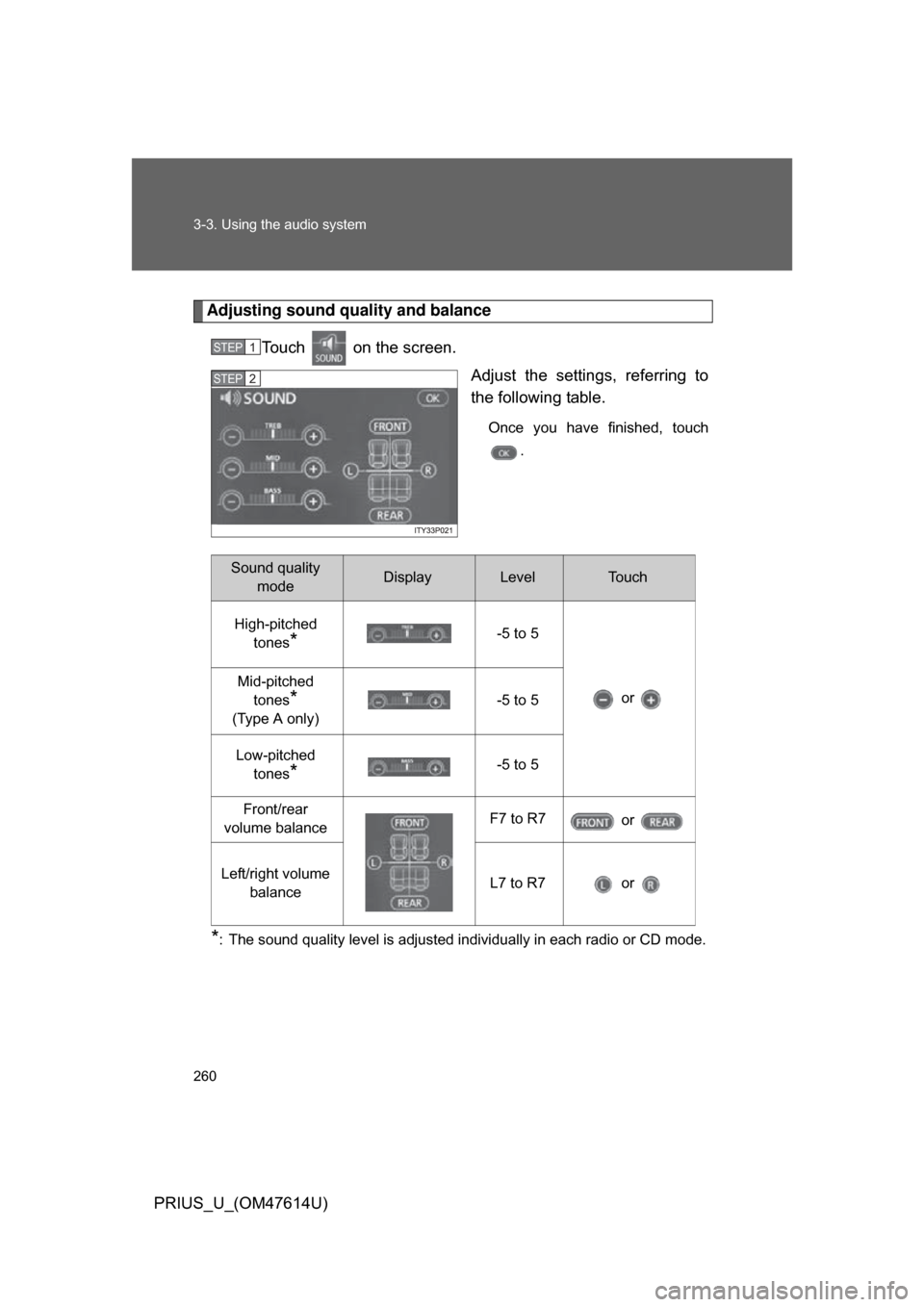
Adjusting sound quality and balanceTouch on the screen. Adjust the settings, referring to
the following table.
Once you have finished, touch.
*: The sound quality level is adjusted individually in each radio or CD mode.
STEP1
STEP2
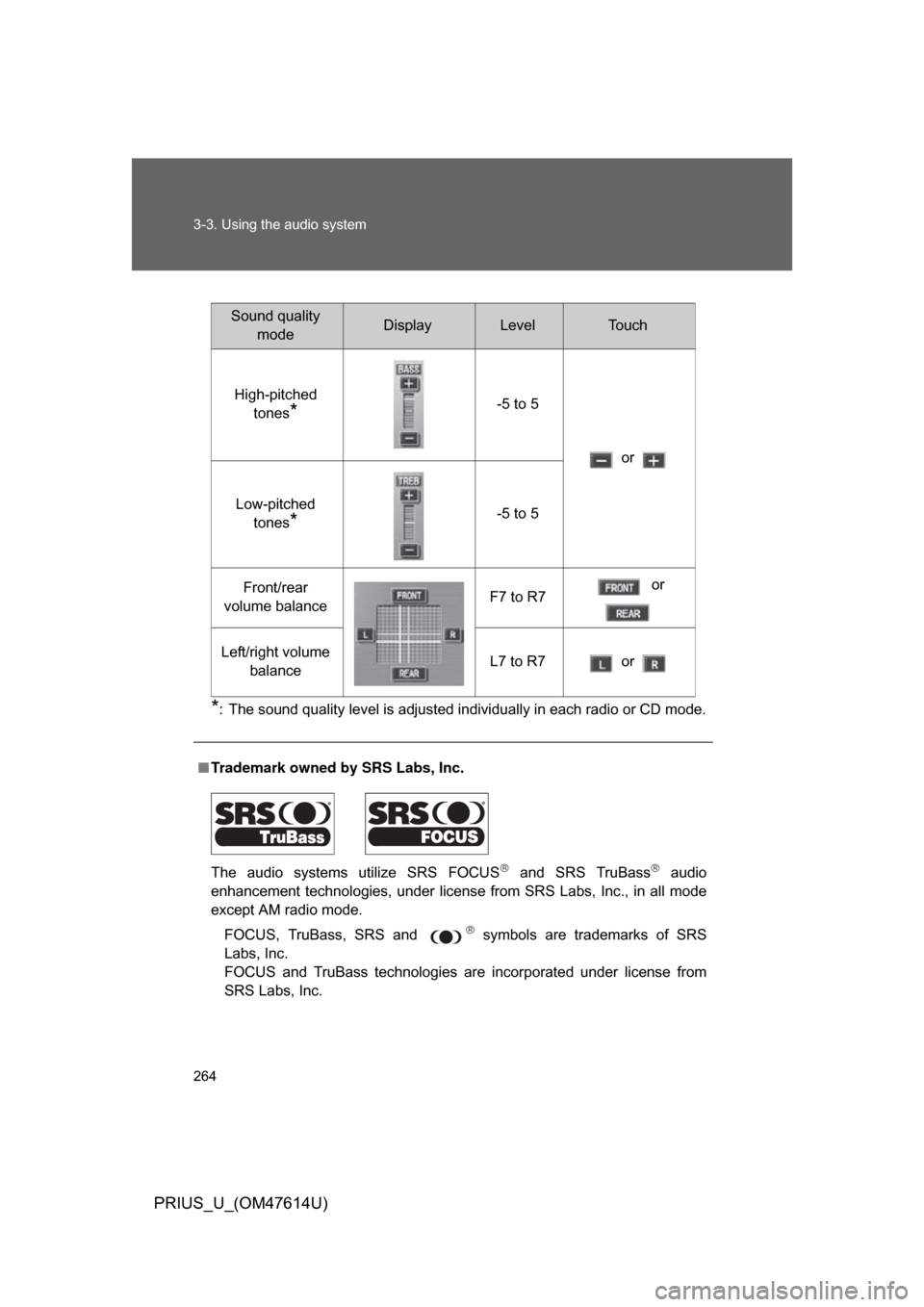
Sound quality modeDisplayLevelTo u c h
High-pitched tones
*-5 to 5
or
Mid-pitched
tones
*
(Type A only) -5 to 5
Low-pitched tones
*-5 to 5
Front/rear
volume balance F7 to R7
or
Left/right volume balance L7 to R7 or
Page 263 of 508
263
3-3. Using the audio system
3
Interior features
PRIUS_U_(OM47614U)
Optimal use of the audio system (Vehicle without AUX adapter)
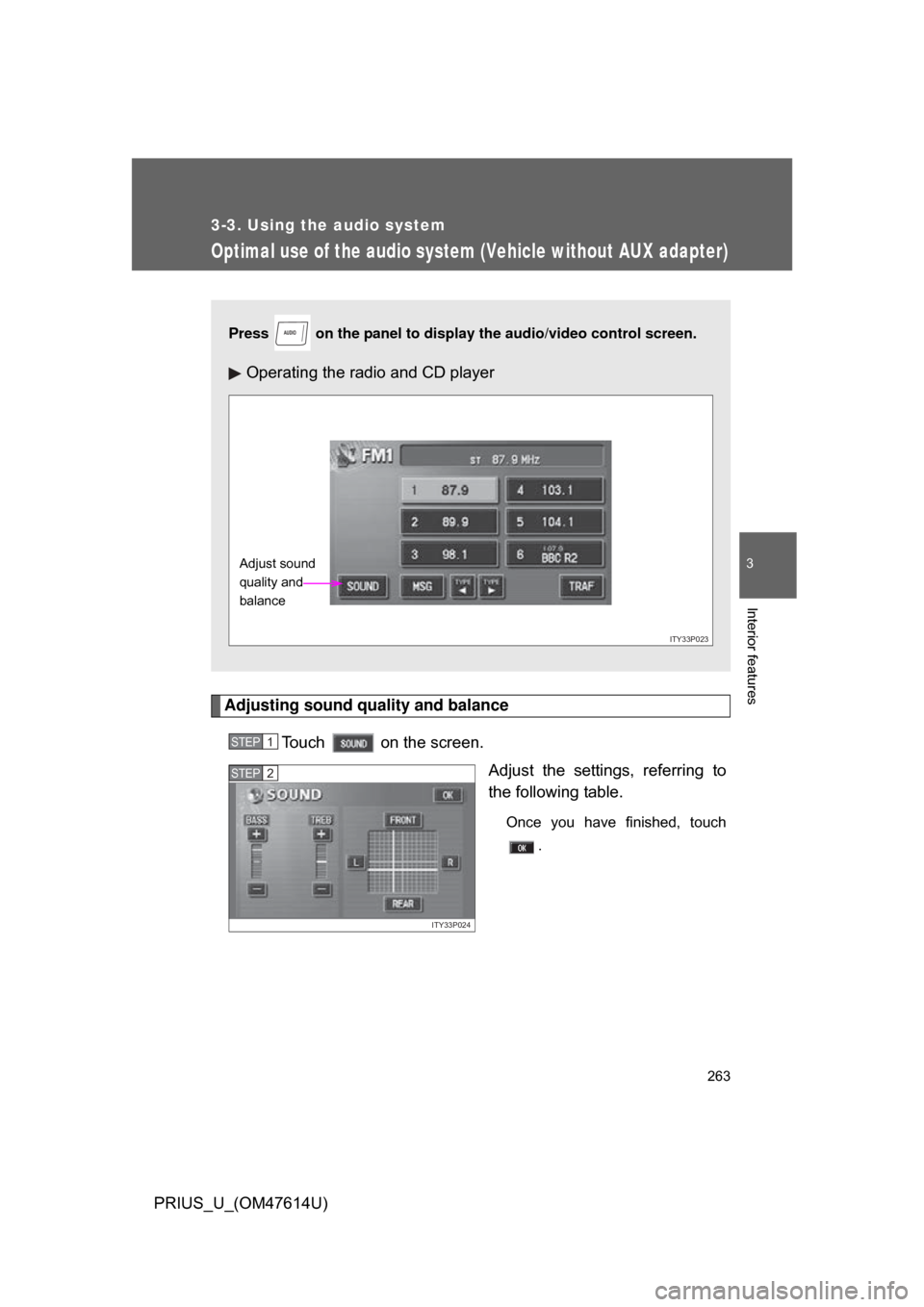
Adjusting sound quality and balanceTouch on the screen. Adjust the settings, referring to
the following table.
Once you have finished, touch.
Press on the panel to display the audio/video control screen.
Operating the radio and CD player
AUDIO
ITY33P023
Adjust sound
quality and
balance
STEP1
ITY33P024
STEP2
Page 264 of 508
264 3-3. Using the audio system
PRIUS_U_(OM47614U)
*: The sound quality level is adjusted individually in each radio or CD mode.
■Trademark owned by SRS Labs, Inc.
The audio systems utilize SRS FOCUS
and SRS TruBass audio
enhancement technologies, under license from SRS Labs, Inc., in all mode
except AM radio mode.
FOCUS, TruBass, SRS and
symbols are trademarks of SRS
Labs, Inc.
FOCUS and TruBass technologies are incorporated under license from
SRS Labs, Inc.
Sound quality modeDisplayLevelTo u c h
High-pitched tones
*-5 to 5
or
Low-pitched tones
*-5 to 5
Front/rear
volume balance F7 to R7 or
Left/right volume balance L7 to R7 or
Page 269 of 508
269
3
Interior features
PRIUS_U_(OM47614U)
3-4. Using the hands-free system (for cellular phone)
Hands-free system (for cellular phone)
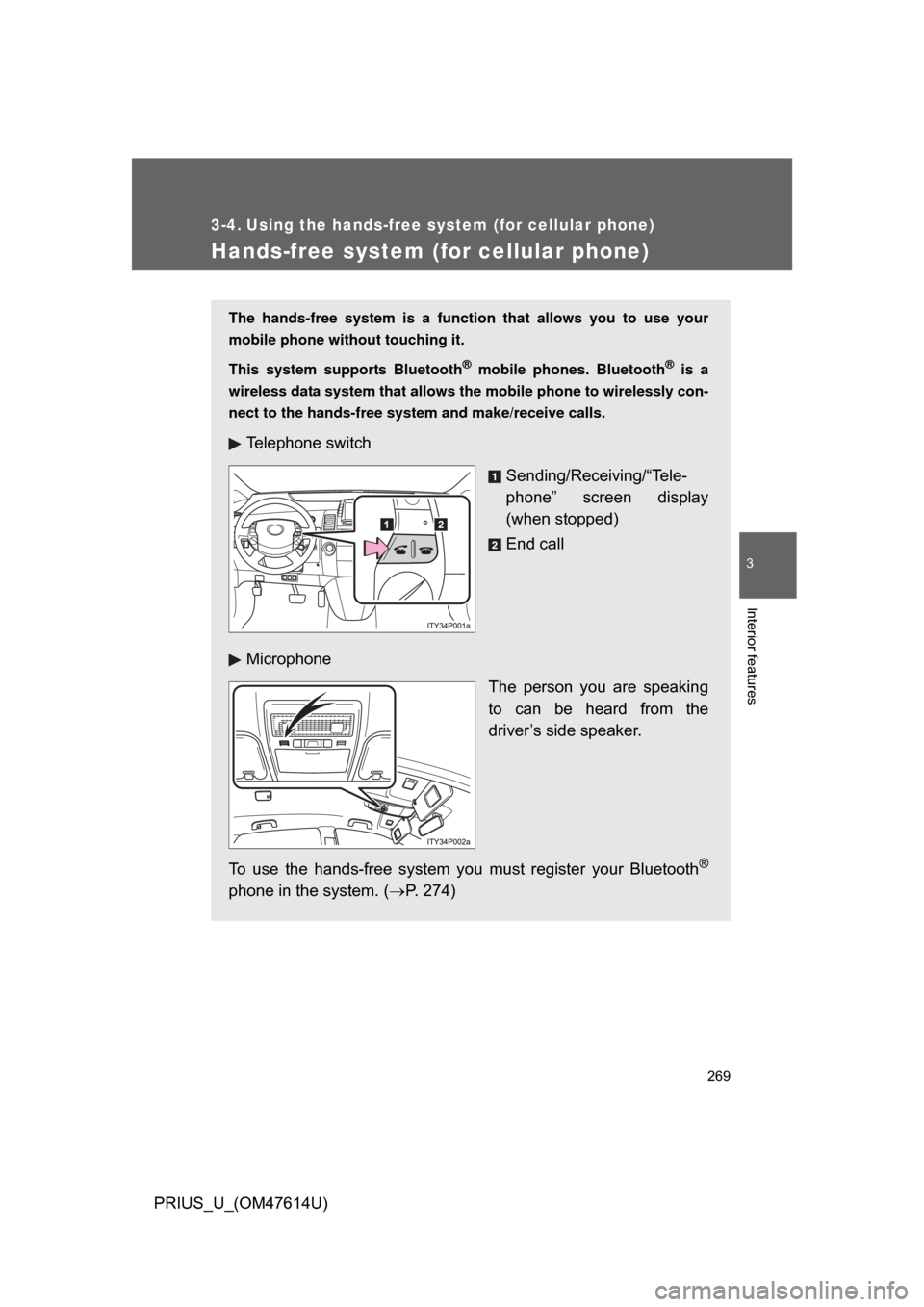
The hands-free system is a function that allows you to use your
mobile phone without touching it.
This system supports Bluetooth
® mobile phones. Bluetooth® is a
wireless data system that allows th e mobile phone to wirelessly con-
nect to the hands-free syst em and make/receive calls.
Telephone switch
Sending/Receiving/“Tele-
phone” screen display
(when stopped)
End call
Microphone The person you are speaking
to can be heard from the
driver’s side speaker.
To use the hands-free system yo u must register your Bluetooth
®
phone in the system. (P. 274)
Page 270 of 508
270 3-4. Using the hands-free system (for cellular phone)
PRIUS_U_(OM47614U)
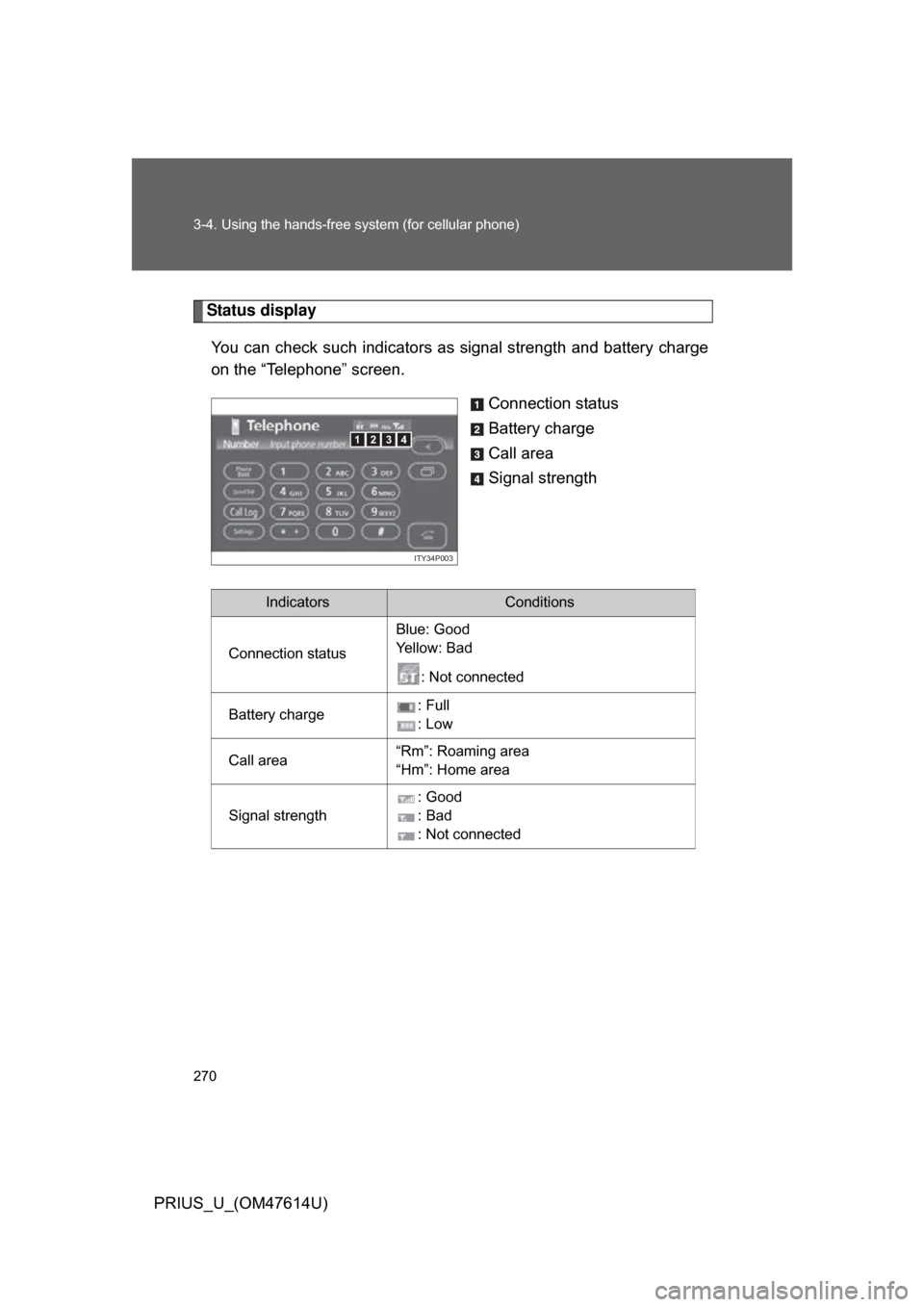
Status displayYou can check such indicators as signal strength and battery charge
on the “Telephone” screen.
Connection status
Battery charge
Call area
Signal strength
4123
ITY34P003
IndicatorsConditions
Connection status Blue: Good
Ye l l o w : B a d
: Not connected
Battery charge : Full
: Low
Call area “Rm”: Roaming area
“Hm”: Home area
Signal strength : Good
: Bad
: Not connected