Page 230 of 508
230
3-3. Using the audio system
PRIUS_U_(OM47614U)
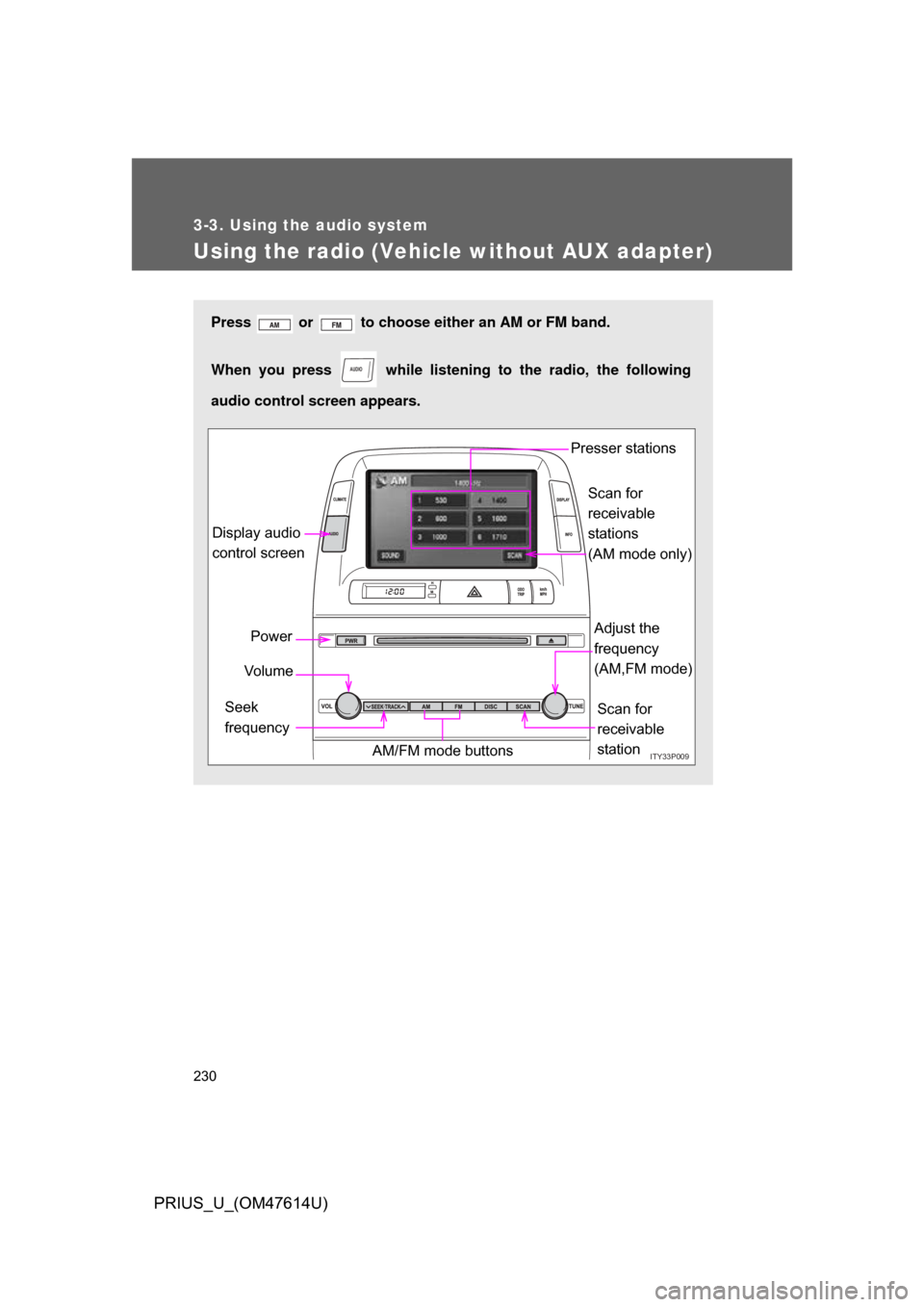
Using the radio (Vehicle without AUX adapter)
Press or to choose either an AM or FM band.
When you press while listening to the radio, the following
audio control screen appears.
AUDIO
ITY33P009
Display audio
control screen
Power
Vo l u m e
Scan for
receivable
station
Seek
frequency Adjust the
frequency
(AM,FM mode)
AM/FM mode buttons Presser stations
Scan for
receivable
stations
(AM mode only)
Page 233 of 508
233
3-3. Using the audio system
3
Interior features
PRIUS_U_(OM47614U)
The type of program changes each time the button is pressed.
●
ROCK
● EASYLIS (Easy listening)
● CLS/JAZZ (Classical music and Jazz)
● R & B (Rhythm and Blues)
● INFORM (Information)
● RELIGION
● MISC (Miscellaneous)
● ALARM (Emergency messages)
If the system receives no RDS stations, “NO PTY” appears on the screen.
When a program is set, “TYPE SEEK” appears.
Touch on the screen or press or on .
The radio seeks or scans the station by the relevant program type.
If no radio station of that type is found, “NOTHING” appears on the
screen.
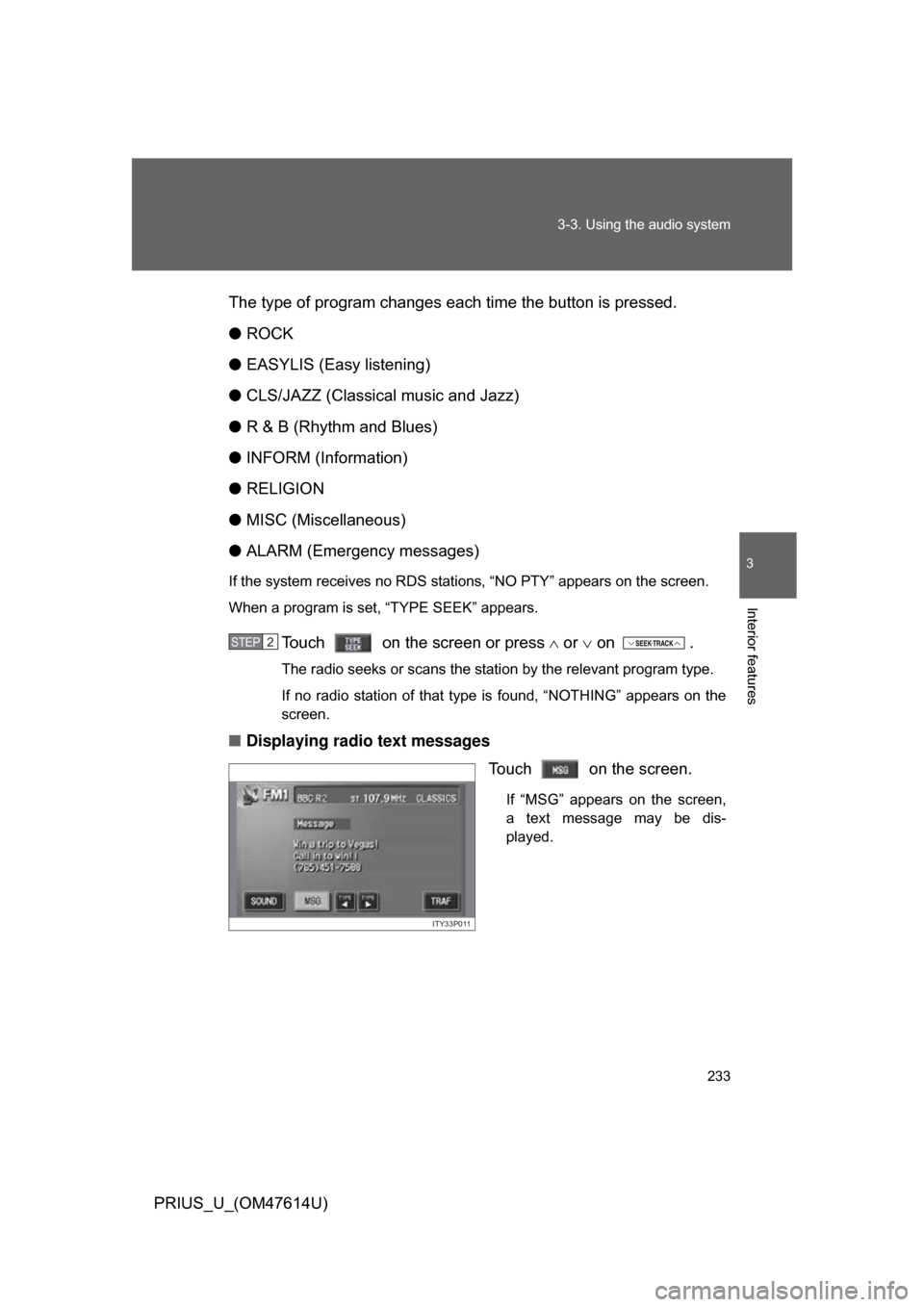
■ Displaying radio text messages
Touch on the screen.
If “MSG” appears on the screen,
a text message may be dis-
played.
STEP2
ITY33P011
Page 235 of 508
235
3-3. Using the audio system
3
Interior features
PRIUS_U_(OM47614U)
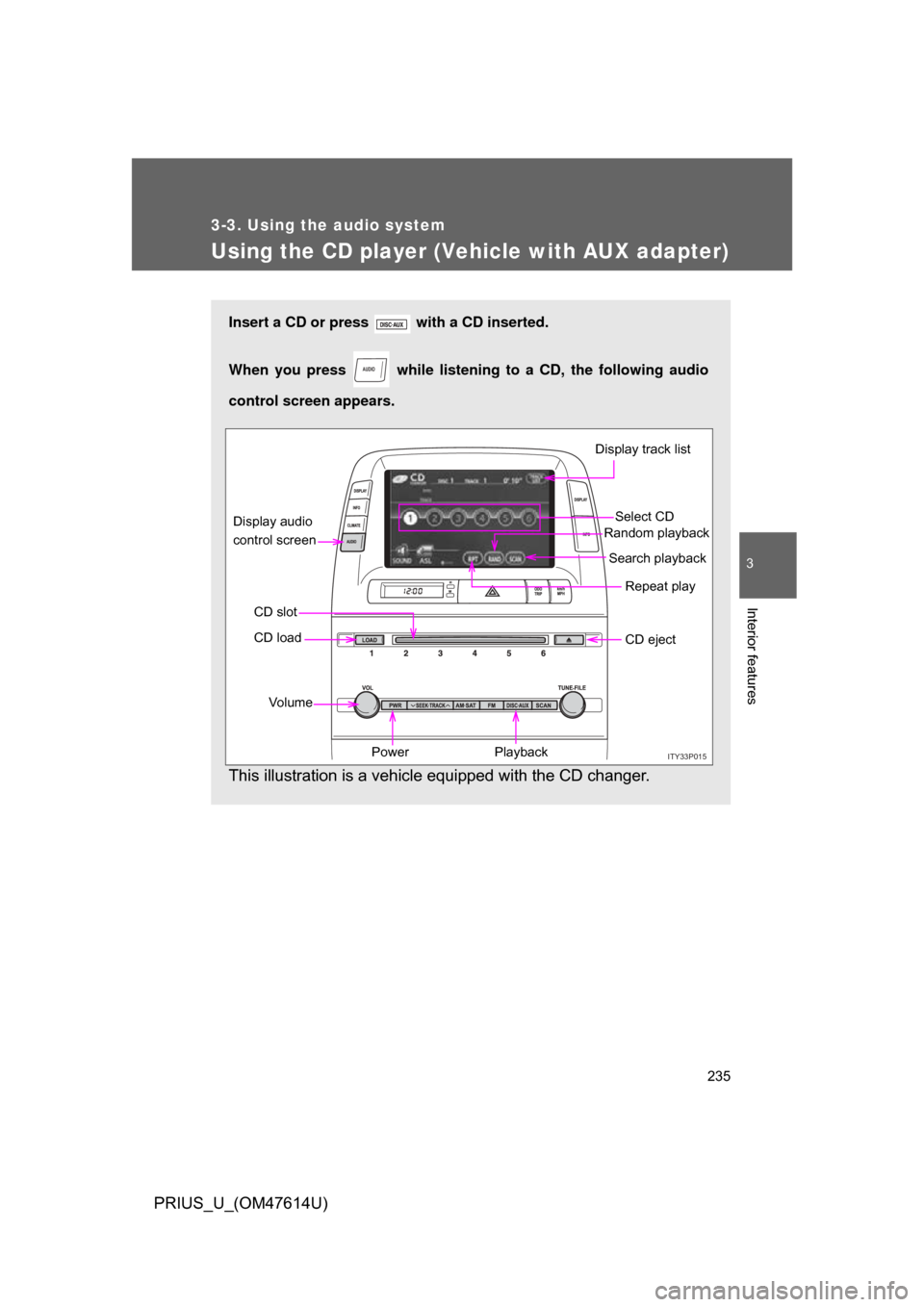
Using the CD player (Vehicle with AUX adapter)
Insert a CD or press with a CD inserted.
When you press while listening to a CD, the following audio
control screen appears.
This illustration is a vehicle equipped with the CD changer.
AUDIO
ITY33P015
Select CD
Display track list
Search playback
CD slot Random playback
Repeat play
Power
Vo l u m e CD eject
Playback
CD load
Display audio
control screen
Page 239 of 508
239
3-3. Using the audio system
3
Interior features
PRIUS_U_(OM47614U)
■
Canceling random, repeat and scan playback
Touch , , or on the screen once again.
■ Displaying the title and artist name
If a CD-TEXT disc is inserted, the title of the disc and track will be displayed.
Up to 13 letters can be displayed.
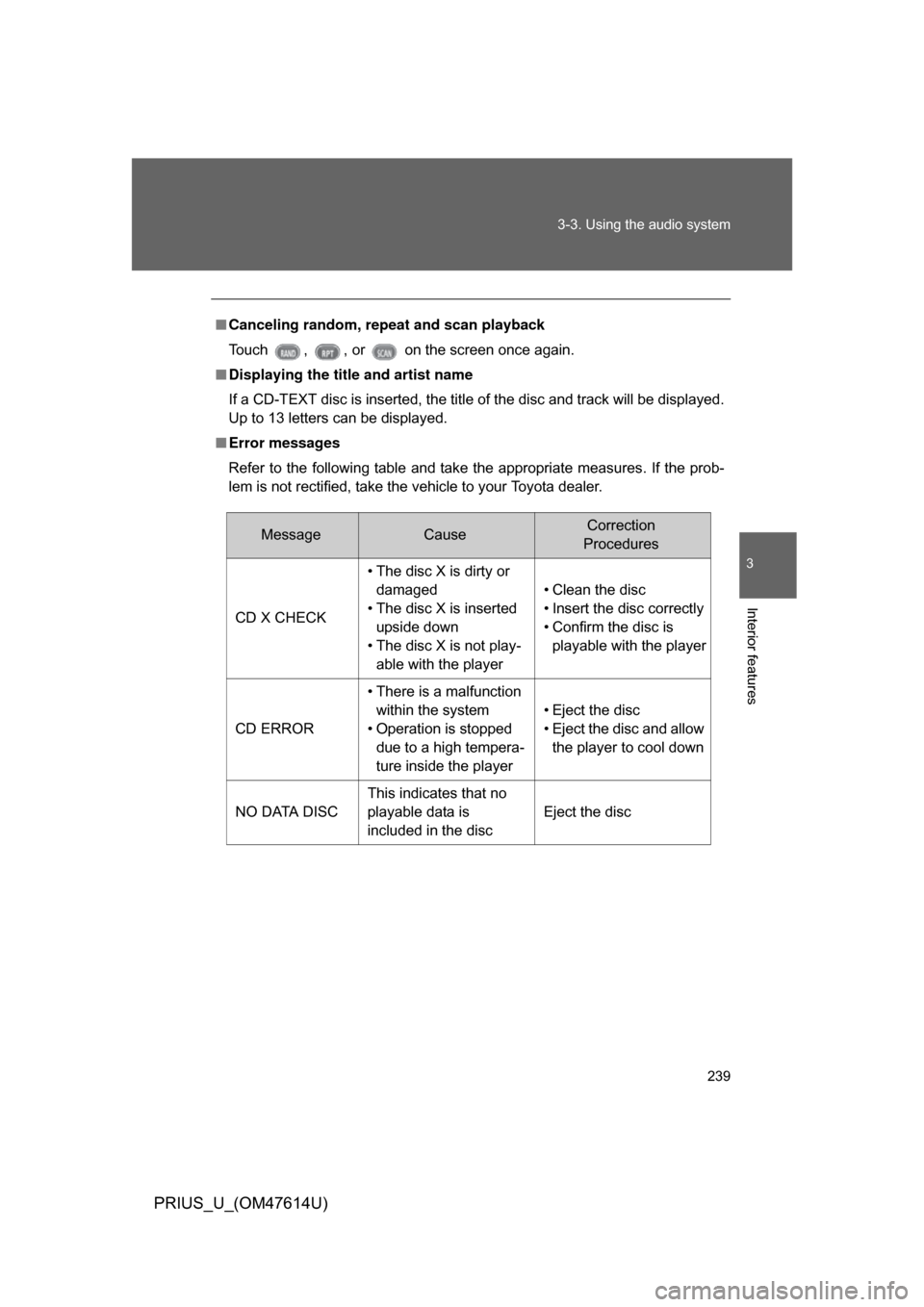
■ Error messages
Refer to the following table and take the appropriate measures. If the prob-
lem is not rectified, take the vehicle to your Toyota dealer.
MessageCauseCorrection
Procedures
CD X CHECK • The disc X is dirty or
damaged
• The disc X is inserted upside down
• The disc X is not play- able with the player • Clean the disc
• Insert the disc correctly
• Confirm the disc is
playable with the player
CD ERROR • There is a malfunction
within the system
• Operation is stopped due to a high tempera-
ture inside the player • Eject the disc
• Eject the disc and allow
the player to cool down
NO DATA DISC This indicates that no
playable data is
included in the disc Eject the disc
Page 243 of 508
243
3-3. Using the audio system
3
Interior features
PRIUS_U_(OM47614U)
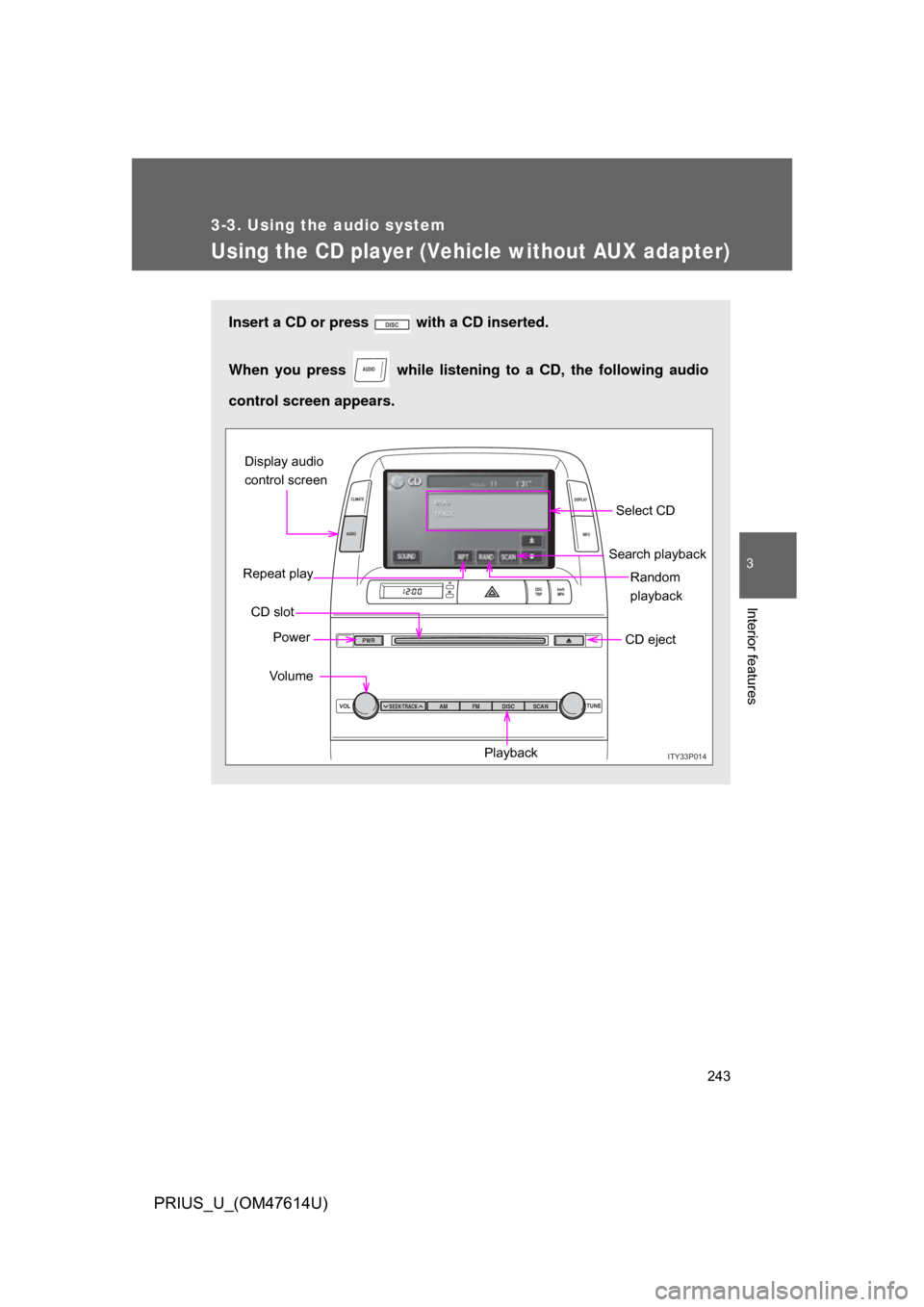
Using the CD player (Vehicle without AUX adapter)
Insert a CD or press with a CD inserted.
When you press while listening to a CD, the following audio
control screen appears.
AUDIO
ITY33P014
VOL TUNE
ODO
TRIP km/h
MPH
INFO
DISPLAY
CLIMATE
AUDIO
SEEK TRACKAM
PWR
FM DISC SCAN
Select CD
Search playback
CD slot Random
playback
Repeat play
Power
Vo lu m e CD eject
Playback
Display audio
control screen
Page 245 of 508
245
3-3. Using the audio system
3
Interior features
PRIUS_U_(OM47614U)
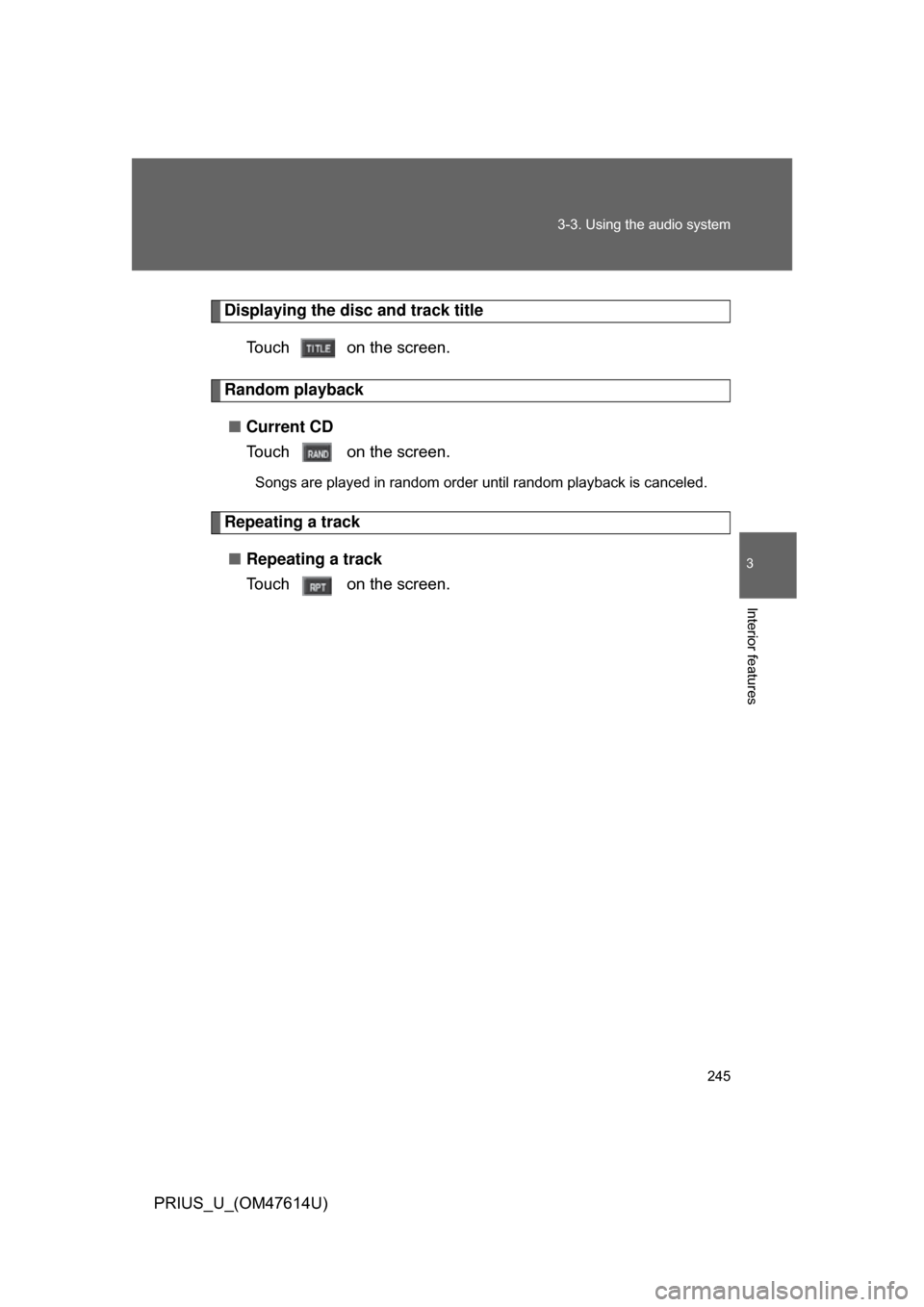
Displaying the disc and track title
Touch on the screen.
Random playback■ Current CD
Touch on the screen.
Songs are played in random order until random playback is canceled.
Repeating a track
■ Repeating a track
Touch on the screen.
Page 246 of 508
246 3-3. Using the audio system
PRIUS_U_(OM47614U)
■Canceling random, repeat and scan playback
Touch , , or on the screen once again.
■ Displaying the title and artist name
If a CD-TEXT disc is inserted, the title of the disc and track will be displayed.
Up to 29 letters can be displayed.
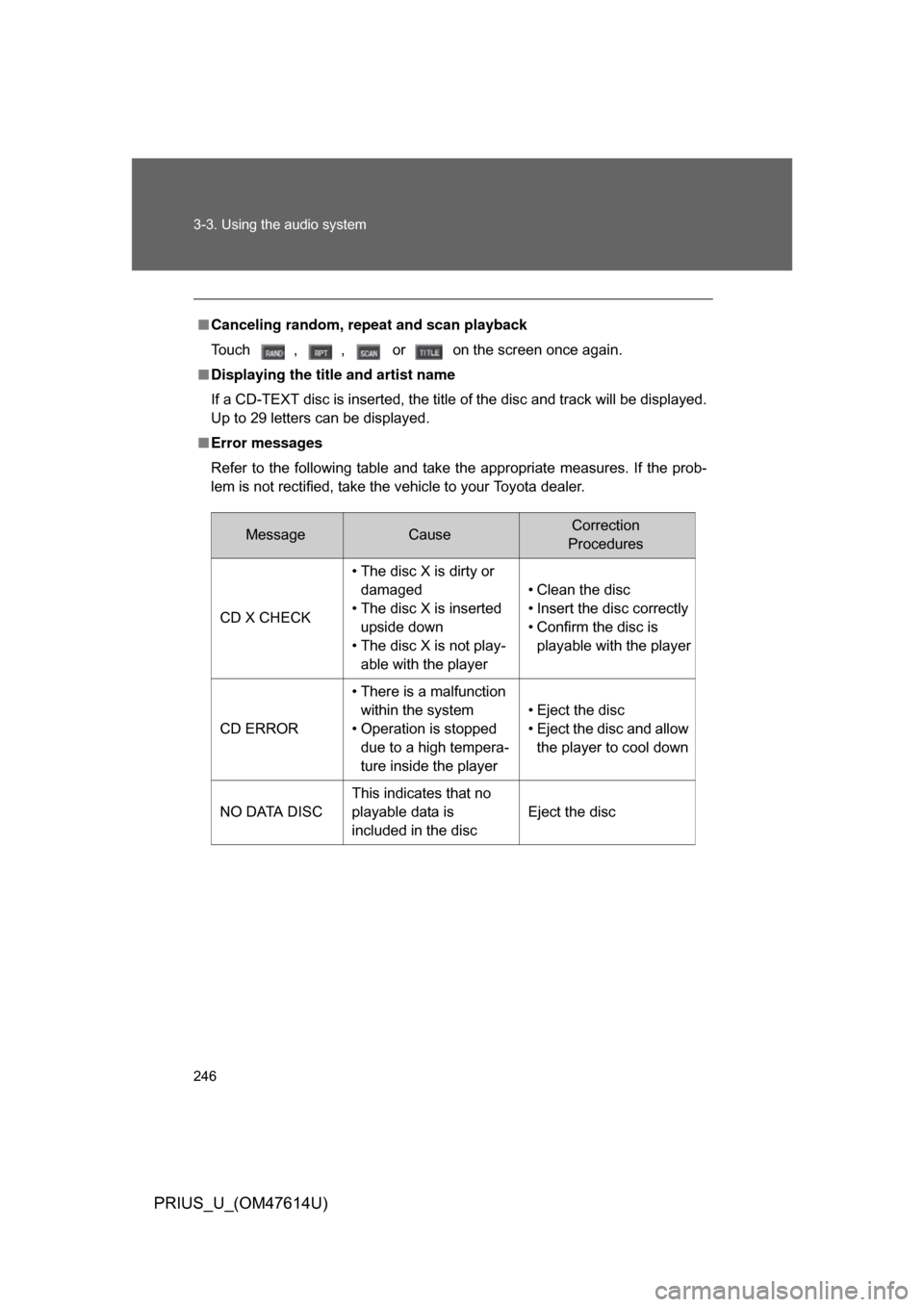
■ Error messages
Refer to the following table and take the appropriate measures. If the prob-
lem is not rectified, take the vehicle to your Toyota dealer.
MessageCauseCorrection
Procedures
CD X CHECK • The disc X is dirty or
damaged
• The disc X is inserted upside down
• The disc X is not play- able with the player • Clean the disc
• Insert the disc correctly
• Confirm the disc is
playable with the player
CD ERROR • There is a malfunction
within the system
• Operation is stopped due to a high tempera-
ture inside the player • Eject the disc
• Eject the disc and allow
the player to cool down
NO DATA DISC This indicates that no
playable data is
included in the disc Eject the disc
Page 251 of 508
251
3-3. Using the audio system
3
Interior features
PRIUS_U_(OM47614U)
Loading, ejecting and sele
cting MP3 and WMA discs
Refer to the section entitled “Using the CD player” for details.
( P. 235)
Selecting a folder
■ Selecting a folder
Touch “FOLDER ” or “ ” on the screen to select the previ-
ous/next folder.
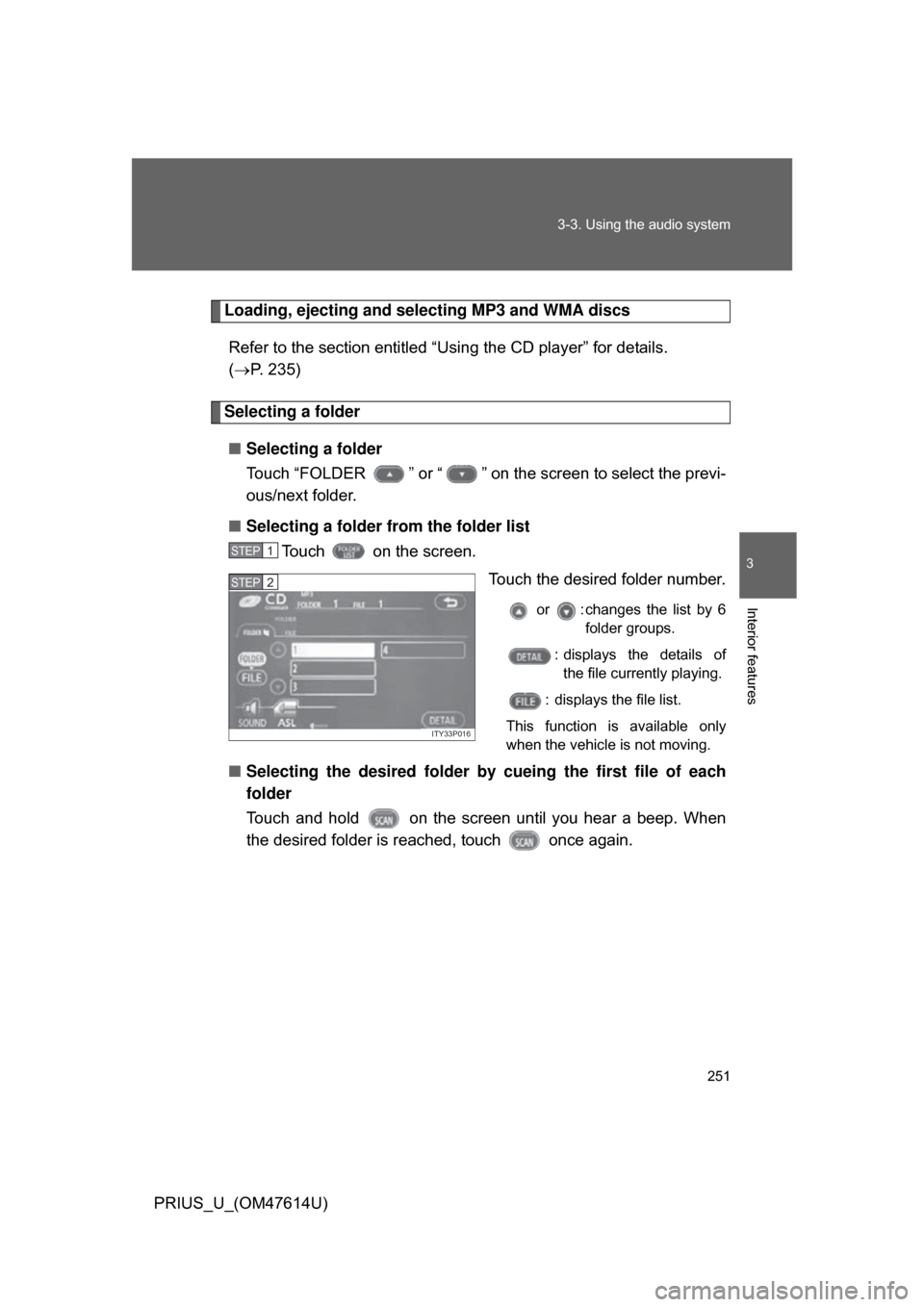
■ Selecting a folder from the folder list
Touch on the screen.
Touch the desired folder number.
or : changes the list by 6folder groups.
: displays the details of the file currently playing.
: displays the file list.
This function is available only
when the vehicle is not moving.
■ Selecting the desired folder by cueing the first file of each
folder
Touch and hold on the screen until you hear a beep. When
the desired folder is r eached, touch once again.
STEP1
ITY33P016
STEP2