Page 73 of 521

Airbag Warning Light
The light should come on and remain on for six to eight
seconds as a bulb check when the ignition switch is first
turned ON. If the light is not lit during starting, see your
authorized dealer. If the light stays on, flickers, or comes
on while driving, have the system checked by an autho-
rized dealer.
Defroster
Check operation by selecting the defrost mode and place
the blower control on high speed. You should be able to
feel the air directed against the windshield. See your
authorized dealer for service if your defroster is
inoperable.
Periodic Safety Checks You Should Make Outside
The Vehicle
Tires
Examine tires for excessive tread wear and uneven wear
patterns. Check for stones, nails, glass, or other objectslodged in the tread. Inspect the tread and sidewall for
cuts and cracks. Check the wheel nuts for tightness.
Check the tires (including spare) for proper pressure.
Lights
Have someone observe the operation of exterior lights
while you work the controls. Check turn signal and high
beam indicator lights on the instrument panel.
Door Latches
Check for positive closing, latching, and locking.
Fluid Leaks
Check area under vehicle after overnight parking for fuel,
engine coolant, oil, or other fluid leaks. Also, if gasoline
fumes are detected or if fuel, power steering fluid, or
brake fluid leaks are suspected, the cause should be
located and corrected immediately.
THINGS TO KNOW BEFORE STARTING YOUR VEHICLE 71
2
Page 79 of 521
▫Opening Sunroof — Express............ 161
▫Closing Sunroof — Express............. 161
▫Pinch Protect Feature................. 161
▫Pinch Protect Override................ 162
▫Venting Sunroof — Express............. 162
▫Sunshade Operation.................. 162
▫Wind Buffeting...................... 162
▫Sunroof Maintenance................. 162
▫Ignition Off Operation................. 163
▫Sunroof Fully Closed.................. 163
�Power Outlets........................ 163
▫Front Power Outlet................... 163
▫Rear Power Outlet — If Equipped........ 163�Power Inverter — If Equipped............ 165
�Cupholders.......................... 167
�Cargo Area Features................... 167
▫Cargo Light........................ 167
▫Rear Storage Compartment............. 168
▫Retractable Cargo Area Cover —
If Equipped........................ 168
▫Cargo Tie-Down Hooks................ 170
▫Cargo Load Floor.................... 171
�Rear Window Features.................. 172
▫Rear Window Wiper/Washer............ 172
▫Rear Window Defroster................ 173
�Roof Luggage Rack — If Equipped......... 174
UNDERSTANDING THE FEATURES OF YOUR VEHICLE 77
3
Page 96 of 521
Three-Way Calling
To initiate three-way calling, press the VOICE RECOG-
NITION button while a call is in progress, and make a
second phone call, as described under�Making a Second
Call While Current Call is in Progress.�After the second
call has established, press and hold the PHONE button
until you hear a double beep, indicating that the two calls
have been joined into one conference call.
Call Termination
To end a call in progress, momentarily press the PHONE
button. Only the active call(s) will be terminated and if
there is a call on hold, it will become the new active call.
If the active call is terminated by the far end, a call on
hold may not become active automatically. This is cell
phone-dependent. To bring the call back from hold, press
and hold the PHONE button until you hear a single beep.
Redial
•
Press the PHONE button to begin.
•After the�Ready�prompt and the following beep, say
�Redial.�
•The uconnect�phone will call the last number that
was dialed from your cellular phone.
NOTE:This may not be the last number dialed from the
uconnect�phone.
Call Continuation
Call continuation is the progression of a phone call on the
uconnect�phone after the vehicle ignition key has been
switched to OFF. Call continuation functionality avail-
able on the vehicle can be any one of three types:
•After the ignition key is switched to OFF, a call can
continue on the uconnect�phone either until the call
ends, or until the vehicle battery condition dictates
cessation of the call on the uconnect�phone and
transfer of the call to the cellular phone.
94 UNDERSTANDING THE FEATURES OF YOUR VEHICLE
Page 97 of 521
•After the ignition key is switched to OFF, a call can
continue on the uconnect�phone for a certain dura-
tion, after which the call is automatically transferred
from the uconnect�phone to the cellular phone.
•An active call is automatically transferred to the
cellular phone after the ignition key is switched to
OFF.
uconnect�phone Features
Language Selection
To change the language that the uconnect�phone is
using:
•Press the PHONE button to begin.
•After the�Ready�prompt and the following beep, say
the name of the language you wish to switch to
English, Espanol, or Francais.
•Continue to follow the system prompts to complete
the language selection.
After selecting one of the languages, all prompts and
voice commands will be in that language.
NOTE:After every uconnect�phone language change
operation, only the language-specific 32-name phone-
book is usable. The paired phone name is not language-
specific and usable across all languages.
Emergency Assistance
If you are in an emergency and the cellular phone is
reachable:
•Pick up the phone and manually dial the emergency
number for your area.
UNDERSTANDING THE FEATURES OF YOUR VEHICLE 95
3
Page 106 of 521
•In a convertible vehicle, system performance may be
compromised with the convertible top down.
Far End Audio Performance
•
Audio quality is maximized under:
•low-to-medium blower setting,
•low-to-medium vehicle speed,
•low road noise,
•smooth road surface,
•fully closed windows,
•dry weather conditions, and
•operation from the driver’s seat.
•Performance, such as audio clarity, echo, and loudness
to a large degree rely on the phone and network, and
not the uconnect�phone.
•Echo at the far end can sometimes be reduced by
lowering the in-vehicle audio volume.
•In a convertible vehicle, system performance may be
compromised with the convertible top down.
Bluetooth�Communication Link
Cellular phones have been found to lose connection to
the uconnect�phone. When this happens, the connection
can generally be reestablished by switching the phone
off/on. Your cellular phone is recommended to remain in
Bluetooth�ON mode.
Power-Up
After switching the ignition key from OFF to either the
ON or ACC position, or after a language change, you
must wait at least five seconds prior to using the system.
104 UNDERSTANDING THE FEATURES OF YOUR VEHICLE
Page 121 of 521
After turning the ignition ON, you can choose from a
High or Low heat setting. Illuminated LEDs on each
switch indicate the level of heat in use.
Press the switch once to select High-level heat-
ing. Press the switch a second time to select
Low-level heating. Press the switch a third time
to shut the heating elements Off. Two indica-
tors will illuminate for High, one for Low, and none for
Off.
When the High-level setting is selected, the heater will
provide a boosted heat level during the first four minutes
of operation. Then, the heat output will drop to the
normal High-level. If the High-level setting is selected,
the system will automatically switch to Low-level after
approximately 30 minutes of continuous operation. At
that time, the number of illuminated LEDs changes fromtwo to one, indicating the change. The Low-level setting
will turn Off automatically after approximately 30 min-
utes.
NOTE:Once a heat setting is selected, heat will be felt
within two to five minutes.
WARNING!
•Persons who are unable to feel pain to the skin
because of advanced age, chronic illness, diabetes,
spinal cord injury, medication, alcohol use, ex-
haustion or other physical condition must exercise
care when using the seat heater. It may cause burns
even at Low temperatures, especially if used for
long periods of time.
(Continued)
UNDERSTANDING THE FEATURES OF YOUR VEHICLE 119
3
Page 127 of 521
Keyless Entry (RKE) transmitters can also be pro-
grammed to recall the same positions when the UN-
LOCK button is pressed.
Your vehicle is equipped with two RKE transmitters. One
or both RKE transmitters can be linked to either memoryposition. The memory system can accommodate up to
four RKE transmitters, each one linked to either of the
two memory positions.
Setting Memory Positions and Linking Remote
Keyless Entry (RKE) Transmitter to Memory
NOTE:Each time the S (SET) button and a numbered
button 1 or 2 are pressed, you erase the memory settings
for that button and store a new one.
1. Insert the ignition key, and turn the ignition switch to
the ON position.
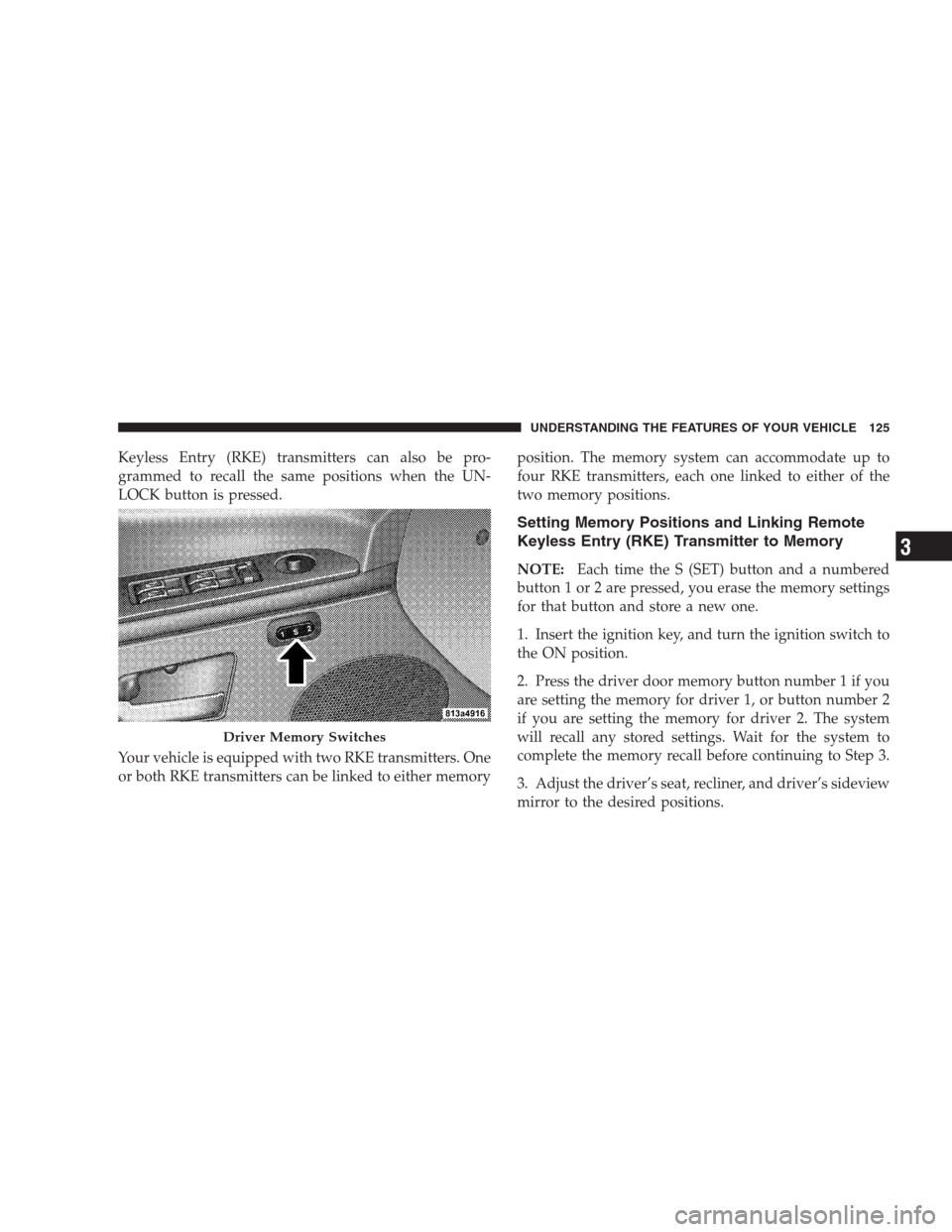
2. Press the driver door memory button number 1 if you
are setting the memory for driver 1, or button number 2
if you are setting the memory for driver 2. The system
will recall any stored settings. Wait for the system to
complete the memory recall before continuing to Step 3.
3. Adjust the driver’s seat, recliner, and driver’s sideview
mirror to the desired positions.
Driver Memory Switches
UNDERSTANDING THE FEATURES OF YOUR VEHICLE 125
3
Page 128 of 521
4. Adjust the brake and accelerator pedals to the desired
positions.
5. Turn on the radio and set the radio station presets (up
to 12 AM and 12 FM stations can be set).
6. Turn the ignition switch to the LOCK position and
remove the key.
7. Press and release the S (SET) button located on the
driver’s door.
8. Within five seconds, press and release memory button
1 or 2 on the driver’s door. The next step must be
performed within five seconds if you desire to also use a
RKE transmitter to recall memory positions.
9. Press and release the LOCK button on one of the RKE
transmitters.
10. Insert the ignition key, and turn the ignition switch to
the ON position.11. Select�Remote Linked to Memory�in the Electronic
Vehicle Information Center (EVIC) and enter�Ye s�. Refer
to “Electronic Vehicle Information Center (EVIC) —
Customer-Programmable Features” in Section 4 for more
information.
12. Repeat the above steps to set the next memory
position, using the other numbered memory button, or to
link another RKE transmitter to memory.
Memory Position Recall
NOTE:The vehicle must be in PARK to recall memory
positions. If a recall is attempted when the vehicle is not
in PARK, a message will be displayed in the Electronic
Vehicle Information Center (EVIC).
To recall the memory settings for driver one, press
memory button number 1 on the driver’s door, or the
UNLOCK button on the RKE transmitter linked to
memory position 1.
126 UNDERSTANDING THE FEATURES OF YOUR VEHICLE