Page 148 of 521
Speed Control without erasing the set speed memory.
Pressing the ON/OFF button or turning the ignition
switch OFF erases the set speed memory.
To Resume Speed
To resume a previously set speed, push the RESUME
ACCEL lever up and release. Resume can be used at any
speed above 20 mph (32 km/h) for 3.7L, 4.7L, and 5.7L
engines, and 14 mph (23 km/h) for 3.0L diesel engines.
To Vary The Speed Setting
When the Electronic Speed Control is on, speed can be
increased by pushing up and holding RESUME ACCEL.
Release the lever when the desired speed is reached, and
the new speed will be set.
Tapping RESUME ACCEL once will result ina1mph
(2 km/h) (3.7L, 4.7L, 5.7L, and 3.0L diesel engines) speed
increase. Each time the lever is tapped, speed increases sothat tapping the lever three times will increase speed by
3 mph (5 km/h) (3.7L, 4.7L, 5.7L, and 3.0L diesel en-
gines).
To decrease speed while Electronic Speed Control is on,
push down and hold SET DECEL. Release the lever when
the desired speed is reached, and the new speed will be
set.
Tapping the SET DECEL lever once will result ina1mph
(2 km/h) speed decrease. Each time the lever is tapped,
speed decreases.
NOTE:The Electronic Speed Control system has been
designed to shut down if multiple speed control switch
functions are operated simultaneously in order to ensure
proper operation. If this occurs, the system can be
reactivated by pushing the Electronic Speed Control
switch ON/OFF button and resetting the desired vehicle
SET speed.
146 UNDERSTANDING THE FEATURES OF YOUR VEHICLE
Page 149 of 521

To Accelerate For Passing
Press the accelerator as you would normally. When the
pedal is released, the vehicle will return to the set speed.
Using Electronic Speed Control On Hills
The transmission may downshift on hills to maintain the
vehicle set speed.
NOTE:The Electronic Speed Control system maintains
speed up and down hills. A slight speed change on
moderate hills is normal.
On steep hills, a greater speed loss or gain may occur so
it may be preferable to drive without Electronic Speed
Control.
REAR PARK ASSIST — IF EQUIPPED
The Rear Park Assist provides visible and audible indi-
cations of the distance between the rear fascia and the
detected obstacle when backing up. Refer to the WarningSection and Note Section for limitations of this system
and recommendations.
The Rear Park Assist will remember the last system state
(enabled or disabled) from the last ignition cycle when
the ignition is changed to the ON position.
The Rear Park Assist can be active only when the shift
lever is in REVERSE. If the Rear Park Assist is enabled at
this shift lever position, the system will be active until the
vehicle speed is increased to approximately 11 mph
(18 km/h) or above. The system will be active again if the
vehicle speed is decreased to speeds less than approxi-
mately 10 mph (16 km/h).
Rear Park Assist Sensors
The four Rear Park Assist Sensors, located in the rear
fascia, monitor the area behind the vehicle that is within
the sensors’ field of view.
UNDERSTANDING THE FEATURES OF YOUR VEHICLE 147
3
Page 150 of 521
The sensors can detect obstacles from approximately 12
to 59 in (30 to 150 cm) from the rear fascia in the
horizontal direction, depending on the location and
orientation of the obstacle and the type of obstacle.
Rear Park Assist Warning Display
The Rear Park Assist Warning Display, located in the
headliner near the flipper glass, provides both visible and
audible warnings to indicate the distance between the
rear fascia and the detected obstacle.
When the ignition is turned to the ON position, the
warning display will turn ON all of its LEDs for about
one second. Each side of the warning display has six
yellow and two red LEDs. The vehicle is close to the
obstacle when the red LED is ON.
148 UNDERSTANDING THE FEATURES OF YOUR VEHICLE
Page 152 of 521
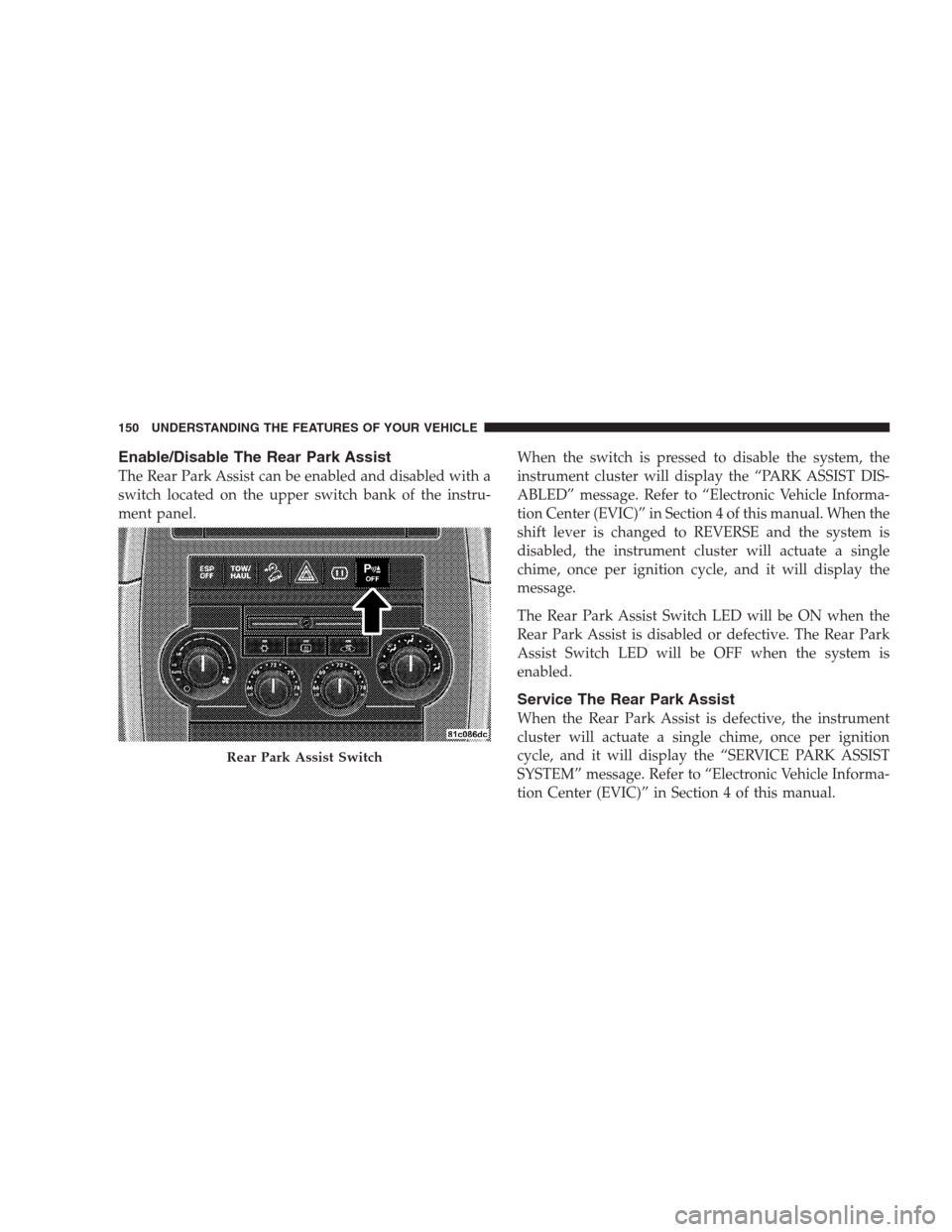
Enable/Disable The Rear Park Assist
The Rear Park Assist can be enabled and disabled with a
switch located on the upper switch bank of the instru-
ment panel.When the switch is pressed to disable the system, the
instrument cluster will display the “PARK ASSIST DIS-
ABLED” message. Refer to “Electronic Vehicle Informa-
tion Center (EVIC)” in Section 4 of this manual. When the
shift lever is changed to REVERSE and the system is
disabled, the instrument cluster will actuate a single
chime, once per ignition cycle, and it will display the
message.
The Rear Park Assist Switch LED will be ON when the
Rear Park Assist is disabled or defective. The Rear Park
Assist Switch LED will be OFF when the system is
enabled.
Service The Rear Park Assist
When the Rear Park Assist is defective, the instrument
cluster will actuate a single chime, once per ignition
cycle, and it will display the “SERVICE PARK ASSIST
SYSTEM” message. Refer to “Electronic Vehicle Informa-
tion Center (EVIC)” in Section 4 of this manual.
Rear Park Assist Switch
150 UNDERSTANDING THE FEATURES OF YOUR VEHICLE
Page 157 of 521
WARNING!
•Your motorized door or gate will open and close
while you are training the Universal Transceiver.
Do not train the transceiver if people or pets are in
the path of the door or gate. Only use this trans-
ceiver with a garage door opener that has a “stop
and reverse” feature as required by federal safety
standards. This includes most garage door opener
models manufactured after 1982. Do not use a
garage door opener without these safety features.
Call toll-free 1–800–355–3515 or, on the Internet at
www.HomeLink.com for safety information or as-
sistance.
•Vehicle exhaust contains carbon monoxide, a dan-
gerous gas. Do not run your vehicle in the garage
while training the transceiver. Exhaust gas can
cause serious injury or death.
Programming HomeLink�
Before You Begin
If you have not trained any of the HomeLink�buttons,
erase all channels before you begin training.
To do this, press and hold the two outside buttons for up
to 20 seconds. The EVIC will display “CLEARING
CHANNELS.” Release the buttons when the EVIC mes-
sage states “CHANNELS CLEARED.”
It is recommended that a new battery be placed in the
hand-held transmitter of the device being programmed
to HomeLink�for more efficient training and accurate
transmission of the radio-frequency signal.
Your vehicle should be parked outside of the garage
while training.
1. Turn the ignition switch to the ON/RUN position.
UNDERSTANDING THE FEATURES OF YOUR VEHICLE 155
3
Page 161 of 521
Reprogramming A Single HomeLink�Button
To reprogram a channel that has been previously trained,
follow these steps:
1. Turn the ignition switch to the ON/RUN position.
2. Press and hold the desired HomeLink�button for
20 seconds until the EVIC display states “CHANNEL #
TRAINING.”Do not release the button.
3.Without releasing the button,proceed with Program-
ming HomeLink�Step 2 and follow all remaining steps.
Security
It is advised to erase all channels before you sell or turn
in your vehicle.
To do this, press and hold the two outside buttons for
20 seconds until the EVIC message states “CHANNELS
CLEARED.” Note that all channels will be erased. Indi-
vidual channels cannot be erased.The HomeLink�Universal Transceiver is disabled when
the Vehicle Security Alarm is active.
Troubleshooting Tips
If you are having trouble programming HomeLink�, here
are some of the most common solutions:
•Replace the battery in the original transmitter.
•Press the learn button on the garage door opener to
complete the training for rolling code.
•Did you unplug the device for training, and remember
to plug it back in?
If you are having any problems or require assistance,
please call toll-free 1–800–355–3515 or, on the Internet at
www.HomeLink.com for information or assistance.
UNDERSTANDING THE FEATURES OF YOUR VEHICLE 159
3
Page 163 of 521
WARNING!
•Never leave children in a vehicle, with the key in
the ignition switch. Occupants, particularly unat-
tended children, can become entrapped by the
power sunroof while operating the power sunroof
switch. Such entrapment may result in serious
injury or death.
•In an accident, there is a greater risk of being
thrown from a vehicle with an open sunroof. You
could also be seriously injured or killed. Always
fasten your seat belt properly and make sure all
passengers are properly secured too.
•Do not allow small children to operate the sun-
roof. Never allow fingers or other body parts, or
any object to project through the sunroof opening.
Injury may result.
Opening Sunroof — Express
Press the switch rearward and release, and the sunroof
will open automatically from any position. The sunroof
will open fully, then stop automatically. This is called
“Express Open”. During Express Open operation, any
movement of the sunroof switch will stop the sunroof.
Closing Sunroof — Express
Press the switch forward and release, and the sunroof
will close automatically from any position. The sunroof
will close fully and stop automatically. This is called
“Express Close”. During Express Close operation, any
movement of the switch will stop the sunroof.
Pinch Protect Feature
This feature will detect an obstruction in the opening of
the sunroof during Express Close operation. If an ob-
struction is detected, the sunroof will automatically re-
tract. Remove the obstruction if this occurs. Next, press
the switch forward and release to Express Close.
UNDERSTANDING THE FEATURES OF YOUR VEHICLE 161
3
Page 165 of 521
Ignition Off Operation
The power sunroof switches remain active for up to
10 minutes after the ignition switch has been turned OFF.
Opening either front door will cancel this feature.
Sunroof Fully Closed
Press the switch forward and release to ensure that the
sunroof is fully closed.
POWER OUTLETS
Front Power Outlet
To the left and right of the convenience tray (lower center
of instrument panel) is an outlet for electric-powered
accessories. Pull lightly on the tab of the plastic cover to
access the outlet.
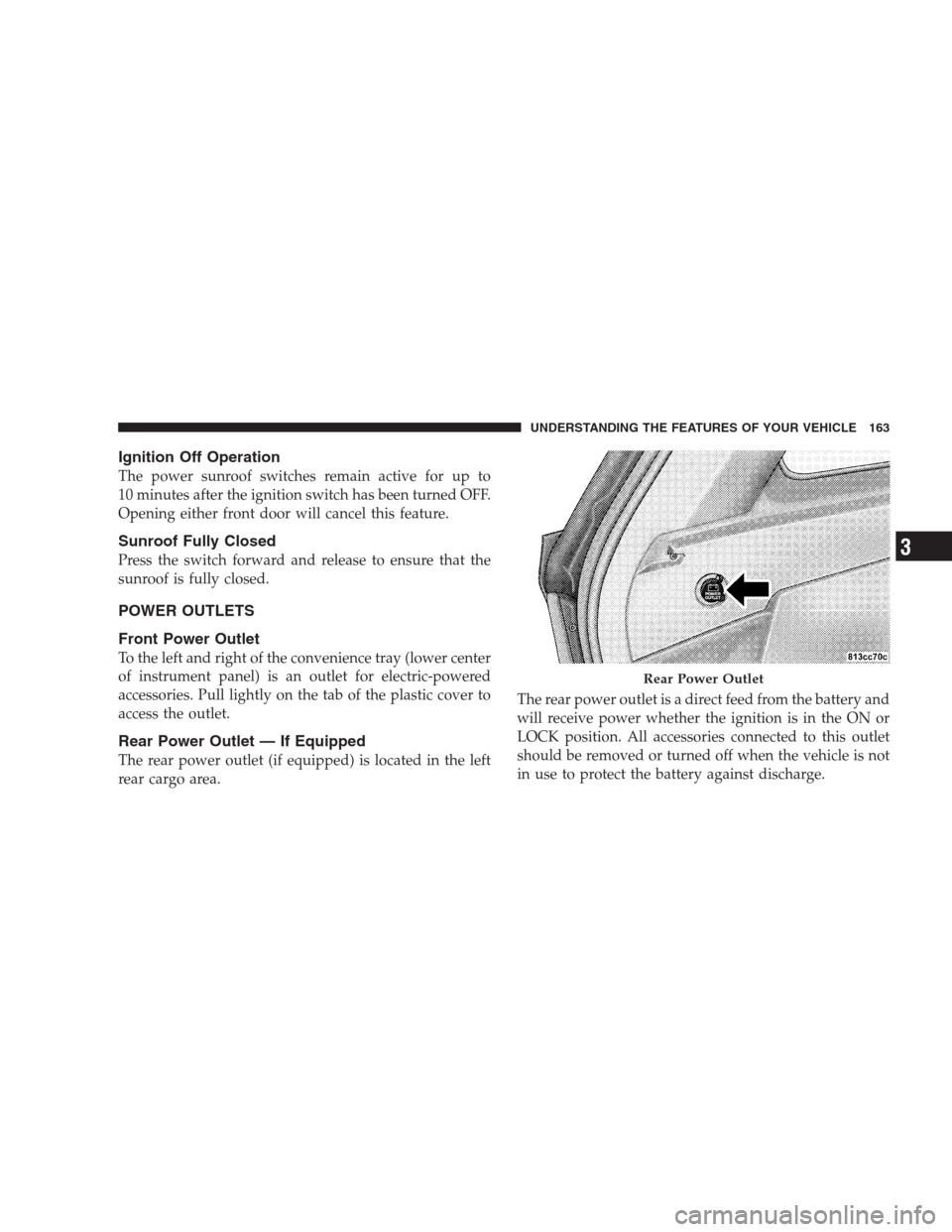
Rear Power Outlet — If Equipped
The rear power outlet (if equipped) is located in the left
rear cargo area.The rear power outlet is a direct feed from the battery and
will receive power whether the ignition is in the ON or
LOCK position. All accessories connected to this outlet
should be removed or turned off when the vehicle is not
in use to protect the battery against discharge.
Rear Power Outlet
UNDERSTANDING THE FEATURES OF YOUR VEHICLE 163
3