Page 24 of 521
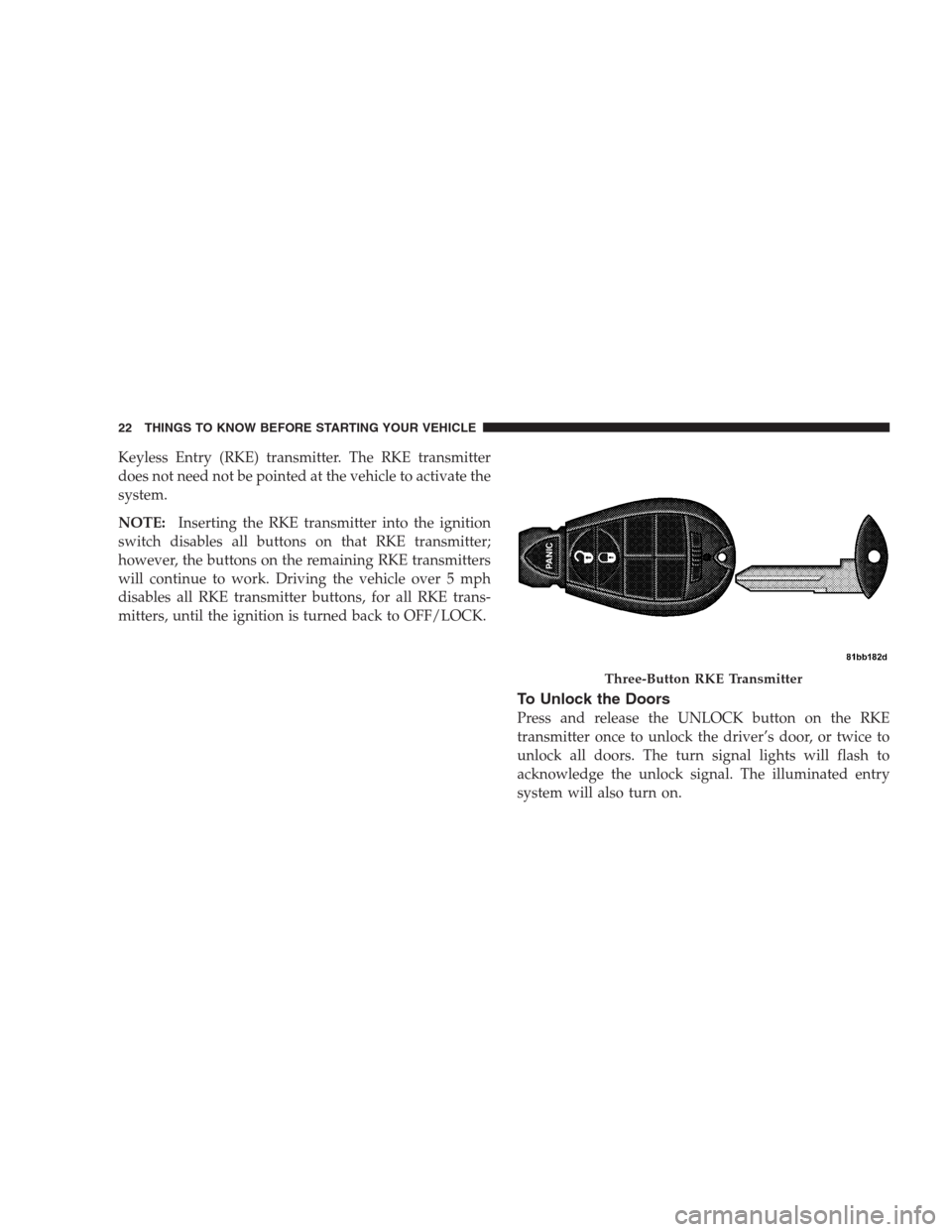
Keyless Entry (RKE) transmitter. The RKE transmitter
does not need not be pointed at the vehicle to activate the
system.
NOTE:Inserting the RKE transmitter into the ignition
switch disables all buttons on that RKE transmitter;
however, the buttons on the remaining RKE transmitters
will continue to work. Driving the vehicle over 5 mph
disables all RKE transmitter buttons, for all RKE trans-
mitters, until the ignition is turned back to OFF/LOCK.
To Unlock the Doors
Press and release the UNLOCK button on the RKE
transmitter once to unlock the driver’s door, or twice to
unlock all doors. The turn signal lights will flash to
acknowledge the unlock signal. The illuminated entry
system will also turn on.
Three-Button RKE Transmitter
22 THINGS TO KNOW BEFORE STARTING YOUR VEHICLE
Page 27 of 521
Using the Panic Alarm
To turn the Panic Alarm feature on or off, press and hold
the PANIC button on the RKE transmitter for at least one
second and release. When the Panic Alarm is on, the
headlights and park lights will flash, the horn will pulse
on and off, and the interior lights will turn on.
The Panic Alarm will stay on for three minutes unless
you turn it off by either pressing the PANIC button a
second time, or drive the vehicle at a speed of 15 mph
(24 km/h) or greater.
NOTE:
•The interior lights will turn off if you turn the ignition
switch to the ACC or ON position while the Panic
Alarm is activated. However, the exterior lights and
horn will remain on.
Programming Additional Transmitters
Refer to Sentry Key�“Customer Key Programming.”
If you do not have a programmed RKE transmitter,
contact your authorized dealer for details.
Transmitter Battery Service
The recommended replacement battery is one CR2032
battery.
NOTE:
•Perchlorate Material — special handling may apply.
See www.dtsc.ca.gov/hazardouswaste/perchlorate
•Do not touch the battery terminals that are on the back
housing or the printed circuit board.
THINGS TO KNOW BEFORE STARTING YOUR VEHICLE 25
2
Page 29 of 521

If your Remote Keyless Entry (RKE) transmitter fails to
operate from a normal distance, check for these two
conditions.
1. A weak battery in the RKE transmitter. The expected
life of the battery is a minimum of three years.
2. Closeness to a radio transmitter such as a radio station
tower, airport transmitter, and some mobile or CB radios.
REMOTE STARTING SYSTEM — IF EQUIPPED
This system uses the Remote Keyless Entry
(RKE) transmitter to start the engine conve-
niently from outside the vehicle while still
maintaining security. The system has a range of
328 ft (100 m).
How to Use Remote Start
All of the following conditions must be met before the
engine will remote start:
•Shift lever in PARK
•Doors closed
•Hood closed
•Liftgate closed
•Hazard switch off
•Brake switch inactive (brake pedal not pressed)
•Ignition key removed from ignition switch
•Battery at an acceptable charge level, and
•RKE PANIC button not pressed.
To Enter Remote Start Mode
Press and release the REMOTE START button
on the RKE transmitter twice, within five sec-
onds. The parking lights will flash and the horn
will chirp twice (if programmed). Then, the
engine will start and the vehicle will remain in the
Remote Start mode for a 15 minute cycle.
THINGS TO KNOW BEFORE STARTING YOUR VEHICLE 27
2
Page 30 of 521
NOTE:
•If an engine fault is present the vehicle will start and
then shut down 10 seconds later.
•The park lamps will turn on and remain on during
Remote Start mode.
•For security, power window and power sunroof op-
eration (if equipped) are disabled when the vehicle is
in the Remote Start mode.
•The engine can be started two consecutive times (two
15 minute cycles) with the RKE transmitter. However,
the ignition switch must be cycled to the ON position
before you can repeat the start sequence for a third
cycle.
To Exit Remote Start Mode Without Driving the
Vehicle
Press and release the REMOTE START button one time or
allow the engine to run for the entire 15 minute cycle.NOTE:To avoid unintentional shutdowns, the system
will disable the one time press of the REMOTE START
button for two seconds after receiving a valid Remote
Start request.
To Exit Remote Start Mode and Drive the Vehicle
Before the end of 15 minute cycle, press and release the
UNLOCK button on the RKE transmitter to unlock the
doors and disarm the Vehicle Security Alarm (if
equipped). Then, prior to the end of the 15 minute cycle,
insert the key into the ignition switch and turn the switch
to the ON position.
•The ignition switch must be in the ON position in
order to drive the vehicle.
•For vehicles equipped with the Electronic Vehicle
Information Center (EVIC), the message “Insert Key/
Turn To Run” will flash in the EVIC until you insert
the key. Once inserted, the message “Turn To Run”
will flash in the EVIC until you turn the key to run.
28 THINGS TO KNOW BEFORE STARTING YOUR VEHICLE
Page 31 of 521
DOOR LOCKS
Manual Door Locks
Use the manual door lock plunger to lock the doors from
inside the vehicle. If the plunger is down when the door
is closed, the door will lock. Therefore, make sure the key
is not inside the vehicle before closing the door.
WARNING!
•For personal security and safety in the event of an
accident, lock the vehicle doors when you drive, as
well as when you park and leave the vehicle.
•When leaving the vehicle always remove the key
from the ignition, and lock your vehicle. Do not
leave unattended children in the vehicle, or with
access to an unlocked vehicle. Unsupervised use of
vehicle equipment may cause severe personal in-
juries and death.
Power Door Locks
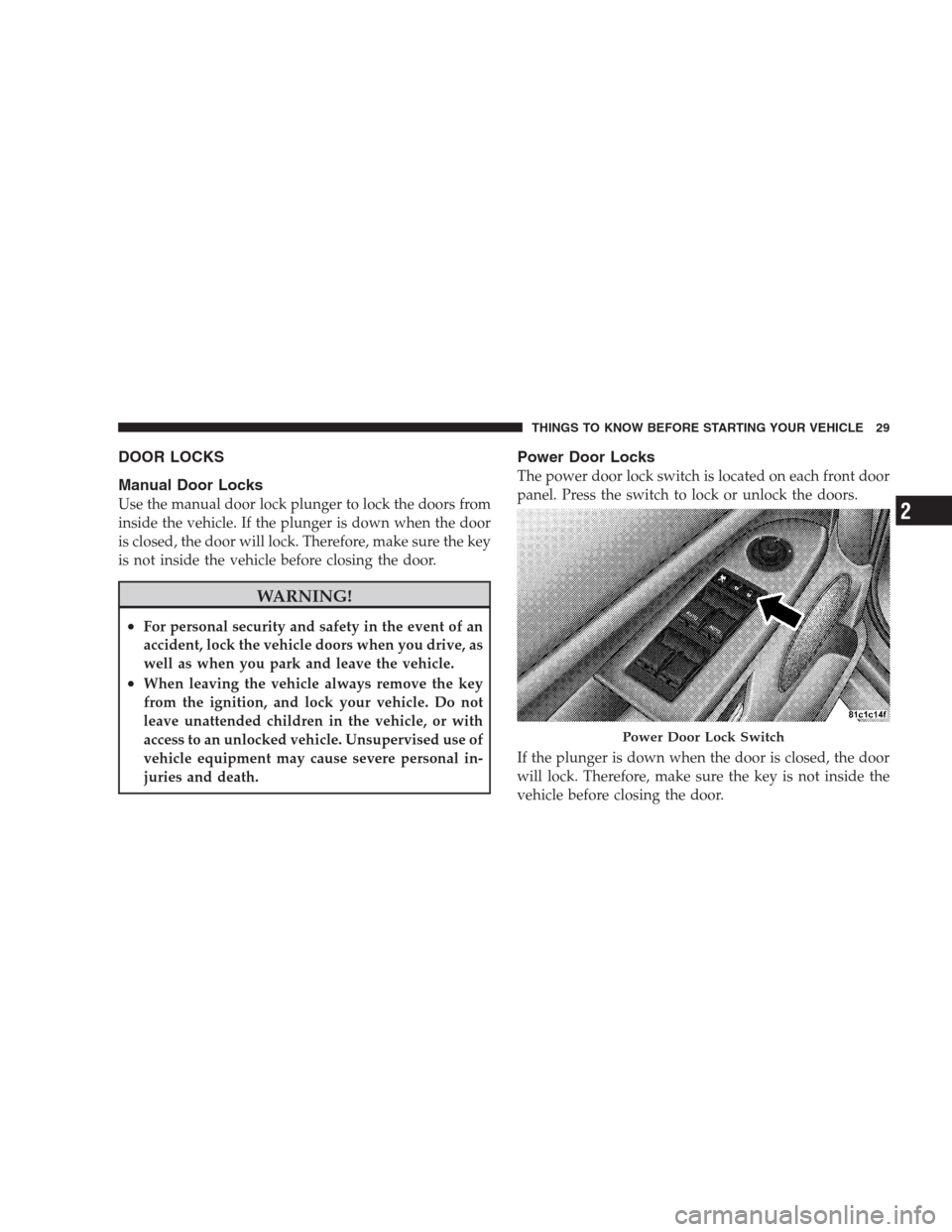
The power door lock switch is located on each front door
panel. Press the switch to lock or unlock the doors.
If the plunger is down when the door is closed, the door
will lock. Therefore, make sure the key is not inside the
vehicle before closing the door.
Power Door Lock Switch
THINGS TO KNOW BEFORE STARTING YOUR VEHICLE 29
2
Page 32 of 521

If you press the door lock switch while the keys are in the
ignition switch, and the driver’s door is open, the doors
will not lock.
The rear doors cannot be opened from inside the vehicle
until you pull up the lock plungers.
Automatic Unlock On Exit Feature — If Equipped
If Auto Unlock is enabled, this feature will unlock all the
doors when the driver’s door is opened if the vehicle is
stopped and in PARK or NEUTRAL. Refer to “Auto
Unlock on Exit” under the “Electronic Vehicle Informa-
tion Center (EVIC),” in section 4 of this manual or see
your authorized dealer.
Automatic Door Locks
If this feature is selected, your door locks will lock
automatically when the vehicle speed is above 15 mph
(24 km/h) and all doors are closed. It will reset whenever
a door is opened.This feature is selectable and can be turned on or off.
Refer to “Auto Door Locks” under “Customer-
Programmable Features” in the “Electronic Vehicle Infor-
mation Center (EVIC),” in Section 4 of this manual or see
your authorized dealer.
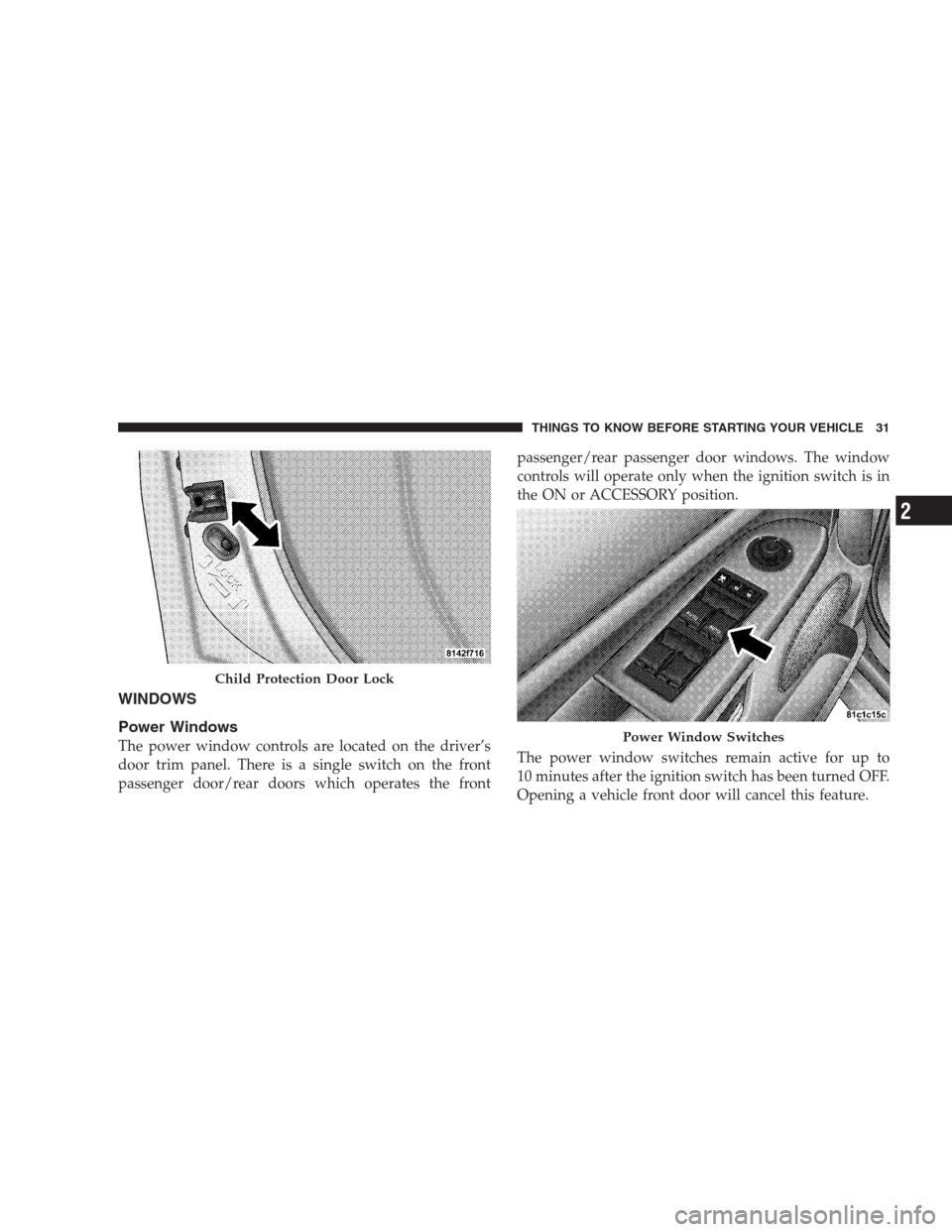
Child Protection Door Lock
The rear doors of your vehicle are equipped with Child
Protection Door Locks. If you push up on the lever on the
open edge of the door it cannot be opened from the inside
of the vehicle. Push the lever down to disengage the
Child Protection Door Locks.
WARNING!
Avoid trapping anyone in the vehicle in a collision.
Remember that the rear doors can only be opened
from the outside when the Child Protection Door
Locks are engaged.
30 THINGS TO KNOW BEFORE STARTING YOUR VEHICLE
Page 33 of 521
WINDOWS
Power Windows
The power window controls are located on the driver’s
door trim panel. There is a single switch on the front
passenger door/rear doors which operates the frontpassenger/rear passenger door windows. The window
controls will operate only when the ignition switch is in
the ON or ACCESSORY position.
The power window switches remain active for up to
10 minutes after the ignition switch has been turned OFF.
Opening a vehicle front door will cancel this feature.
Child Protection Door Lock
Power Window Switches
THINGS TO KNOW BEFORE STARTING YOUR VEHICLE 31
2
Page 34 of 521

Auto Down
Both the driver and front passenger window switch has
an “Auto Down” feature. Press the window switch past
the first detent, release, and the window will go down
automatically. To cancel the “Auto Down” movement,
operate the switch in either the up or down direction and
release the switch.
To open the window part way, press to the first detent
and release it when you want the window to stop.
The power window switches remain active for 10 min-
utes after the ignition has been turned OFF. Opening
either front door will cancel this feature.
Auto Up Feature with Anti-Pinch Protection —
Driver’s and Front Passenger Door Only
Lift the window switch to the second detent, release, and
the window will go up automatically.To stop the window from going all the way up during the
Auto Up operation, push down on the switch briefly.
To close the window part way, lift the window switch to
the first detent and release when you want the window to
stop.
NOTE:If the window runs into any obstacle during
Auto Up it will reverse direction and then stop. Remove
the obstacle and use the window switch again to close the
window. Any impact due to rough road conditions may
trigger the auto reverse function unexpectedly during
Auto Up. If this happens, pull the switch lightly to the
first detent and hold it to close the window manually.
WARNING!
There is no anti-pinch protection when the window
is almost closed. Be sure to clear all objects from the
window before closing.
32 THINGS TO KNOW BEFORE STARTING YOUR VEHICLE