Page 212 of 648

Door (Door activated position):
OFF position:
After all doors are closed tightly, the
lights dim slightly, then f ade out in
about 30 seconds.
To change the ‘‘INTERIOR LIGHT
DIMMING TIME’’ setting, see page .
With any door lef t open, the lights
stay on about 15 minutes, then go
out.
Your vehicle has the light control
buttons on the f ront ceiling. With
these buttons, you can select three
positions: OFF, Door (door activated
position), and ON. To select a
position, press the appropriate
button.
When you press the DOOR button,
the green indicator in the button
comesonasareminder. To turn off the setting, press the
OFF button. On the door activated
position, pressing the DOOR button
again also turns of f the setting.
The rear individual map lights
cannot be turned on. The f ront individual map lights
canbeturnedonandoff by
pressing each map light button
(/). The individual map lights in the
f ront and rear come on when any
door is opened, when the remote
transmitter (the keyless access
remote on models with keyless
access system) is used to unlock
the doors. When the doors are
closed, each light can be turned on
and of f by pushing the map light
button ( / ).
116
CONT INUED
Interior Lights
Light Control Buttons
Inst rument s and Cont rols
209
Front
OFF MAPLIGHTBUTTON
DOOR ACTIVATED
ONFront
Rear
�����—�
���—�����y���������������y���
�)� ���������y�����
���y
2009 TL
Page 213 of 648

If any map light is lef t on when the
ignition switch is turned of f or the
VEHICLE OFF (LOCK) mode is set,
and all doors are closed, it will turn
of f when the vehicle is locked with
the remote transmitter (the keyless
access remote on models with
keyless access system), or af ter 15
minutes.
The lights also come on when the
key is removed f rom the ignition
switch.
The lights also come on when the
power mode is set to VEHICLE OFF
(LOCK).
All the individual map lights come
on and stay on. Turn on the f ront individual map
lights by pushing each map light
button ( / ). Push the
button again to turn it off. When the
door activated position is selected
with the light control button, the rear
map lights can be turned on by
pushing each map light button
( / ). Push the button
again to turn it off.
ON position:
On models without keyless access
system
On models with keyless access system
Interior Lights
Individual Map L ights
210
Front
Rear
�\f���—�
���—�����y�\f�������������y���
�)� �����\f�\f�y�\f���
���y
2009 TL
Page 214 of 648

�´�µ�Î�Î
Models equipped with the
keyless access system have an
engine start/stop button instead
of an ignition switch. ON Mode
is the equivalent of ON (II). For
more inf ormation, see pages
and . The courtesy light in each f ront door
comes on when the door is opened,
and goes out when the door is closed.
In addition to the courtesy light on
the ceiling, the driver’s ambient f oot
light comes on.
Your vehicle also has a courtesy light
in the ignition switch. This light
comesonwhenyouopenthedriver’s
door. It f ades out in about 30
seconds af ter the door is closed.
Thecourtesylightscomeonwhen
the parking lights are turned on. To
adjust its brightness, press either of
the instrument panel brightness
control buttons ( or ) with the
ignition switch in the ON (II)
position. :
178180
On models without keyless accesssystem
Interior Lights
Courtesy Lights
Inst rument s and Cont rols
211
COURTESY LIGHTS
�\f���—�
���—�����y�\f�������������y���
�)� �����\f�\f�y�\f���
���y
2009 TL
Page 215 of 648
Remove the keyless access remote
f rom the keyless access remote
slot.
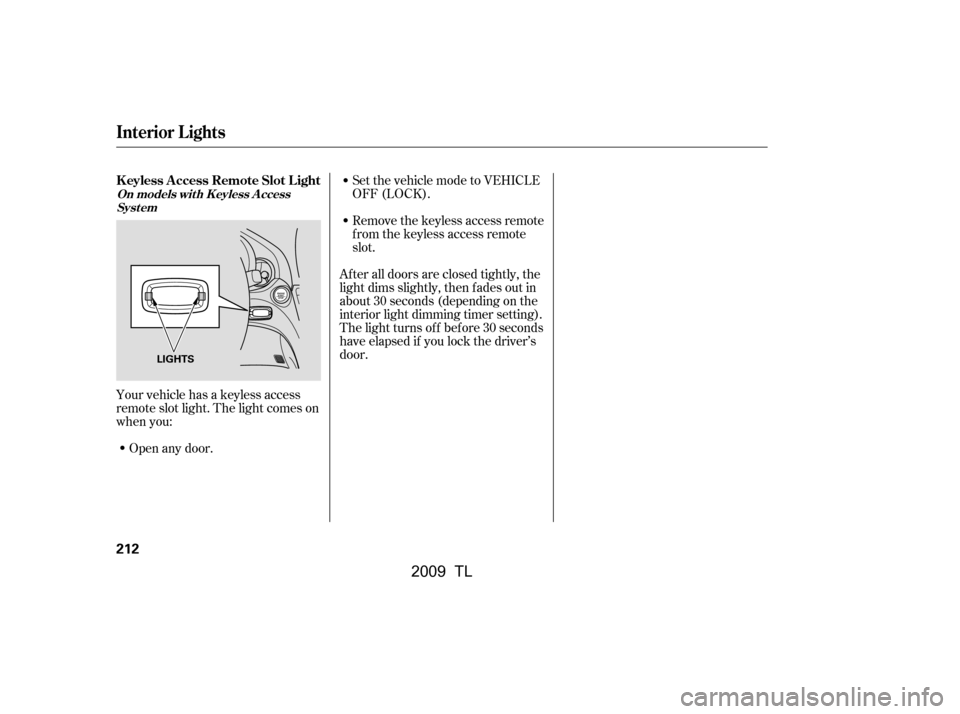
Your vehicle has a keyless access
remote slot light. The light comes on
when you: Open any door. Set the vehicle mode to VEHICLE
OFF (LOCK).
After all doors are closed tightly, the
light dims slightly, then f ades out in
about 30 seconds (depending on the
interior light dimming timer setting).
The light turns of f bef ore 30 seconds
have elapsed if you lock the driver’s
door.
Interior Lights
K eyless A ccess Remote Slot L ight
On models wit h K eyless A ccess Syst em
212
LIGHTS
�\f���—�\f���—�����y�
����\f��������y���
�)� �����\f�\f�y�\f���
���y
2009 TL
Page 220 of 648

When you set the temperature to its
lower limit ( ) or its upper limit
( ), the system runs at f ull
cooling or heating only. It does not
regulate the interior temperature.
When you adjust a f an control, the
f an is taken out of AUTO mode.To keep stale air and mustiness
f rom collecting, you should have
the f an running at all times.
Keep the system completely of f
f or short periods only.
To turn the system completely of f ,
press the ON/OFF button.
Each time you press this button, the
climate control system switches
between on and of f . Turning on the
system with this button selects your
last climate control selection.
You can also select the appropriate
mode on the driver’s side and the
passenger’s side separately. To
change a mode, press and release
the appropriate side mode control
button. This will take the mode
control out of AUTO mode.
In AUTO mode, the vehicle’s interior
temperature is independently
regulated f or the driver and f ront
passenger according to each
adjusted temperature. The system
also regulates each temperature
basedontheinformationof thesun
light sensor and the sun’s position which is updated automatically by
the navigation’s global positioning
system (GPS). If one side of the
vehicle is getting too much sun, the
system lowers the temperature only
on that side.
When you press this button, the
indicator in the button comes on, and
the passenger’s side temperature
and mode control is synchronized to
thedriver’ssidesettemperatureand
mode control. Changing the
passenger’s side temperature or
mode control makes the indicator go
of f and takes the system out of
SYNC mode.
On models with navigation system
Climate Control System
To Turn Everything Off
ON/OFF Button
SYNC Button
Features
217
�\f���—�\f���—�����y�
����\f����
���y���
�)� �����\f�\f�y�\f�������y
2009 TL
Page 225 of 648
Theclimatecontrolsystemhastwo
sensors: a sunlight sensor on top of
the dashboard, and a temperature
and humidity sensor next to the
steering column. Do not cover the
sensors or spill any liquid on them.The humidity sensor helps reduce
window f ogging and also monitors
and adjusts cabin humidity by
automatically changing the mode to
Def rost.
The airf low f rom the rear vents can
be adjusted when either AUTO
mode (driver or passenger) is
selected or the f an mode is in the
or position.
You can adjust the direction of the
airflowbymovingthetaboneach
vent up-and-down and side-to-side.
You can also open or close the vents
with the dial between them.
Climate Control System
Climate Control Sensors
Rear Ventilation
222
SUNLIGHT SENSOR
TEMPERATURE AND HUMIDITY
SENSOR
�\f���—�\f���—�����y�
����
�\f��\f���y���
�)� �����\f�\f�y�\f�������y
2009 TL
Page 235 of 648

�´�µ
�µ
The SVC mode controls the volume
based on vehicle speed. The f aster
you go, the louder the audio volume
becomes. As you slow down, the
audio volume decreases.
The SVC has f our modes; SVC OFF,
SVC LOW, SVC MID, and SVC
HIGH. Turn the selector knob to
adjust the setting to your liking. If
you f eel the sound is too loud,
choose low. If you f eel the sound is
too quiet, choose high.
This f unction is set to MID as the
def ault setting when the vehicle
leaves the factory. You can use the instrument panel
brightness control buttons ( or )
to adjust the illumination of the audio
system (see page ). The audio
system illuminates when the parking
lights are on, even if the radio is
turned off.
Adjusts the volume level
basedonthevehiclespeed.
Eachmodeisshowninthedisplayas
it changes. Turn the selector knob to
adjust the setting to your liking.
When the level reaches the center,
you will see ‘‘C’’ in the display.
To return to normal play, push the
RETURN or SETUP button af ter you
stop adjusting a mode. 137
Except SVC adjustment
Playing the A M/FM Radio (Models without navigation system)
A udio System L ighting
SVCSpeed-sensit ive Volume
Compensat ion (SVC)
232
�\f���—�\f���—�\f���y�
���������
���y���
�)� �����\f�\f�y�\f�������y
2009 TL
Page 254 of 648
When a disc is not being played,
store it in its case to protect it f rom
dust and other contamination. To
prevent warpage, keep discs out of
direct sunlight and extreme heat.
A new disc may be rough on the
inner and outer edges. The small
plastic pieces causing this roughness
can f lake of f and f all on the
recording surf ace of the disc,
causing skipping or other problems.
Remove these pieces by rubbing the
inner and outer edges with the side
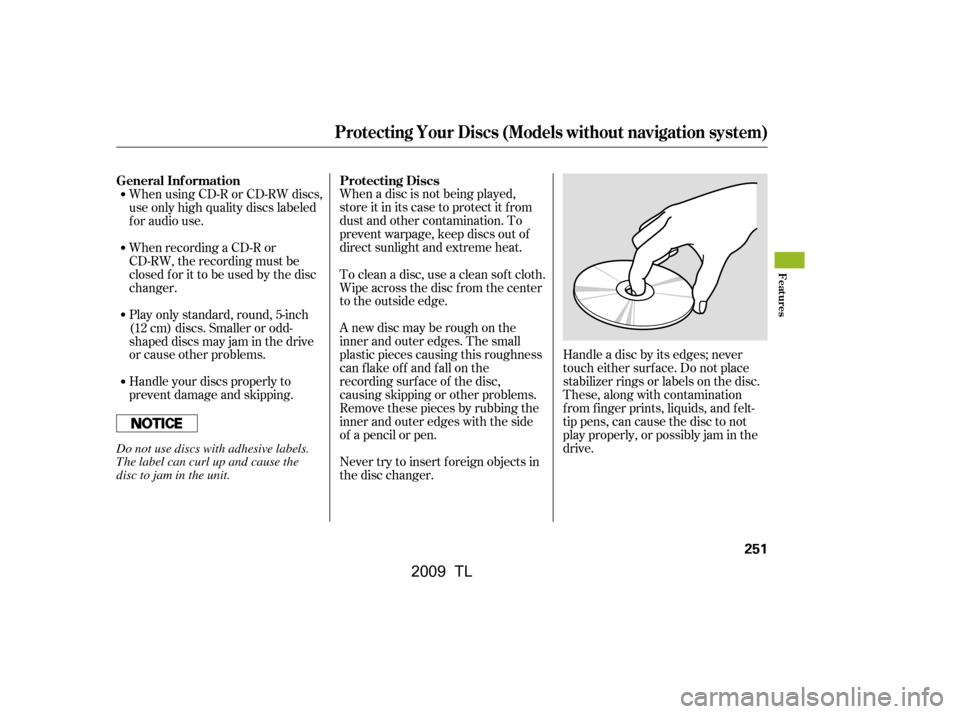
of a pencil or pen.Handle a disc by its edges; never
touch either surf ace. Do not place
stabilizer rings or labels on the disc.
These, along with contamination
f rom f inger prints, liquids, and f elt-
tip pens, can cause the disc to not
play properly, or possibly jam in the
drive.
Never try to insert f oreign objects in
the disc changer.
To clean a disc, use a clean sof t cloth.
Wipe across the disc f rom the center
to the outside edge.
When using CD-R or CD-RW discs,
use only high quality discs labeled
f or audio use.
When recording a CD-R or
CD-RW, the recording must be
closedforittobeusedbythedisc
changer.
Handle your discs properly to
prevent damage and skipping.
Play only standard, round, 5-inch
(12 cm) discs. Smaller or odd-
shaped discs may jam in the drive
or cause other problems.
General Inf ormation
Protecting Discs
Protecting Your Discs (Models without navigation system)
Features
251
Do not use discs with adhesive labels.
The label can curl up and cause the
disc to jam in the unit.
�\f���—�\f���—�����y�
����
��������y���
�)� �����\f�\f�y�\f�������y
2009 TL