Page 254 of 512
254
3-3. Using the audio system
PRIUS_U_(L/O_0802)
Playing MP3 and WMA discs (if equipped)
Insert an MP3 or WMA disc or press with a disc inserted.
When you press during playback of the disc, the following
audio control screen appears.
This illustration is a vehicle equipped with the CD changer.
AUDIO
ITY33P015
Power
Vo lu m e CD eject
Playback
Search playback
CD slot Random
playback
Repeat play
CD load
Display audio
control screen
Display folder list
Page 255 of 512
255
3-3. Using the audio system
3
Interior features
PRIUS_U_(L/O_0802)
Loading, ejecting and sele
cting MP3 and WMA discs
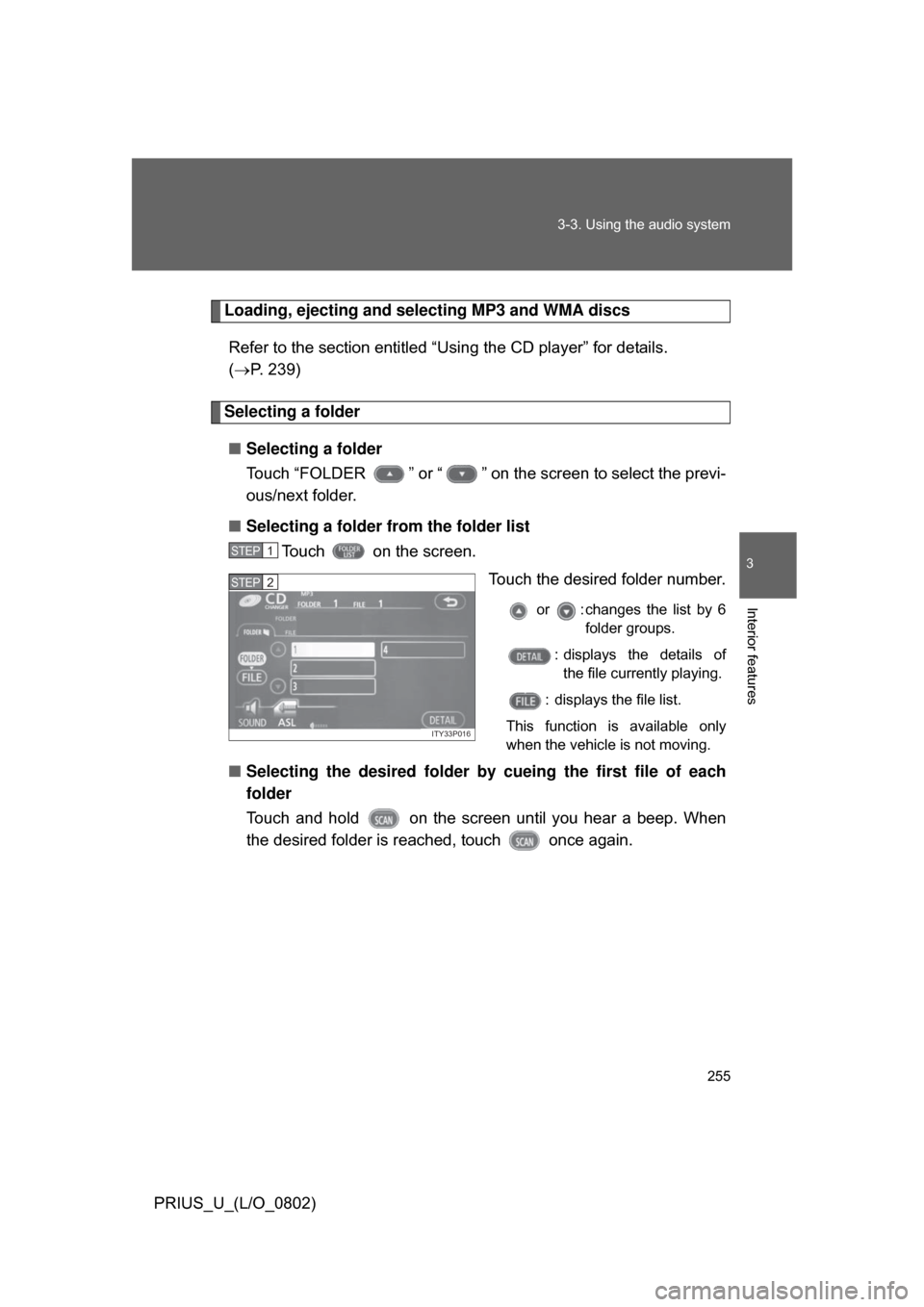
Refer to the section entitled “Using the CD player” for details.
( P. 239)
Selecting a folder
■ Selecting a folder
Touch “FOLDER ” or “ ” on the screen to select the previ-
ous/next folder.
■ Selecting a folder from the folder list
Touch on the screen.
Touch the desired folder number.
or : changes the list by 6folder groups.
: displays the details of the file currently playing.
: displays the file list.
This function is available only
when the vehicle is not moving.
■ Selecting the desired folder by cueing the first file of each
folder
Touch and hold on the screen until you hear a beep. When
the desired folder is r eached, touch once again.
STEP1
ITY33P016
STEP2
Page 256 of 512
256 3-3. Using the audio system
PRIUS_U_(L/O_0802)
Selecting and scanning files■ Selecting one file at a time
Turn the dial or press or on to select the
desired file.
■ Selecting a file from the file list
Touch on the screen to turn the folder list on.
Touch on the folder list
screen.
Touch the desired file number.
or : changes the list by 6groups.
: displays the folder list.
: displays the details of the file currently playing.
This function is available only
when the vehicle is not moving.
TUNE FILE
STEP1
ITY33P016
STEP2
ITY33P018
STEP3
Page 257 of 512
257
3-3. Using the audio system
3
Interior features
PRIUS_U_(L/O_0802)
■
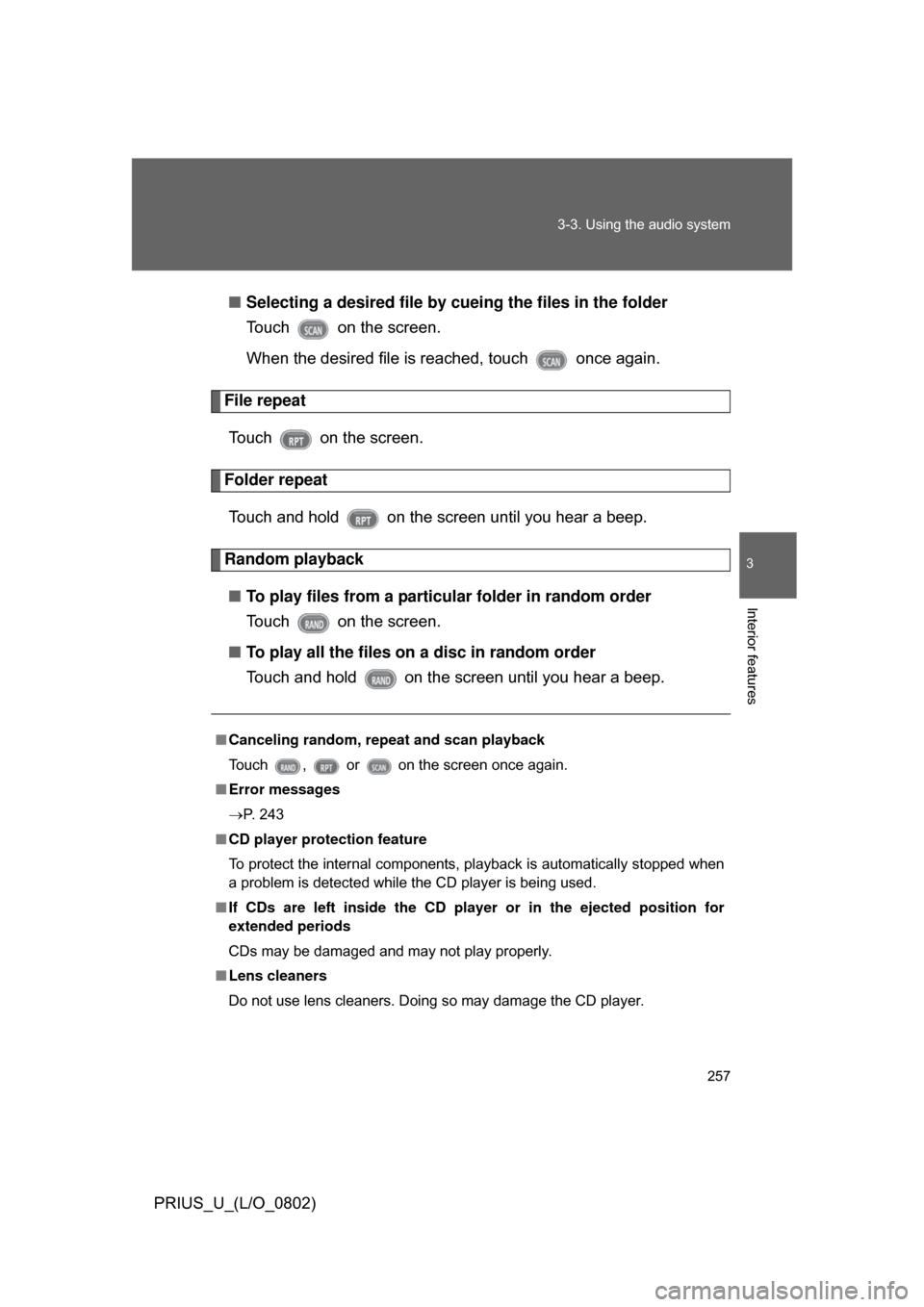
Selecting a desired file by cueing the files in the folder
Touch on the screen.
When the desired file is reached, touch once again.
File repeat
Touch on the screen.
Folder repeatTouch and hold on the screen until you hear a beep.
Random playback■ To play files from a partic ular folder in random order
Touch on the screen.
■ To play all the files on a disc in random order
Touch and hold on the screen until you hear a beep.
■ Canceling random, repeat and scan playback
Touch , or on the screen once again.
■ Error messages
P. 243
■ CD player protection feature
To protect the internal components, playback is automatically stopped when
a problem is detected while the CD player is being used.
■ If CDs are left inside the CD pla yer or in the ejected position for
extended periods
CDs may be damaged and may not play properly.
■ Lens cleaners
Do not use lens cleaners. Doing so may damage the CD player.
Page 262 of 512
262
3-3. Using the audio system
PRIUS_U_(L/O_0802)
Optimal use of the audio (Vehicle with AUX adapter)
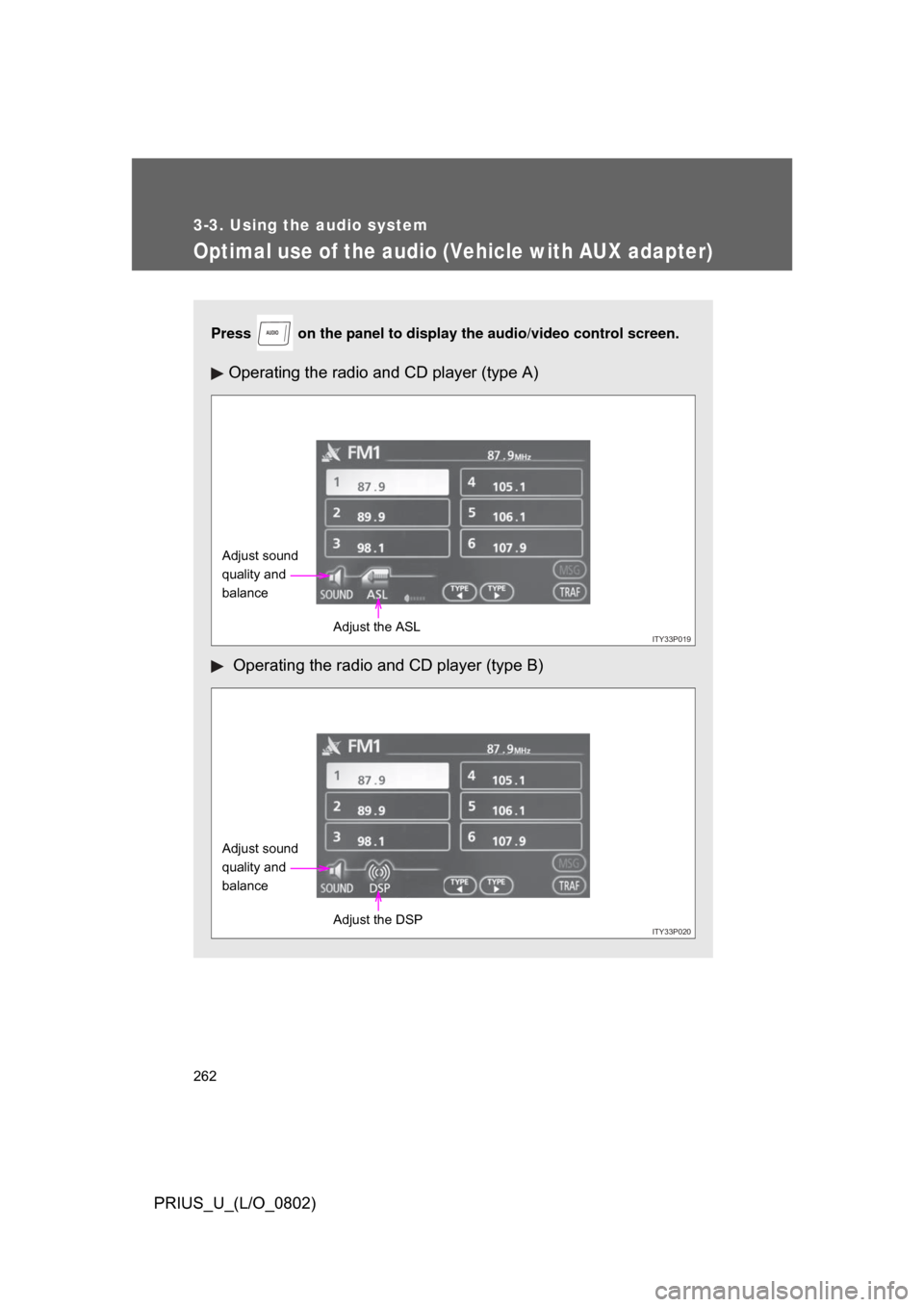
Press on the panel to display the audio/video control screen.
Operating the radio and CD player (type A)
Operating the radio and CD player (type B)
AUDIO
ITY33P019
Adjust sound
quality and
balance
Adjust the ASL
ITY33P020
Adjust sound
quality and
balanceAdjust the DSP
Page 263 of 512
263
3-3. Using the audio system
3
Interior features
PRIUS_U_(L/O_0802)
Adjusting sound quality and balance
Touch on the screen. Adjust the settings, referring to
the following table.
Once you have finished, touch.
*: The sound quality level is adjusted individually in each radio or CD mode.
STEP1
STEP2
Sound quality modeDisplayLevelTo u c h
High-pitched tones
*-5 to 5
or
Mid-pitched
tones
*
(Type A only) -5 to 5
Low-pitched tones
*-5 to 5
Front/rear
volume balance F7 to R7
or
Left/right volume balance L7 to R7 or
Page 264 of 512
264 3-3. Using the audio system
PRIUS_U_(L/O_0802)
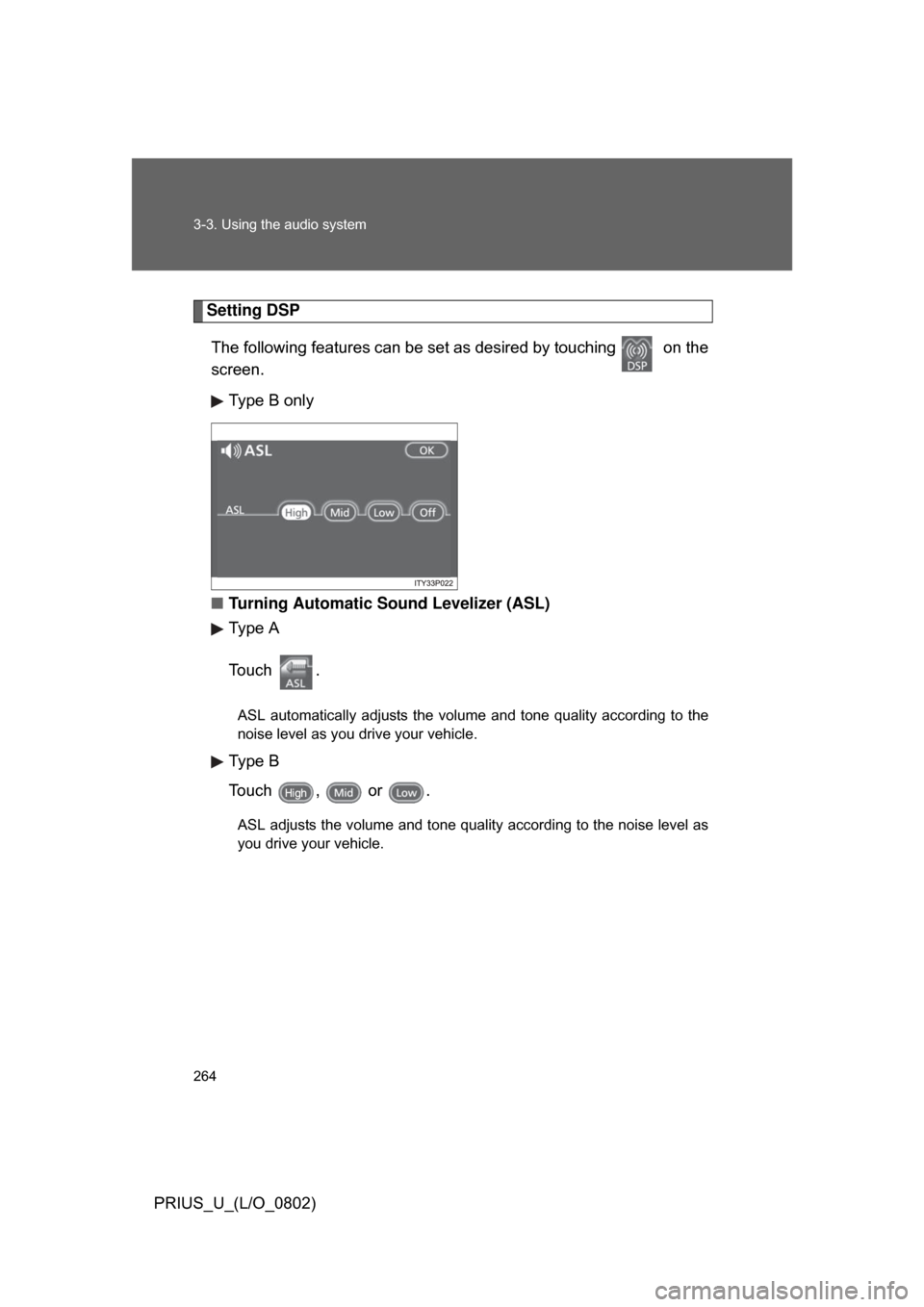
Setting DSPThe following features can be se t as desired by touching on the
screen.
Type B only
■ Turning Automatic Sound Levelizer (ASL)
Type A
To u c h .
ASL automatically adjusts the volume and tone quality according to the
noise level as you drive your vehicle.
Type B
Touch , or .
ASL adjusts the volume and tone quality according to the noise level as
you drive your vehicle.
Page 266 of 512
266
3-3. Using the audio system
PRIUS_U_(L/O_0802)
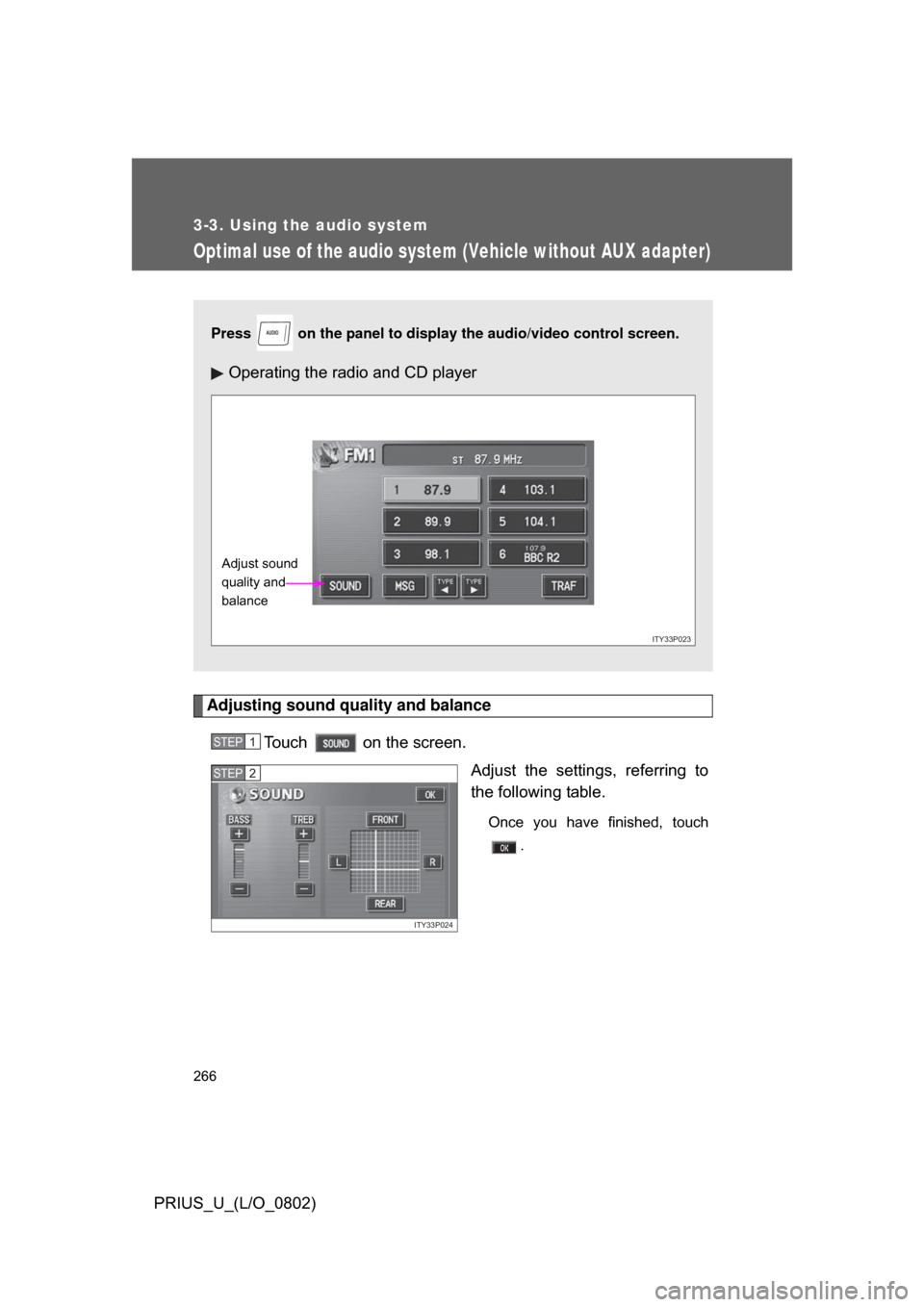
Optimal use of the audio system (Vehicle without AUX adapter)
Adjusting sound quality and balanceTouch on the screen. Adjust the settings, referring to
the following table.
Once you have finished, touch.
Press on the panel to display the audio/video control screen.
Operating the radio and CD player
AUDIO
ITY33P023
Adjust sound
quality and
balance
STEP1
ITY33P024
STEP2