Page 196 of 512
196
3-1. Using the touch screen
PRIUS_U_(L/O_0802)
Setting the touch screen (Vehicles without AUX adapter)
Language settingsThe language used for all voice guidance, messages and touch
screen switches may be changed.
Press .
Touch on the “Information” screen. Select the desired language.
To u c h .
You can change the touch screen to your desired settings.
67(3�
67(3�
67(3�
67(3�
Page 197 of 512
197
3-1. Using the touch screen
3
Interior features
PRIUS_U_(L/O_0802)
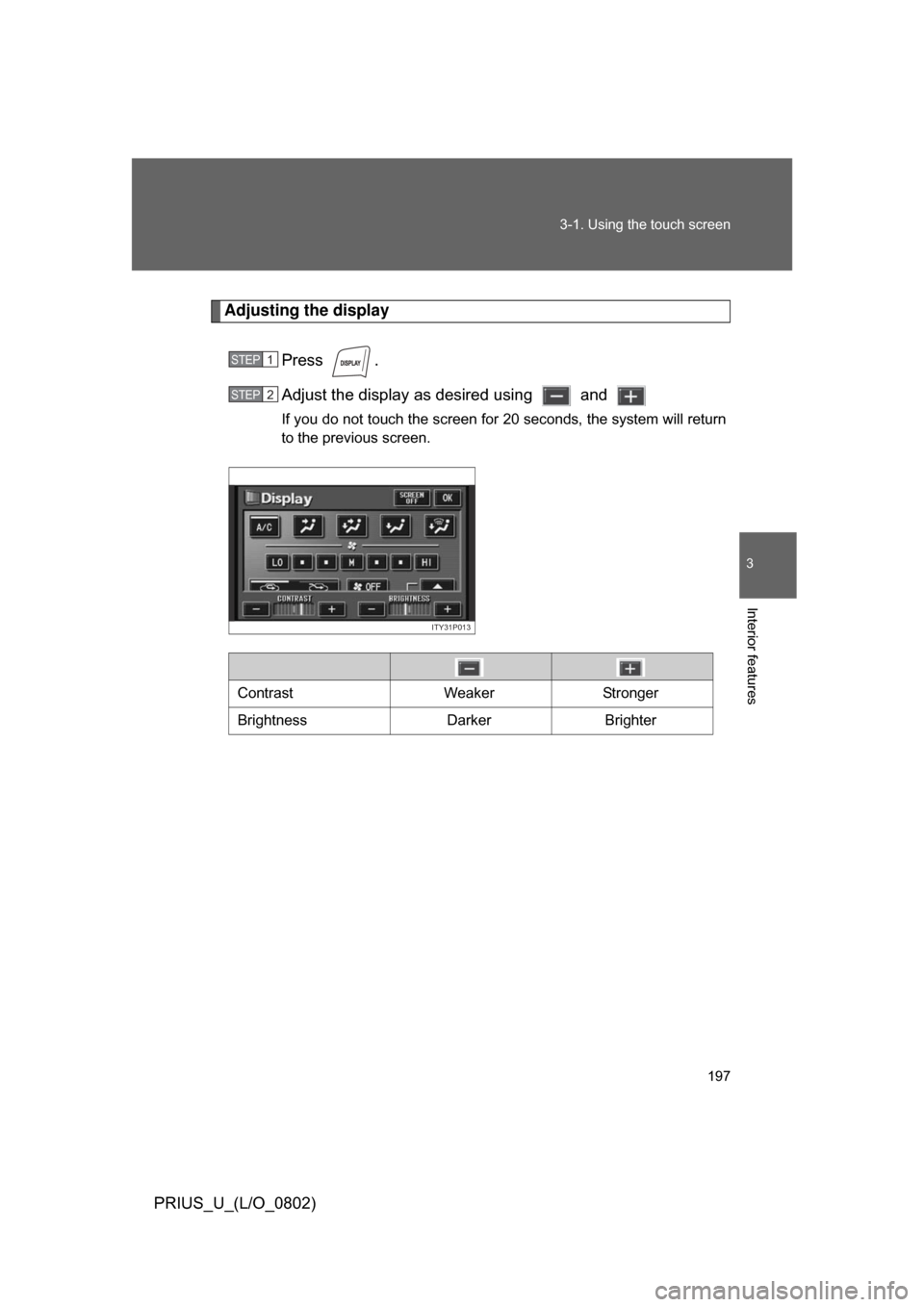
Adjusting the display
Press .
Adjust the display as desired using and
If you do not touch the screen for 20 seconds, the system will return
to the previous screen.
STEP1
STEP2
ITY31P013
Contrast WeakerStronger
Brightness DarkerBrighter
Page 198 of 512
198 3-1. Using the touch screen
PRIUS_U_(L/O_0802)
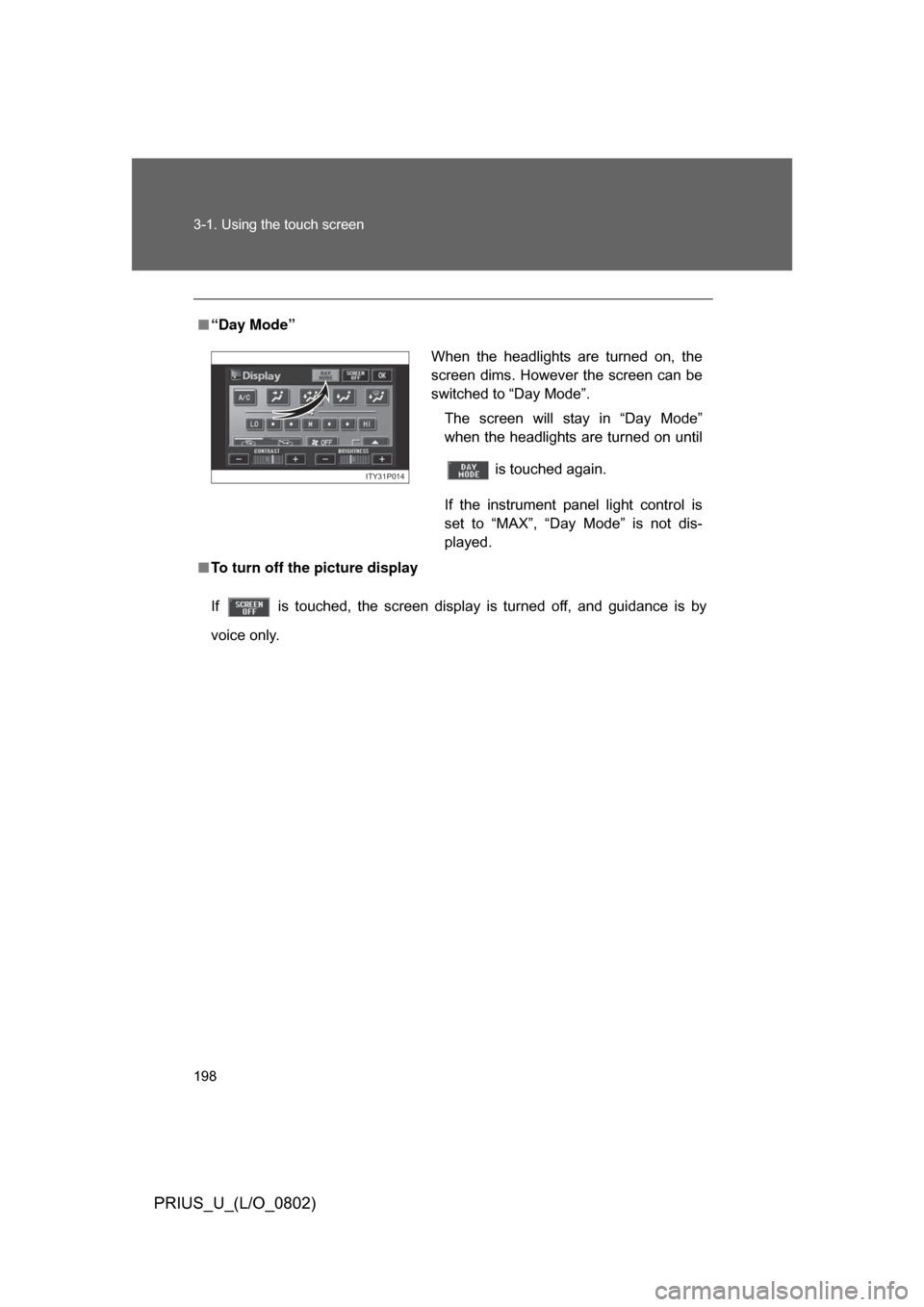
■“Day Mode”
■ To turn off the picture display
If is touched, the screen display is turned off, and guidance is by
voice only.
When the headlights are turned on, the
screen dims. However the screen can be
switched to “Day Mode”.
The screen will stay in “Day Mode”
when the headlights are turned on until
is touched again.
If the instrument panel light control is
set to “MAX”, “Day Mode” is not dis-
played.
ITY31P014
Page 199 of 512
199
3-1. Using the touch screen
3
Interior features
PRIUS_U_(L/O_0802)
Screen settings
Press .
Touch on the “Information” screen.
The following screen settings can be changed.
Automatic transition
20 seconds after air-conditioning
or audio system use, the system
will return the display to the previ-
ous screen.
Switch color
You can select the switch color.
STEP1
STEP2
Page 200 of 512
200 3-1. Using the touch screen
PRIUS_U_(L/O_0802)■
Setting automatic transition
Touch or on the “Screen Setting” screen.
Press .
■ Setting the switch color
Touch , , or on the “Screen Setting”
screen.
Press .
STEP1
STEP2
STEP1
STEP2
Page 201 of 512
201
3
Interior features
PRIUS_U_(L/O_0802)
3-2. Using the air conditioning system and defogger
Automatic air conditioning system (Vehicles with AUX adapter)
Airflow and outlets are automatically adjusted according to the tem-
perature setting.
Press
to display the air conditioning operation screen.
The above illustration is for a vehicle equipped with the navigation
system. The position of may diff er slightly for vehicles not
equipped with the navigation system.
ITY32P001
Automatic mode
Fan speed display
Off
Airflow display
Air conditioning
operation screen
display button Temperature control
Air conditioning
ON/OFF switch Outside air or recirculated mode
Windshield defogger Outside temperature display
Passenger compartment
temperature display
Page 203 of 512
203
3-2. Using the air conditioning system
and defogger
3
Interior features
PRIUS_U_(L/O_0802)■
Adjusting the fan speed
Touch any switch of (decrease
increase) on the operating screen.
Press to turn the fan off.
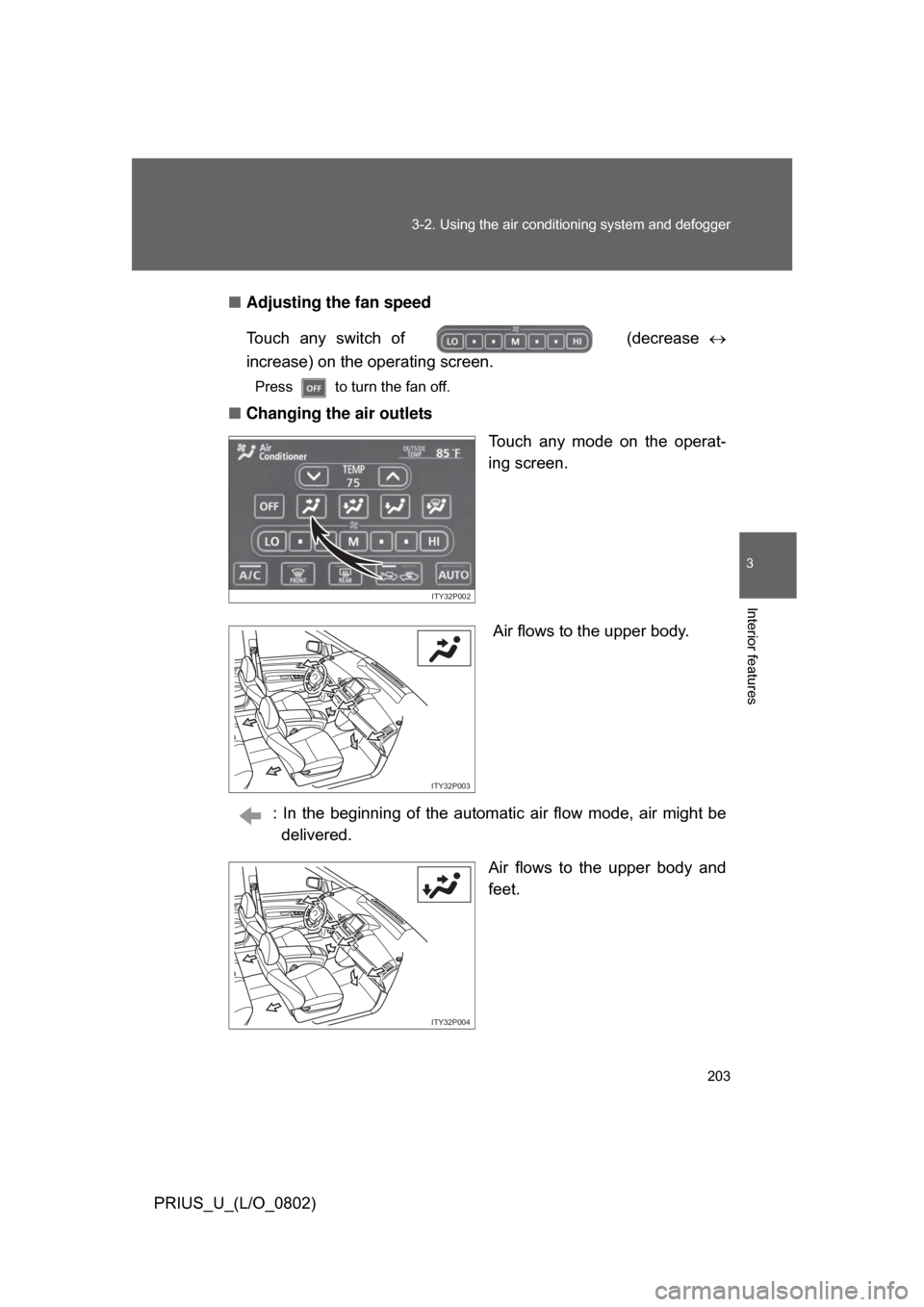
■ Changing the air outlets
Touch any mode on the operat-
ing screen.
Air flows to the upper body.
: In the beginning of the automat ic air flow mode, air might be
delivered.
Air flows to the upper body and
feet.
ITY32P002
ITY32P003
ITY32P004
Page 208 of 512
208
3-2. Using the air conditioning system and defogger
PRIUS_U_(L/O_0802)
Automatic air conditioning system (Vehicles without AUX adapter)
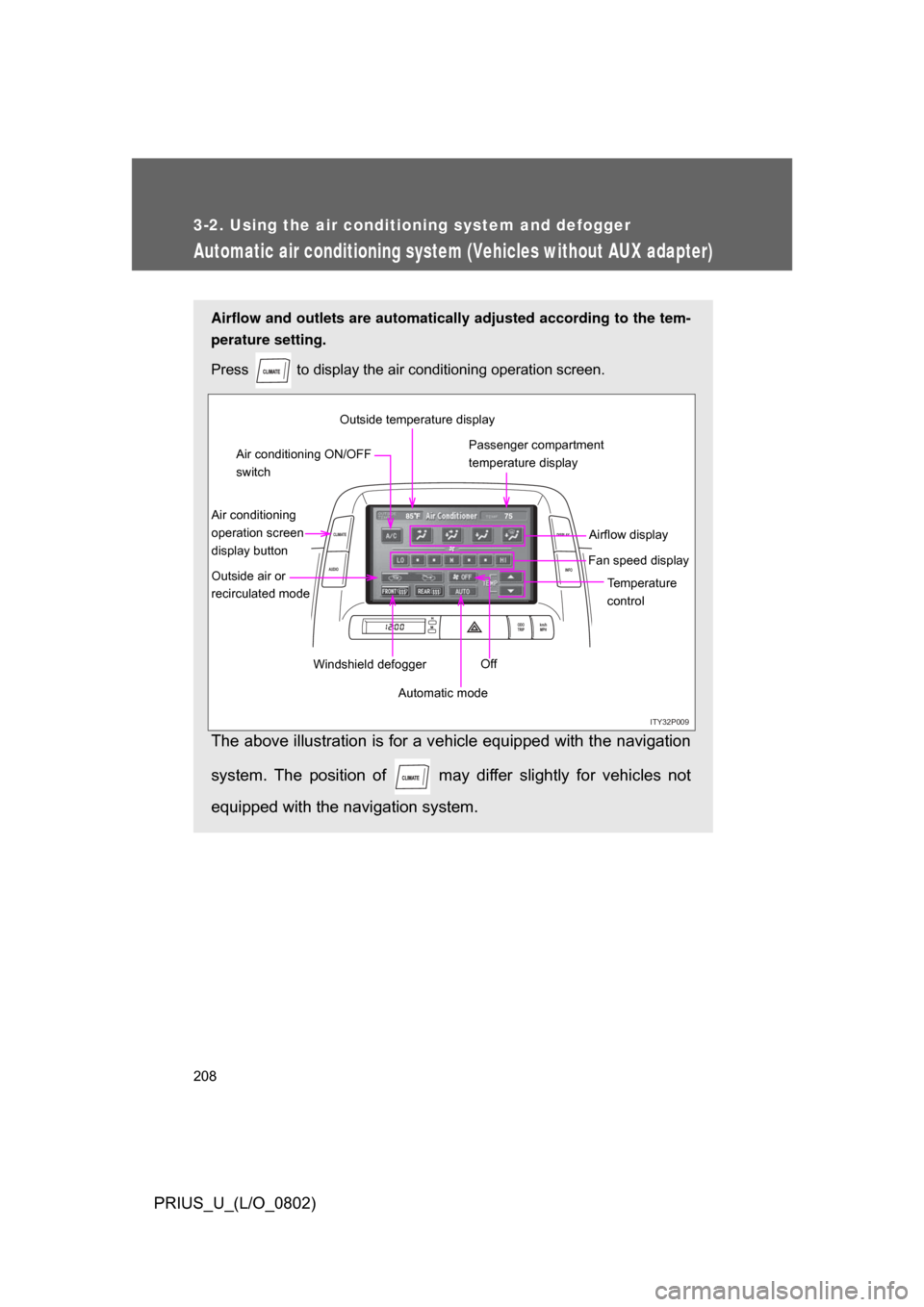
Airflow and outlets are automatically adjusted according to the tem-
perature setting.
Press
to display the air conditioning operation screen.
The above illustration is for a vehicle equipped with the navigation
system. The position of may diff er slightly for vehicles not
equipped with the navigation system.
ITY32P009
ODO
TRIP km/h
MPH
INFO
DISPLAY
CLIMATE
AUDIO
75
85 F
Automatic mode Temperature
control
Fan speed display
Off Airflow display
Air conditioning
operation screen
display button Passenger compartment
temperature display
Air conditioning ON/OFF
switch
Outside air or
recirculated mode Windshield defoggerOutside temperature display