Page 145 of 512
145
2-2. Instrument cluster
2
When driving
PRIUS_U_(L/O_0802)
NOTICE
■
To prevent damage to the hybr id system and its components
The hybrid system may be overheating if the high coolant temperature warn-
ing light is displayed on the touch screen. In this case, immediately stop the
vehicle in a safe place. Check the hybrid system after it has cooled com-
pletely. ( P. 456)
Page 146 of 512
146
2-2. Instrument cluster
PRIUS_U_(L/O_0802)
Indicators and warning lights
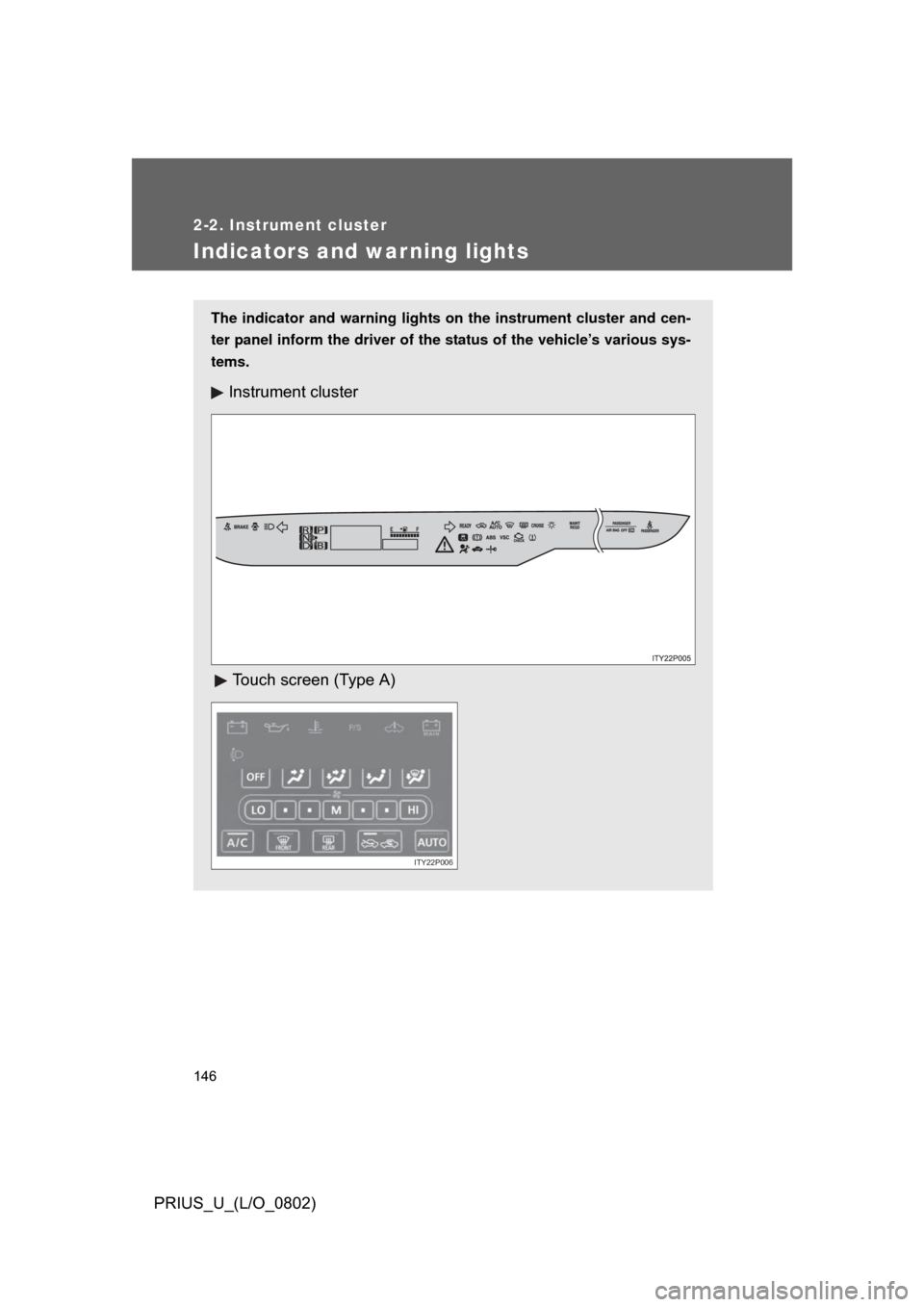
The indicator and warning lights on the instrument cluster and cen-
ter panel inform the driver of the status of the vehicle’s various sys-
tems.
Instrument cluster
Touch screen (Type A)
ITY22P006
Page 147 of 512
147
2-2. Instrument cluster
2
When driving
PRIUS_U_(L/O_0802)
Touch screen (Type B)
ITY22P007
Page 167 of 512
167
2-4. Using other driving systems
2
When driving
PRIUS_U_(L/O_0802)
Rear view monitor system
■Displayed area
Corner of bumper
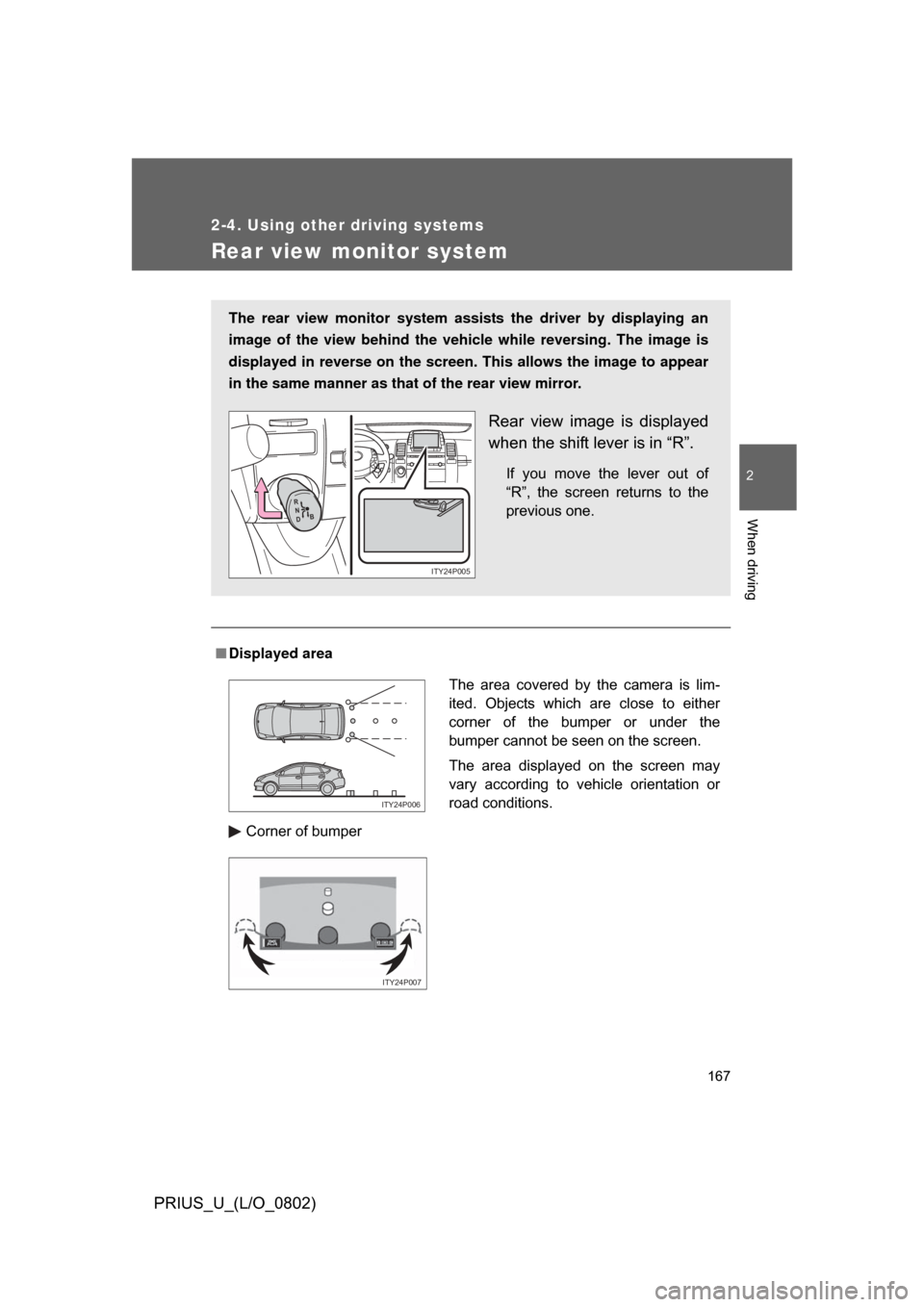
The rear view monitor system assists the driver by displaying an
image of the view behind the vehicle while reversing. The image is
displayed in reverse on the screen . This allows the image to appear
in the same manner as that of the rear view mirror.
Rear view image is displayed
when the shift lever is in “R”.
If you move the lever out of
“R”, the screen returns to the
previous one.
R
N
D B
ITY24P005
The area covered by the camera is lim-
ited. Objects which are close to either
corner of the bumper or under the
bumper cannot be seen on the screen.
The area displayed on the screen may
vary according to vehicle orientation or
road conditions.
ITY24P006
ITY24P007
Page 168 of 512
168 2-4. Using other driving systems
PRIUS_U_(L/O_0802)
■Rear view monitor system camera
■ Smear effect
In the following cases, it may be difficult
to see the images on the screen, even
when the system is functioning correctly.
• In the dark (e.g. at night).
• If the temperature near the lens is
extremely high or low.
• If water droplets get on the camera, or when humidity is high (e.g. when it
rains).
• If foreign matter (e.g. snow or mud) get on the camera lens.
• If the sun or headlights are shining directly into the camera lens.
ITY24P008
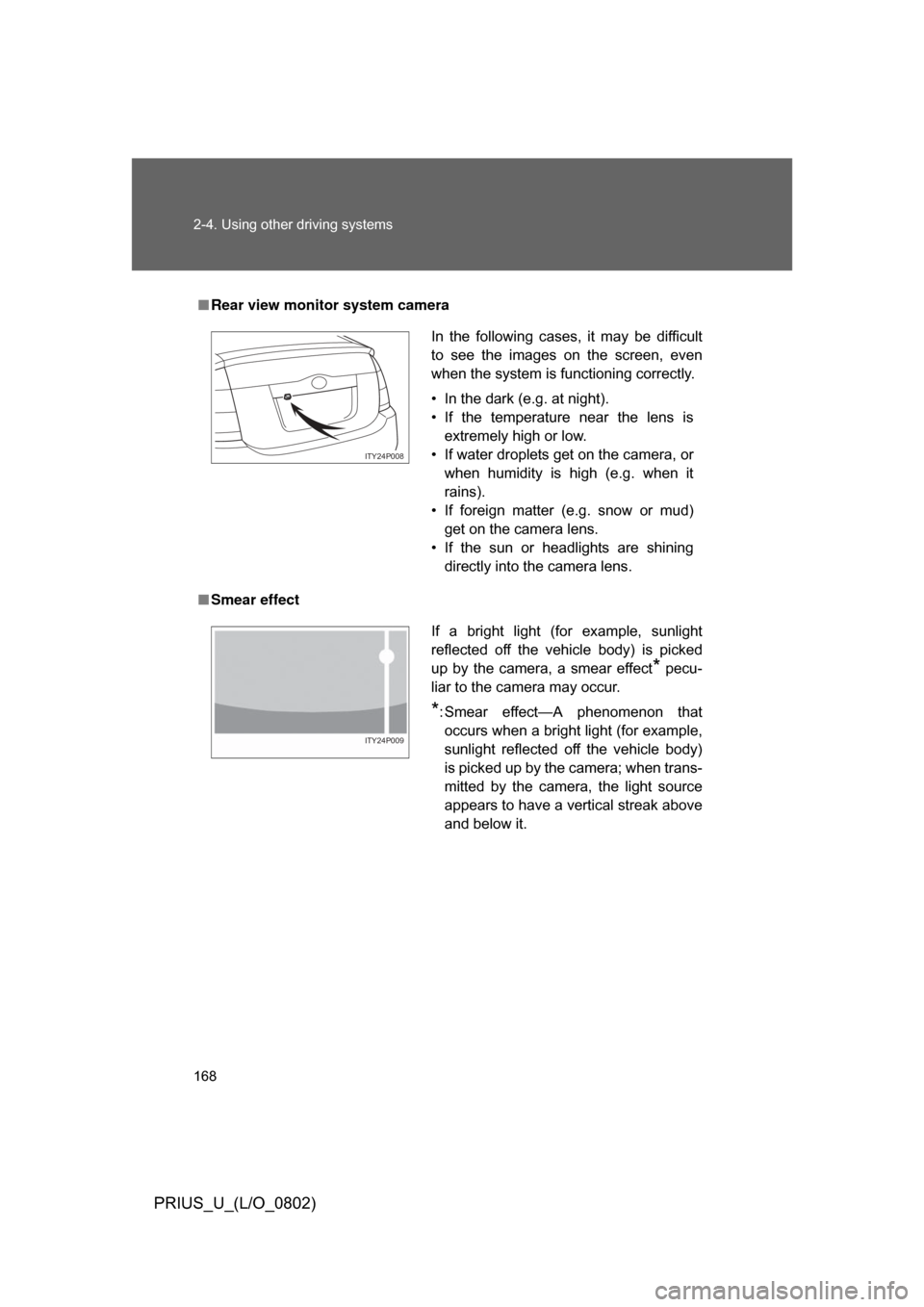
If a bright light (for example, sunlight
reflected off the vehicle body) is picked
up by the camera, a smear effect
* pecu-
liar to the camera may occur.
*: Smear effect—A phenomenon that occurs when a bright light (for example,
sunlight reflected off the vehicle body)
is picked up by the camera; when trans-
mitted by the camera, the light source
appears to have a vertical streak above
and below it.
ITY24P009
Page 184 of 512
184
PRIUS_U_(L/O_0802)
3-1. Using the touch screen ........................... 186
Touch screen ................... 186
Setting the touch screen (Vehicles with AUX
adapter) ......................... 191
Setting the touch screen (Vehicles without AUX
adapter) ......................... 196
3-2. Using the air conditioning system
and defogger ................ 201
Automatic air conditioning system (Vehicles with AUX
adapter) ......................... 201
Automatic air conditioning system (Vehicles without
AUX adapter) ................. 208
Using the steering wheel climate remote control
switches ......................... 215
Rear window and outside rear view mirror
defoggers ....................... 217
Page 186 of 512
186
PRIUS_U_(L/O_0802)
v3-1.Using the touch screen
Touch screen
By touching the screen with your finger, you can control the audio
system and air-conditioning, adjust the screen display etc.
Vehicles with navigation system
Vehicles without navigation system (Type A)
Page 187 of 512
187
3-1. Using the touch screen
3
Interior features
PRIUS_U_(L/O_0802)
Vehicles without navigation system (Type B)
The “Information” screen shown in t
he above illustration is displayed when
the is pressed.
SwitchesPage
“CLIMATE”P. 201, 208
“AUDIO”P. 219, 222
“INFO” (Displaying the “Informa-
tion” screen)P. 186
“DISP” (Adjusting the display)P. 192, 197
Trip Information. (Displaying the
“Trip Information” screen)P. 2 7
MaintenanceNavigation System Owner’s Man-
ual
TelephoneP. 277
CalendarNavigation System Owner’s Man-
ual
LanguageP. 191, 196
Screen SettingP. 194, 199