Page 185 of 329
Compass
Features
181
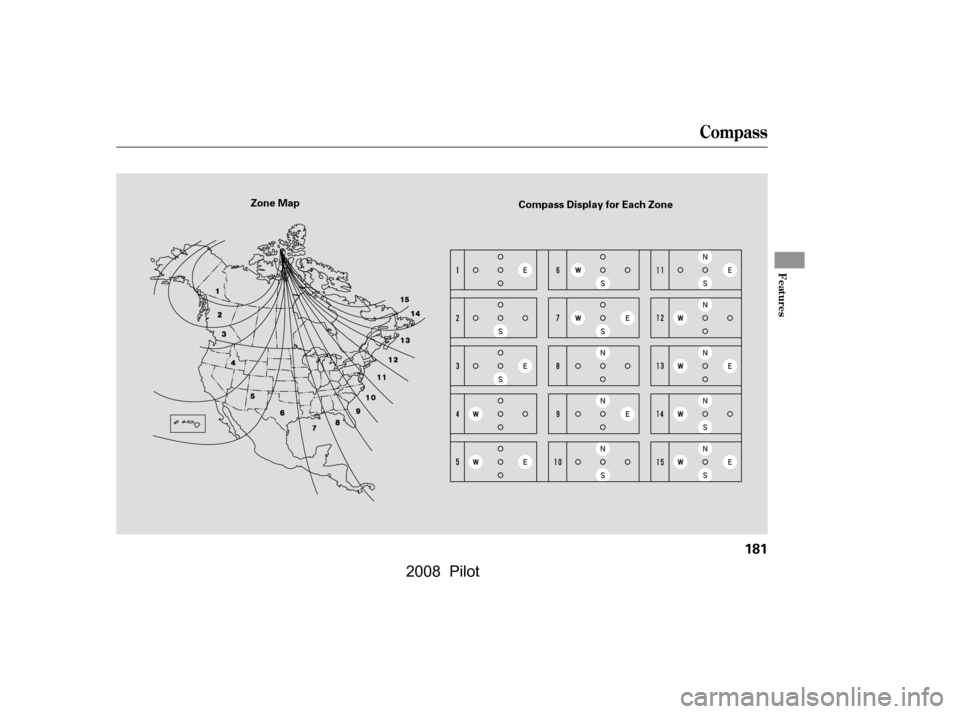
Zone MapCompass Display for Each Zone
�\f���—�\f���—�\f���y�
�
�������
�
�y���
�(���+�����\f�y�\f�
�����y
2008 Pilot
Page 186 of 329
�Ý
�Û
When in reverse, the touch screen
and navigation system ‘‘hard’’
buttons are locked out, except the
‘‘ZOOM’’ button. Touching the ‘‘ ’’
or ‘‘ ’’ button allows you to adjust
the brightness of the rearview
camera image. Since the rearview camera display
area is limited, you should always
back up slowly and caref ully, and
look behind you f or obstacles.
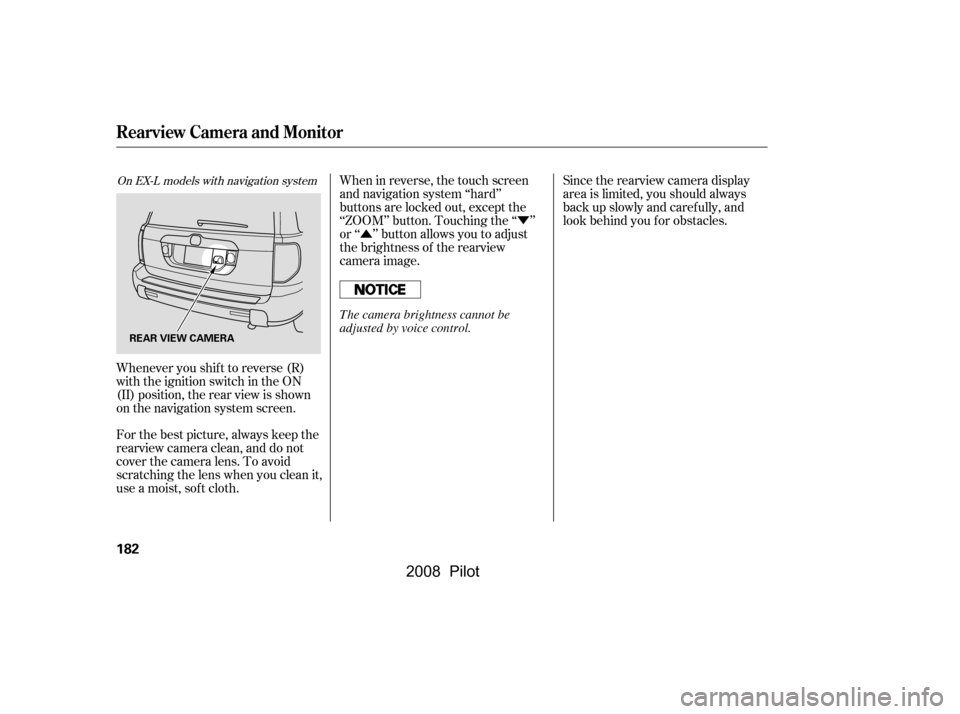
Whenever you shif t to reverse (R)
with the ignition switch in the ON
(II) position, the rear view is shown
on the navigation system screen.
For the best picture, always keep the
rearview camera clean, and do not
cover the camera lens. To avoid
scratching the lens when you clean it,
use a moist, sof t cloth.
On EX-L models with navigation system
Rearview Camera and Monitor
182
REAR VIEW CAMERA
The camera brightness cannot be
adjusted by voice control.
�\f���—�\f���—�\f���y�
�
�������
���y���
�(���+�����\f�y�\f�
�����y
2008 Pilot
Page 194 of 329

Put your f ingers under the f ront
edge of the hood near the center.
Slide your hand to the lef t until
you f eel the hood latch handle.
Push this handle up to release it.
Lif t up the hood.
If the hood latch handle moves
stif f ly, or if you can open the hood
without lifting the handle, the
mechanism should be cleaned and
lubricated.
Park the vehicle, and set the
parking brake. Pull the hood
release handle located under the
lower lef t corner of the dashboard.
The hood will pop up slightly.
Screw the fuel fill cap back on
until it clicks at least once. If you
do not properly tighten the cap,
the malf unction indicator lamp
maycomeon(seepage).You
will also see a ‘‘CHECK FUEL
CAP’’ message on the inf ormation
display.
Push the f uel f ill door closed until
it latches.
2.
1.
5.
6.
283
Service Station Procedures
Opening and Closing the Hood
190
LATCH
HOOD RELEASE HANDLE
Gasoline is highly flammable
and explosive. You can be
burned or seriously injured
when handling fuel.
Stop the engine, and keep
heat, sparks, and flame away.
Handle fuel only outdoors.
Wipe up spills immediately.
�\f���—�\f���—�\f���y�
�
���������\f�y���
�(���+�����\f�y�\f�
�����y
2008 Pilot
Page 198 of 329

�µ�µ�µ
�µ �µ
�µ �µ
�µ
�µ
The f ollowing f actors can lower your
vehicle’s f uel economy:
Aggressive driving (hard
acceleration and braking)
Excessive idling, accelerating and
braking in stop-and-go traf f ic
Cold engine operation (engines
aremoreefficientwhenwarmed
up)
Driving with a heavy load or the
air conditioner running
Improperly inf lated tires
A properly maintained vehicle
maximizes f uel economy. Poor
maintenance can signif icantly reduce
f uel economy. Always maintain your
vehicle according to the maintenance
messages displayed on the
inf ormation display (see on page ).
For example: An under-inf lated tire increases
‘‘rolling resistance,’’ which reduces
f uel economy.
It puts a heavier
load on the engine, increasing f uel
consumption. In
particular, a build-up of snow or
mud on your vehicle’s underside
adds weight and rolling resistance.
Frequent cleaning helps your f uel
economy.
Rapid
acceleration, abrupt cornering,
and hard braking increase fuel
consumption. Aerodynamic drag has a big ef f ect
on f uel mileage at speeds above 45
mph (75 km/h). Reduce your
speed and you reduce the drag.
Trailers, car top carriers, roof
racks and bike racks are also big
contributors to increased drag.
If your vehicle has a
manual transmission, you can
boost your f uel economy by up
shif ting as early as possible. Idling
results in 0 miles per gallon.
The A/C
puts an extra load on the engine
which makes it use more f uel. Use
the f resh-air ventilation when
possible.
Combine several short trips into
one. A warmed-up engine is more
f uel ef f icient than a cold one.
242
Fuel Economy Factors
Improving Fuel Economy
Owner’s
Maintenance Checks Use the recommended viscosity
motor oil, displaying the A PI
Certif ication Seal (see page
).
Maintain proper tire inf lation
A void carrying excess weight in
your vehicle
K eep your vehicle clean
Drive moderately Observe the speed limit
Always drive in the highest gear
possible
Avoid excessive idling
Minimize the use of the air
conditioning system
Plan and combine trips
245
Fuel Economy
Vehicle Maint enance
Drive Ef f icient ly
194
�\f���—�\f���—�\f���y�
�
�������
�
�y���
�(���+�����\f�y�\f�
�����y
2008 Pilot
Page 239 of 329

This section explains why it is
important to keep your vehicle well
maintained and how to f ollow basic
maintenance saf ety precautions.
This section also includes
instructions on how to read the
maintenance messages in the
inf ormation display, and instructions
for simple maintenance tasks you
may want to take care of yourself.
If you have the skills and tools to
perf orm more complex maintenance
tasks on your vehicle, you may want
to purchase the service manual. See
page f or inf ormation on how to
obtain a copy, or see your dealer.......................
Maintenance Saf ety .236
....................
Maintenance Minder .237
..............................
Fluid Locations .244
........................
Adding Engine Oil .245
Changing the Engine Oil and
...........................................
Filter .246
..............................
Engine Coolant .248
....................
Windshield Washers .249
....
Automatic Transmission Fluid .250
..............................
Dif f erential Oil .251
.............
Transf er Assembly Fluid .251
....................................
Timing Belt .252
....................................
Brake Fluid .252
....................
Power Steering Fluid .253
.............................................
Lights .254
.....................................
Floor Mats .260
.......................
Cleaning Seat Belts .260
.................................
Wiper Blades .261
...........................................
Wheels .263
...............................................
Tires .263
...................
Checking the Battery .269
.............................
Vehicle Storage .270
311
Maintenance
Maint enance
235
�\f���—�\f���—�\f���y�
�
�������\f�\f�y���
�(���+�����\f�y�\f�����\f�y
2008 Pilot
Page 241 of 329
�µ
�µ
�µ
�µ
�µ
�µ
�µ
�µ
�µ
�µ �µ
�µ
CONT INUED
Calculated Engine Oil Lif e (%)
100 % 91 % 90 % 81 %
80 % 71 %
70 % 61 %
60 % 51 %
50 % 41 %
40 % 31 %
30 % 21 %
20 % 16 %
15 % 11 %10 % 6 % 5% 1% 0% Displayed
Engine Oil Lif e (%) 100 %90 %
80 %
70 %
60 %
50 %
40 %
30 %
20 %
15 %
10 %5%
0%
Based on the engine operating
conditions and accumulated engine
revolutions, the onboard computer in
your vehicle calculates the remaining
engine oil lif e and displays it as a
percentage.
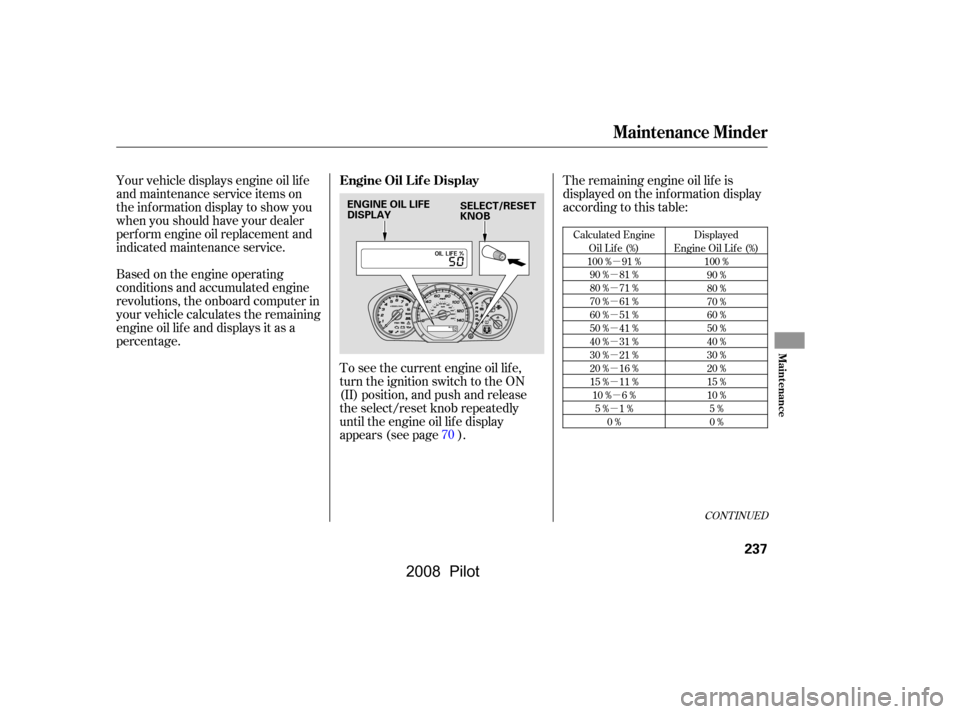
To see the current engine oil lif e,
turn the ignition switch to the ON
(II) position, and push and release
the select/reset knob repeatedly
until the engine oil lif e display
appears (see page ).The remaining engine oil lif e is
displayed on the inf ormation display
according to this table:
Your vehicle displays engine oil lif e
and maintenance service items on
the inf ormation display to show you
when you should have your dealer
perf orm engine oil replacement and
indicated maintenance service.
70
Maintenance Minder
Engine Oil L if e Display
Maint enance
237
ENGINE OIL LIFE
DISPLAYSELECT/RESET
KNOB
�\f���—�\f���—�\f���y�
�
�������
���y���
�(���+�����\f�y�\f�������y
2008 Pilot
Page 242 of 329
If the remaining engine oil lif e is 15
to 6 percent, you will see the engine
oil lif e indicator every time you turn
the ignition switch to the ON (II)
position. The maintenance minder
indicator will also come on, and the
maintenance item code(s) for other
scheduled maintenance items
needing service will be displayed
next to the engine oil lif e indicator.The 15 and 10 percent oil lif e
indicators remind you that your
vehicle will soon be due f or
scheduled maintenance.
When the remaining engine oil lif e is
5 to 1 percent, you will see a
‘‘SERVICE’’ message along with the
same maintenance item code(s),
everytimeyouturntheignition
switch to the ON (II) position.
Maintenance Minder
238
MAINTENANCE
MINDER
INDICATOR
ENGINE OIL LIFE
INDICATOR
MAINTENANCE
ITEM CODE(S) ‘‘SERVICE’’ MESSAGE
�\f���—�\f���—�\f���y�
�
�����������y���
�(���+�����\f�y�\f�������y
2008 Pilot
Page 243 of 329
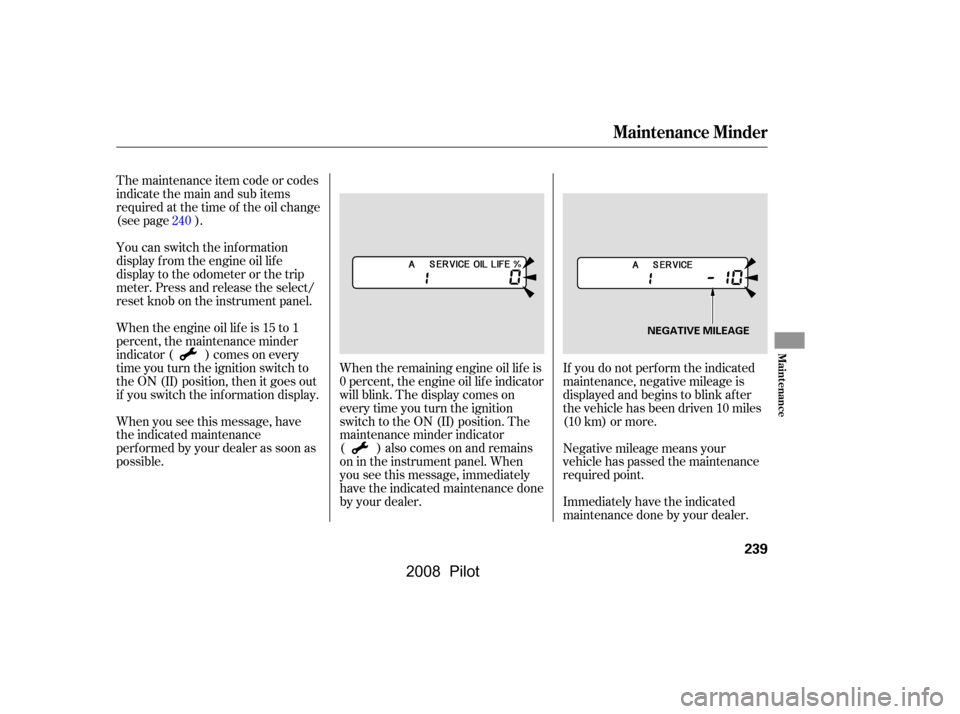
If you do not perf orm the indicated
maintenance, negative mileage is
displayed and begins to blink af ter
the vehicle has been driven 10 miles
(10 km) or more.
Immediately have the indicated
maintenance done by your dealer.
Negative mileage means your
vehicle has passed the maintenance
required point.
When the remaining engine oil lif e is
0 percent, the engine oil lif e indicator
will blink. The display comes on
everytimeyouturntheignition
switch to the ON (II) position. The
maintenance minder indicator
( ) also comes on and remains
on in the instrument panel. When
you see this message, immediately
have the indicated maintenance done
by your dealer.
The maintenance item code or codes
indicate the main and sub items
required at the time of the oil change
(see page ).
You can switch the information
display f rom the engine oil lif e
display to the odometer or the trip
meter. Press and release the select/
reset knob on the instrument panel.
Whentheengineoillifeis15to1
percent, the maintenance minder
indicator ( ) comes on every
time you turn the ignition switch to
the ON (II) position, then it goes out
if you switch the inf ormation display.
When you see this message, have
the indicated maintenance
perf ormed by your dealer as soon as
possible.
240
Maintenance Minder
Maint enance
239
NEGATIVE MILEAGE
�\f���—�\f���—�\f���y�
�
�����������y���
�(���+�����\f�y�\f�������y
2008 Pilot