Page 150 of 329
�Î
�Î
To operate the rear entertainment
system from the front panel, turn the
RR CTRL knob clockwise. The
amber RR LED comes on to show
that the control panel is enabled.The DVD player in your rear
entertainment system can play DVD
video discs and CDs. It features
Dolby noise reduction.
Open the overhead screen by
pushing the OPEN button. The
screen will swing down part-way.
Pivot the screen the rest of the way.
If you pivot the screen too f ar
f orward, past the second detent, the
display will turn of f . Pivot the screen
back to the second or first detent to
turn the display back on. To close
the screen, pivot it up until it latches.
To play the radio, the buttons for the
f ront entertainment system have the
same f unctions.
If aCDisloadedinthemainCD
player or CD changer, select CD/
CHG.If theCDisloadedinthe
lower player, select DVD/AUX.
Dolby noise reduction is manufactured under
license from Dolby Laboratories Licensing
Corporation. ‘‘DOLBY’’ and the double-D symbol are trademarks of Dolby Laboratories
Licensing Corporation.
To Select Rear Entertainment
f rom the Front Control Panel Operating the DVD Player f rom
the Front Control Panel
Rear Entertainment System
146
REAR CONTROL PANEL
OPEN BUTTON
OVERHEAD SCREEN
�\f���—�\f���—�\f���y�
�
�����������y���
�(���+�����\f�y�\f�
���
�y
2008 Pilot
Page 152 of 329

�µ
�µ
�´
�µ
�´ �µPress the eject button to
remove the DVD from the drive.
Press and hold the
button to move f orward; you will
see ‘‘CUE’’ in the display. Press and
hold the button to move
backward; you will see ‘‘REV’’ in the
display. Release the button when the
system reaches the point you want.
Each time you press and release the
button of the SEEK/SKIP, the
system skips f orward to the
beginning of the next track or
chapter. Press and release the
buttontoskipbackwardtothe
beginning of the current track or
chapter. Press it again to skip to the
beginning of the previous track or
chapter. To return f ront panel control to the
front audio system, turn the REAR
CTRL knob counterclockwise.
To turn on the rear entertainment
system f rom the rear control panel,
press the PWR button. Use the AM/
FM button, XM button (U.S. models),
CD button, DVD/AUX button (U.S.
models), or AUX button (Canadian
models) to select the entertainment
source. The selected source will be
shown in the display. Make sure the
rear control operation has not been
disabled with the REAR CTRL knob
on the f ront panel.
Rear Entertainment System
EJECT
SEEK /SK IP
To Return to Front Audio
ControlsUsing the Rear Control Panel
148
�\f���—�\f���—�\f���y�
�
�������\f���y���
�(���+�����\f�y�\f�
�����y
2008 Pilot
Page 153 of 329
�Û�Ý�Û
�Ý
�Û�Ý
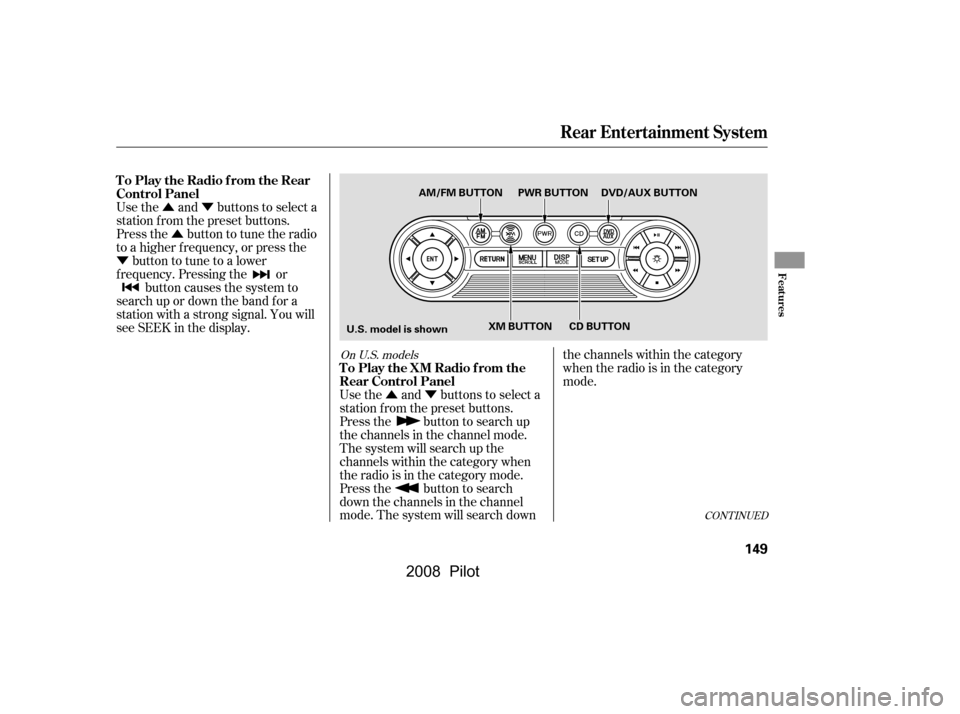
Use the and buttons to select a
station f rom the preset buttons.
Press the button to tune the radio
to a higher f requency, or press the
button to tune to a lower
f requency. Pressing the or button causes the system to
search up or down the band f or a
station with a strong signal. You will
seeSEEKinthedisplay.
Use the and buttons to select a
station f rom the preset buttons.
Press the button to search up
the channels in the channel mode.
The system will search up the
channels within the category when
the radio is in the category mode.
Press the button to search
down the channels in the channel
mode. The system will search downthe channels within the category
when the radio is in the category
mode.
CONT INUED
On U.S. models
Rear Entertainment System
To Play the Radio f rom the Rear
Control Panel
To Play the XM Radio f rom the
Rear Control Panel
Features
149
U.S. model is shownAM/FM BUTTON PWR BUTTON DVD/AUX BUTTON
XM BUTTON CD BUTTON
�\f���—�\f���—�\f���y�
�
�������
�\f�y���
�(���+�����\f�y�\f�
�����y
2008 Pilot
Page 154 of 329

�Û�Ý
Press the or button to
select another category.
Pressing and holding the DISP
button for more than 5 seconds will
change the search mode between
Channel Search and Category
Search. Each time you press and
release the DISP button, the display
above the rear control panel changes
in the f ollowing sequence: Channel
Number, Category Name, Music
Name, Artist Name, Channel Name,
and back to Channel Number. If CDs are loaded in the CD changer,
select them by pressing the CD
button. If a CD is loaded in the DVD
player, press the DVD/AUX button.
Pressthe buttontoskiptothe
beginning of the next track. Press
the button to return to the
beginning of the current track.
To move rapidly within a track, press
andholdthe or button.
The system will continue to move
through the track. Press the
button to move f orward, or the
button to move backward.
Release the button when the system
reaches the point you want.
If CDs are loaded in the CD changer
and the overhead screen is not open,
pressing the or button changes
the discs.
Rear Entertainment System
To Play a CD f rom the Rear
Control Panel
150
�\f���—�\f���—�\f���y�
�
�������
���y���
�(���+�����\f�y�\f�
�����y
2008 Pilot
Page 155 of 329
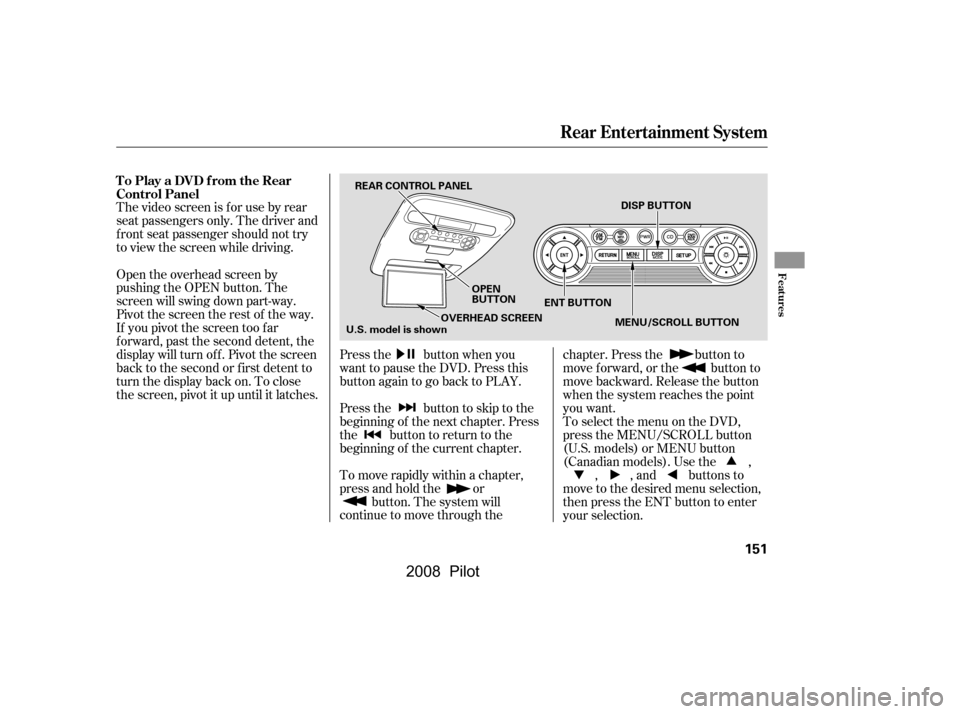
The video screen is f or use by rear
seat passengers only. The driver and
f ront seat passenger should not try
to view the screen while driving.Press the button when you
want to pause the DVD. Press this
button again to go back to PLAY.
Pressthe buttontoskiptothe
beginning of the next chapter. Press
the button to return to the
beginning of the current chapter.
To move rapidly within a chapter,
press and hold the orbutton. The system will
continue to move through the chapter. Press the button to
move forward, or the button to
move backward. Release the button
when the system reaches the point
you want.
ToselectthemenuontheDVD,
press the MENU/SCROLL button
(U.S. models) or MENU button
(Canadian models). Use the ,
, , and buttons to
move to the desired menu selection,
then press the ENT button to enter
your selection.
Open the overhead screen by
pushing the OPEN button. The
screen will swing down part-way.
Pivot the screen the rest of the way.
If you pivot the screen too f ar
f orward, past the second detent, the
display will turn of f . Pivot the screen
back to the second or first detent to
turn the display back on. To close
the screen, pivot it up until it latches.
To Play a DVD from the Rear
Control Panel
Rear Entertainment System
Features
151
REAR CONTROL PANEL
OPEN
BUTTONENT BUTTON DISP BUTTON
MENU/SCROLL BUTTON
OVERHEAD SCREEN
U.S. model is shown
�\f���—�\f���—�\f���y�
�
�����������y���
�(���+�����\f�y�\f�
�����y
2008 Pilot
Page 156 of 329
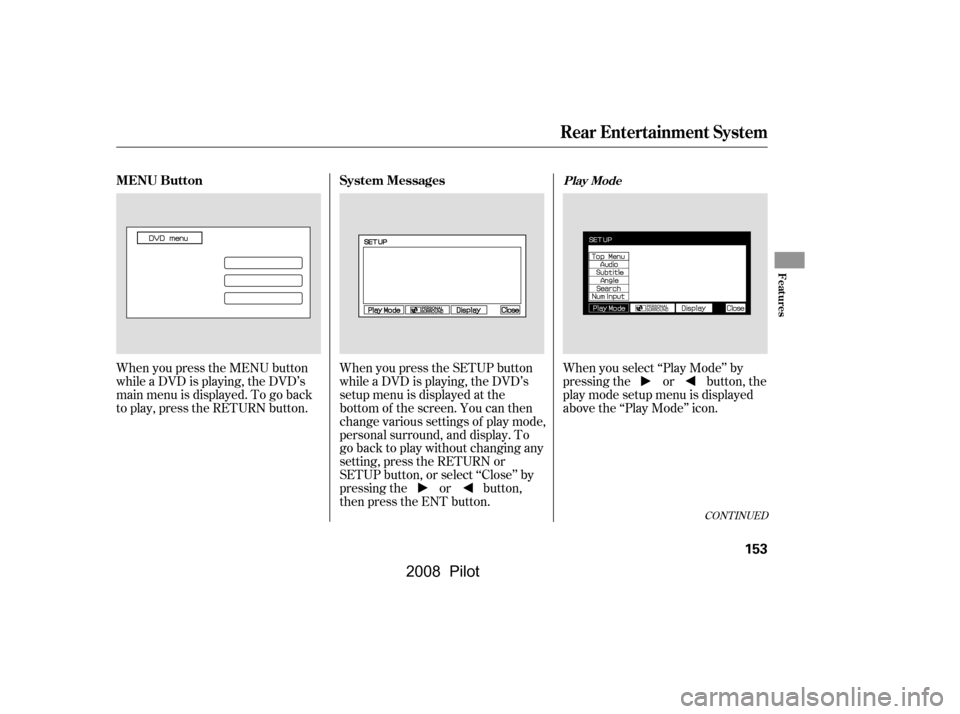
When you press the DISP button
while a DVD is playing, the title,
chapter, elapsed time, and personal
surround logo are displayed
(STATUS 1).When you press the DISP button
again, the subtitle, audio, angle,
sound characteristics, and personal
surround logo are displayed
(STATUS 2).To go back to play, press the DISP
button.
DISP Button
Rear Entertainment System
152
�\f���—�\f���—�\f���y�
�
�����������y���
�(���+�����\f�y�\f�
�����y
2008 Pilot
Page 157 of 329
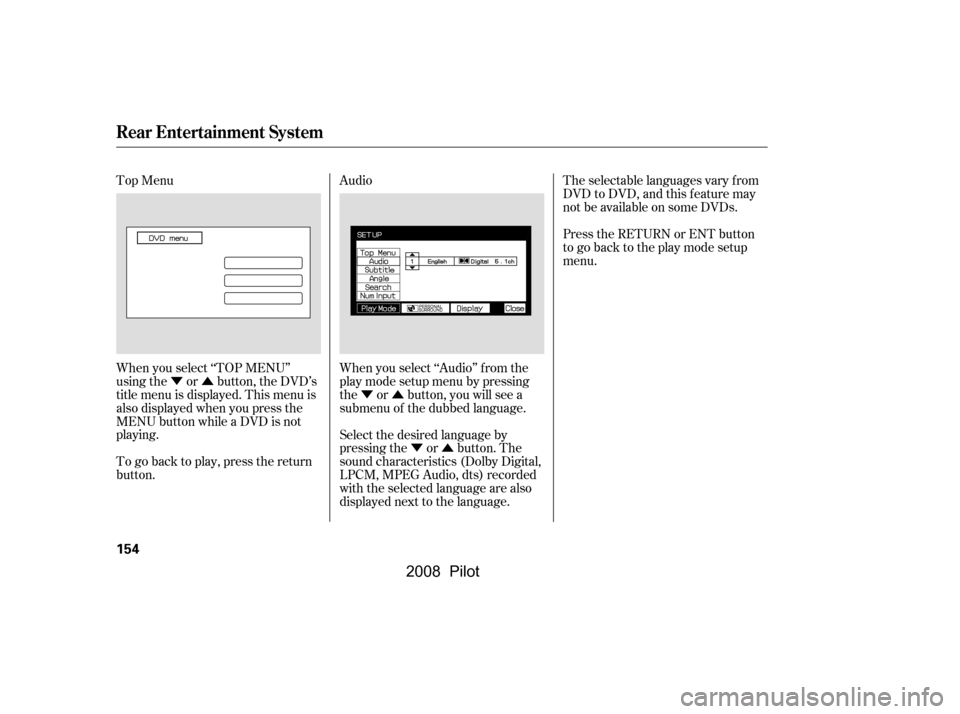
When you press the SETUP button
while a DVD is playing, the DVD’s
setup menu is displayed at the
bottom of the screen. You can then
change various settings of play mode,
personal surround, and display. To
go back to play without changing any
setting, press the RETURN or
SETUP button, or select ‘‘Close’’ by
pressing the or button,
then press the ENT button.When you select ‘‘Play Mode’’ by
pressing the or button, the
play mode setup menu is displayed
abovethe‘‘PlayMode’’icon.
When you press the MENU button
while a DVD is playing, the DVD’s
main menu is displayed. To go back
to play, press the RETURN button.
CONT INUED
MENU Button System MessagesPlay Mode
Rear Entertainment System
Features
153
�\f���—�\f���—�\f���y�
�
���������\f�y���
�(���+�����\f�y�\f�
�����y
2008 Pilot
Page 158 of 329
�Ý�Û�Ý�Û
�Ý�Û
Top Menu Audio
When you select ‘‘TOP MENU’’
using the or button, the DVD’s
title menu is displayed. This menu is
also displayed when you press the
MENU button while a DVD is not
playing.
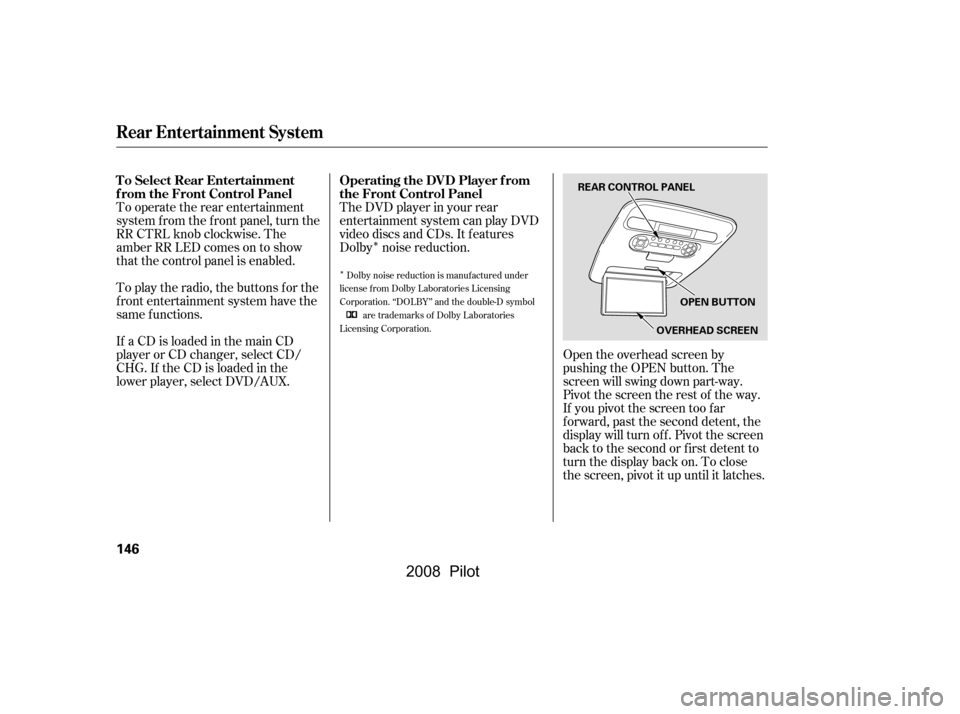
When you select ‘‘Audio’’ f rom the
play mode setup menu by pressing
the or button, you will see a
submenu of the dubbed language.The selectable languages vary f rom
DVD to DVD, and this feature may
notbeavailableonsomeDVDs.
Press the RETURN or ENT button
to go back to the play mode setup
menu.
Select the desired language by
pressing the or button. The
sound characteristics (Dolby Digital,
LPCM, MPEG Audio, dts) recorded
with the selected language are also
displayed next to the language.
To go back to play, press the return
button.
Rear Entertainment System
154
�\f���—�\f���—�\f���y�
�
�����������y���
�(���+�����\f�y�\f�
�����y
2008 Pilot