Page 170 of 329
�Ý�Û �Ý�Û
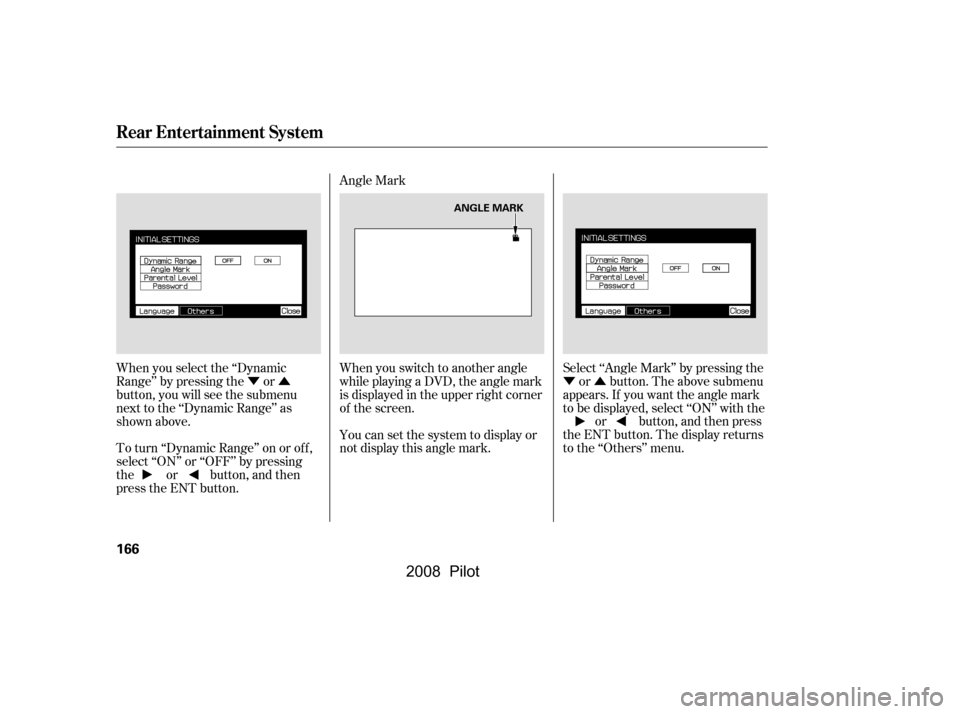
When you select the ‘‘Dynamic
Range’’ by pressing the or
button, you will see the submenu
next to the ‘‘Dynamic Range’’ as
shown above.
To turn ‘‘Dynamic Range’’ on or of f ,
select ‘‘ON’’ or ‘‘OFF’’ by pressing
the or button, and then
press the ENT button. Angle Mark
When you switch to another angle
while playing a DVD, the angle mark
is displayed in the upper right corner
of the screen.
You can set the system to display or
not display this angle mark.
Select ‘‘Angle Mark’’ by pressing the
or button. The above submenu
appears. If you want the angle mark
to be displayed, select ‘‘ON’’ with the or button, and then press
the ENT button. The display returns
to the ‘‘Others’’ menu.
Rear Entertainment System
166
ANGLE MARK
�\f���—�\f���—�\f���y�
�
�������
���y���
�(���+�����\f�y�\f�
���
�y
2008 Pilot
Page 171 of 329
�Ý�Û
Parental Control Level
You can place an auditory restriction
by changing the parental control
level. The higher the level number,
the lower the restriction.
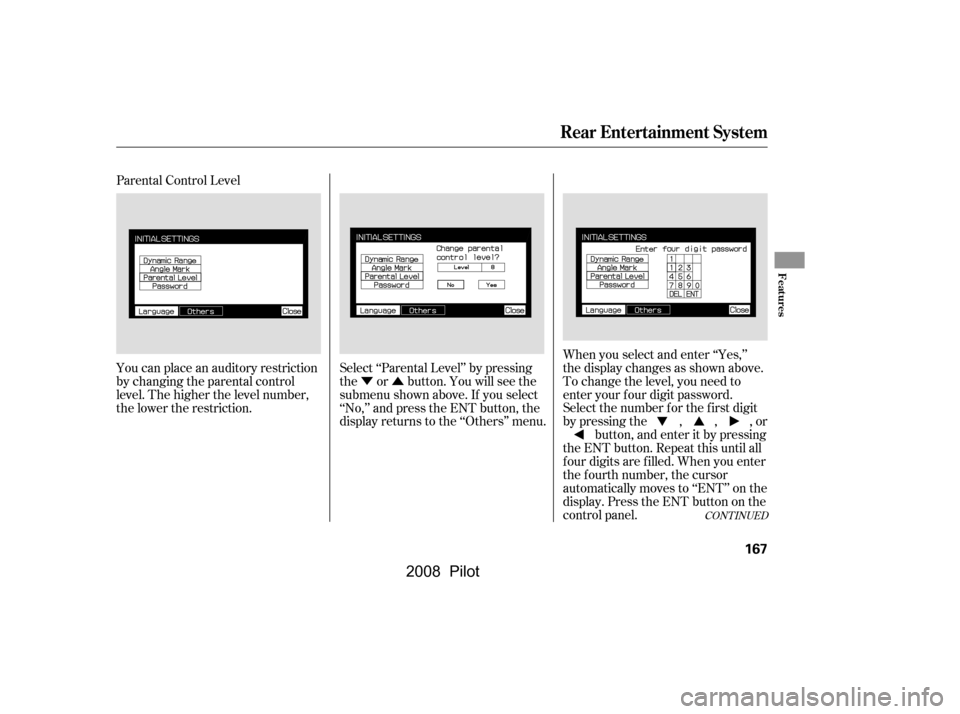
Select ‘‘Parental Level’’ by pressing
the or button. You will see the
submenu shown above. If you select
‘‘No,’’ and press the ENT button, the
display returns to the ‘‘Others’’ menu.When you select and enter ‘‘Yes,’’
the display changes as shown above.
To change the level, you need to
enter your f our digit password.
Select the number f or the f irst digit
by pressing the , , , or
button, and enter it by pressing
the ENT button. Repeat this until all
f our digits are f illed. When you enter
the f ourth number, the cursor
automatically moves to ‘‘ENT’’ on the
display. Press the ENT button on the
control panel.
CONT INUED
Rear Entertainment System
Features
167
�\f���—�\f���—�\f���y�
�
�����������y���
�(���+�����\f�y�\f�
�����y
2008 Pilot
Page 172 of 329
�Ý�Û
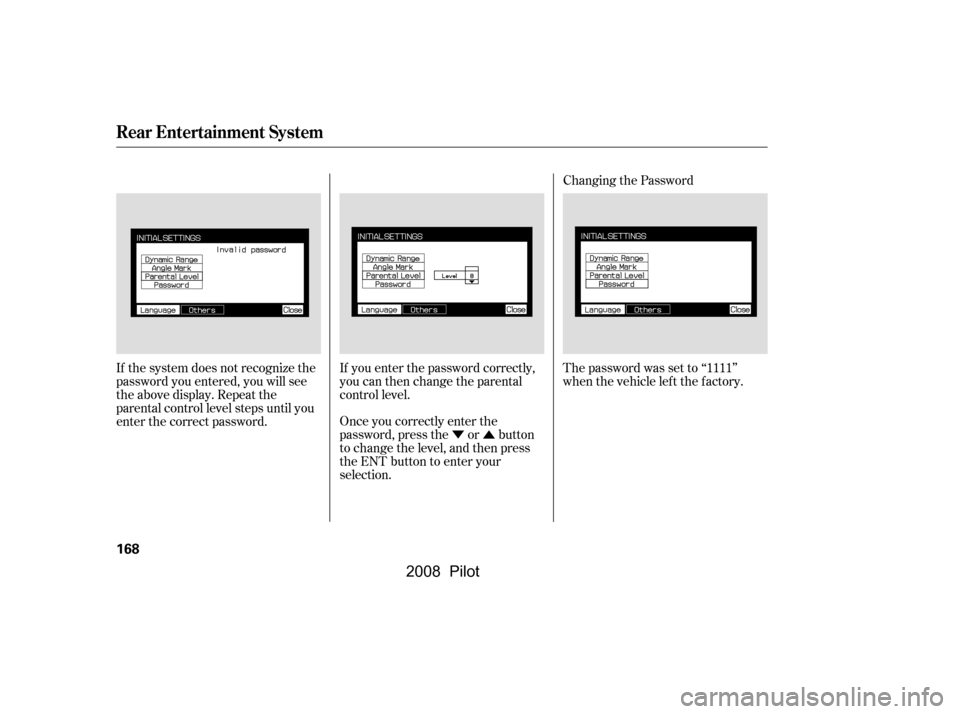
If the system does not recognize the
password you entered, you will see
the above display. Repeat the
parental control level steps until you
enter the correct password.
If you enter the password correctly,
you can then change the parental
control level.
Once you correctly enter the
password, press the or button
to change the level, and then press
the ENT button to enter your
selection.Changing the Password
The password was set to ‘‘1111’’
when the vehicle lef t the f actory.
Rear Entertainment System
168
�\f���—�\f���—�\f���y�
�
�����������y���
�(���+�����\f�y�\f�
�����y
2008 Pilot
Page 173 of 329
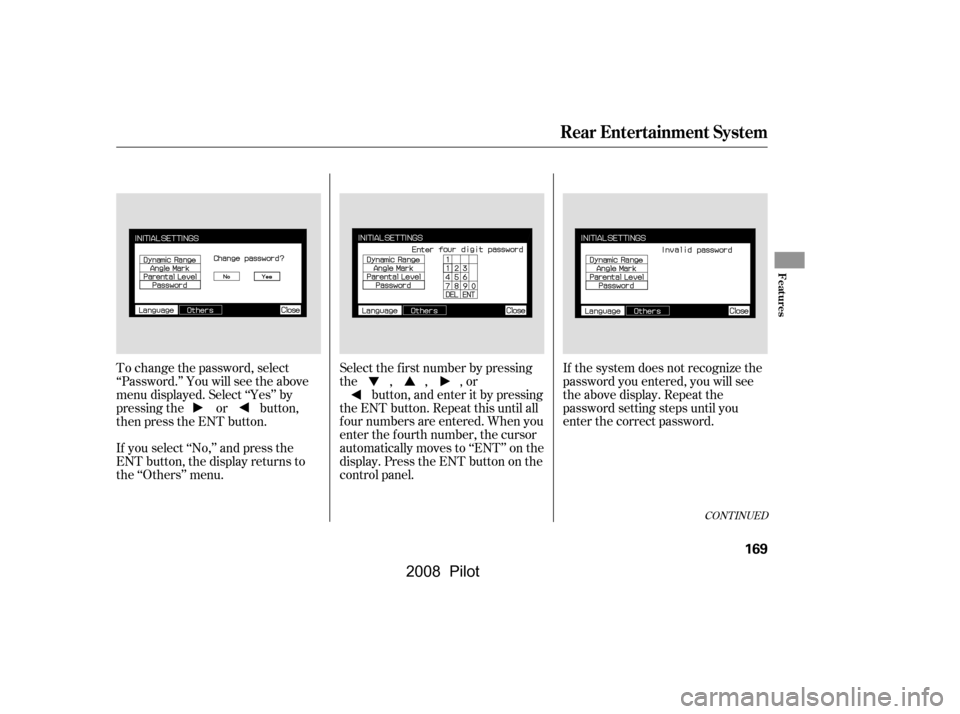
To change the password, select
‘‘Password.’’ You will see the above
menu displayed. Select ‘‘Yes’’ by
pressing the or button,
then press the ENT button.
If you select ‘‘No,’’ and press the
ENT button, the display returns to
the ‘‘Others’’ menu.If the system does not recognize the
password you entered, you will see
the above display. Repeat the
password setting steps until you
enter the correct password.
Select the f irst number by pressing
the,,,or
button, and enter it by pressing
the ENT button. Repeat this until all
f our numbers are entered. When you
enter the f ourth number, the cursor
automatically moves to ‘‘ENT’’ on the
display. Press the ENT button on the
control panel.
CONT INUED
Rear Entertainment System
Features
169
�\f���—�\f���—�\f���y�
�
�����������y���
�(���+�����\f�y�\f�
�����y
2008 Pilot
Page 174 of 329
�Û
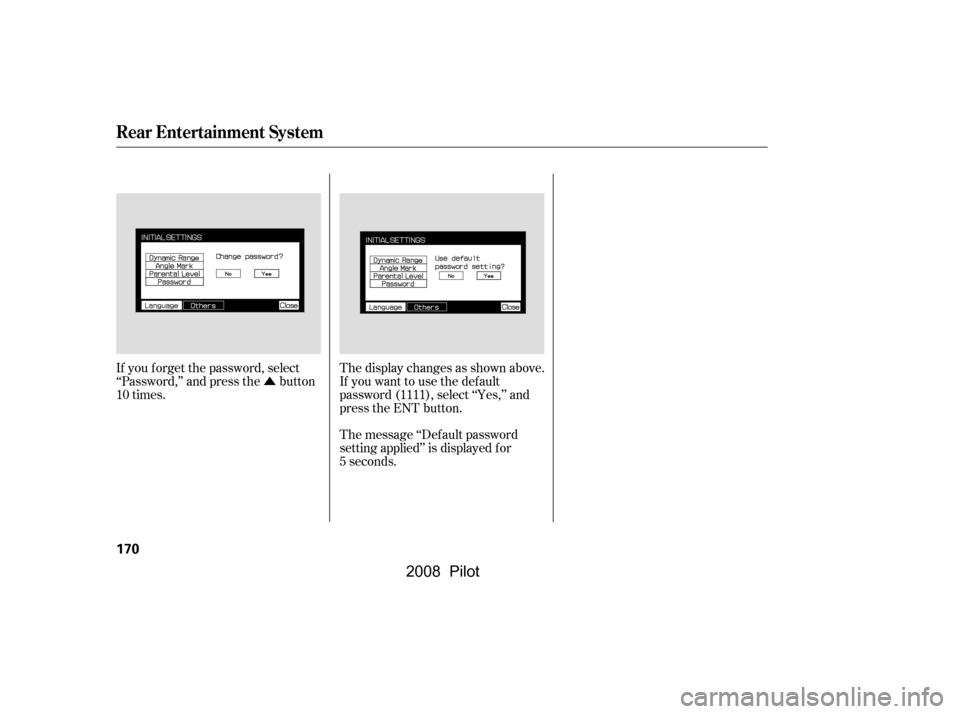
If you f orget the password, select
‘‘Password,’’ and press the button
10 times. The display changes as shown above.
If you want to use the def ault
password (1111), select ‘‘Yes,’’ and
press the ENT button.
The message ‘‘Def ault password
setting applied’’ is displayed f or
5 seconds.
Rear Entertainment System
170
�\f���—�\f���—�\f���y�
�
�����������y���
�(���+�����\f�y�\f�
�����y
2008 Pilot
Page 177 of 329

Message Solution
ERROR F0
ERROR F2
Invalid region code
Invalid disc
Parental control active.
Change level to view.Eject the disc and reinsert it.
Use a disc with the regional designation of ‘‘1’’ or ‘‘All’’.
The disc is not playable in this unit. Eject the disc, and insert a disc
compatible with this system.
Reinsert the disc, and increase the parental control level (see
pages167and168).
Thechartontherightexplainsthe
error messages you may see in the
display while playing a disc.
If you see an error message in the
display while playing a disc, press
the eject button. After ejecting the
disc, check it for damage or
deformation. If there is no damage,
insert the disc again.
Theaudiosystemwilltrytoplaythe
disc. If there is still a problem, the
error message will reappear. Press
the eject button, and pull out the disc.
Insert a dif f erent disc. If the new
disc plays, there is a problem with
the f irst disc. If the error message
cycle repeats and you cannot clear it,
take your vehicle to a dealer.
DVD Player Error Messages
Rear Entertainment System
Features
173
�\f���—�\f���—�\f���y�
�
�������\f���y���
�(���+�����\f�y�\f�
�����y
2008 Pilot
Page 180 of 329
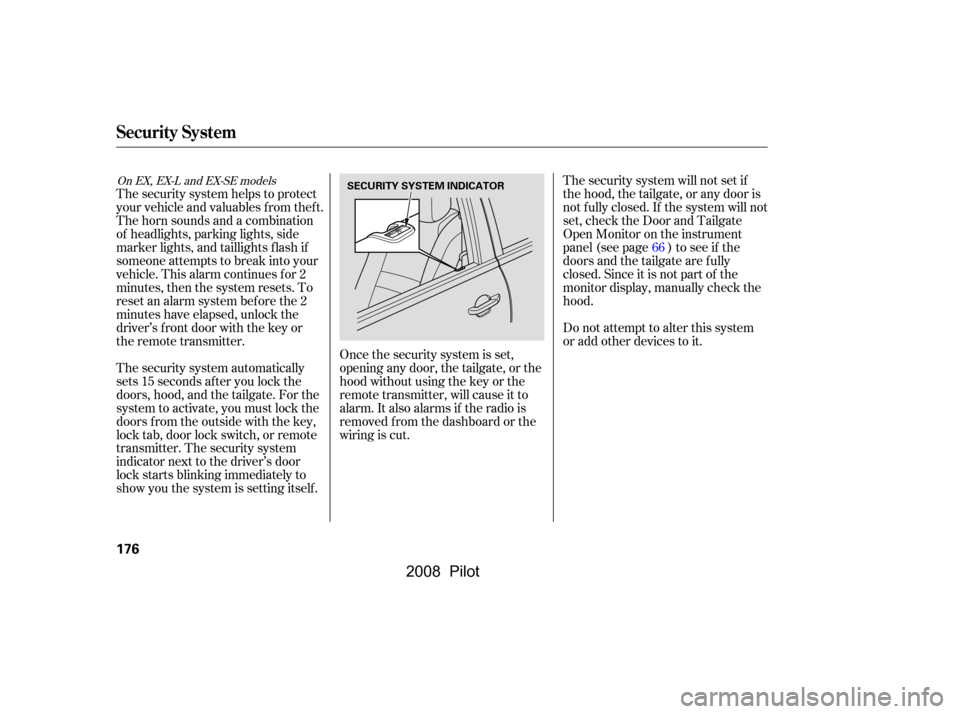
The security system helps to protect
your vehicle and valuables f rom thef t.
The horn sounds and a combination
of headlights, parking lights, side
marker lights, and taillights f lash if
someone attempts to break into your
vehicle. This alarm continues for 2
minutes, then the system resets. To
reset an alarm system bef ore the 2
minutes have elapsed, unlock the
driver’s f ront door with the key or
the remote transmitter.The security system will not set if
the hood, the tailgate, or any door is
not f ully closed. If the system will not
set, check the Door and Tailgate
Open Monitor on the instrument
panel (see page ) to see if the
doors and the tailgate are f ully
closed. Since it is not part of the
monitor display, manually check the
hood.
Do not attempt to alter this system
or add other devices to it.
The security system automatically
sets 15 seconds after you lock the
doors, hood, and the tailgate. For the
system to activate, you must lock the
doors f rom the outside with the key,
lock tab, door lock switch, or remote
transmitter. The security system
indicator next to the driver’s door
lock starts blinking immediately to
show you the system is setting itself . Once the security system is set,
opening any door, the tailgate, or the
hood without using the key or the
remote transmitter, will cause it to
alarm. It also alarms if the radio is
removed f rom the dashboard or the
wiring is cut. 66
On EX, EX-L and EX-SE models
Security System
176
SECURITY SYSTEM INDICATOR
�\f���—�\f���—�\f���y�
�
�����������y���
�(���+�����\f�y�\f�
���
�y
2008 Pilot
Page 184 of 329

The compass may need to be
manually calibrated af ter exposure to
a strong magnetic field. If the
compassseemstocontinuallyshow
the wrong direction, do this.Drivethevehicleslowlyincircles
at less than 5 mph (8 km/h) until
the center icon turns blue. This
icon also turns blue by continuing
to drive the vehicle under normal
driving conditions. When you see
an actual heading on the compass,
calibration is completed.
In most areas, there is a variation
between magnetic north and true
north. Zone selection is required so
the compass can compensate f or this
variation. To check and select the
zone, do this: Find the zone f or your area on the
zone map (see page ). Each
zone number (1 through 15)
corresponds to a compass zone on
the table (see page ). Press and hold the compass
button f or about 3 seconds. When
all of the direction icons begin to
blink, release the button.
The blue direction icon(s) blink
and show the current zone.
If the zone is incorrect, press and
release the compass button
repeatedly to get to the correct
number.
The compass will return to the
normal display about 4 seconds
af ter you stop adjusting a zone
number.
Do this procedure in an open
area, away f rom buildings, power
lines, and other vehicles.
With the blue center icon
displayed, press and hold the
compass button for about 6
seconds. When the center icon
turns red, release the button. 2.
1. 2.
3.
4.
1. 5.
181
181
Compass Calibration
Compass Zone Selection
Compass
180
NOTE:
�\f���—�\f���—�\f���y�
�
�������\f���y���
�(���+�����\f�y�\f�
�����y
2008 Pilot