Page 135 of 494
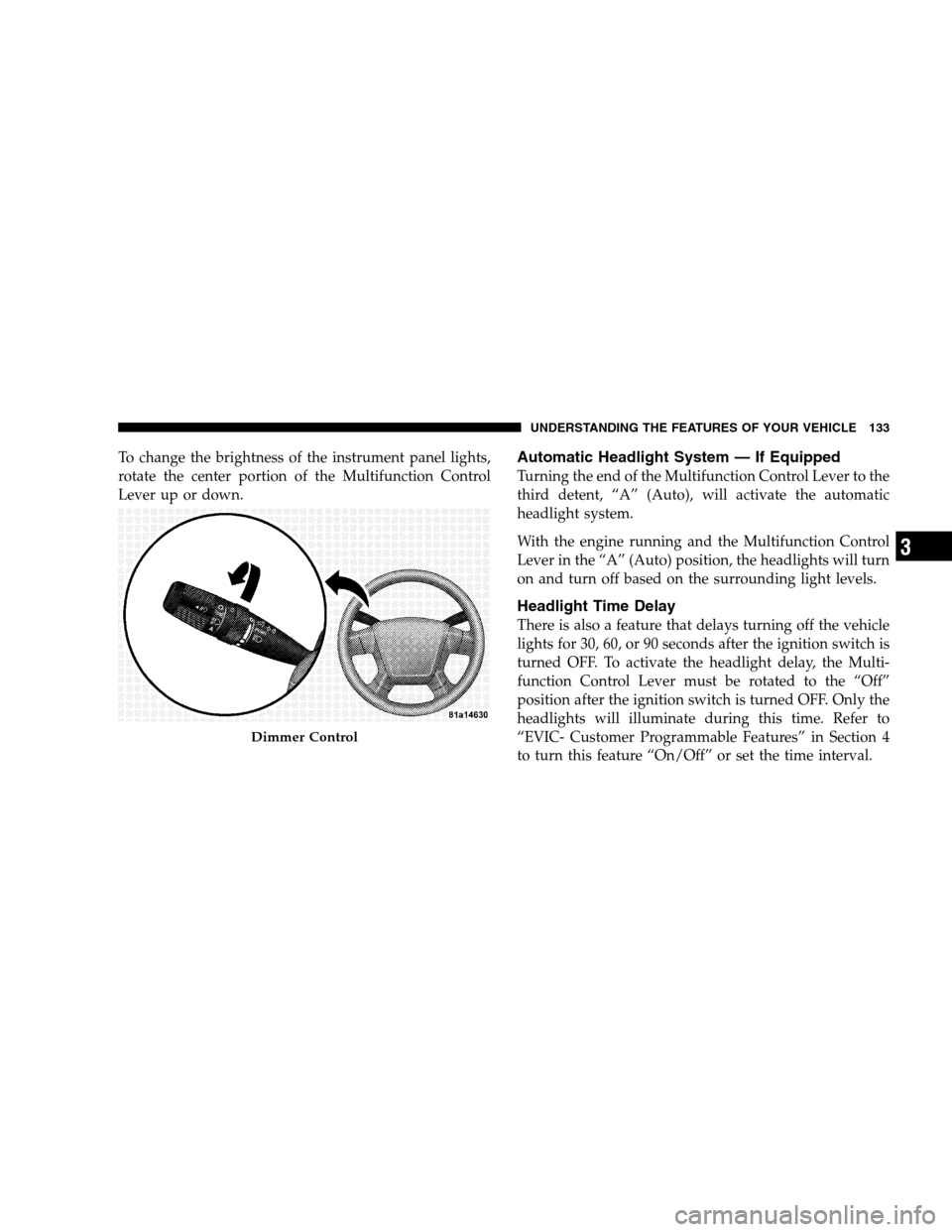
To change the brightness of the instrument panel lights,
rotate the center portion of the Multifunction Control
Lever up or down.Automatic Headlight System — If Equipped
Turning the end of the Multifunction Control Lever to the
third detent, “A” (Auto), will activate the automatic
headlight system.
With the engine running and the Multifunction Control
Lever in the “A” (Auto) position, the headlights will turn
on and turn off based on the surrounding light levels.
Headlight Time Delay
There is also a feature that delays turning off the vehicle
lights for 30, 60, or 90 seconds after the ignition switch is
turned OFF. To activate the headlight delay, the Multi-
function Control Lever must be rotated to the “Off”
position after the ignition switch is turned OFF. Only the
headlights will illuminate during this time. Refer to
“EVIC- Customer Programmable Features” in Section 4
to turn this feature “On/Off” or set the time interval.
Dimmer Control
UNDERSTANDING THE FEATURES OF YOUR VEHICLE 133
3
Page 136 of 494
Passing Light / Flash to Pass
You can signal another vehicle with your headlights by
lightly pulling the Multifunction Control Lever toward
you. This will cause the headlights to turn on at high
beam and remain on until the lever is released.
NOTE:If the Multifunction Control Lever is held in the
flash to pass position for more than 15 seconds, the high
beams will shut off. If this occurs, wait 30 seconds for the
next flash to pass operation.
Daytime Running Lights (DRL) — If Equipped
The high beam lights will come on as DRL at DRL
intensity (lower), whenever the ignition is on, the engine
is running, the headlight switch is off, the parking brake
is off, the turn signal is off, and the gear select lever is in
any position except PARK.NOTE:On this vehicle, the DRLwill automatically turn
off when the turn signal is in operation and automatically
turn back on when the turn signal is not operating.
Lights On Reminder
If the headlights or parking lights are on after the ignition
is turned OFF, a chime will sound to alert the driver
when the driver’s door is opened.
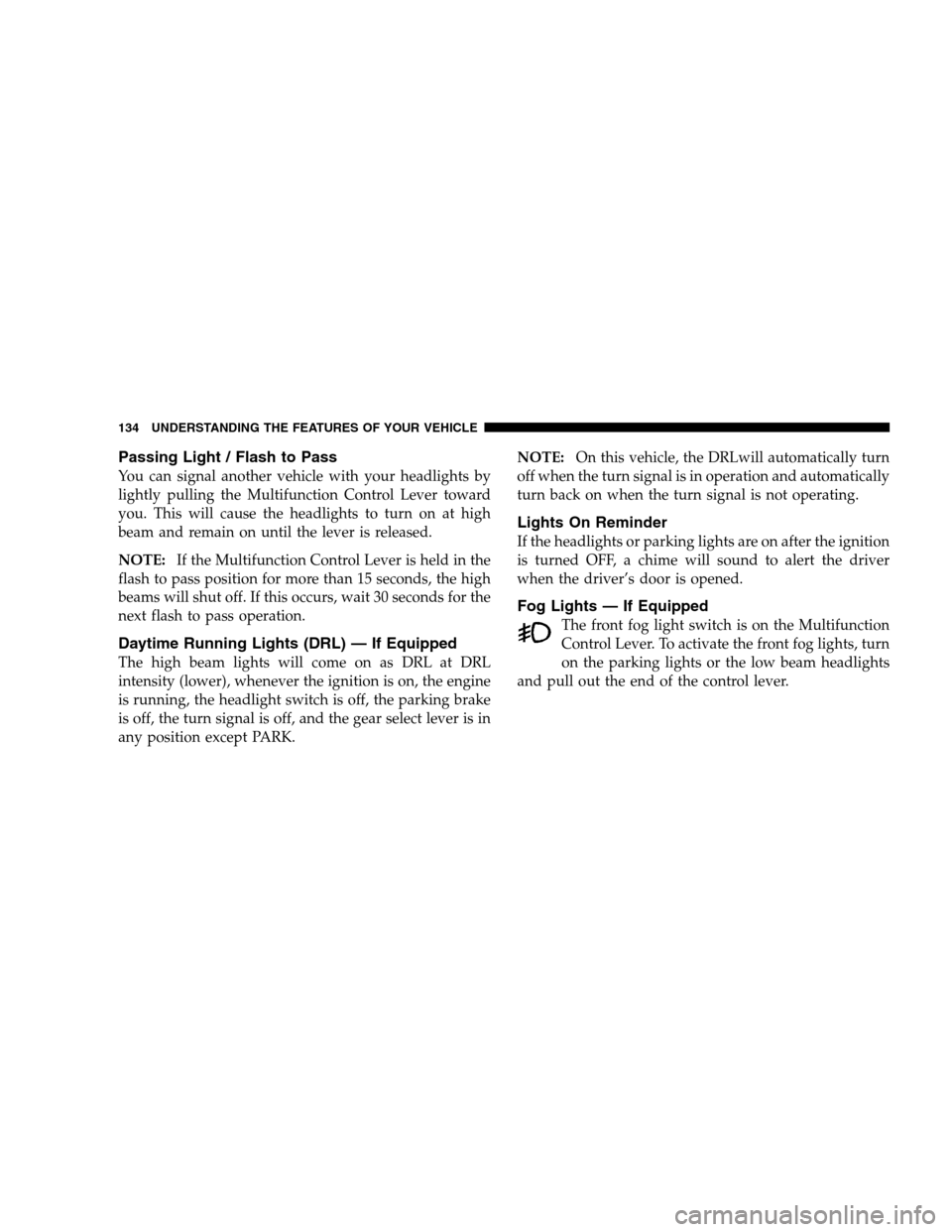
Fog Lights — If Equipped
The front fog light switch is on the Multifunction
Control Lever. To activate the front fog lights, turn
on the parking lights or the low beam headlights
and pull out the end of the control lever.
134 UNDERSTANDING THE FEATURES OF YOUR VEHICLE
Page 142 of 494

Windshield Washers
To use the washer, pull the Windshield Wiper/Washer
Control lever toward you and hold it for as long as
washer spray is desired.
If you activate the washer while the wiper control is in
the delay range, the wipers will operate in low speed for
two wipe cycles after releasing the lever and then resume
the intermittent interval previously selected.
If you activate the washer while the wiper control is in
the OFF position, the wipers will operate for two wipe
cycles and then turn OFF.
Adding Washer Fluid
The fluid reservoir for the windshield washers is located
in the engine compartment. Be sure to check the fluid
level in the reservoir at regular intervals. Fill the reservoir
with windshield washer solvent (not radiator antifreeze)
and operate the system for a few seconds to flush out theresidual water. Refer to the appropriate engine diagram
in Section 7 “Maintaining Your Vehicle” for the location
of the reservoir.
WARNING!
Commercially available windshield washer solvents
are flammable. They could ignite and burn you. Care
must be exercised when filling or working around
the washer solution.
TILT/TELESCOPING STEERING COLUMN
This feature allows you to tilt the steering column
upward or downward. It also allows you to lengthen or
shorten the steering column. The tilt/telescoping control
handle is located below the steering wheel at the end of
the steering column.
140 UNDERSTANDING THE FEATURES OF YOUR VEHICLE
Page 157 of 494
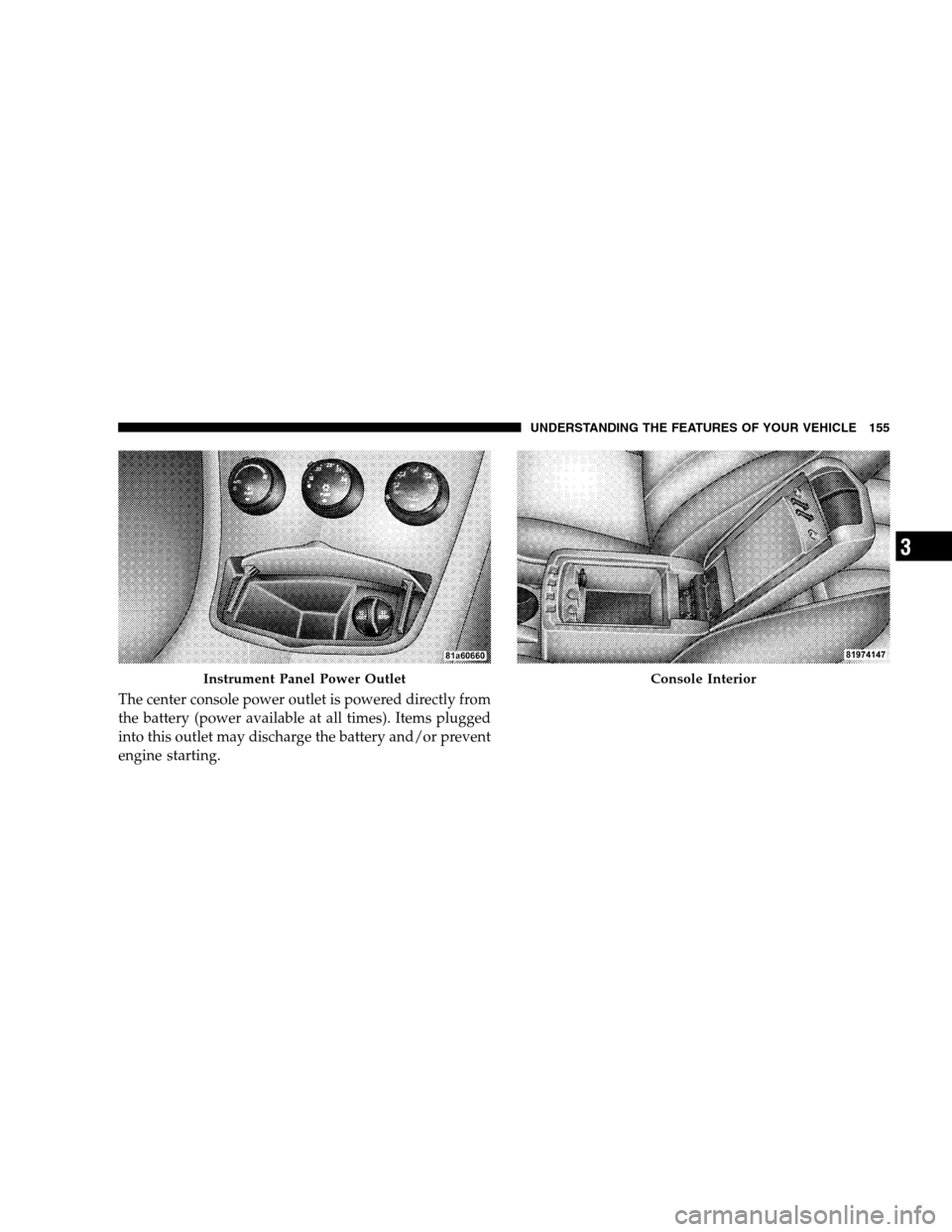
The center console power outlet is powered directly from
the battery (power available at all times). Items plugged
into this outlet may discharge the battery and/or prevent
engine starting.
Instrument Panel Power OutletConsole Interior
UNDERSTANDING THE FEATURES OF YOUR VEHICLE 155
3
Page 158 of 494
Electrical Outlet Use With Engine Off
CAUTION!
•Many accessories that can be plugged in draw
power from the vehicle’s battery, even when not in
use (i.e., cellular phones, etc.). Eventually, if
plugged in long enough, the vehicle’s battery will
discharge sufficiently to degrade battery life
and/or prevent engine starting.
•Accessories that draw higher power (i.e., coolers,
vacuum cleaners, lights, etc.) will degrade the
battery even more quickly. Only use these inter-
mittently and with greater caution.
•After the use of high power draw accessories, or
long periods of the vehicle not being started (with
accessories still plugged in), the vehicle must be
driven a sufficient length of time to allow the
generator to recharge the vehicle’s battery.
CIGAR LIGHTER AND ASH RECEIVER — IF
EQUIPPED
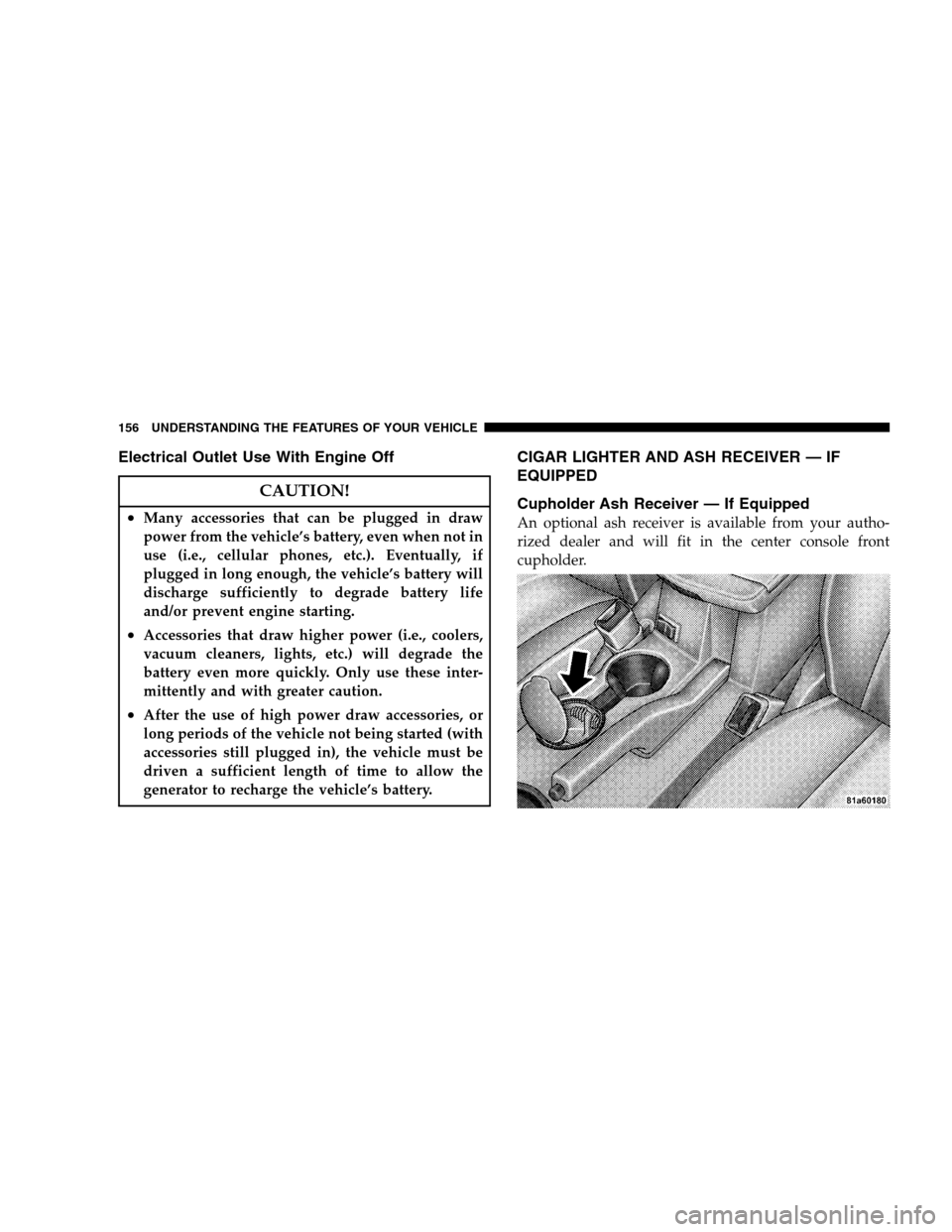
Cupholder Ash Receiver — If Equipped
An optional ash receiver is available from your autho-
rized dealer and will fit in the center console front
cupholder.
156 UNDERSTANDING THE FEATURES OF YOUR VEHICLE
Page 174 of 494
INSTRUMENT CLUSTER DESCRIPTIONS
1. Fuel Gauge
When the ignition switch is in the ON position, the
pointer will show the level of fuel remaining in the
fuel tank.
2. Fuel Door Reminder
This is a reminder that the Fuel Filler Door is
located on the left side of the vehicle.
3. Temperature Gauge
The temperature gauge shows engine coolant tem-
perature. Any reading below the red area of the
gauge shows that the engine cooling system is
operating properly. The gauge pointer may show a
higher than normal temperature when driving in hot
weather, up mountain grades, in heavy stop and go
traffic, or when towing a trailer.If the pointer rises to theH(red) mark, the instrument
cluster will sound a chime. Pull over and stop the vehicle.
Idle the vehicle with the air conditioner turned off until
the pointer drops back into the normal range. If the
pointer remains on theH(red) mark, turn the engine off
immediately and call for service.
There are steps that you can take to slow down an
impending overheat condition. If your air conditioning is
on, turn it off. The air conditioning system adds heat to
the engine cooling system and turning off the A/C
removes this heat. You can also turn the Temperature
control to maximum heat, the Mode control to Floor and
the Fan control to High. This allows the heater core to act
as a supplement to the radiator and aids in removing heat
from the engine cooling system.
4. Speedometer
Indicates vehicle speed.
172 UNDERSTANDING YOUR INSTRUMENT PANEL
Page 175 of 494

5. Low Fuel Light
When the fuel level drops to two gal (7.6 L), the fuel
symbol will light and a single chime will sound.
6. Charging System Light
This light shows the status of the electrical charg-
ing system. The light should come on briefly when
the ignition is first turned ON and remain on briefly as a
bulb check. If the light stays on or comes on while
driving, turn off some of the vehicle’s electrical devices,
such as the Fog Lights or Rear Defroster. If the Charging
System Light remains on, it means that the vehicle is
experiencing a problem with the charging system. Obtain
SERVICE IMMEDIATELY. See your local authorized
dealer.
7. Airbag Light
The light comes on and remains on for six to
eight seconds as a bulb check when the ignition
switch is first turned ON. If the light does notcome on during starting, stays on, or comes on while
driving, have the system checked by an authorized
dealer.
8. Theft Alarm Light — If Equipped
This light will flash rapidly for several seconds when the
alarm system is arming. The light will begin to flash
slowly indicating that the system is armed.
9. Seat Belt Reminder Light
When the ignition switch is first turned ON, this
light will come on for about six seconds. A chime
will sound if you have not pulled the shoulder belt
out of the retractor. This is a reminder to “buckle up.” If
you do not buckle up, the light will remain on.
10. Oil Pressure Light
Shows low engine oil pressure. The light will come
on and remain on when the ignition switch is
turned from the OFF to the ON position, and the light
UNDERSTANDING YOUR INSTRUMENT PANEL 173
4
Page 176 of 494

will turn off after the engine is started. If the bulb does
not come on during starting, have the system checked by
an authorized dealer.
If the light comes on and remains on while driving, stop
the vehicle and shut off the engine. DO NOT OPERATE
THE VEHICLE UNTIL THE CAUSE IS CORRECTED.
The light does not show the quantity of oil in the engine.
This can be determined using the procedure shown in
Section 7.
11. Engine Temperature Warning Light
This light warns of an overheated engine condi-
tion. If the engine is critically hot, a warning chime
will sound 10 times. After the chime turns off, the
engine will still be critically hot until the light goes out.12. Tachometer
The white area of the scale shows the permissible engine
revolutions-per-minute (rpm x 1000) for each gear range.
Before reaching the red area, ease up on the accelerator to
prevent engine damage.
13. Transmission Range Indicator
This display indicator shows the automatic transaxle gear
selection.
14. Odometer/Trip Odometer
The odometer shows the total distance the vehicle has
been driven. U.S. federal regulations require that upon
transfer of vehicle ownership, the seller certify to the
purchaser the correct mileage that the vehicle has been
driven. Therefore, if the odometer reading is changed
during repair or replacement, be sure to keep a record of
the reading before and after the service so that the correct
mileage can be determined.
174 UNDERSTANDING YOUR INSTRUMENT PANEL