Page 224 of 494
Operating Instructions - Hands-Free Phone
(UConnect�) (If Equipped)
Refer to “Hands-Free Communication (UConnect�)” in
Section 3.
Operating Instructions - Satellite Radio Mode (If
Equipped)
Refer to “Satellite Radio” in this section.
Operating Instructions - Video Entertainment
System (VES�) (If Equipped)
Refer to separate “Video Entertainment System (VES�)
Guide.”
Dolby�
Manufactured under license from Dolby�Laboratories.
�Dolby��and the double-D symbol are trademarks of
Dolby�Laboratories.Macrovision
This product incorporates copyright protection technol-
ogy that is protected by U.S. patents and other intellec-
tual property rights. Use of this copyright protection
technology must be authorized by Macrovision, and is
intended for home and other limited viewing uses only,
unless otherwise authorized by Macrovision. Reverse
engineering or disassembly is prohibited
DTS™
�DTS™�and�DTS™ 2.0�are trademarks of Digital The-
ater Systems, Inc.
SALES CODE REN — MULTIMEDIA SYSTEM — IF
EQUIPPED
NOTE:The sales code is located on the lower right side
of the unit’s faceplate.
The REN Multimedia system contains a radio, CD/DVD
player, USB port, a 20-gigabyte hard drive (HDD), and a
222 UNDERSTANDING YOUR INSTRUMENT PANEL
Page 249 of 494
•The use of the recirculation mode in cold or damp
weather will cause windows to fog on the inside,
because of moisture build-up inside the vehicle. Select
the Outside Air position for maximum defogging.
•The A/C will engage automatically to prevent fogging
when the recirculation button is pressed and the mode
control is set to panel or panel / floor.
•The A/C can be deselected manually without disturb-
ing the mode control selection.
•When the ignition switch is turned to the LOCK
position, the recirculation feature will be cancelled.
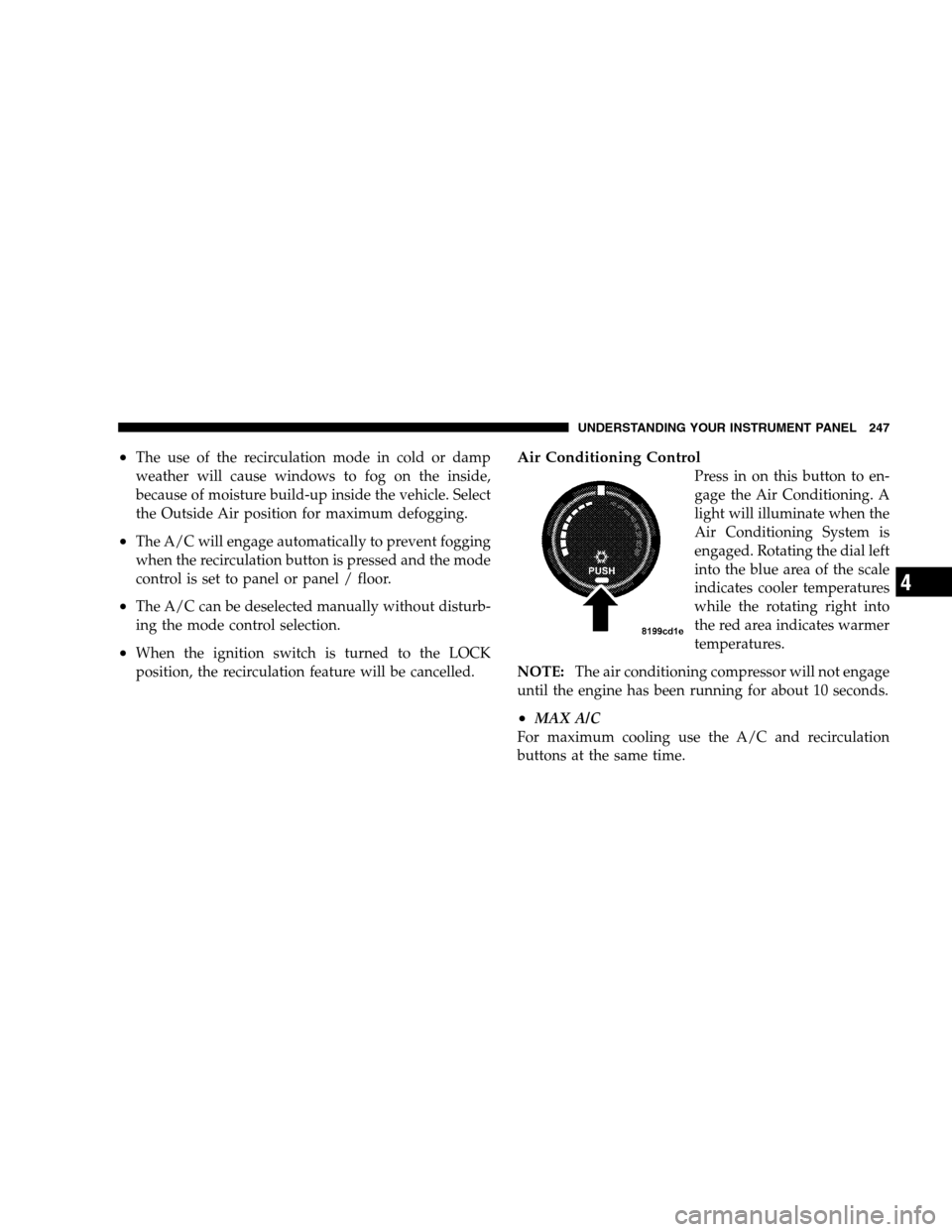
Air Conditioning Control
Press in on this button to en-
gage the Air Conditioning. A
light will illuminate when the
Air Conditioning System is
engaged. Rotating the dial left
into the blue area of the scale
indicates cooler temperatures
while the rotating right into
the red area indicates warmer
temperatures.
NOTE:The air conditioning compressor will not engage
until the engine has been running for about 10 seconds.
•MAX A/C
For maximum cooling use the A/C and recirculation
buttons at the same time.
UNDERSTANDING YOUR INSTRUMENT PANEL 247
4
Page 251 of 494
accomplish this, the system gathers information from the
cabin infrared sensor mounted between the sun-visors
and from various sensors located throughout the vehicle.
The controls on the climate control provide the system
with operator input. Other sensors take account of ve-
hicle speed, A/C pressure, outside temperature, and
engine cooling temperature. Using all of these inputs, the
system automatically adjusts airflow temperature, air-
flow distribution, airflow volume, and the amount of
outside air recirculation. This maintains a comfortable
temperature even under changing conditions.
Operation of the system is quite simple.
1. Turn the Mode Control knob (on the right) and the
Blower Control knob (on the left) to AUTO.
NOTE:The AUTO position performs best for front seat
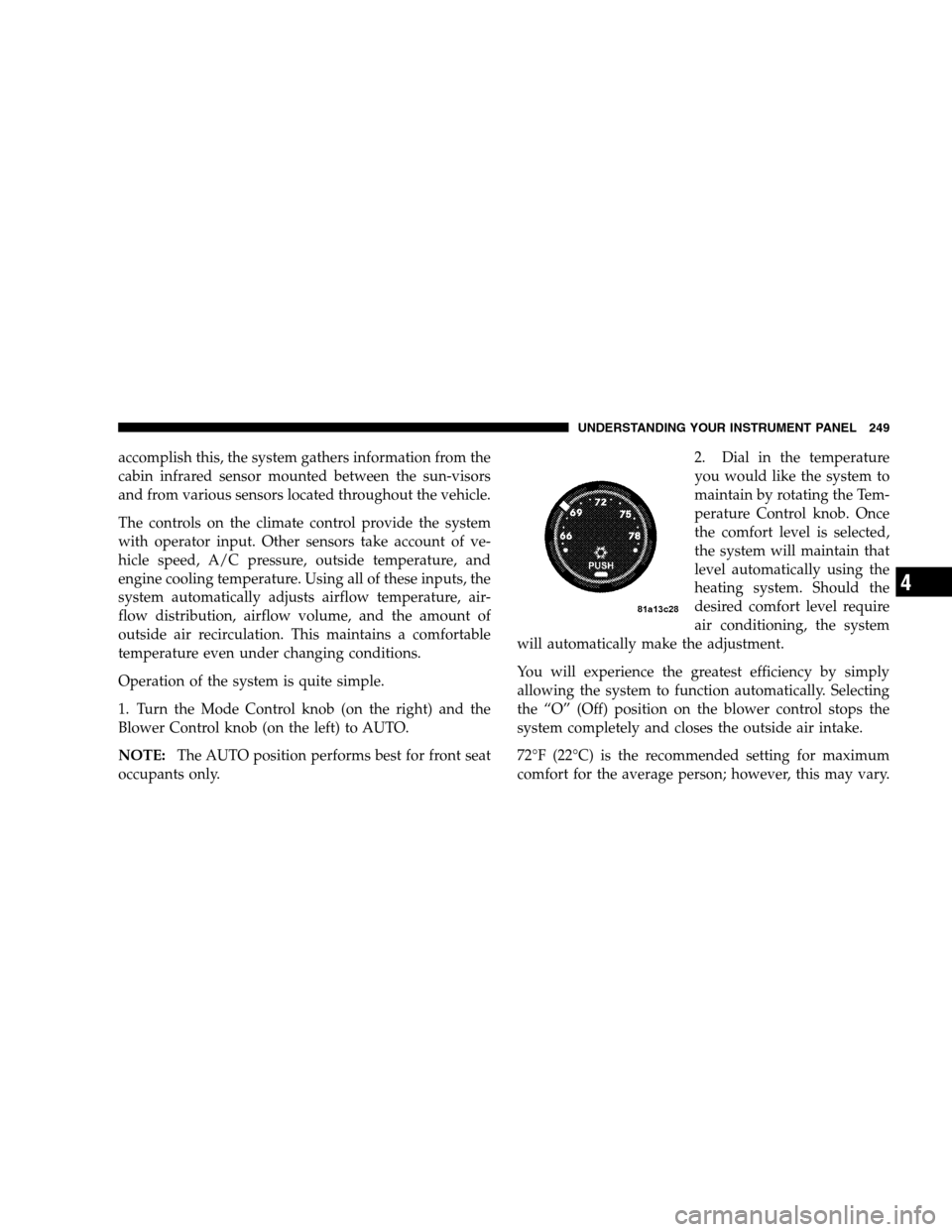
occupants only.2. Dial in the temperature
you would like the system to
maintain by rotating the Tem-
perature Control knob. Once
the comfort level is selected,
the system will maintain that
level automatically using the
heating system. Should the
desired comfort level require
air conditioning, the system
will automatically make the adjustment.
You will experience the greatest efficiency by simply
allowing the system to function automatically. Selecting
the “O” (Off) position on the blower control stops the
system completely and closes the outside air intake.
72°F (22°C) is the recommended setting for maximum
comfort for the average person; however, this may vary.
UNDERSTANDING YOUR INSTRUMENT PANEL 249
4
Page 256 of 494
Recirculation to be selected while in floor, defrost, or
defrost/floor mode. Attempting to use the recircula-
tion while in these modes will cause the LED in the
control button to blink and then turn off.
•Most of the time, when in Automatic Operation, you
can temporarily put the system into Recirculation
Mode by pressing the Recirculation Button. However,
under certain conditions, while in Automatic Mode,
the system is blowing air out the defrost vents. When
these conditions are present, and the Recirculation
Button is pressed, the indicator will flash and then
turn off. This tells you that you are unable to go into
recirculation mode at this time. If you would like the
system to go into Recirculation Mode, you must first
move the Mode Knob to Panel, Panel/Floor and then
press the Recirculation Button. This feature reduces
the possibility of window fogging.
Operating Tips
NOTE:Refer to the chart at the end of this section for
suggested control settings for various weather condi-
tions.
Summer Operation
The engine cooling system in air-conditioned vehicles
must be protected with a high-quality antifreeze coolant
to provide proper corrosion protection and to protect
against engine overheating. A 50% solution of ethylene
glycol antifreeze coolant in water is recommended. Refer
to “Maintenance Procedures” in Section 7 of this manual
for proper coolant selection.
Winter Operation
Use of the air Recirculation mode during winter months
is not recommended because it may cause window
fogging.
254 UNDERSTANDING YOUR INSTRUMENT PANEL
Page 261 of 494
STARTING AND OPERATING
CONTENTS
�Starting Procedures.....................264
▫Automatic Transaxle...................264
▫Normal Starting......................265
▫Tip Start Feature — Automatic Transaxle
Only ..............................266
▫Extremely Cold Weather
(Below�20°F Or�29°C)................266
▫If Engine Fails To Start.................266
▫After Starting........................267
▫Remote Start System — If Equipped........267▫How To Use Remote Start...............268
�Engine Block Heater — If Equipped.........269
�Automatic Transaxle.....................270
▫Brake/Transaxle Interlock...............272
▫Automatic Transaxle Ignition Interlock
System.............................272
▫Electronically Controlled Automatic
Transaxle...........................273
�AutoStick�— If Equipped................275
▫AutoStick�Operation..................276
5
Page 263 of 494

▫Tire Inflation Pressures.................304
▫Radial-Ply Tires......................306
▫Compact Spare Tire — If Equipped.........307
▫Limited Use Spare — If Equipped.........307
▫TireSpinning ........................308
▫Tread Wear Indicators..................309
▫LifeOfTire .........................309
▫Replacement Tires.....................310
▫Alignment And Balance.................312
�Tire Chains...........................312
�Snow Tires...........................312
�Tire Rotation Recommendations............313�Tire Pressure Monitor System (TPMS) —
If Equipped...........................314
▫Base System — If Equipped..............316
▫Premium System — If Equipped..........318
▫General Information...................322
�Fuel Requirements......................323
▫2.4L And 2.7L Engines..................323
▫3.5L Engine.........................323
▫Reformulated Gasoline.................324
▫Gasoline/Oxygenate Blends..............324
▫MMT In Gasoline.....................325
▫Materials Added To Fuel................326
STARTING AND OPERATING 261
5
Page 264 of 494
▫Fuel System Cautions..................326
▫Carbon Monoxide Warnings..............327
�Flexible Fuel— 2.7L Engines Only
(Except California Emission States)..........328
▫E-85 General Information................328
▫Ethanol Fuel (E-85)....................329
▫Fuel Requirements....................329
▫Selection Of Engine Oil For Flexible Fuel
Vehicles (E-85) And Gasoline Vehicles.......330
▫Starting............................331
▫Cruising Range.......................331
▫Replacement Parts.....................331
▫Maintenance.........................331�Adding Fuel..........................332
▫Fuel Filler Cap (Gas Cap)...............332
▫Loose Fuel Filler Cap Message............334
�Vehicle Loading........................335
▫Vehicle Certification Label...............335
▫Gross Vehicle Weight Rating (GVWR).......336
▫Gross Axle Weight Rating (GAWR).........336
▫Overloading.........................336
▫Loading............................337
�TrailerTowing .........................338
▫Common Towing Definitions.............338
▫Trailer Hitch Classification...............340
262 STARTING AND OPERATING
Page 266 of 494
STARTING PROCEDURES
Before starting your vehicle, adjust your seat, adjust both
inside and outside mirrors, and fasten your seat belt.
Make sure all occupants have securely fastened their seat
belts.
WARNING!
Never leave children alone in a vehicle. Leaving
children in a vehicle unattended is dangerous for a
number of reasons. A child or others could be seri-
ously or fatally injured. Don’t leave the keys in the
ignition. A child could operate power windows,
other controls, or move the vehicle.
WARNING!
Be sure to turn off the engine and remove the key
from the ignition switch if you want to rest or sleep
in your car. Accidents can be caused by inadvertently
moving the gear selection lever or by pressing the
accelerator pedal. This may cause excessive heat in
the exhaust system, resulting in overheating and
vehicle fire which may cause serious or fatal injuries.
Automatic Transaxle
The gear selector must be in the PARK or NEUTRAL
position before you can start the engine. Apply the brakes
before shifting to any driving gear.
NOTE:You must press the brake pedal before shifting
out of Park.
264 STARTING AND OPERATING
