2008 CHEVROLET MALIBU engine
[x] Cancel search: enginePage 133 of 412
Instrument Panel Overview...............................3-4
Hazard Warning Flashers................................3-6
Other Warning Devices...................................3-6
Horn .............................................................3-6
Tilt and Telescopic Steering Wheel...................3-7
Turn Signal/Multifunction Lever.........................3-7
Turn and Lane-Change Signals........................3-8
Headlamp High/Low-Beam Changer..................3-8
Flash-to-Pass.................................................3-8
Windshield Wipers..........................................3-9
Windshield Washer.......................................3-10
Cruise Control..............................................3-10
Headlamps..................................................3-13
Headlamps on Reminder................................3-14
Headlamps Off in Park..................................3-14
Delayed Headlamps......................................3-14
Daytime Running Lamps (DRL).......................3-14
Automatic Headlamp System..........................3-15
Fog Lamps ..................................................3-16
Instrument Panel Brightness...........................3-16
Dome Lamp .................................................3-17
Entry/Exit Lighting.........................................3-17
Parade Dimming...........................................3-17
Front Reading Lamps....................................3-17
Overhead Console Reading Lamps.................3-17
Rear Reading Lamps....................................3-18
Trunk Lamp.................................................3-18Battery Run-Down Protection..........................3-18
Accessory Power Outlet(s).............................3-19
Power Outlet 115 Volt Alternating Current........3-20
Climate Controls............................................3-21
Climate Control System.................................3-21
Automatic Climate Control System...................3-24
Outlet Adjustment.........................................3-29
Warning Lights, Gages, and Indicators...........
.3-30
Instrument Panel Cluster................................3-31
Speedometer and Odometer...........................3-32
Trip Odometer..............................................3-32
Tachometer.................................................3-32
Safety Belt Reminders...................................3-33
Airbag Readiness Light..................................3-34
Passenger Airbag Status Indicator...................3-35
Charging System Light..................................3-37
Brake System Warning Light..........................3-37
Antilock Brake System (ABS) Warning Light.....3-38
Electronic Stability Control (ESC)/Traction
Control System (TCS) Indicator/
Warning Light............................................3-39
Engine Coolant Temperature Warning Light......3-40
Engine Coolant Temperature Gage..................3-40
Tire Pressure Light.......................................3-41
Malfunction Indicator Lamp.............................3-41
Oil Pressure Light.........................................3-44
Section 3 Instrument Panel
3-1
Page 154 of 412
Pressing this button will cancel the outside air mode.
When switching to the defog or defrost modes the
system automatically moves from recirculation to outside
air. When the vehicle or fan is turned off and back on,
the system defaults to outside air automatically.
Only use recirculation mode when it is needed for
comfort, since window fogging can occur.
Temperature Control:Turn the center knob clockwise
or counterclockwise to increase or decrease the
temperature inside the vehicle.
When it is cold outside 0°F (−18°C) or lower, use the
engine coolant heater, if vehicle has one, to provide
warmer air faster to the vehicle. An engine coolant
heater warms the coolant the engine uses that provides
heat to warm the inside of the vehicle. For more
information, seeEngine Coolant Heater on page 2-27.
#(Air Conditioning):Press this button to turn
the air conditioning system on or off. An indicator light
comes on to show it is activated.
The air-conditioning system removes moisture from the
air, so a small amount of water might drip under the
vehicle while it is idling or after the engine is turned off
is normal.
Maximum Air Conditioning
On hot days, open the windows to let hot inside air
escape; then close them. This helps reduce the time it
takes for the vehicle to cool down. It also helps the
air conditioning system operate more efficiently.
For quick cool down on hot days, do the following:
1. Select the
Cvent mode.
2. Select the highest fan speed.
3. Select
#air conditioning.
4. Select the
?recirculation mode.
5. Select the coolest temperature.
Using these settings together for long periods of time can
cause the air inside of the vehicle to become too dry. To
prevent this from happening, after the air in the vehicle
has cooled, turn the recirculation mode off.
3-22
Page 156 of 412
Rear Window Defogger
The rear window defogger uses a warming grid to
remove fog or frost from the rear window.
that the rear window defogger is activated. Be sure
to clear as much snow from the rear window as possible.
If driving below 50 mph (80 km/h), the rear window
defogger turns off about 15 minutes after the button is
pressed. If turned on again, the defogger only runs
for about seven minutes before turning off. The defogger
can also be turned off by pressing the button again or
by turning off the engine.
If your vehicle’s speed is maintained above 50 mph
(80 km/h), the rear window defogger remains on once
the button is pressed.
If your vehicle has heated outside mirrors, the surface
of the outside mirrors heat when the rear window
defogger is activated. SeeOutside Power Mirrors on
page 2-41.
Notice:Do not use anything sharp on the inside of
the rear window. If you do, you could cut or
damage the warming grid, and the repairs would not
be covered by the vehicle warranty. Do not attach
a temporary vehicle license, tape, a decal or
anything similar to the defogger grid.
Remote Start Climate Control Operation
If your vehicle has the remote start feature and it
is activated, the climate control system heats or cools
the inside of the vehicle using the modes that were
set before the vehicle was turned off. The climate control
knobs will remain active during a remote start.
However, the climate control buttons will be inactive
until the ignition is turned on by the key. If the fan is off,
the climate control system will not operate during
remote start. SeeRemote Keyless Entry (RKE) System
Operation on page 2-5.
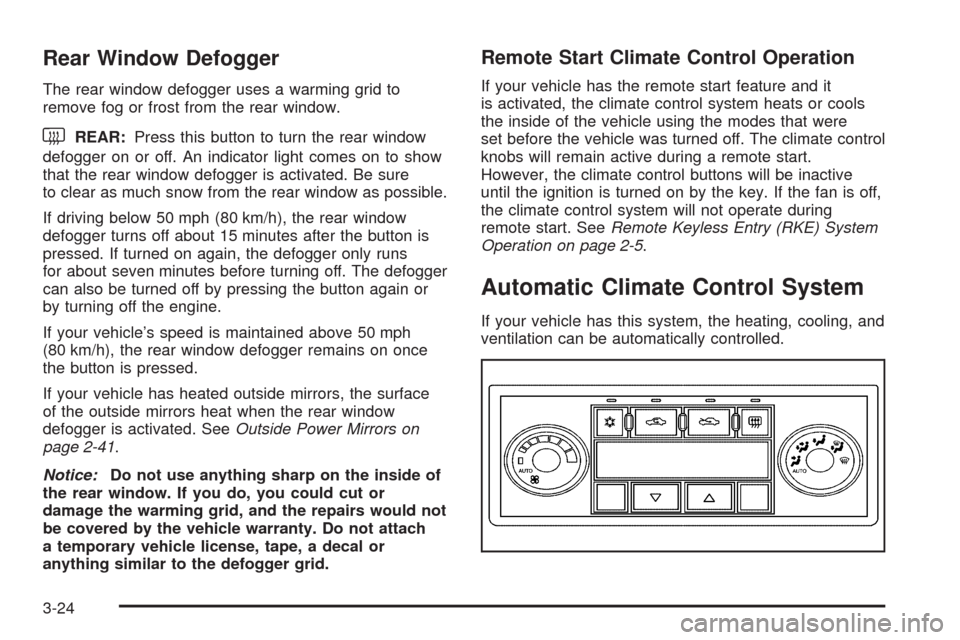
Automatic Climate Control System
If your vehicle has this system, the heating, cooling, and
ventilation can be automatically controlled.
3-24
Page 157 of 412
Automatic Operation
AUTO (Automatic):Select AUTO on both the fan
speed control and the air delivery mode control knobs to
activate the automatic system. When automatic
operation is active the system controls the inside
temperature and air delivery.
Use the steps below to place the entire system in
automatic mode:
1. Turn the fan knob and the mode knob to the AUTO
position.
The current set temperature displays. When AUTO
is selected, the air conditioning operation and air
inlet is automatically controlled. The air conditioning
compressor runs while the outside temperature is
over about 40°F (4°C). The air inlet will normally be
set to outside air. If it is hot outside, the air inlet
may automatically switch to recirculate inside air to
help quickly cool down the vehicle.2. Set the temperature.
An initial setting of 73°F (23°C) is recommended.
Allow about 20 minutes for the system to regulate.
Press the up or down arrow temperature buttons
to adjust the temperature setting as necessary.
If the temperature is set at 60°F (15°C) the system
remains at the maximum cooling setting. If the
temperature is set at 90°F (32°C) the system
remains at the maximum heat setting. Choosing
either maximum setting does not cause the vehicle
to heat or cool any faster.
Be careful not to cover the sensor located on the
top of the instrument panel near the windshield.
This sensor regulates air temperature based on the
intensity of the sun.
Also do not cover the sensor grille on the lower
right side of the climate control faceplate, as
this regulates the inside temperature.
To avoid blowing cold air at engine start-up in cold
weather, the system delays turning on the fan
until warm air is available. The length of delay
depends on the engine coolant temperature.
Turning the fan knob overrides this delay and
changes the fan to the selected speed.
3-25
Page 162 of 412
Warning Lights, Gages, and
Indicators
This part describes the warning lights and gages that
may be on your vehicle. The pictures will help you
locate them.
Warning lights and gages can signal that something is
wrong before it becomes serious enough to cause
an expensive repair or replacement. Paying attention to
your warning lights and gages could also save you
or others from injury.
Warning lights come on when there could be or there is
a problem with one of your vehicle’s functions. As you
will see in the details on the next few pages, some
warning lights come on briey when you start the engine
just to let you know they are working. If you are
familiar with this section, you should not be alarmed
when this happens.Gages can indicate when there could be or there is a
problem with one of your vehicle’s functions. Often
gages and warning lights work together to let you know
when there is a problem with your vehicle.
When one of the warning lights comes on and stays on
when you are driving, or when one of the gages
shows there may be a problem, check the section that
tells you what to do about it. Follow this manual’s
advice. Waiting to do repairs can be costly — and even
dangerous. Get to know your warning lights and
gages. They are a big help.
3-30
Page 164 of 412
Speedometer and Odometer
The speedometer lets you see your speed in both miles
per hour (mph) and kilometers per hour (km/h).
The odometer shows how far your vehicle has been
driven, in either miles (used in the United States)
or kilometers (used in Canada).
Your vehicle has a tamper resistant odometer.
The digital odometer will read 999,999 if someone tries
to turn it back.
If your vehicle needs a new odometer installed,
it must be set to the mileage total of the old odometer.
If that is not possible, then it must be set at zero
and a label must be put on the driver’s door to show
the old mileage reading when the new odometer
was installed.
Trip Odometer
The trip odometer can tell you how far you have driven
since you last reset it.
The trip odometer is accessed and reset through the
Driver Information Center (DIC). SeeDIC Operation and
Displays on page 3-46for more information.
Tachometer
The tachometer shows your engine speed in revolutions
per minute (rpm).
3-32
Page 165 of 412
Safety Belt Reminders
Safety Belt Reminder Light
When the engine is started, a chime comes on for
several seconds to remind people to fasten their safety
belts, unless the driver’s safety belt is already buckled.
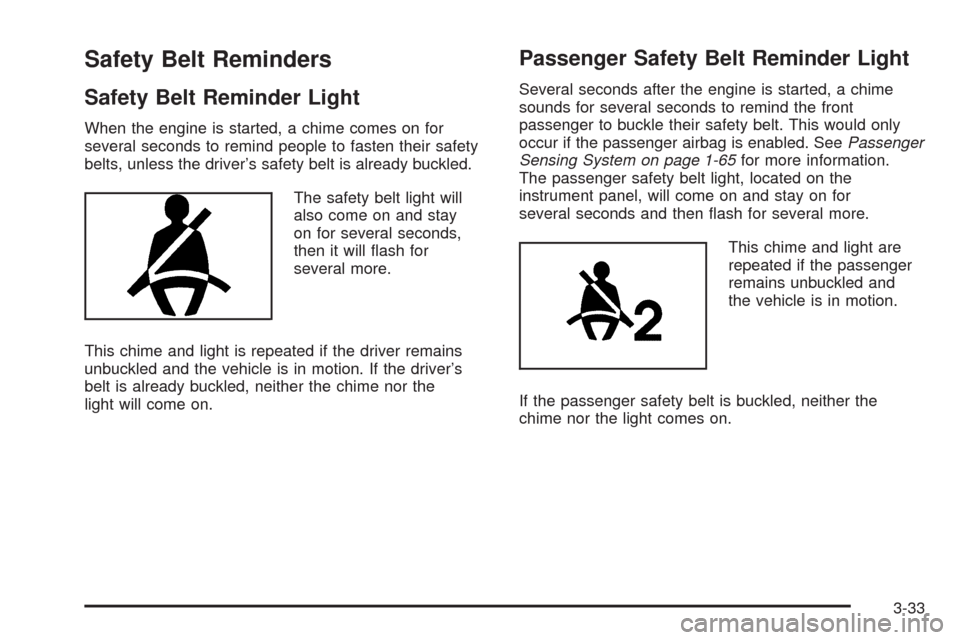
The safety belt light will
also come on and stay
on for several seconds,
then it will ash for
several more.
This chime and light is repeated if the driver remains
unbuckled and the vehicle is in motion. If the driver’s
belt is already buckled, neither the chime nor the
light will come on.
Passenger Safety Belt Reminder Light
Several seconds after the engine is started, a chime
sounds for several seconds to remind the front
passenger to buckle their safety belt. This would only
occur if the passenger airbag is enabled. SeePassenger
Sensing System on page 1-65for more information.
The passenger safety belt light, located on the
instrument panel, will come on and stay on for
several seconds and then ash for several more.
This chime and light are
repeated if the passenger
remains unbuckled and
the vehicle is in motion.
If the passenger safety belt is buckled, neither the
chime nor the light comes on.
3-33
Page 166 of 412
Airbag Readiness Light
There is an airbag readiness light on the instrument
panel cluster, which shows the airbag symbol. The
system checks the airbag’s electrical system for
malfunctions. The light indicates if there is an electrical
problem. The system check includes the airbag
sensor, the pretensioners, the airbag modules, the
wiring and the crash sensing and diagnostic module.
For more information on the airbag system, seeAirbag
System on page 1-56.
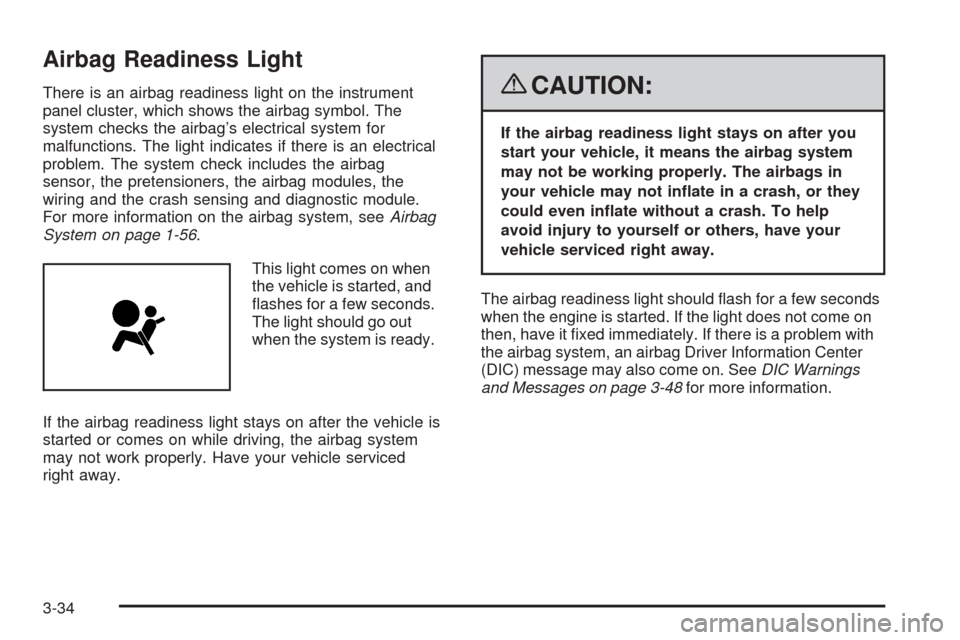
This light comes on when
the vehicle is started, and
ashes for a few seconds.
The light should go out
when the system is ready.
If the airbag readiness light stays on after the vehicle is
started or comes on while driving, the airbag system
may not work properly. Have your vehicle serviced
right away.{CAUTION:
If the airbag readiness light stays on after you
start your vehicle, it means the airbag system
may not be working properly. The airbags in
your vehicle may not inate in a crash, or they
could even inate without a crash. To help
avoid injury to yourself or others, have your
vehicle serviced right away.
The airbag readiness light should ash for a few seconds
when the engine is started. If the light does not come on
then, have it xed immediately. If there is a problem with
the airbag system, an airbag Driver Information Center
(DIC) message may also come on. SeeDIC Warnings
and Messages on page 3-48for more information.
3-34