2008 CHEVROLET MALIBU mirror
[x] Cancel search: mirrorPage 1 of 412
Seats and Restraint Systems........................... 1-1
Front Seats
............................................... 1-2
Rear Seats
............................................... 1-9
Safety Belts
.............................................1-11
Child Restraints
.......................................1-31
Airbag System
.........................................1-56
Restraint System Check
............................1-72
Features and Controls..................................... 2-1
Keys
........................................................ 2-3
Doors and Locks
......................................2-10
Windows
.................................................2-15
Theft-Deterrent Systems
............................2-18
Starting and Operating Your Vehicle
...........2-22
Mirrors
....................................................2-39
OnStar
®System
......................................2-42
Universal Home Remote System
................2-45
Storage Areas
.........................................2-52
Sunroof
..................................................2-53
Instrument Panel............................................. 3-1
Instrument Panel Overview
.......................... 3-4
Climate Controls
......................................3-21
Warning Lights, Gages, and Indicators
........3-30
Driver Information Center (DIC)
..................3-46
Audio System(s)
.......................................3-59Driving Your Vehicle....................................... 4-1
Your Driving, the Road, and the Vehicle
....... 4-2
Towing
...................................................4-26
Service and Appearance Care.......................... 5-1
Service
..................................................... 5-3
Fuel
......................................................... 5-5
Checking Things Under the Hood
...............5-12
Headlamp Aiming
.....................................5-48
Bulb Replacement
....................................5-48
Windshield Wiper Blade Replacement
.........5-51
Tires
......................................................5-52
Appearance Care
.....................................5-89
Vehicle Identication
.................................5-97
Electrical System
......................................5-98
Capacities and Specications
...................5-108
Maintenance Schedule..................................... 6-1
Maintenance Schedule
................................ 6-2
Customer Assistance Information.................... 7-1
Customer Assistance and Information
........... 7-2
Reporting Safety Defects
...........................7-15
Vehicle Data Recording and Privacy
...........7-18
Index................................................................ 1
2008 Chevrolet Malibu Owner ManualM
Page 79 of 412
Keys...............................................................2-3
Remote Keyless Entry (RKE) System................2-4
Remote Keyless Entry (RKE) System
Operation...................................................2-5
Remote Vehicle Start......................................2-7
Doors and Locks............................................2-10
Door Locks..................................................2-10
Power Door Locks........................................2-11
Door Ajar Reminder......................................2-11
Delayed Locking...........................................2-11
Programmable Automatic Door Locks..............2-11
Rear Door Security Locks..............................2-12
Lockout Protection........................................2-12
Trunk..........................................................2-13
Windows........................................................2-15
Power Windows............................................2-16
Sun Visors...................................................2-18
Theft-Deterrent Systems..................................2-18
Content Theft-Deterrent.................................2-18
PASS-Key
®III+ Electronic Immobilizer.............2-20
PASS-Key®III+ Electronic Immobilizer
Operation.................................................2-20Starting and Operating Your Vehicle................2-22
New Vehicle Break-In....................................2-22
Ignition Positions..........................................2-22
Retained Accessory Power (RAP)...................2-24
Starting the Engine.......................................2-24
Adjustable Throttle and Brake Pedal................2-26
Engine Coolant Heater..................................2-27
Automatic Transmission Operation
(Four Speed Transmission).........................2-28
Automatic Transmission Operation
(Six Speed Transmission)...........................2-30
Parking Brake..............................................2-34
Shifting Into Park..........................................2-35
Shifting Out of Park......................................2-37
Parking Over Things That Burn.......................2-37
Engine Exhaust............................................2-37
Running the Vehicle While Parked..................2-38
Mirrors...........................................................2-39
Manual Rearview Mirror.................................2-39
Automatic Dimming Rearview Mirror with
OnStar®and Compass...............................2-39
Outside Power Mirrors...................................2-41
Outside Automatic Dimming Mirror..................2-42
Section 2 Features and Controls
2-1
Page 96 of 412
Sun Visors
To block out glare, you can swing down the visors.
You can also remove them from the center mount
and swing them to the side, to block out glare from
the side.
Your vehicle may have lighted visor vanity mirrors
located on the passenger and driver’s side visor.
When you lift the cover, the light will turn on.
Theft-Deterrent Systems
Vehicle theft is big business, especially in some cities.
This vehicle has theft-deterrent features, however,
they do not make it impossible to steal.
Content Theft-Deterrent
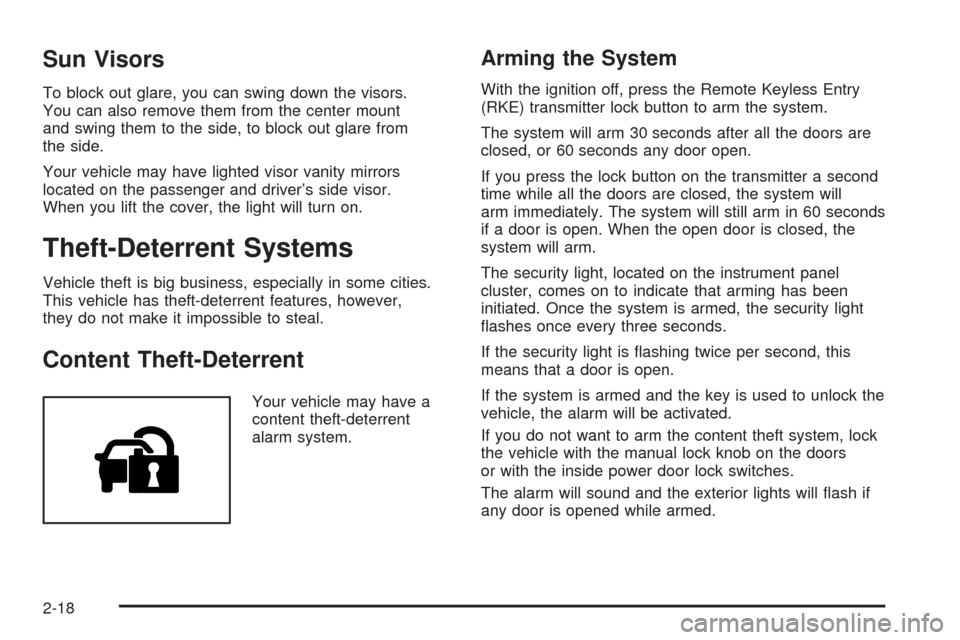
Your vehicle may have a
content theft-deterrent
alarm system.
Arming the System
With the ignition off, press the Remote Keyless Entry
(RKE) transmitter lock button to arm the system.
The system will arm 30 seconds after all the doors are
closed, or 60 seconds any door open.
If you press the lock button on the transmitter a second
time while all the doors are closed, the system will
arm immediately. The system will still arm in 60 seconds
if a door is open. When the open door is closed, the
system will arm.
The security light, located on the instrument panel
cluster, comes on to indicate that arming has been
initiated. Once the system is armed, the security light
ashes once every three seconds.
If the security light is ashing twice per second, this
means that a door is open.
If the system is armed and the key is used to unlock the
vehicle, the alarm will be activated.
If you do not want to arm the content theft system, lock
the vehicle with the manual lock knob on the doors
or with the inside power door lock switches.
The alarm will sound and the exterior lights will ash if
any door is opened while armed.
2-18
Page 117 of 412
Mirrors
Manual Rearview Mirror
When you are sitting in a comfortable driving position,
adjust the mirror so you can see clearly behind your
vehicle. Hold the mirror in the center to move it up or
down and side to side. The day/night adjustment allows
you to adjust the mirror to avoid glare from the lamps
behind you. Push the tab forward for daytime use
and pull it for nighttime use.
If your vehicle has OnStar
®, the buttons are located at
the bottom of the mirror face. See your dealer/retailer
for more information on the system and how to
subscribe to OnStar
®. SeeOnStar®System on
page 2-42for more information about the services
OnStar
®provides.
Cleaning the Mirror
When cleaning the mirror, use a paper towel or similar
material dampened with glass cleaner. Do not spray
glass cleaner directly on the mirror housing.
Automatic Dimming Rearview Mirror
with OnStar
®and Compass
Your vehicle may have an automatic dimming rearview
mirror with a compass and OnStar®. The automatic
dimming feature enables the mirror to sense nighttime
glare from vehicle headlamps from behind and
automatically dim to reduce the glare to a safe level.
The automatic dimming feature turns on each time the
vehicle is started.
O:This is the on/off button.
Press and hold the on/off button until the indicator light
located to the left of the button goes out indicating the
feature is off. To turn the feature back on, press and hold
the on/off button until the indicator light comes on.
There are also OnStar
®buttons located at the bottom of
the mirror face. See your retailer for more information
on the system and how to subscribe to OnStar
®.
SeeOnStar®System on page 2-42for more information
about the services OnStar®provides.
2-39
Page 118 of 412
Compass Operation
Press the on/off button once to turn the compass
on or off.
When the ignition and the compass feature are on,
the compass will show two character boxes for a
few seconds. After a few seconds, the mirror will
display the current compass direction.
Compass Calibration
If after a few seconds the display does not show a
compass direction, (N for North for example), there may
be a strong magnetic eld interfering with the compass.
Such interference may be caused by a magnetic
antenna mount, note pad holder, or similar object.
If the letter C appears in the compass window,
the compass may need to be reset or calibrated.The mirror can be calibrated by driving the vehicle
in circles at 5 mph (8 km/h) or less until the display
reads a direction.
Compass Variance
Compass variance is the difference between earth’s
magnetic north and true geographic north. If the mirror
is not adjusted for compass variance, the compass
could give false readings.
The mirror is set in zone eight upon leaving the factory.
It will be necessary to adjust the compass to
compensate for compass variance if the vehicle is
driven outside zone eight. Under certain circumstances,
such as a long distance, cross-country trip, it will be
necessary to adjust the compass variance.
2-40
Page 119 of 412
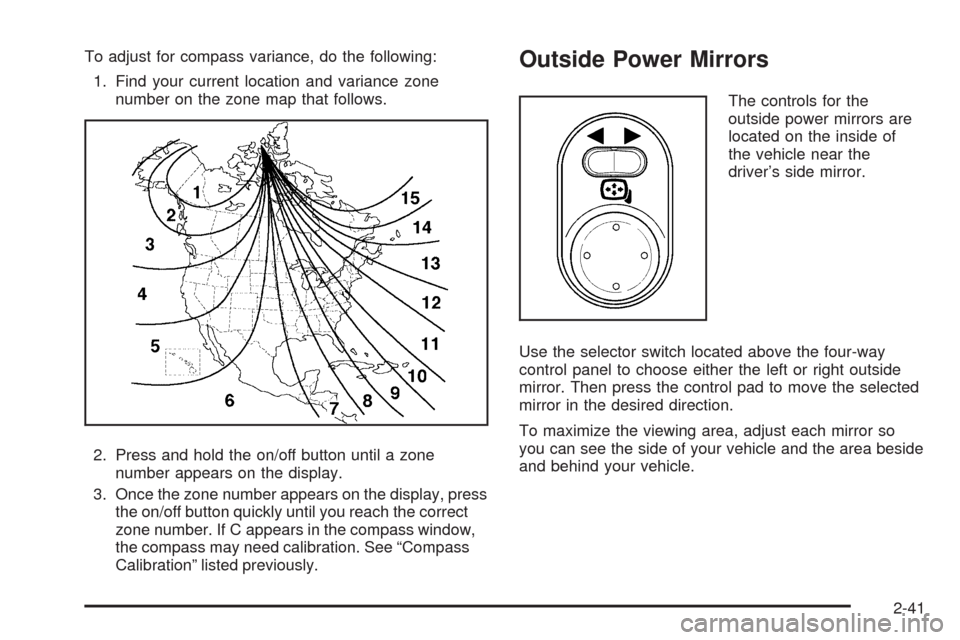
To adjust for compass variance, do the following:
1. Find your current location and variance zone
number on the zone map that follows.
2. Press and hold the on/off button until a zone
number appears on the display.
3. Once the zone number appears on the display, press
the on/off button quickly until you reach the correct
zone number. If C appears in the compass window,
the compass may need calibration. See “Compass
Calibration” listed previously.Outside Power Mirrors
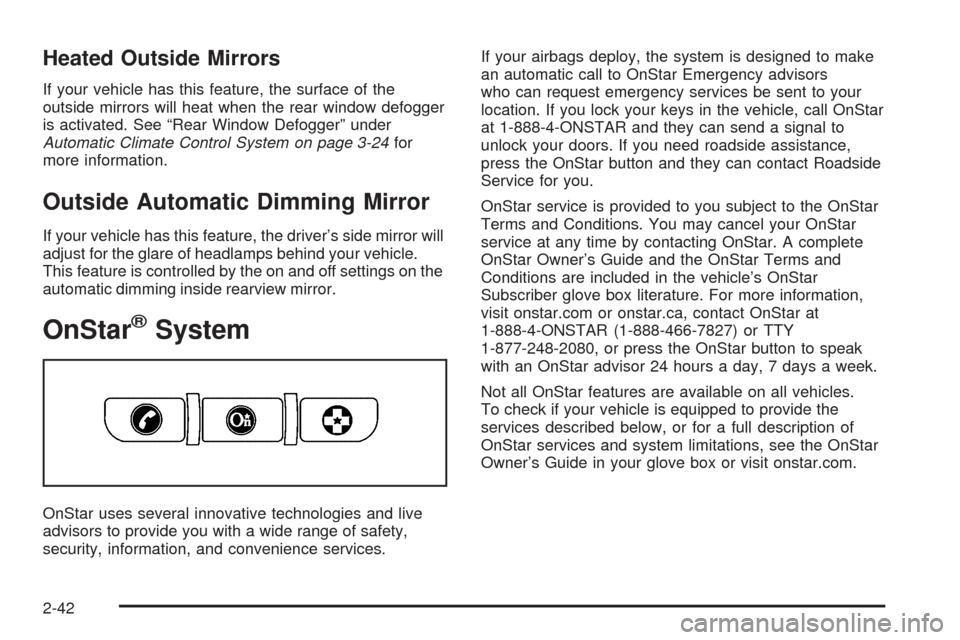
The controls for the
outside power mirrors are
located on the inside of
the vehicle near the
driver’s side mirror.
Use the selector switch located above the four-way
control panel to choose either the left or right outside
mirror. Then press the control pad to move the selected
mirror in the desired direction.
To maximize the viewing area, adjust each mirror so
you can see the side of your vehicle and the area beside
and behind your vehicle.
2-41
Page 120 of 412
Heated Outside Mirrors
If your vehicle has this feature, the surface of the
outside mirrors will heat when the rear window defogger
is activated. See “Rear Window Defogger” under
Automatic Climate Control System on page 3-24for
more information.
Outside Automatic Dimming Mirror
If your vehicle has this feature, the driver’s side mirror will
adjust for the glare of headlamps behind your vehicle.
This feature is controlled by the on and off settings on the
automatic dimming inside rearview mirror.
OnStar®System
OnStar uses several innovative technologies and live
advisors to provide you with a wide range of safety,
security, information, and convenience services.If your airbags deploy, the system is designed to make
an automatic call to OnStar Emergency advisors
who can request emergency services be sent to your
location. If you lock your keys in the vehicle, call OnStar
at 1-888-4-ONSTAR and they can send a signal to
unlock your doors. If you need roadside assistance,
press the OnStar button and they can contact Roadside
Service for you.
OnStar service is provided to you subject to the OnStar
Terms and Conditions. You may cancel your OnStar
service at any time by contacting OnStar. A complete
OnStar Owner’s Guide and the OnStar Terms and
Conditions are included in the vehicle’s OnStar
Subscriber glove box literature. For more information,
visit onstar.com or onstar.ca, contact OnStar at
1-888-4-ONSTAR (1-888-466-7827) or TTY
1-877-248-2080, or press the OnStar button to speak
with an OnStar advisor 24 hours a day, 7 days a week.
Not all OnStar features are available on all vehicles.
To check if your vehicle is equipped to provide the
services described below, or for a full description of
OnStar services and system limitations, see the OnStar
Owner’s Guide in your glove box or visit onstar.com.
2-42
Page 156 of 412
Rear Window Defogger
The rear window defogger uses a warming grid to
remove fog or frost from the rear window.
that the rear window defogger is activated. Be sure
to clear as much snow from the rear window as possible.
If driving below 50 mph (80 km/h), the rear window
defogger turns off about 15 minutes after the button is
pressed. If turned on again, the defogger only runs
for about seven minutes before turning off. The defogger
can also be turned off by pressing the button again or
by turning off the engine.
If your vehicle’s speed is maintained above 50 mph
(80 km/h), the rear window defogger remains on once
the button is pressed.
If your vehicle has heated outside mirrors, the surface
of the outside mirrors heat when the rear window
defogger is activated. SeeOutside Power Mirrors on
page 2-41.
Notice:Do not use anything sharp on the inside of
the rear window. If you do, you could cut or
damage the warming grid, and the repairs would not
be covered by the vehicle warranty. Do not attach
a temporary vehicle license, tape, a decal or
anything similar to the defogger grid.
Remote Start Climate Control Operation
If your vehicle has the remote start feature and it
is activated, the climate control system heats or cools
the inside of the vehicle using the modes that were
set before the vehicle was turned off. The climate control
knobs will remain active during a remote start.
However, the climate control buttons will be inactive
until the ignition is turned on by the key. If the fan is off,
the climate control system will not operate during
remote start. SeeRemote Keyless Entry (RKE) System
Operation on page 2-5.
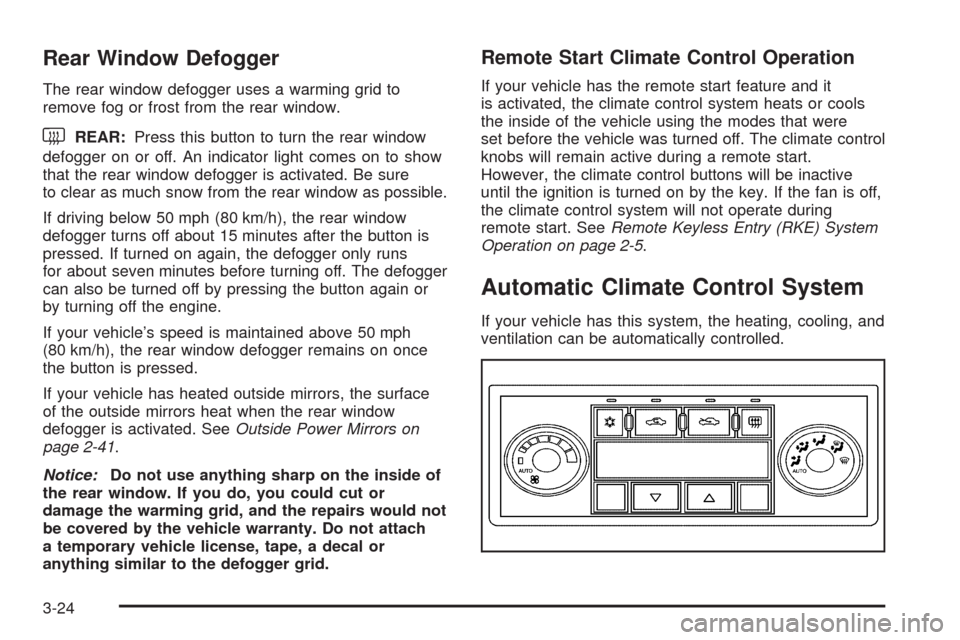
Automatic Climate Control System
If your vehicle has this system, the heating, cooling, and
ventilation can be automatically controlled.
3-24