2007 NISSAN TIIDA ecu work
[x] Cancel search: ecu workPage 318 of 5883
![NISSAN TIIDA 2007 Service Repair Manual ACTUATOR AND ELECTRIC UNIT (ASSEMBLY)
BRC-85
< REMOVAL AND INSTALLATION >[ABS]
C
D
E
G
H
I
J
K
L
MA
B
BRC
N
O
P
ACTUATOR AND ELECTRIC UNIT (ASSEMBLY)
Removal and InstallationINFOID:0000000001691410
RE](/manual-img/5/57395/w960_57395-317.png "NISSAN TIIDA 2007 Service Repair Manual ACTUATOR AND ELECTRIC UNIT (ASSEMBLY)
BRC-85
< REMOVAL AND INSTALLATION >[ABS]
C
D
E
G
H
I
J
K
L
MA
B
BRC
N
O
P
ACTUATOR AND ELECTRIC UNIT (ASSEMBLY)
Removal and InstallationINFOID:0000000001691410
RE")
ACTUATOR AND ELECTRIC UNIT (ASSEMBLY)
BRC-85
< REMOVAL AND INSTALLATION >[ABS]
C
D
E
G
H
I
J
K
L
MA
B
BRC
N
O
P
ACTUATOR AND ELECTRIC UNIT (ASSEMBLY)
Removal and InstallationINFOID:0000000001691410
REMOVAL
Be careful of the following.
CAUTION:
Before servicing, disconnect the battery cables.
To remove brake tube, use a flare nut wrench to prevent flare nuts and brake tube from being dam-
aged. To install, use a flare nut torque wrench and tighten to the specified torque.
Do not apply excessive impact to the actuator, such as dropping it.
INSTALLATION
Be careful of the following.
When setting the actuator in the bracket, push it in until it locks.
Tighten the mounting bolts and nuts to the specified torque.
After the work, breed the air from the brake piping. Refer to BR-8, "
Bleeding Brake System".
After installing the vehicle harness connector in the actuator, make sure the connector is securely locked.
SFIA1183E
Page 338 of 5883
![NISSAN TIIDA 2007 Service Repair Manual DIAGNOSIS SYSTEM [ABS ACTUATOR AND ELECTRIC UNIT (CONTROL
UNIT)]
BRC-105
< FUNCTION DIAGNOSIS >[ESP/TCS/ABS]
C
D
E
G
H
I
J
K
L
MA
B
BRC
N
O
P
DIAGNOSIS SYSTEM [ABS ACTUATOR AND ELECTRIC UNIT (CONTROL](/manual-img/5/57395/w960_57395-337.png "NISSAN TIIDA 2007 Service Repair Manual DIAGNOSIS SYSTEM [ABS ACTUATOR AND ELECTRIC UNIT (CONTROL
UNIT)]
BRC-105
< FUNCTION DIAGNOSIS >[ESP/TCS/ABS]
C
D
E
G
H
I
J
K
L
MA
B
BRC
N
O
P
DIAGNOSIS SYSTEM [ABS ACTUATOR AND ELECTRIC UNIT (CONTROL")
DIAGNOSIS SYSTEM [ABS ACTUATOR AND ELECTRIC UNIT (CONTROL
UNIT)]
BRC-105
< FUNCTION DIAGNOSIS >[ESP/TCS/ABS]
C
D
E
G
H
I
J
K
L
MA
B
BRC
N
O
P
DIAGNOSIS SYSTEM [ABS ACTUATOR AND ELECTRIC UNIT (CONTROL
UNIT)]
CONSULT-III Function (ABS)INFOID:0000000001731081
FUNCTION
CONSULT-III can display each diagnostic item using the diagnostic test modes shown following.
SELF-DIAG RESULTS MODE
Operation Procedure
1. Before performing the self-diagnosis, start engine and drive vehicle at 30 km/h (19 MPH) or more for
approximately 1 minute.
How to Erase Self-diagnosis Results
1. After erasing DTC memory, start engine and drive vehicle at 30 km/h (19 MPH) or more for approximately
1 minute as the final inspection, and make sure that the ABS warning lamp, VDC OFF indicator lamp,
SLIP indicator lamp and brake warning lamp turn OFF.
CAUTION:
If memory cannot be erased, perform applicable diagnosis.
NOTE:
When the wheel sensor malfunctions, after inspecting the wheel sensor system, the ABS warning lamp,
VDC OFF indicator lamp, SLIP indicator lamp and brake warning lamp will not turn OFF even when the
system is normal unless the vehicle is driving at approximately 30 km/h (19 MPH) or more for approxi-
mately 1 minute.
Brake warning lamp will turn ON in case of parking brake operation (when switch is ON) or of brake fluid
level switch operation (when brake fluid is insufficient).
VDC OFF switch should not stay “ON” position.
Display Item List
Refer to BRC-71, "DTC No. Index".
DATA MONITOR MODE
Display Item List
Diagnostic test mode Function
Work supportThis mode enables a technician to adjust some devices faster and more accurately by following
the indications on CONSULT-III.
Self-diagnostic results Self-diagnostic results can be read and erased quickly.
Data monitor Input/Output data in the ABS actuator and electric unit (control unit) can be read.
Active testDiagnostic test mode is which CONSULT-III drives some actuators apart from the ABS actuator
and electric unit (control unit) and also shifts some parameters in a specified range.
ECU part number ABS actuator and electric unit (control unit) part number can be read.
CAN diagnostic support monitor The results of transmit/receive diagnosis of CAN communication can be read.
Item
(Unit)Data monitor item selection
Remarks
ECU INPUT
SIGNALSMAIN
SIGNALSSELECTION
FROM MENU
GEAR×××Gear position judged by PNP switch
signal is displayed.
FR RH SENSOR
(km/h, MPH)×××Wheel speed calculated by front RH
wheel sensor signal is displayed.
FR LH SENSOR
(km/h, MPH)×××Wheel speed calculated by front LH
wheel sensor signal is displayed.
RR RH SENSOR
(km/h, MPH)×××Wheel speed calculated by rear RH
wheel sensor signal is displayed.
Page 412 of 5883
![NISSAN TIIDA 2007 Service Repair Manual PRECAUTIONS
BRC-179
< PRECAUTION >[ESP/TCS/ABS]
C
D
E
G
H
I
J
K
L
MA
B
BRC
N
O
P
PRECAUTION
PRECAUTIONS
Precaution for Supplemental Restraint System (SRS) "AIR BAG" and "SEAT BELT
PRE-TENSIONER"
INFO](/manual-img/5/57395/w960_57395-411.png "NISSAN TIIDA 2007 Service Repair Manual PRECAUTIONS
BRC-179
< PRECAUTION >[ESP/TCS/ABS]
C
D
E
G
H
I
J
K
L
MA
B
BRC
N
O
P
PRECAUTION
PRECAUTIONS
Precaution for Supplemental Restraint System (SRS) \"AIR BAG\" and \"SEAT BELT
PRE-TENSIONER\"
INFO")
PRECAUTIONS
BRC-179
< PRECAUTION >[ESP/TCS/ABS]
C
D
E
G
H
I
J
K
L
MA
B
BRC
N
O
P
PRECAUTION
PRECAUTIONS
Precaution for Supplemental Restraint System (SRS) "AIR BAG" and "SEAT BELT
PRE-TENSIONER"
INFOID:0000000001691411
The Supplemental Restraint System such as “AIR BAG” and “SEAT BELT PRE-TENSIONER”, used along
with a front seat belt, helps to reduce the risk or severity of injury to the driver and front passenger for certain
types of collision. Information necessary to service the system safely is included in the SRS and SB section of
this Service Manual.
WARNING:
To avoid rendering the SRS inoperative, which could increase the risk of personal injury or death in
the event of a collision which would result in air bag inflation, all maintenance must be performed by
an authorized NISSAN/INFINITI dealer.
Improper maintenance, including incorrect removal and installation of the SRS, can lead to personal
injury caused by unintentional activation of the system. For removal of Spiral Cable and Air Bag
Module, see the SRS section.
Do not use electrical test equipment on any circuit related to the SRS unless instructed to in this
Service Manual. SRS wiring harnesses can be identified by yellow and/or orange harnesses or har-
ness connectors.
Precaution for Brake SystemINFOID:0000000001691412
Recommended fluid is Genuine NISSAN Fluid, DOT 3 or DOT 4 (US FMVSS No. 116).
Do not reuse drained brake fluid.
Be careful not to splash brake fluid on painted areas such as body. If brake fluid is splashed, wipe it off and
flush area with water immediately.
Do not use mineral oils such as gasoline or kerosene to clean. They will ruin rubber parts and cause
improper operation.
Using a flare nut torque wrench, securely tighten brake tube flare
nuts.
Brake system is an important safety part. If a brake fluid leak is
detected, always disassemble the affected part. If a malfunction is
detected, replace part with a new one.
Before working, turn ignition switch OFF and disconnect electrical
connectors of ABS actuator and electric unit (control unit) or bat-
tery negative terminals.
When installing brake piping, be sure to check torque.
After removing/installing any hydraulic parts of the brake or ESP
system (such as actuator and piping parts, etc), bleed air from the
system.
Precaution for Brake ControlINFOID:0000000001691413
During ESP/TCS/ABS operation, brake pedal lightly vibrates and a mechanical noise may be heard. This is
normal.
When starting engine, or just after starting vehicle, brake pedal may vibrate or motor operating noise may be
heard from engine room. This is a normal status of operation check.
Stopping distance may be longer than that of vehicles without ABS when vehicle drives on rough, gravel, or
snow-covered (fresh, deep snow) roads.
When an error is indicated by ABS or another warning lamp, collect all necessary information from the cus-
tomer (what symptoms are present under what conditions) and check for simple causes before starting diag-
nostic servicing. Besides the electrical system inspection, check booster operation, brake fluid level, and
fluid leaks.
If tire size and type are used in an improper combination, or brake pads are not Genuine NISSAN parts,
stopping distance or steering stability may deteriorate.
If there is a radio, antenna, or antenna lead-in wire (including wiring) near control module, ESP/TCS/ABS
function may have a malfunction or error.
If aftermarket parts (car stereo, CD player, etc.) have been installed, check for incidents such as harness
pinches, open circuits, and improper wiring.
SBR820BA
Page 417 of 5883
![NISSAN TIIDA 2007 Service Repair Manual BRC-184
< REMOVAL AND INSTALLATION >[ESP/TCS/ABS]
ACTUATOR AND ELECTRIC UNIT (ASSEMBLY)
ACTUATOR AND ELECTRIC UNIT (ASSEMBLY)
Removal and InstallationINFOID:0000000001691453
REMOVAL
1. Disconnect ABS](/manual-img/5/57395/w960_57395-416.png "NISSAN TIIDA 2007 Service Repair Manual BRC-184
< REMOVAL AND INSTALLATION >[ESP/TCS/ABS]
ACTUATOR AND ELECTRIC UNIT (ASSEMBLY)
ACTUATOR AND ELECTRIC UNIT (ASSEMBLY)
Removal and InstallationINFOID:0000000001691453
REMOVAL
1. Disconnect ABS")
BRC-184
< REMOVAL AND INSTALLATION >[ESP/TCS/ABS]
ACTUATOR AND ELECTRIC UNIT (ASSEMBLY)
ACTUATOR AND ELECTRIC UNIT (ASSEMBLY)
Removal and InstallationINFOID:0000000001691453
REMOVAL
1. Disconnect ABS actuator and electric unit (control unit) connector.
2. Loosen brake tube flare nuts, then remove brake tubes from ABS actuator and electric unit (control unit).
3. Remove ABS actuator and electric unit (control unit) mounting nuts.
4. Remove ABS actuator and electric unit (control unit) from vehicle.
CAUTION:
Be careful of the following when removing ABS actuator and electric unit (control unit).
If the part number on the part number label (pasted on actuator upper surface) is the same, ABS
actuator and electric unit (control unit) cannot be used on another vehicle.
If it is used on another vehicle, ABS warning lamp, SLIP indicator lamp and ESP OFF indicator lamp
may turn ON or ESP/TCS/ABS may not operate normally.
When replacing ABS actuator and electric unit (control unit), must use new service parts.
Before servicing, disconnect battery cables.
To remove brake tube, use a flare nut wrench to prevent flare nuts and brake tube from being dam-
aged. To install, use a flare nut torque wrench (commercial service tool) and tighten to the specified
torque.
Do not apply excessive impact to actuator, such as dropping it.
Do not remove and install ABS actuator and electric unit (control unit) by holding harness.
INSTALLATION
To install, follow procedure for removal in reverse order.
CAUTION:
Be careful of the following when installing ABS actuator and electric unit (control unit).
Tighten the mounting bolts and nuts to the specified torque.
After the work, bleed air from brake piping. Refer to BR-8, "
Bleeding Brake System".
After installing vehicle harness connector in the actuator, make sure connector is securely locked.
MFIA0015E
Page 432 of 5883
![NISSAN TIIDA 2007 Service Repair Manual CHG
L TERMINAL CIRCUIT
CHG-11
< COMPONENT DIAGNOSIS >[HR16DE]
C
D
E
F
G
H
I
J
K
L B A
O
P N
L TERMINAL CIRCUIT
DescriptionINFOID:0000000001724477
The terminal “2” (L) circuit controls the charge w](/manual-img/5/57395/w960_57395-431.png "NISSAN TIIDA 2007 Service Repair Manual CHG
L TERMINAL CIRCUIT
CHG-11
< COMPONENT DIAGNOSIS >[HR16DE]
C
D
E
F
G
H
I
J
K
L B A
O
P N
L TERMINAL CIRCUIT
DescriptionINFOID:0000000001724477
The terminal “2” (L) circuit controls the charge w")
CHG
L TERMINAL CIRCUIT
CHG-11
< COMPONENT DIAGNOSIS >[HR16DE]
C
D
E
F
G
H
I
J
K
L B A
O
P N
L TERMINAL CIRCUIT
DescriptionINFOID:0000000001724477
The terminal “2” (L) circuit controls the charge warning lamp. The charge warning lamp illuminates when the
ignition switch is set to ON or START. When the generator is providing sufficient voltage with the engine run-
ning, the charge warning lamp will go off. If the charge warning lamp illuminates with the engine running, a
malfunction is indicated.
Diagnosis ProcedureINFOID:0000000001724478
1.CHECK CHARGE WARNING LAMP CIRCUIT CONNECTION
Verify generator connector F2 terminal 2 is clean and tight.
Is the connection secure?
YES >> GO TO 2
NO >> Repair the connection. Confirm repair by performing complete Starting/Charging system test.
Refer to Technical Service Bulletin.
2.CHECK CHARGE WARNING LAMP CIRCUIT
1. Disconnect generator connector F2.
2. Apply ground to generator harness connector F2 terminal 2 with
the ignition switch in the ON position.
Does the charge lamp illuminate?
YES >> Check generator function. Refer to CHG-33, "Work
Flow".
NO >> GO TO 3
3.CHECK HARNESS CONTINUITY
1. Turn ignition switch OFF.
2. Disconnect the generator connector F2 and combination meter
connector M24.
3. Check continuity between generator harness connector F2 (A)
terminal 2 and combination meter harness connector M24 (B)
terminal 38.
4. Check continuity between generator harness connector F2 ter-
minal 2 and ground.
Are the continuity results as specified?
YES >> Replace the combination meter. Refer to XX-XX, "*****".
NO >> Repair the harness or connector.Charge lamp should illuminate
ALMIA0200ZZ
AB
Continuity
Connector Terminal Connector Terminal
F2 2 M24 38 Yes
A
—
Continuity
Connector Terminal
F2 2 Ground No
ALMIA0326GB
Page 446 of 5883
![NISSAN TIIDA 2007 Service Repair Manual CHG
L TERMINAL CIRCUIT
CHG-25
< COMPONENT DIAGNOSIS >[MR18DE]
C
D
E
F
G
H
I
J
K
L B A
O
P N
L TERMINAL CIRCUIT
DescriptionINFOID:0000000001724528
The terminal “2” (L) circuit controls the charge w](/manual-img/5/57395/w960_57395-445.png "NISSAN TIIDA 2007 Service Repair Manual CHG
L TERMINAL CIRCUIT
CHG-25
< COMPONENT DIAGNOSIS >[MR18DE]
C
D
E
F
G
H
I
J
K
L B A
O
P N
L TERMINAL CIRCUIT
DescriptionINFOID:0000000001724528
The terminal “2” (L) circuit controls the charge w")
CHG
L TERMINAL CIRCUIT
CHG-25
< COMPONENT DIAGNOSIS >[MR18DE]
C
D
E
F
G
H
I
J
K
L B A
O
P N
L TERMINAL CIRCUIT
DescriptionINFOID:0000000001724528
The terminal “2” (L) circuit controls the charge warning lamp. The charge warning lamp illuminates when the
ignition switch is set to ON or START. When the generator is providing sufficient voltage with the engine run-
ning, the charge warning lamp will go off. If the charge warning lamp illuminates with the engine running, a
malfunction is indicated.
Diagnosis ProcedureINFOID:0000000001724529
1.CHECK CHARGE WARNING LAMP CIRCUIT CONNECTION
Verify generator connector F2 terminal 2 is clean and tight.
Is the connection secure?
YES >> GO TO 2
NO >> Repair the connection. Confirm repair by performing complete Starting/Charging system test.
Refer to Technical Service Bulletin.
2.CHECK CHARGE WARNING LAMP CIRCUIT
1. Disconnect generator connector F2.
2. Apply ground to generator harness connector F2 terminal 2 with
the ignition switch in the ON position.
Does the charge lamp illuminate?
YES >> Check generator function. Refer to CHG-33, "Work
Flow".
NO >> GO TO 3
3.CHECK HARNESS CONTINUITY
1. Turn ignition switch OFF.
2. Disconnect the generator connector F2 and combination meter
connector M24.
3. Check continuity between generator harness connector F2 (A)
terminal 2 and combination meter harness connector M24 (B)
terminal 38.
4. Check continuity between generator harness connector F2 ter-
minal 2 and ground.
Are the continuity results as specified?
YES >> Replace the combination meter. Refer to XX-XX, "*****".
NO >> Repair the harness or connector.Charge lamp should illuminate
ALMIA0200ZZ
AB
Continuity
Connector Terminal Connector Terminal
F2 2 M24 38 Yes
A
—
Continuity
Connector Terminal
F2 2 Ground No
ALMIA0326GB
Page 460 of 5883
![NISSAN TIIDA 2007 Service Repair Manual CHG
L TERMINAL CIRCUIT
CHG-39
< COMPONENT DIAGNOSIS >[K9K]
C
D
E
F
G
H
I
J
K
L B A
O
P N
L TERMINAL CIRCUIT
DescriptionINFOID:0000000001724511
The terminal “2” (L) circuit controls the charge warn](/manual-img/5/57395/w960_57395-459.png "NISSAN TIIDA 2007 Service Repair Manual CHG
L TERMINAL CIRCUIT
CHG-39
< COMPONENT DIAGNOSIS >[K9K]
C
D
E
F
G
H
I
J
K
L B A
O
P N
L TERMINAL CIRCUIT
DescriptionINFOID:0000000001724511
The terminal “2” (L) circuit controls the charge warn")
CHG
L TERMINAL CIRCUIT
CHG-39
< COMPONENT DIAGNOSIS >[K9K]
C
D
E
F
G
H
I
J
K
L B A
O
P N
L TERMINAL CIRCUIT
DescriptionINFOID:0000000001724511
The terminal “2” (L) circuit controls the charge warning lamp. The charge warning lamp illuminates when the
ignition switch is set to ON or START. When the generator is providing sufficient voltage with the engine run-
ning, the charge warning lamp will go off. If the charge warning lamp illuminates with the engine running, a
malfunction is indicated.
Diagnosis ProcedureINFOID:0000000001724512
1.CHECK CHARGE WARNING LAMP CIRCUIT CONNECTION
Verify generator connector F1 terminal 2 is clean and tight.
Is the connection secure?
YES >> GO TO 2
NO >> Repair the connection. Confirm repair by performing complete Starting/Charging system test.
Refer to Technical Service Bulletin.
2.CHECK CHARGE WARNING LAMP CIRCUIT
1. Disconnect generator connector F1.
2. Apply ground to generator harness connector F1 terminal 2 with
the ignition switch in the ON position.
Does the charge lamp illuminate?
YES >> Check generator function. Refer to CHG-33, "Work
Flow".
NO >> GO TO 3
3.CHECK HARNESS CONTINUITY
1. Turn ignition switch OFF.
2. Disconnect the generator connector F1 and combination meter
connector M24.
3. Check continuity between generator harness connector F1 ter-
minal 2 and combination meter harness connector M24 terminal
38.
4. Check continuity between generator harness connector F1 ter-
minal 2 and ground.
Are the continuity results as specified?
YES >> Replace the combination meter. Refer to XX-XX, "*****".
NO >> Repair the harness or connector.Charge lamp should illuminate
ALMIA0328GB
Terminal Terminal
Continuity
Connector Terminal Connector Terminal
F1 2 M24 38 Yes
Te r , m i n a l
—
Continuity
Connector Terminal
F1 2 Ground No
ALMIA0329GB
Page 552 of 5883
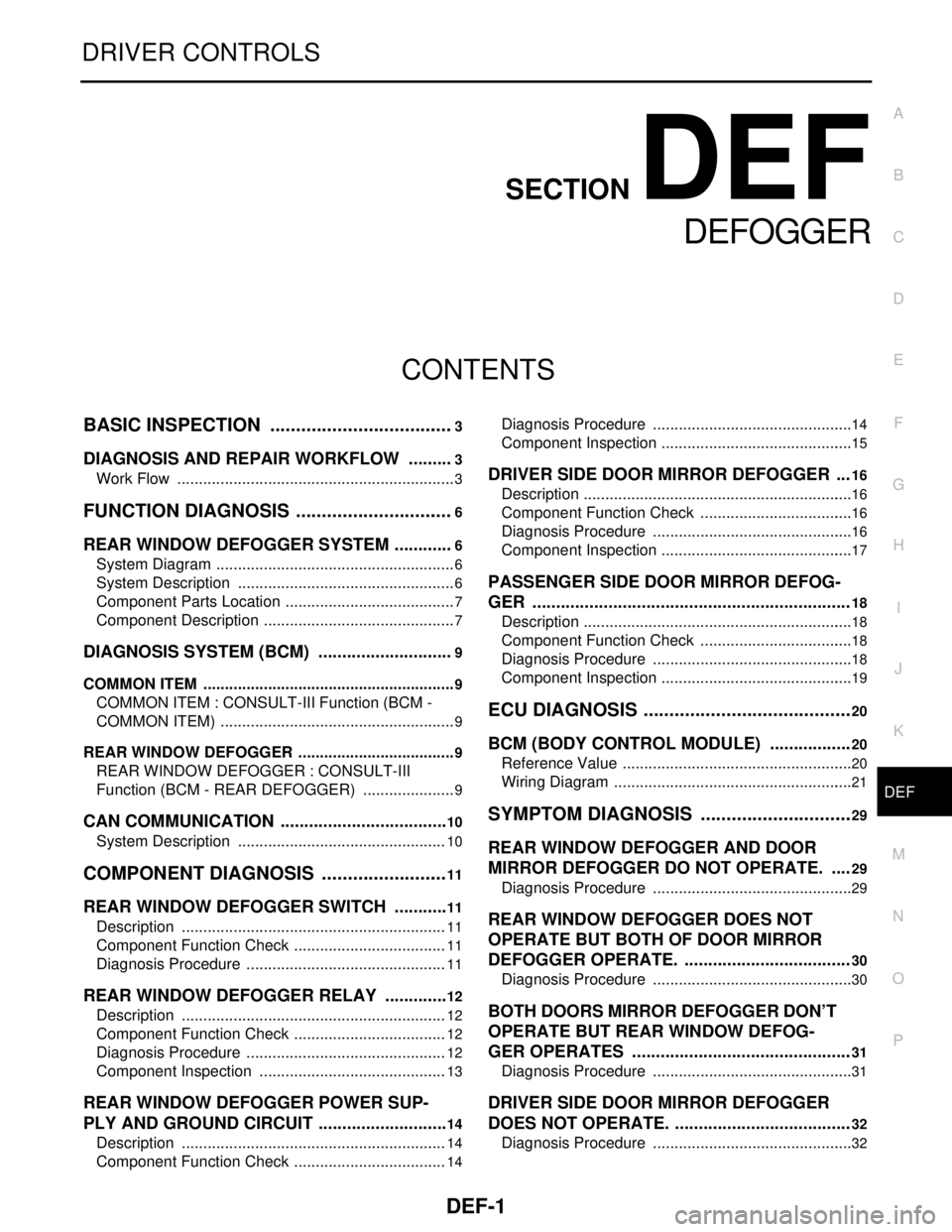
DEF-1
DRIVER CONTROLS
C
D
E
F
G
H
I
J
K
M
SECTION DEF
A
B
DEF
N
O
P
CONTENTS
DEFOGGER
BASIC INSPECTION ....................................3
DIAGNOSIS AND REPAIR WORKFLOW ..........3
Work Flow .................................................................3
FUNCTION DIAGNOSIS ...............................6
REAR WINDOW DEFOGGER SYSTEM .............6
System Diagram ........................................................6
System Description ...................................................6
Component Parts Location ........................................7
Component Description .............................................7
DIAGNOSIS SYSTEM (BCM) .............................9
COMMON ITEM ...........................................................9
COMMON ITEM : CONSULT-III Function (BCM -
COMMON ITEM) .......................................................
9
REAR WINDOW DEFOGGER .....................................9
REAR WINDOW DEFOGGER : CONSULT-III
Function (BCM - REAR DEFOGGER) ......................
9
CAN COMMUNICATION ....................................10
System Description .................................................10
COMPONENT DIAGNOSIS .........................11
REAR WINDOW DEFOGGER SWITCH ............11
Description ..............................................................11
Component Function Check ....................................11
Diagnosis Procedure ...............................................11
REAR WINDOW DEFOGGER RELAY ..............12
Description ..............................................................12
Component Function Check ....................................12
Diagnosis Procedure ...............................................12
Component Inspection ............................................13
REAR WINDOW DEFOGGER POWER SUP-
PLY AND GROUND CIRCUIT ............................
14
Description ..............................................................14
Component Function Check ....................................14
Diagnosis Procedure ...............................................14
Component Inspection .............................................15
DRIVER SIDE DOOR MIRROR DEFOGGER ...16
Description ...............................................................16
Component Function Check ....................................16
Diagnosis Procedure ...............................................16
Component Inspection .............................................17
PASSENGER SIDE DOOR MIRROR DEFOG-
GER ...................................................................
18
Description ...............................................................18
Component Function Check ....................................18
Diagnosis Procedure ...............................................18
Component Inspection .............................................19
ECU DIAGNOSIS .........................................20
BCM (BODY CONTROL MODULE) .................20
Reference Value ......................................................20
Wiring Diagram ........................................................21
SYMPTOM DIAGNOSIS ..............................29
REAR WINDOW DEFOGGER AND DOOR
MIRROR DEFOGGER DO NOT OPERATE. ....
29
Diagnosis Procedure ...............................................29
REAR WINDOW DEFOGGER DOES NOT
OPERATE BUT BOTH OF DOOR MIRROR
DEFOGGER OPERATE. ...................................
30
Diagnosis Procedure ...............................................30
BOTH DOORS MIRROR DEFOGGER DON’T
OPERATE BUT REAR WINDOW DEFOG-
GER OPERATES ..............................................
31
Diagnosis Procedure ...............................................31
DRIVER SIDE DOOR MIRROR DEFOGGER
DOES NOT OPERATE. .....................................
32
Diagnosis Procedure ...............................................32