Page 1252 of 1575
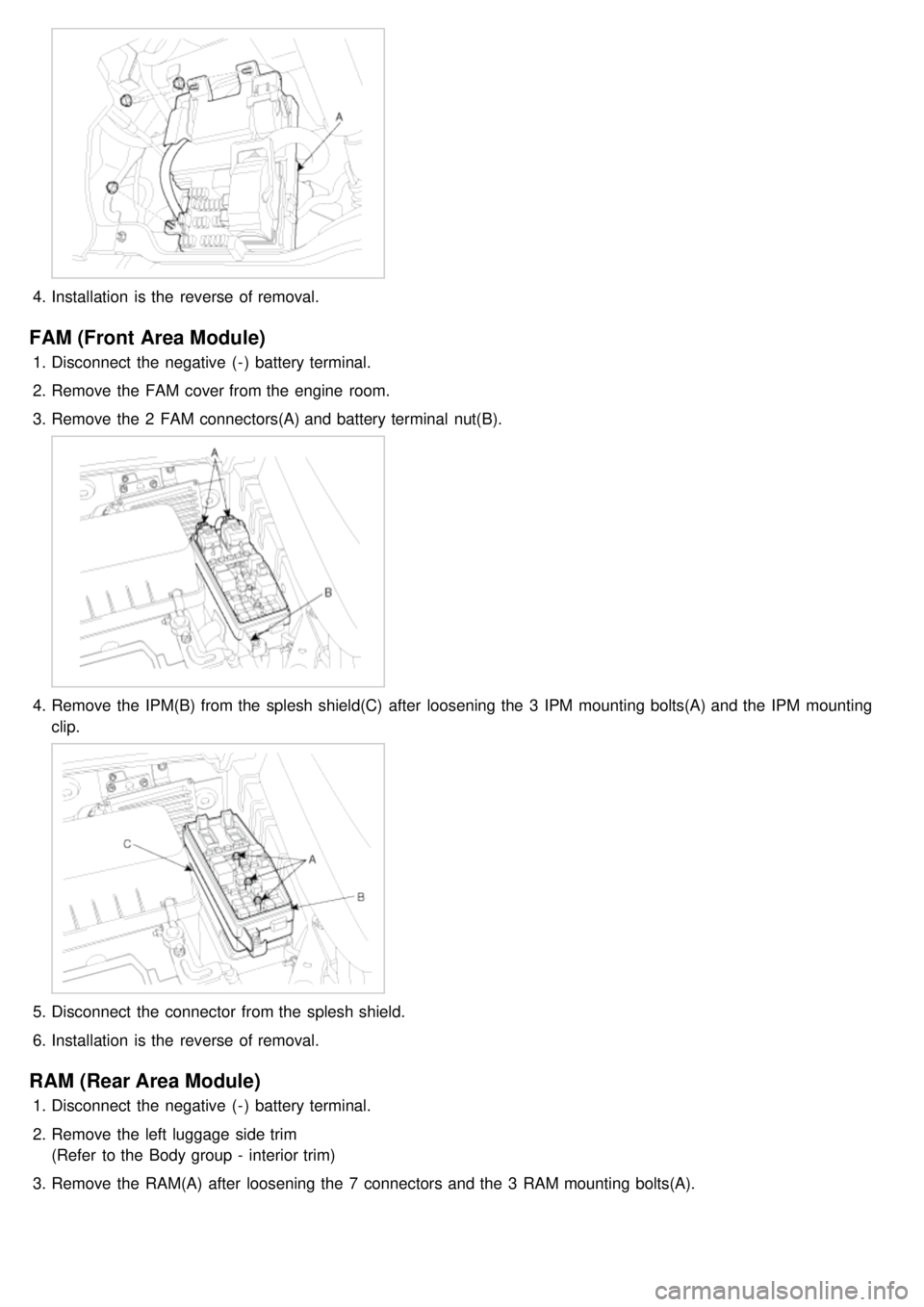
4.Installation is the reverse of removal.
FAM (Front Area Module)
1.Disconnect the negative ( - ) battery terminal.
2. Remove the FAM cover from the engine room.
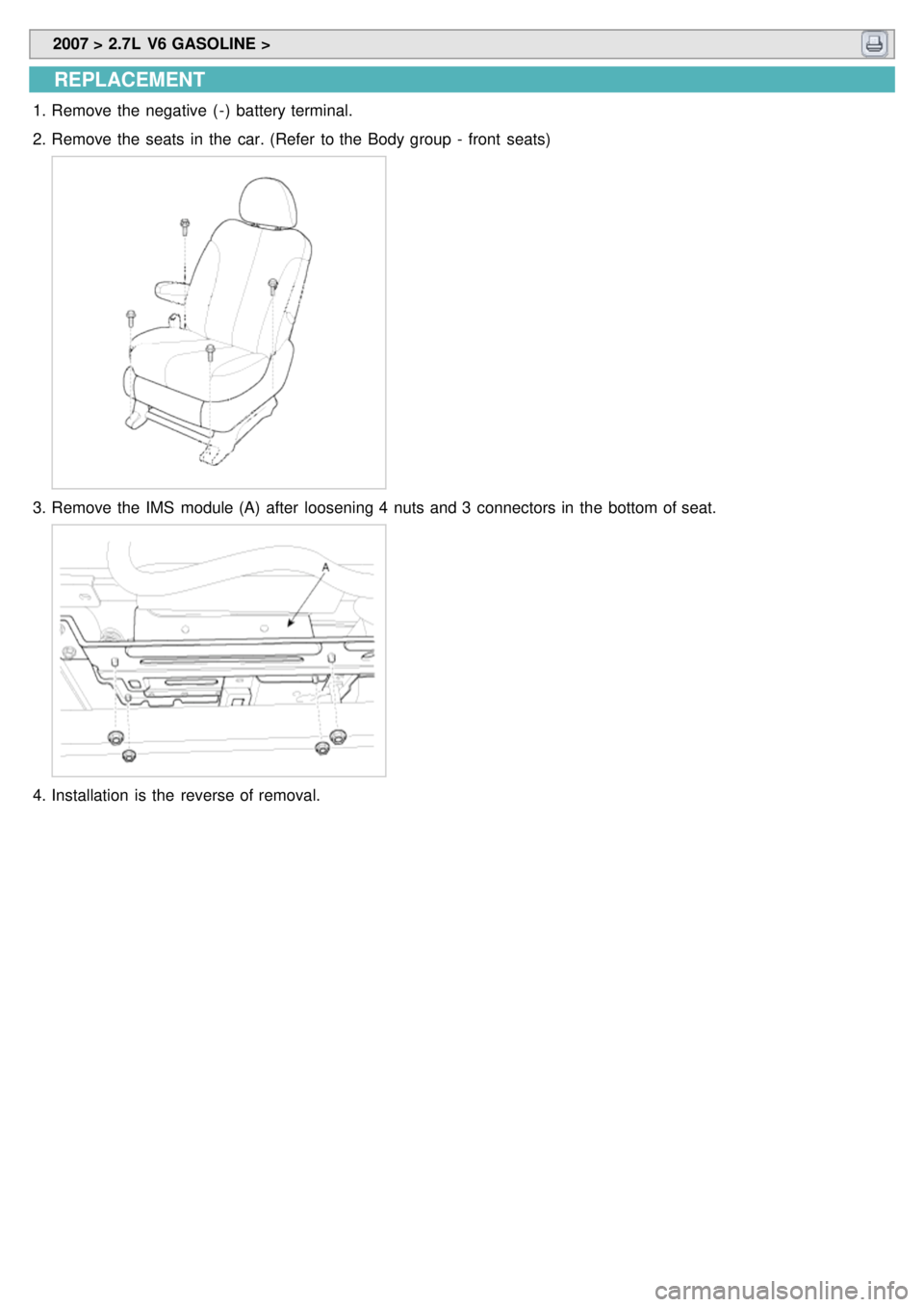
3. Remove the 2 FAM connectors(A) and battery terminal nut(B).
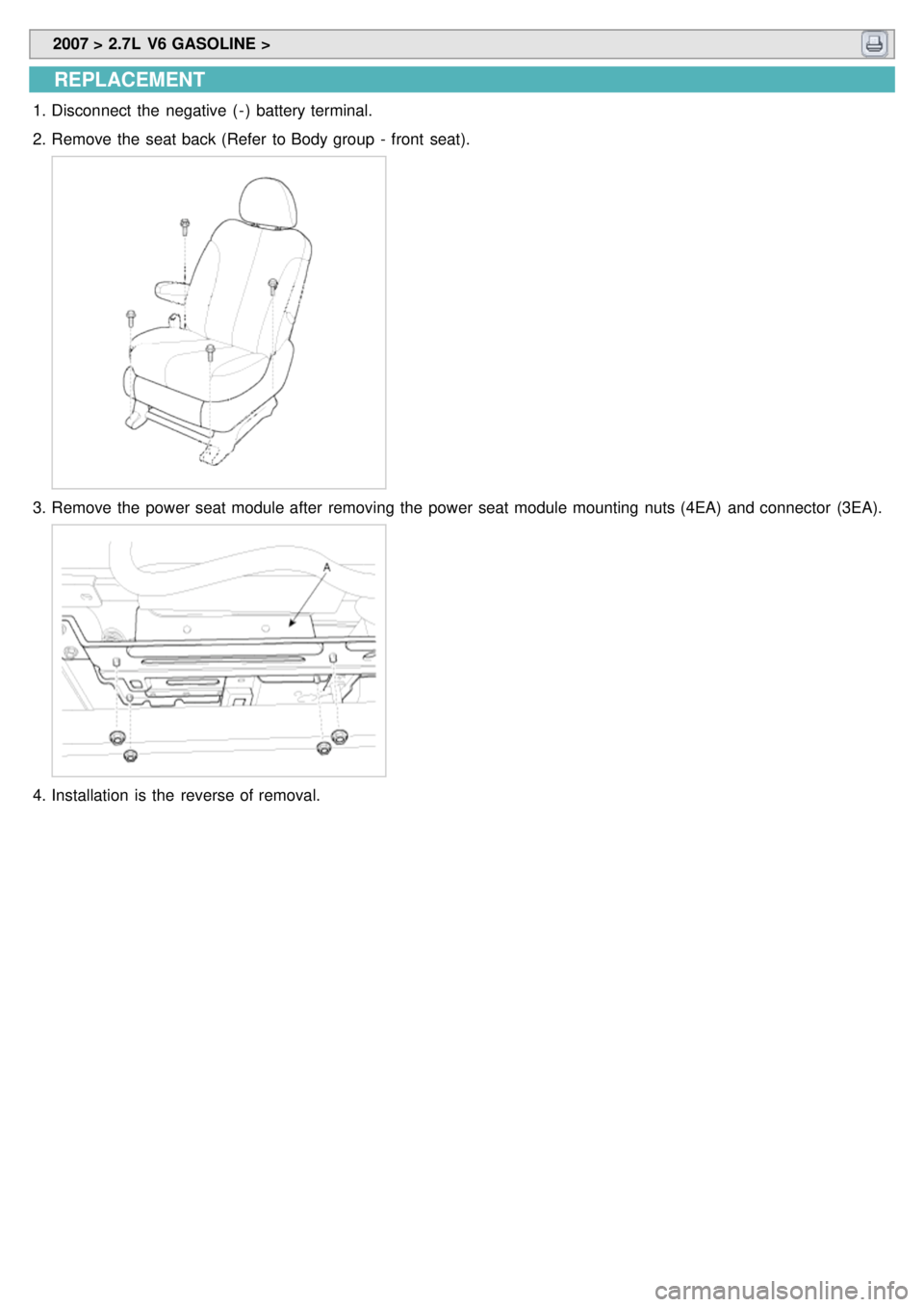
4.Remove the IPM(B) from the splesh shield(C) after loosening the 3 IPM mounting bolts(A) and the IPM mounting
clip.
5.Disconnect the connector from the splesh shield.
6. Installation is the reverse of removal.
RAM (Rear Area Module)
1.Disconnect the negative ( - ) battery terminal.
2. Remove the left luggage side trim
(Refer to the Body group - interior trim)
3. Remove the RAM(A) after loosening the 7 connectors and the 3 RAM mounting bolts(A).
Page 1256 of 1575
2007 > 2.7L V6 GASOLINE >
REPLACEMENT
1.Remove the negative ( - ) battery terminal.
2. Remove the seats in the car. (Refer to the Body group - front seats)
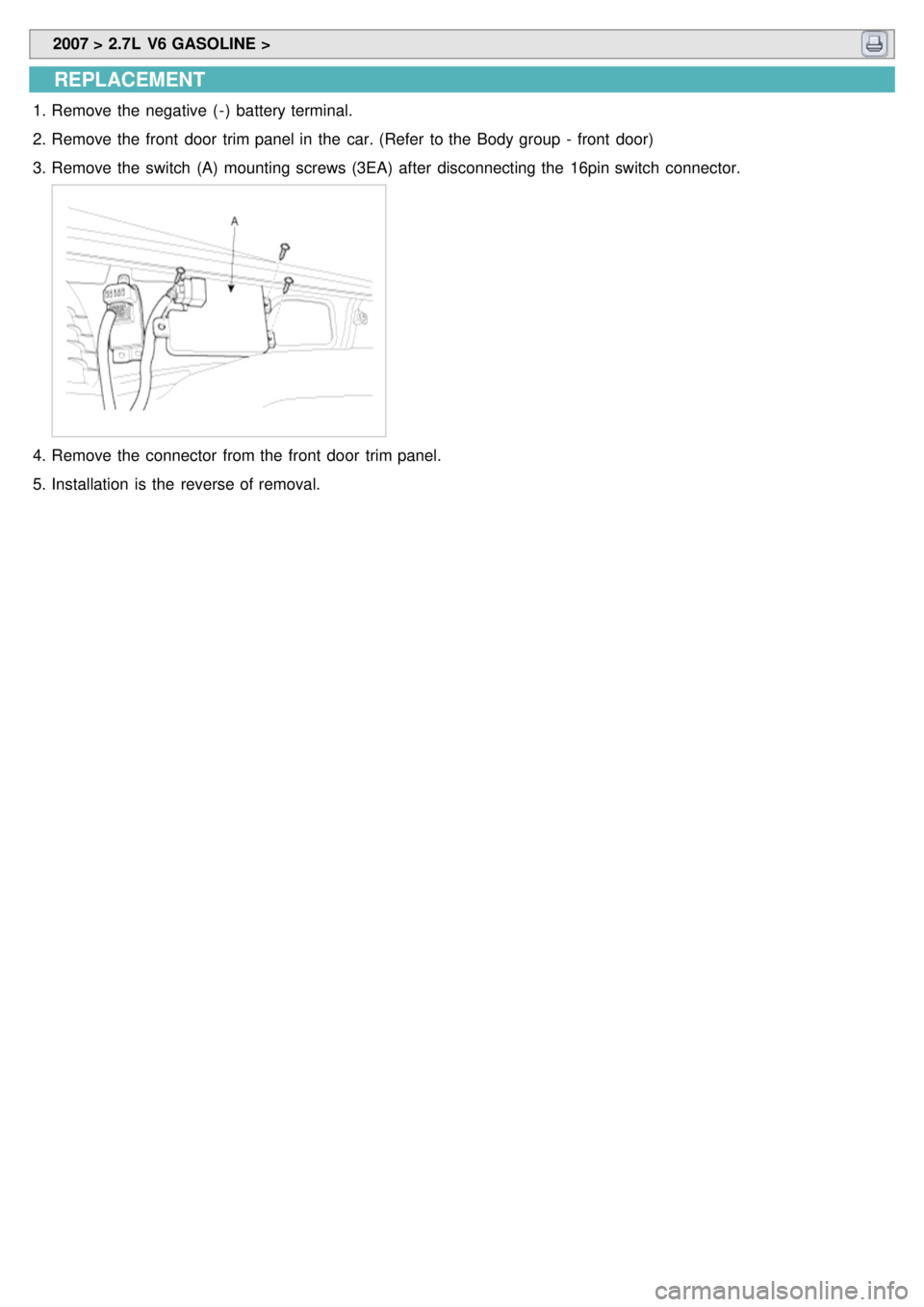
3.Remove the IMS module (A) after loosening 4 nuts and 3 connectors in the bottom of seat.
4.Installation is the reverse of removal.
Page 1259 of 1575
2007 > 2.7L V6 GASOLINE >
DESCRIPTION
An optimal seat position set by a driver can be memorized in P/seat unit by memory SW and position SW, which
enables restoration of seat position set by the driver despite seat adjustments.
Furthermore, data is transmitted between P/seat and IPM, DDM, ADM, RAM, FAM, CLUSTER through CAN BUS.
Seat position presets cannot be recalled while driving. An emergency stop function is provided; additional functions are
described below.
1. It conducts manual operation of seat by CAN BUS data transmitted by DDM as well as that of adjustable pedal by
CAN BUS data transmitted by IPM received when operating SW manually.
2. Manual SW behavior when communication stops (back- up behavior)
a. Slide front/rear
b. Recline front/rear
c. Position control of slide motor is possible by manual SW even in case of congestion in CPU or removal of a
fuse for P/seat unit B.
3. 2 memory locations are provided for storing seat, outside mirror, and adjustable pedal presets.
4. The driver seat can be set to slide rearward when the ignition key is removed, and forward when the key is
inserted.
5. 2 additional presets for seat, mirror, and adjustable pedal position can be stored with the RKE transmitter.
OPERATION
MANUAL OPERATION
Manual operation of the driver seat and adjustable pedals is possible provided the transaxle is in 'P' range and the
vehicle speed is 0 MPH. Operation of the manual controls overrides any automatic operation commanded via CAN.
MEMORY OPERATION
1. Pressing the 'M' button on the control panel will place the system into memory storage mode and will result in a
single pulse from the output buzzer.
2. If one of the memory location buttons is pressed and held within 5 seconds of pressing the 'M' button, the output
buzzer will pulse twice to indicate successful storage of seat, mirror, and adjustable pedal positions.
3. The ignition switch must be in the RUN or START position, the vehicle speed must be 0 MPH, and the transaxle
must be in 'P' range to store memory presets.
4. Pressing the 'M' button while recalling a stored preset will halt the preset recall operation.
5. Memory will be cleared if battery is removed.
MEMORY REPLAY OPERATION
1.Pressing one of the memory location buttons will result in the driver seat, outside mirrors, and adjustable pedals
being positioned based on the stored preset data.
2. The ignition switch must be in the RUN position, the transaxle must be in 'P' range, the vehicle speed must be 0
MPH, and the manual functions must not be in operation to recall stored presets.
3. Others
a. Play operation not recorded in the position switch will not be conducted and there will be no buzzer output.
b. If other data is received during preset recall operation, the most recent preset recall signal will take
precedence.
c. If engine is started during preset recall operation, halt preset recall operation, and resume it toward target
position 100ms after Ignition switch is returned to "RUN". However, if the START state lasts over 5 sec., it will
not resume even after returning to RUN.
d. If preset recall order is received during engine start, preset recall operation is inhibited.
e. If input from manual switch for seat and adjust pedal occurs during preset recall operation of seat and adjust
pedal, halt all their preset recall operations.
f. If an error occurs during manual operation of seat and adjust pedal, delete Memory.
Page 1263 of 1575
2007 > 2.7L V6 GASOLINE >
REPLACEMENT
1.Disconnect the negative ( - ) battery terminal.
2. Remove the seat back (Refer to Body group - front seat).
3.Remove the power seat module after removing the power seat module mounting nuts (4EA) and connector (3EA).
4.Installation is the reverse of removal.
Page 1265 of 1575
2007 > 2.7L V6 GASOLINE >
REPLACEMENT
1.Remove the negative ( - ) battery terminal.
2. Remove the front door trim panel in the car. (Refer to the Body group - front door)
3. Remove the switch (A) mounting screws (3EA) after disconnecting the 16pin switch connector.
4.Remove the connector from the front door trim panel.
5. Installation is the reverse of removal.
Page 1268 of 1575
2007 > 2.7L V6 GASOLINE >
REPLACEMENT
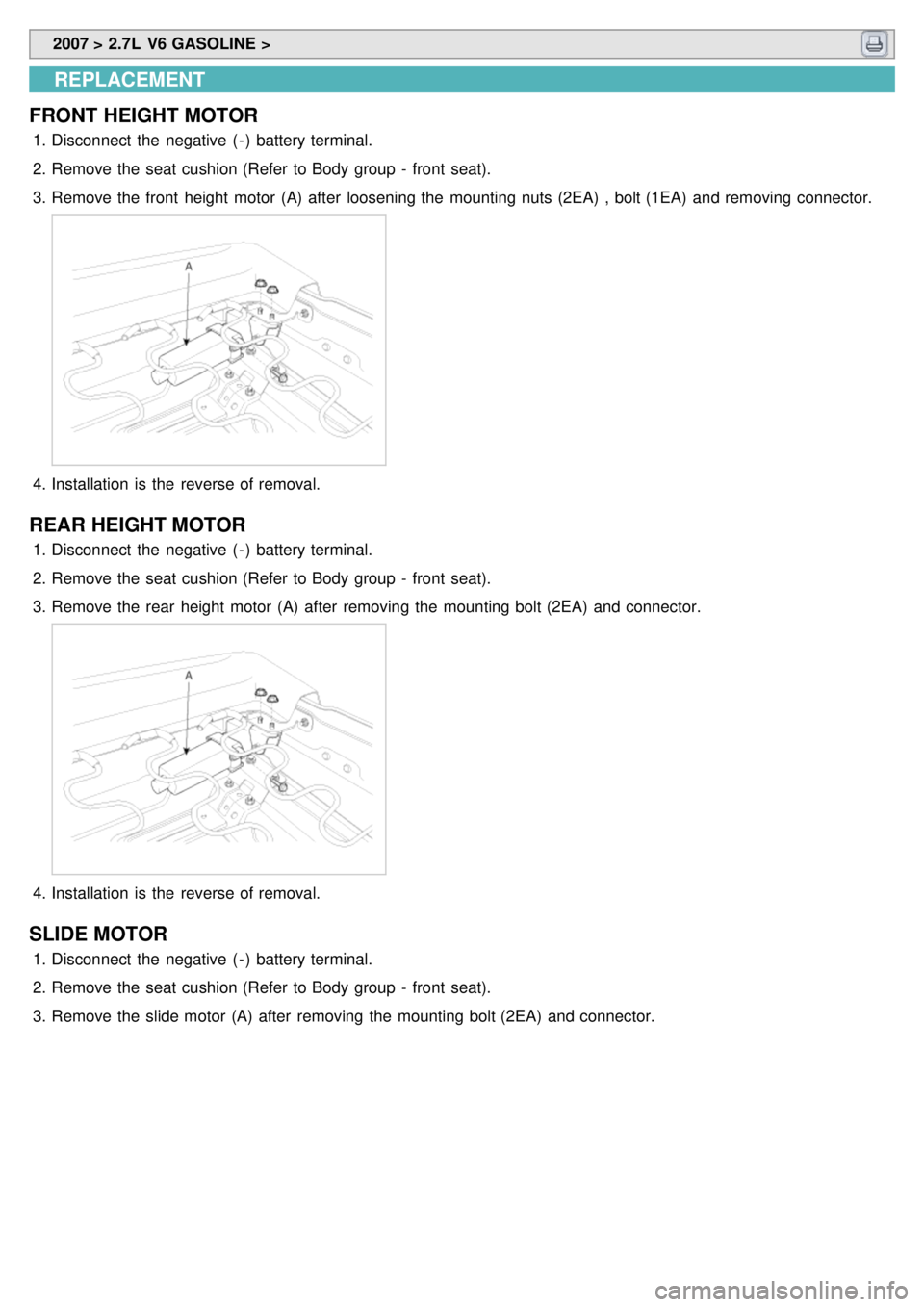
FRONT HEIGHT MOTOR
1. Disconnect the negative ( - ) battery terminal.
2. Remove the seat cushion (Refer to Body group - front seat).
3. Remove the front height motor (A) after loosening the mounting nuts (2EA) , bolt (1EA) and removing connector.
4.Installation is the reverse of removal.
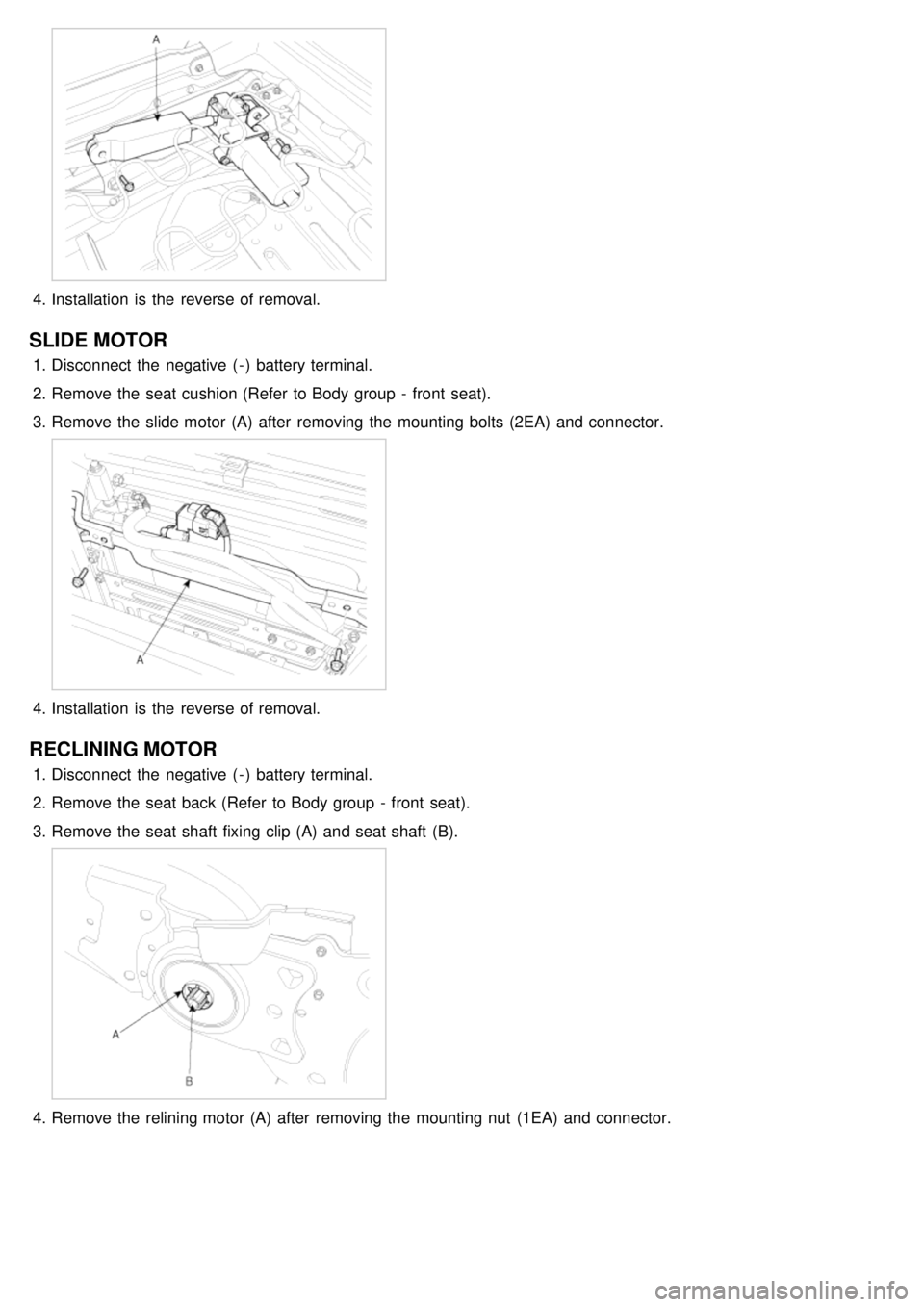
REAR HEIGHT MOTOR
1.Disconnect the negative ( - ) battery terminal.
2. Remove the seat cushion (Refer to Body group - front seat).
3. Remove the rear height motor (A) after removing the mounting bolt (2EA) and connector.
4.Installation is the reverse of removal.
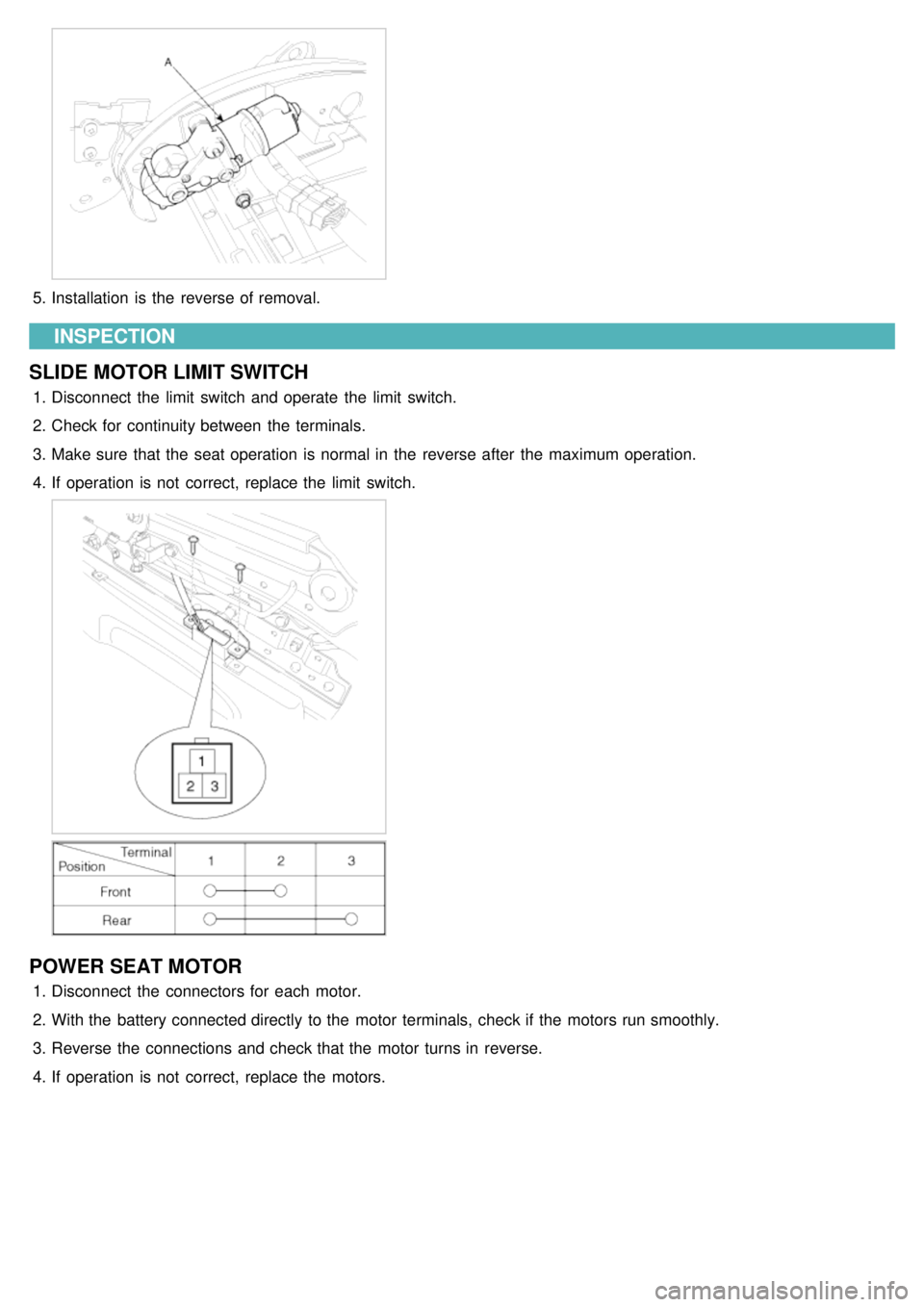
SLIDE MOTOR
1.Disconnect the negative ( - ) battery terminal.
2. Remove the seat cushion (Refer to Body group - front seat).
3. Remove the slide motor (A) after removing the mounting bolt (2EA) and connector.
Page 1269 of 1575
4.Installation is the reverse of removal.
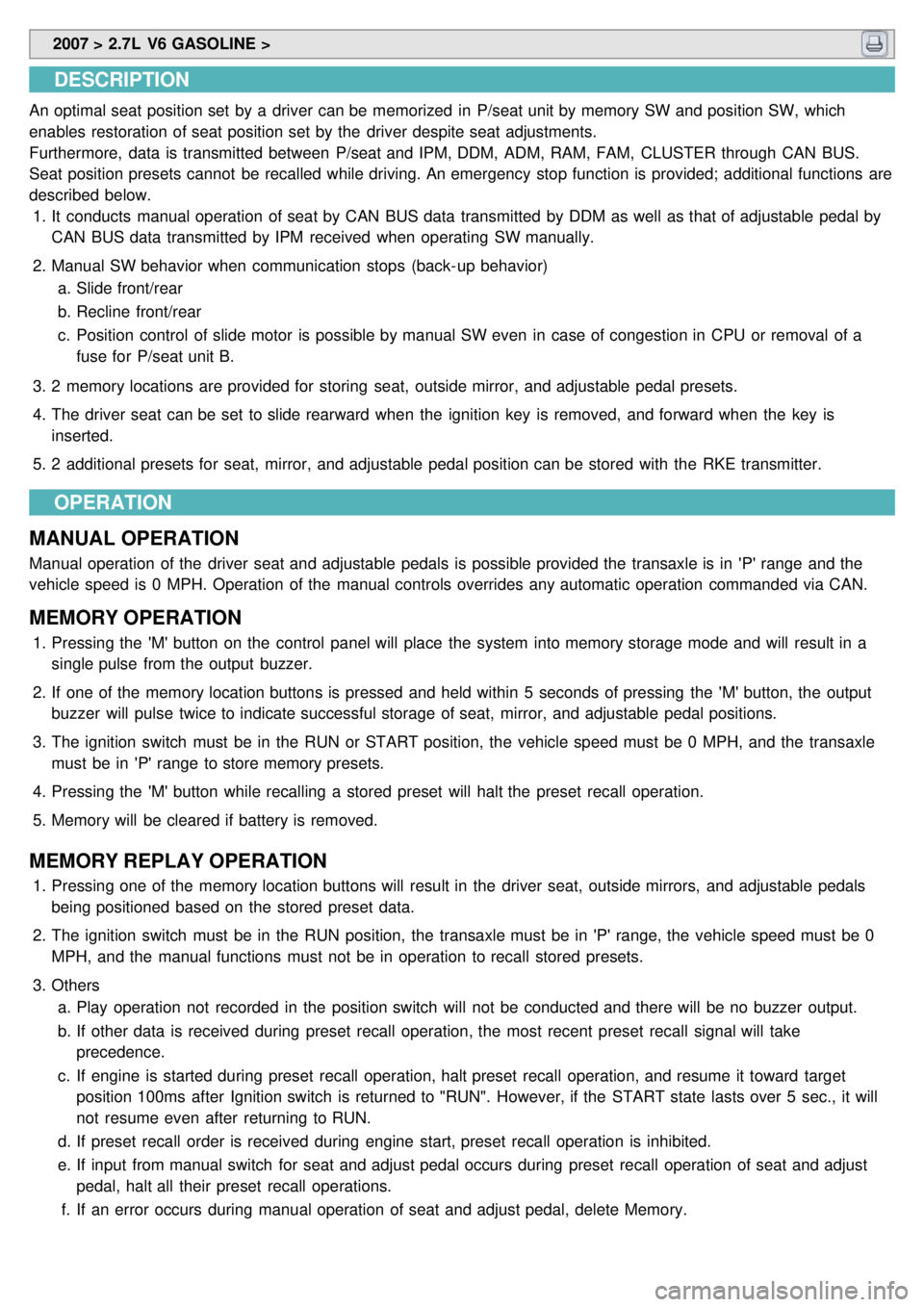
SLIDE MOTOR
1.Disconnect the negative ( - ) battery terminal.
2. Remove the seat cushion (Refer to Body group - front seat).
3. Remove the slide motor (A) after removing the mounting bolts (2EA) and connector.
4.Installation is the reverse of removal.
RECLINING MOTOR
1.Disconnect the negative ( - ) battery terminal.
2. Remove the seat back (Refer to Body group - front seat).
3. Remove the seat shaft fixing clip (A) and seat shaft (B).
4.Remove the relining motor (A) after removing the mounting nut (1EA) and connector.
Page 1270 of 1575
5.Installation is the reverse of removal.
INSPECTION
SLIDE MOTOR LIMIT SWITCH
1. Disconnect the limit switch and operate the limit switch.
2. Check for continuity between the terminals.
3. Make sure that the seat operation is normal in the reverse after the maximum operation.
4. If operation is not correct, replace the limit switch.
POWER SEAT MOTOR
1.Disconnect the connectors for each motor.
2. With the battery connected directly to the motor terminals, check if the motors run smoothly.
3. Reverse the connections and check that the motor turns in reverse.
4. If operation is not correct, replace the motors.