Page 89 of 331
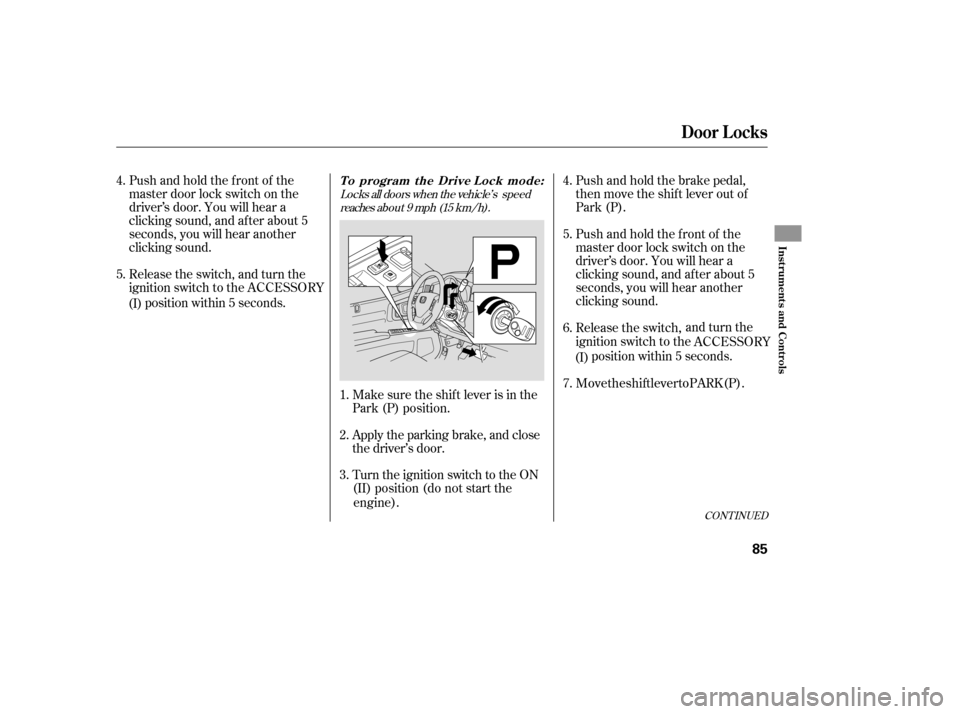
Locks all doors when the vehicle’s speedreaches about 9 mph (15 km/h).
Pushandholdthefrontof the
master door lock switch on the
driver’ s door. You will hear a
clicking sound, and af ter about 5
seconds, you will hear another
clicking sound.
Release the switch, and turn the
position within 5 seconds.
Make sure the shi
f t lever is in the
Park (P) position.
(II) position (do not start the
engine). Push and ho
l
d the brake pedal,
then move the shift lever out of
Park (P).
Pushandholdthefrontof the
master door lock switch on the
driver’ s door. You will hear a
clicking sound, and af ter about 5
seconds, you will hear another
clicking sound.
Release the switch, and turn the
ignition s w
itch to the
position within 5 seconds.
Apply the parking brake, and close
the driver’s door.
Turn the ignition switch to the ON
1.
2.
3. 5. 4.
6.
4.
5.
CONT INUED
Door L ocks
Inst rument s and Cont rols
85
(I)
ignition switch to the ACCESSORY
ACCESSORY
(I)
7. Move the shift lever to PARK (P).
To program the Drive Lock mode:
Page 90 of 331
Pushandholdthefrontof the
master door lock switch on the
driver’s door. You will hear a
clicking sound af ter about 5
seconds.
Make sure the shif t lever is in the
Park (P) position. Release the switch, and turn the
ignition switch to the
position within 5 seconds. T
he driver’ s
door and then In-Bed
Trunk unlocks whenever you move
the shift lever to the PARK (P)
position.
All doors and the In-Bed trunk
unlocks whenever you move the
shift lever to the PARK (P) position.
T
he auto door
unloc
king f eature has
three modes (Park Unlock, Ignition
Switch, and Deactivated), with five
possible settings:
The driver’s door and the In-Bed
Trunk unlocks whenever you turn the
ignition switch to the LOCK (0) position.
All doors and the In-Bed Trunk unlocks
whenever you tur n
the ignition switch to
theLOCK (0) position.
The auto door unlocking settings
are deactivated.
Apply the parking brake, and
open
the driver’s door.
Turn the ignition switch to the ON
(II) position (do not start the engine).
1.
5. 4.
2.
3.
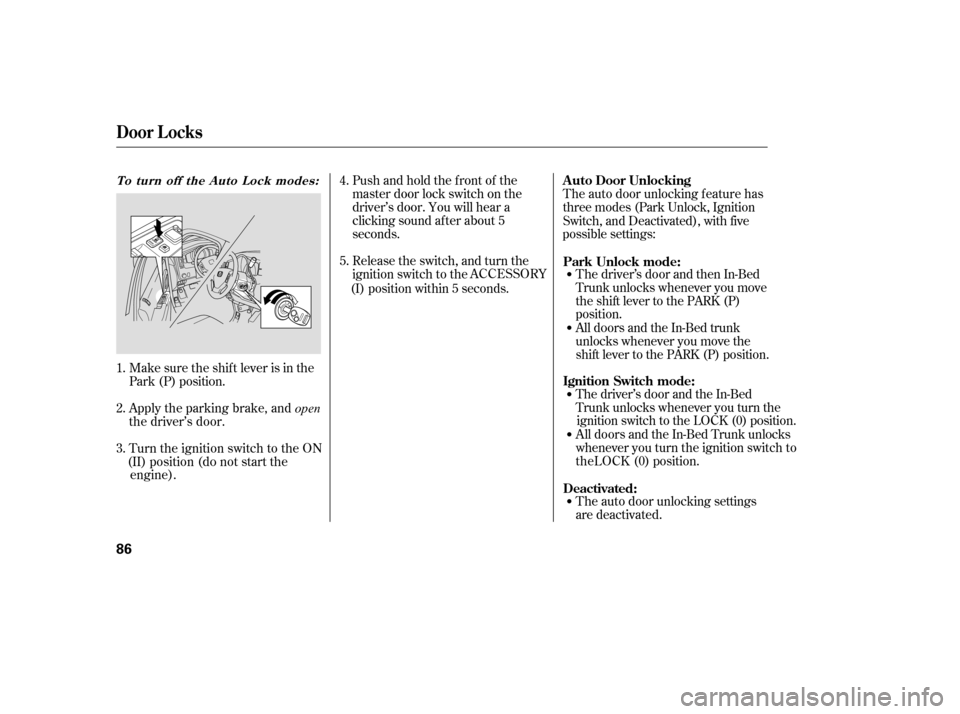
To turn off the Auto Lock modes:A uto Door Unlocking
Door L ocks
86
(I) ACCESSORY
Park Unlock mode:
Ignition Switch mode:
Deactivated:
Page 91 of 331
Make sure the shi
f t lever is in
Park (P), and close the driver’s
door. Pushandholdtherearof the
master door lock switch on the
driver’s door. You will hear a
clicking sound. Continue to hold
down the switch:
Release the
s
witch, and turn the
ignition switch to the Make sure the shif t lever is in the
Park (P) position.
Turn the ig n
ition switch to the ON
(II) position.
Turn the ignition switch to the ON
(II) position (do not start the engine). Apply the parking brake, and close
the driver’s door.
1.
2. 4. 3.
1.
2.
3.
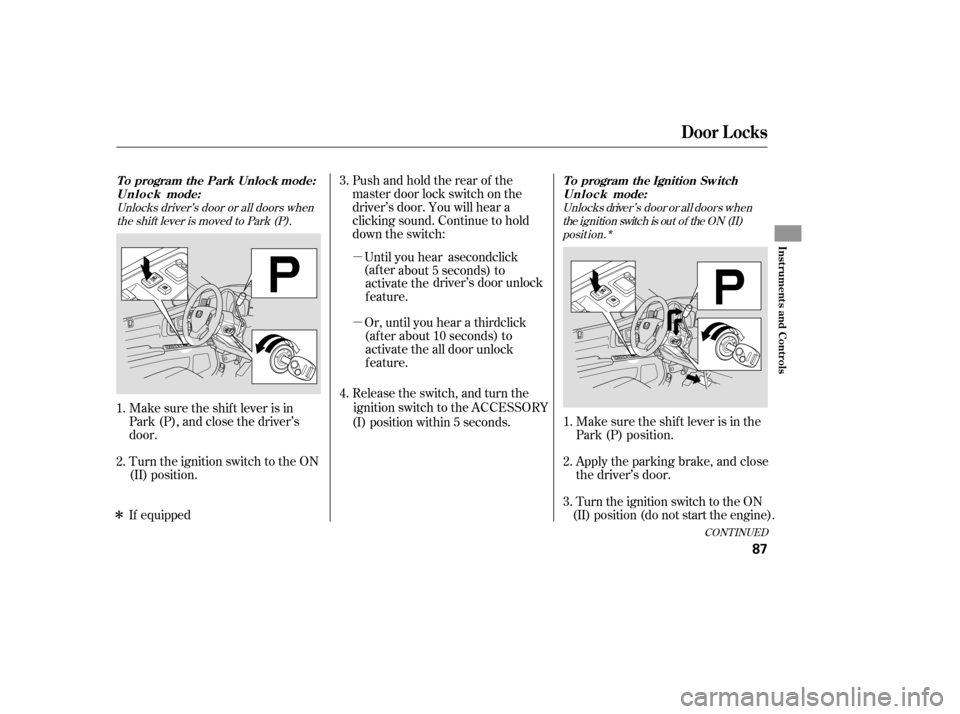
Unlocks driver’s door or all doors whenthe shift lever is moved to Park (P). Unlocks driver’ s door or a ll doors when
the ignition switch is out of the ON (II)posit ion.*
CONT INUED
To program the Park Unlock mode:U n l o c k mode:
Door L ocks
Inst rument s and Cont rols
87
position within 5 seconds.
(I) ACCESSORY
�µ
about 5 sec
o
nds) to
activate the driver’s door unlock
f eature.
(af ter about 10 seconds) to activate the all door unlock
feature.
Or, until you hear a third click
�µUntil you hear a second click
(af ter
To program the Ignition Sw itch
U n l o c k mode:
�ÎIf equipped
Page 92 of 331
Apply the parking brake, and
open the driver’s door.
Make sure the s
hi
f t lever is in the
Park (P) position.
Turn the ignition switch to the ON
(II) position (do not start the
engine).
Push and hold the brake pedal,
then move the shift lever out of
Park (P).
Pushandholdtherearof the
master door lock switch on the
driver’s door. You will hear a
clicking sound. Continue to hold
down the switch:
Pushandholdtherearof the
master door lock switch on the
driver’s door. You will hear a
clicking sound, and af ter about 5
seconds, you will hear another
clicking sound.
4.
1.
2.
3.
5. 4.
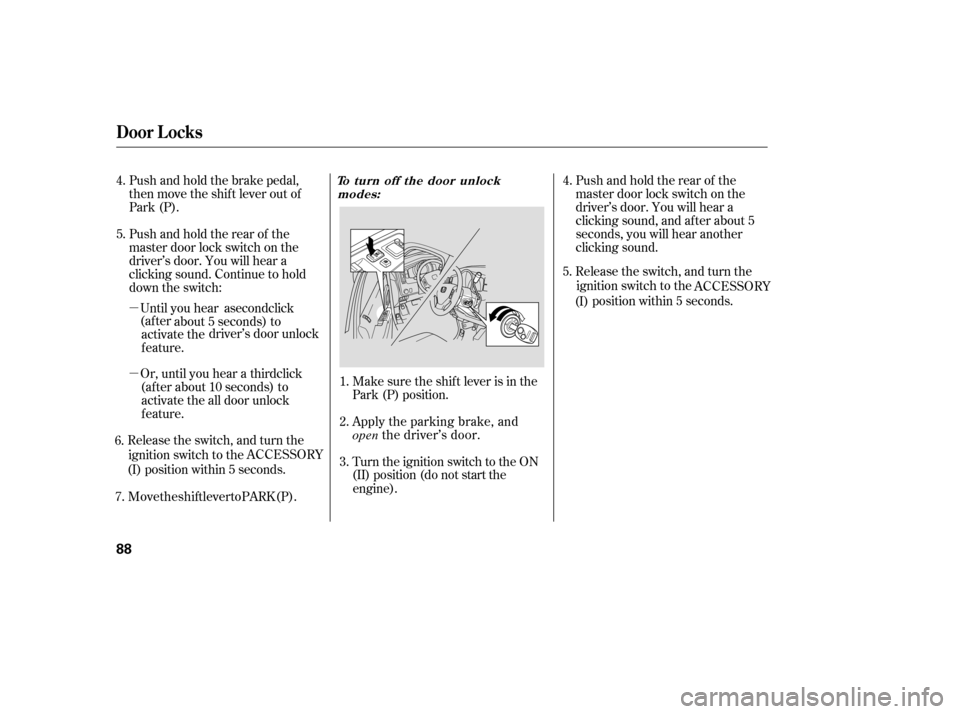
T o turn off the door unlock
modes:
Door L ocks
88
�µ about 5 seconds) to
activate the dr
iv
er’s door unlock
f eature.
(af ter abo u
t 10 seconds) to
activate the all door unlock
feature.
Rele
ase the s
witch, and turn the
ignition switch to the
position within 5 seconds.
(I) ACCESSORY
Or, until you hear a third click
�µUntil you hear a second click
(af ter
6. 7. Move the shift lever to PARK (P). Release the switch, and turn the
ignition switch to the
position within 5 seconds.
5.
(I) ACCESSORY
Page 108 of 331
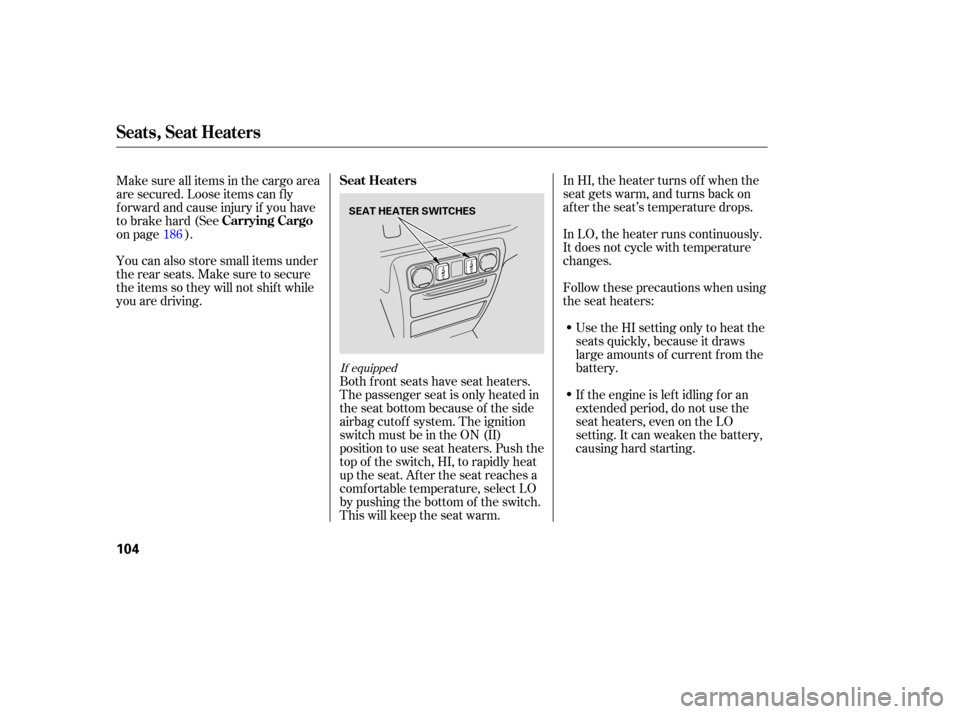
In HI, the heater turns off when the
seat gets warm, and turns back on
after the seat’s temperature drops.
In LO, the heater runs continuously.
It does not cycle with temperature
ch anges.
Follow these precautions when using
the seat heaters:
Use the HI setting only to heat the
seats quickly, because it draws
large amounts of current from the
battery.
If the engine is left idling for an
extended period, do not use the
seat heaters, even on the LO
setting. It can weaken the battery,
causing hard starting.
Ma
ke sure all items in the cargo area
are secured. Loose items can f ly
f orward and cause injury if you have
to brake hard (See
on page ).
You can also store small items under
the rear seats. Make sure to secure
the items so they will not shift while
you are driving.
Both front seats have seat heaters.
The passenger seat is only heated in
the seat bottom because of the side
airbag cutoff system. The ignition
switch must be in the ON (II)
position to use seat heaters. Push the
top of the switch, HI, to rapidly heat
up the seat. After the seat reaches a
comf ortable temperature, select LO
by pushing the bottom of the switch.
This will keep the seat warm.
186
If equipped
Seat Heaters
Carrying Cargo
Seats, Seat Heaters
104
SEAT HEATER SWITCHES
Page 110 of 331

�µIf the driver’s
window senses any obstacle while it
is closing automatically, it will
reverse direction, and then stop. To
close the window, remove the
obstacle, then use the window switch
again.
Auto reverse stops sensing when the
window is almost closed. You should
always check that all passengers and
objects are away from the window
bef ore closing it. Your vehicle has a power back
window.
This indicator comes on when you
turn the ignition switch from the ON
(II) to the ACCESSORY (I) or LOCK
(0) position without closing the back
window. With the ignition switch in
the ACCESSORY (I) position, the
indicator goes of f af ter about 30
seconds. With the ignition switch in
the LOCK (0) position, the indicator
goes of f af ter about 3 minutes.
If the driver’s window f use is
removed, the AUTO f unction may be
disabled. The power window system
needs to be reset af ter reinstalling
the fuse.
Start the engine. Push down and
hold the driver’s window switch
until the window is f ully open.
Pull and hold the driver’s window
switch to close the window
completely, then hold the switch
f or about 2 seconds.
If the power windows do not operate
properly af ter resetting, have your
vehicle checked by your dealer. 1.
2.
AUTO REVERSE
Back Window
Back Window Open
Indicator
Power Windows
106
Page 130 of 331

The heater uses engine coolant to
warm the air. If the engine is cold, it
will be several minutes before you
feel warm air coming from the
system. Air
conditioning places an extra load
on the engine. Watch the engine
coolant temperature gauge (see page ). If it moves near the red zone,
turn of f the A/C until the gauge
reading returns to normal.
Turn on the A/C by pressing the
button. The display shows A/C
ON on when a f an speed is
selected.
Make sure the temperature is set
to maximum cool.
Select .
If the outside air is humid, select
recirculation mode. If the outside
air is dry, select f resh air mode.
Set the f an to the desired speed. you can
cool it down more rapidly by partially
opening the windows, turning on the
A/C, and setting the fan to
maximum speed in f resh air mode.
To cool the interior with MAX A/C:
Select .
When you select , the system
automatically switches to the fresh
air mode.
Set the f an to the desired speed.
Adjust the warmth of the air with
the temperature control dial. Set the f an to the desired speed.
Select MAX A/C mode.
The system automatically turns on
the A/C, selects , and
switches to recirculation mode.
Make sure the temperature is set
to maximum cool.
1.
2.
3.
1.
2.
3.
1.
2.
3.
4.
5. 72
If the interior is very warm,
On RT, RTX, and Canadian LX modelsUsing the Heater Using the A /C
Vents, Heating, and A/C
126
Page 181 of 331
Bef ore you begin driving your
vehicle, you should know what
gasoline to use and how to check the
levels of important f luids. You also
need to know how to properly store
luggage or packages. The
inf ormation in this section will help
you. If you plan to add any
accessories to your vehicle, please
read the information in this section
first..............................
Break-in Period .178
.................
Fuel Recommendation .178
.........
Service Station Procedures .179
....................................
Ref ueling .179
Opening and Closing the
.......................................
Hood .181
...................................
Oil Check .182
.............
Engine Coolant Check .182
...............................
Fuel Economy .183
...
Accessories and Modif ications .184
.............................
Carrying Cargo .186
Bef ore Driving
Bef ore Driving
177
