Page 203 of 331

�µ
�µ
CONT INUED
Press the D3 switch on the end of
the shif t lever to turn this mode on
or of f ; the D3 indicator comes on
whenever D3 is selected.
TheD3switchcanbeoperatedonly
when the ignition switch is in the ON
(II) position and the shif t lever is in
the D position.
Use this position f or
your normal driving. The
transmission automatically selects a
suitable gear (1 through 5) f or your
speed and acceleration. You may
notice the transmission shif ting up at
higher engine speeds when the
engine is cold. This helps the engine
warm up f aster.
Af ter you stop in D, 2, 1, N, or R
position with the ignition switch in
the ACCESSORY (I) position f or an
extended period, you may not be
able to move the shift lever from
neutral to reverse or Park. In this
case, press the brake pedal, and turn
the ignition switch to the ON (II)
position, then shif t out of neutral. Use neutral if you
need to restart a stalled engine, or if
it is necessary to stop brief ly with
the engine idling. Shif t to the Park
position if you need to leave your
vehicle for any reason. Press on the
brake pedal when you are moving
the shift lever from neutral to
another gear.
Automatic Transmission
D3Drive (D)
Neutral (N)
Driving
199
D3 SWITCH
Page 204 of 331

�µTo shif t to second,
pull the shif t lever towards you, then
shif t to the lower gear. This position
locks the transmission in second
gear. It does not downshif t to f irst
gear when you come to a stop.
Use second gear: For more power when climbing.
To increase engine braking when
going down steep hills.
For starting out on a slippery
surf ace or in deep snow.
To help reduce wheel spin.
When driving downhill with a
trailer.
When towing a trailer on level roads
under normal driving conditions, do
not use D3. This will increase the
automatic transmission f luid
temperature and may cause
overheating.
Shif ting out of the D position will
cancel D3, and cause the D3
indicator to go out. Selecting the D
position again will resume D3, and
the indicator will come on.
Turning the ignition switch to the
LOCK (0) position turns D3 of f . To
use D3 when you restart the engine,
select the D position, and press the
D3 switch again.
TheD3indicatoralsocomesonfora
f ew seconds when you turn the
ignition switch to the ON (II)
position.
When D3 is on, the transmission
selects only the f irst three gears.
Use D3 f or engine braking when
going down a steep hill.
Automatic Transmission
Second (2)
200
D3 INDICATOR
Page 205 of 331
�µTo shif t f rom second to
first, pull the shift lever towards you,
then shif t to the lower gear. This
position locks the transmission in
f irst gear. By upshif ting and
downshif ting through 1, 2, and D,
you can operate the transmission
much like a manual transmission
without a clutch pedal.
If you shif t into f irst position when
the vehicle speed is above 28 mph
(45 km/h), the transmission shif ts
into second gear first to avoid
sudden engine braking. If you exceed the maximum speed
f or the gear you are in, the engine
speed will enter into the tachometer’s
red zone. If this occurs, you may f eel
the engine cut in and out. This is
caused by a limiter in the engine’s
computer controls. The engine will
run normally when you reduce the
rpm below the red zone.
Automatic Transmission
First (1)
Engine Speed L imiter
Driving
201
Page 206 of 331
Remove the key from the shift
lock release slot, then reinstall the
cover. Make sure the notch on the
cover is on the instrument panel
side. Press the brake pedal, and
restart the engine.
Set the parking brake.
Insert a key into the shift lock
release slot.If you need to use the shif t lock
release, it means your vehicle is
developing a problem. Have it
checked by your dealer.
Make sure the ignition switch is in
the LOCK (0) position.
This allows you to move the shif t
lever out of Park if the normal
method of pushing on the brake
pedal and pulling the shif t lever does
not work.
Putaclothonthenotchof the
shif t lock release slot cover. Using
a small f lat-tipped screwdriver or a
metal f ingernail f ile, caref ully pry
on the notch of the cover to
remove it. Push down on the key while you
pull the shif t lever towards you
and move it out of Park to neutral.6.
1.
2.
3.
4.
5.
Shif t L ock Release
Automatic Transmission
202
SHIFT LOCK RELEASE SLOT
COVER
Page 207 of 331
To get unstuck, apply light pressure
to the accelerator pedal. Do not spin
the f ront tires f or more than a f ew
seconds. Because of the amount of
torque applied to the rear tires, they
should not spin. This is normal. If
you are not able to move the vehicle,
stop and reverse direction.
If you become stuck, you can
activatetheVTM-4bypressingthe
VTM-4 LOCK button while in f irst
(1), second (2), or reverse (R) gear
below18mph(30km/h).Thismode
overrides the auto system to send
maximum torque to the rear axle.
This mode is only intended f or
intermittent use at low speed to free
your vehicle if it becomes stuck or
when you encounter a steep grade
with one wheel on a slippery surf ace.
Generally, you should f irst allow the
auto mode to operate to adjust for
the available traction conditions.
The vehicle speed must be below
18 mph (30 km/h).
Move the shift lever to first (1),
second (2), or reverse (R) gear. Press the VTM-4 LOCK button.
The indicator in the button comes
on.
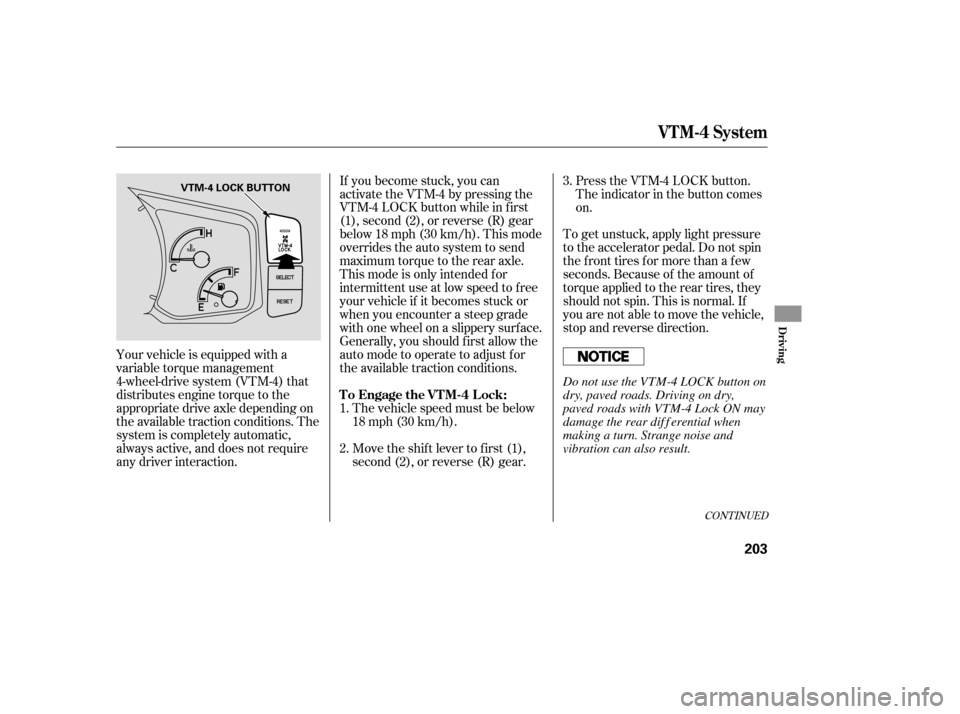
Your vehicle is equipped with a
variable torque management
4-wheel-drive system (VTM-4) that
distributes engine torque to the
appropriate drive axle depending on
the available traction conditions. The
system is completely automatic,
always active, and does not require
any driver interaction. 1.
2.3.
CONT INUED
To Engage the VTM-4 Lock:
VTM-4 System
Driving
203
VTM-4 LOCK BUTTON
Do not use the VTM-4 LOCK button on
dry, paved roads. Driving on dry,
paved roads with VTM-4 Lock ON may
damage the rear dif f erential when
making a turn. Strange noise and
vibration can also result.
Page 208 of 331

If the tire is f lat, or if the tire
pressure is too low to continue
driving, replace the tire with the
compact spare tire. If you think you can saf ely drive a
short distance to a service station,
proceed slowly, and inf late the tire to
the recommended pressure shown
on the driver’s doorjamb. When this indicator is on, one or
more of your tires is signif icantly
under inf lated. You should stop and
check your tires as soon as possible.
The VTM-4 Lock will temporarily
disengage when the vehicle speed
exceeds 18 mph (30 km/h). The
indicator in the button will remain on.
do
any of the f ollowing: Press the VTM-4 LOCK button. Each tire has its own pressure
sensor. If the air pressure of a tire
becomes signif icantly low, the
sensor in that tire immediately sends
a signal that causes the low tire
pressure indicator and the
appropriate tire on the tire pressure
monitor to come on. Your vehicle is equipped with a tire
pressure monitoring system (TPMS)
that turns on every time you start the
engine and monitors the pressure in
your tires while driving.
Move the shift lever to D.
Turn the ignition switch to the
LOCK (0) position. Low Tire Pressure
Indicator
To Disengage the VTM-4 L ock, Tire Pressure Monitoring System
(T PMS)
VTM-4 System, Tire Pressure Monitoring System (TPMS)
204
Do not continuously spin the f ront tires
of your vehicle. Continuously spinning
the f ront tires can cause transmission
or rear dif f erential damage.
Page 211 of 331

If the brake pads need replacing, you
will hear a distinctive, metallic
screeching sound when you apply
the brake pedal. If you do not have
the brake pads replaced, they will
screech all the time. It is normal f or
the brakes to occasionally squeal or
squeak when you apply them. The hydraulic system that operates
the brakes has two separate circuits.
Each circuit works diagonally across
the vehicle (the lef t-f ront brake is
connected with the right-rear brake,
etc.). If one circuit should develop a
problem, you will still have braking
at two wheels.
Your vehicle is equipped with disc
brakes at all f our wheels. A power
assist helps reduce the ef f ort needed
on the brake pedal. The anti-lock
brake system (ABS) helps you retain
steering control when braking very
hard.
Constant application of the brakes
when going down a long hill builds
up heat and reduces their ef f ective-
ness. Use the engine to assist the
brakes by taking your f oot of f the
accelerator and downshif ting to a
lower gear.
If the vehicle is f acing uphill, turn
the front wheels away from the
curb, and set the parking brake.
If the vehicle is f acing downhill,
turn the front wheels toward the
curb, and set the parking brake.
Make sure the parking brake is
f ully released bef ore driving away.
Driving with the parking brake
partially set can overheat or
damage the rear brakes.
Resting your f oot on the pedal keeps
the brakes applied lightly, builds up
heat, and reduces their ef f ectiveness.
It also keeps your brake lights on all
the time, conf using drivers behind
you. Check the brakes after driving
through deep water. Apply the
brakes moderately to see if they f eel
normal. If not, apply them gently and
f requently until they do. Be extra
cautious and alert in your driving.
Braking System Design
Braking System
Brake Pad Wear Indicators
Parking, Braking System
Driving
207
Page 214 of 331

The vehicle stability assist (VSA)
system helps to stabilize the vehicle
during cornering if the vehicle turns
more or less than desired. It also
assists you in maintaining traction
while accelerating on loose or
slippery road surfaces. It does this
by regulating the engine’s output and
by selectively applying the brakes.
The VSA system cannot enhance the
vehicle’s driving stability in all
situ ations and does not control your
vehicle’s entire braking system. It is
still your responsibility to drive and
corner at reasonable speeds and to
leave a sufficient margin of safety.
When
VSA activates, you may notice
that the engine does not respond to
the accelerator in the same way it
does at other times. There may also
be some unusual noise from the
modulator. You will also see the VSA
activation indicator blink. When
VSA activates, you will see the
VSA activation indicator blink (see
page ). If
the indicator does not come on
when the ignition switch is turned to
the ON (II) position, there may be a
problem with the VSA system. Have
your dealer inspect your vehic le as
soon as possible.
If the low tire pressure indicator
comes on (see page ), the VSA
system automatically turns on even if
youturnitoff withtheVSAOFF
button.
Without VSA, your vehicle will have
normal braking and cornering ability,
but it will not have VSA traction and
stability enhancement.
If this indicator comes on while
driving, pull to the side of the road
when it is saf e, and turn of f the
engine. Reset the system by
restarting the engine. If the VSA
system indicator stays on, or comes
back on while driving, have the VSA
system inspected by your dealer. 67
204
VSA A ctivation Indicator
Vehicle Stability Assist
(VSA ) System Indicator
Vehicle Stability Assist (VSA) System
210