2007 CHEVROLET SUBURBAN buttons
[x] Cancel search: buttonsPage 234 of 634
Manual Operation
You may manually adjust the air delivery mode or
fan speed.
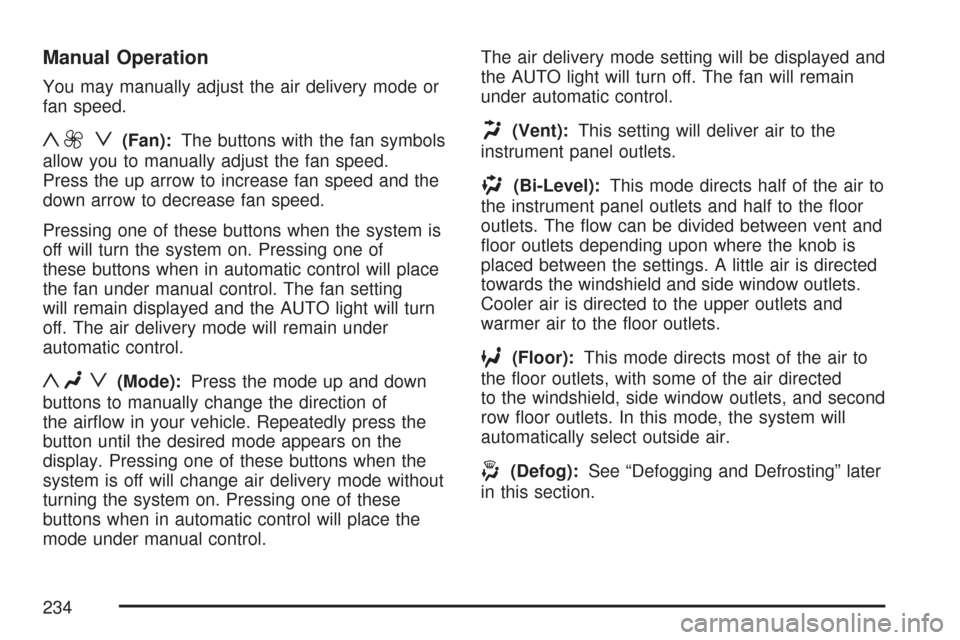
y9 z(Fan):The buttons with the fan symbols
allow you to manually adjust the fan speed.
Press the up arrow to increase fan speed and the
down arrow to decrease fan speed.
Pressing one of these buttons when the system is
off will turn the system on. Pressing one of
these buttons when in automatic control will place
the fan under manual control. The fan setting
will remain displayed and the AUTO light will turn
off. The air delivery mode will remain under
automatic control.
yNz(Mode):Press the mode up and down
buttons to manually change the direction of
the airow in your vehicle. Repeatedly press the
button until the desired mode appears on the
display. Pressing one of these buttons when the
system is off will change air delivery mode without
turning the system on. Pressing one of these
buttons when in automatic control will place the
mode under manual control.The air delivery mode setting will be displayed and
the AUTO light will turn off. The fan will remain
under automatic control.
H(Vent):This setting will deliver air to the
instrument panel outlets.
)(Bi-Level):This mode directs half of the air to
the instrument panel outlets and half to the oor
outlets. The ow can be divided between vent and
oor outlets depending upon where the knob is
placed between the settings. A little air is directed
towards the windshield and side window outlets.
Cooler air is directed to the upper outlets and
warmer air to the oor outlets.
6(Floor):This mode directs most of the air to
the oor outlets, with some of the air directed
to the windshield, side window outlets, and second
row oor outlets. In this mode, the system will
automatically select outside air.
-(Defog):See “Defogging and Defrosting” later
in this section.
234
Page 241 of 634
Automatic Operation
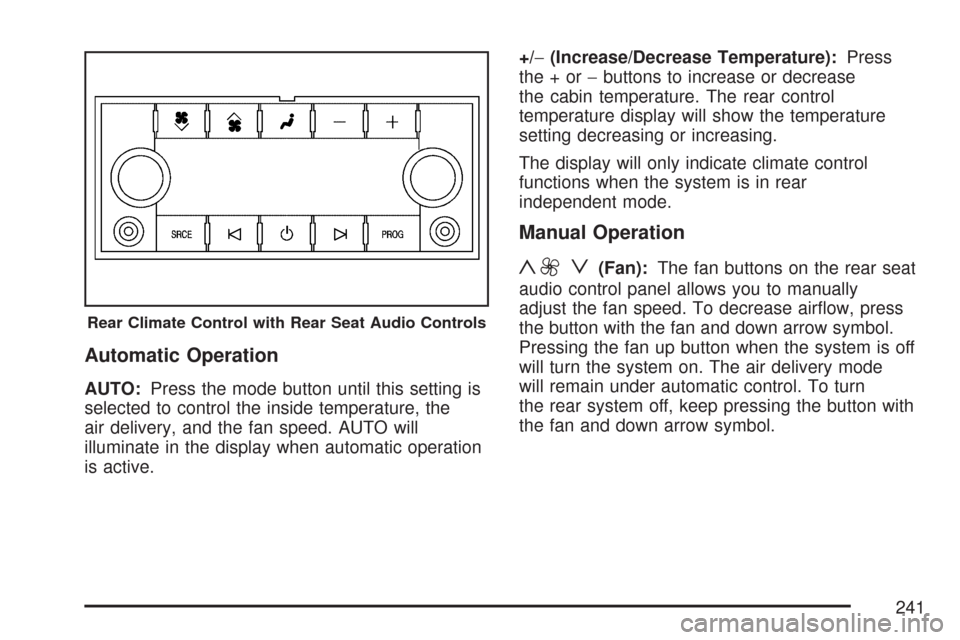
AUTO:Press the mode button until this setting is
selected to control the inside temperature, the
air delivery, and the fan speed. AUTO will
illuminate in the display when automatic operation
is active.+/−(Increase/Decrease Temperature):Press
the+or−buttons to increase or decrease
the cabin temperature. The rear control
temperature display will show the temperature
setting decreasing or increasing.
The display will only indicate climate control
functions when the system is in rear
independent mode.
Manual Operation
y9 z(Fan):The fan buttons on the rear seat
audio control panel allows you to manually
adjust the fan speed. To decrease airow, press
the button with the fan and down arrow symbol.
Pressing the fan up button when the system is off
will turn the system on. The air delivery mode
will remain under automatic control. To turn
the rear system off, keep pressing the button with
the fan and down arrow symbol.
Rear Climate Control with Rear Seat Audio Controls
241
Page 242 of 634
+/−(Increase/Decrease Temperature):These
buttons select the temperature of the air owing into
the passenger area. Press the + button for warmer
air and press the−button for cooler air.
N(Mode):Press the mode button to manually
change the direction of the airow in your vehicle.
Repeatedly press the button until the desired
mode appears on the display. Multiple presses will
cycle through the delivery selections.
Warning Lights, Gages, and
Indicators
This part describes the warning lights and gages on
your vehicle. The pictures help to locate them.
Warning lights and gages can signal that something
is wrong before it becomes serious enough to
cause an expensive repair or replacement. Paying
attention to the warning lights and gages could also
save you or others from injury.Warning lights come on when there may be or is a
problem with one of your vehicle’s functions. As
the details show on the next few pages, some
warning lights come on briey when you start the
engine just to let you know they are working. If
you are familiar with this section, you should
not be alarmed when this happens.
Gages can indicate when there may be or is a
problem with one of your vehicle’s functions. Often
gages and warning lights work together to let
you know when there is a problem with your
vehicle.
When one of the warning lights comes on and
stays on as you are driving, or when one of
the gages shows there may be a problem, check
the section that tells you what to do about it.
Please follow this manual’s advice. Waiting to do
repairs can be costly and even dangerous. So
please get to know your vehicle’s warning
lights and gages. They can be a big help.
Your vehicle also has a Driver Information Center
(DIC) that works along with warning lights and
gages. SeeDIC Warnings and Messages
on page 270for more information.
242
Page 260 of 634
Here are some situations you may experience with
your fuel gage. None of these indicate a problem
with the fuel gage.
At the gas station, the fuel pump shuts off
before the gage reads full.
It takes a little more or less fuel to ll up than
the fuel gage indicated. For example, the
gage may have indicated the tank was half full,
but it actually took a little more or less than
half the tank’s capacity to ll the tank.
The gage goes back to empty when you turn
off the ignition.
Low Fuel Warning Light
This light, under the fuel
gage, will come on
briey when you
are starting the engine.This light and a chime will come on when the fuel
tank is low on fuel. There will also be a “FUEL
LEVEL LOW” message on the Driver Information
Center, seeDIC Warnings and Messages on
page 270for more information. When you add fuel
this light and message should go off. If it does
not, have your vehicle serviced.
Driver Information Center (DIC)
Your vehicle has a Driver Information Center (DIC).
The DIC displays information about your vehicle. It
also displays warning messages if a system
problem is detected.
All messages will appear in the DIC display
located below the tachometer in the instrument
panel cluster.
The DIC comes on when the ignition is on. After a
short delay, the DIC will display the information
that was last displayed before the engine was
turned off.
If your vehicle has DIC buttons, see “DIC
Operation and Displays (With DIC Buttons)” later
in this section andDIC Vehicle Customization
(With DIC Buttons) on page 280for the displays
available.
260
Page 261 of 634

If your vehicle does not have DIC buttons, see
“DIC Operation and Displays (Without DIC
Buttons)” later in this section for the displays
available.
DIC Operation and Displays (With
DIC Buttons)
If your vehicle has DIC buttons, the information
below explains the operation of this system.
The DIC has different displays which can be
accessed by pressing the DIC buttons located on
the instrument panel, next to the steering
wheel.
The DIC displays trip, fuel, and vehicle system
information, and warning messages if a system
problem is detected.
The DIC also allows some features to be
customized. SeeDIC Vehicle Customization (With
DIC Buttons) on page 280for more information.
If your vehicle has DIC buttons, you can also use
the trip odometer reset stem to view some of
the DIC displays. See “DIC Operation and Displays
(Without DIC Buttons)” later in this section.
DIC Buttons
The buttons are the
trip/fuel, vehicle
information,
customization, and
set/reset buttons. The
button functions
are detailed in the
following pages.
3(Trip/Fuel):Press this button to display the
odometer, trip odometer, fuel range, average
economy, fuel used, timer, and transmission
temperature. Some vehicles also display
instantaneous economy and an Active Fuel
Management™ indicator.
261
Page 262 of 634
T(Vehicle Information):Press this button to
display the oil life, units, tire pressure readings for
vehicles with a Tire Pressure Monitor (TPM)
system, engine hours, Tire Pressure Monitor (TPM)
system programming for vehicles with a TPM
system, and Remote Keyless Entry (RKE)
transmitter programming.
U(Customization):Press this button to
customize the feature settings on your vehicle. See
DIC Vehicle Customization (With DIC Buttons) on
page 280for more information.
V(Set/Reset):Press this button to set or reset
certain functions and to turn off or acknowledge
messages on the DIC.
Trip/Fuel Menu Items
3
(Trip/Fuel):Press this button to scroll
through the following menu items:
Odometer
Press the trip/fuel button until ODOMETER
displays. This display shows the distance the
vehicle has been driven in either miles (mi)
or kilometers (km). Pressing the trip odometer
reset stem will also display the odometer.To switch between English and metric
measurements, see “Units” later in this section.
Trip Odometer
Press the trip/fuel button until TRIP displays. This
display shows the current distance traveled in
either miles (mi) or kilometers (km) since the last
reset for the trip odometer. Pressing the trip
odometer reset stem will also display the trip
odometer.
The trip odometer can be reset to zero by pressing
the set/reset button while the trip odometer is
displayed. You can also reset the trip odometer
while it is displayed by pressing and holding
the trip odometer reset stem.
The trip odometer has a feature called the
retro-active reset. This can be used to set the trip
odometer to the number of miles (kilometers)
driven since the ignition was last turned on. This
can be used if the trip odometer is not reset at the
beginning of the trip.
262
Page 266 of 634
If a low or high tire pressure condition is detected
by the system while driving, a message advising
you to check the pressure in a specic tire
will appear in the display. SeeInation - Tire
Pressure on page 515andDIC Warnings
and Messages on page 270for more information.
If the tire pressure display shows dashes
instead of a value, there may be a problem with
your vehicle. If this consistently occurs, see
your dealer for service.
Engine Hours
Press the vehicle information button until ENGINE
HOURS displays. This display shows the total
number of hours the engine has run.
Relearn Tire Positions
If your vehicle has a Tire Pressure Monitor (TPM)
system, after rotating the tires or after replacing
a tire or sensor, the system must re-learn the tire
positions. To re-learn the tire positions, see
Tire Pressure Monitor System on page 516. See
Tire Inspection and Rotation on page 521andDIC
Warnings and Messages on page 270for more
information.
Relearn Remote Key
This display allows you to match Remote Keyless
Entry (RKE) transmitters to your vehicle. To
match an RKE transmitter to your vehicle, do the
following:
1. Press the vehicle information button until
PRESS
VTO RELEARN REMOTE KEY
displays.
2. Press the set/reset button until REMOTE KEY
LEARNING ACTIVE is displayed.
3. Press and hold the lock and unlock buttons
on the rst transmitter at the same time for
about 15 seconds.
On vehicles with memory recall seats, the rst
transmitter learned will match driver 1 and
the second will match driver 2.
A chime will sound indicating that the
transmitter is matched.
4. To match additional transmitters at this time,
repeat Step 3.
Each vehicle can have a maximum of eight
transmitters matched to it.
5. To exit the programming mode, you must
cycle the key to LOCK.
266
Page 267 of 634
Blank Display
This display shows no information.
DIC Operation and Displays
(Without DIC Buttons)
If your vehicle does not have DIC buttons, the
information below explains the operation of
this system.
The DIC has different displays which can be
accessed by pressing the trip odometer reset stem
located on the instrument panel cluster. Pressing
the trip odometer reset stem will also turn off,
or acknowledge, DIC messages.
The DIC displays trip and vehicle system
information, and warning messages if a system
problem is detected.
If your vehicle does not have DIC buttons, you
can use the trip odometer reset stem to view the
following displays: odometer, engine hours,
trip odometer, oil life, Tire Pressure Monitor (TPM)
system programming for vehicles with a TPM
system, Remote Keyless Entry (RKE) transmitter
programming, and display language.If your vehicle has DIC buttons, you can use the
trip odometer reset stem to view the following
displays: odometer, engine hours, trip odometer,
and display language.
Trip Odometer Reset Stem Menu Items
Odometer
Press the trip odometer reset stem until
ODOMETER displays. This display shows the
distance the vehicle has been driven in either
miles (mi) or kilometers (km).
Engine Hours
To display the ENGINE HOURS, place the ignition
in LOCK or ACCESSORY, then press and hold
the trip odometer reset stem for four seconds while
viewing the ODOMETER. This display shows
the total number of hours the engine has run.
267