2006 MERCEDES-BENZ SPRINTER warning
[x] Cancel search: warningPage 22 of 2305
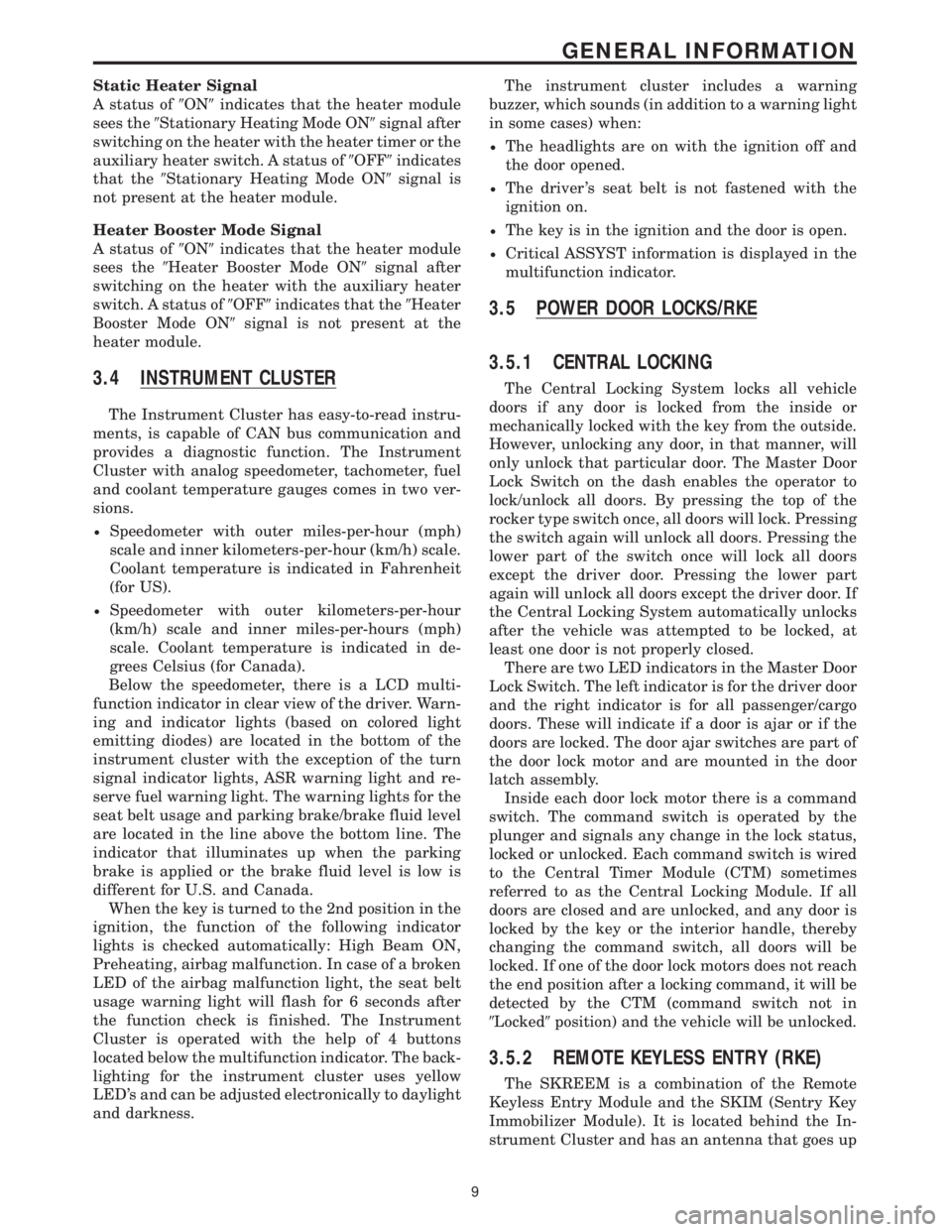
Static Heater Signal
A status of9ON9indicates that the heater module
sees the9Stationary Heating Mode ON9signal after
switching on the heater with the heater timer or the
auxiliary heater switch. A status of9OFF9indicates
that the9Stationary Heating Mode ON9signal is
not present at the heater module.
Heater Booster Mode Signal
A status of9ON9indicates that the heater module
sees the9Heater Booster Mode ON9signal after
switching on the heater with the auxiliary heater
switch. A status of9OFF9indicates that the9Heater
Booster Mode ON9signal is not present at the
heater module.
3.4 INSTRUMENT CLUSTER
The Instrument Cluster has easy-to-read instru-
ments, is capable of CAN bus communication and
provides a diagnostic function. The Instrument
Cluster with analog speedometer, tachometer, fuel
and coolant temperature gauges comes in two ver-
sions.
²Speedometer with outer miles-per-hour (mph)
scale and inner kilometers-per-hour (km/h) scale.
Coolant temperature is indicated in Fahrenheit
(for US).
²Speedometer with outer kilometers-per-hour
(km/h) scale and inner miles-per-hours (mph)
scale. Coolant temperature is indicated in de-
grees Celsius (for Canada).
Below the speedometer, there is a LCD multi-
function indicator in clear view of the driver. Warn-
ing and indicator lights (based on colored light
emitting diodes) are located in the bottom of the
instrument cluster with the exception of the turn
signal indicator lights, ASR warning light and re-
serve fuel warning light. The warning lights for the
seat belt usage and parking brake/brake fluid level
are located in the line above the bottom line. The
indicator that illuminates up when the parking
brake is applied or the brake fluid level is low is
different for U.S. and Canada.
When the key is turned to the 2nd position in the
ignition, the function of the following indicator
lights is checked automatically: High Beam ON,
Preheating, airbag malfunction. In case of a broken
LED of the airbag malfunction light, the seat belt
usage warning light will flash for 6 seconds after
the function check is finished. The Instrument
Cluster is operated with the help of 4 buttons
located below the multifunction indicator. The back-
lighting for the instrument cluster uses yellow
LED's and can be adjusted electronically to daylight
and darkness.The instrument cluster includes a warning
buzzer, which sounds (in addition to a warning light
in some cases) when:
²The headlights are on with the ignition off and
the door opened.
²The driver 's seat belt is not fastened with the
ignition on.
²The key is in the ignition and the door is open.
²Critical ASSYST information is displayed in the
multifunction indicator.
3.5 POWER DOOR LOCKS/RKE
3.5.1 CENTRAL LOCKING
The Central Locking System locks all vehicle
doors if any door is locked from the inside or
mechanically locked with the key from the outside.
However, unlocking any door, in that manner, will
only unlock that particular door. The Master Door
Lock Switch on the dash enables the operator to
lock/unlock all doors. By pressing the top of the
rocker type switch once, all doors will lock. Pressing
the switch again will unlock all doors. Pressing the
lower part of the switch once will lock all doors
except the driver door. Pressing the lower part
again will unlock all doors except the driver door. If
the Central Locking System automatically unlocks
after the vehicle was attempted to be locked, at
least one door is not properly closed.
There are two LED indicators in the Master Door
Lock Switch. The left indicator is for the driver door
and the right indicator is for all passenger/cargo
doors. These will indicate if a door is ajar or if the
doors are locked. The door ajar switches are part of
the door lock motor and are mounted in the door
latch assembly.
Inside each door lock motor there is a command
switch. The command switch is operated by the
plunger and signals any change in the lock status,
locked or unlocked. Each command switch is wired
to the Central Timer Module (CTM) sometimes
referred to as the Central Locking Module. If all
doors are closed and are unlocked, and any door is
locked by the key or the interior handle, thereby
changing the command switch, all doors will be
locked. If one of the door lock motors does not reach
the end position after a locking command, it will be
detected by the CTM (command switch not in
9Locked9position) and the vehicle will be unlocked.
3.5.2 REMOTE KEYLESS ENTRY (RKE)
The SKREEM is a combination of the Remote
Keyless Entry Module and the SKIM (Sentry Key
Immobilizer Module). It is located behind the In-
strument Cluster and has an antenna that goes up
9
GENERAL INFORMATION
Page 24 of 2305

3.7 USING THE DRBIIIT
Refer to the DRBIIItuser guide for instructions
and assistance with reading trouble codes, erasing
trouble codes, and other DRBIIItfunctions.
3.8 DRBIIITERROR MESSAGES
Under normal operation, the DRBIIItwill dis-
play one of only two error messages: user-requested
WARM Boot or User-Requested COLD Boot. If the
DRBIIItshould display any other error message,
record the entire display and call the STAR Center.
This is a sample of such an error message display:
ver: 2.14
date: 26 Jul93
file: key_iff.cc
date: Jul26 1993
line: 548
err: 0xi
User-Requested COLD Boot
Press MORE to switch between this display
and the application screen.
Press F4 when done noting information.
3.9 DRBIIITDOES NOT POWER UP
(BLANK SCREEN)
If the LED's do not light or no sound is emitted at
start up, check for loose cable connections or a bad
cable. Check the vehicle battery voltage (data link
connector cavity 16). A minimum of 11 volts is
required to adequately power the DRBIIIt. Check
for proper grounds at DLC cavities 4 and 5.
If all connections are proper between the
DRBIIItand the vehicle or other devices, and the
vehicle battery is fully charged, an inoperative
DRBIIItmay be the result or a faulty cable or
vehicle wiring.
3.10 DISPLAY IS NOT VISIBLE
Low temperatures will affect the visibility of the
display. Adjust the contrast to compensate for this
condition.
4.0 DISCLAIMERS, SAFETY,
WARNINGS
4.1 DISCLAIMERS
All information, illustrations, and specifications
contained in this manual are based on the latest
information available at the time of publication.
The right is reserved to make changes at any time
without notice.
4.2 SAFETY
4.2.1 TECHNICIAN SAFETY INFORMATION
WARNING: WHEN OPERATING, ENGINES
PRODUCE AN ODORLESS GAS CALLED
CARBON MONOXIDE. INHALING CARBON
MONOXIDE GAS CAN RESULT IN SLOWER
REACTION TIMES AND CAN LEAD TO
PERSONAL INJURY OR DEATH. WHEN THE
ENGINE IS OPERATING, KEEP SERVICE
AREAS WELL VENTILATED OR ATTACH THE
VEHICLE EXHAUST SYSTEM TO THE SHOP
EXHAUST REMOVAL SYSTEM.
Set the parking brake and block the wheel before
testing or repairing the vehicle. It is especially
important to block the wheels on front-wheel drive
vehicles; the parking brake does not hold drive
wheels.
When servicing a vehicle, always wear eye pro-
tection, and remove any metal jewelry such as
rings, watchbands or bracelets that might make an
inadvertent electrical contact.
When diagnosing a body system problem, it is
important to follow approved procedures where
applicable. These procedures can be found in this
11
GENERAL INFORMATION
Page 25 of 2305
General Information Section or in the service man-
ual procedures. Following these procedures is very
important to the safety of the individuals perform-
ing diagnostic tests.
4.2.2 VEHICLE PREPARATION FOR
TESTING
Make sure the vehicle being tested has a fully
charged battery. If it does not, false diagnostic codes
or error messages may occur.
4.2.3 SERVICING SUB-ASSEMBLIES
Some components of the body system are in-
tended to be serviced as an assembly only. Attempt-
ing to remove or repair certain system subcompo-
nents may result in personal injury and/or
improper system operation. Only those components
with approved repair and installation procedures in
the service manual should be serviced.
4.2.4 DRBIIITSAFETY INFORMATION
WARNING: EXCEEDING THE LIMITS OF THE
DRBIIITMULTIMETER IS DANGEROUS.
READ ALL DRBIIITINSTRUCTIONS BEFORE
USING THE MULTIMETER. FAILURE TO
FOLLOW THESE INSTRUCTIONS CAN
RESULT IN PERSONAL INJURY OR DEATH.
²Follow the vehicle manufacturer 's service speci-
fications at all times.
²Do not use the DRBIIItif it has been damaged.
²Do not use the test leads if the insulation is
damaged or if metal is exposed.
²To avoid electrical shock, do not touch the test
leads, tips, or the circuit being tested.
²Choose the proper range and functions for the
measurement. Do not try voltage or current mea-
surement that may exceed the rated capacity.
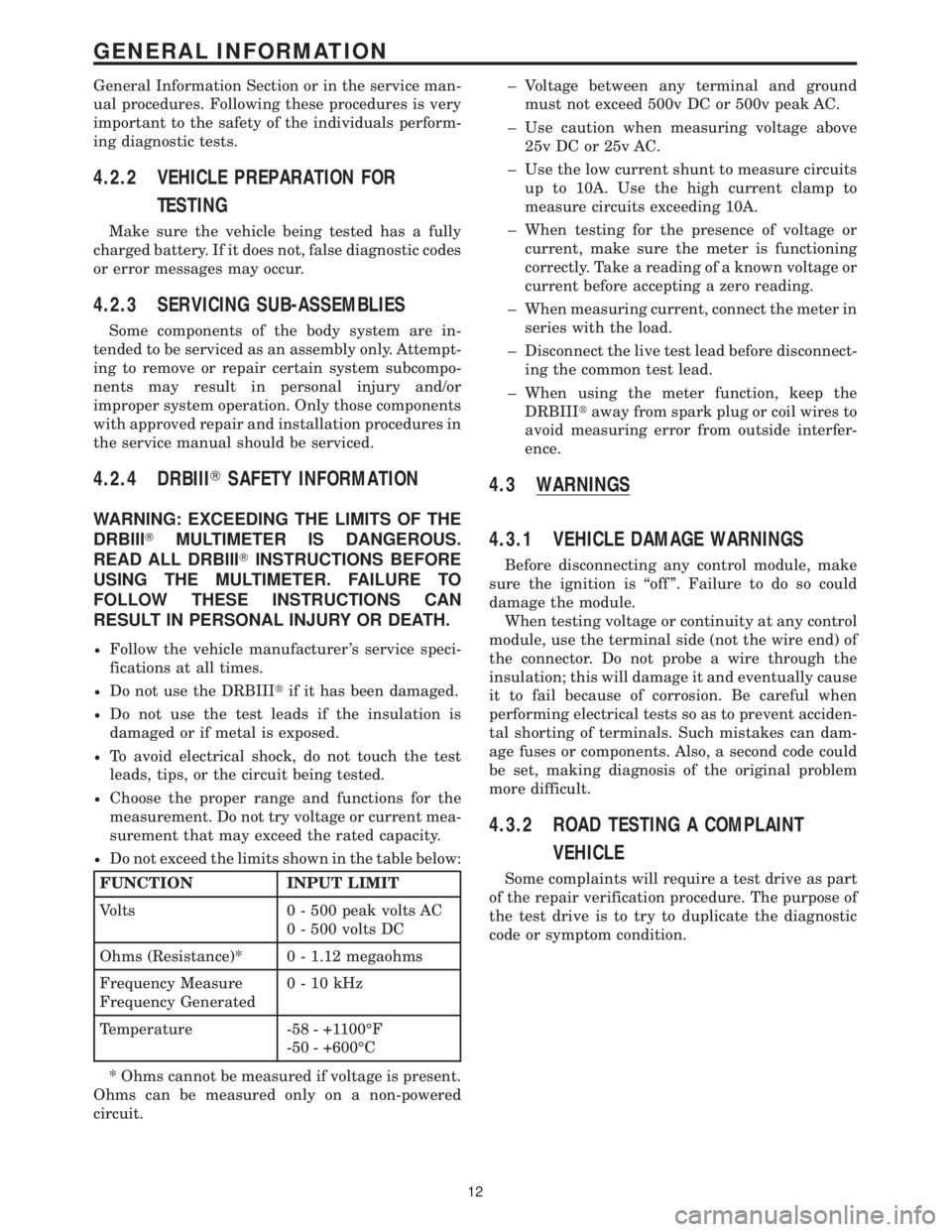
²Do not exceed the limits shown in the table below:
FUNCTION INPUT LIMIT
Volts 0 - 500 peak volts AC
0 - 500 volts DC
Ohms (Resistance)* 0 - 1.12 megaohms
Frequency Measure
Frequency Generated0-10kHz
Temperature -58 - +1100ÉF
-50 - +600ÉC
* Ohms cannot be measured if voltage is present.
Ohms can be measured only on a non-powered
circuit.± Voltage between any terminal and ground
must not exceed 500v DC or 500v peak AC.
± Use caution when measuring voltage above
25v DC or 25v AC.
± Use the low current shunt to measure circuits
up to 10A. Use the high current clamp to
measure circuits exceeding 10A.
± When testing for the presence of voltage or
current, make sure the meter is functioning
correctly. Take a reading of a known voltage or
current before accepting a zero reading.
± When measuring current, connect the meter in
series with the load.
± Disconnect the live test lead before disconnect-
ing the common test lead.
± When using the meter function, keep the
DRBIIItaway from spark plug or coil wires to
avoid measuring error from outside interfer-
ence.
4.3 WARNINGS
4.3.1 VEHICLE DAMAGE WARNINGS
Before disconnecting any control module, make
sure the ignition is ``off ''. Failure to do so could
damage the module.
When testing voltage or continuity at any control
module, use the terminal side (not the wire end) of
the connector. Do not probe a wire through the
insulation; this will damage it and eventually cause
it to fail because of corrosion. Be careful when
performing electrical tests so as to prevent acciden-
tal shorting of terminals. Such mistakes can dam-
age fuses or components. Also, a second code could
be set, making diagnosis of the original problem
more difficult.
4.3.2 ROAD TESTING A COMPLAINT
VEHICLE
Some complaints will require a test drive as part
of the repair verification procedure. The purpose of
the test drive is to try to duplicate the diagnostic
code or symptom condition.
12
GENERAL INFORMATION
Page 26 of 2305

WARNING:REASSEMBLE ALL COMPONENTS
BEFORE ROAD TESTING A VEHICLE. DO NOT
TRY TO READ THE DRBIIITSCREEN OR
OTHER TEST EQUIPMENT DURING A TEST
DRIVE. DO NOT HANG THE DRBIIITOR OTHER
TEST EQUIPMENT FROM THE REARVIEW
MIRROR DURING A TEST DRIVE. HAVE AN
ASSISTANT AVAILABLE TO OPERATE THE
DRBIIITOR OTHER TEST EQUIPMENT.
FAILURE TO FOLLOW THESE INSTRUCTIONS
CAN RESULT IN PERSONAL INJURY OR
DEATH.
5.0 REQUIRED TOOLS AND
EQUIPMENT
DRBIIIt(diagnostic read-out box)
Jumper wires
Ohmmeter
Voltmeter
Test Light
8310 Airbag System Load Tool
8443 SRS Airbag System Load Tool
9001 R F Detector
6.0 GLOSSARY OF TERMS
ABSantilock brake system
ACMairbag control module
ACTactuator
AECMairbag electronic control module
(ACM)
ASDMairbag system diagnostic module
(ACM)
AT Cautomatic temperature control
CABcontroller antilock bake
CANcontroller area network
CHMcabin heater module
CPAconnector positive assurance
CTMcentral timer module
DABdriver airbag
DCHAdiesel cabin heater assist (cabin
heater)
DLCdata link connector
DTCdiagnostic trouble code
DRdriver
EBLelectric back lite (rear window de
fogger)
ECMengine control module
GCCGulf Coast Countries
HBMheater booster module
HVACheater ventilation, air conditioning
ICinstrument cluster
MICmechanical instrument cluster
RSMRain Sensor Module
SAshifter assembly
SKREEMsentry key remote entry module
SSMsecurity system module
TCMtransmission control module
13
GENERAL INFORMATION
Page 29 of 2305
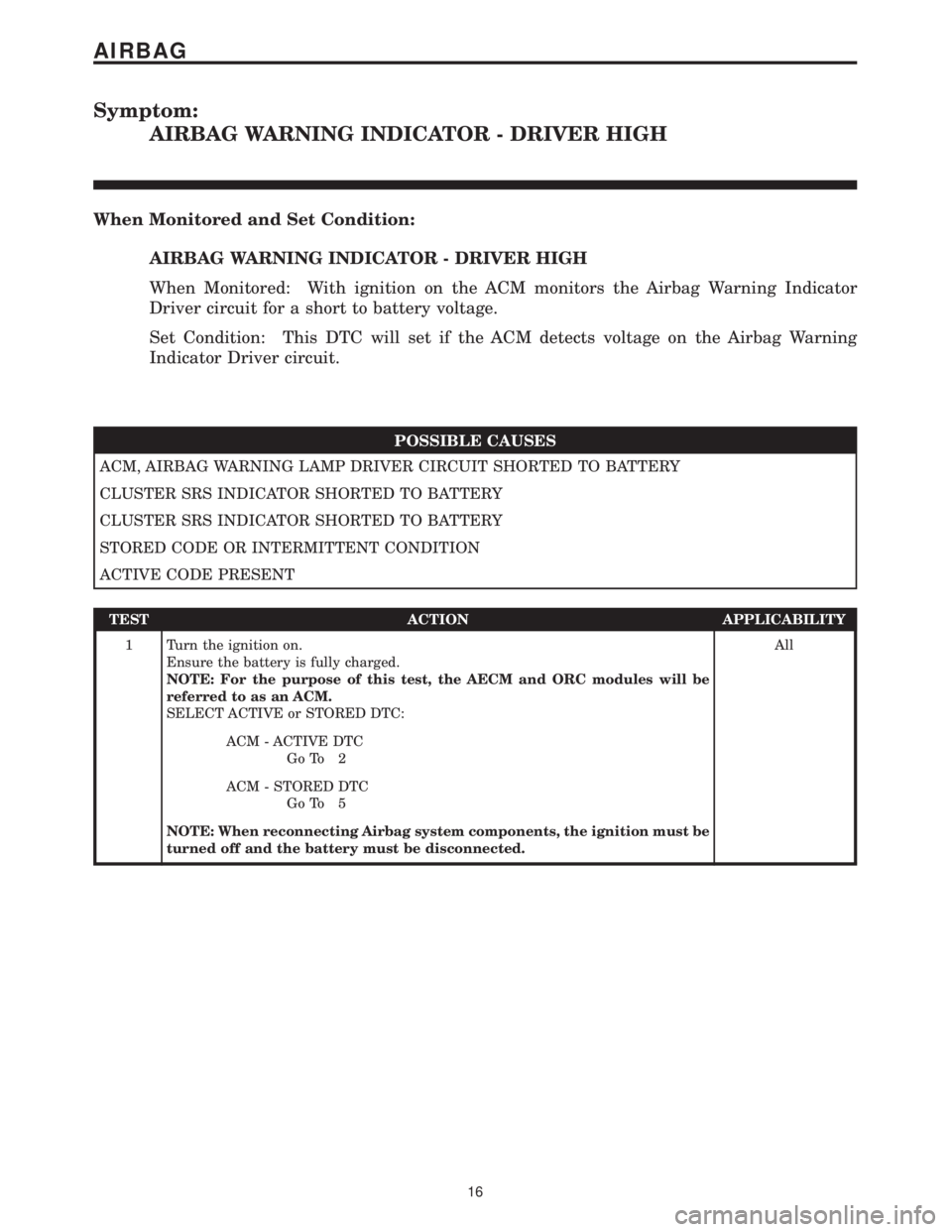
Symptom:
AIRBAG WARNING INDICATOR - DRIVER HIGH
When Monitored and Set Condition:
AIRBAG WARNING INDICATOR - DRIVER HIGH
When Monitored: With ignition on the ACM monitors the Airbag Warning Indicator
Driver circuit for a short to battery voltage.
Set Condition: This DTC will set if the ACM detects voltage on the Airbag Warning
Indicator Driver circuit.
POSSIBLE CAUSES
ACM, AIRBAG WARNING LAMP DRIVER CIRCUIT SHORTED TO BATTERY
CLUSTER SRS INDICATOR SHORTED TO BATTERY
CLUSTER SRS INDICATOR SHORTED TO BATTERY
STORED CODE OR INTERMITTENT CONDITION
ACTIVE CODE PRESENT
TEST ACTION APPLICABILITY
1 Turn the ignition on.
Ensure the battery is fully charged.
NOTE: For the purpose of this test, the AECM and ORC modules will be
referred to as an ACM.
SELECT ACTIVE or STORED DTC:All
ACM - ACTIVE DTC
Go To 2
ACM - STORED DTC
Go To 5
NOTE: When reconnecting Airbag system components, the ignition must be
turned off and the battery must be disconnected.
16
AIRBAG
Page 30 of 2305
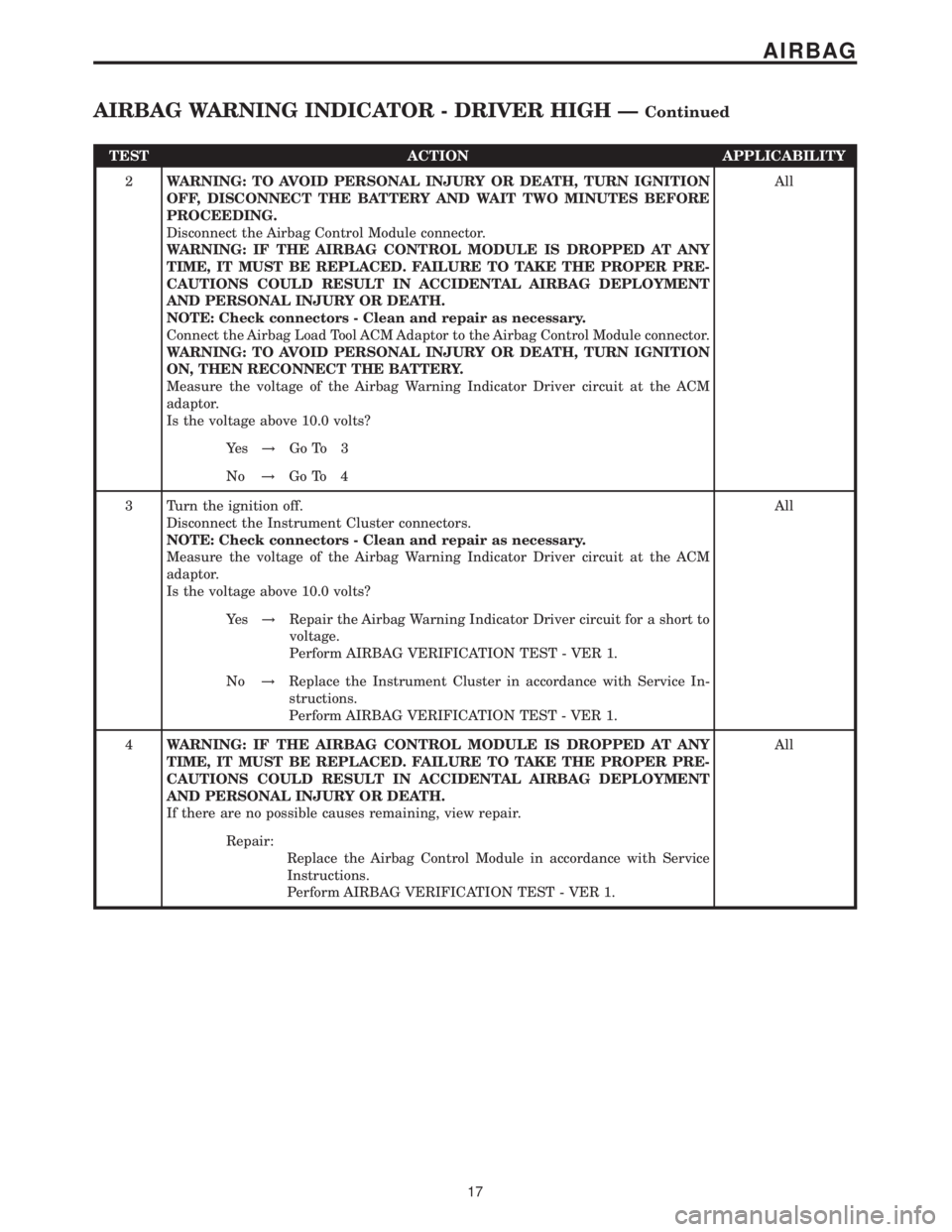
TEST ACTION APPLICABILITY
2WARNING: TO AVOID PERSONAL INJURY OR DEATH, TURN IGNITION
OFF, DISCONNECT THE BATTERY AND WAIT TWO MINUTES BEFORE
PROCEEDING.
Disconnect the Airbag Control Module connector.
WARNING: IF THE AIRBAG CONTROL MODULE IS DROPPED AT ANY
TIME, IT MUST BE REPLACED. FAILURE TO TAKE THE PROPER PRE-
CAUTIONS COULD RESULT IN ACCIDENTAL AIRBAG DEPLOYMENT
AND PERSONAL INJURY OR DEATH.
NOTE: Check connectors - Clean and repair as necessary.
Connect the Airbag Load Tool ACM Adaptor to the Airbag Control Module connector.
WARNING: TO AVOID PERSONAL INJURY OR DEATH, TURN IGNITION
ON, THEN RECONNECT THE BATTERY.
Measure the voltage of the Airbag Warning Indicator Driver circuit at the ACM
adaptor.
Is the voltage above 10.0 volts?All
Ye s!Go To 3
No!Go To 4
3 Turn the ignition off.
Disconnect the Instrument Cluster connectors.
NOTE: Check connectors - Clean and repair as necessary.
Measure the voltage of the Airbag Warning Indicator Driver circuit at the ACM
adaptor.
Is the voltage above 10.0 volts?All
Ye s!Repair the Airbag Warning Indicator Driver circuit for a short to
voltage.
Perform AIRBAG VERIFICATION TEST - VER 1.
No!Replace the Instrument Cluster in accordance with Service In-
structions.
Perform AIRBAG VERIFICATION TEST - VER 1.
4WARNING: IF THE AIRBAG CONTROL MODULE IS DROPPED AT ANY
TIME, IT MUST BE REPLACED. FAILURE TO TAKE THE PROPER PRE-
CAUTIONS COULD RESULT IN ACCIDENTAL AIRBAG DEPLOYMENT
AND PERSONAL INJURY OR DEATH.
If there are no possible causes remaining, view repair.All
Repair:
Replace the Airbag Control Module in accordance with Service
Instructions.
Perform AIRBAG VERIFICATION TEST - VER 1.
17
AIRBAG
AIRBAG WARNING INDICATOR - DRIVER HIGH ÐContinued
Page 31 of 2305
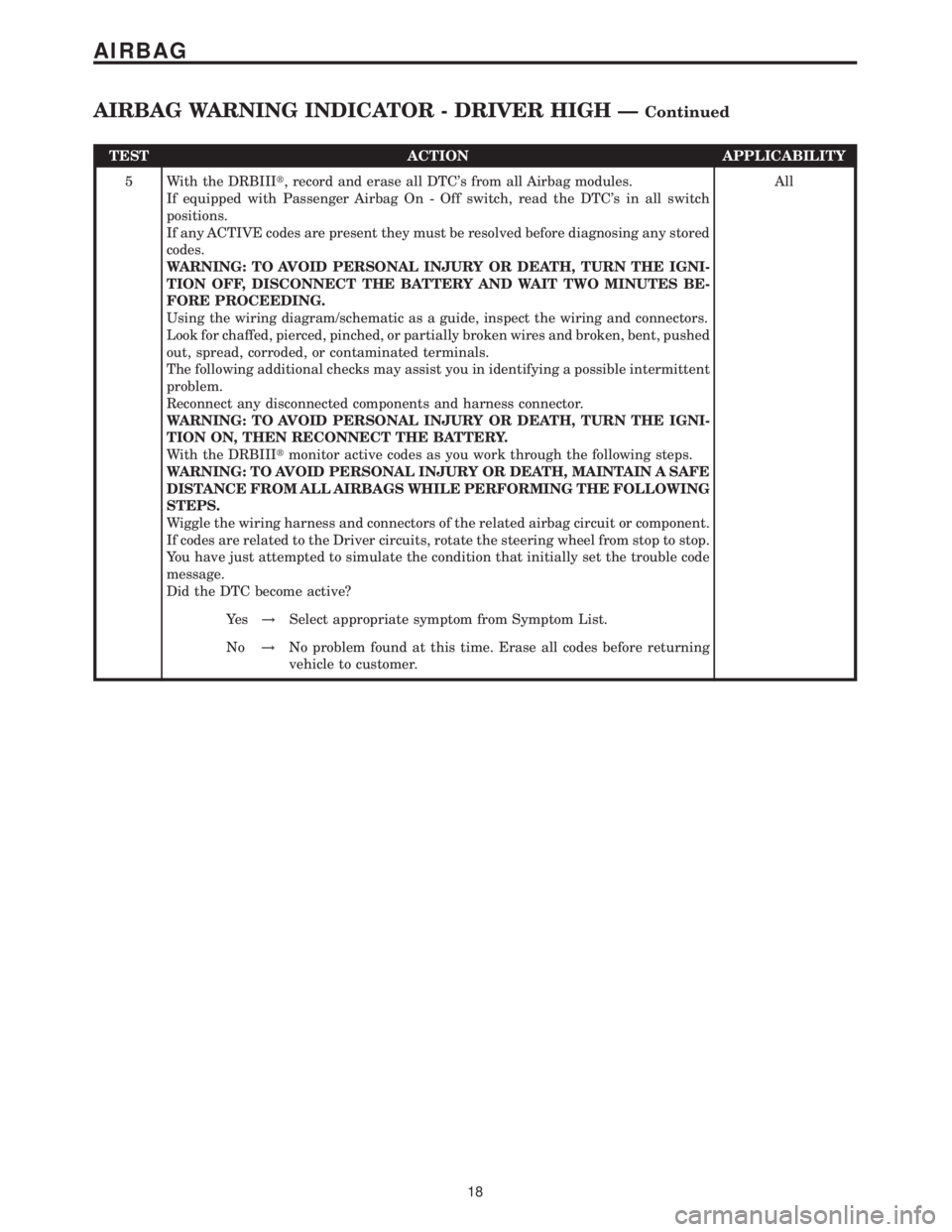
TEST ACTION APPLICABILITY
5 With the DRBIIIt, record and erase all DTC's from all Airbag modules.
If equipped with Passenger Airbag On - Off switch, read the DTC's in all switch
positions.
If any ACTIVE codes are present they must be resolved before diagnosing any stored
codes.
WARNING: TO AVOID PERSONAL INJURY OR DEATH, TURN THE IGNI-
TION OFF, DISCONNECT THE BATTERY AND WAIT TWO MINUTES BE-
FORE PROCEEDING.
Using the wiring diagram/schematic as a guide, inspect the wiring and connectors.
Look for chaffed, pierced, pinched, or partially broken wires and broken, bent, pushed
out, spread, corroded, or contaminated terminals.
The following additional checks may assist you in identifying a possible intermittent
problem.
Reconnect any disconnected components and harness connector.
WARNING: TO AVOID PERSONAL INJURY OR DEATH, TURN THE IGNI-
TION ON, THEN RECONNECT THE BATTERY.
With the DRBIIItmonitor active codes as you work through the following steps.
WARNING: TO AVOID PERSONAL INJURY OR DEATH, MAINTAIN A SAFE
DISTANCE FROM ALL AIRBAGS WHILE PERFORMING THE FOLLOWING
STEPS.
Wiggle the wiring harness and connectors of the related airbag circuit or component.
If codes are related to the Driver circuits, rotate the steering wheel from stop to stop.
You have just attempted to simulate the condition that initially set the trouble code
message.
Did the DTC become active?All
Ye s!Select appropriate symptom from Symptom List.
No!No problem found at this time. Erase all codes before returning
vehicle to customer.
18
AIRBAG
AIRBAG WARNING INDICATOR - DRIVER HIGH ÐContinued
Page 32 of 2305
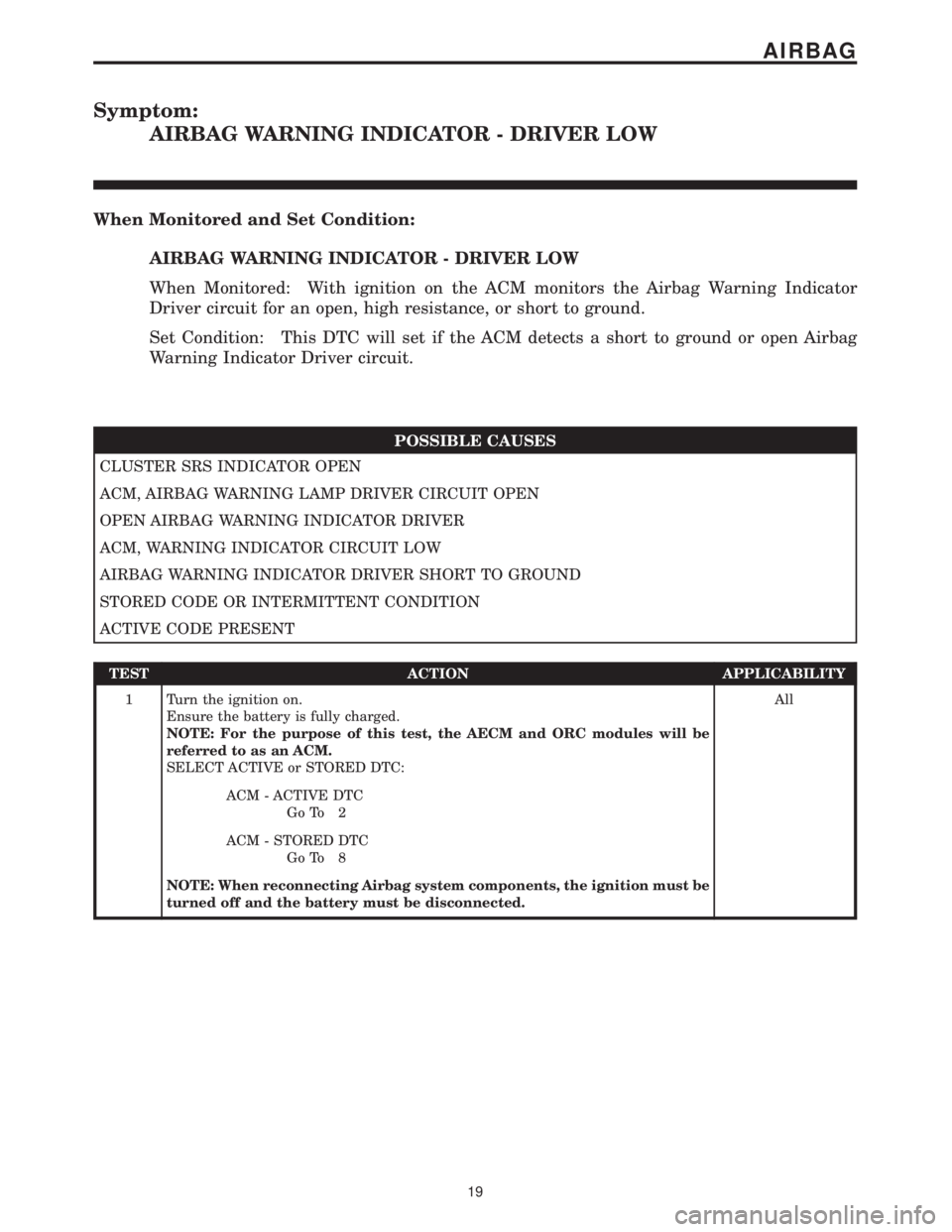
Symptom:
AIRBAG WARNING INDICATOR - DRIVER LOW
When Monitored and Set Condition:
AIRBAG WARNING INDICATOR - DRIVER LOW
When Monitored: With ignition on the ACM monitors the Airbag Warning Indicator
Driver circuit for an open, high resistance, or short to ground.
Set Condition: This DTC will set if the ACM detects a short to ground or open Airbag
Warning Indicator Driver circuit.
POSSIBLE CAUSES
CLUSTER SRS INDICATOR OPEN
ACM, AIRBAG WARNING LAMP DRIVER CIRCUIT OPEN
OPEN AIRBAG WARNING INDICATOR DRIVER
ACM, WARNING INDICATOR CIRCUIT LOW
AIRBAG WARNING INDICATOR DRIVER SHORT TO GROUND
STORED CODE OR INTERMITTENT CONDITION
ACTIVE CODE PRESENT
TEST ACTION APPLICABILITY
1 Turn the ignition on.
Ensure the battery is fully charged.
NOTE: For the purpose of this test, the AECM and ORC modules will be
referred to as an ACM.
SELECT ACTIVE or STORED DTC:All
ACM - ACTIVE DTC
Go To 2
ACM - STORED DTC
Go To 8
NOTE: When reconnecting Airbag system components, the ignition must be
turned off and the battery must be disconnected.
19
AIRBAG