2006 FORD EXPLORER charging
[x] Cancel search: chargingPage 14 of 328
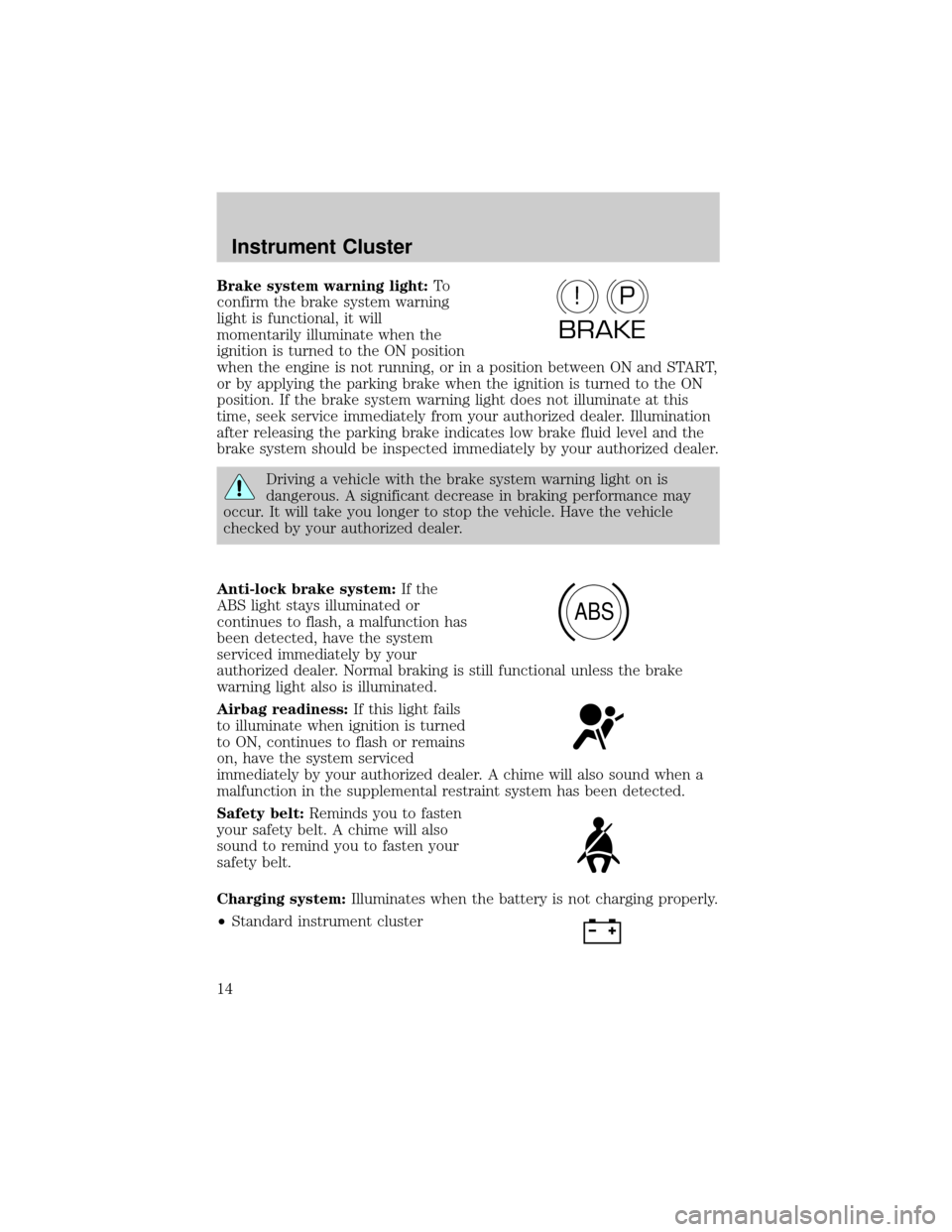
Brake system warning light:To
confirm the brake system warning
light is functional, it will
momentarily illuminate when the
ignition is turned to the ON position
when the engine is not running, or in a position between ON and START,
or by applying the parking brake when the ignition is turned to the ON
position. If the brake system warning light does not illuminate at this
time, seek service immediately from your authorized dealer. Illumination
after releasing the parking brake indicates low brake fluid level and the
brake system should be inspected immediately by your authorized dealer.
Driving a vehicle with the brake system warning light on is
dangerous. A significant decrease in braking performance may
occur. It will take you longer to stop the vehicle. Have the vehicle
checked by your authorized dealer.
Anti-lock brake system:If the
ABS light stays illuminated or
continues to flash, a malfunction has
been detected, have the system
serviced immediately by your
authorized dealer. Normal braking is still functional unless the brake
warning light also is illuminated.
Airbag readiness:If this light fails
to illuminate when ignition is turned
to ON, continues to flash or remains
on, have the system serviced
immediately by your authorized dealer. A chime will also sound when a
malfunction in the supplemental restraint system has been detected.
Safety belt:Reminds you to fasten
your safety belt. A chime will also
sound to remind you to fasten your
safety belt.
Charging system:Illuminates when the battery is not charging properly.
²Standard instrument cluster
P!
BRAKE
ABS
Instrument Cluster
14
Page 72 of 328
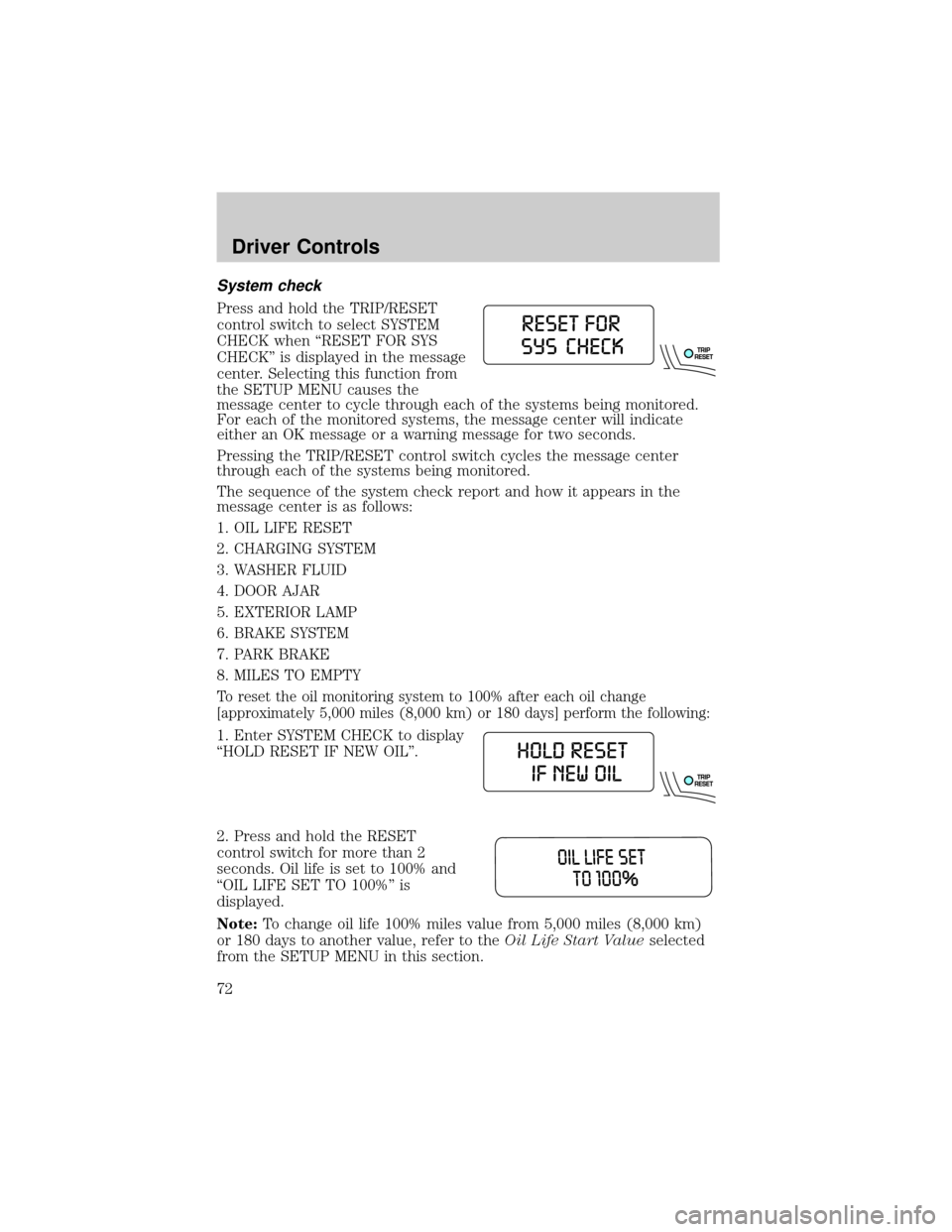
System check
Press and hold the TRIP/RESET
control switch to select SYSTEM
CHECK when ªRESET FOR SYS
CHECKº is displayed in the message
center. Selecting this function from
the SETUP MENU causes the
message center to cycle through each of the systems being monitored.
For each of the monitored systems, the message center will indicate
either an OK message or a warning message for two seconds.
Pressing the TRIP/RESET control switch cycles the message center
through each of the systems being monitored.
The sequence of the system check report and how it appears in the
message center is as follows:
1. OIL LIFE RESET
2. CHARGING SYSTEM
3. WASHER FLUID
4. DOOR AJAR
5. EXTERIOR LAMP
6. BRAKE SYSTEM
7. PARK BRAKE
8. MILES TO EMPTY
To reset the oil monitoring system to 100% after each oil change
[approximately 5,000 miles (8,000 km) or 180 days] perform the following:
1. Enter SYSTEM CHECK to display
ªHOLD RESET IF NEW OILº.
2. Press and hold the RESET
control switch for more than 2
seconds. Oil life is set to 100% and
ªOIL LIFE SET TO 100%º is
displayed.
Note:To change oil life 100% miles value from 5,000 miles (8,000 km)
or 180 days to another value, refer to theOil Life Start Valueselected
from the SETUP MENU in this section.
Driver Controls
72
Page 78 of 328

²They reappear if the condition clears then reoccures within the same
ignition ON-OFF cycle.
This acts as a reminder that these warning conditions still exist within
the vehicle.
Warning display Status
Door ajar Warning cannot be reset
Check charging system Warning returns after 10 minutes
Fuel level low
Park brake engaged
Check brake system
Check park aid Warning returns only after the ignition
key is turned from OFF to ON.
Low tire pressure
Tire monitor fault
Tire sensor fault
Brake fluid level low
Check headlamp
Check highbeam
Check turn lamp
Washer fluid level low
Oil change required
Engine oil change soon
Liftgate/glass ajar Warning returns after the condition
has cleared then reoccures within the
same ignition ON-OFF cycle.
DOOR AJAR.Displayed when a door is not completely closed.
CHECK CHARGING SYSTEM.Displayed when the electrical system is
not maintaining proper voltage when the engine is running. If you are
operating electrical accessories when the engine is idling at a low speed,
turn off as many of the electrical loads as soon as possible. If the
warning stays on or comes on when the engine is operating at normal
speeds, have the electrical system checked as soon as possible.
FUEL LEVEL LOW.Displayed as an early reminder of a low fuel
condition.
Driver Controls
78
Page 84 of 328
Blank display
Select this function from the INFO menu to turn the upper two lines of
the message center display OFF or ON.
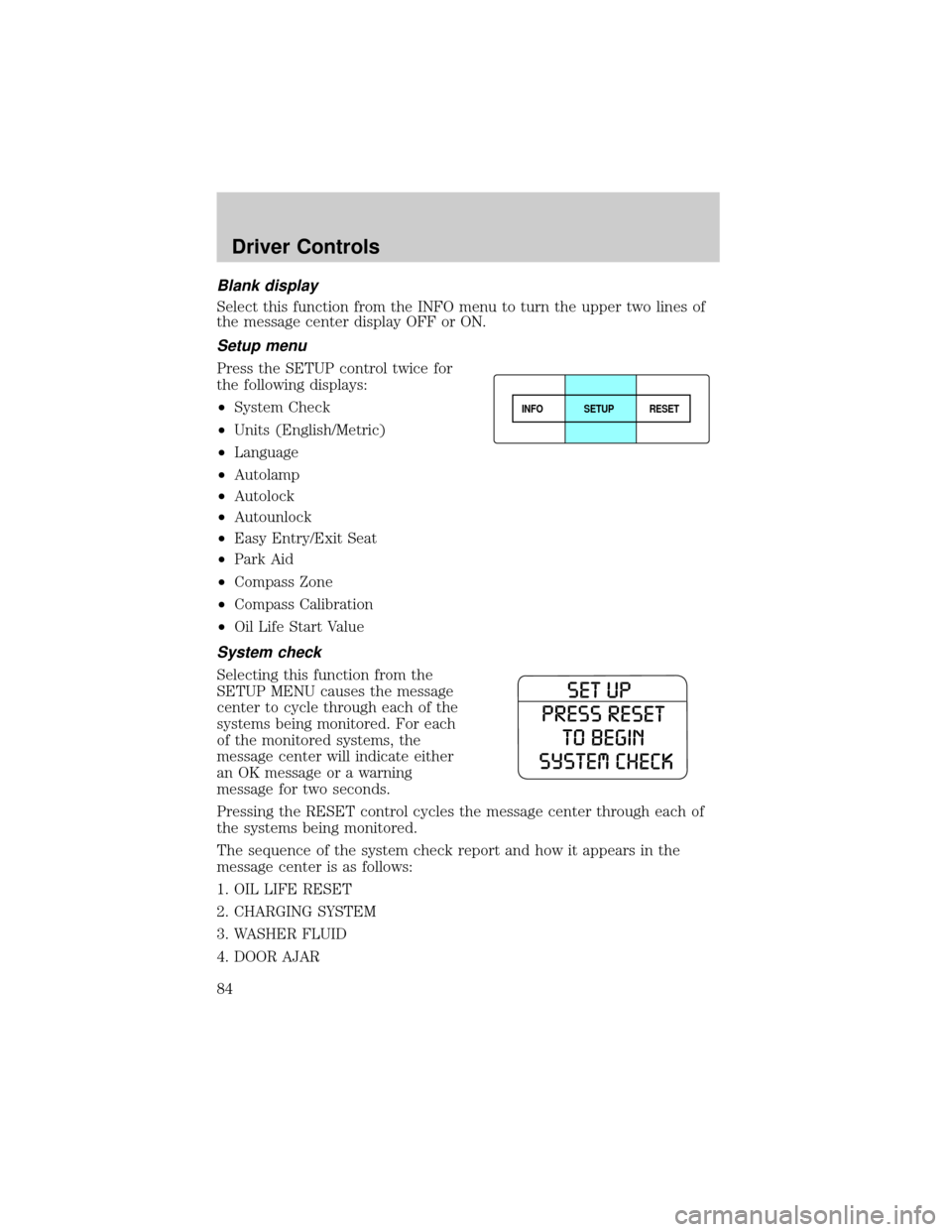
Setup menu
Press the SETUP control twice for
the following displays:
²System Check
²Units (English/Metric)
²Language
²Autolamp
²Autolock
²Autounlock
²Easy Entry/Exit Seat
²Park Aid
²Compass Zone
²Compass Calibration
²Oil Life Start Value
System check
Selecting this function from the
SETUP MENU causes the message
center to cycle through each of the
systems being monitored. For each
of the monitored systems, the
message center will indicate either
an OK message or a warning
message for two seconds.
Pressing the RESET control cycles the message center through each of
the systems being monitored.
The sequence of the system check report and how it appears in the
message center is as follows:
1. OIL LIFE RESET
2. CHARGING SYSTEM
3. WASHER FLUID
4. DOOR AJAR
INFOSETUP
RESET
Driver Controls
84
Page 91 of 328
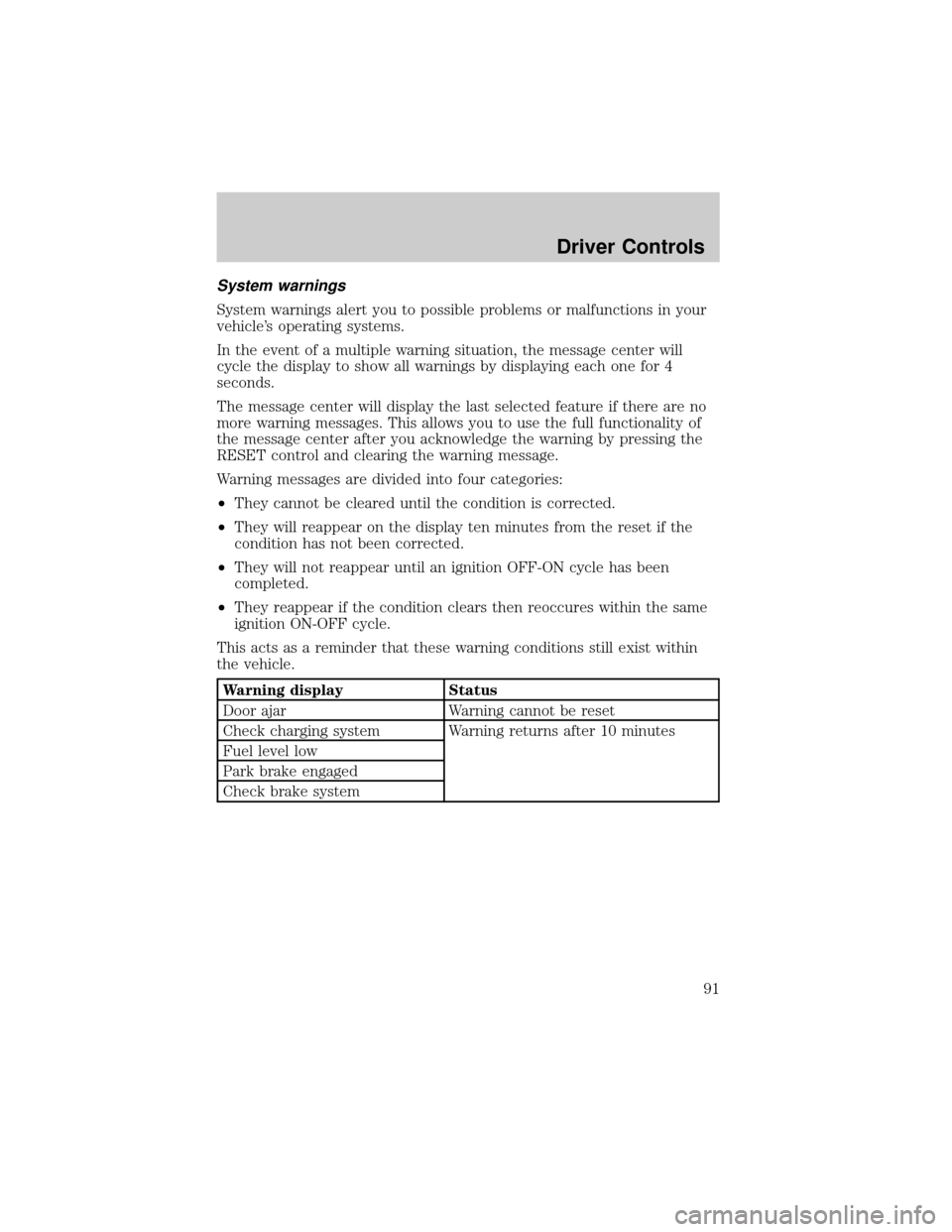
System warnings
System warnings alert you to possible problems or malfunctions in your
vehicle's operating systems.
In the event of a multiple warning situation, the message center will
cycle the display to show all warnings by displaying each one for 4
seconds.
The message center will display the last selected feature if there are no
more warning messages. This allows you to use the full functionality of
the message center after you acknowledge the warning by pressing the
RESET control and clearing the warning message.
Warning messages are divided into four categories:
²They cannot be cleared until the condition is corrected.
²They will reappear on the display ten minutes from the reset if the
condition has not been corrected.
²They will not reappear until an ignition OFF-ON cycle has been
completed.
²They reappear if the condition clears then reoccures within the same
ignition ON-OFF cycle.
This acts as a reminder that these warning conditions still exist within
the vehicle.
Warning display Status
Door ajar Warning cannot be reset
Check charging system Warning returns after 10 minutes
Fuel level low
Park brake engaged
Check brake system
Driver Controls
91
Page 92 of 328

Warning display Status
Check park aid Warning returns only after the ignition
key is turned from OFF to ON.
Low tire pressure
Tire monitor fault
Tire sensor fault
Brake fluid level low
Check brake lamp
Check headlamp
Check highbeam
Check turn lamp
Washer fluid level low
Oil change required
Engine oil change soon
Liftgate/glass ajar Warning returns after the condition
has cleared then reoccures within the
same ignition ON-OFF cycle.
DOOR AJAR.Displayed when a door is not completely closed.
CHECK CHARGING SYSTEM.Displayed when the electrical system is
not maintaining proper voltage. If you are operating electrical accessories
when the engine is idling at a low speed, turn off as many of the
electrical loads as soon as possible. If the warning stays on or comes on
when the engine is operating at normal speeds, have the electrical
system checked as soon as possible.
FUEL LEVEL LOW.Displayed as an early reminder of a low fuel
condition.
PARK BRAKE ENGAGED.Displayed when the manual park brake is
set, the engine is running and the vehicle is driven more than 3 mph (5
km). If the warning stays on after the park brake is released, contact
your authorized dealer as soon as possible.
CHECK BRAKE SYSTEM.Displayed when the braking system is not
operating properly. If the warning stays on or continues to come on,
contact your authorized dealer as soon as possible.
CHECK PARK AID.Displayed when the transmission is in R (Reverse)
and the Reverse Sensing System (Park Aid) is disabled. Refer toReverse
Sensing System (Park Aid)in this section to enable.
Driver Controls
92
Page 286 of 328
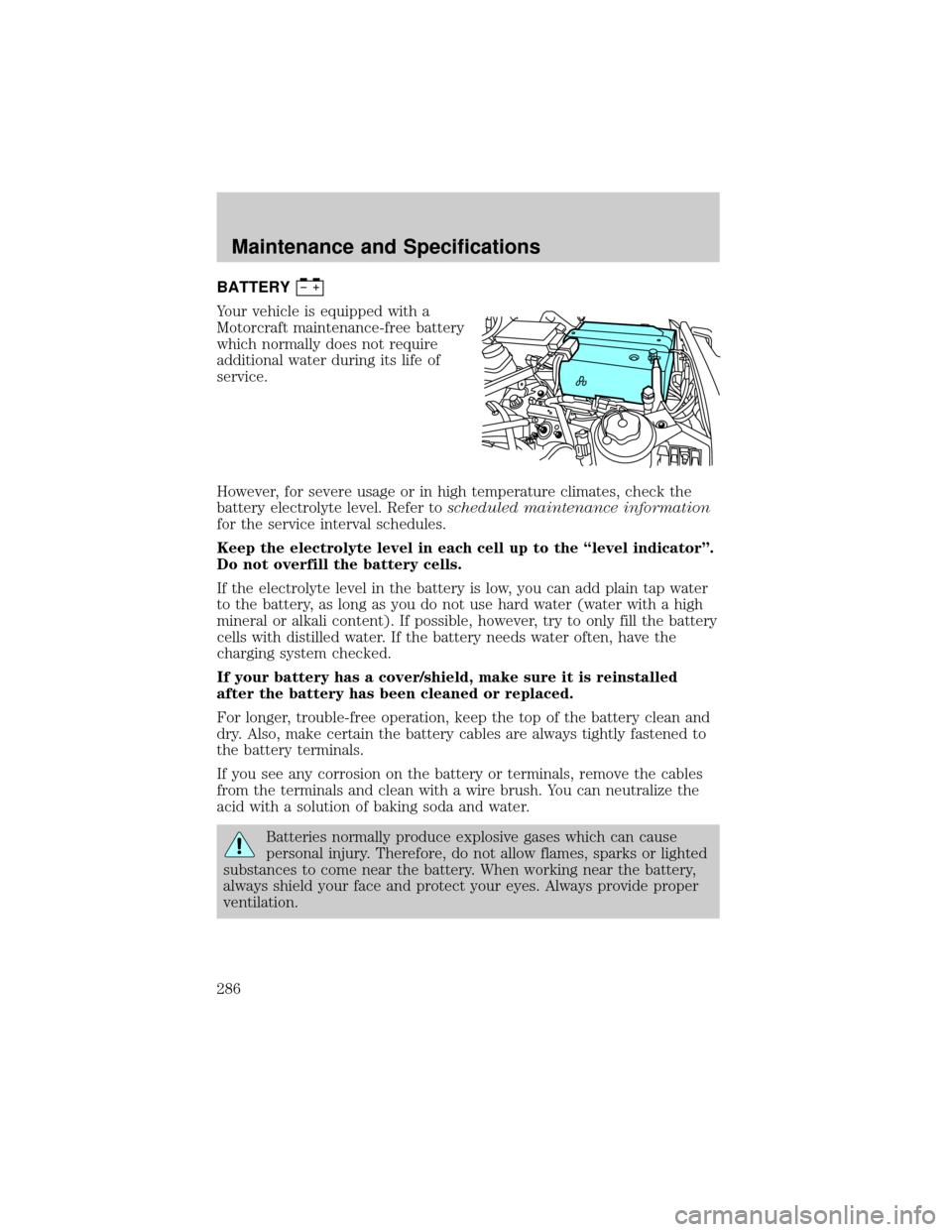
BATTERY
Your vehicle is equipped with a
Motorcraft maintenance-free battery
which normally does not require
additional water during its life of
service.
However, for severe usage or in high temperature climates, check the
battery electrolyte level. Refer toscheduled maintenance information
for the service interval schedules.
Keep the electrolyte level in each cell up to the ªlevel indicatorº.
Do not overfill the battery cells.
If the electrolyte level in the battery is low, you can add plain tap water
to the battery, as long as you do not use hard water (water with a high
mineral or alkali content). If possible, however, try to only fill the battery
cells with distilled water. If the battery needs water often, have the
charging system checked.
If your battery has a cover/shield, make sure it is reinstalled
after the battery has been cleaned or replaced.
For longer, trouble-free operation, keep the top of the battery clean and
dry. Also, make certain the battery cables are always tightly fastened to
the battery terminals.
If you see any corrosion on the battery or terminals, remove the cables
from the terminals and clean with a wire brush. You can neutralize the
acid with a solution of baking soda and water.
Batteries normally produce explosive gases which can cause
personal injury. Therefore, do not allow flames, sparks or lighted
substances to come near the battery. When working near the battery,
always shield your face and protect your eyes. Always provide proper
ventilation.
Maintenance and Specifications
286
Page 302 of 328
²Close windows for high speed driving.
EPA window sticker
Every new vehicle should have the EPA window sticker. Contact your
authorized dealer if the window sticker is not supplied with your vehicle.
The EPA window sticker should be your guide for the fuel economy
comparisons with other vehicles.
It is important to note the box in the lower left corner of the window
sticker. These numbers represent the Range of MPG (L/100 km)
expected on the vehicle under optimum conditions. Your fuel economy
may vary depending upon the method of operation and conditions.
EMISSION CONTROL SYSTEM
Your vehicle is equipped with various emission control components and a
catalytic converter which will enable your vehicle to comply with
applicable exhaust emission standards. To make sure that the catalytic
converter and other emission control components continue to work
properly:
²Use only the specified fuel listed.
²Avoid running out of fuel.
²Do not turn off the ignition while your vehicle is moving, especially at
high speeds.
²Have the items listed inscheduled maintenance information
performed according to the specified schedule.
The scheduled maintenance items listed inscheduled maintenance
informationare essential to the life and performance of your vehicle
and to its emissions system.
If other than Ford, Motorcraft or Ford-authorized parts are used for
maintenance replacements or for service of components affecting
emission control, such non-Ford parts should be equivalent to genuine
Ford Motor Company parts in performance and durability.
Do not park, idle, or drive your vehicle in dry grass or other dry
ground cover. The emission system heats up the engine
compartment and exhaust system, which can start a fire.
Illumination of the
indicator, charging system warning light or the
temperature warning light, fluid leaks, strange odors, smoke or loss of
engine power, could indicate that the emission control system is not
working properly.
Maintenance and Specifications
302