2005 NISSAN NAVARA display
[x] Cancel search: displayPage 3132 of 3171
FRONT WIPER AND WASHER SYSTEM
WW-21
C
D
E
F
G
H
I
J
L
MA
B
WW
CONSULT-II Function (IPDM E/R)EKS00P54
CONSULT-II can display each diagnostic item using the diagnostic test modes shown following.
CONSULT-II OPERATION
CAUTION:
If CONSULT-II is used with no connection of CONSULT-II CONVERTER, malfunctions might be
detected in self-diagnosis depending on control unit which carries out CAN communication.
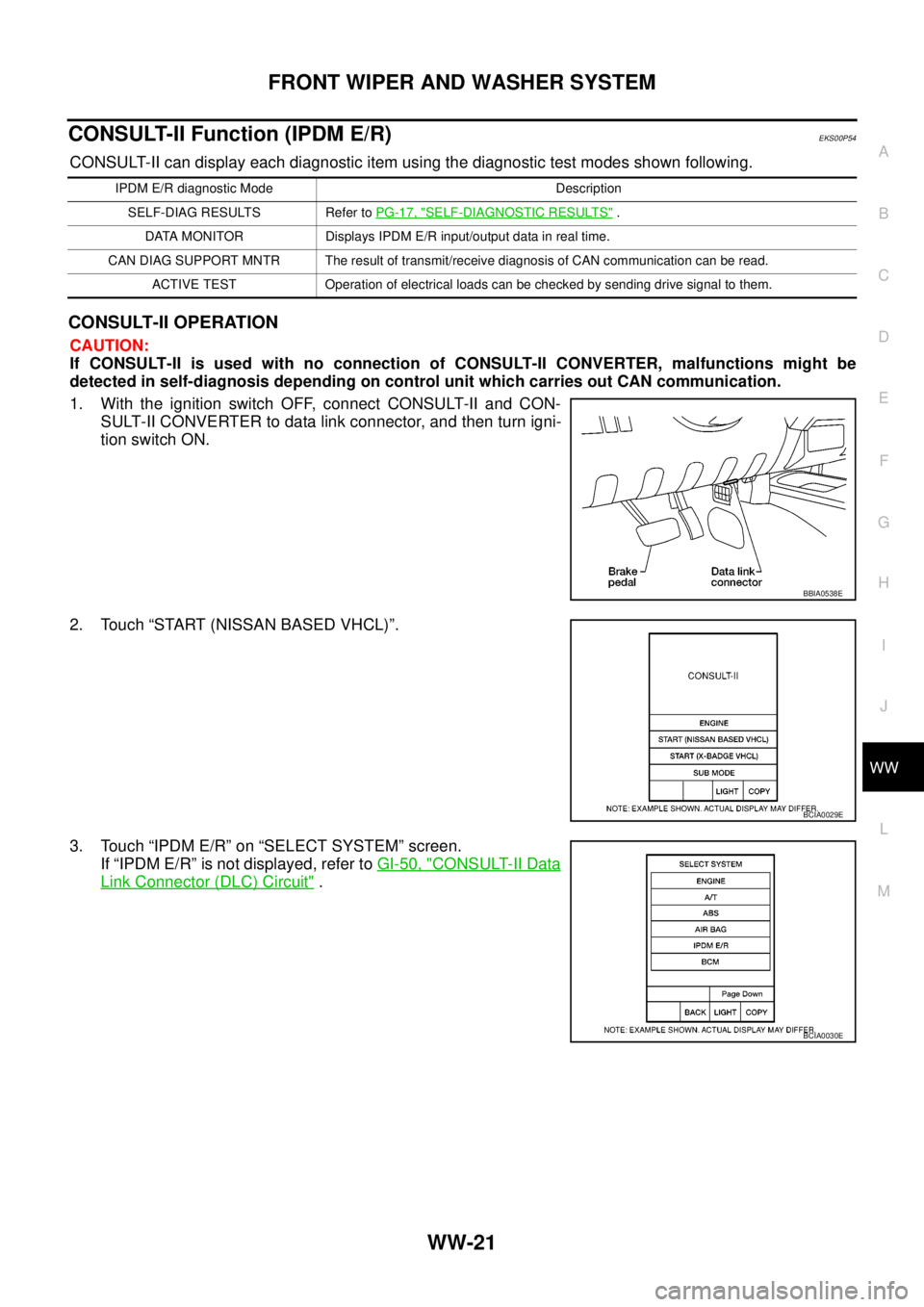
1. With the ignition switch OFF, connect CONSULT-II and CON-
SULT-II CONVERTER to data link connector, and then turn igni-
tion switch ON.
2. Touch “START (NISSAN BASED VHCL)”.
3. Touch “IPDM E/R” on “SELECT SYSTEM” screen.
If “IPDM E/R” is not displayed, refer toGI-50, "
CONSULT-II Data
Link Connector (DLC) Circuit".
IPDM E/R diagnostic Mode Description
SELF-DIAG RESULTS Refer toPG-17, "
SELF-DIAGNOSTIC RESULTS".
DATA MONITOR Displays IPDM E/R input/output data in real time.
CAN DIAG SUPPORT MNTR The result of transmit/receive diagnosis of CAN communication can be read.
ACTIVE TEST Operation of electrical loads can be checked by sending drive signal to them.
BBIA0538E
BCIA0029E
BCIA0030E
Page 3133 of 3171
WW-22
FRONT WIPER AND WASHER SYSTEM
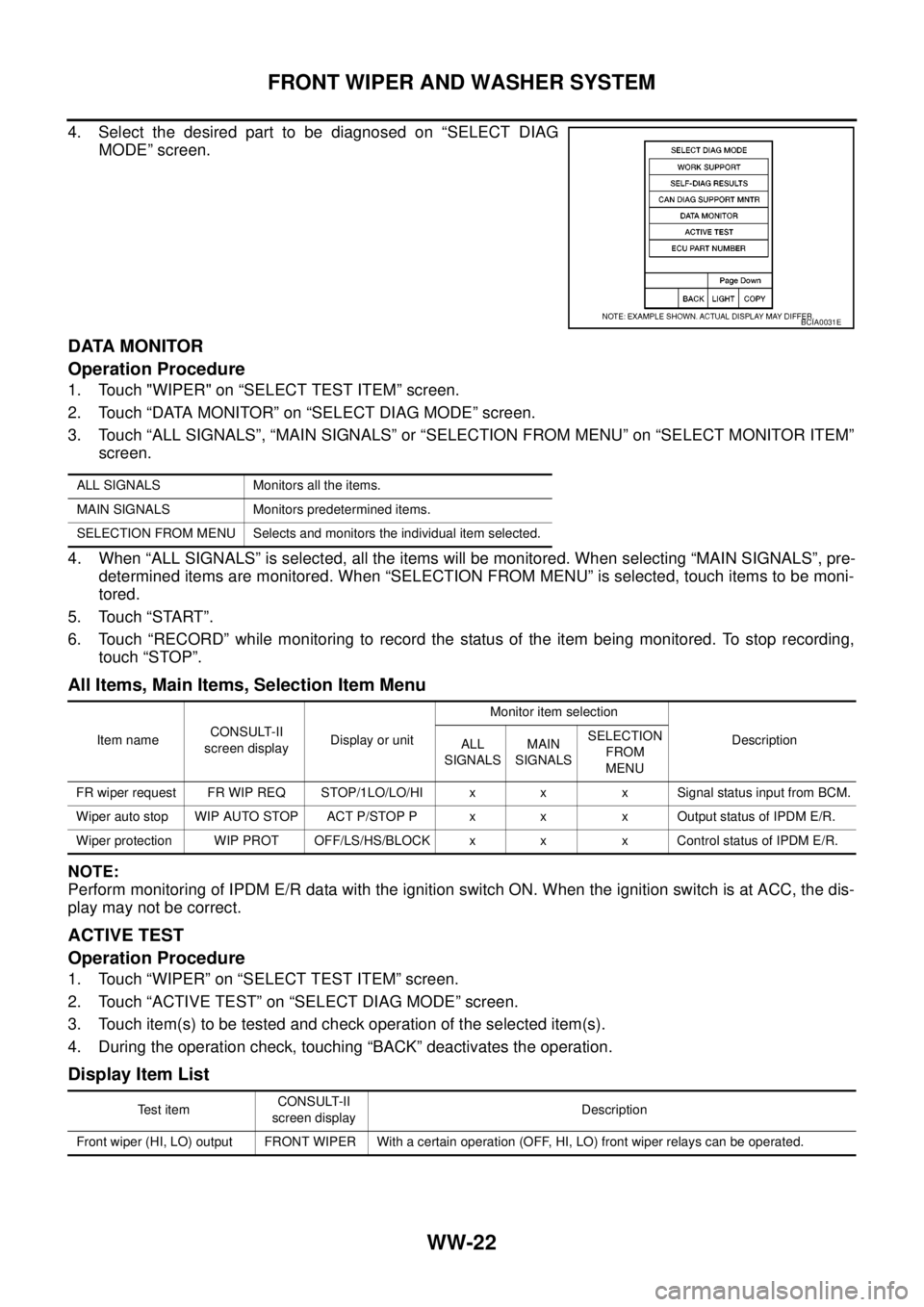
4. Select the desired part to be diagnosed on “SELECT DIAG
MODE” screen.
DATA MONITOR
Operation Procedure
1. Touch "WIPER" on “SELECT TEST ITEM” screen.
2. Touch “DATA MONITOR” on “SELECT DIAG MODE” screen.
3. Touch “ALL SIGNALS”, “MAIN SIGNALS” or “SELECTION FROM MENU” on “SELECT MONITOR ITEM”
screen.
4. When “ALL SIGNALS” is selected, all the items will be monitored. When selecting “MAIN SIGNALS”, pre-
determined items are monitored. When “SELECTION FROM MENU” is selected, touch items to be moni-
tored.
5. Touch “START”.
6. Touch “RECORD” while monitoring to record the status of the item being monitored. To stop recording,
touch “STOP”.
All Items, Main Items, Selection Item Menu
NOTE:
Perform monitoring of IPDM E/R data with the ignition switch ON. When the ignition switch is at ACC, the dis-
play may not be correct.
ACTIVE TEST
Operation Procedure
1. Touch “WIPER” on “SELECT TEST ITEM” screen.
2. Touch “ACTIVE TEST” on “SELECT DIAG MODE” screen.
3. Touch item(s) to be tested and check operation of the selected item(s).
4. During the operation check, touching “BACK” deactivates the operation.
Display Item List
BCIA0031E
ALL SIGNALS Monitors all the items.
MAIN SIGNALS Monitors predetermined items.
SELECTION FROM MENU Selects and monitors the individual item selected.
Item nameCONSULT-II
screen displayDisplay or unitMonitor item selection
Description
ALL
SIGNALSMAIN
SIGNALSSELECTION
FROM
MENU
FR wiper request FR WIP REQ STOP/1LO/LO/HI x x x Signal status input from BCM.
Wiper auto stop WIP AUTO STOP ACT P/STOP P x x x Output status of IPDM E/R.
Wiper protection WIP PROT OFF/LS/HS/BLOCK x x x Control status of IPDM E/R.
Te s t i t e mCONSULT-II
screen displayDescription
Front wiper (HI, LO) output FRONT WIPER With a certain operation (OFF, HI, LO) front wiper relays can be operated.
Page 3136 of 3171
FRONT WIPER AND WASHER SYSTEM
WW-25
C
D
E
F
G
H
I
J
L
MA
B
WW
Front Wiper Does Not OperateEKS00P56
CAUTION:
During IPDM E/R fail-safe control, front wipers may not operate. Refer toPG-14, "
CAN COMMUNICA-
TION LINE CONTROL"to make sure that it is not in fail-safe status.
1.CHECK IPDM E/R TO FRONT WIPERS
With CONSULT-II
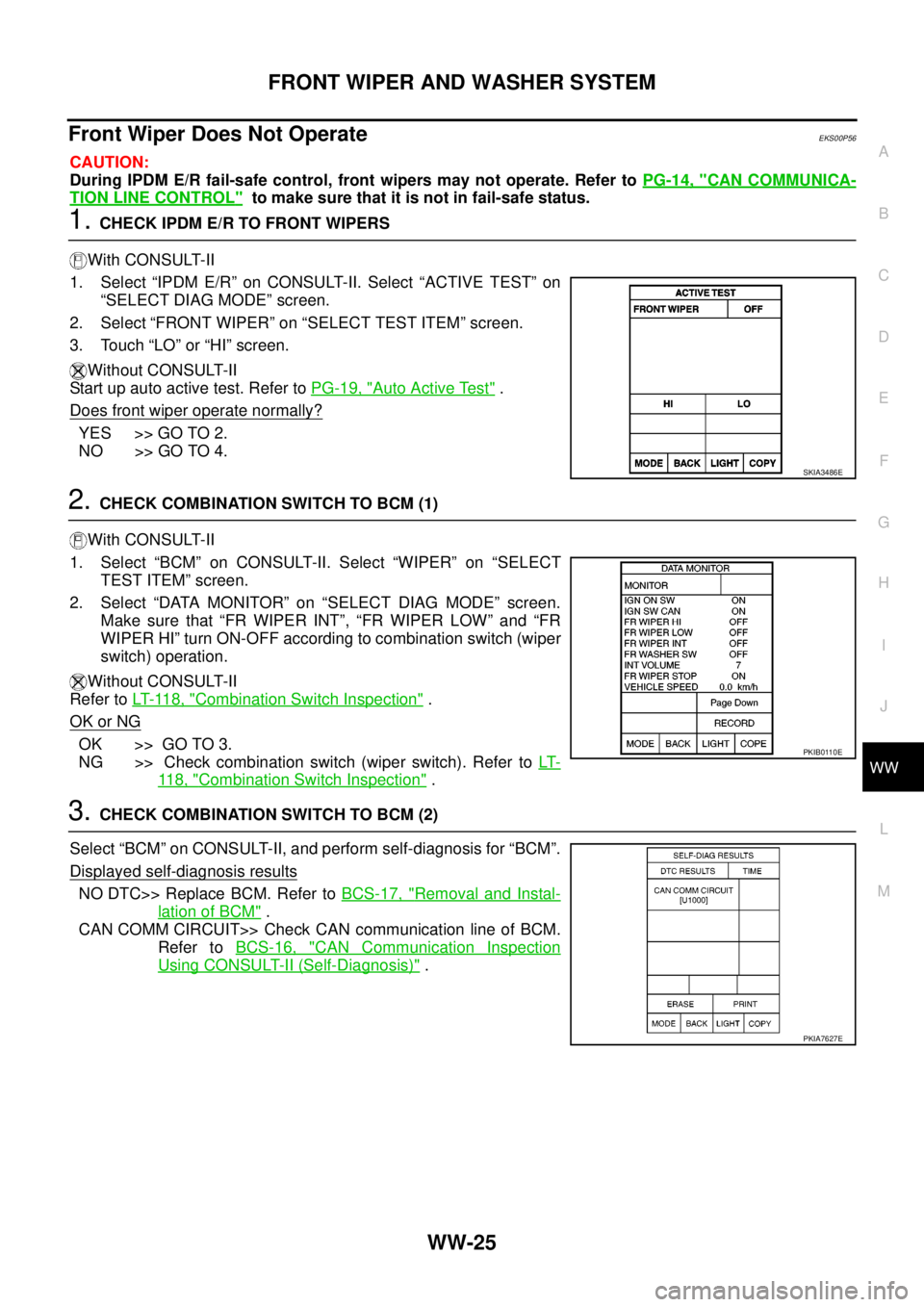
1. Select “IPDM E/R” on CONSULT-II. Select “ACTIVE TEST” on
“SELECT DIAG MODE” screen.
2. Select “FRONT WIPER” on “SELECT TEST ITEM” screen.
3. Touch “LO” or “HI” screen.
Without CONSULT-II
Start up auto active test. Refer toPG-19, "
Auto Active Test".
Does front wiper operate normally?
YES >> GO TO 2.
NO >> GO TO 4.
2.CHECK COMBINATION SWITCH TO BCM (1)
With CONSULT-II
1. Select “BCM” on CONSULT-II. Select “WIPER” on “SELECT
TEST ITEM” screen.
2. Select “DATA MONITOR” on “SELECT DIAG MODE” screen.
Make sure that “FR WIPER INT”, “FR WIPER LOW” and “FR
WIPER HI” turn ON-OFF according to combination switch (wiper
switch) operation.
Without CONSULT-II
Refer toLT- 11 8 , "
Combination Switch Inspection".
OK or NG
OK >> GO TO 3.
NG >> Check combination switch (wiper switch). Refer toLT-
11 8 , "Combination Switch Inspection".
3.CHECK COMBINATION SWITCH TO BCM (2)
Select “BCM” on CONSULT-II, and perform self-diagnosis for “BCM”.
Displayed self-diagnosis results
NO DTC>> Replace BCM. Refer toBCS-17, "Removal and Instal-
lation of BCM".
CAN COMM CIRCUIT>> Check CAN communication line of BCM.
Refer toBCS-16, "
CAN Communication Inspection
Using CONSULT-II (Self-Diagnosis)".
SKIA3486E
PKIB0110E
PKIA7627E
Page 3144 of 3171
FRONT WIPER AND WASHER SYSTEM
WW-33
C
D
E
F
G
H
I
J
L
MA
B
WW
Front Wiper Intermittent Operation Switch Position Cannot Be AdjustedEKS00P5B
1.CHECK COMBINATION SWITCH TO BCM
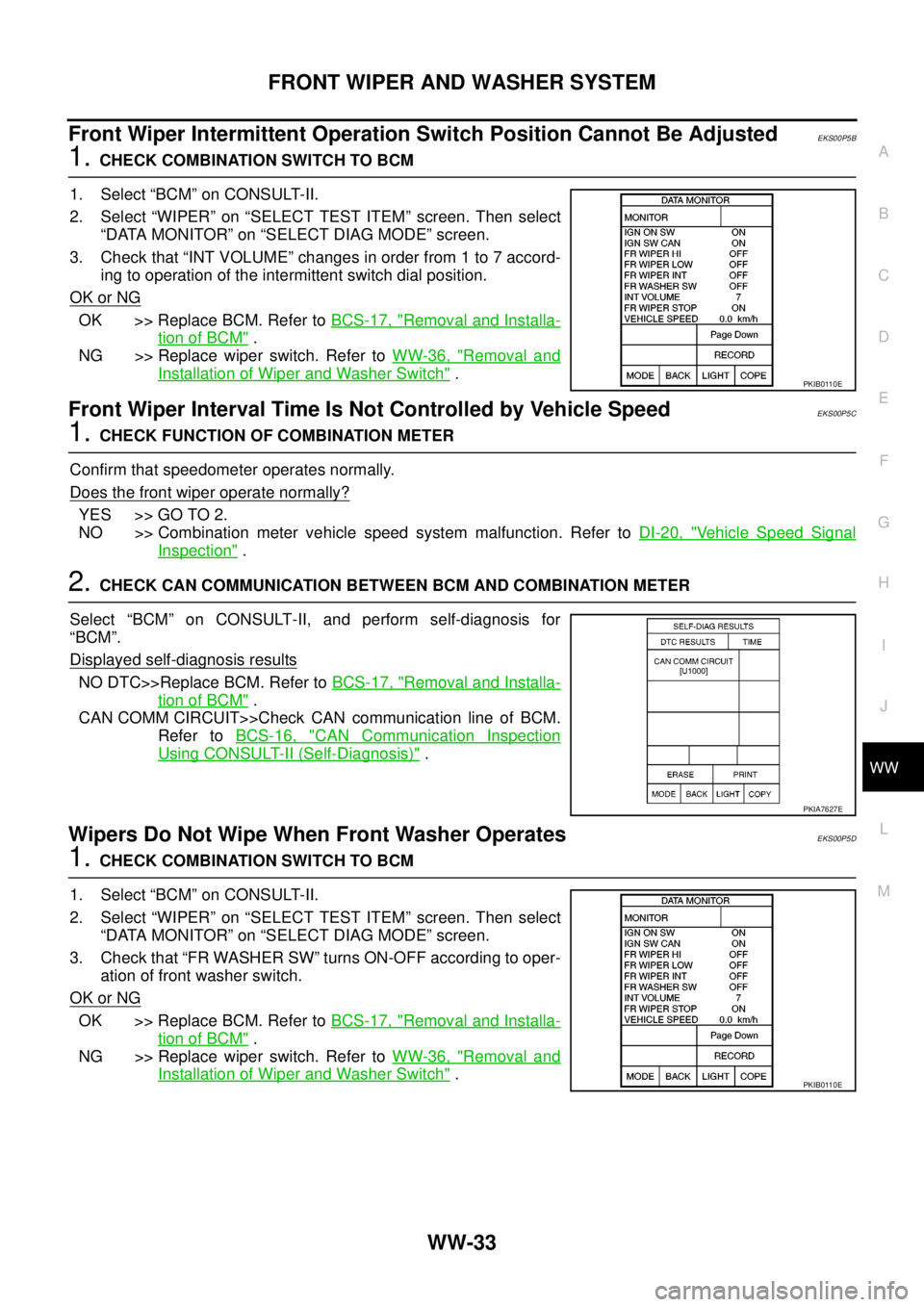
1. Select “BCM” on CONSULT-II.
2. Select “WIPER” on “SELECT TEST ITEM” screen. Then select
“DATA MONITOR” on “SELECT DIAG MODE” screen.
3. Check that “INT VOLUME” changes in order from 1 to 7 accord-
ing to operation of the intermittent switch dial position.
OK or NG
OK >> Replace BCM. Refer toBCS-17, "Removal and Installa-
tion of BCM".
NG >> Replace wiper switch. Refer toWW-36, "
Removal and
Installation of Wiper and Washer Switch".
Front Wiper Interval Time Is Not Controlled by Vehicle SpeedEKS00P5C
1.CHECK FUNCTION OF COMBINATION METER
Confirm that speedometer operates normally.
Does the front wiper operate normally?
YES >> GO TO 2.
NO >> Combination meter vehicle speed system malfunction. Refer toDI-20, "
Vehicle Speed Signal
Inspection".
2.CHECK CAN COMMUNICATION BETWEEN BCM AND COMBINATION METER
Select “BCM” on CONSULT-II, and perform self-diagnosis for
“BCM”.
Displayed self
-diagnosis results
NO DTC>>Replace BCM. Refer toBCS-17, "Removal and Installa-
tion of BCM".
CAN COMM CIRCUIT>>Check CAN communication line of BCM.
Refer toBCS-16, "
CAN Communication Inspection
Using CONSULT-II (Self-Diagnosis)".
Wipers Do Not Wipe When Front Washer OperatesEKS00P5D
1.CHECK COMBINATION SWITCH TO BCM
1. Select “BCM” on CONSULT-II.
2. Select “WIPER” on “SELECT TEST ITEM” screen. Then select
“DATA MONITOR” on “SELECT DIAG MODE” screen.
3. Check that “FR WASHER SW” turns ON-OFF according to oper-
ation of front washer switch.
OK or NG
OK >> Replace BCM. Refer toBCS-17, "Removal and Installa-
tion of BCM".
NG >> Replace wiper switch. Refer toWW-36, "
Removal and
Installation of Wiper and Washer Switch".
PKIB0110E
PKIA7627E
PKIB0110E
Page 3156 of 3171
HEADLAMP WASHER
WW-45
C
D
E
F
G
H
I
J
L
MA
B
WW
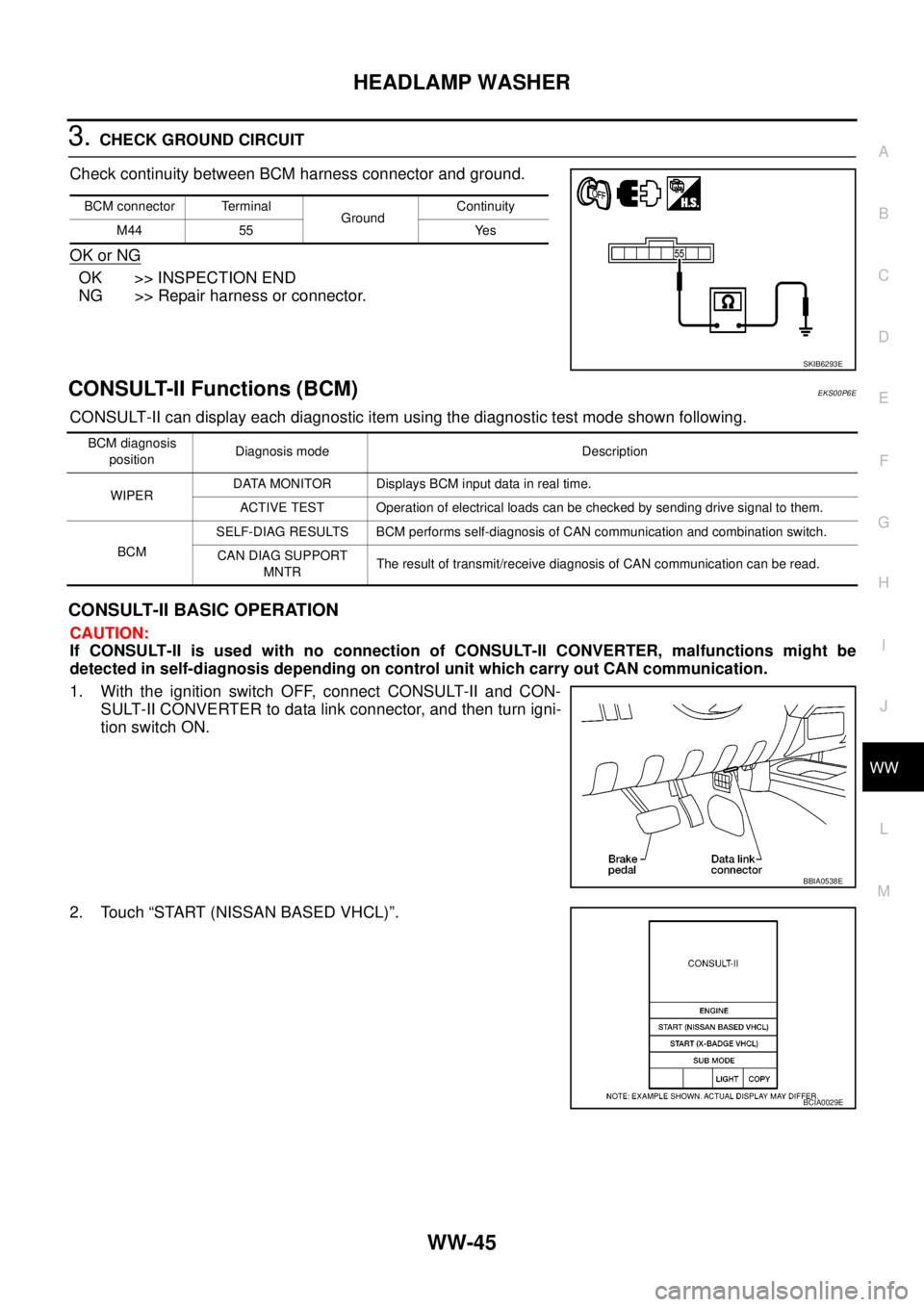
3.CHECK GROUND CIRCUIT
Check continuity between BCM harness connector and ground.
OK or NG
OK >> INSPECTION END
NG >> Repair harness or connector.
CONSULT-II Functions (BCM)EKS00P6E
CONSULT-II can display each diagnostic item using the diagnostic test mode shown following.
CONSULT-II BASIC OPERATION
CAUTION:
If CONSULT-II is used with no connection of CONSULT-II CONVERTER, malfunctions might be
detected in self-diagnosis depending on control unit which carry out CAN communication.
1. With the ignition switch OFF, connect CONSULT-II and CON-
SULT-II CONVERTER to data link connector, and then turn igni-
tion switch ON.
2. Touch “START (NISSAN BASED VHCL)”.
BCM connector Terminal
GroundContinuity
M44 55 Yes
SKIB6293E
BCM diagnosis
positionDiagnosis mode Description
WIPERDATA MONITOR Displays BCM input data in real time.
ACTIVE TEST Operation of electrical loads can be checked by sending drive signal to them.
BCMSELF-DIAG RESULTS BCM performs self-diagnosis of CAN communication and combination switch.
CAN DIAG SUPPORT
MNTRThe result of transmit/receive diagnosis of CAN communication can be read.
BBIA0538E
BCIA0029E
Page 3157 of 3171
WW-46
HEADLAMP WASHER
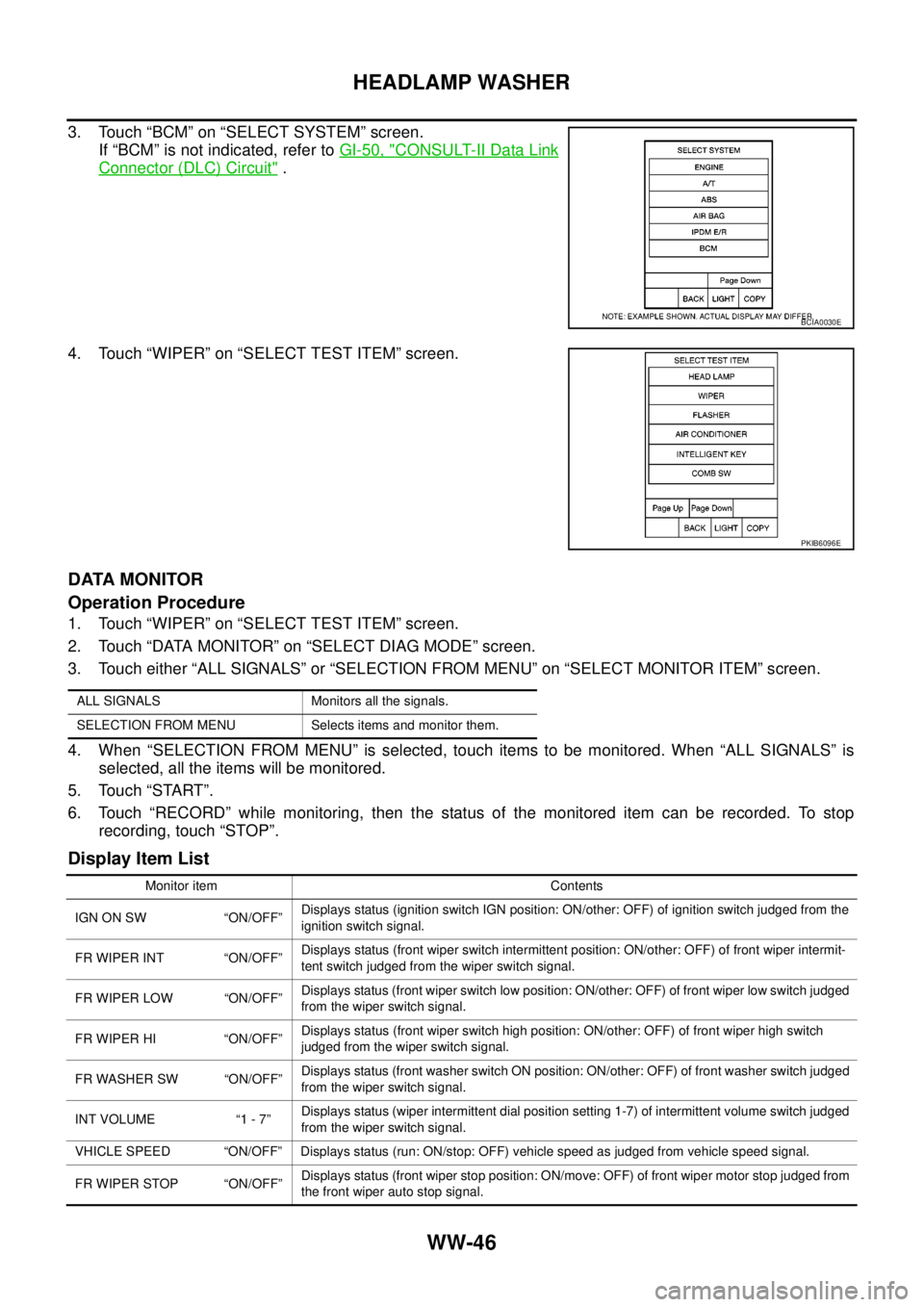
3. Touch “BCM” on “SELECT SYSTEM” screen.
If “BCM” is not indicated, refer toGI-50, "
CONSULT-II Data Link
Connector (DLC) Circuit".
4. Touch “WIPER” on “SELECT TEST ITEM” screen.
DATA MONITOR
Operation Procedure
1. Touch “WIPER” on “SELECT TEST ITEM” screen.
2. Touch “DATA MONITOR” on “SELECT DIAG MODE” screen.
3. Touch either “ALL SIGNALS” or “SELECTION FROM MENU” on “SELECT MONITOR ITEM” screen.
4. When “SELECTION FROM MENU” is selected, touch items to be monitored. When “ALL SIGNALS” is
selected, all the items will be monitored.
5. Touch “START”.
6. Touch “RECORD” while monitoring, then the status of the monitored item can be recorded. To stop
recording, touch “STOP”.
Display Item List
BCIA0030E
PKIB6096E
ALL SIGNALS Monitors all the signals.
SELECTION FROM MENU Selects items and monitor them.
Monitor item Contents
IGN ON SW “ON/OFF”Displays status (ignition switch IGN position: ON/other: OFF) of ignition switch judged from the
ignition switch signal.
FR WIPER INT “ON/OFF”Displays status (front wiper switch intermittent position: ON/other: OFF) of front wiper intermit-
tent switch judged from the wiper switch signal.
FR WIPER LOW “ON/OFF”Displays status (front wiper switch low position: ON/other: OFF) of front wiper low switch judged
from the wiper switch signal.
FR WIPER HI “ON/OFF”Displays status (front wiper switch high position: ON/other: OFF) of front wiper high switch
judged from the wiper switch signal.
FR WASHER SW “ON/OFF”Displays status (front washer switch ON position: ON/other: OFF) of front washer switch judged
from the wiper switch signal.
INT VOLUME “1 - 7”Displays status (wiper intermittent dial position setting 1-7) of intermittent volume switch judged
from the wiper switch signal.
VHICLE SPEED “ON/OFF” Displays status (run: ON/stop: OFF) vehicle speed as judged from vehicle speed signal.
FR WIPER STOP “ON/OFF”Displays status (front wiper stop position: ON/move: OFF) of front wiper motor stop judged from
the front wiper auto stop signal.
Page 3158 of 3171

HEADLAMP WASHER
WW-47
C
D
E
F
G
H
I
J
L
MA
B
WW
ACTIVE TEST
Operation Procedure
1. Touch “WIPER” on “SELECT TEST ITEM” screen.
2. Touch “ACTIVE TEST” on “SELECT DIAG MODE” screen.
3. Touch item to be tested and check operation of the selected item.
4. During the operation check, touching “OFF” deactivates the operation.
Display Item List
RR WIPER INT “ON/OFF”Displays status (rear wiper switch intermittent position: ON/other: OFF) of rear wiper intermit-
tent switch judged from the wiper switch signal.
RR WIPER ON “ON/OFF”Displays status (rear wiper switch ON position: ON/other: OFF) of rear wiper switch judged from
the wiper switch signal.
RR WASHER SW “ON/OFF”Displays status (rear washer switch ON position: ON/other: OFF) of rear washer switch judged
from the wiper switch signal.
RR WIPER STOP “ON/OFF”Displays status (rear wiper move: ON/stop position: OFF) of rear wiper motor stop judged from
the rear wiper auto stop signal.
HL WASHER SW “ON/OFF”Displays status (headlamp washer switch ON position: ON/other: OFF) of headlamp washer
switch judged from headlamp washer switch signal.
HEAD LAMP SW 1 “ON/OFF”Displays status (lighting switch 2ND position: ON/other: OFF) of headlamp 1 switch judged from
thelightingswitchsignal.
HEAD LAMP SW 2 “ON/OFF”Displays status (lighting switch 2ND position: ON/other: OFF) of headlamp 2 switch judged from
thelightingswitchsignal. Monitor item Contents
Test item Display on CONSULT-II screen Description
Front wiper HI output FR WIPER (HI) Front wiper HI can be operated by any ON-OFF operation.
Front wiper LOW output FR WIPER (LOW) Front wiper LOW can be operated by any ON-OFF operation.
Front wiper INT output FR WIPER (INT) Front wiper INT can be operated by any ON-OFF operation.
Rear wiper output RR WIPER Rear wiper can be operated by any ON (1.5 second)-OFF operation.
Headlamp washer output HEAD LAMP WASHER Headlamp washer can be operated by any ON-OFF operation.
Page 3159 of 3171
WW-48
HEADLAMP WASHER
CONSULT-II Functions (IPDM E/R)
EKS00P6F
CONSULT-II can display each diagnostic item using the diagnostic test mode shown following.
CONSULT-II BASIC OPERATION
CAUTION:
If CONSULT-II is used with no connection of CONSULT-II CONVERTER, malfunctions might be
detected in self-diagnosis depending on control unit which carry out CAN communication.
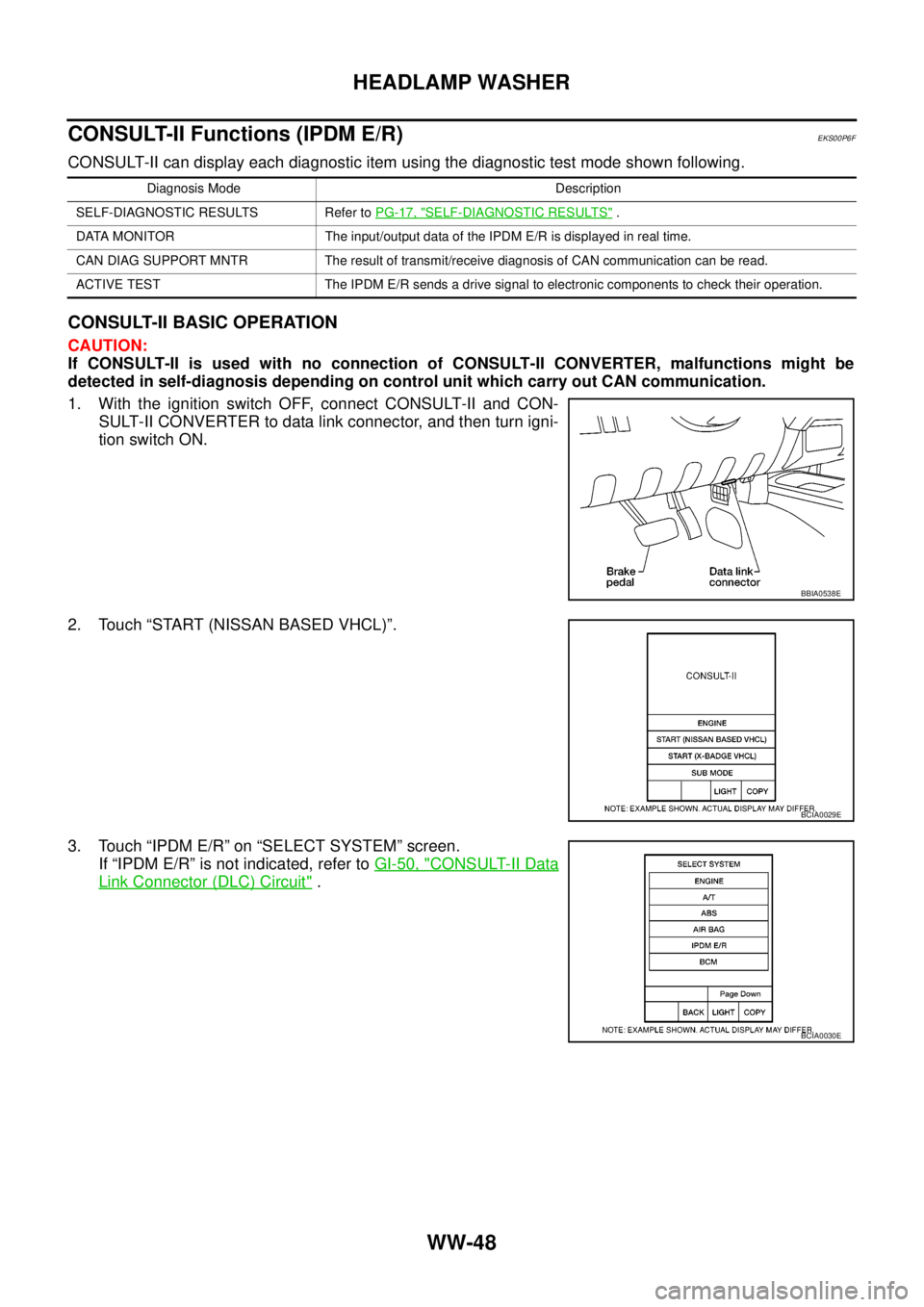
1. With the ignition switch OFF, connect CONSULT-II and CON-
SULT-II CONVERTER to data link connector, and then turn igni-
tion switch ON.
2. Touch “START (NISSAN BASED VHCL)”.
3. Touch “IPDM E/R” on “SELECT SYSTEM” screen.
If “IPDM E/R” is not indicated, refer toGI-50, "
CONSULT-II Data
Link Connector (DLC) Circuit".
Diagnosis Mode Description
SELF-DIAGNOSTIC RESULTS Refer toPG-17, "
SELF-DIAGNOSTIC RESULTS".
DATA MONITOR The input/output data of the IPDM E/R is displayed in real time.
CAN DIAG SUPPORT MNTR The result of transmit/receive diagnosis of CAN communication can be read.
ACTIVE TEST The IPDM E/R sends a drive signal to electronic components to check their operation.
BBIA0538E
BCIA0029E
BCIA0030E