3 WHAT TO DO IN AN EMERGENCY
10
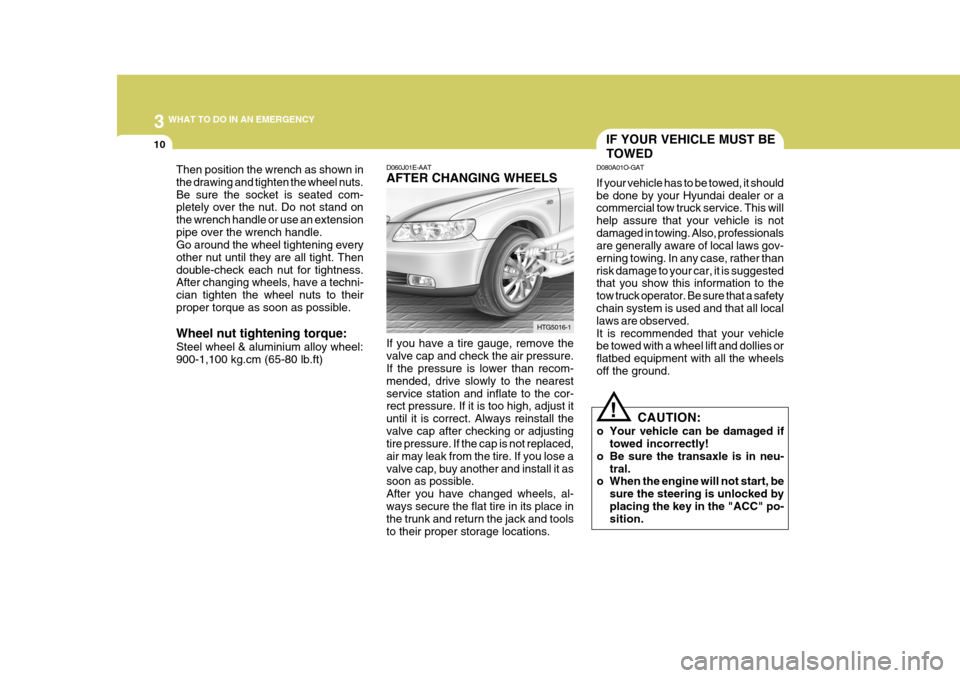
Then position the wrench as shown in the drawing and tighten the wheel nuts.Be sure the socket is seated com- pletely over the nut. Do not stand on the wrench handle or use an extensionpipe over the wrench handle. Go around the wheel tightening every other nut until they are all tight. Thendouble-check each nut for tightness. After changing wheels, have a techni- cian tighten the wheel nuts to theirproper torque as soon as possible. Wheel nut tightening torque: Steel wheel & aluminium alloy wheel: 900-1,100 kg.cm (65-80 lb.ft) D060J01E-AAT AFTER CHANGING WHEELS If you have a tire gauge, remove the valve cap and check the air pressure. If the pressure is lower than recom- mended, drive slowly to the nearestservice station and inflate to the cor- rect pressure. If it is too high, adjust it until it is correct. Always reinstall thevalve cap after checking or adjusting tire pressure. If the cap is not replaced, air may leak from the tire. If you lose avalve cap, buy another and install it as soon as possible. After you have changed wheels, al-ways secure the flat tire in its place in the trunk and return the jack and tools to their proper storage locations.HTG5016-1
IF YOUR VEHICLE MUST BE TOWED
D080A01O-GAT If your vehicle has to be towed, it should be done by your Hyundai dealer or a commercial tow truck service. This will help assure that your vehicle is notdamaged in towing. Also, professionals are generally aware of local laws gov- erning towing. In any case, rather thanrisk damage to your car, it is suggested that you show this information to the tow truck operator. Be sure that a safetychain system is used and that all local laws are observed. It is recommended that your vehicle be towed with a wheel lift and dollies or flatbed equipment with all the wheelsoff the ground.
! CAUTION:
o Your vehicle can be damaged if towed incorrectly!
o Be sure the transaxle is in neu- tral.
o When the engine will not start, be
sure the steering is unlocked by placing the key in the "ACC" po- sition.
6 DO-IT-YOURSELF MAINTENANCE
32
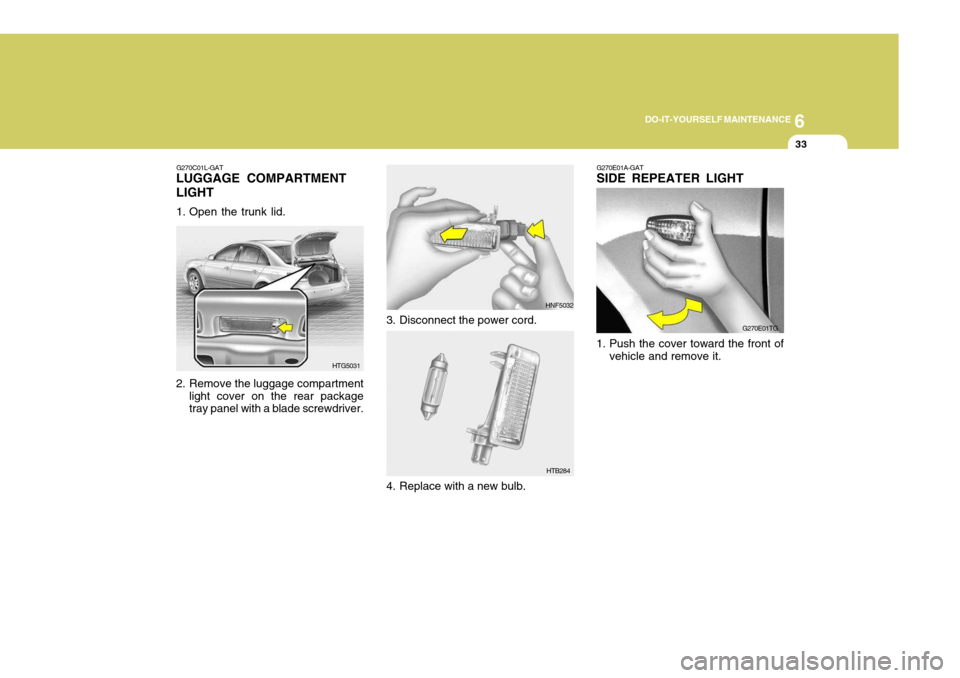
3. To replace the turn signal light,
remove it from the bulb holder and install the new bulb. G270D03TG
HTG5042
2. Loosen the mounting screws of the trunk lid trim with a phillips screw- driver and remove the trunk lid trim.
Back-up Light
1. Open the trunk lid.
3. To replace the back-up light, re- move the socket by turning it coun- terclockwise.
4. Install the new bulb. HTG5030
Rear Fog Light (If Installed)
NOTE: The rear fog light should be re-
placed by an authorized Hyundai dealer because the light is LED (Light Emitting Diode) type.
6 DO-IT-YOURSELF MAINTENANCE
40
PROTECTED COMPONENTS
Fuel lid opener & Trunk lid switch Front lumbar support switch, IMS Control module, Driver/Passenger seat manual switch ATM Key lock control module, Audio, IMS Switch, Accessory relay, Seat/Power outlet relay,
Digital clock & Passenger seat belt IND.
AudioTransaxle range switch, Burglar alarm relay Left front safety window module, Left rear power window switch Right front safety window module, Right rear power window switchRight rear ICM relay boxInstrument cluster, BCM, Rear curtain module, Rain sensor, IMS Control module, Power window main switchBack warning buzzerLeft/Right outside mirror & mirror folding motor, A/C Control module Key solenoid, Power window main switch Rear fog light relayInstrument clusterAir bag cut off switch, SRS Control module(Spare)Tilt & Telescopic module, Sport mode switch Front fog light relay, Left rear combination light, License plate light, Left headlight
FUSE RATING 20A 30A10A 15A 10A 30A30A30A10A15A 10A 20A15A10A15A10A15A 10A 10A
FUSE
T/LID
FR P/SEAT AUDIO-2 AUDIO-1
START
P/WDW LH
P/WDW RH RR P/SEAT MODULE-1
PEDAL ADJ
MIRR HTD KEY SOLRR FOG
A/BAG IND A/BAG
SPARE-2 TILT
TAIL LH
TAIL RHPROTECTED COMPONENTS
Fuel lid opener & Trunk lid switch Front lumbar support switch, IMS Control module, Driver/Passenger seat manual switch ATM Key lock control module, Audio, IMS Switch, Accessory relay, Seat/Power outlet relay,
Digital clock & Passenger seat belt IND.
AudioTransaxle range switch, Burglar alarm relay Left front safety window module, Left rear power window switch Right front safety window module, Right rear power window switchRight rear ICM relay boxInstrument cluster, BCM, Rear curtain module, Rain sensor, IMS Control module, Power window main switchBack warning buzzerLeft/Right outside mirror & mirror folding motor, A/C Control module Key solenoid, Power window main switch Rear fog light relayInstrument clusterAir bag cut off switch, SRS Control module(Spare)Tilt & Telescopic module, Sport mode switch Front fog light relay, Left rear combination light, License plate light, Left headlight Right rear combination light, License plate light, Right headlight