Page 71 of 368
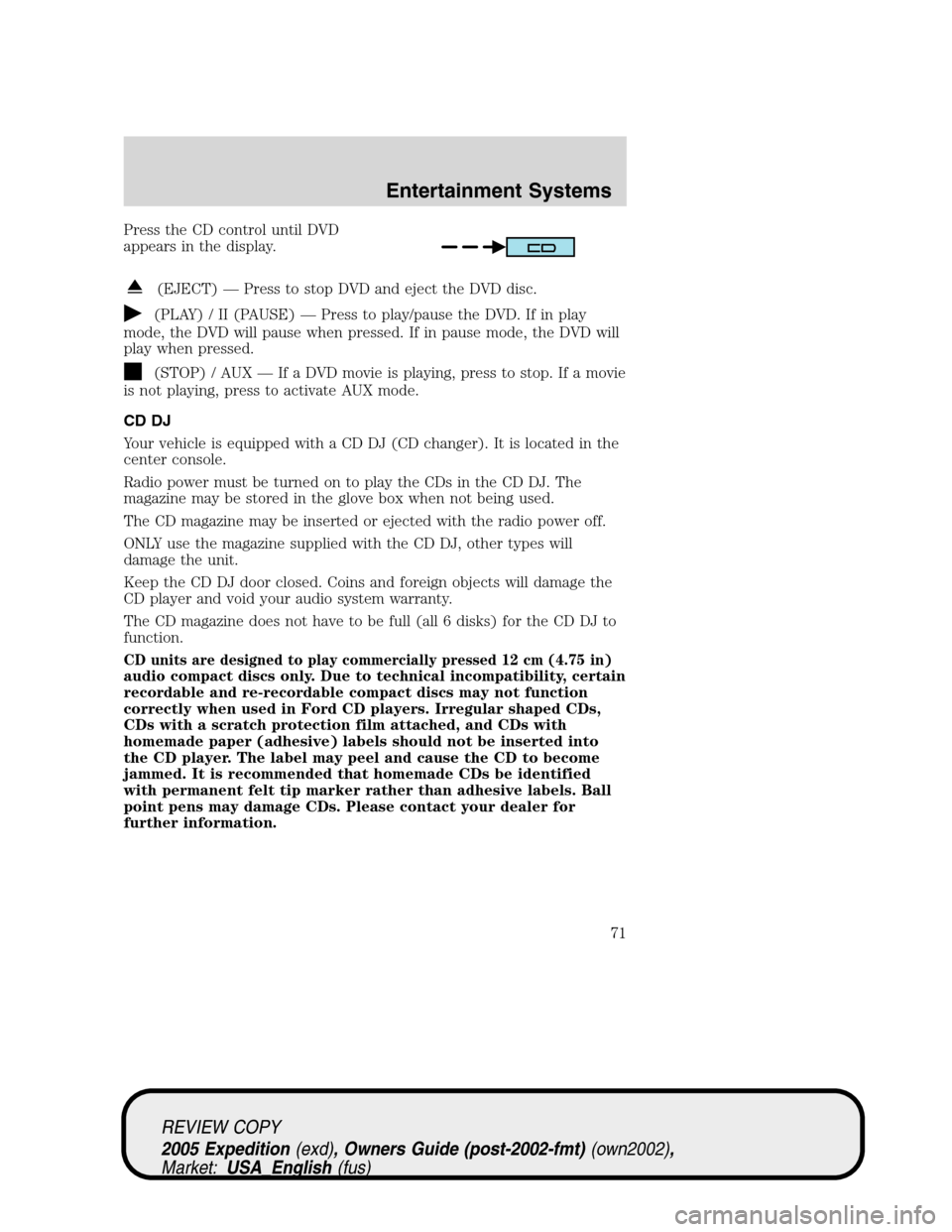
Press the CD control until DVD
appears in the display.
(EJECT) — Press to stop DVD and eject the DVD disc.
(PLAY) / II (PAUSE) — Press to play/pause the DVD. If in play
mode, the DVD will pause when pressed. If in pause mode, the DVD will
play when pressed.
(STOP) / AUX — If a DVD movie is playing, press to stop. If a movie
is not playing, press to activate AUX mode.
CD DJ
Your vehicle is equipped with a CD DJ (CD changer). It is located in the
center console.
Radio power must be turned on to play the CDs in the CD DJ. The
magazine may be stored in the glove box when not being used.
The CD magazine may be inserted or ejected with the radio power off.
ONLY use the magazine supplied with the CD DJ, other types will
damage the unit.
Keep the CD DJ door closed. Coins and foreign objects will damage the
CD player and void your audio system warranty.
The CD magazine does not have to be full (all 6 disks) for the CD DJ to
function.
CD units are designed to play commercially pressed 12 cm (4.75 in)
audio compact discs only. Due to technical incompatibility, certain
recordable and re-recordable compact discs may not function
correctly when used in Ford CD players. Irregular shaped CDs,
CDs with a scratch protection film attached, and CDs with
homemade paper (adhesive) labels should not be inserted into
the CD player. The label may peel and cause the CD to become
jammed. It is recommended that homemade CDs be identified
with permanent felt tip marker rather than adhesive labels. Ball
point pens may damage CDs. Please contact your dealer for
further information.
REVIEW COPY
2005 Expedition(exd), Owners Guide (post-2002-fmt)(own2002),
Market:USA_English(fus)
Entertainment Systems
71
Page 73 of 368
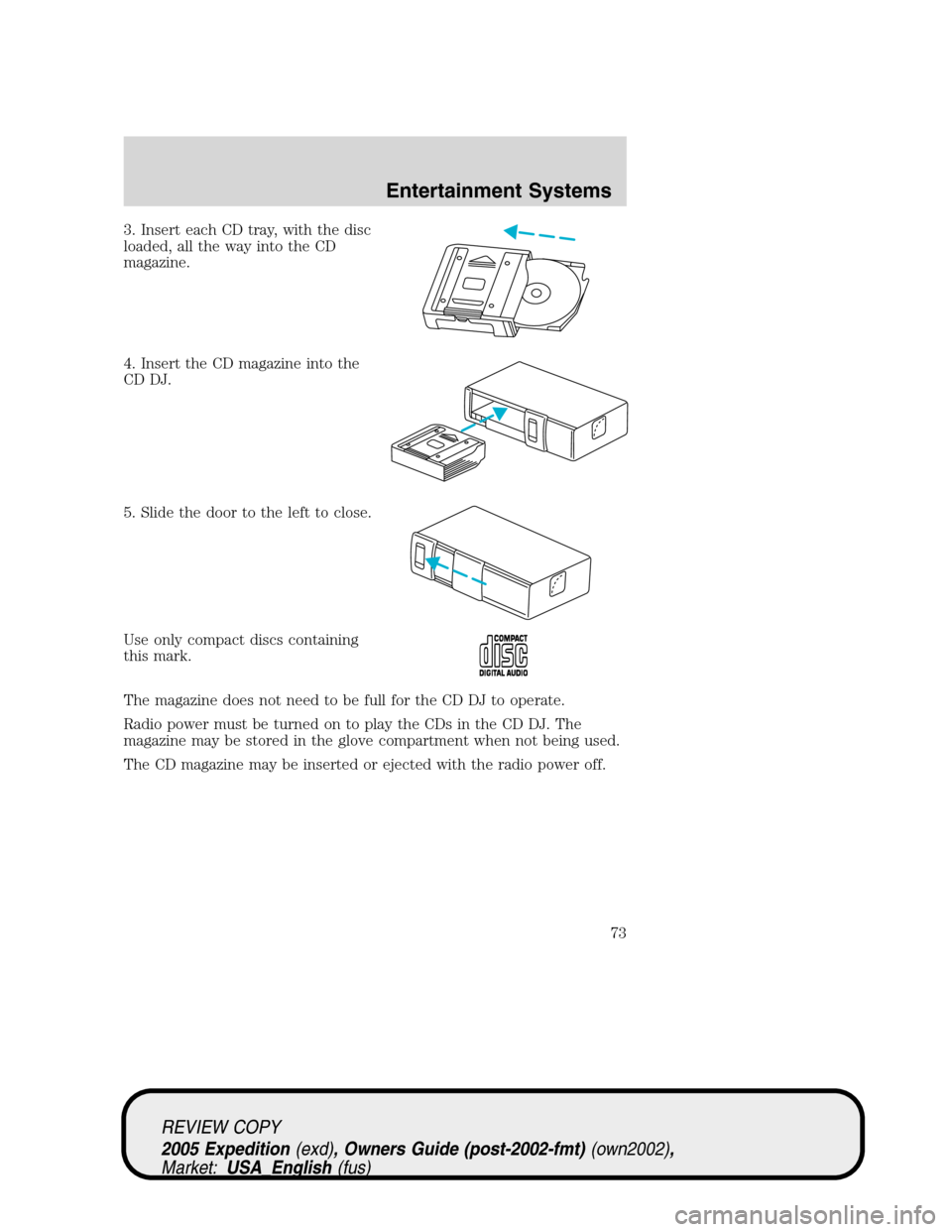
3. Insert each CD tray, with the disc
loaded, all the way into the CD
magazine.
4. Insert the CD magazine into the
CD DJ.
5. Slide the door to the left to close.
Use only compact discs containing
this mark.
The magazine does not need to be full for the CD DJ to operate.
Radio power must be turned on to play the CDs in the CD DJ. The
magazine may be stored in the glove compartment when not being used.
The CD magazine may be inserted or ejected with the radio power off.
REVIEW COPY
2005 Expedition(exd), Owners Guide (post-2002-fmt)(own2002),
Market:USA_English(fus)
Entertainment Systems
73
Page 76 of 368
Rear seat controls (RSC)
Your vehicle is equipped with rear seat controls, which allow the rear
seat passengers to operate and listen to a different playing media than
the front seat passengers. To engage the rear seat controls from the VNR
system:
•Press the headphone/speaker icon
on the VNR system. The
headphone icon illuminates in the
display indicating the system has
enabled Rear Seat Control mode. A subsequent press of this button
will disable rear seat control (headphone/speaker icon on display will
appear with a red slash through it).
When RSC is active, pressing presets 2 and 4 simultaneously on the radio
will enable Dual Play mode (or the RSC can enable Dual Play mode by
pressing the
/button). The front speakers play the selected media
and the rear speakers mute. In this mode, the rear passengers may
adjust the volume and other levels using the rear seat control.
Additionally in Dual Play mode, the front and rear seat passengers can
listen to the same playing media. However, rear seat passengers listen to
the media over their headphones (thereby being able to adjust the
volume) and the front seat passengers listen via the front seat speakers.
Press the headphone/speaker control again to disengage the rear seat
controls (and Dual Play mode). The system returns to Single Play mode.
Front and rear speakers will play the selected media.
For further information on the rear seat controls, refer toRear Seat
Controlssection found earlier in this chapter.
Navigation features
The route guidance navigation system in your audio unit will not function
unless a navigation CD is inserted.
Ensure that you follow highway code restrictions and do not take
any risks. For example, if you are unable to make a U-turn,
continue on your journey. The navigation system will recalculate
your route to get you back to an appropriate road to your
destination.
For road safety reasons, information should only be entered
when the vehicle is stationary.
REVIEW COPY
2005 Expedition(exd), Owners Guide (post-2002-fmt)(own2002),
Market:USA_English(fus)
Entertainment Systems
76
Page 90 of 368
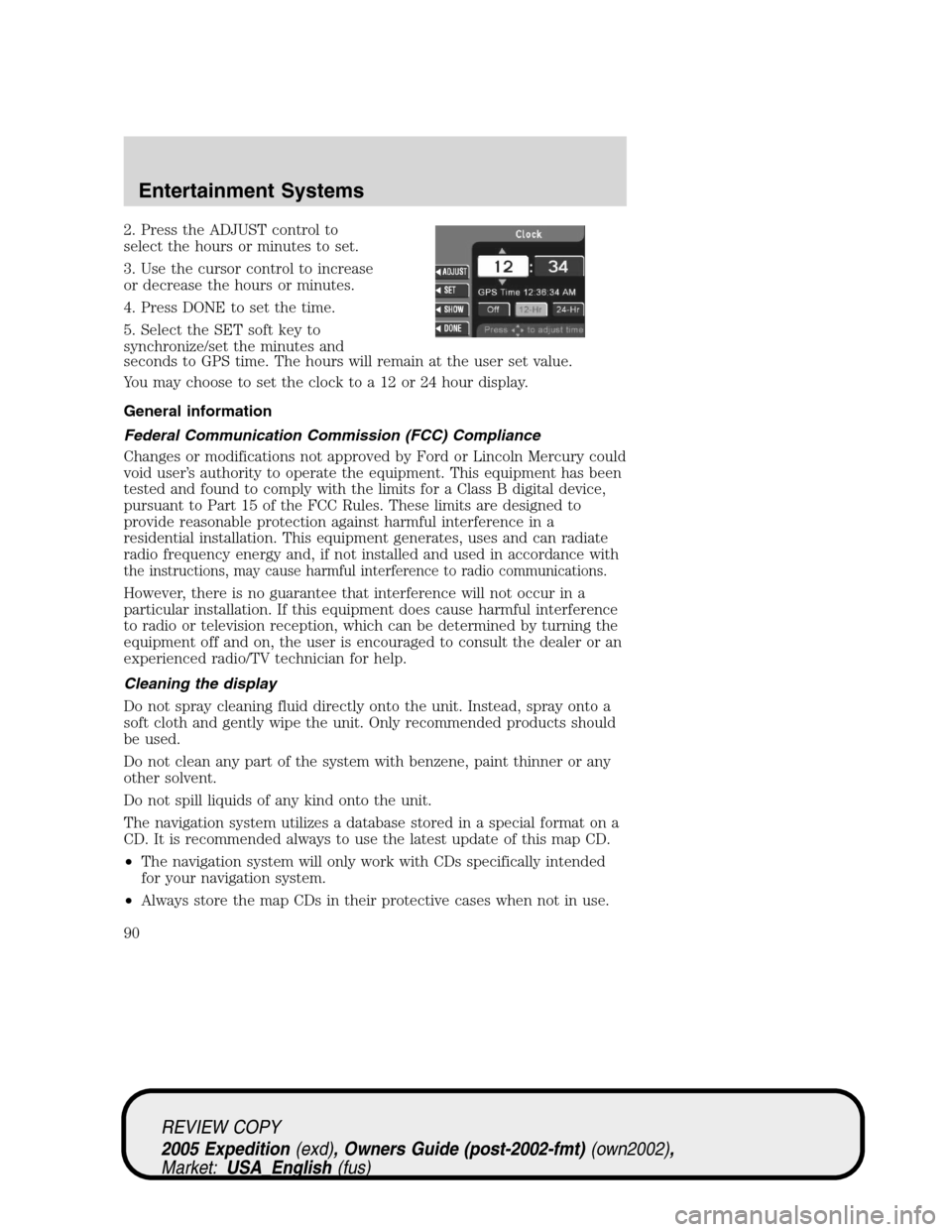
2. Press the ADJUST control to
select the hours or minutes to set.
3. Use the cursor control to increase
or decrease the hours or minutes.
4. Press DONE to set the time.
5. Select the SET soft key to
synchronize/set the minutes and
seconds to GPS time. The hours will remain at the user set value.
You may choose to set the clock to a 12 or 24 hour display.
General information
Federal Communication Commission (FCC) Compliance
Changes or modifications not approved by Ford or Lincoln Mercury could
void user’s authority to operate the equipment. This equipment has been
tested and found to comply with the limits for a Class B digital device,
pursuant to Part 15 of the FCC Rules. These limits are designed to
provide reasonable protection against harmful interference in a
residential installation. This equipment generates, uses and can radiate
radio frequency energy and, if not installed and used in accordance with
the instructions, may cause harmful interference to radio communications.
However, there is no guarantee that interference will not occur in a
particular installation. If this equipment does cause harmful interference
to radio or television reception, which can be determined by turning the
equipment off and on, the user is encouraged to consult the dealer or an
experienced radio/TV technician for help.
Cleaning the display
Do not spray cleaning fluid directly onto the unit. Instead, spray onto a
soft cloth and gently wipe the unit. Only recommended products should
be used.
Do not clean any part of the system with benzene, paint thinner or any
other solvent.
Do not spill liquids of any kind onto the unit.
The navigation system utilizes a database stored in a special format on a
CD. It is recommended always to use the latest update of this map CD.
•The navigation system will only work with CDs specifically intended
for your navigation system.
•Always store the map CDs in their protective cases when not in use.
REVIEW COPY
2005 Expedition(exd), Owners Guide (post-2002-fmt)(own2002),
Market:USA_English(fus)
Entertainment Systems
90
Page 126 of 368
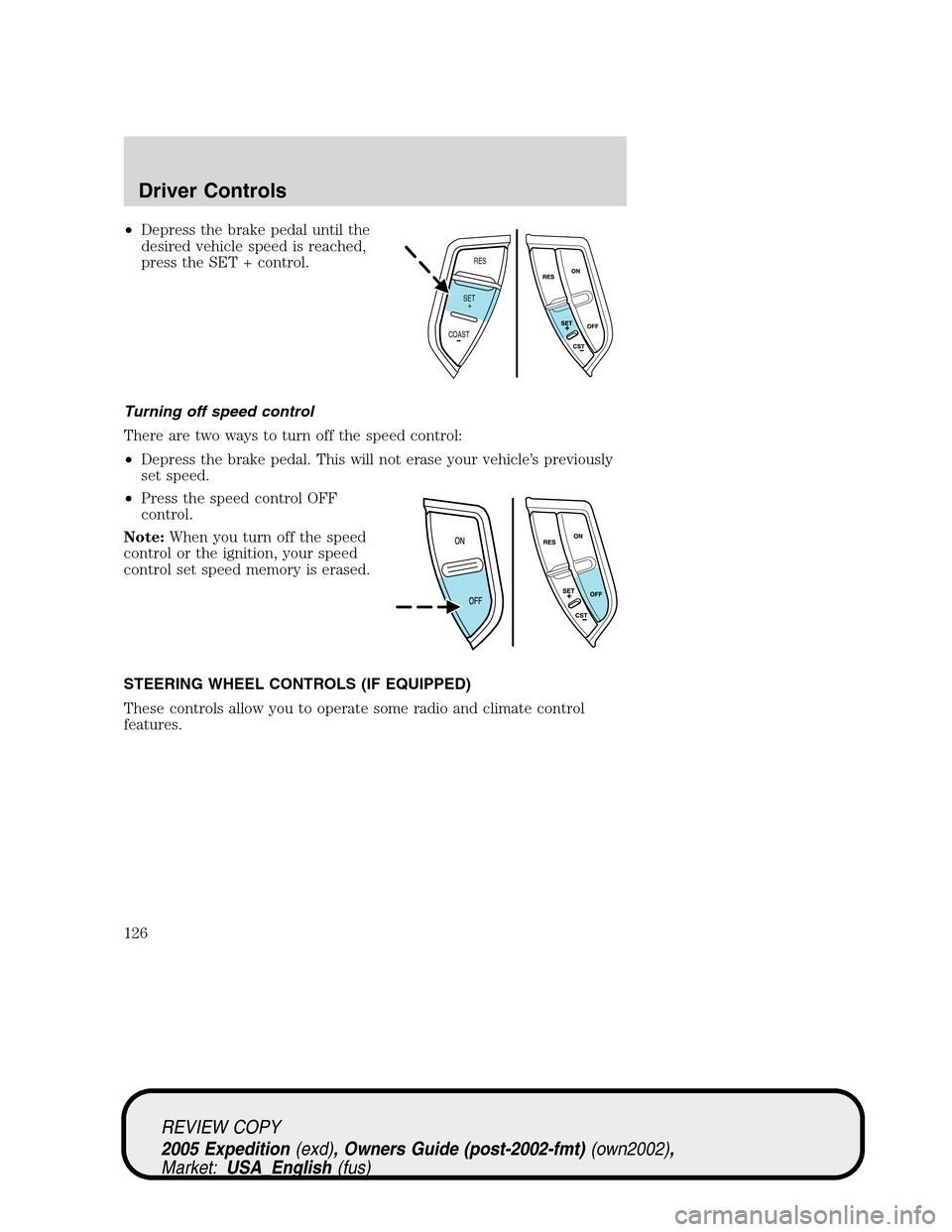
•Depress the brake pedal until the
desired vehicle speed is reached,
press the SET + control.
Turning off speed control
There are two ways to turn off the speed control:
•Depress the brake pedal. This will not erase your vehicle’s previously
set speed.
•Press the speed control OFF
control.
Note:When you turn off the speed
control or the ignition, your speed
control set speed memory is erased.
STEERING WHEEL CONTROLS (IF EQUIPPED)
These controls allow you to operate some radio and climate control
features.
RES
SET
COAST+
REVIEW COPY
2005 Expedition(exd), Owners Guide (post-2002-fmt)(own2002),
Market:USA_English(fus)
Driver Controls
126
Page 127 of 368
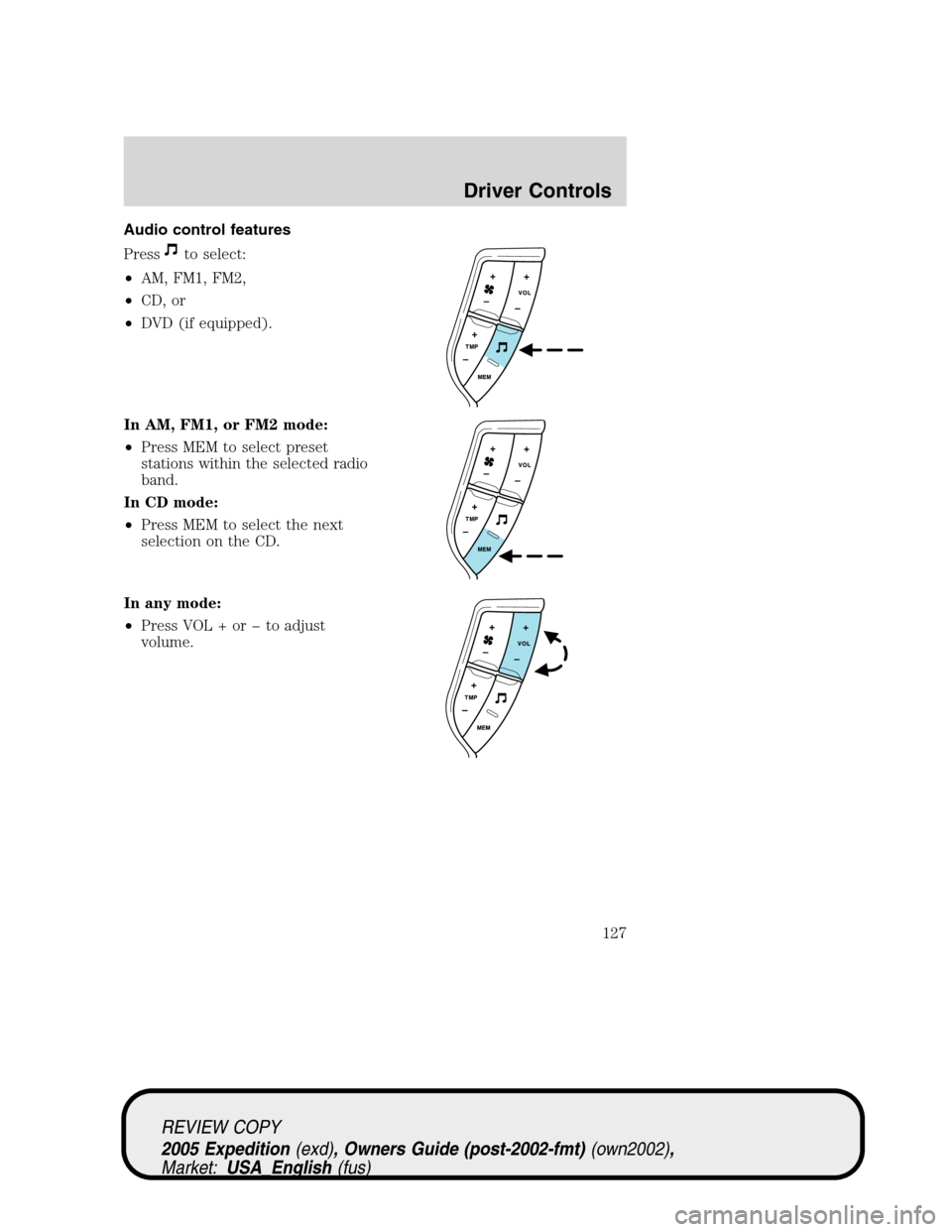
Audio control features
Press
to select:
•AM, FM1, FM2,
•CD, or
•DVD (if equipped).
In AM, FM1, or FM2 mode:
•Press MEM to select preset
stations within the selected radio
band.
In CD mode:
•Press MEM to select the next
selection on the CD.
In any mode:
•Press VOL + or to adjust
volume.
REVIEW COPY
2005 Expedition(exd), Owners Guide (post-2002-fmt)(own2002),
Market:USA_English(fus)
Driver Controls
127
Page 128 of 368
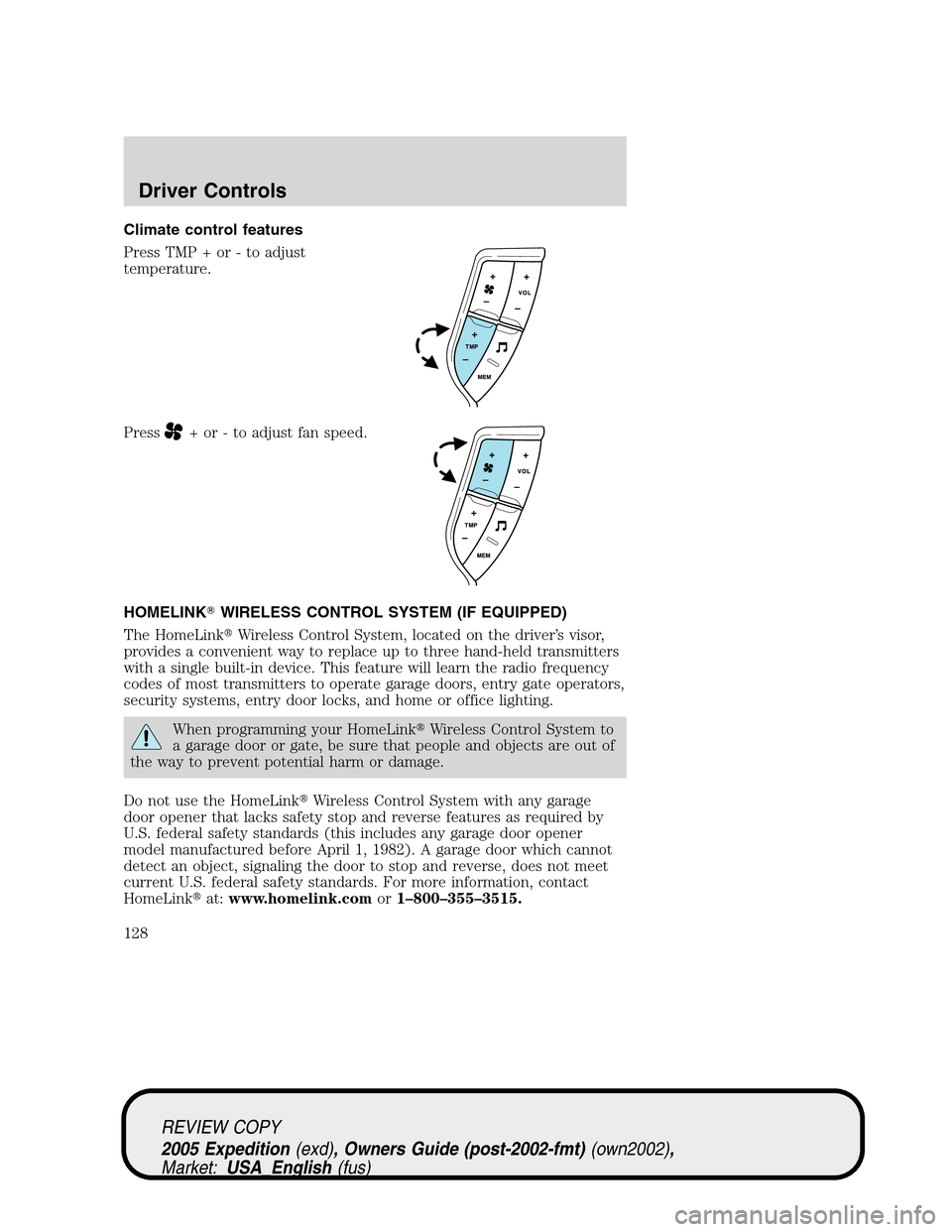
Climate control features
Press TMP + or - to adjust
temperature.
Press
+ or - to adjust fan speed.
HOMELINK�WIRELESS CONTROL SYSTEM (IF EQUIPPED)
The HomeLink�Wireless Control System, located on the driver’s visor,
provides a convenient way to replace up to three hand-held transmitters
with a single built-in device. This feature will learn the radio frequency
codes of most transmitters to operate garage doors, entry gate operators,
security systems, entry door locks, and home or office lighting.
When programming your HomeLink�Wireless Control System to
a garage door or gate, be sure that people and objects are out of
the way to prevent potential harm or damage.
Do not use the HomeLink�Wireless Control System with any garage
door opener that lacks safety stop and reverse features as required by
U.S. federal safety standards (this includes any garage door opener
model manufactured before April 1, 1982). A garage door which cannot
detect an object, signaling the door to stop and reverse, does not meet
current U.S. federal safety standards. For more information, contact
HomeLink�at:www.homelink.comor1–800–355–3515.
REVIEW COPY
2005 Expedition(exd), Owners Guide (post-2002-fmt)(own2002),
Market:USA_English(fus)
Driver Controls
128
Page 129 of 368
Retain the original transmitter for use in other vehicles as well as for
future programming procedures (i.e. new HomeLink�equipped vehicle
purchase). It is also suggested that upon the sale of the vehicle, the
programmed Homelink�buttons be erased for security purposes, refer to
Programmingin this section.
Programming
Do not program HomeLink�with the vehicle parked in the garage.
Note:Your vehicle may require the ignition switch to be turned to the
ACC position for programming and/or operation of the HomeLink�.Itis
also recommended that a new battery be placed in the hand-held
transmitter of the device being programmed to HomeLink�for quicker
training and accurate transmission of the radio-frequency signal.
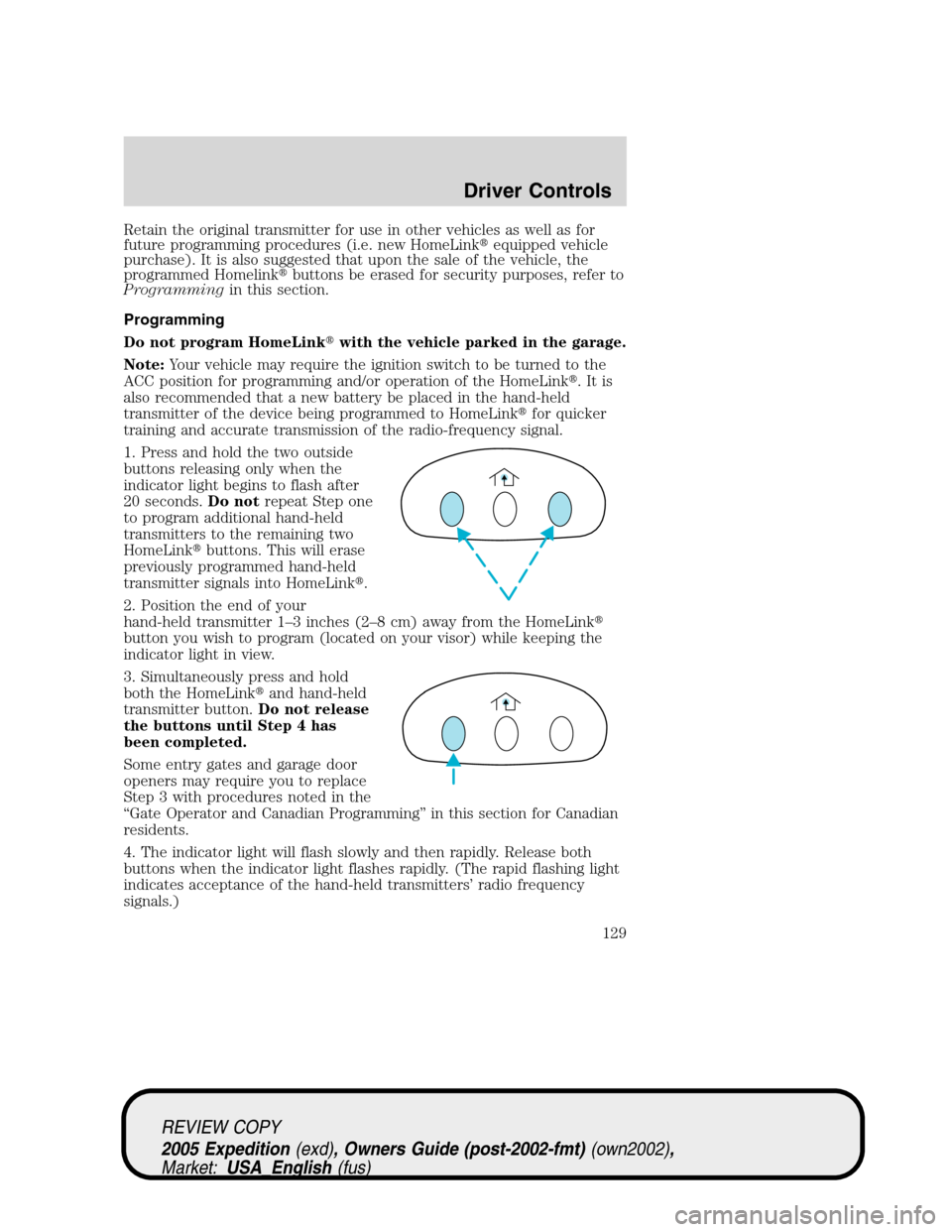
1. Press and hold the two outside
buttons releasing only when the
indicator light begins to flash after
20 seconds.Do notrepeat Step one
to program additional hand-held
transmitters to the remaining two
HomeLink�buttons. This will erase
previously programmed hand-held
transmitter signals into HomeLink�.
2. Position the end of your
hand-held transmitter 1–3 inches (2–8 cm) away from the HomeLink�
button you wish to program (located on your visor) while keeping the
indicator light in view.
3. Simultaneously press and hold
both the HomeLink�and hand-held
transmitter button.Do not release
the buttons until Step 4 has
been completed.
Some entry gates and garage door
openers may require you to replace
Step 3 with procedures noted in the
“Gate Operator and Canadian Programming” in this section for Canadian
residents.
4. The indicator light will flash slowly and then rapidly. Release both
buttons when the indicator light flashes rapidly. (The rapid flashing light
indicates acceptance of the hand-held transmitters’ radio frequency
signals.)
REVIEW COPY
2005 Expedition(exd), Owners Guide (post-2002-fmt)(own2002),
Market:USA_English(fus)
Driver Controls
129