Page 96 of 296
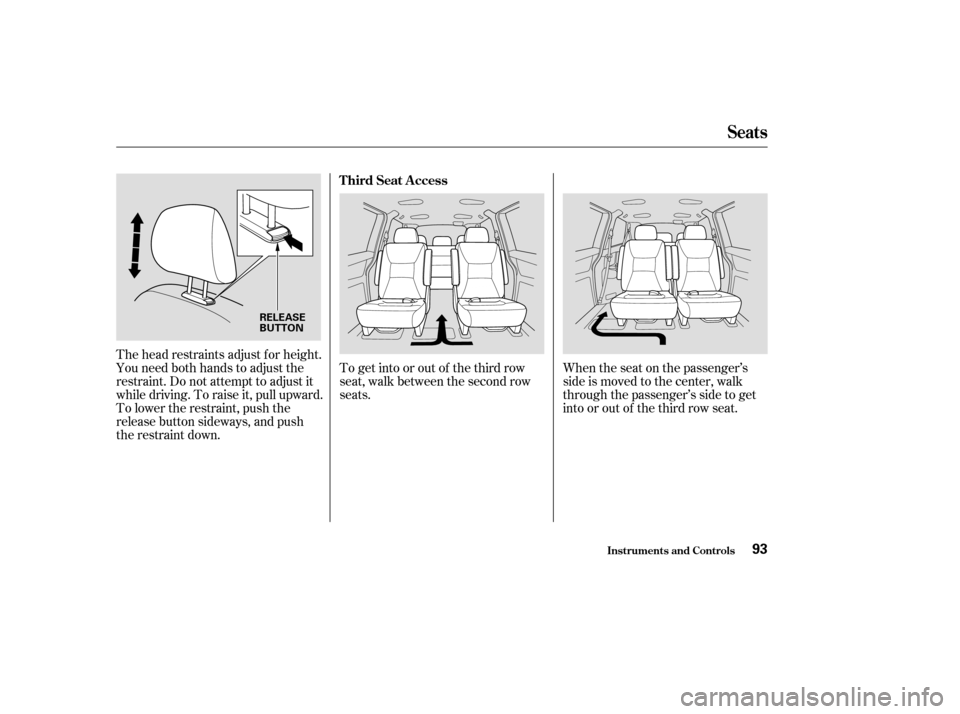
The head restraints adjust f or height.
You need both hands to adjust the
restraint. Do not attempt to adjust it
while driving. To raise it, pull upward.
To lower the restraint, push the
release button sideways, and push
the restraint down.To get into or out of the third row
seat, walk between the second row
seats.
When the seat on the passenger’s
side is moved to the center, walk
through the passenger’s side to get
into or out of the third row seat.
Seats
Inst rument s and Cont rols
T hird Seat A ccess
93
RELEASE
BUTTON
Page 97 of 296
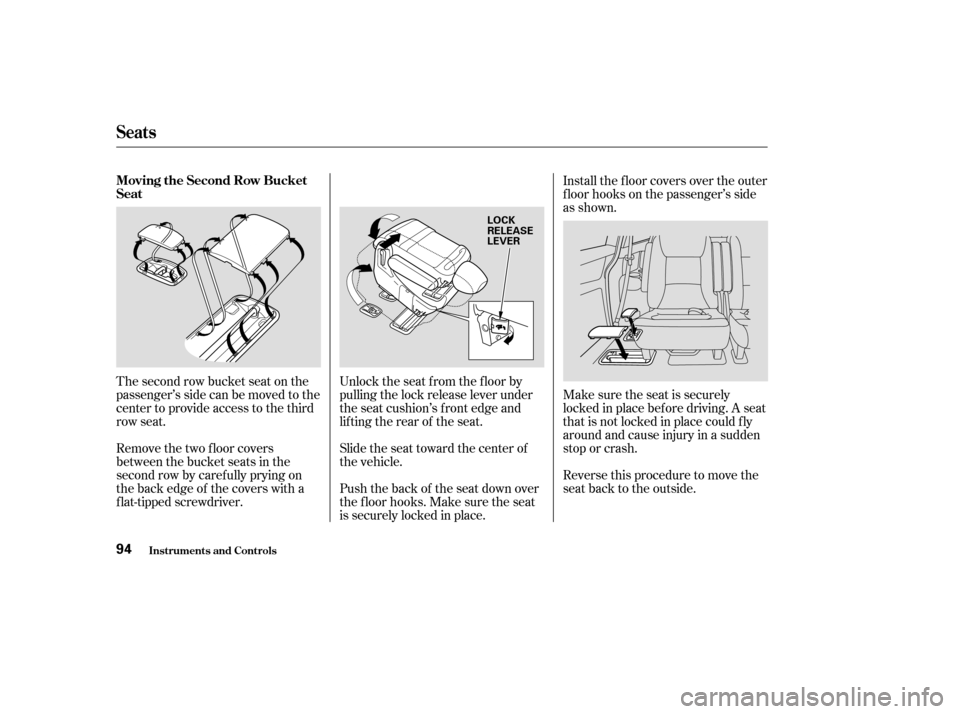
The second row bucket seat on the
passenger’s side can be moved to the
center to provide access to the third
row seat.
Remove the two floor covers
between the bucket seats in the
second row by caref ully prying on
the back edge of the covers with a
f lat-tipped screwdriver.Unlock the seat f rom the f loor by
pulling the lock release lever under
the seat cushion’s f ront edge and
lifting the rear of the seat.
Slide the seat toward the center of
the vehicle.
Push the back of the seat down over
the f loor hooks. Make sure the seat
is securely locked in place.Install the f loor covers over the outer
f loor hooks on the passenger’s side
as shown.
Make sure the seat is securely
locked in place bef ore driving. A seat
thatisnotlockedinplacecouldfly
around and cause injury in a sudden
stop or crash.
Reverse this procedure to move the
seat back to the outside.
Seats
Inst rument s and Cont rols
Moving the Second Row Bucket
Seat
94
LOCK
RELEASE
LEVER
Page 98 of 296
Both seats can be removed to give
more cargo capacity.
To remove a seat:Unhook the f ront of the seat f rom
the f loor by pulling it back slightly,
then pivoting it upward.
Always remove an unsecured seat
f rom the vehicle bef ore driving. A
seat that is not locked in place could
be thrown about and cause injury in
a sudden stop or crash.To reinstall the seat, hook the f ront
of the seat to the f loor, then push the
back into the locks. Make sure both
the f ront and the back of the seat are
securely latched bef ore driving.
Pull up the seat-back angle
adjustment lever, and fold the seat-
back f orward.
Unlock the seat f rom the f loor by
pulling the lock release lever under the seat cushion’s f ront edge and
lifting the rear of the seat.
Seats
Inst rument s and Cont rols
Removing the Bucket Seats in the
Second Row
95
LOCK RELEASE LEVER
Page 104 of 296
If your vehicle’s battery is
disconnected or goes dead, or the
driver’s window f use is removed, the
AUTO f unction will be disabled. The
power window system needs to be
reset af ter reconnecting the battery
or installing the f use.Start the engine. Push down and
hold the driver’s window switch
until the window is f ully open.
Pull and hold the driver’s window
switch to close the window
completely, then hold the switch
f or a second or two more.
If the power windows do not operate
properly af ter resetting, have your
vehicle checked by a Honda dealer. The power window system has a key-
of f delay f unction. The windows will
stilloperateforupto10minutes
after you turn off the ignition.
Opening either f ront door cancels
the delay function. You must turn
the ignition switch to ON (II) again
bef ore you can operate the windows.
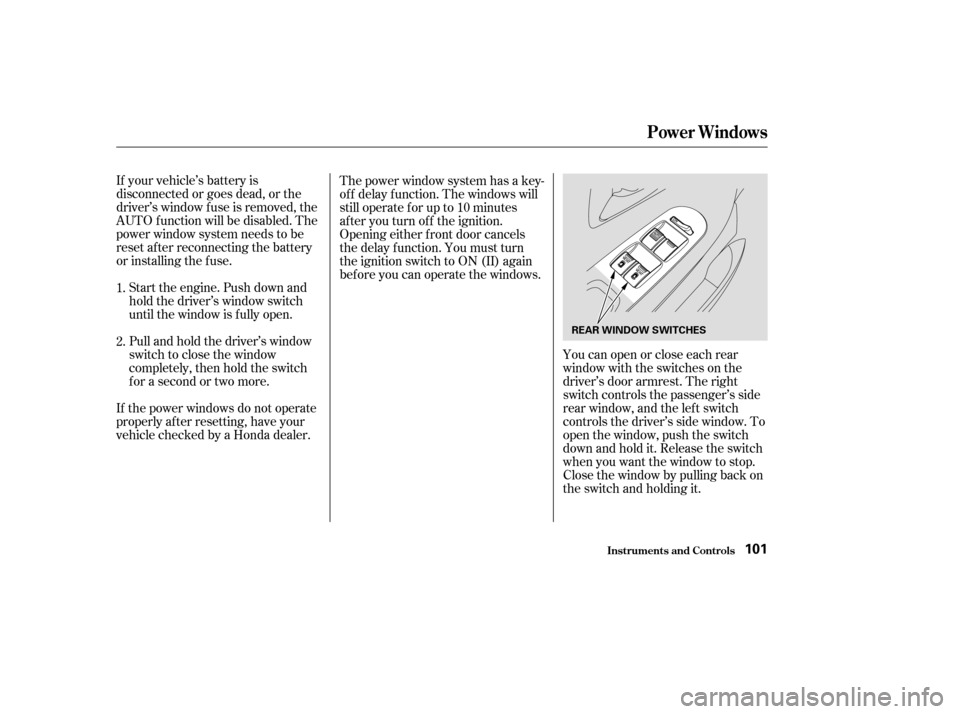
Youcanopenorcloseeachrear
window with the switches on the
driver’s door armrest. The right
switch controls the passenger’s side
rear window, and the left switch
controls the driver’s side window. To
open the window, push the switch
downandholdit.Releasetheswitch
when you want the window to stop.
Close the window by pulling back on
the switch and holding it.
1.
2.
Power Windows
Inst rument s and Cont rols101
REAR WINDOW SWITCHES
Page 109 of 296
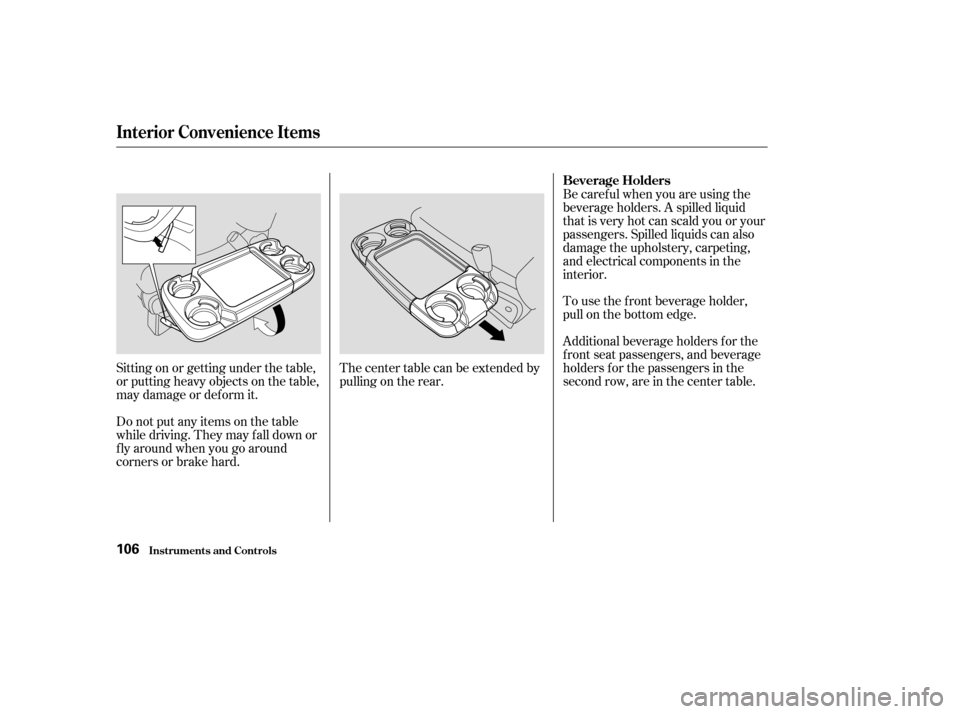
Sitting on or getting under the table,
or putting heavy objects on the table,
may damage or deform it.
Do not put any items on the table
while driving. They may f all down or
f ly around when you go around
corners or brake hard.Thecentertablecanbeextendedby
pulling on the rear.Be caref ul when you are using the
beverage holders. A spilled liquid
that is very hot can scald you or your
passengers. Spilled liquids can also
damage the upholstery, carpeting,
and electrical components in the
interior.
To use the f ront beverage holder,
pull on the bottom edge.
Additional beverage holders f or the
f ront seat passengers, and beverage
holders f or the passengers in the
second row, are in the center table.
Interior Convenience Items
Inst rument s and Cont rols
Beverage Holders
106
Page 110 of 296
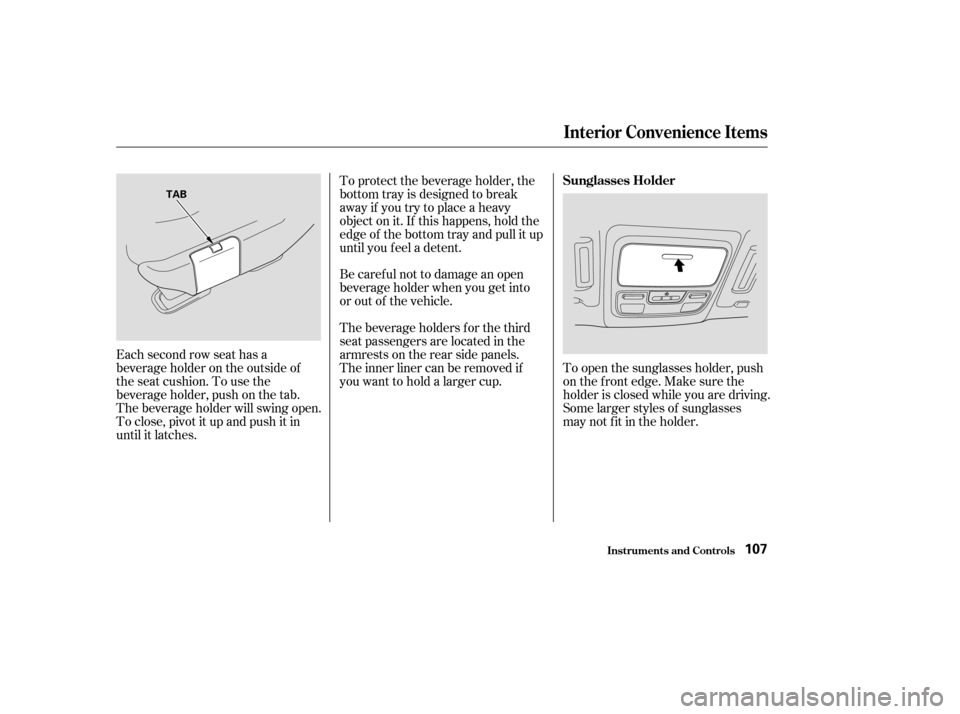
Each second row seat has a
beverage holder on the outside of
the seat cushion. To use the
beverage holder, push on the tab.
The beverage holder will swing open.
To close, pivot it up and push it in
until it latches.To protect the beverage holder, the
bottom tray is designed to break
away if you try to place a heavy
object on it. If this happens, hold the
edge of the bottom tray and pull it up
until you f eel a detent.
Be caref ul not to damage an open
beverage holder when you get into
or out of the vehicle.
The beverage holders f or the third
seat passengers are located in the
armrests on the rear side panels.
The inner liner can be removed if
youwanttoholdalargercup.
To open the sunglasses holder, push
on the f ront edge. Make sure the
holder is closed while you are driving.
Some larger styles of sunglasses
may not f it in the holder.
Interior Convenience Items
Inst rument s and Cont rols
Sunglasses Holder
107
TAB
Page 115 of 296
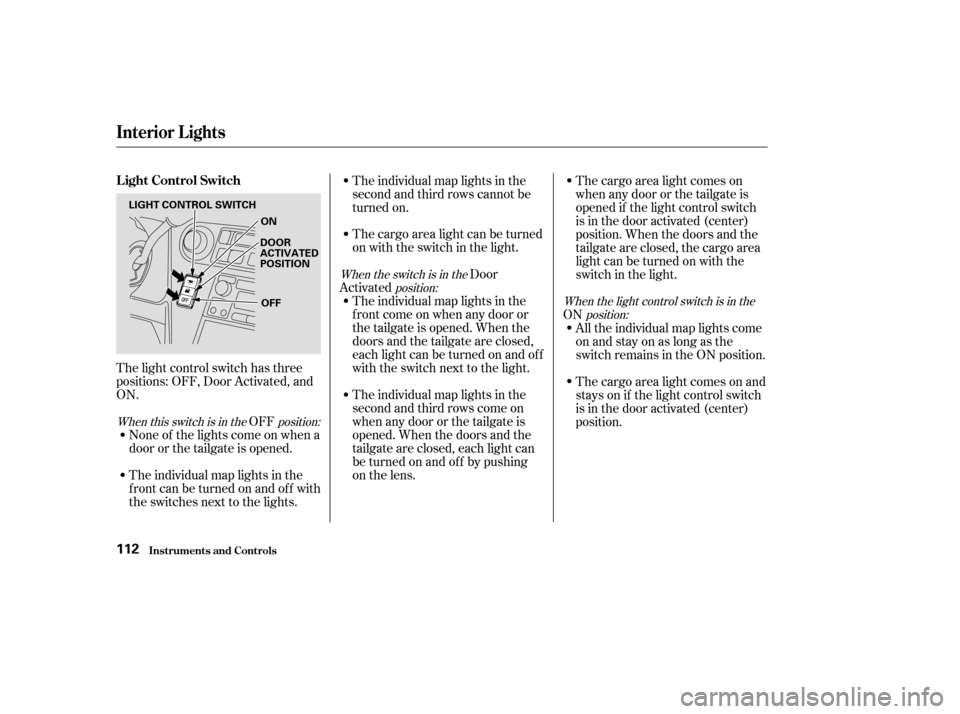
The light control switch has three
positions: OFF, Door Activated, and
ON.OFF
None of the lights come on when a
door or the tailgate is opened.
The individual map lights in the
f ront can be turned on and of f with
the switches next to the lights. The individual map lights in the
second and third rows cannot be
turned on.
The cargo area light can be turned
on with the switch in the light.
Door
Activated The individual map lights in the
f ront come on when any door or
thetailgateisopened.Whenthe
doors and the tailgate are closed,
eachlightcanbeturnedonandoff
with the switch next to the light.
The individual map lights in the
second and third rows come on
whenanydoororthetailgateis
opened. When the doors and the
tailgate are closed, each light can
be turned on and of f by pushing
on the lens. The cargo area light comes on
when any door or the tailgate is
opened if the light control switch
is in the door activated (center)
position. When the doors and the
tailgate are closed, the cargo area
lightcanbeturnedonwiththe
switch in the light.
ON All the individual map lights come
onandstayonaslongasthe
switch remains in the ON position.
The cargo area light comes on and
stays on if the light control switch
is in the door activated (center)
position.
When this switch is in the position: When the switch is in the
position: When the light control switch is in theposition:
Inst rument s and Cont rols
Interior Lights
L ight Control Switch
112
LIGHT CONTROL SWITCH
ON
DOOR
ACTIVATED
POSITION
OFF
Page 116 of 296
The lights go out about six seconds
after all the doors and the tailgate
are closed.
With the light control switch in the
Door Activated position, all the
individual map lights and the cargo
area light (with its switch in the
center position) come on when you
unlock the door with the remote
transmitter (see page ).
Withanydoororthetailgateleft
open, the lights stay on about 3
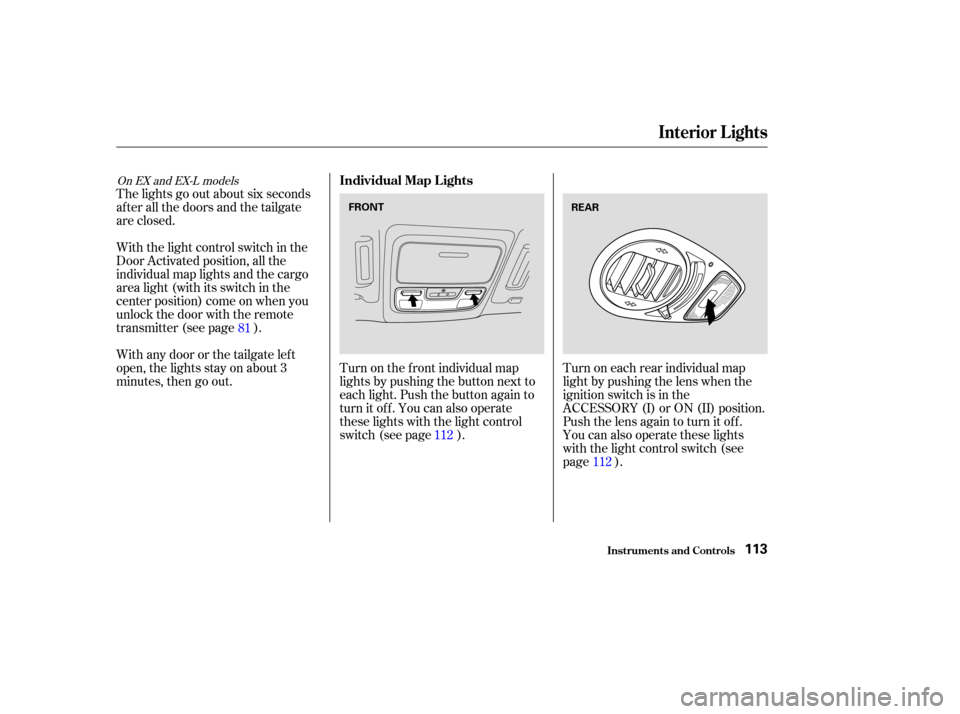
minutes, then go out.Turn on the f ront individual map
lights by pushing the button next to
each light. Push the button again to
turn it off. You can also operate
these lights with the light control
switch (see page ).Turn on each rear individual map
light by pushing the lens when the
ignition switch is in the
ACCESSORY (I) or ON (II) position.
Push the lens again to turn it off.
You can also operate these lights
with the light control switch (see
page ).
112
81
112
On EX and EX-L models
Interior Lights
Inst rument s and Cont rols
Individual Map L ights
113
FRONTREAR