2004 GMC CANYON light
[x] Cancel search: lightPage 117 of 420

Automatic Dimming Rearview Mirror
with Compass and Temperature
Display
Your vehicle may have an automatic dimming rearview
mirror with a compass, temperature display, and
map lamps.
Mirror Operation
The mirror automatically changes to reduce glare from
headlamps behind you. A time delay feature prevents
rapid changing from the day to night positions while
driving under lights and through traffic.
P(On/Off):The automatic dimming feature is
automatically activated when the vehicle is started.
The automatic dimming feature is turned on or off by
pressing this button located on the lower part of
the mirror. Press and hold the button for up to three
seconds to turn this feature on or off.
T(Indicator Light):This light will turn on when the
automatic dimming feature is active.
Map Lamps
The mirror has map lamps located at the bottom of the
mirror. To manually turn the lamps on or off, press
the button next to each lamp.
Compass Operation
The mirror has an eight-point compass display in
the upper right corner of the mirror face. When on,
the compass automatically calibrates as the vehicle is
driven.
When the ignition and the compass feature are on,
the compass will show two character boxes for
approximately two seconds. After two seconds,
the mirror will display the current compass heading.
For example, NE is displayed for north-east.
Compass Calibration
If after two seconds the display does not show a
compass heading, there may be a strong magnetic eld
interfering with the compass. Such interference may
be caused by a magnetic antenna mount, note
pad holder or similar object. If the letter C appears in
the compass window, the compass needs calibration.
The mirror compass can be calibrated by driving
the vehicle in circles at 5 mph (8 km/h) or less until the
display reads a direction.
The compass can be placed in calibration mode by
pressing and holding the on/off button until a C appears
on the compass display.
2-37
Page 125 of 420
Instrument Panel Overview...............................3-2
Hazard Warning Flashers................................3-4
Other Warning Devices...................................3-4
Horn.............................................................3-4
Tilt Wheel.....................................................3-5
Turn Signal/Multifunction Lever.........................3-5
Exterior Lamps.............................................3-12
Interior Lamps..............................................3-15
Accessory Power Outlets...............................3-16
Ashtrays and Cigarette Lighter........................3-17
Climate Controls............................................3-18
Climate Control System.................................3-18
Outlet Adjustment.........................................3-21
Warning Lights, Gages, and Indicators............3-22
Instrument Panel Cluster................................3-23
Speedometer and Odometer...........................3-24
Trip Odometer..............................................3-24
Tachometer.................................................3-24
Safety Belt Reminder Light.............................3-24
Air Bag Readiness Light................................3-25
Air Bag Off Light..........................................3-26
Battery Warning Light....................................3-27
Up-Shift Light (Manual Transmission)...............3-28
Brake System Warning Light..........................3-28
Anti-Lock Brake System Warning Light.............3-29Engine Coolant Temperature Gage..................3-30
Malfunction Indicator Lamp.............................3-30
Oil Pressure Light.........................................3-34
Security Light...............................................3-35
Cruise Control Light......................................3-35
Highbeam On Light.......................................3-35
Daytime Running Lamps Indicator Light...........3-36
Fuel Gage...................................................3-36
Driver Information Center (DIC).......................3-37
DIC Controls and Displays.............................3-37
DIC Warnings and Messages.........................3-39
Audio System(s).............................................3-42
Setting the Time for Radios without Radio
Data Systems (RDS)..................................3-43
Setting the Time for Radios with Radio Data
Systems (RDS).........................................3-43
AM-FM Radio...............................................3-44
Radio with CD..............................................3-47
Radio with Six-Disc CD.................................3-56
Theft-Deterrent Feature (Non-RDS Radios).......3-67
Theft-Deterrent Feature (RDS Radios).............3-67
Radio Reception...........................................3-68
Care of Your CDs.........................................3-68
Care of Your CD Player................................3-68
Fixed Mast Antenna......................................3-68
Chime Level Adjustment................................3-68
Section 3 Instrument Panel
3-1
Page 127 of 420
The main components of your vehicle’s instrument
panel are the following:
A. Air Outlets. SeeOutlet Adjustment on page 3-21.
B. Turn Signal/Multifunction Lever. SeeTurn
Signal/Multifunction Lever on page 3-5.
C. Instrument Panel Cluster. SeeInstrument Panel
Cluster on page 3-23.
D. Hazard Warning Flasher Button. SeeHazard
Warning Flashers on page 3-4.
E. Passenger Side Air Bag. SeeAir Bag Systems
on page 1-60.
F. Park Brake Release. SeeParking Brake on
page 2-29.
G. Horn. SeeHorn on page 3-4.H. Traction Control Button or Four-Wheel Drive Buttons.
SeeTraction Control System (TCS) on page 4-9
andFour-Wheel Drive on page 2-26.
I. Audio System. SeeAudio System(s) on page 3-42.
J. Cigarette Lighter (If Equipped). SeeAshtrays
and Cigarette Lighter on page 3-17.
K. Climate Control System. SeeClimate Control
System on page 3-18.
L. Accessory Power Outlet. SeeAccessory Power
Outlets on page 3-16.
M. Air Bag Off Switch (Regular cab and rear seat
delete only). See “Air Bag Off Switch” under
Air Bag Systems on page 1-60.
N. Glove Box. SeeGlove Box on page 2-42.
3-3
Page 131 of 420
Headlamp High/Low-Beam Changer
53
(Headlamp High/Low Beam Changer):
To change the headlamps from low to high beam,
push the lever toward the instrument panel. To return
to low-beam headlamps, pull the multifunction lever
toward you. Then release it.
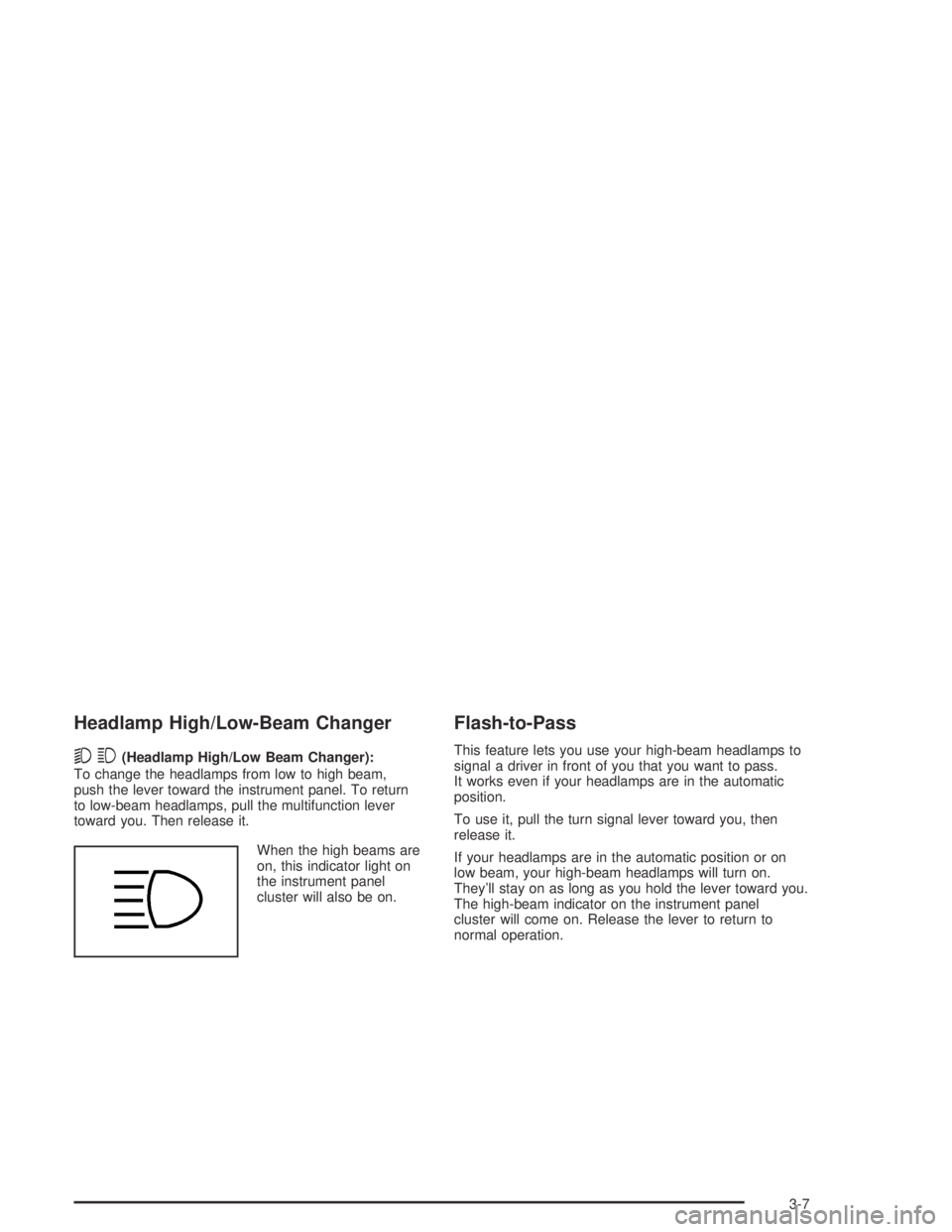
When the high beams are
on, this indicator light on
the instrument panel
cluster will also be on.
Flash-to-Pass
This feature lets you use your high-beam headlamps to
signal a driver in front of you that you want to pass.
It works even if your headlamps are in the automatic
position.
To use it, pull the turn signal lever toward you, then
release it.
If your headlamps are in the automatic position or on
low beam, your high-beam headlamps will turn on.
They’ll stay on as long as you hold the lever toward you.
The high-beam indicator on the instrument panel
cluster will come on. Release the lever to return to
normal operation.
3-7
Page 132 of 420

Windshield Wipers
You control the windshield wipers by turning the band
with the wiper symbol on it.
8(Mist):For a single wiping cycle, turn the band to
mist. Hold it there until the wipers start. Then let go.
The wipers will stop after one wipe. If you want
more wipes, hold the band on mist longer.
N(Delay):You can set the wiper speed for a long or
short delay between wipes. This can be very useful
in light rain or snow. Turn the band to choose the delay
time. The closer to the top of the lever, the shorter
the delay.
6(Low Speed):For steady wiping at low speed,
turn the band away from you to the rst solid band past
the delay settings.
1(High Speed):For high-speed wiping, turn the
band to the second solid band past the delay settings.
9(Off):To stop the wipers, move the band to off.
Be sure to clear ice and snow from the wiper blades
before using them. If they’re frozen to the windshield,
carefully loosen or thaw them. If your blades do become
worn or damaged, get new blades or blade inserts.
Windshield Washer
{CAUTION:
In freezing weather, do not use your washer
until the windshield is warmed. Otherwise the
washer uid can form ice on the windshield,
blocking your vision.
QL(Washer Fluid):There is a paddle marked
with the windshield washer symbol at the top of
the multifunction lever. To spray washer uid on the
windshield, push the paddle. The wipers will clear the
window and then either stop or return to your preset
speed.
3-8
Page 135 of 420
Move the cruise switch from on to resume/
accelerate. Hold it there until you get up to the
speed you want, and then release the switch.
To increase your speed in very small amounts,
move the switch briey to resume/accelerate.
Each time you do this, your vehicle will go about
1 mph (1.6 km/h) faster.
Reducing Speed While Using Cruise
Control
Press and hold the set button until you reach the
lower speed you want, then release it.
To slow down in very small amounts, briey press
the set button. Each time you do this, you’ll go
about 1 mph (1.6 km/h) slower.
Passing Another Vehicle While Using
Cruise Control
Use the accelerator pedal to increase your speed.
When you take your foot off the pedal, your vehicle will
slow down to the cruise control speed you set earlier.
Using Cruise Control on Hills
How well your cruise control will work on hills depends
upon your speed, load and the steepness of the
hills. When going up steep hills, you may want to
step on the accelerator pedal to maintain your speed.
When going downhill, you may have to brake or shift to
a lower gear to keep your speed down. Of course,
applying the brake takes you out of cruise control.
Many drivers nd this to be too much trouble and don’t
use cruise control on steep hills.
Ending Cruise Control
There are two ways to turn off the cruise control:
Step lightly on the brake pedal
Move the cruise control switch to off
Erasing Speed Memory
When you turn off the cruise control or the ignition,
your cruise control set speed memory is erased.
3-11
Page 136 of 420
Exterior Lamps
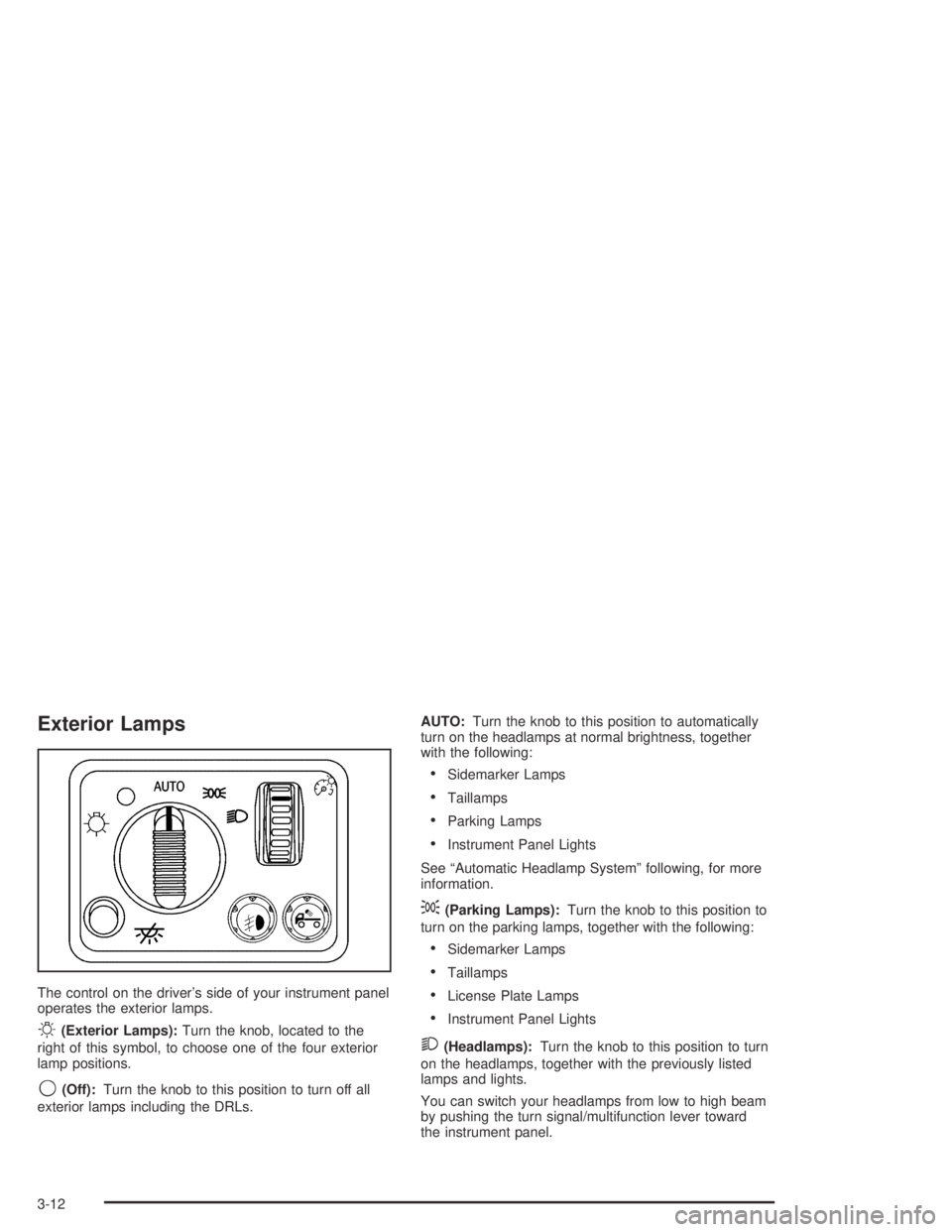
The control on the driver’s side of your instrument panel
operates the exterior lamps.
O(Exterior Lamps):Turn the knob, located to the
right of this symbol, to choose one of the four exterior
lamp positions.
9(Off):Turn the knob to this position to turn off all
exterior lamps including the DRLs.AUTO:Turn the knob to this position to automatically
turn on the headlamps at normal brightness, together
with the following:
Sidemarker Lamps
Taillamps
Parking Lamps
Instrument Panel Lights
See “Automatic Headlamp System” following, for more
information.
;(Parking Lamps):Turn the knob to this position to
turn on the parking lamps, together with the following:
Sidemarker Lamps
Taillamps
License Plate Lamps
Instrument Panel Lights
2(Headlamps):Turn the knob to this position to turn
on the headlamps, together with the previously listed
lamps and lights.
You can switch your headlamps from low to high beam
by pushing the turn signal/multifunction lever toward
the instrument panel.
3-12
Page 137 of 420

Automatic Headlamp System
Your vehicle may be equipped with this feature.
When it is dark enough outside, your automatic
headlamp system will turn on your headlamps at the
normal brightness along with other lamps such as
the taillamps, sidemarker, parking lamps and the
instrument panel lights. The radio lights may also
be dim.
Your vehicle may have a light sensor located on the top
of the instrument panel. Be sure it is not covered, or
the system will be on whenever the ignition is on.
The system may also turn on your headlamps when
driving through a parking garage, heavy overcast
weather or a tunnel. This is normal.
There is a delay in the transition between the daytime
and nighttime operation of the Daytime Running
Lamps (DRL) and the automatic headlamp system so
that driving under bridges or bright overhead street lights
does not affect the system. The DRL and automatic
headlamp system will only be affected when the
light sensor sees a change in lighting lasting longer
than the delay.If you start your vehicle in a dark garage, the automatic
headlamp system will come on immediately. Once you
leave the garage, it will take approximately several
seconds for the automatic headlamp system to change
to DRL if it is light outside. During that delay, your
instrument panel cluster may not be as bright as usual.
Make sure your instrument panel brightness control
is in the full bright position. See “Instrument Panel
Brightness” underInterior Lamps on page 3-15.
Lamps On Reminder
If a door is open, a reminder chime will sound when
your headlamps or parking lamps are manually turned
on and your key is out of the ignition. To turn off
the chime, turn the headlamp switch to off and then
back on. In the automatic mode, the headlamps turn off
once the ignition is in LOCK.
3-13