2004 CHEVROLET MALIBU instrument cluster
[x] Cancel search: instrument clusterPage 88 of 426
PASS-Key®III+
Your PASS-Key®III + system operates on a radio
frequency subject to Federal Communications
Commission (FCC) Rules and with Industry Canada.
This device complies with Part 15 of the FCC Rules.
Operation is subject to the following two conditions:
1. this device may not cause harmful interference, and
2. this device must accept any interference received,
including interference that may cause undesired
operation.
This device complies with RSS-210 of Industry Canada.
Operation is subject to the following two conditions:
1. this device may not cause interference, and
2. this device must accept any interference received,
including interference that may cause undesired
operation of the device.
Changes or modications to this system by other than
an authorized service facility could void authorization to
use this equipment.
PASS-Key
®III + uses a radio frequency transponder in
the key that matches a decoder in your vehicle.
PASS-Key®III+ Operation
Your vehicle is equipped with PASS-Key®III +
(Personalized Automotive Security System)
theft-deterrent system. PASS-Key
®III + is a passive
theft-deterrent system. This means you don’t have to do
anything special to arm or disarm the system. It works
when you insert or remove the key from the ignition.
When the PASS-Key
®III + system senses that someone
is using the wrong key, it shuts down the vehicle’s starter
and fuel systems. The starter will not work and fuel will
stop owing to the engine. Anyone using a trial-and-error
method to start the vehicle will be discouraged because
of the high number of electrical key codes.
When trying to start the vehicle if the engine does not
start and the SECURITY light in the instrument
panel cluster comes on, the key may have a damaged
transponder. Turn the ignition off and try again.
If the engine still does not start, and the key appears to
be undamaged, try another ignition key. At this time,
you may also want to check the fuse, seeFuses
on page 5-88. If the engine still does not start with the
other key, your vehicle needs service. If your vehicle
does start, the rst key may be faulty. See your dealer
who can service the PASS-Key
®III + to have a new
key made. In an emergency, contact Chevrolet Roadside
Assistance. SeeRoadside Assistance Program on
page 7-6for more information.
2-20
Page 117 of 426
Instrument Panel Overview...............................3-4
Hazard Warning Flashers................................3-6
Other Warning Devices...................................3-7
Horn.............................................................3-7
Tilt Wheel.....................................................3-7
Turn Signal/Multifunction Lever.........................3-8
Exterior Lamps.............................................3-14
Interior Lamps..............................................3-19
Accessory Power Outlets...............................3-20
Climate Controls............................................3-21
Climate Control System.................................3-21
Automatic Climate Control System...................3-25
Outlet Adjustment.........................................3-30
Warning Lights, Gages, and Indicators............3-31
Instrument Panel Cluster................................3-32
Speedometer and Odometer...........................3-33
Tachometer.................................................3-33
Safety Belt Reminder Light.............................3-34
Air Bag Readiness Light................................3-34
Charging System Light..................................3-35
Brake System Warning Light..........................3-36
Anti-Lock Brake System
Warning Light...........................................3-37
Enhanced Traction System
Warning Light...........................................3-37
Enhanced Traction System Active Light............3-38Engine Coolant Temperature Warning Light......3-38
Engine Coolant Temperature Gage..................3-39
Malfunction Indicator Lamp.............................3-39
Oil Pressure Light.........................................3-42
Security Light...............................................3-43
Cruise Control Light......................................3-43
Service Vehicle Soon Light............................3-44
Fuel Gage...................................................3-44
Driver Information Center (DIC).......................3-45
DIC Operation and Displays...........................3-46
DIC Warnings and Messages.........................3-50
Audio System(s).............................................3-52
Setting the Time for Radios without Radio
Data Systems (RDS)..................................3-52
Setting the Time for Radios with Radio Data
Systems (RDS).........................................3-53
Radio with CD (Base Level)...........................3-53
Radio with CD (Up Level)..............................3-58
Radio with Cassette and CD..........................3-69
Radio with Six-Disc CD.................................3-82
Rear Seat Entertainment System....................3-96
Rear Seat Audio (RSA)
(Without Entertainment System).................3-111
Rear Seat Audio (RSA)
(With Entertainment System).....................3-113
Theft-Deterrent Feature................................3-115
Section 3 Instrument Panel
3-1
Page 121 of 426
The main components of your instrument panel are
the following:
A. Side Window Outlets. SeeClimate Control System
on page 3-21.
B. Turn Signal/Multifunction Lever. SeeTurn
Signal/Multifunction Lever on page 3-8.
C. Steering Wheel Controls and Cruise Controls.
SeeAudio Steering Wheel Controls on page 3-115
and “Cruise Control” underTurn Signal/Multifunction
Lever on page 3-8.
D. Instrument Panel Cluster. SeeInstrument Panel
Cluster on page 3-32.
E. Windshield Wiper/Washer Lever. See “Windshield
Wipers” underTurn Signal/Multifunction Lever
on page 3-8.
F. Ignition Switch. SeeIgnition Positions on page 2-22.
G. Hazard Warning Flasher. SeeHazard Warning
Flashers on page 3-6.
H. Center Air Outlets. SeeClimate Control System
on page 3-21.
I. Audio System. SeeAudio System(s) on page 3-52.
J. Climate Control System. SeeClimate Control
System on page 3-21.K. Glove Box. SeeGlove Box on page 2-44.
L. Side Air Outlets. SeeClimate Control System
on page 3-21.
M. Adjustable Pedal Buttons. SeeAdjustable Throttle
and Brake Pedal on page 2-24.
N. Instrument Panel Brightness Control. See “Instrument
Panel Brightness” underInterior Lamps on page 3-19.
O. Storage Compartment
P. Fog Lamps. SeeExterior Lamps on page 3-14.
Q. Hood Release. SeeHood Release on page 5-12.
R. Parking Brake. SeeParking Brake on page 2-29.
S. Horn. SeeHorn on page 3-7.
T. Accessory Power Outlet. SeeAccessory Power
Outlets on page 3-20.
U. Shift Lever. SeeShifting Into Park (P) on page 2-30.
V. Center Console Storage Compartment. See
Center Console Storage Area on page 2-45.
W. Traction Control Button (If Equipped). SeeEnhanced
Traction System (ETS) on page 4-9.
3-5
Page 124 of 426
Turn Signal/Multifunction Lever
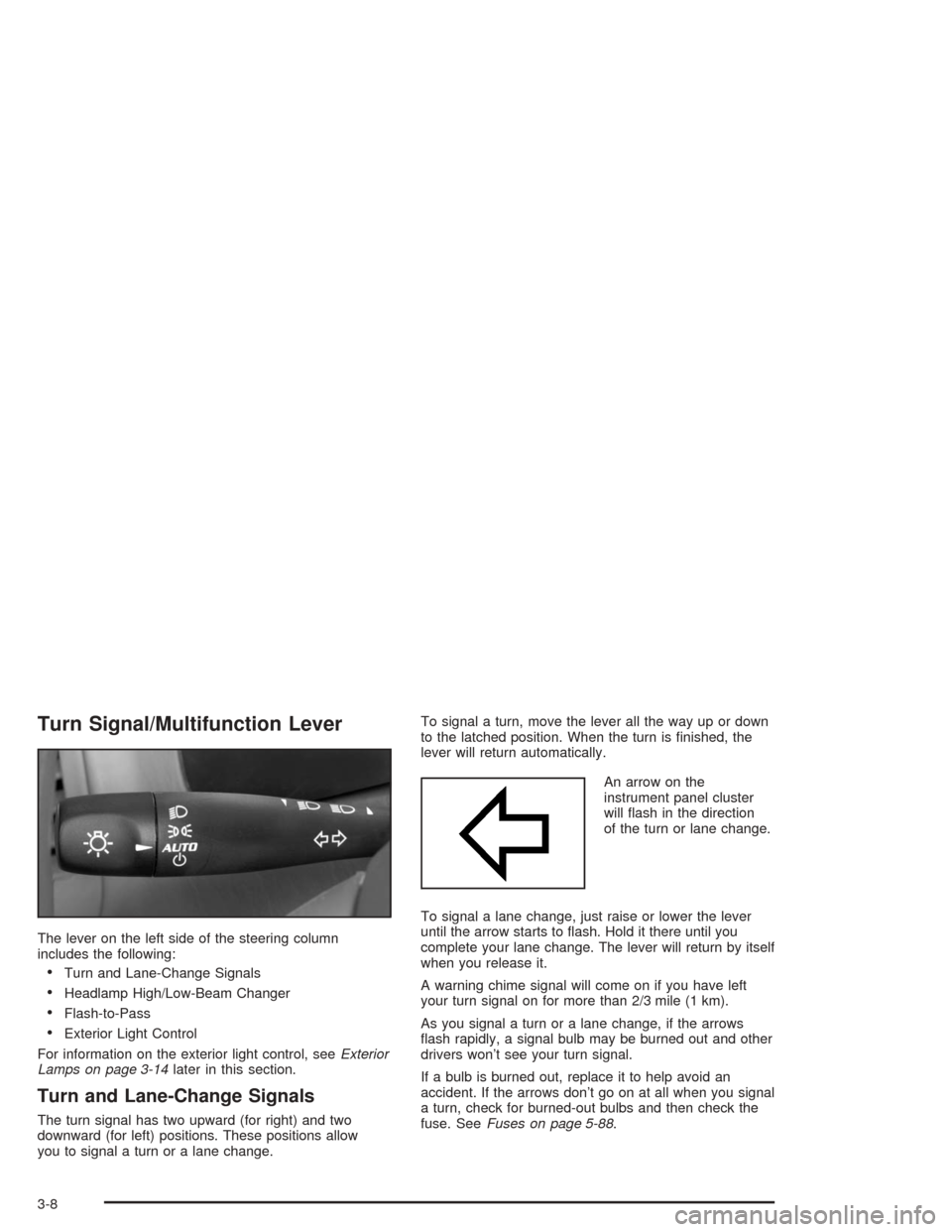
The lever on the left side of the steering column
includes the following:
Turn and Lane-Change Signals
Headlamp High/Low-Beam Changer
Flash-to-Pass
Exterior Light Control
For information on the exterior light control, seeExterior
Lamps on page 3-14later in this section.
Turn and Lane-Change Signals
The turn signal has two upward (for right) and two
downward (for left) positions. These positions allow
you to signal a turn or a lane change.To signal a turn, move the lever all the way up or down
to the latched position. When the turn is nished, the
lever will return automatically.
An arrow on the
instrument panel cluster
will ash in the direction
of the turn or lane change.
To signal a lane change, just raise or lower the lever
until the arrow starts to ash. Hold it there until you
complete your lane change. The lever will return by itself
when you release it.
A warning chime signal will come on if you have left
your turn signal on for more than 2/3 mile (1 km).
As you signal a turn or a lane change, if the arrows
ash rapidly, a signal bulb may be burned out and other
drivers won’t see your turn signal.
If a bulb is burned out, replace it to help avoid an
accident. If the arrows don’t go on at all when you signal
a turn, check for burned-out bulbs and then check the
fuse. SeeFuses on page 5-88.
3-8
Page 125 of 426
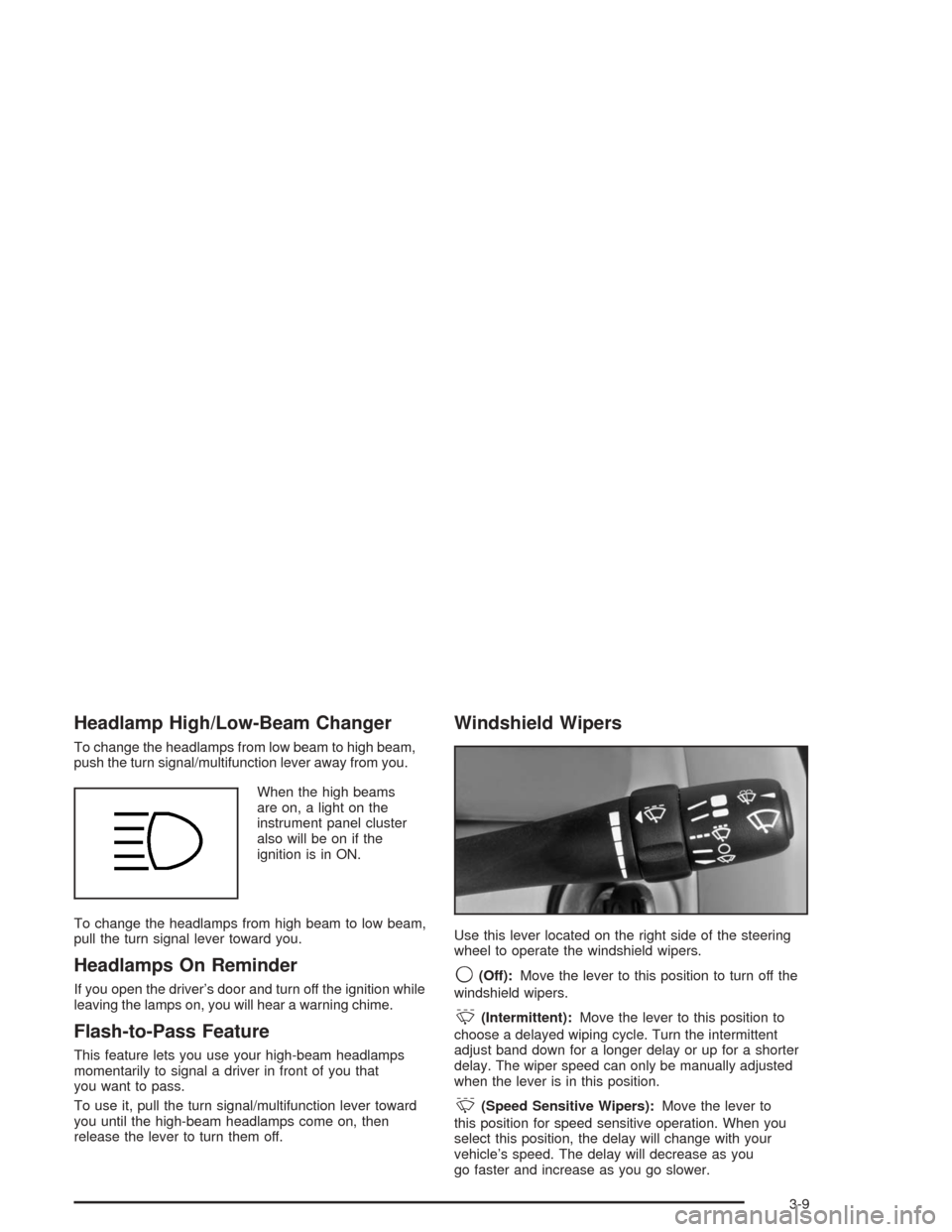
Headlamp High/Low-Beam Changer
To change the headlamps from low beam to high beam,
push the turn signal/multifunction lever away from you.
When the high beams
are on, a light on the
instrument panel cluster
also will be on if the
ignition is in ON.
To change the headlamps from high beam to low beam,
pull the turn signal lever toward you.
Headlamps On Reminder
If you open the driver’s door and turn off the ignition while
leaving the lamps on, you will hear a warning chime.
Flash-to-Pass Feature
This feature lets you use your high-beam headlamps
momentarily to signal a driver in front of you that
you want to pass.
To use it, pull the turn signal/multifunction lever toward
you until the high-beam headlamps come on, then
release the lever to turn them off.
Windshield Wipers
Use this lever located on the right side of the steering
wheel to operate the windshield wipers.
9(Off):Move the lever to this position to turn off the
windshield wipers.
&(Intermittent):Move the lever to this position to
choose a delayed wiping cycle. Turn the intermittent
adjust band down for a longer delay or up for a shorter
delay. The wiper speed can only be manually adjusted
when the lever is in this position.
&(Speed Sensitive Wipers):Move the lever to
this position for speed sensitive operation. When you
select this position, the delay will change with your
vehicle’s speed. The delay will decrease as you
go faster and increase as you go slower.
3-9
Page 128 of 426
To set a speed do the following:
1. Press the On/Off button to turn cruise control on.
The indicator light on the button will come on.
2. Get to the speed you want.
3. Press the−SET part of the control button and release
it. The cruise symbol will display in the instrument
panel cluster to show the system is engaged.
4. Take your foot off the accelerator pedal.
Resuming a Set Speed
Suppose you set your cruise control at a desired
speed and then you apply the brake. This, of course,
disengages the cruise control. The cruise symbol in the
instrument panel cluster will also go out indicating cruise
is no longer engaged. To return to your previously set
speed, you do not need to go through the set process
again. Once you’re going about 25 mph (40 km/h) or
more, you can press the +RES button briey.
This will take you back up to your previously chosen
speed and stay there.
Increasing Speed While Using Cruise
Control
There are two ways to go to a higher speed.
Disengage the cruise control but do not turn it off.
If the cruise control system is already engaged,
press the +RES button. Hold it there until you
get up to the speed you want, and then release
the button. To increase your speed in very
small amounts, press the +RES button briey
and then release it. Each time you do this, your
vehicle will go about 1 mph (1.6 km/h) faster.
Reducing Speed While Using Cruise
Control
If the cruise control system is already engaged,
Push and hold the−SET button until you reach
the lower speed you want, then release it.
To slow down in very small amounts, push the
−SET button briey. Each time you do this, you’ll
go about 1 mph (1.6 km/h) slower.
3-12
Page 129 of 426
Passing Another Vehicle While Using
Cruise Control
Use the accelerator pedal to increase your speed.
When you take your foot off the pedal, your vehicle will
slow down to the cruise control speed you set earlier.
Using Cruise Control on Hills
How well your cruise control will work on hills
depends upon your speed, load and the steepness of
the hills. When going up steep hills, you may have
to step on the accelerator pedal to maintain your speed.
When going downhill, you may have to brake or shift
to a lower gear to keep your speed down. Of course,
applying the brake takes you out of cruise control.
Many drivers nd this to be too much trouble and
don’t use cruise control on steep hills.
Ending Cruise Control
There are two ways to disengage the cruise control:
Step lightly on the brake pedal; when cruise control
disengages, the cruise symbol in the instrument
panel cluster will go out.
Press the on/off button, this will turn off the cruise
control system.
Erasing Speed Memory
When you turn off the cruise control or the ignition,
your cruise control set speed memory is erased.
3-13
Page 134 of 426
During that delay, your instrument panel cluster may
not be as bright as usual. Make sure your instrument
panel brightness control is in the full bright position.
See “Instrument Panel Brightness Control” underInterior
Lamps on page 3-19.
To idle your vehicle with the system off, turn the
ignition on and rotate the exterior light switch to the
Off/On position. For Canadian vehicles, the transmission
must stay in PARK (P) for this function.
As with any vehicle, you should turn on the regular
headlamps when you need them.
Headlamps Off in Park (P)
This feature works when the ignition is on and it is
dark outside. To turn the headlamps off when it is
dark outside but keep other exterior lights on, turn
the exterior lamp control to the parking lamp position.
In this position, the parking lamps, sidemarker
lamps, taillamps, license plate lamps and instrument
panel lights will be on, but the headlamps will be off.
To turn on the headlamps along with the other
lamps when it is dark outside, turn the exterior lamp
control to the AUTO or headlamp position.
This feature will work for Canadian vehicles if the
vehicle is in PARK (P).
Delayed Headlamps
The delayed headlamps feature will continue to illuminate
the headlamps for 20 seconds after the key is turned to
OFF at night. Then the headlamps will automatically
turn off.
To override the 20 second delayed headlamp feature
while it is active turn the switch at the end of the
turn signal/multifunction lever to the Off/On position.
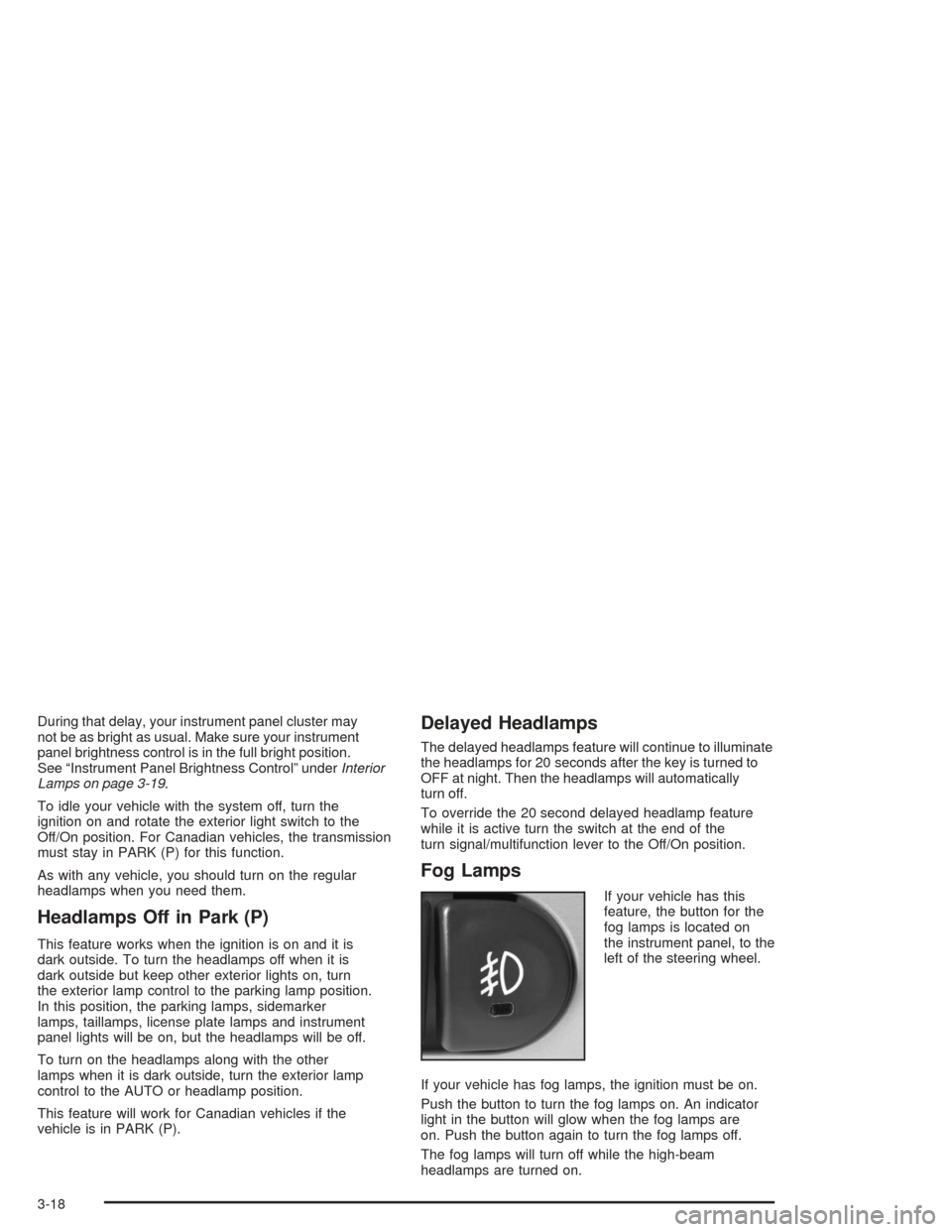
Fog Lamps
If your vehicle has this
feature, the button for the
fog lamps is located on
the instrument panel, to the
left of the steering wheel.
If your vehicle has fog lamps, the ignition must be on.
Push the button to turn the fog lamps on. An indicator
light in the button will glow when the fog lamps are
on. Push the button again to turn the fog lamps off.
The fog lamps will turn off while the high-beam
headlamps are turned on.
3-18