Page 159 of 384
The engine oil pressure can also be displayed using the
GAGES button on the Driver Information Center (DIC).
SeeDriver Information Center (DIC) on page 3-48.
{CAUTION:
Do not keep driving if the oil pressure is low. If
you do, your engine can become so hot that it
catches re. You or others could be burned.
Check your oil as soon as possible and have
your vehicle serviced.
Notice:Lack of proper engine oil maintenance may
damage the engine. The repairs would not be
covered by your warranty. Always follow the
maintenance schedule in this manual for changing
engine oil.
Security Light
This light comes on to
remind you to arm your
theft-deterrent system. If it
comes on and stays on
when your ignition is
on, there may be a
problem with your
theft-deterrent system.
SeeTheft-Deterrent System on page 2-16and
PASS-Key
®on page 2-18.
3-45
Page 160 of 384
Check Gages Warning Light
This light will come on
briefly when you are
starting the engine. If the
light comes on and
stays on while you are
driving, check your gages
to see if they are in the
warning areas.
This light can come on for the following reasons:
•Low Oil Pressure
•High Coolant Temperature
•High or Low Battery Voltage
•Low Fuel Level
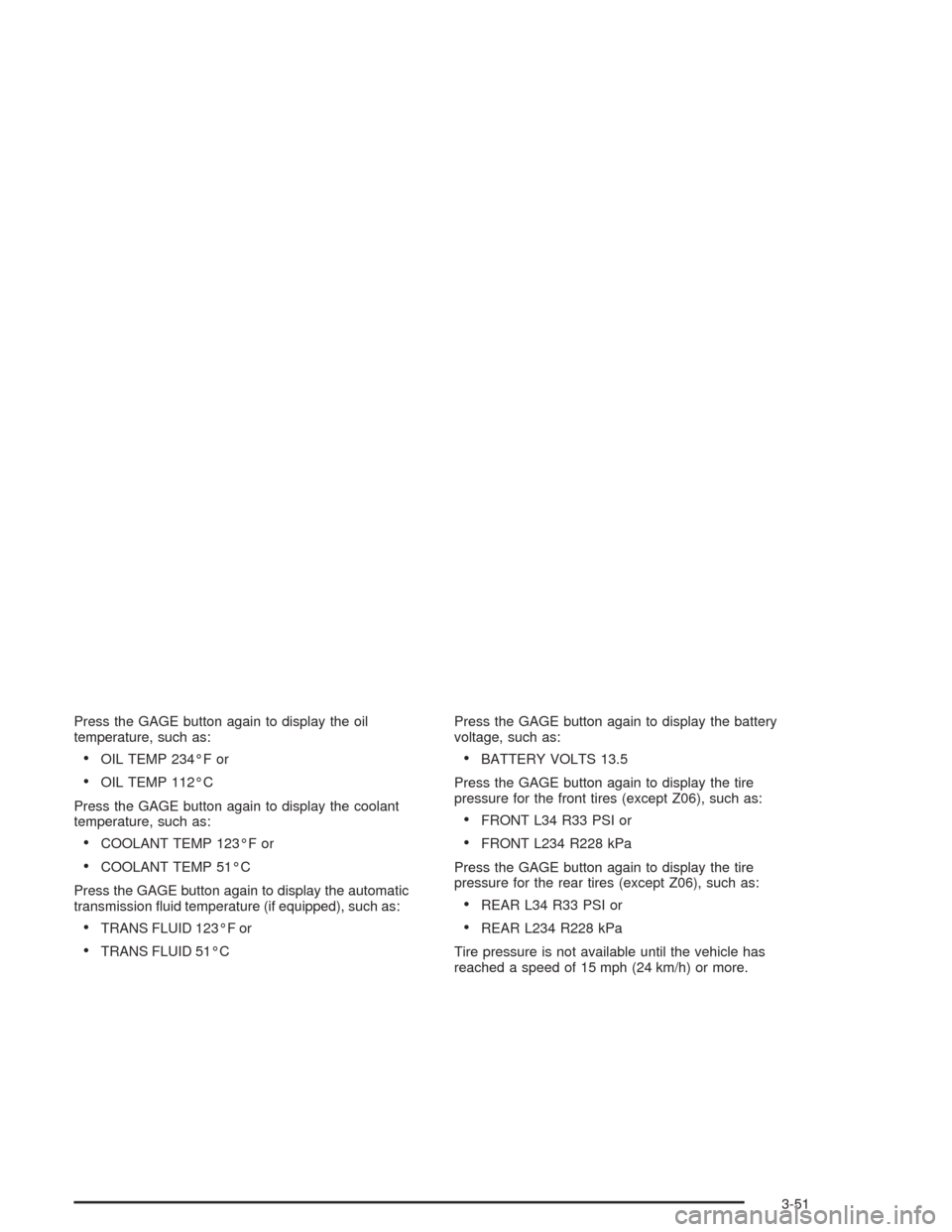
Fuel Gage
Your fuel gage tells you
about how much fuel you
have left when the
ignition is on.
When the needle approaches the red zone, RESERVE
FUEL will appear on the Driver Information Center (DIC)
display. When the needle approaches the E, LOW
FUEL will appear on the display. At this time, you still
have a little fuel left, but you should get more soon.
Press RESET to acknowledge a DIC message(s).
Pressing RESET will also turn off a DIC message but
the LOW FUEL message will come on again in
10 minutes if you have not added fuel to the vehicle.
3-46
Page 161 of 384
Here are five things that some owners ask about. All
these things are normal and do not indicate that
anything is wrong with the fuel gage.
•At the gas station, the gas pump shuts off before
the gage reads F (full).
•It takes more (or less) fuel to fill up than the gage
reads. For example, the gage reads half full, but it
took more (or less) than half of the tank’s
capacity to fit it.
•The gage pointer may move while cornering,
braking or speeding up.
•The gage may not indicate E (empty) when the
ignition is turned off.
•The gage reading may change slightly within the
first several minutes after starting the vehicle.You can use the Driver Information Center (DIC) to
display more detailed fuel information. Each time you
press FUEL, one of the following will appear in the
Driver Information Center (DIC).
•AVERAGE:The fuel economy calculated for the
current tank of fuel, or since you last reset the
display.
•INST (Instant):The fuel economy calculated for
your current driving conditions.
•RANGE:The distance you can drive before
refueling.
You should reset the fuel information display every time
you refuel. To reset the display, press FUEL until
AVERAGE appears. Then, press RESET on the Driver
Information Center (DIC).
3-47
Page 162 of 384
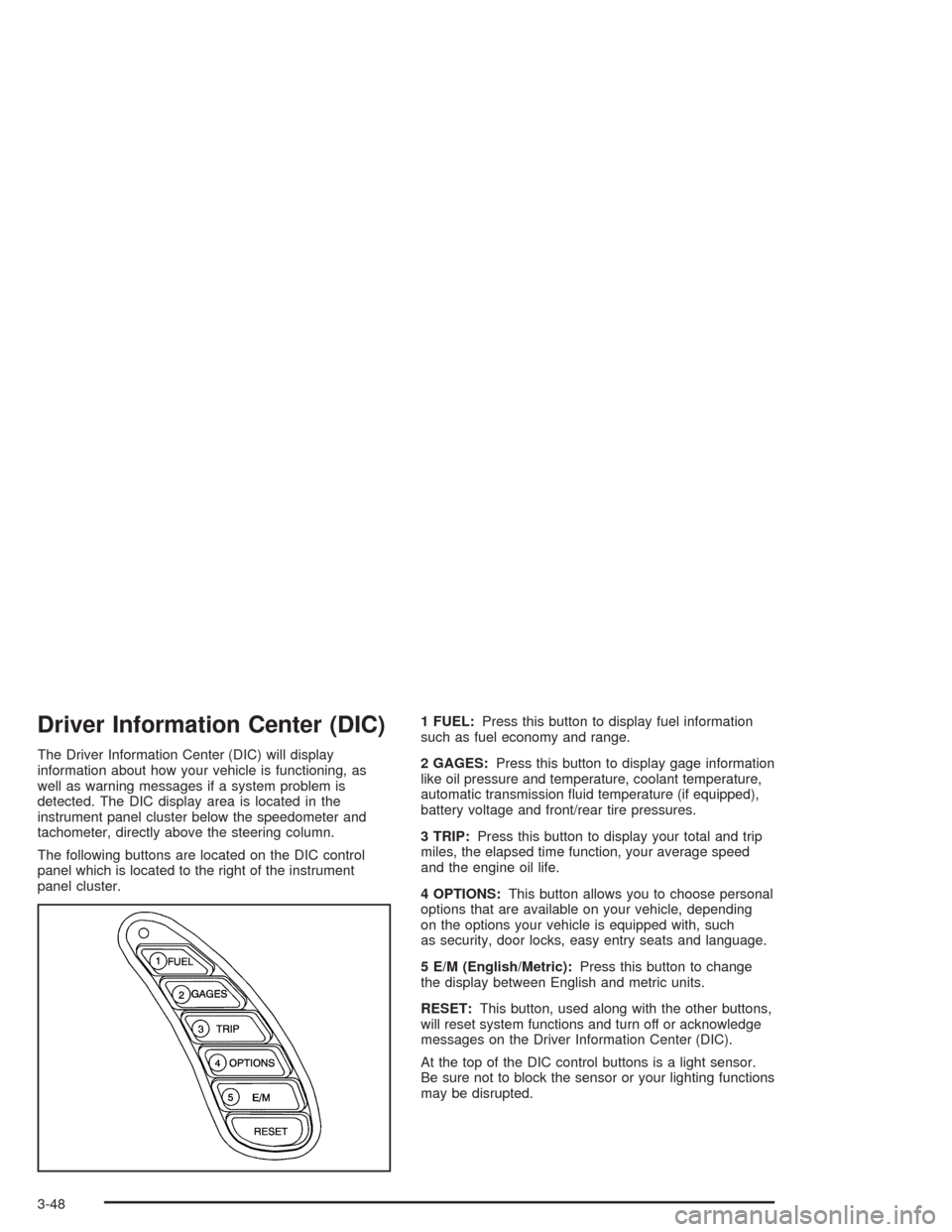
Driver Information Center (DIC)
The Driver Information Center (DIC) will display
information about how your vehicle is functioning, as
well as warning messages if a system problem is
detected. The DIC display area is located in the
instrument panel cluster below the speedometer and
tachometer, directly above the steering column.
The following buttons are located on the DIC control
panel which is located to the right of the instrument
panel cluster.1 FUEL:Press this button to display fuel information
such as fuel economy and range.
2 GAGES:Press this button to display gage information
like oil pressure and temperature, coolant temperature,
automatic transmission fluid temperature (if equipped),
battery voltage and front/rear tire pressures.
3 TRIP:Press this button to display your total and trip
miles, the elapsed time function, your average speed
and the engine oil life.
4 OPTIONS:This button allows you to choose personal
options that are available on your vehicle, depending
on the options your vehicle is equipped with, such
as security, door locks, easy entry seats and language.
5 E/M (English/Metric):Press this button to change
the display between English and metric units.
RESET:This button, used along with the other buttons,
will reset system functions and turn off or acknowledge
messages on the Driver Information Center (DIC).
At the top of the DIC control buttons is a light sensor.
Be sure not to block the sensor or your lighting functions
may be disrupted.
3-48
Page 163 of 384
DIC Controls and Displays
Turn on the system by turning the ignition to ON. When
you turn on the ignition, the DIC will be in the mode
last displayed when the engine was turned off. Each DIC
button allows you to scroll through a menu. A blank
page ends each menu.
If a problem is detected, a diagnostic message will
appear on the display. Press RESET to acknowledge
any current warning or service messages. The following
pages will show the messages you can see on the
Driver Information Center (DIC) display by pressing the
DIC buttons.
1 FUEL
The FUEL button displays average fuel economy and
instantaneous fuel economy calculated for your specific
driving conditions and range.
Press the FUEL button to display average fuel economy,
such as:
•AVERAGE 20.1 MPG or
•AVERAGE 5.3 L/100 km
3-49
Page 164 of 384
The average fuel economy is viewed as a long-term
approximation of your overall driving conditions. If you
press RESET in this mode while you’re driving, the
system will begin figuring fuel economy from that point
in time.
Press FUEL again to display instantaneous fuel
economy, such as:
•INST. 20.1 MPG or
•INST. 5.3 L/100 km
Press FUEL again to display the range, such as:
•RANGE 20 MI or
•RANGE 32 km
The range calculates the remaining distance you can
drive without refueling. It’s based on fuel economy and
the fuel remaining in the tank.
If the range is lower than 30 miles (48 km), the display
will read RANGE LOW.
The fuel economy data used to determine fuel range is
an average of recent driving conditions. As your
driving conditions change, this data is gradually updated.
Resetting the fuel range causes the fuel economy
data to be updated immediately. Press RESET to reset
the fuel range.
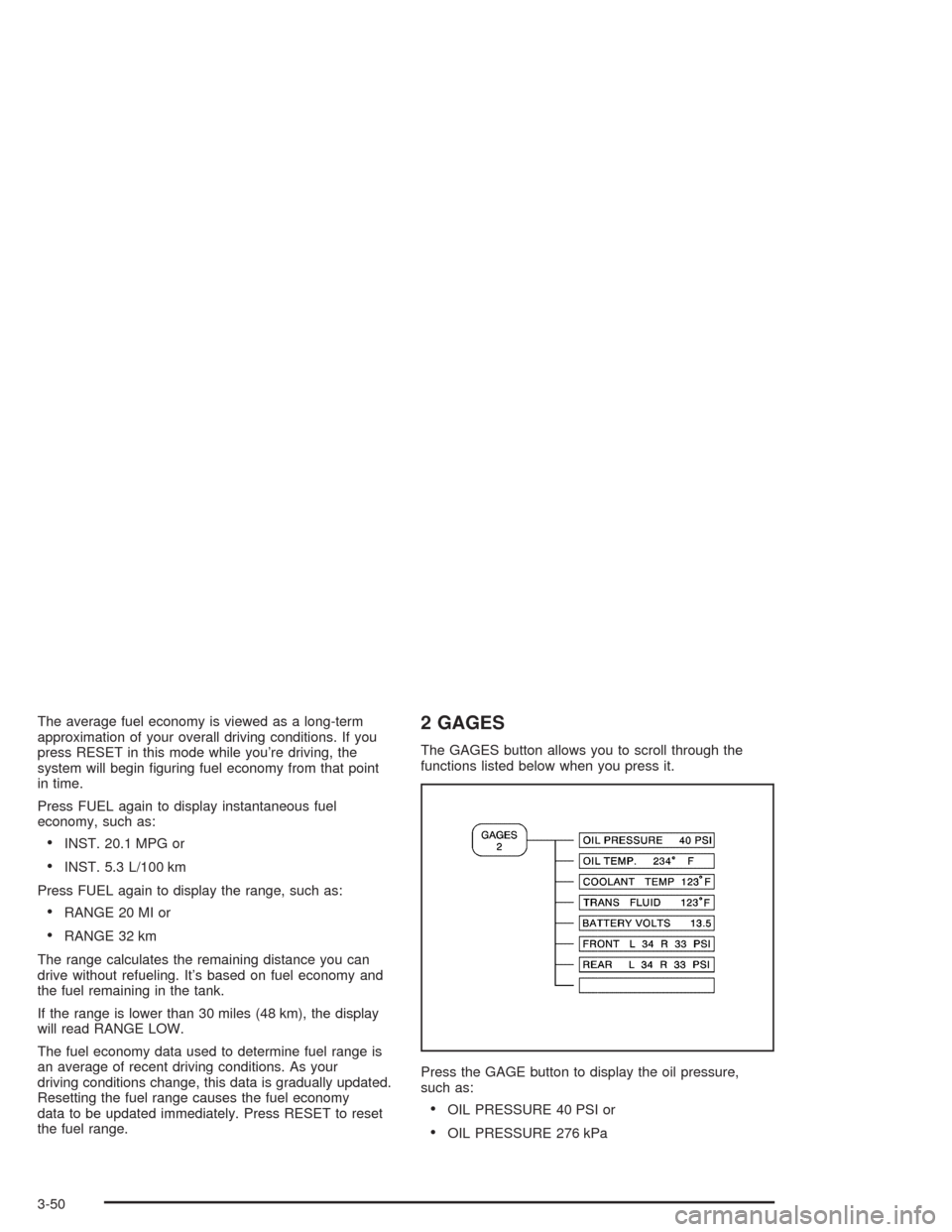
2 GAGES
The GAGES button allows you to scroll through the
functions listed below when you press it.
Press the GAGE button to display the oil pressure,
such as:
•OIL PRESSURE 40 PSI or
•OIL PRESSURE 276 kPa
3-50
Page 165 of 384
Press the GAGE button again to display the oil
temperature, such as:
•OIL TEMP 234°F or
•OIL TEMP 112°C
Press the GAGE button again to display the coolant
temperature, such as:
•COOLANT TEMP 123°F or
•COOLANT TEMP 51°C
Press the GAGE button again to display the automatic
transmission fluid temperature (if equipped), such as:
•TRANS FLUID 123°F or
•TRANS FLUID 51°CPress the GAGE button again to display the battery
voltage, such as:
•BATTERY VOLTS 13.5
Press the GAGE button again to display the tire
pressure for the front tires (except Z06), such as:
•FRONT L34 R33 PSI or
•FRONT L234 R228 kPa
Press the GAGE button again to display the tire
pressure for the rear tires (except Z06), such as:
•REAR L34 R33 PSI or
•REAR L234 R228 kPa
Tire pressure is not available until the vehicle has
reached a speed of 15 mph (24 km/h) or more.
3-51
Page 166 of 384
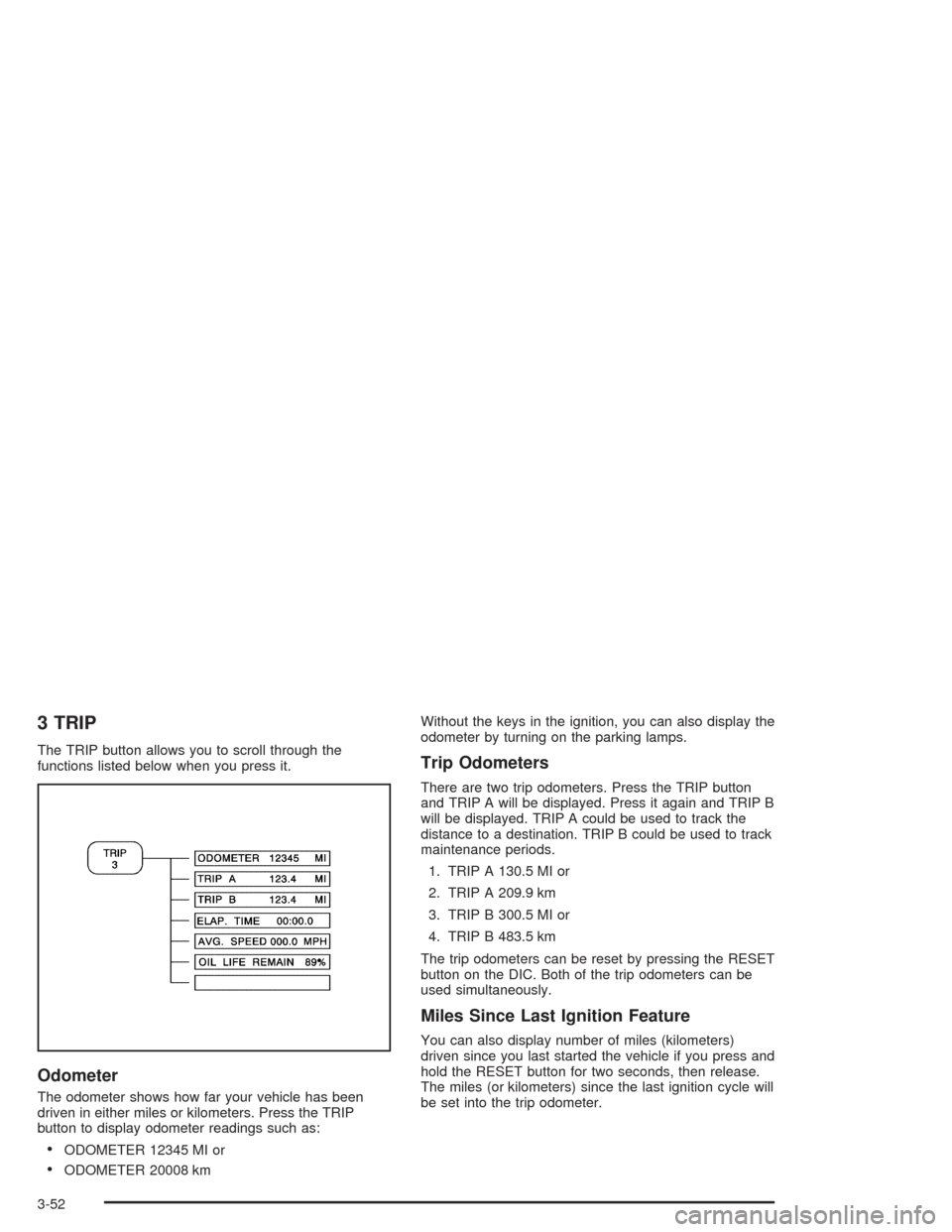
3 TRIP
The TRIP button allows you to scroll through the
functions listed below when you press it.
Odometer
The odometer shows how far your vehicle has been
driven in either miles or kilometers. Press the TRIP
button to display odometer readings such as:
•ODOMETER 12345 MI or
•ODOMETER 20008 kmWithout the keys in the ignition, you can also display the
odometer by turning on the parking lamps.
Trip Odometers
There are two trip odometers. Press the TRIP button
and TRIP A will be displayed. Press it again and TRIP B
will be displayed. TRIP A could be used to track the
distance to a destination. TRIP B could be used to track
maintenance periods.
1. TRIP A 130.5 MI or
2. TRIP A 209.9 km
3. TRIP B 300.5 MI or
4. TRIP B 483.5 km
The trip odometers can be reset by pressing the RESET
button on the DIC. Both of the trip odometers can be
used simultaneously.
Miles Since Last Ignition Feature
You can also display number of miles (kilometers)
driven since you last started the vehicle if you press and
hold the RESET button for two seconds, then release.
The miles (or kilometers) since the last ignition cycle will
be set into the trip odometer.
3-52