Page 206 of 418
44Q (Reverse): Press this pushbutton to reverse the
tape rapidly. Press
it again to return to playing speed.
The radio will play the tape reverses. You may
select stations during reverse operation by using
TUNE.
EQ (Equalizer): Press EQ to select the desired
customized equalization setting while playing a cassette.
The equalization will be automatically set whenever
you play a cassette tape. See
“EQ” listed previously for
more information.
A SEEK v : Your tape must have at least three
seconds of silence between each selection for seek to
work. Press the up or the down arrow to search for
the next or the previous selection on the tape. You can
skip as many as nine selections up or down on the
tape. Choose how many selections you want to skip,
then press the SEEK arrow that many times. The
number of selections to be skipped will appear on the
display.
A SCAN v : Press and hold one of the arrows for
more than two seconds until
SCAN appears on
the display and you hear a beep. The tape will go to the
next selection, play for a few seconds, then go on to
the next selection. The tape will scan in forward
only. Press this button again to stop scanning.
BAND: Press fnis button to iisten io the radio When a
tape is playing. The inactive tape or CD will remain
safely inside the radio for future listening.
CD TAPE: Press this button to switch between playing
a cassette tape and a compact disc,
if both are
loaded, when listening to the radio. The display will
show tape and
CD symbols.
(Eject): Press this button, located next to the
cassette tape slot, to eject a tape. Eject may be
activated with either the ignition or radio
off. Cassettes
may be loaded with the radio and ignition
off if this
button is pressed first.
Cassette Tape Messages
If an error occurs while trying to play a cassette tape, it
could be for one of the following reasons:
TEGHT TAPE: This message is displayed when the
tape is tight and the player can’t turn the tape hubs.
Remove the tape. Hold the tape with the open end down
and try to turn the right hub counterclockwise with a
pencil. Turn the tape over and repeat. If the hubs do nor
turn easily, your tape may be damaged and should
not be used in the player. Try a new tape to make sure
your
piayer is wur kir ry p,-upt.ily.
BROKEN TAPE: This message is displayed when the
tape is broken. Try a new tape.
WRAPPED TAPE: This message is displayed when the
tape is wrapped around the tape head. Attempt to get
the cassette out. Try a new tape.
3-91
Page 229 of 418
If you need to reduce your speed as you approach a
curve, do it before you enter the curve, while your front
wheels are straight ahead.
Try
to adjust your speed so you can “drive” through the
curve. Maintain a reasonable, steady speed. Wait to
accelerate until you are out of the curve, and then
accelerate gently into the straightaway.
Steering in Emergencies
There are times when steering can be more effective
than braking. For example, you come over a hill and find
a truck stopped in your lane, or a car suddenly pulls
out from nowhere, or a child darts out from between
parked cars and stops right in front of you. You
can avoid these problems by braking
- if you can stop
in time. But sometimes you can’t; there isn’t room.
That’s the time for evasive action
- steering around the
problem.
Your vehicle can perform very well in emergencies like
these. First apply your brakes.
See
Braking on page 4-6. It is better to remove as much
speed as you can from a possible collision. Then
steer around the problem, to the left or right depending
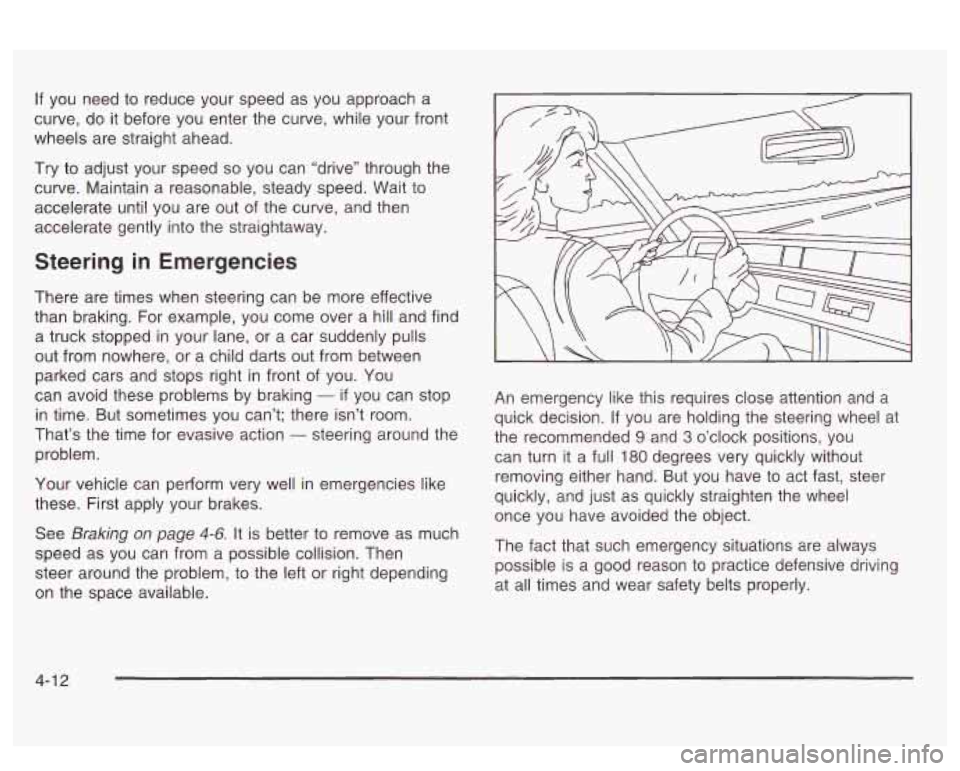
on the space available. An emergency
like this requires close attention and
a
quick decision. If you are holding the steering wheel at
the recommended
9 and 3 o’clock positions, you
can turn it
a full 180 degrees very quickly without
removing either hand. But you have
to act fast, steer
quickly, and just as quickly straighten the wheel
once you have avoided the object.
The fact that such emergency situations are always
possible is a good reason
to practice defensive driving
at all times and wear safety belts properly.
4-1 3
Page 268 of 418
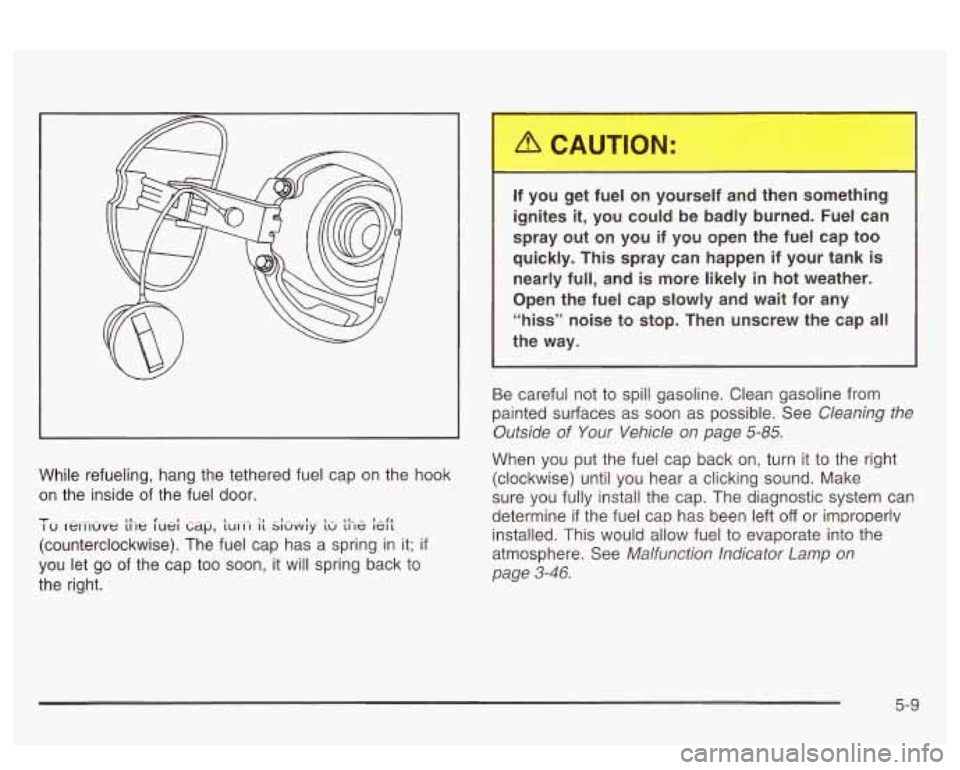
While refueling, hang the tethered fuel cap on the hook
on the inside of the fuel door.
-I- I u rewluve t11e luei ti~~p, ~UCI-I it Si&y t~ the kft I,- - 1
(counterclockwise). The fuel cap has a spring in it; if
you let go of the cap too soon, it will spring back to
the right. If you get fuel on yourself and
then something
ignites
it, you could be badly burned. Fuel can
spray out on you if you open the fuel cap too
quickly. This spray can happen if your tank is nearly full, and is more likely in hot weather.
Open the fuel cap slowly and wait for any
“hiss” noise to stop. Then unscrew the cap
all
the way.
Be careful not to spill gasoline. Clean gasoline from
painted surfaces as soon as possible. See
Cleaning the
Outside
of Your Vehicle on page 5-85.
When you put the fuel cap back on, turn it to the right
(clockwise) until you hear a clicking sound. Make
sure you fully install the cap. The diagnostic system can
determine
if the fuel cap has been left off or improperlv
installed. This would allow fuel to evaporate into the
atmosphere. See
Malfunction Indicator Lamp on
page
3-46.
5-9
Page 295 of 418
How to Add Coolant to the Radiator
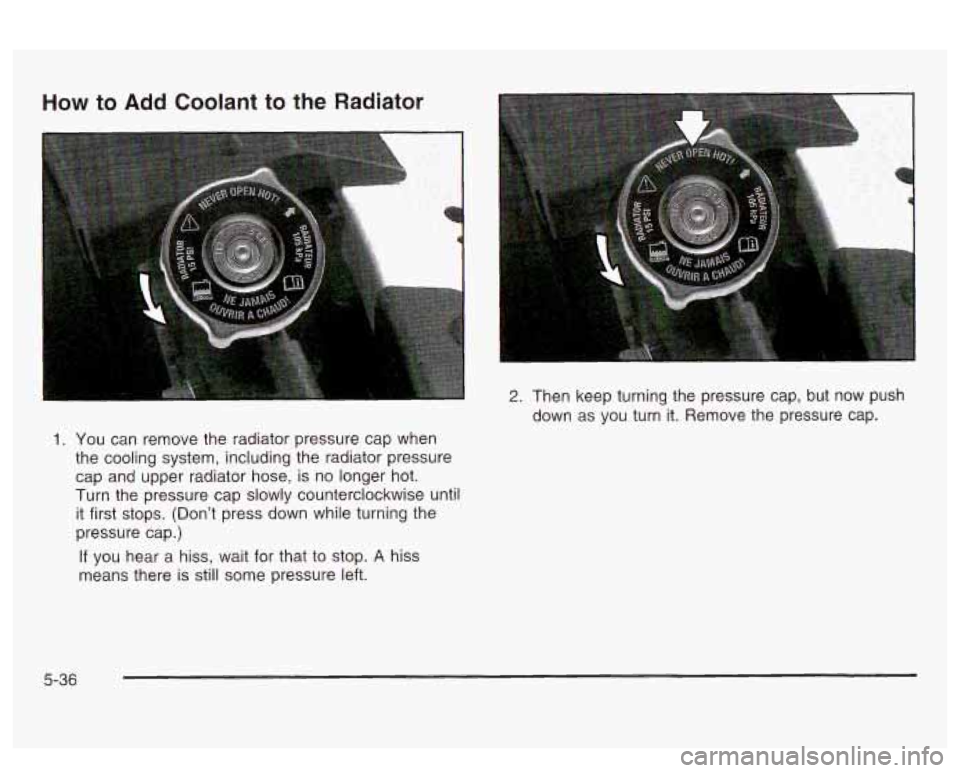
1. You can remove the radiator pressure cap when
the cooling system, including the radiator pressure
cap and upper radiator hose, is no longer hot.
Turn the pressure cap slowly counterclockwise until
it first stops. (Don’t press down while turning the
pressure cap.)
If you hear a hiss, wait for that to stop. A hiss
means there is still some pressure left.
2. Then keep turning the pressure cap, but now push
down as you turn it. Remove the pressure cap.
5-36
Page 296 of 418
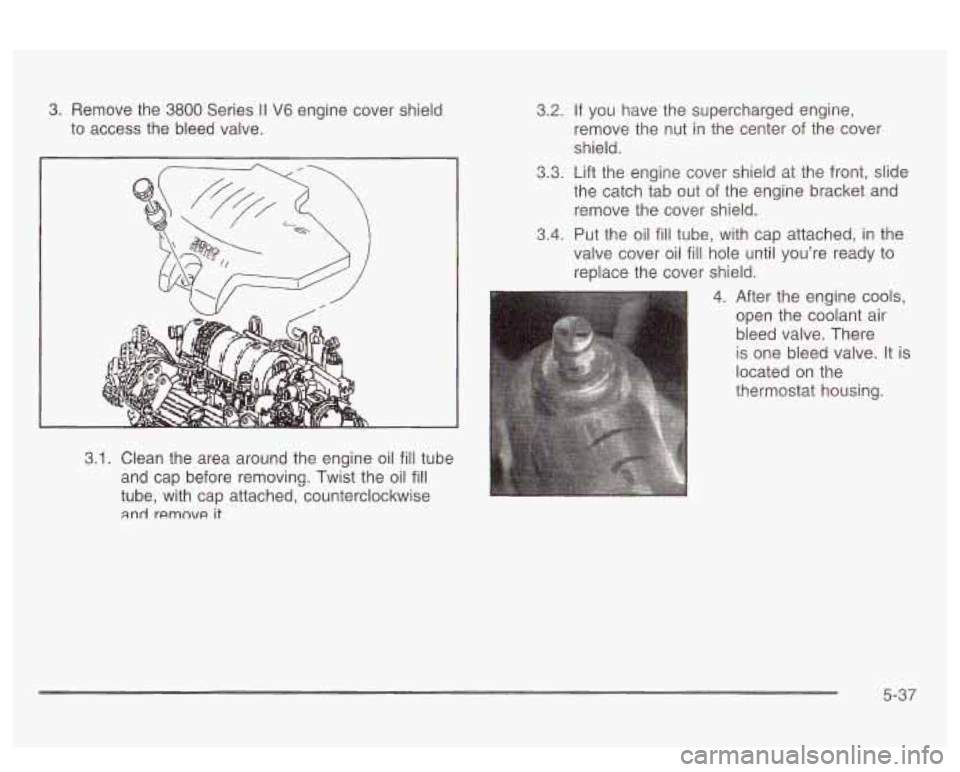
3. Remove the 3800 Series II V6 engine cover shield
to access the bleed valve.
3.1. Clean the area around the engine oil fill tube
and cap before removing. Twist the oil
fill
tube, with cap attached, counterclockwise
and remnvc! it^
3.2. If you have the supercharged engine,
remove the nut in the center of the cover
shield.
3.3. Lift the engine cover shield at the front, slide
the catch tab out
of the engine bracket and
remove the cover shield.
3.4. Put the oil
fill tube, with cap attached, in the
valve cover oil
fill hole until you’re ready to
replace the cover shield.
4. After the engine cools,
open the coolant air
bleed valve. There
is one bleed valve. It is
located on the
thermostat housing.
5-37
Page 297 of 418
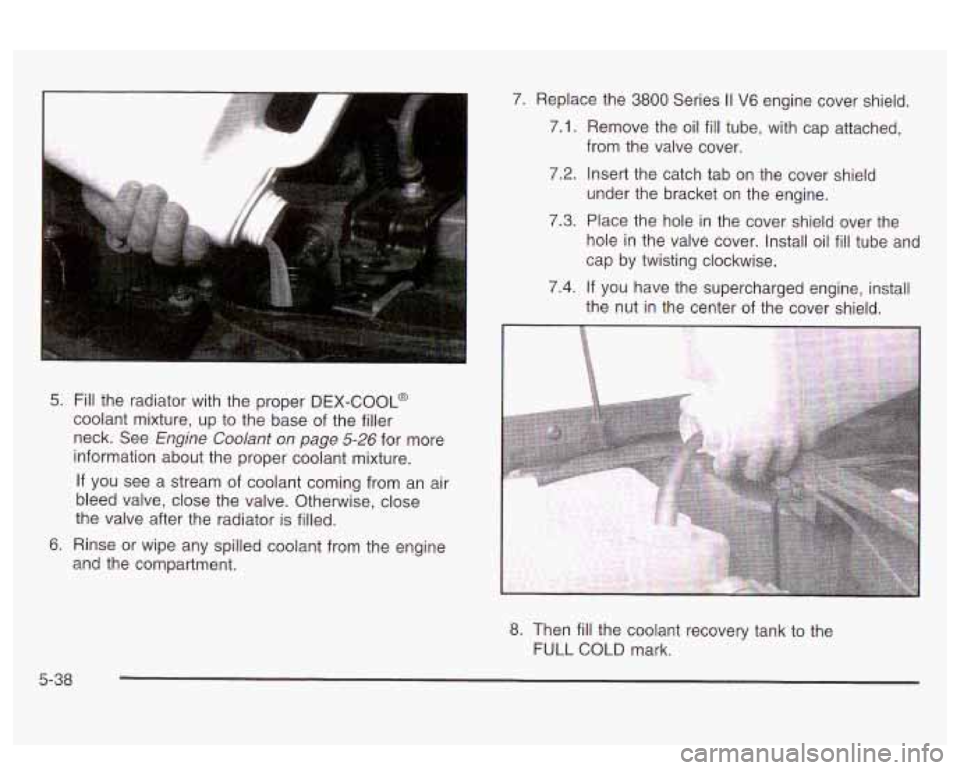
5. Fill the radiator with the proper DEX-COOL@
coolant mixture, up to the base of the filler
neck. See
Engine Coolant on page 5-26 for more
information about the proper coolant mixture.
If you see a stream of coolant coming from an air
bleed valve, close the valve. Otherwise, close
the valve after the radiator is filled.
6. Rinse or wipe any spilled coolant from the engine
and the compartment.
5-38
7. Replace the 3800 Series II V6 engine cover shield.
7.1. Remove the oil fill tube, with cap attached,
i.2. Insert the catch tab on the cover shield
under the bracket on the engine.
from the
valve cover.
7.3. Place the hole in the cover shield over the
hole in the valve cover. Install oil
fill tube and
cap by twisting clockwise.
7.4. If you have the supercharged engine, install
the nut in the center of the cover shield.
8. Then fill the coolant recovery tank to the
FULL
COLD mark.
Page 315 of 418
Bulb Replacement
For the type of bulb to use, see Replacement Bulbs on
page
5-60.
For any bulb changing procedure not listed in this
section, contact your dealer.
Halogen Bulbs
Headlamps
Halogen bulbs have pressurized gas inside
and can burst
if you drop or scratch the bulb.
You or others could be injured. Be sure
to read
and
follow the instructions on the bulb
package.
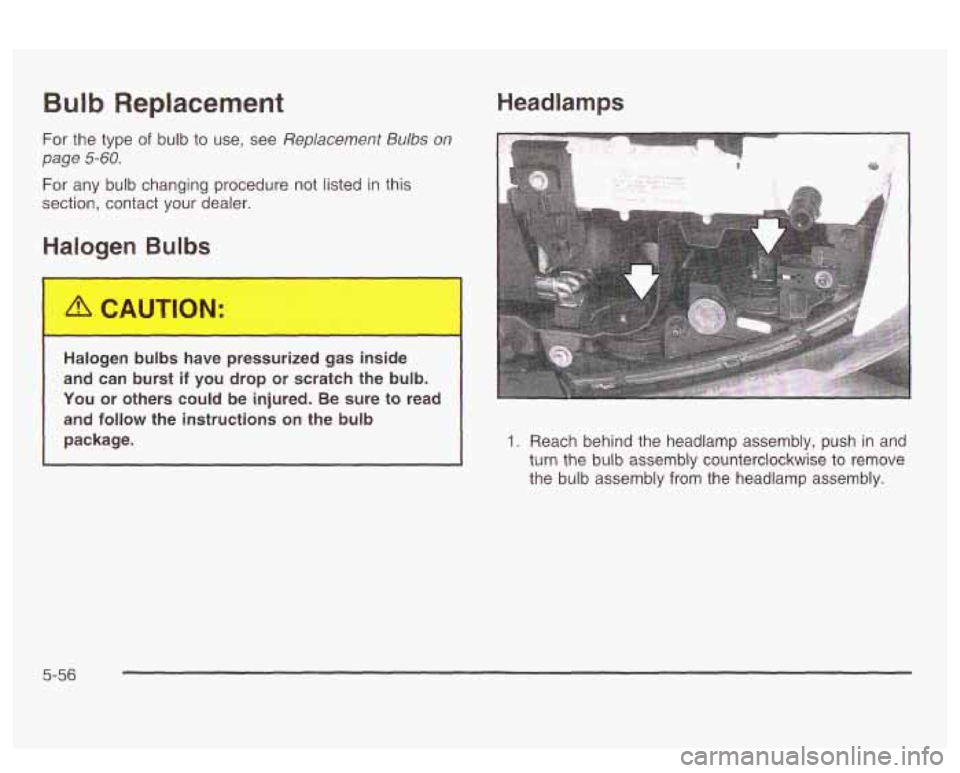
1. Reach behind the headlamp assembly, push in and
turn the bulb assembly counterclockwise to remove
the bulb assembly from the headlamp assembly.
5-56
Page 316 of 418
Front Turn Signal and Parking
Lamps
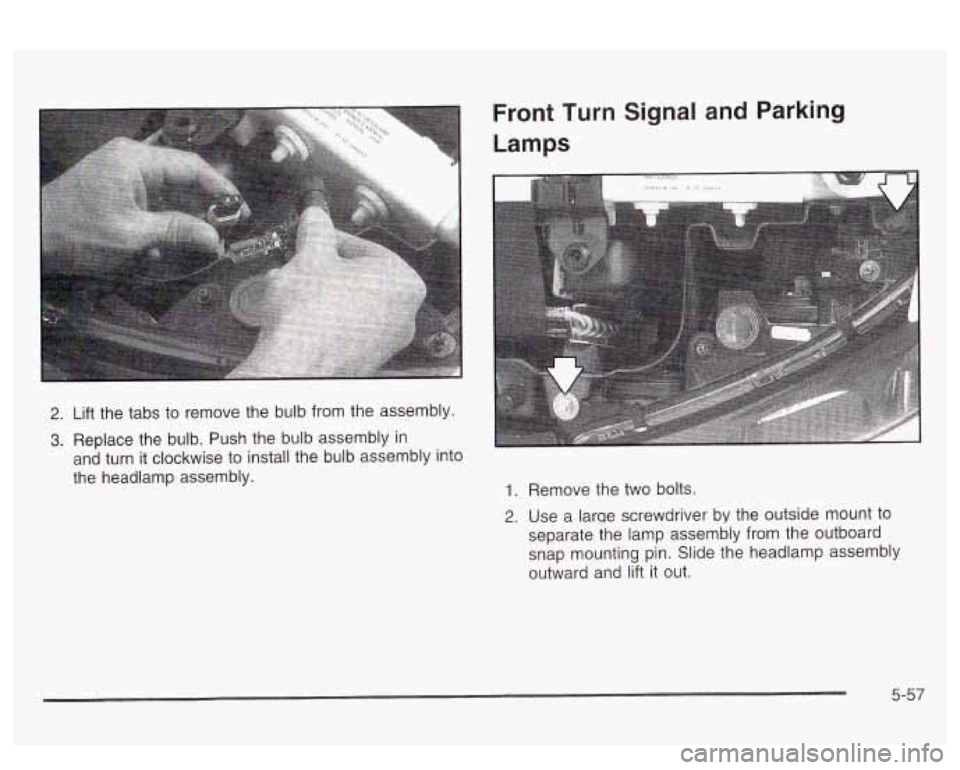
2. Lift the tabs to remove the bulb from the assembly.
3. Replace the bulb. Push the bulb assembly in
and turn it clockwise to install the bulb assembly into
the headlamp assembly.
1. Remove the two bolts.
2. Use a larqe screwdriver by the outside mount to
separate the lamp assembly from the outboard
snap mounting pin. Slide the headlamp assembly
outward and lift
it out.
5-57