2003 NISSAN X-TRAIL code
[x] Cancel search: codePage 2115 of 3066
![NISSAN X-TRAIL 2003 Electronic Repair Manual FUEL SUPPLY PUMP
EM-145
[YD22DDTi]
C
D
E
F
G
H
I
J
K
L
MA
EM
9. Install secondary timing chain.
lWhen installing, match the alignment marks on sprockets with
color coded alignment marks (colored links](/manual-img/5/57402/w960_57402-2114.png "NISSAN X-TRAIL 2003 Electronic Repair Manual FUEL SUPPLY PUMP
EM-145
[YD22DDTi]
C
D
E
F
G
H
I
J
K
L
MA
EM
9. Install secondary timing chain.
lWhen installing, match the alignment marks on sprockets with
color coded alignment marks (colored links")
FUEL SUPPLY PUMP
EM-145
[YD22DDTi]
C
D
E
F
G
H
I
J
K
L
MA
EM
9. Install secondary timing chain.
lWhen installing, match the alignment marks on sprockets with
color coded alignment marks (colored links) on the chain.
10. Install timing chain tension guide.
lThe upper bolt has a longer shank than the lower bolt.
11. Using a hexagon-head wrench [face to face: 6 mm (0.24 in),
SST], install timing chain slack guide.
12. Install chain tensioner.
a. Push the plunger of the chain tensioner. While holding it with a
push pin, install the chain tensioner.
b. Using a hexagon-head wrench [face to face: 5 mm (0.20 in),
SST], tighten bolts.
c. Pull out the push pin, etc. holding the plunger.
lCheck again that the alignment marks on the sprockets
and the colored alignment marks on the timing chain are
aligned.
JEM128G
SBIA0228E
SBIA0227E
Page 2129 of 3066
![NISSAN X-TRAIL 2003 Electronic Repair Manual SECONDARY TIMING CHAIN
EM-159
[YD22DDTi]
C
D
E
F
G
H
I
J
K
L
MA
EM
4. Remove front chain case.
lLoosen fixing bolts in the reverse order of that shown in the
figure and remove them.
lRemove No. 6, 10](/manual-img/5/57402/w960_57402-2128.png "NISSAN X-TRAIL 2003 Electronic Repair Manual SECONDARY TIMING CHAIN
EM-159
[YD22DDTi]
C
D
E
F
G
H
I
J
K
L
MA
EM
4. Remove front chain case.
lLoosen fixing bolts in the reverse order of that shown in the
figure and remove them.
lRemove No. 6, 10")
SECONDARY TIMING CHAIN
EM-159
[YD22DDTi]
C
D
E
F
G
H
I
J
K
L
MA
EM
4. Remove front chain case.
lLoosen fixing bolts in the reverse order of that shown in the
figure and remove them.
lRemove No. 6, 10 and 11 bolts with the rubber washer as
space is limited for pulling them out.
CAUTION:
lWhile front chain case is removed, cover openings to
prevent entry of foreign material into engine.
lDo not remove two mass dampers on the back of cover.
5. Set the No. 1 piston to TDC on its compression stroke.
lTurn crankshaft pulley clockwise so that the alignment mark
(punched mark) on each camshaft sprocket is positioned as
showninthefigure.
lNo position indicator is provided on the crankshaft pul-
ley.
lWhen installing, color coded links on the secondary tim-
ing chain can be used as alignment marks. Marking may
not be necessary for removal; however, make alignment
marks as required because the alignment mark on fuel
supply pump sprocket may not be easy to see.
6. Remove chain tensioner.
a. Push the plunger of chain tensioner and keep it pressed with a
push pin.
b. Using a hexagon-head wrench [face to face: 5 mm, (0.20 in)
SST], remove bolts to remove chain tensioner.
JEM121G
SBIA0189E
SEM515G
JEM124G
SBIA0227E
Page 2131 of 3066
![NISSAN X-TRAIL 2003 Electronic Repair Manual SECONDARY TIMING CHAIN
EM-161
[YD22DDTi]
C
D
E
F
G
H
I
J
K
L
MA
EM
INSTALLATION
1. Install secondary timing chain.
lWhen installing, match the alignment marks on sprockets with
color coded alignment m](/manual-img/5/57402/w960_57402-2130.png "NISSAN X-TRAIL 2003 Electronic Repair Manual SECONDARY TIMING CHAIN
EM-161
[YD22DDTi]
C
D
E
F
G
H
I
J
K
L
MA
EM
INSTALLATION
1. Install secondary timing chain.
lWhen installing, match the alignment marks on sprockets with
color coded alignment m")
SECONDARY TIMING CHAIN
EM-161
[YD22DDTi]
C
D
E
F
G
H
I
J
K
L
MA
EM
INSTALLATION
1. Install secondary timing chain.
lWhen installing, match the alignment marks on sprockets with
color coded alignment marks (colored links) on the chain.
2. Install timing chain tension guide.
lThe upper bolt has a longer shank than the lower bolt.
3. Using a hexagon-head wrench [face to face: 6 mm (0.24 in),
SST], install timing chain slack guide.
4. Install chain tensioner.
a. Push the plunger of the chain tensioner. While holding it with a
push pin, install the chain tensioner.
b. Using a hexagon-head wrench [face to face: 5 mm (0.20 in),
SST], tighten bolts.
c. Pull out the push pin, etc. holding the plunger.
lCheck again that the alignment marks on the sprockets
and the colored alignment marks on the timing chain are
aligned.
JEM128G
SBIA0228E
SBIA0227E
Page 2140 of 3066
![NISSAN X-TRAIL 2003 Electronic Repair Manual EM-170
[YD22DDTi]
PRIMARY TIMING CHAIN
6. Install primary timing chain with fuel supply pump sprocket.
lWhen installing, match the alignment marks on sprockets with
color coded alignment marks (colore](/manual-img/5/57402/w960_57402-2139.png "NISSAN X-TRAIL 2003 Electronic Repair Manual EM-170
[YD22DDTi]
PRIMARY TIMING CHAIN
6. Install primary timing chain with fuel supply pump sprocket.
lWhen installing, match the alignment marks on sprockets with
color coded alignment marks (colore")
EM-170
[YD22DDTi]
PRIMARY TIMING CHAIN
6. Install primary timing chain with fuel supply pump sprocket.
lWhen installing, match the alignment marks on sprockets with
color coded alignment marks (colored links) on the chain.
lInstall fuel supply pump sprocket washer with the surface
marked “F” (front mark) facing the front of the engine.
7. Install timing chain onto power steering pump sprocket and
through chain guide.
8. Use the positioning stopper pin (SST) to hold the fuel supply
pump sprocket and install the bolt.
lUsing a TORX wrench (SST), turn the pump shaft little by little
to adjust the position of the pump flange. Insert positioning
stopper pin (SST) into the hole 6 mm (0.24 in) in diameter on
the fuel supply pump sprocket so that the stopper pin goes
through the pump flange to the pump body. While the stopper
pinisinplace,installthebolt.
9. Install timing chain slack guide.
10. Install chain tensioner.
lPush the plunger of the chain tensioner. While keeping
plunger pressed down with a push pin, etc., install the chain
tensioner.
lAfter installation, pull out the push pin holding the plunger.
lCheck again that the alignment marks on the sprockets
and the colored alignment marks on timing chain are
aligned.
11. Install front oil seal to oil pump.
lUsing a suitable drift [62 mm (2.44 in) dia.], force fit the seal
until it hits the bottom.
lDo not touch lips of oil seal. Make sure seal surfaces are
free of foreign materials.
JEM136G
SBIA0208E
SBIA0209E
JEM134G
JEM142G
Page 2143 of 3066
![NISSAN X-TRAIL 2003 Electronic Repair Manual CYLINDER HEAD
EM-173
[YD22DDTi]
C
D
E
F
G
H
I
J
K
L
MA
EM
CYLINDER HEADPFP:11041
On-Vehicle ServiceEBS00BPL
CHECKING COMPRESSION PRESSURE
1. Warm up engine thoroughly. Then, stop it.
2. Using CONSULT-](/manual-img/5/57402/w960_57402-2142.png "NISSAN X-TRAIL 2003 Electronic Repair Manual CYLINDER HEAD
EM-173
[YD22DDTi]
C
D
E
F
G
H
I
J
K
L
MA
EM
CYLINDER HEADPFP:11041
On-Vehicle ServiceEBS00BPL
CHECKING COMPRESSION PRESSURE
1. Warm up engine thoroughly. Then, stop it.
2. Using CONSULT-")
CYLINDER HEAD
EM-173
[YD22DDTi]
C
D
E
F
G
H
I
J
K
L
MA
EM
CYLINDER HEADPFP:11041
On-Vehicle ServiceEBS00BPL
CHECKING COMPRESSION PRESSURE
1. Warm up engine thoroughly. Then, stop it.
2. Using CONSULT-II, make sure no error codes are indicated for self-diagnosis items. Refer toEC-672,
"Basic Inspection".
lDo not disconnect CONSULT-II until the end of this operation; it will be used to check engine rpm and
for error detection at the end of this operation.
3. Disconnect the negative battery terminal.
4. Remove the following parts.
lCharge air cooler (Refer toEM-114, "Removal and Installation".)
5. To prevent fuel from being injected during inspection, remove
fuel supply pump fuse [ENG CONT (20A)] from fuse box on the
left side of engine compartment.
lAmong marks on fuse box, [ENG CONT 3 (20A)] is for fuel
supply pump fuse.
6. Remove glow plugs from all the cylinders. Refer toEM-130,
"Removal and Installation".
CAUTION:
lBefore removal, clean the surrounding area to prevent
entry of any foreign materials into the engine.
lCarefully remove glow plugs to prevent any damage or
breakage.
lHandle with care to avoid applying any shock to glow plugs.
7. Install adapter to installation holes of glow plugs and connect
compression gauge for diesel engine.
8. Connect battery negative terminal.
9. Set the ignition switch to “START” and crank. When gauge
pointer stabilizes, read compression pressure and engine rpm.
Repeat the above steps for each cylinder.
lAlways use a fully-charged battery to obtain specified engine
speed.
Unit:kPa(bar,kg/cm2, psi)/rpm
lWhen engine rpm is out of the specified range, check the specific gravity of battery liquid. Measure
again under corrected conditions.
lIf engine rpm exceeds the limit, check valve clearance and combustion chamber components (valves,
valve seats, cylinder head gaskets, piston rings, pistons, cylinder bores, cylinder block upper and lower
surfaces) and measure again.
lIf compression pressure is low in some cylinders, apply engine oil from glow plug installation hole. Then
check pressure again.
–If compression pressure becomes normal after applying oil, piston ring may be worn or damaged.
Check piston ring for malfunction. If any, replace piston ring.
–If compression pressure is still low after applying oil, valve may be malfunctioning. Check valve for mal-
function. If contact malfunction is found, replace valve or valve seat.
lIf compression pressure in adjacent two cylinders is low after applying oil, pressure may be leaking
from gasket. In this case, replace cylinder head gasket.
SBIA0192E
:18-21N·m(1.8-2.2kg-m,13-15ft-lb)
Standard MinimumDifference limit between
cylinders
2,893 (28.9, 29.5, 419)/
2002,452 (24.52, 25.0, 356)/
200490 (4.90, 5.0, 71)/200
SEM112G
Page 2144 of 3066
![NISSAN X-TRAIL 2003 Electronic Repair Manual EM-174
[YD22DDTi]
CYLINDER HEAD
10. Complete this operation as follows:
a. Turn the ignition switch to “OFF”.
b. Disconnect battery negative terminal.
c. Install glow plug and install all the part](/manual-img/5/57402/w960_57402-2143.png "NISSAN X-TRAIL 2003 Electronic Repair Manual EM-174
[YD22DDTi]
CYLINDER HEAD
10. Complete this operation as follows:
a. Turn the ignition switch to “OFF”.
b. Disconnect battery negative terminal.
c. Install glow plug and install all the part")
EM-174
[YD22DDTi]
CYLINDER HEAD
10. Complete this operation as follows:
a. Turn the ignition switch to “OFF”.
b. Disconnect battery negative terminal.
c. Install glow plug and install all the parts removed in step 4.
d. Install fuel supply pump fuse [ENG CONT (20A)].
e. Connect battery negative terminal.
f. Using CONSULT-II make sure no error code is indicated for items of self-diagnosis.
Removal and InstallationEBS00BPM
CAUTION:
Apply new engine oil to parts marked in illustration before installation.
REMOVAL
1. Remove drain coolant. Refer toCO-30, "Changing Engine Coolant".
2. Remove the following parts:
lCharge air cooler (Refer toEM-114, "Removal and Installation".)
lRocker cover (Refer toEM-147, "Removal and Installation".)
lAir cleaner and air duct (Refer toEM-112, "Removal and Installation".)
lVacuum pump (Refer toEM-131, "Removal and Installation".)
lInjection tube, spill tube and fuel injector (Refer toEM-135, "Removal and Installation".)
lIntake manifold (Refer toEM-115, "Removal and Installation".)
lExhaust manifold (Refer toEM-119, "Removal and Installation".)
lSecondary timing chain (Refer toEM-158, "Removal and Installation".)
lCamshaft (Refer toEM-149, "Removal and Installation".)
SBIA0193E
1. Glow plug 2. Cylinder head assembly 3. Cylinder head bolt
4. Thermal transmitter 5. Engine coolant temperature sensor 6. Gasket
7. Water outlet 8. Glow plate
Page 2258 of 3066
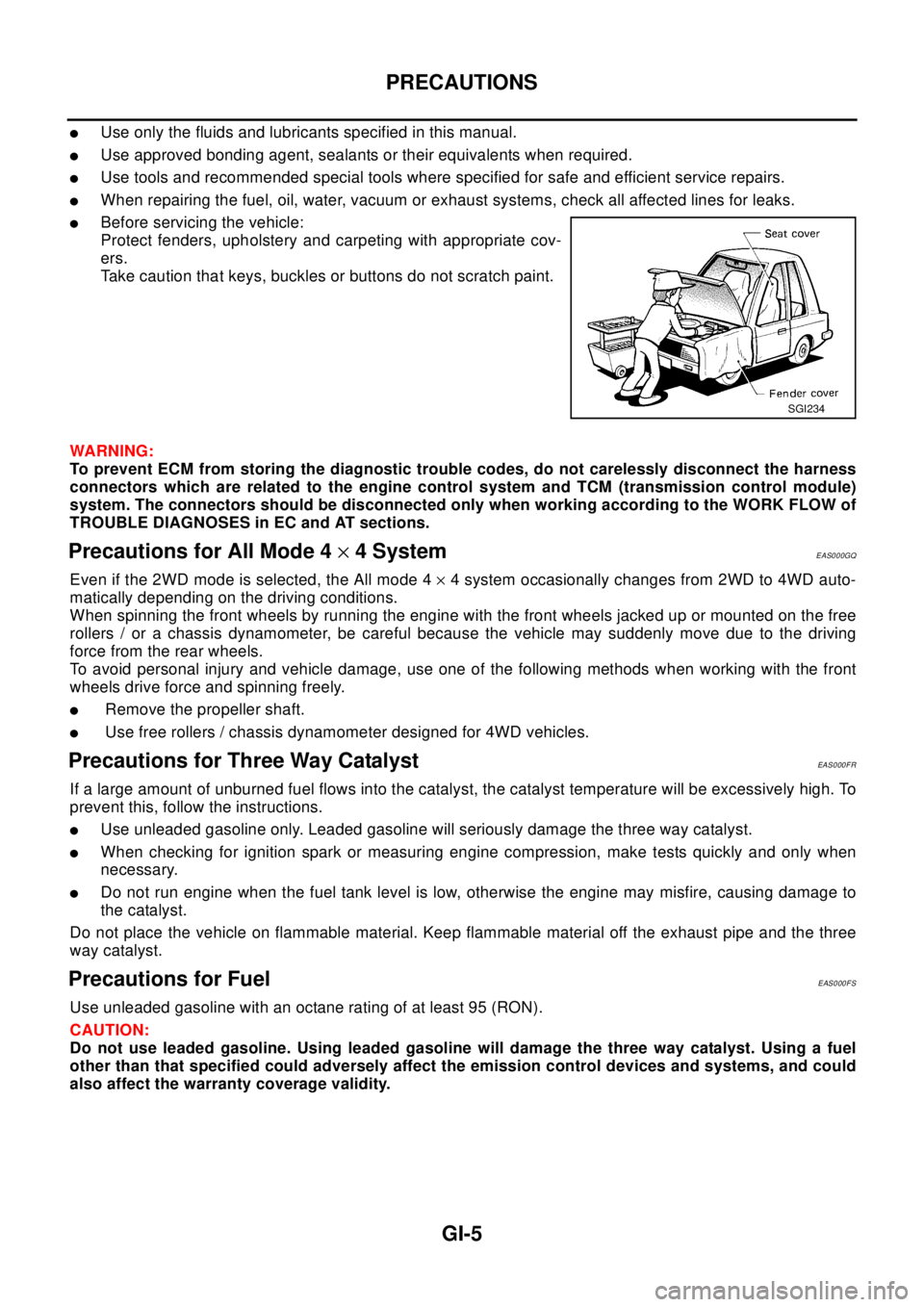
PRECAUTIONS
GI-5
lUse only the fluids and lubricants specified in this manual.
lUse approved bonding agent, sealants or their equivalents when required.
lUse tools and recommended special tools where specified for safe and efficient service repairs.
lWhen repairing the fuel, oil, water, vacuum or exhaust systems, check all affected lines for leaks.
lBefore servicing the vehicle:
Protect fenders, upholstery and carpeting with appropriate cov-
ers.
Take caution that keys, buckles or buttons do not scratch paint.
WA RN ING:
To prevent ECM from storing the diagnostic trouble codes, do not carelessly disconnect the harness
connectors which are related to the engine control system and TCM (transmission control module)
system. The connectors should be disconnected only when working according to the WORK FLOW of
TROUBLE DIAGNOSES in EC and AT sections.
Precautions for All Mode 4´4 SystemEAS000GQ
Even if the 2WD mode is selected, the All mode 4´4 system occasionally changes from 2WD to 4WD auto-
matically depending on the driving conditions.
When spinning the front wheels by running the engine with the front wheels jacked up or mounted on the free
rollers / or a chassis dynamometer, be careful because the vehicle may suddenly move due to the driving
force from the rear wheels.
To avoid personal injury and vehicle damage, use one of the following methods when working with the front
wheels drive force and spinning freely.
lRemove the propeller shaft.
lUse free rollers / chassis dynamometer designed for 4WD vehicles.
Precautions for Three Way CatalystEAS000FR
If a large amount of unburned fuel flows into the catalyst, the catalyst temperature will be excessively high. To
prevent this, follow the instructions.
lUse unleaded gasoline only. Leaded gasoline will seriously damage the three way catalyst.
lWhen checking for ignition spark or measuring engine compression, make tests quickly and only when
necessary.
lDo not run engine when the fuel tank level is low, otherwise the engine may misfire, causing damage to
the catalyst.
Do not place the vehicle on flammable material. Keep flammable material off the exhaust pipe and the three
way catalyst.
Precautions for FuelEAS000FS
Use unleaded gasoline with an octane rating of at least 95 (RON).
CAUTION:
Do not use leaded gasoline. Using leaded gasoline will damage the three way catalyst. Using a fuel
other than that specified could adversely affect the emission control devices and systems, and could
also affect the warranty coverage validity.
SGI234
Page 2271 of 3066

GI-18
HOW TO USE THIS MANUAL
13 ConnectorslThis shows that the connector is connected to the body or a terminal with bolt or nut.
14 Wire color
lThis shows a code for the color of the wire.
B=Black
W=White
R=Red
G=Green
L=Blue
Y=Yellow
LG = Light GreenBR = Brown
OR = Orange
P=Pink
PU = Purple
GY = Gray
SB = Sky Blue
CH = Dark Brown
DG = Dark Green
When the wire color is striped, the base color is given first, followed by the stripe color as shown
below:
Example: L/W = Blue with White Stripe
15 Option description
lThis shows a description of the option abbreviation used on the page.
16 Switch
lThis shows that continuity exists between terminals 1 and 2 when the switch is in the A posi-
tion. Continuity exists between terminals 1 and 3 when the switch is in the B position.
17 Assembly parts
lConnector terminal in component shows that it is a harness incorporated assembly.
18 Cell code
lThis identifies each page of the wiring diagram by section, system and wiring diagram page
number.
19 Current flow arrow
lArrow indicates electric current flow, especially where the direction of standard flow (vertically
downward or horizontally from left to right) is difficult to follow.
lA double arrow “ ” shows that current can flow in either direction depending on cir-
cuit operation.
20 System branch
lThis shows that the system branches to another system identified by cell code (section and
system).
21 Page crossing
lThis arrow shows that the circuit continues to another page identified by cell code.
lThe C will match with the C on another page within the system other than the next or preced-
ing pages.
22 Shielded line
lThe line enclosed by broken line circle shows shield wire.
23Component box in
wave line
lThis shows that another part of the component is also shown on another page (indicated by
wave line) within the system.
24 Component name
lThis shows the name of a component.
25 Connector number
lThis shows the connector number.
lThe letter shows which harness the connector is located in.
lExample:M: main harness. For detail and to locate the connector, refer to PG section "Main
Harness", “Harness Layout”. A coordinate grid is included for complex harnesses to aid in
locating connectors.
26 Ground (GND)
lThe line spliced and grounded under wire color shows that ground line is spliced at the
grounded connector.
27 Ground (GND)
lThis shows the ground connection. For detailed ground distribution information, refer to
"Ground Distribution" in PG section.
28 Connector views
lThis area shows the connector faces of the components in the wiring diagram on the page.
29 Common component
lConnectors enclosed in broken line show that these connectors belong to the same compo-
nent.
30 Connector color
lThis shows a code for the color of the connector. For code meaning, refer to wire color codes,
Number 14 of this chart. Num-
berItem Description