Page 125 of 3502
ENGINE SPEED SIGNAL
AT-117
D
E
F
G
H
I
J
K
L
MA
B
AT
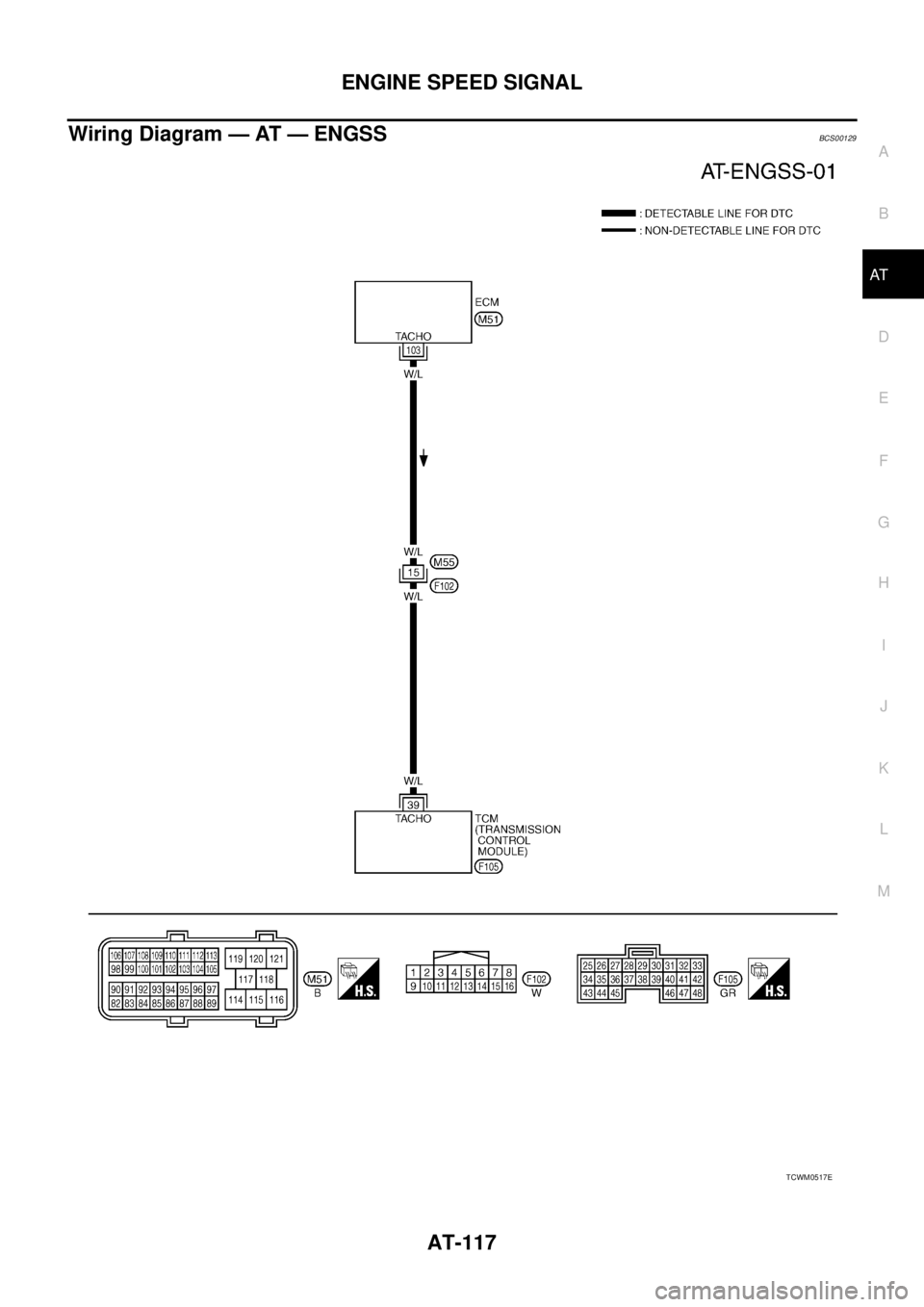
Wiring Diagram — AT — ENGSSBCS00129
TCWM0517E
Page 129 of 3502
TURBINE REVOLUTION SENSOR
AT-121
D
E
F
G
H
I
J
K
L
MA
B
AT
Wiring Diagram — AT — PT/SENBCS0012G
TCWM0518E
Page 130 of 3502

AT-122
TURBINE REVOLUTION SENSOR
Data are reference value and are measured between each terminal and ground.
Diagnostic ProcedureBCS0012H
1. CHECK INPUT SIGNAL
With CONSULT-II
1. Start engine.
2. Select “TCM INPUT SIGNALS” in “DATA MONITOR” mode for “A/T” with CONSULT-II.
3. Read out the value of “TURBINE REV” while driving.
Check the value changes according to driving speed.
OK or NG
OK >> GO TO 8.
NG >> GO TO 2.
2. CHECK TURBINE REVOLUTION SENSOR
With CONSULT-II
1. Start engine.
2. Check power supply to turbine revolution sensor (power train revolution sensor) by voltage between TCM
connector terminals. Refer to AT- 1 5 8 , "
Wiring Diagram — AT — MAIN" .
3. If OK, check the pulse when vehicle cruises.
OK or NG
OK >> GO TO 8.
NG >> GO TO 3.
Terminal Wire color Item ConditionJudgement
standard (Approx.)
38 G/BTurbine revolution sen-
sor (power train revolu-
tion sensor)When moving at 20 km/h
(12 MPH)240 Hz
42 B Sensor ground Always 0 V
Item name Condition Display value
TURBINE REV During driving (lock-up ON)Approximately matches
the engine speed.
SCIA4730E
Item Connector Terminal Data (Approx.)
TCM con-
nectorF104, F10510 - 42
Battery voltage
19 - 42
Item Condition
Turbine revolution
sensor (power train
revolution sensor)When moving at 20 km/h (12 MPH), use the CONSULT-II
pulse frequency measuring function.
CAUTION:
Connect the diagnosis data link cable to the vehicle
diagnosis connector.
Item Connector Terminal Data (Approx.)
TCM connector F105 38 240 Hz
SCIA4949E
Page 132 of 3502

AT-124
TURBINE REVOLUTION SENSOR
5. CHECK TCM
1. Check TCM input/output signals. Refer to AT- 6 4 , "
TCM Terminals and Reference Value" .
2. If NG, re-check TCM pin terminals for damage or loose connection with harness connector.
OK or NG
OK >> GO TO 8.
NG >> Repair or replace damaged parts.
6. CHECK HARNESS BETWEEN TCM AND TURBINE REVOLUTION SENSOR (POWER)
1. Turn ignition switch OFF.
2. Disconnect the turbine revolution sensor (power train revolution sensor) harness connector.
3. Check continuity between TCM connector terminals and turbine
revolution sensor (power train revolution sensor) harness con-
nector terminal. Refer to AT- 4 2 , "
Circuit Diagram" and AT- 1 5 8 ,
"Wiring Diagram — AT — MAIN" .
4. If OK, check harness for short to ground and short power.
5. Reinstall any part removed.
OK or NG
OK >> 10A fuse (No.83, located in the IPDM E/R) or ignition switch are malfunctioning.
NG >> Repair open circuit or short to ground or short to power in harness or connectors.
7. CHECK HARNESS BETWEEN TCM AND TURBINE REVOLUTION SENSOR (SENSOR GROUND)
1. Turn ignition switch OFF.
2. Disconnect the turbine revolution sensor (power train revolution sensor) harness connector.
3. Check continuity between TCM connector terminal and turbine
revolution sensor (power train revolution sensor) harness con-
nector terminal.
4. If OK, check harness for short to ground and short power.
5. Reinstall any part removed.
OK or NG
OK >> GO TO 5.
NG >> Repair open circuit or short to ground or short to power in harness or connectors.
Item Connector Terminal Continuity
TCM connector F104 10
Ye s Turbine revolution sensor
(power train revolution sen-
sor) harness connectorF38 1
TCM connector F104 19
Ye s Turbine revolution sensor
(power train revolution sen-
sor) harness connectorF38 1
SCIA2773E
Item Connector Terminal Continuity
TCM connector F105 42
Ye s Turbine revolution sensor
(power train revolution sen-
sor) harness connectorF38 3
SCIA2774E
Page 135 of 3502
LINE PRESSURE SOLENOID VALVE
AT-127
D
E
F
G
H
I
J
K
L
MA
B
AT
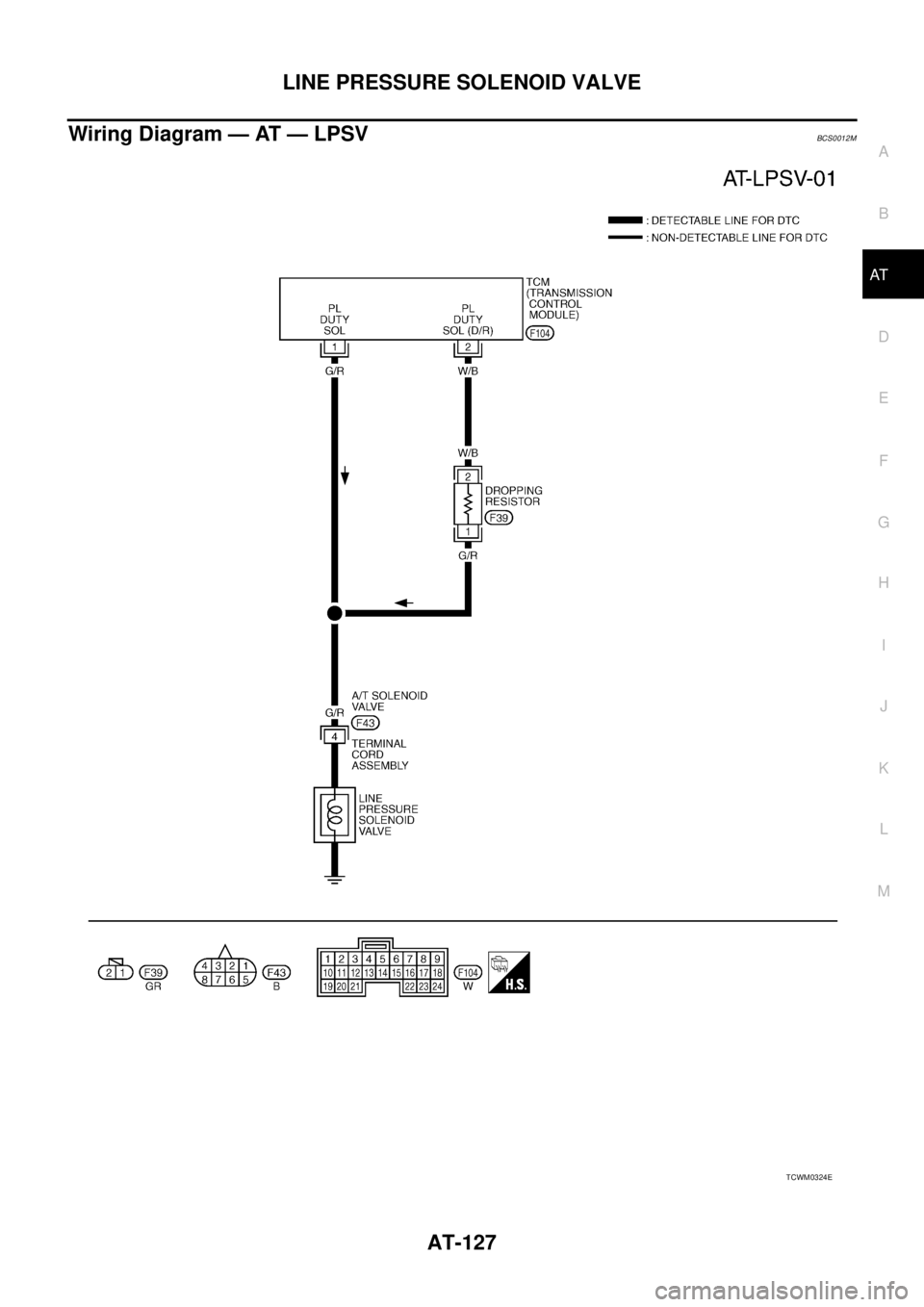
Wiring Diagram — AT — LPSVBCS0012M
TCWM0324E
Page 141 of 3502
CAN COMMUNICATION LINE
AT-133
D
E
F
G
H
I
J
K
L
MA
B
AT
CAN COMMUNICATION LINEPFP:31940
DescriptionBCS0012P
CAN (Controller Area Network) is a serial communication line for real time application. It is an on-vehicle mul-
tiplex communication line with high data communication speed and excellent malfunction detection ability.
Many electronic control units are equipped onto a vehicle, and each control unit shares information and links
with other control units during operation (not independent). In CAN communication, control units are con-
nected with 2 communication lines (CAN-H line, CAN-L line) allowing a high rate of information transmission
with less wiring. Each control unit transmits/receives data but selectively reads required data only.
On Board Diagnosis LogicBCS0012Q
Diagnostic trouble code “CAN COMM CIRCUIT” with CONSULT-II or 12th judgement flicker without CON-
SULT-II is detected when TCM cannot communicate to other control units.
Possible CauseBCS0012R
Harness or connector
(CAN communication line is open or shorted.)
DTC Confirmation ProcedureBCS0012S
CAUTION:
If performing this “DTC Confirmation Procedure” again, always turn ignition switch OFF and wait at
least 10 seconds before continuing.
After the repair, perform the following procedure to confirm the malfunction is eliminated.
WITH CONSULT-II
1. Turn ignition switch ON. (Do not start engine.)
2. Select “DATA MONITOR” mode for “A/T” with CONSULT-II.
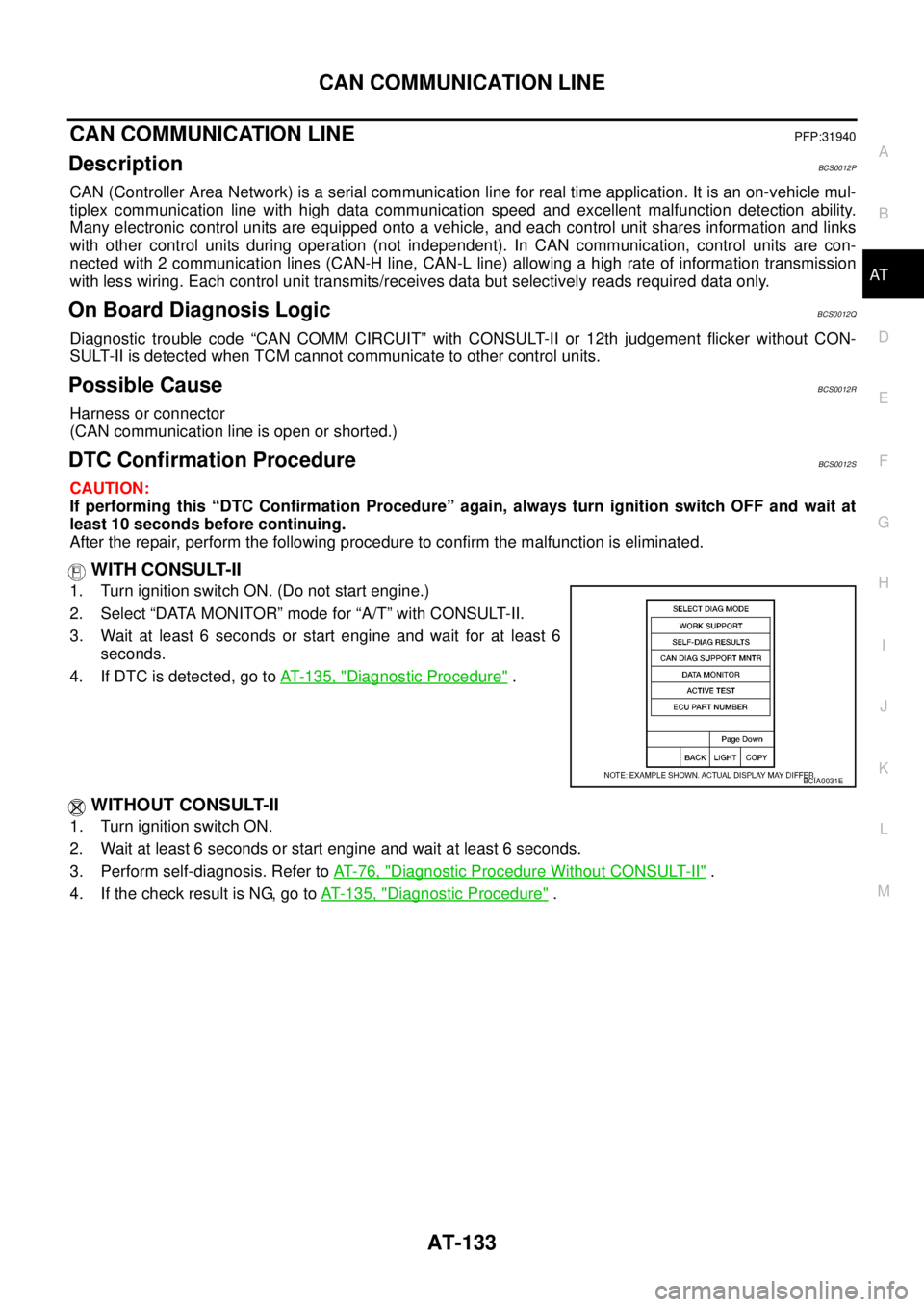
3. Wait at least 6 seconds or start engine and wait for at least 6
seconds.
4. If DTC is detected, go to AT- 1 3 5 , "
Diagnostic Procedure" .
WITHOUT CONSULT-II
1. Turn ignition switch ON.
2. Wait at least 6 seconds or start engine and wait at least 6 seconds.
3. Perform self-diagnosis. Refer to AT- 7 6 , "
Diagnostic Procedure Without CONSULT-II" .
4. If the check result is NG, go to AT- 1 3 5 , "
Diagnostic Procedure" .
BCIA0031E
Page 142 of 3502
AT-134
CAN COMMUNICATION LINE
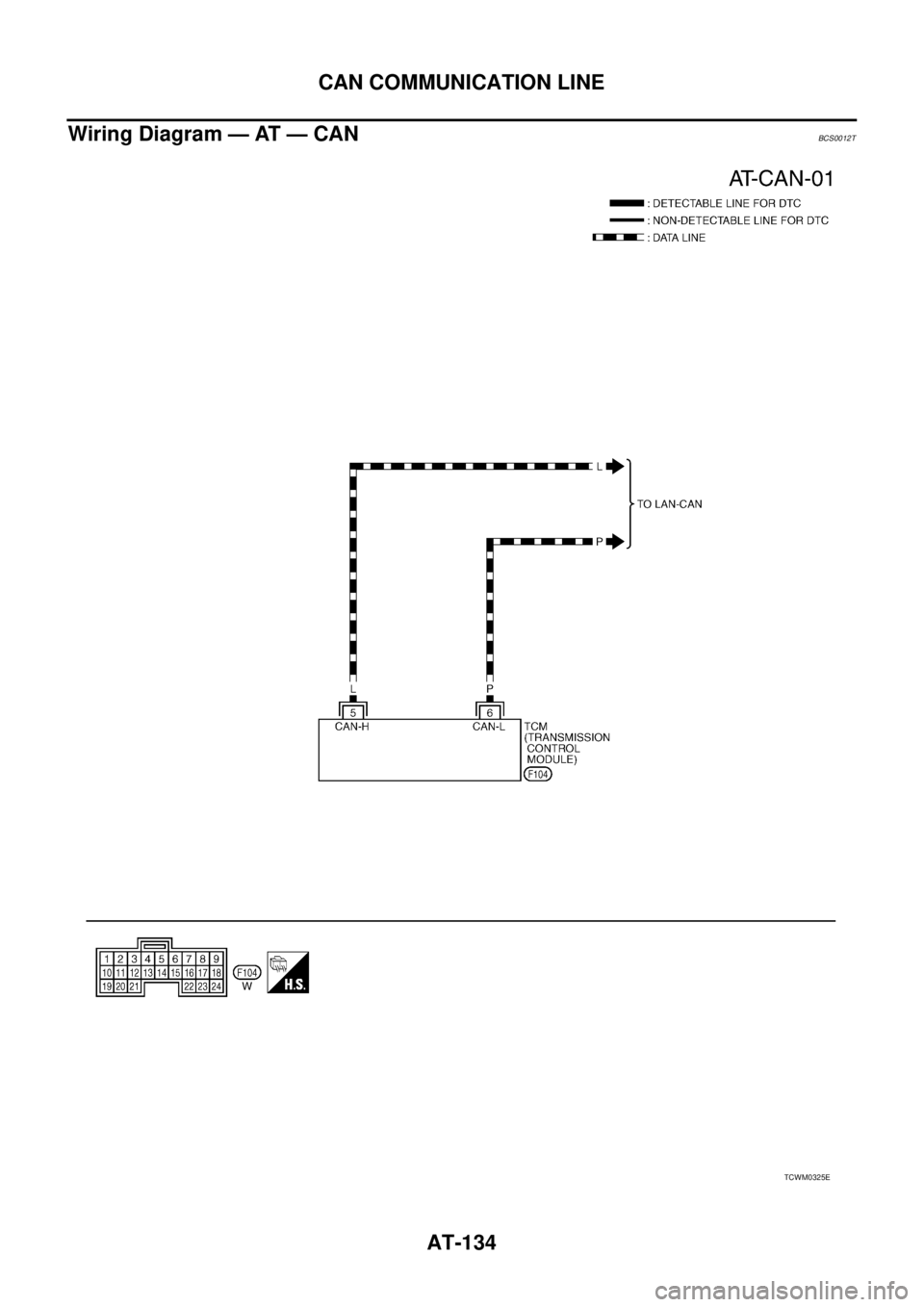
Wiring Diagram — AT — CANBCS0012T
TCWM0325E
Page 146 of 3502
AT-138
A/T 1ST GEAR FUNCTION
Diagnostic ProcedureBCS00135
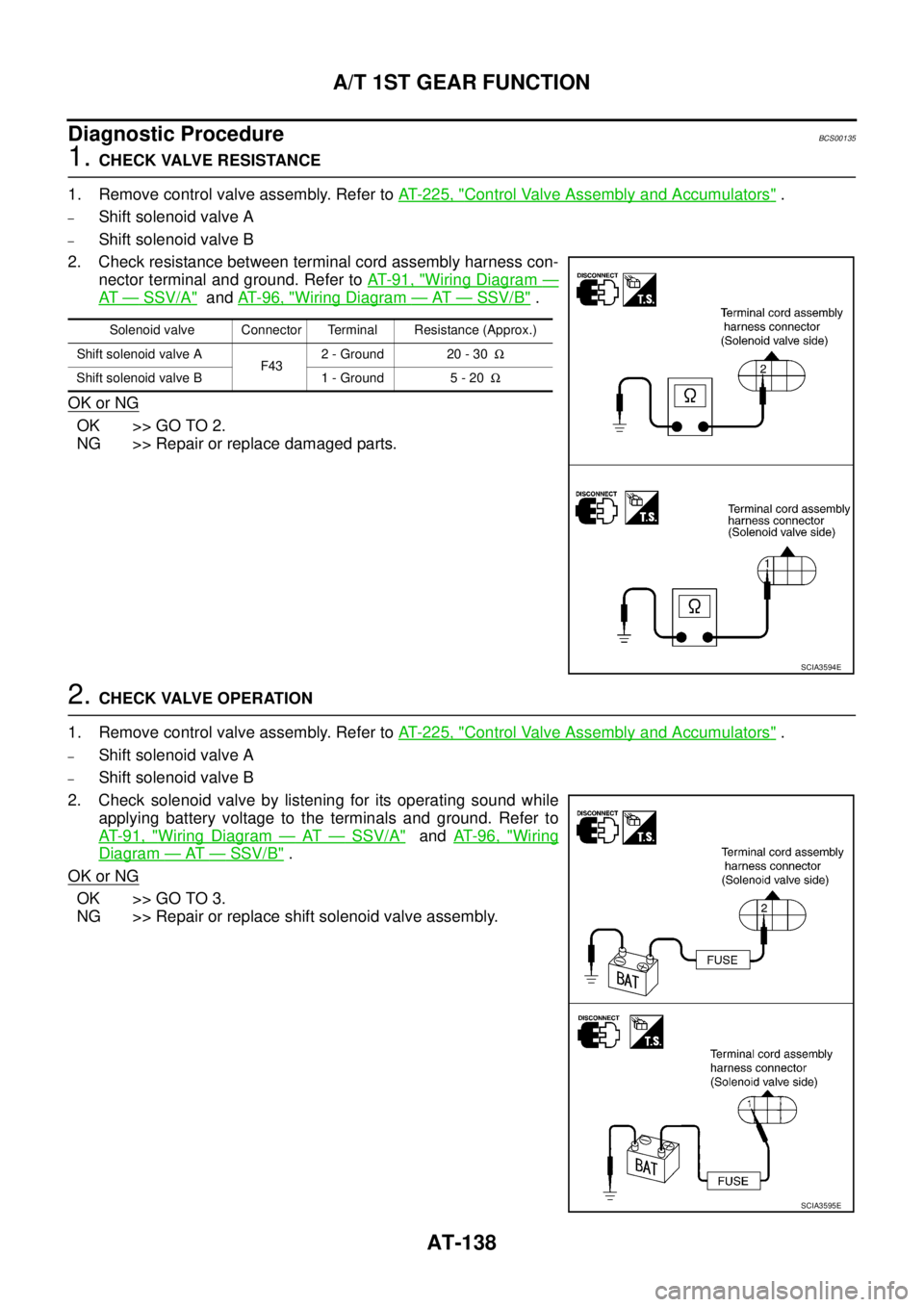
1. CHECK VALVE RESISTANCE
1. Remove control valve assembly. Refer to AT- 2 2 5 , "
Control Valve Assembly and Accumulators" .
–Shift solenoid valve A
–Shift solenoid valve B
2. Check resistance between terminal cord assembly harness con-
nector terminal and ground. Refer to AT- 9 1 , "
Wiring Diagram —
AT — SSV/A" and AT- 9 6 , "Wiring Diagram — AT — SSV/B" .
OK or NG
OK >> GO TO 2.
NG >> Repair or replace damaged parts.
2. CHECK VALVE OPERATION
1. Remove control valve assembly. Refer to AT- 2 2 5 , "
Control Valve Assembly and Accumulators" .
–Shift solenoid valve A
–Shift solenoid valve B
2. Check solenoid valve by listening for its operating sound while
applying battery voltage to the terminals and ground. Refer to
AT- 9 1 , "
Wiring Diagram — AT — SSV/A" and AT- 9 6 , "Wiring
Diagram — AT — SSV/B" .
OK or NG
OK >> GO TO 3.
NG >> Repair or replace shift solenoid valve assembly.
Solenoid valve Connector Terminal Resistance (Approx.)
Shift solenoid valve A
F432 - Ground 20 - 30Ω
Shift solenoid valve B 1 - Ground 5 - 20Ω
SCIA3594E
SCIA3595E