Page 147 of 415
Proper use of the Heating and
Cooling system can make the
interior dry and comf ortable, and
keep the windows clear f or the best
visibility.
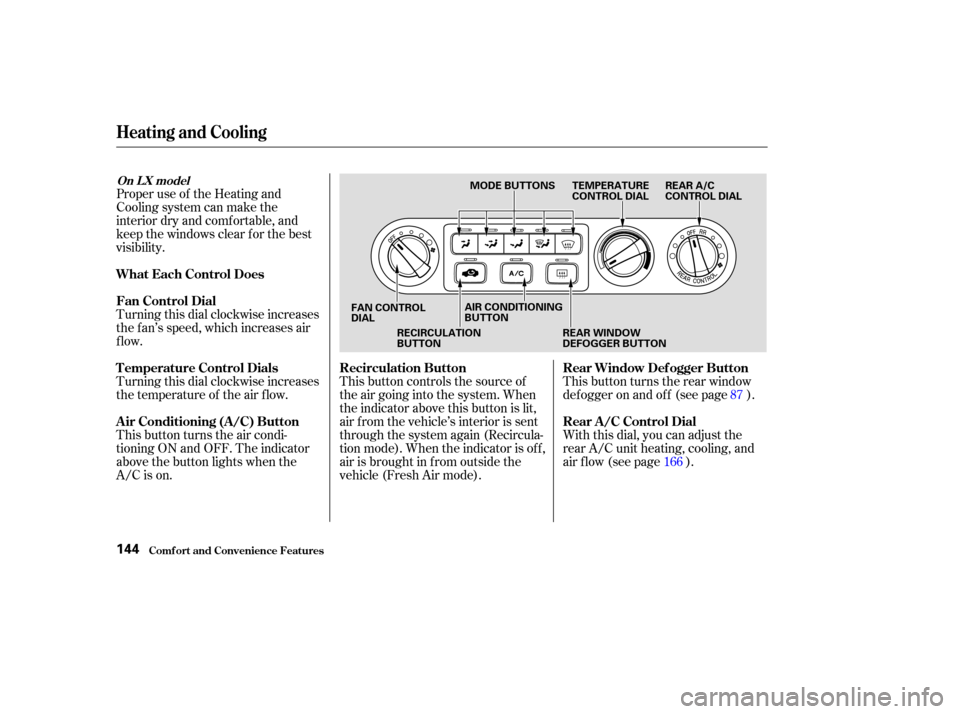
Turning this dial clockwise increases
the f an’s speed, which increases air
flow.
Turning this dial clockwise increases
the temperature of the air flow.
This button turns the air condi-
tioning ON and OFF. The indicator
above the button lights when the
A/C is on.This button controls the source of
the air going into the system. When
the indicator above this button is lit,
air f rom the vehicle’s interior is sent
through the system again (Recircula-
tion mode). When the indicator is off,
air is brought in f rom outside the
vehicle (Fresh Air mode).
With this dial, you can adjust the
rear A/C unit heating, cooling, and
air flow (see page ). This button turns the rear window
def ogger on and of f (see page ).
16687
Comf ort and Convenience Feat ures
Heating and Cooling
What Each Control Does
Fan Control Dial
T emperature Control Dials
Air Conditioning (A/C) Button
Recirculation Button
Rear Window Def ogger Button
Rear A /C Control Dial
On L X model
144
MODE BUTTONS TEMPERATURE
CONTROL DIALREAR A/C
CONTROL DIAL
FAN CONTROL
DIAL RECIRCULATION
BUTTON AIR CONDITIONING
BUTTON
REAR WINDOW
DEFOGGER BUTTON
Page 159 of 415
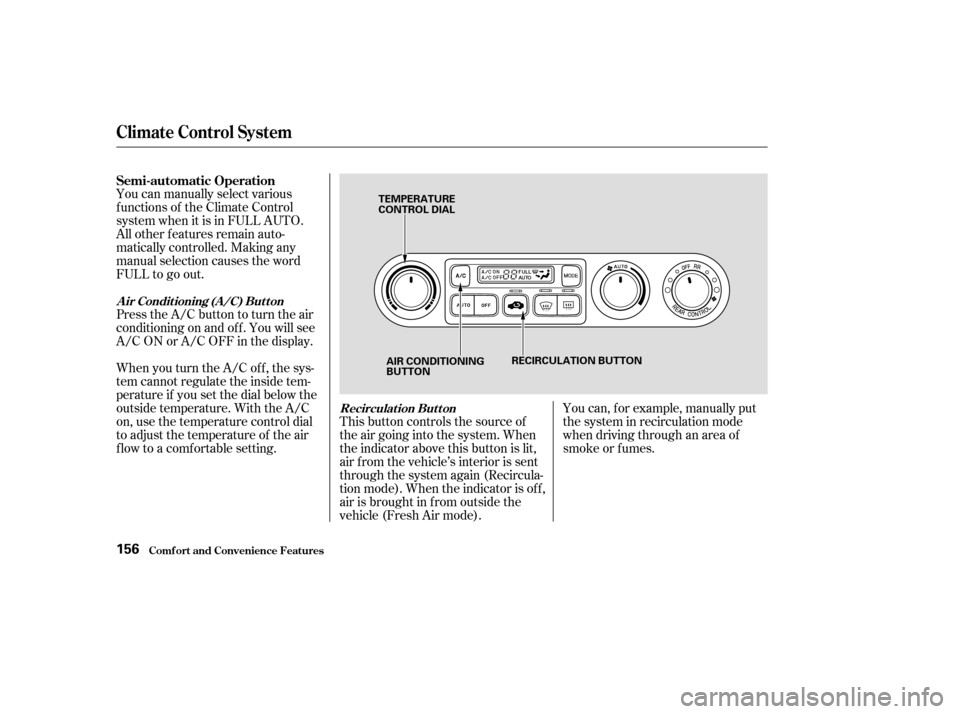
You can manually select various
f unctions of the Climate Control
system when it is in FULL AUTO.
All other f eatures remain auto-
matically controlled. Making any
manual selection causes the word
FULL to go out.
Press the A/C button to turn the air
conditioningonandoff.Youwillsee
A/C ON or A/C OFF in the display.
When you turn the A/C of f , the sys-
tem cannot regulate the inside tem-
perature if you set the dial below the
outside temperature. With the A/C
on, use the temperature control dial
to adjust the temperature of the air
flow to a comfortable setting.This button controls the source of
the air going into the system. When
the indicator above this button is lit,
air f rom the vehicle’s interior is sent
through the system again (Recircula-
tion mode). When the indicator is off,
air is brought in f rom outside the
vehicle (Fresh Air mode).You can, f or example, manually put
the system in recirculation mode
when driving through an area of
smoke or f umes.
Semi-automatic Operation
A ir Condit ioning (A /C) But t on
Recirculat ion But t on
Climat e Cont rol Syst em
Comf ort and Convenience Feat ures156
TEMPERATURE
CONTROL DIAL
AIR CONDITIONING
BUTTON RECIRCULATION BUTTON
Page 165 of 415
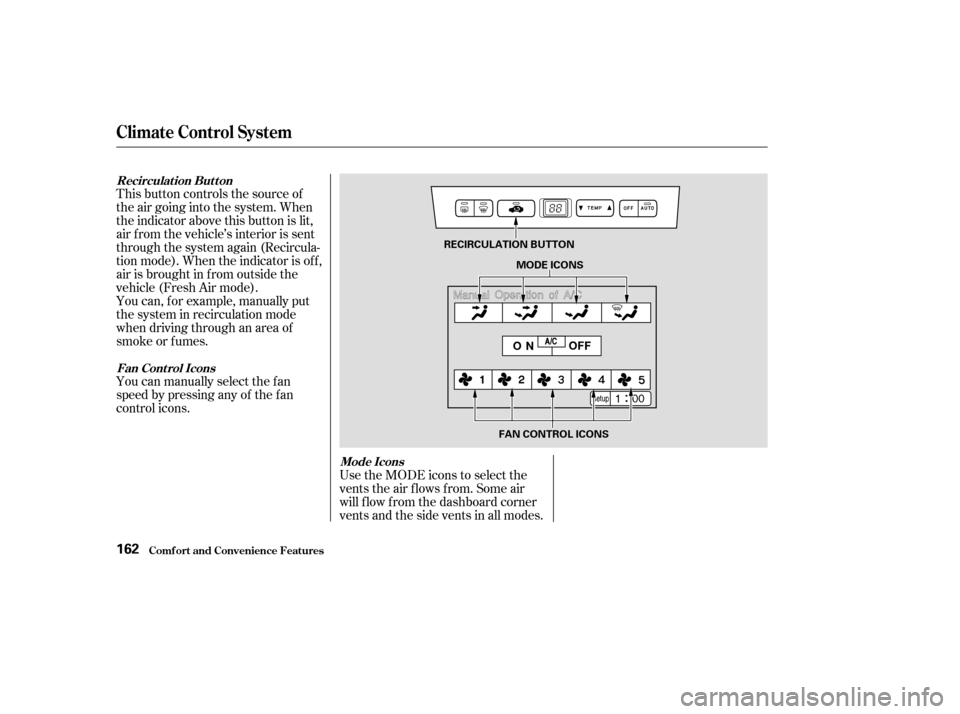
This button controls the source of
the air going into the system. When
the indicator above this button is lit,
air f rom the vehicle’s interior is sent
through the system again (Recircula-
tion mode). When the indicator is off,
air is brought in f rom outside the
vehicle (Fresh Air mode).
You can, f or example, manually put
the system in recirculation mode
when driving through an area of
smoke or f umes.
You can manually select the f an
speed by pressing any of the f an
control icons.Use the MODE icons to select the
vents the air flows from. Some air
will f low f rom the dashboard corner
vents and the side vents in all modes.
Climat e Cont rol Syst em
Comf ort and Convenience Feat ures
Recirculat ion But t on
Fan Cont rol Icons Mode Icons
162
RECIRCULATION BUTTONMODE ICONS
FAN CONTROL ICONS
Page 174 of 415
�µ
CONT INUED
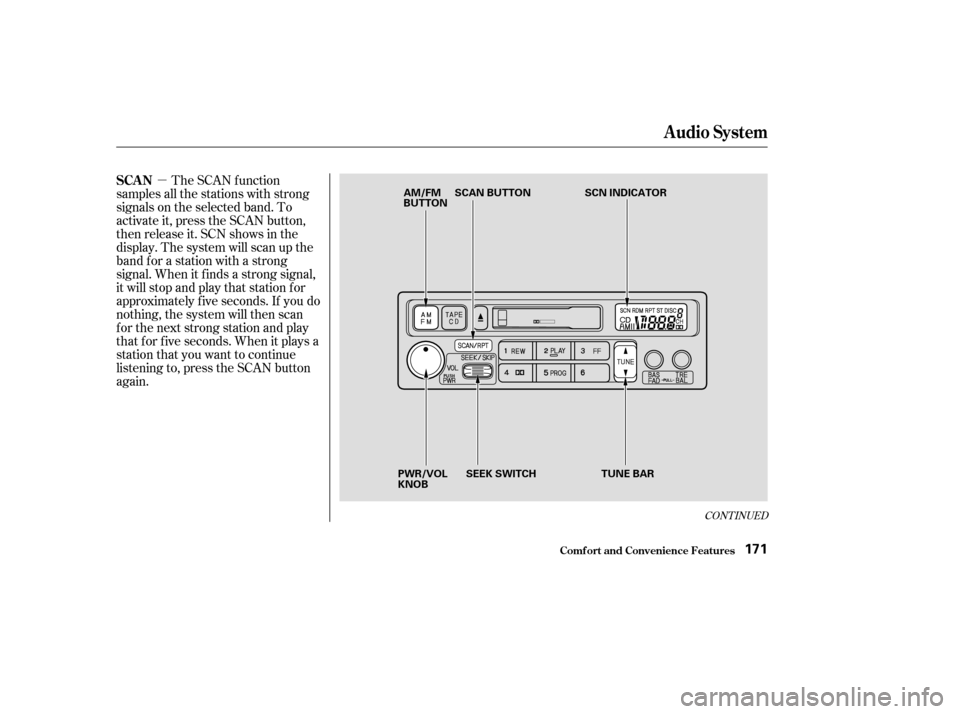
The SCAN f unction
samples all the stations with strong
signals on the selected band. To
activate it, press the SCAN button,
then release it. SCN shows in the
display. The system will scan up the
band f or a station with a strong
signal. When it f inds a strong signal,
it will stop and play that station f or
approximately f ive seconds. If you do
nothing, the system will then scan
f or the next strong station and play
that f or f ive seconds. When it plays a
station that you want to continue
listening to, press the SCAN button
again.
Audio System
Comf ort and Convenience Feat ures
SCAN
171
AM/FM
BUTTON SCAN BUTTON
SCN INDICATOR
PWR/VOL
KNOB SEEK SWITCH
TUNE BAR
Page 177 of 415

�Û�µ�µ
When the system reaches the end of
the tape, it will automatically reverse
direction and play the other side. If
you want to remove the cassette
f rom the drive, press the EJECT
button.
You can use the instrument panel
brightness control knob to adjust the
illumination of the audio system (see
page ). The audio system
illuminates when the parking lights
are on, even if the radio is turned of f .
Turn the audio system ON. Make
sure the tape opening on the cassette
is f acing to the right, then insert the
cassette most of the way into the slot.
The system will pull it in the rest of
the way, and begin to play.
The tape direction indicator will light
to show you which side of the
cassette is playing. The indicates
thesideyouinsertedfacingupward
is now playing. If you want to play
the other side, press the PROG
button.
With a cassette playing, you can use
the FF, REW, SKIP, or REPEAT
f unction to f ind a desired program.
Fast Forward and Re-
wind move the tape rapidly. To re-
wind the tape, push the REW button.
You will see REW in the display. To
fast forward the tape, push the FF
button. You will see FF displayed.
Press the PLAY button to take the
system out of rewind or f ast f orward. If the system reaches the end of the
tape while in f ast f orward or rewind,
it automatically stops that function,
reverses direction, and begins to play.
The Skip Function allows
youtofindthebeginningof asong
or passage. To f ind the beginning of
the song or passage currently
playing, push the SKIP switch down.
You will see REW f lashing in the
display as the tape rewinds. To f ind
the beginning of the next song, push
the SKIP switch up. You will see FF
flashing in the display as the tape
fast forwards. When the system
f inds the beginning of a song or
passage, it goes back to PLAY mode.
Dolby noise reduction turns on when
you insert a cassette. If the tape was
not recorded with Dolby noise reduc-
tion, turn it of f by pressing the
button.
83
Audio System
Comf ort and Convenience Feat ures
A udio System L ighting
Operating the Cassette Player
T ape Search Functions
FF/REWSK IP
174
Page 178 of 415
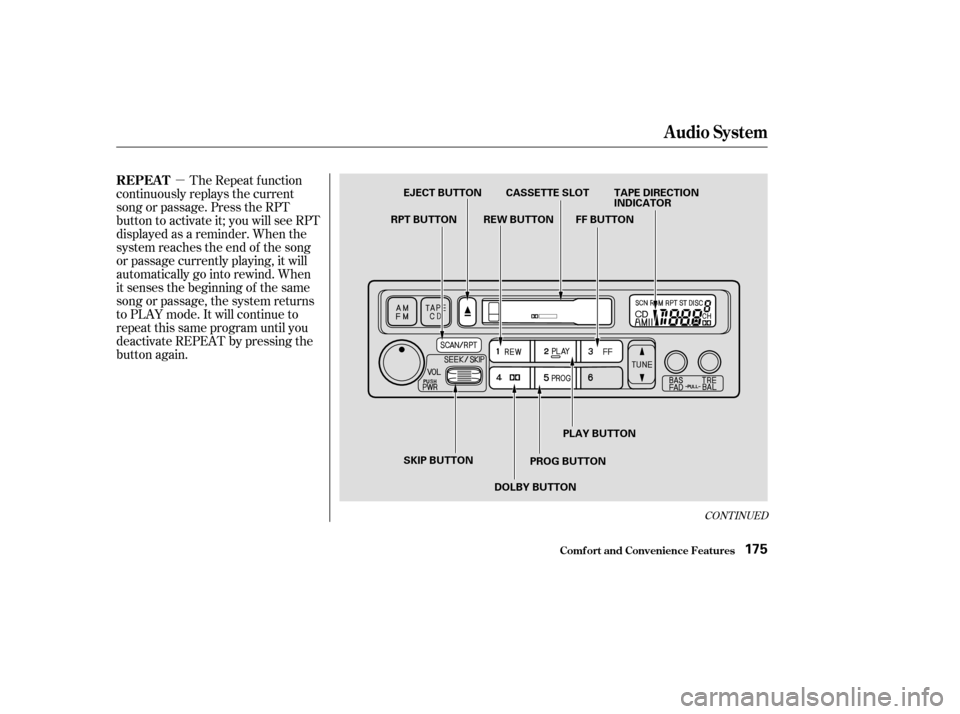
�µThe Repeat f unction
continuously replays the current
song or passage. Press the RPT
button to activate it; you will see RPT
displayed as a reminder. When the
system reaches the end of the song
or passage currently playing, it will
automatically go into rewind. When
it senses the beginning of the same
song or passage, the system returns
to PLAY mode. It will continue to
repeat this same program until you
deactivate REPEAT by pressing the
button again.
CONT INUED
Audio System
Comf ort and Convenience Feat ures
REPEAT
175
EJECT BUTTON CASSETTE SLOT TAPE DIRECTION INDICATOR
FF BUTTON
REW BUTTON
RPT BUTTON
SKIP BUTTON PLAY BUTTON
PROG BUTTON
DOLBY BUTTON
Page 179 of 415
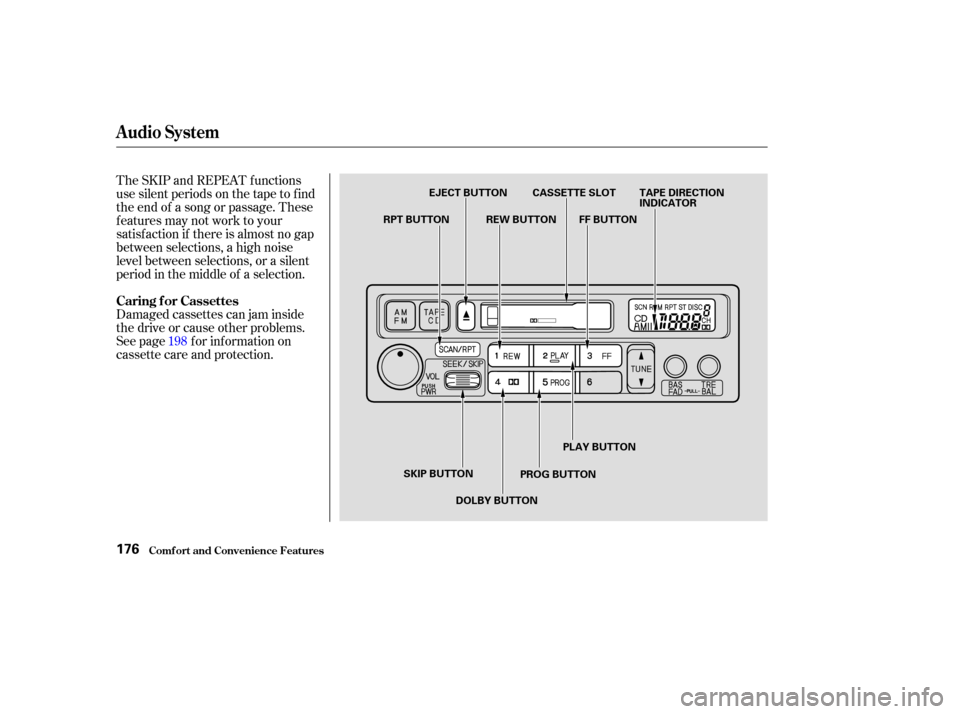
The SKIP and REPEAT f unctions
use silent periods on the tape to f ind
the end of a song or passage. These
f eatures may not work to your
satisfaction if there is almost no gap
between selections, a high noise
level between selections, or a silent
period in the middle of a selection.
Damaged cassettes can jam inside
the drive or cause other problems.
See page for information on
cassette care and protection.198
Caring f or Cassettes
Audio System
Comf ort and Convenience Feat ures176
EJECT BUTTON CASSETTE SLOT TAPE DIRECTION
INDICATOR
FF BUTTON
REW BUTTON
RPT BUTTON
SKIP BUTTON DOLBY BUTTON PROG BUTTONPLAY BUTTON
Page 180 of 415
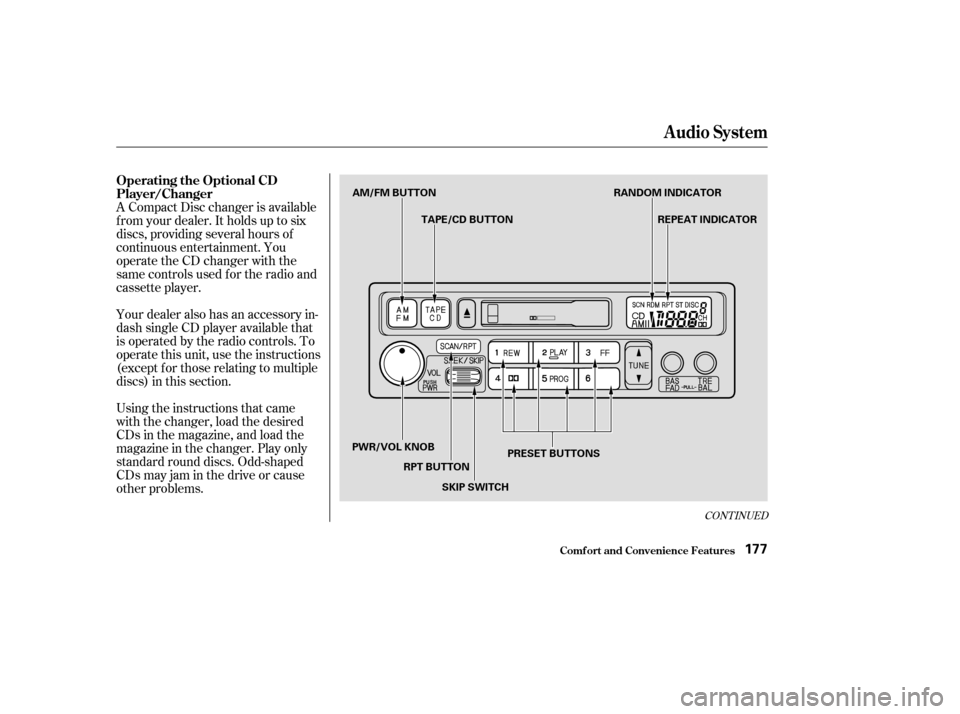
A Compact Disc changer is available
f rom your dealer. It holds up to six
discs, providing several hours of
continuous entertainment. You
operate the CD changer with the
same controls used f or the radio and
cassette player.
Using the instructions that came
with the changer, load the desired
CDs in the magazine, and load the
magazine in the changer. Play only
standard round discs. Odd-shaped
CDs may jam in the drive or cause
other problems. Your dealer also has an accessory in-
dash single CD player available that
is operated by the radio controls. To
operate this unit, use the instructions
(except f or those relating to multiple
discs) in this section.
CONT INUED
Operating the Optional CD
Player/Changer
Audio System
Comf ort and Convenience Feat ures177
AM/FM BUTTONTAPE/CD BUTTON RANDOM INDICATOR
REPEAT INDICATOR
PRESET BUTTONS
SKIP SWITCH
RPT BUTTON
PWR/VOL KNOB