Page 127 of 415
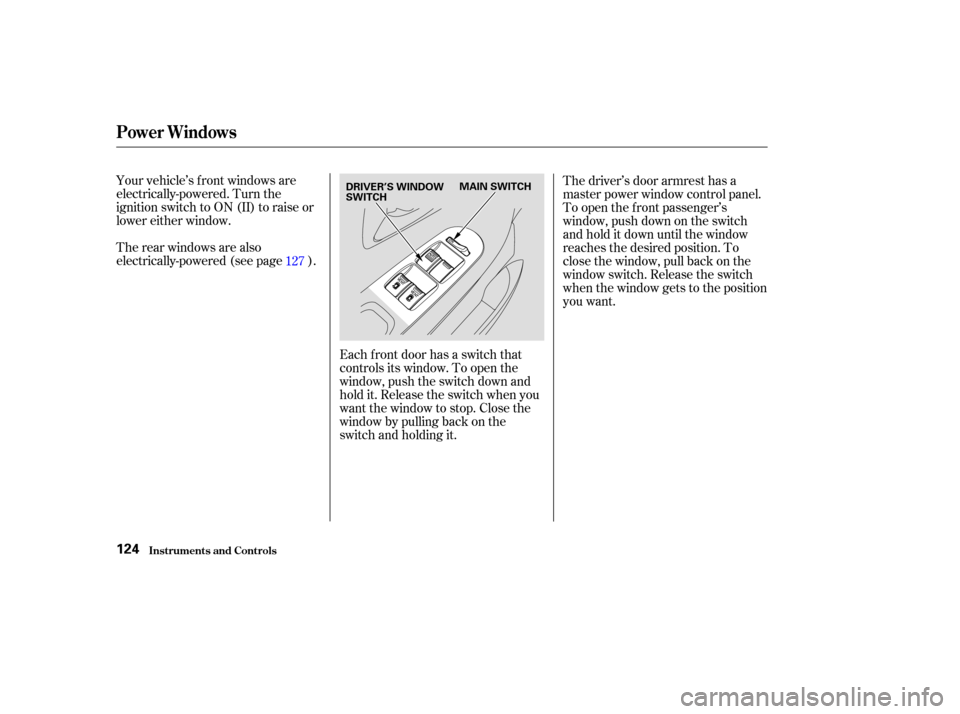
Your vehicle’s f ront windows are
electrically-powered. Turn the
ignition switch to ON (II) to raise or
lower either window.
Therearwindowsarealso
electrically-powered (see page ).Each f ront door has a switch that
controls its window. To open the
window, push the switch down and
hold it. Release the switch when you
want the window to stop. Close the
window by pulling back on the
switch and holding it.The driver’s door armrest has a
master power window control panel.
To open the f ront passenger’s
window, push down on the switch
and hold it down until the window
reaches the desired position. To
close the window, pull back on the
window switch. Release the switch
when the window gets to the position
you want.
127
Power Windows
Inst rument s and Cont rols124
MAIN SWITCH
DRIVER’S WINDOW
SWITCH
Page 128 of 415
�µ
The master control panel also con-
tains these extra features:
To open the driver’s
window f ully, push the window
switch f irmly down, then release it.
The window automatically goes
down all the way. To stop the
window f rom going all the way down,
pull back on the window switch
brief ly.
To close the driver’s window f ully,
pull back the window switch f irmly,
then release it. The window
automatically goes all the way up. To
stop the window f rom going all the
way up, push down on the window
switch brief ly. To open or close the driver’s window
partially, push down or pull back on
the window switch lightly and hold it.
The window will stop when you
release the switch.
The MAIN switch controls power to
the f ront passenger’s window and
the rear power windows. With this
switch of f , the f ront passenger’s
window cannot be raised or lowered
and the rear windows cannot be
opened or closed. The MAIN switch
does not af f ect the driver’s window.
Keep the MAIN switch of f when you
have children in the vehicle so they
do not injure themselves by
operating the windows
unintentionally.
CONT INUED
Power Windows
Inst rument s and Cont rols
AUTO
125
Closing a power window on
someone’s hands or fingers can
cause serious injury.
Make sure your passengers are
away from the windows before
closing them.
Page 129 of 415

If your vehicle’s battery is
disconnected or goes dead, or the
driver’s window f use is removed, the
AUTO f unction will be disabled. The
power window system needs to be
reset af ter reconnecting the battery
or installing the f use. You should do
the f ollowing.Start the engine. Push down on
the driver’s window switch until
the window is f ully open.
Pull back on the driver’s window
switch to close the window
completely, then hold the switch
f or a second or two more.
If the power windows do not operate
properly af ter resetting, have your
vehicle checked by a Honda dealer.
Auto reverse stops sensing when the
window is almost closed. You should
always check that all passengers and
objects are away from the window
bef ore closing it. If the driver’s window runs into any
obstacle while it is closing
automatically, it will reverse
direction, and then stop. To close the
window, remove the obstacle, then
use the window switch again.
The power window system has a key-
of f delay f unction. The windows will
stilloperateforuptotenminutes
after you turn off the ignition.
Opening either f ront door cancels
the delay function. You must turn
the ignition switch ON (II) again
bef ore you can operate the windows.
1.
2.
Power Windows
Inst rument s and Cont rols
Auto Reverse
126
Page 131 of 415
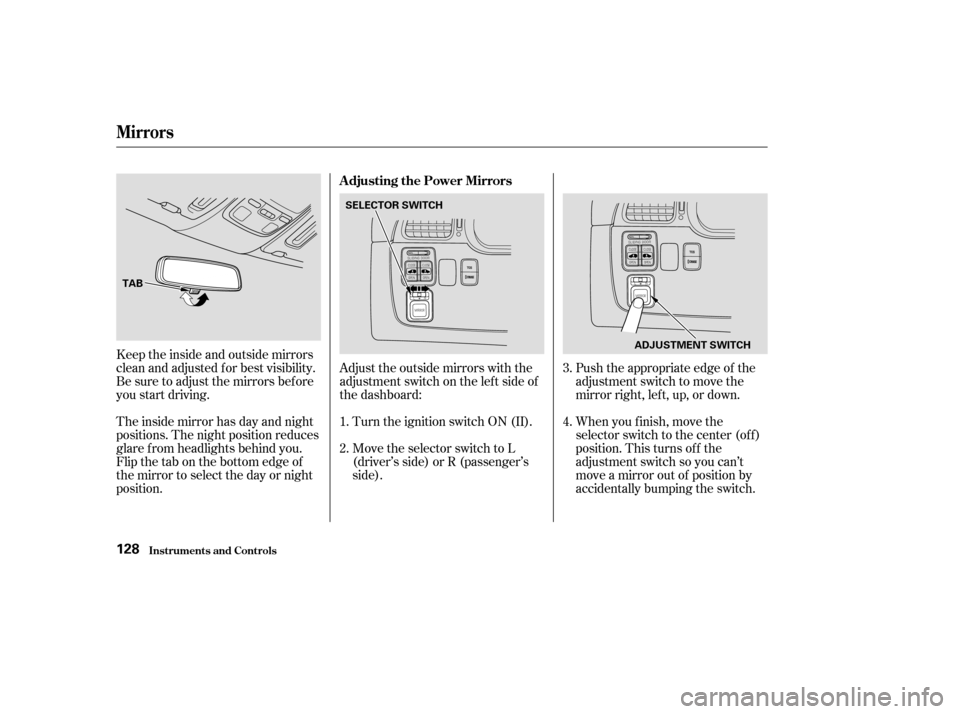
Turn the ignition switch ON (II).
Move the selector switch to L
(driver’s side) or R (passenger’s
side).Push the appropriate edge of the
adjustment switch to move the
mirrorright,left,up,ordown.
When you f inish, move the
selector switch to the center (off)
position. This turns of f the
adjustment switch so you can’t
move a mirror out of position by
accidentally bumping the switch.
Keeptheinsideandoutsidemirrors
clean and adjusted f or best visibility.
Be sure to adjust the mirrors bef ore
you start driving.
The inside mirror has day and night
positions. The night position reduces
glare f rom headlights behind you.
Flip the tab on the bottom edge of
the mirror to select the day or night
position.
Adjust the outside mirrors with the
adjustment switch on the lef t side of
the dashboard:
1.
2.
3.
4.
Adjusting the Power Mirrors
Mirrors
Inst rument s and Cont rols128
TAB
SELECTOR SWITCH
ADJUSTMENT SWITCH
Page 134 of 415
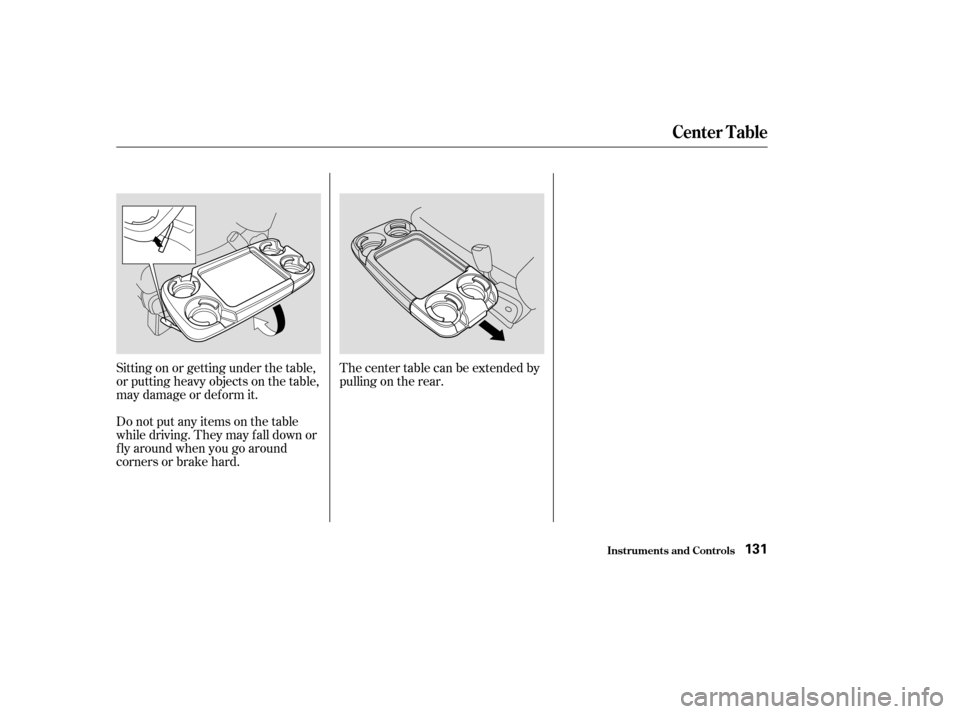
Thecentertablecanbeextendedby
pulling on the rear.
Sitting on or getting under the table,
or putting heavy objects on the table,
may damage or deform it.
Do not put any items on the table
while driving. They may f all down or
f ly around when you go around
corners or brake hard.
Inst rument s and Cont rols
Center Table
131
Page 136 of 415
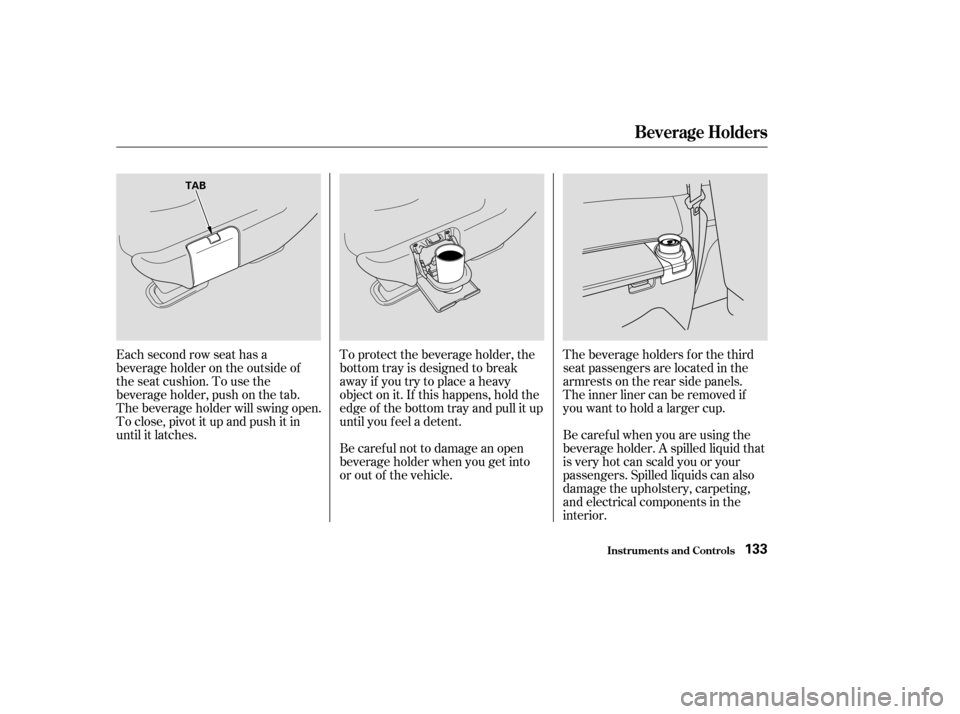
Each second row seat has a
beverage holder on the outside of
the seat cushion. To use the
beverage holder, push on the tab.
The beverage holder will swing open.
To close, pivot it up and push it in
until it latches.The beverage holders f or the third
seat passengers are located in the
armrests on the rear side panels.
To protect the beverage holder, the
bottom tray is designed to break
away if you try to place a heavy
object on it. If this happens, hold the
edge of the bottom tray and pull it up
until you f eel a detent.
Be caref ul not to damage an open
beverage holder when you get into
or out of the vehicle. Be caref ul when you are using the
beverage holder. A spilled liquid that
is very hot can scald you or your
passengers. Spilled liquids can also
damage the upholstery, carpeting,
and electrical components in the
interior. The inner liner can be removed if
youwanttoholdalargercup.
Inst rument s and Cont rols
Beverage Holders
133
TAB
Page 146 of 415

.....................
Heating and Cooling .144
.........
What Each Control Does . 144
............
How to Use the System . 147
..........
To Turn Everything Of f . 151
...............
Climate Control System . 152
(EX model and EX-L model without Navigation System) .......
Fully-automatic Operation . 154
.......
Semi-automatic Operation . 156
(EX-L model with Navigation System) .......
Fully-automatic Operation . 160
.......
Semi-automatic Operation . 161
Sunlight Sensor/ ............
Temperature Sensor . 165
...........................
Rear A/C Unit .166
.......................
Audio System (LX) .169
AM/FM/Cassette Stereo ........................
Audio System .169
.................
Operating the Radio . 170
.................
Adjusting the Sound . 173
............
Audio System Lighting . 174
Operating the Cassette .....................................
Player .174
............
Tape Search Functions . 174Operating the Optional CD
....................
Player/Changer .177
CD Changer Error .............................
Indications .180
............
Audio System (EX, EX-L) . 181
....
AM/FM/CD Audio System . 181
.................
Operating the Radio . 182
.................
Adjusting the Sound . 186
............
Audio System Lighting . 187
....................
Radio Frequencies . 187
........................
Radio Reception .187
.........
Operating the CD Player . 189
.....
Operating the CD Changer . 191
.......
Protecting Compact Discs . 192
....
CD Player Error Indications . 193
CD Changer Error .............................
Indications .194
Operating the Cassette .....................................
Player .195
............
Tape Search Functions . 196
Caring f or the Cassette .....................................
Player .198
...........
Remote Audio Controls . 199
.......................
Thef t Protection .200 Audio System (Optional on
..................
U.S. EX-L model) . 201
AM/FM/CD/DVD Audio ....................................
System .201
.................
Operating the Radio . 203
.................
Adjusting the Sound . 207
............
Audio System Lighting . 208
Operating the Cassette .....................................
Player .209
.........
Operating the CD Player . 212
.....
Operating the CD Changer . 214
....
CD Player Error Indications . 215
CD Changer Error .............................
Indications .216
........
Rear Entertainment System . 217
............................
Security System .234
...............................
Cruise Control .235
HomeLink Universal ................................
Transceiver .238
Comf ort and Convenience Features
Comf ort and Convenience Feat ures143
Page 148 of 415
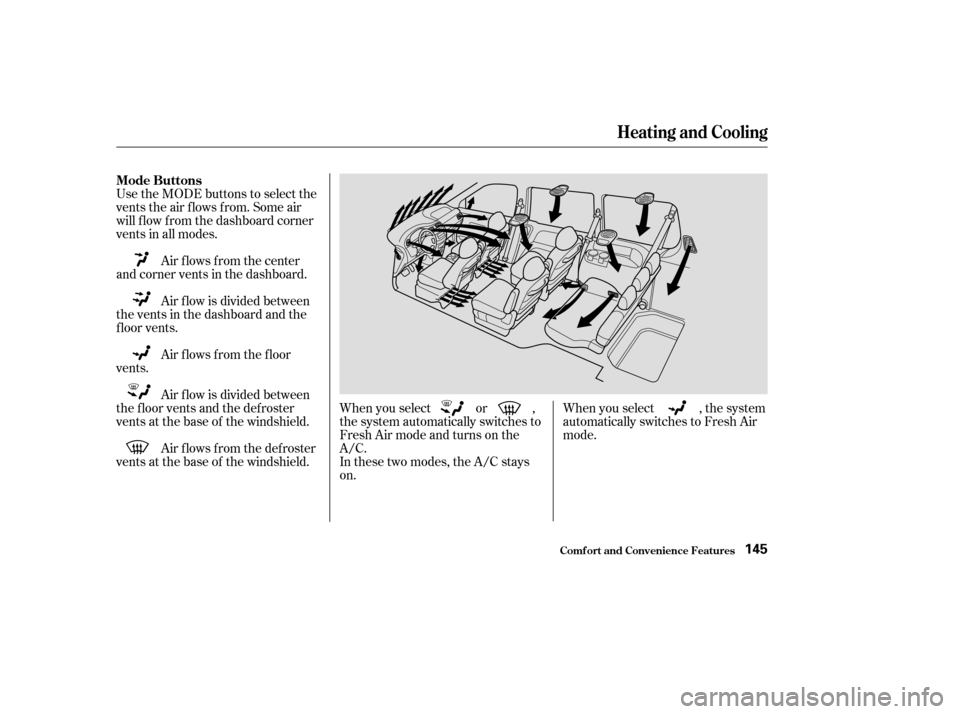
Use the MODE buttons to select the
vents the air flows from. Some air
will f low f rom the dashboard corner
vents in all modes.Air f lows f rom the f loor
vents. Air f low is divided between
the vents in the dashboard and the
f loor vents. Air flows from the center
and corner vents in the dashboard.
Air f low is divided between
the f loor vents and the def roster
vents at the base of the windshield.
Air f lows f rom the def roster
vents at the base of the windshield. When you select , the system
automatically switches to Fresh Air
mode.
When you select or ,
the system automatically switches to
Fresh Air mode and turns on the
A/C.
In these two modes, the A/C stays
on.
Heating and Cooling
Comf ort and Convenience Feat ures
Mode Buttons
145