Page 83 of 415
Ref er to the Maintenance Schedules
f or Normal and Severe Driving
Conditions on pages and .
For the f irst 6,000 miles (9,600 km)
af ter the Maintenance Required
Indicator is reset, it will come on f or
two seconds when you turn the
ignition switch to ON (II).Between 6,000 miles (9,600 km) and
7,500 miles (12,000 km) this
indicator will light f or two seconds
when you first turn the ignition
switch to ON (II), and then flash for
ten seconds.
If you exceed 7,500 miles (12,000
km) without having the scheduled
maintenance perf ormed, this
indicator will remain on as a constant
reminder.Your dealer will reset this indicator
af ter completing the scheduled
maintenance. If this maintenance is
done by someone other than your
Honda dealer, reset the indicator as
f ollows.
Turn of f the engine.
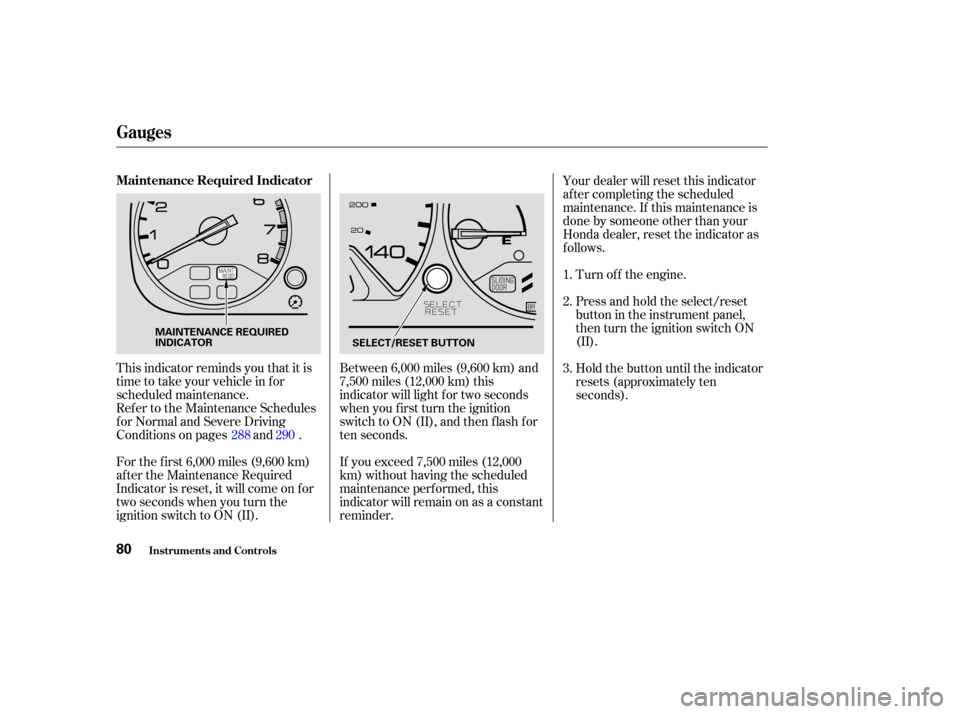
This indicator reminds you that it is
time to take your vehicle in for
scheduled maintenance. Press and hold the select/reset
buttonintheinstrumentpanel,
then turn the ignition switch ON
(II).
Hold the button until the indicator
resets (approximately ten
seconds).
1.
2.
3.
288 290
Gauges
Maintenance Required Indicator
Inst rument s and Cont rols80
MAINTENANCE REQUIRED
INDICATOR SELECT/RESET BUTTON
Page 87 of 415
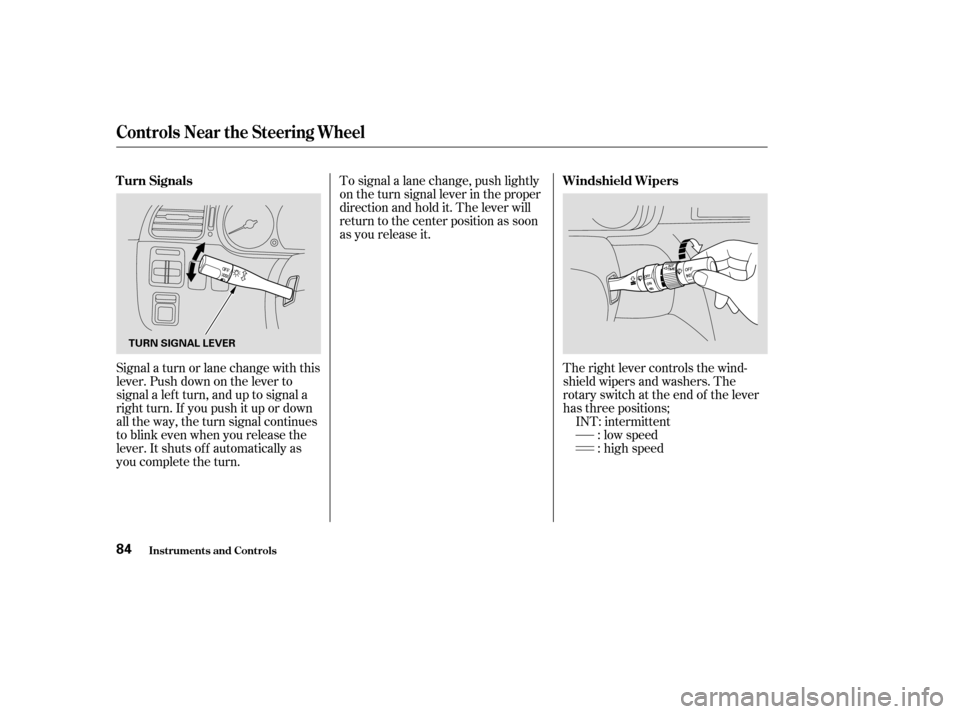
Signal a turn or lane change with this
lever. Push down on the lever to
signal a lef t turn, and up to signal a
right turn. If you push it up or down
all the way, the turn signal continues
to blink even when you release the
lever. It shuts off automatically as
you complete the turn.To signal a lane change, push lightly
on the turn signal lever in the proper
direction and hold it. The lever will
return to the center position as soon
as you release it.
The right lever controls the wind-
shield wipers and washers. The
rotary switch at the end of the lever
has three positions;INT: intermittent : low speed
: high speed
T urn Signals
Windshield Wipers
Inst rument s and Cont rols
Controls Near the Steering Wheel
84
TURN SIGNAL LEVER
Page 92 of 415
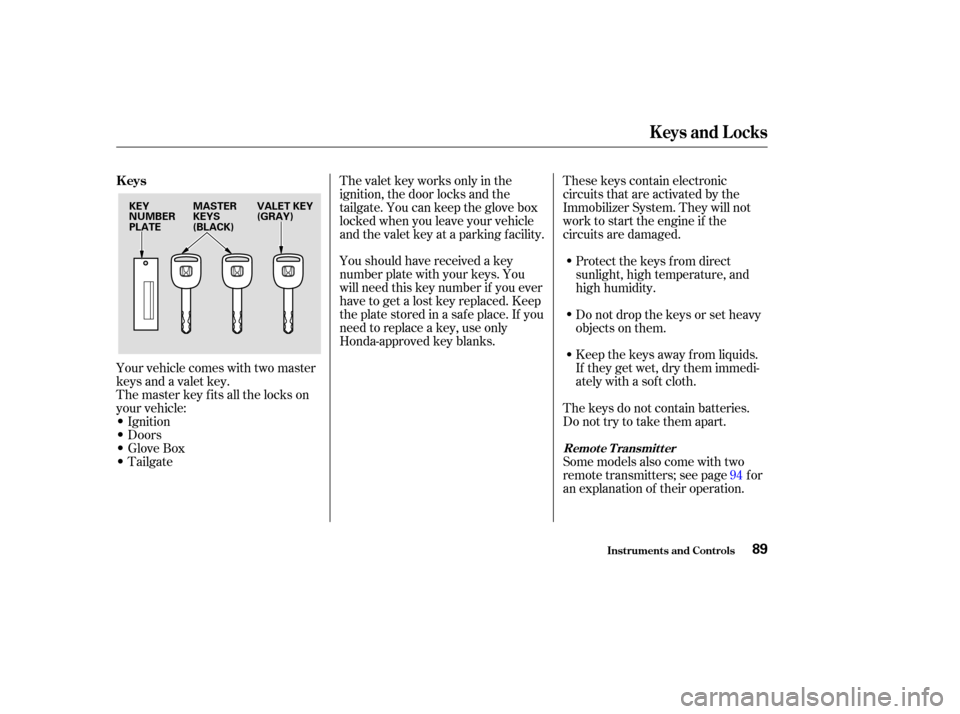
Your vehicle comes with two master
keys and a valet key.
The master key fits all the locks on
your vehicle:
Ignition
Doors
GloveBox
TailgateYoushouldhavereceivedakey
number plate with your keys. You
will need this key number if you ever
have to get a lost key replaced. Keep
the plate stored in a saf e place. If you
need to replace a key, use only
Honda-approved key blanks.
These keys contain electronic
circuits that are activated by the
Immobilizer System. They will not
work to start the engine if the
circuits are damaged.
Protect the keys f rom direct
sunlight, high temperature, and
high humidity.
Donotdropthekeysorsetheavy
objects on them.
Keep the keys away f rom liquids.
If they get wet, dry them immedi-
ately with a soft cloth.
The keys do not contain batteries.
Do not try to take them apart.
The valet key works only in the
ignition, the door locks and the
tailgate. You can keep the glove box
locked when you leave your vehicle
and the valet key at a parking f acility.
Some models also come with two
remote transmitters; see page for
an explanation of their operation.94
Keys
Remote Transmitter
Keys and Locks
Inst rument s and Cont rols89
KEY
NUMBER
PLATE
MASTER
KEYS
(BLACK)VALET KEY
(GRAY)
Page 93 of 415

The Immobilizer System protects
your vehicle f rom thef t. A properly-
coded master or valet key must be
used in the ignition switch f or the
engine to start. If an improperly-
coded key (or other device) is used,
the engine’s f uel system is disabled.
When you turn the ignition switch to
ON (II), the Immobilizer System
indicator should come on f or a f ew
seconds, then go out. If the indicator
starts to blink, it means the system
does not recognize the coding of the
key. Turn the ignition switch to
LOCK (0), remove the key, reinsert
it, and turn the switch to ON (II)
again.The system may not recognize your
key’s coding if another immobilizer
key or other metal object is near the
ignition switch when you insert the
key. To make sure the system
recognizes the key code:
Do not keep other immobilizer
keys on the same key ring.
Use a plastic or leather key f ob,
not metal.
Keep other keys away f rom your
vehicle’s key and the ignition
switch while trying to start the
engine. If the system repeatedly does not
recognize the coding of your key,
contact your Honda dealer.
The Immobilizer System indicator
will also blink several times when
you turn the ignition switch f rom ON
(II) to ACCESSORY (I) or LOCK (0).
Do not attempt to alter this system
or add other devices to it. Electrical
problems could result that may make
your vehicle undriveable.
If you have lost your key and you
cannot start the engine, contact your
Honda dealer.
Immobilizer System
Keys and Locks
Inst rument s and Cont rols90
Page 94 of 415
�µ
If the f ront wheels are turned, the
anti-thef t lock may sometimes make
it difficult to turn the key from
LOCK to ACCESSORY. Firmly turn
the steering wheel to the lef t or to
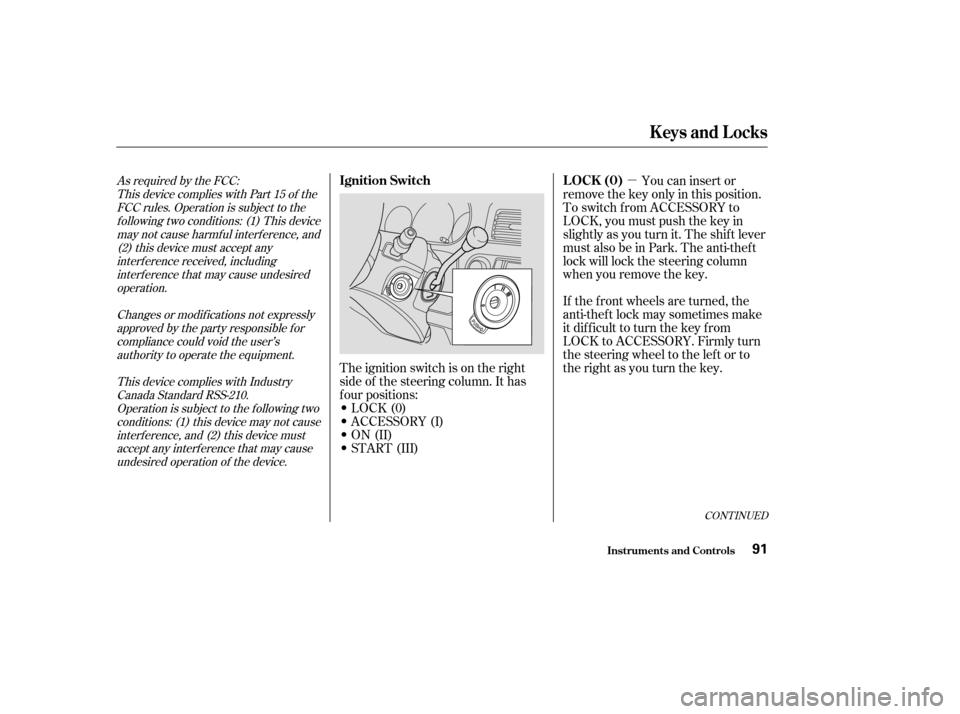
the right as you turn the key. You can insert or
remove the key only in this position.
To switch f rom ACCESSORY to
LOCK, you must push the key in
slightly as you turn it. The shif t lever
must also be in Park. The anti-thef t
lock will lock the steering column
when you remove the key.
The ignition switch is on the right
side of the steering column. It has
f our positions:
LOCK(0)
ACCESSORY (I)
ON (II)
START (III)As required by the FCC: This device complies with Part 15 of theFCC rules. Operation is subject to thef ollowing two conditions: (1) This devicemay not cause harmf ul interf erence, and(2) this device must accept anyinterf erence received, includinginterf erence that may cause undesiredoperation.
Changes or modif ications not expresslyapproved by the party responsible f orcompliance could void the user’sauthority to operate the equipment.
This device complies with IndustryCanada Standard RSS-210.Operation is subject to the f ollowing twoconditions: (1) this device may not causeinterf erence, and (2) this device mustaccept any interf erence that may causeundesired operation of the device.
CONT INUED
LOCK (0)
Ignition Switch
Keys and Locks
Inst rument s and Cont rols91
Page 100 of 415

Avoid severe shock to the trans-
mitter, such as dropping or throwing
it. Also, protect it f rom extreme hot
or cold temperatures.
Clean the transmitter case with a
sof t cloth. Do not use strong
cleaners or solvents that could harm
the case. Immersing the transmitter
in any liquid will harm the trans-
mitter and cause it to not f unction
properly.
If you lose a transmitter, you will
need to have the replacement
programmed to your vehicle’s
system by your Honda dealer. Any
other transmitters you have will also
need to be reprogrammed.
As required by the FCC:This device complies with Part 15 of theFCC rules. Operation is subject to thef ollowing two conditions: (1) This devicemay not cause harmf ul interf erence, and(2) this device must accept anyinterf erence received, includinginterf erence that may cause undesiredoperation.
Changes or modif ications not expresslyapproved by the party responsible f orcompliance could void the user’sauthority to operate the equipment.
This device complies with IndustryCanada Standard RSS-210.Operation is subject to the f ollowing twoconditions: (1) this device may not causeinterf erence, and (2) this device mustaccept any interf erence that may causeundesired operation of the device.
Transmitter Care
Keys and Locks
Inst rument s and Cont rols97
Page 106 of 415

Your Honda is equipped with dual
power sliding doors. The doors on
the EX and EX-L models are
electrically powered and can be
operated with the remote transmitter,
the door handles, or the switches on
the dashboard.
Be sure all passengers are clear of
the sliding doors bef ore closing them.The power sliding doors operate
with the ignition switch in any
position. In addition:
If you shif t out of Park while a door
is opening, you will hear a
continuous tone and the door will
stop moving. If you keep driving with
the door open, the tone continues
until you stop and close the door.
If you shif t out of Park while a door
is closing, you will hear a beep until
the power sliding door closes
completely. Make sure both sliding doors are
closed bef ore you start driving. To open the door with the inside
handle, the childproof door lock
on the door you want to operate
must be unlocked (see page ). The sliding door you want to
operate must be unlocked. The MAIN switch on the
dashboard must be in the ON
position. TheshiftlevermustbeinPark.
98
CONT INUED
Power Sliding Doors (EX, EX-L Models)
Inst rument s and Cont rols103
Closing a power sliding door
while any part of a passenger is
in the door’s path can cause
serious injury.
Make sure all passengers are
clear of the doorway before
closing a sliding door.
Page 107 of 415

The dashboard switches to the lef t
of the steering column allow you to
open or close each sliding door. The
lef t switch controls the sliding door
on the lef t side, and the right switch
controls the sliding door on the right
side.
The MAIN switch on the dashboard
controls electrical power to the
sliding doors. During normal
operation, leave the MAIN switch in
the ON position.
When the MAIN switch is off, the
electrical power is of f and you will
notbeabletousethedashboard
switches or the remote transmitter
to open or close the power sliding
doors. When the MAIN switch is off, you
must operate each sliding door
manually. To open or close a door,
pull the inside or outside door handle
and slide the door. The door will be
difficulttomove;thisisnormal.Do
not use f orce or try to move the door
rapidly, you could damage the motor.
Operat ing t he Doors Wit h t he
Dashboard Switches
A bout t he Main Swit ch
Power Sliding Doors (EX, EX-L Models)
Inst rument s and Cont rols104
POWER SLIDING DOOR MAIN SWITCH POWER
SLIDING
DOOR
SWITCHES