Page 163 of 317

Make sure all windows, mirrors,
and outside lights are clean and
unobstructed. Remove f rost, snow,
or ice.
Check that the hood and trunk are
f ully closed.Make sure the doors are securely
closed and locked. Check that any items you may be
carrying with you inside are stored
properly or f astened down
securely.
Visually check the tires. If a tire
looks low, use a gauge to check its
pressure. Check the adjustment of the seat
(see page ).
Check the adjustment of the
inside and outside mirrors (see
page ).
Check the adjustment of the
steering wheel (see page ).Turn the ignition switch ON (II).
Check the indicator lights in the
instrument panel.
Start the engine (see page ).
Check the gauges and indicator
lights in the instrument panel (see
page ). Fasten your seat belt. Check that
your passengers have f astened
their seat belts (see page ).
Youshoulddothefollowingchecks
and adjustments every day bef ore
you drive your car.
1.
2.
3. 4.
9.
10.
8. 7. 6. 5. 11.
12. 16
59
94
99 82 161
Preparing to Drive
Driving160
Page 167 of 317
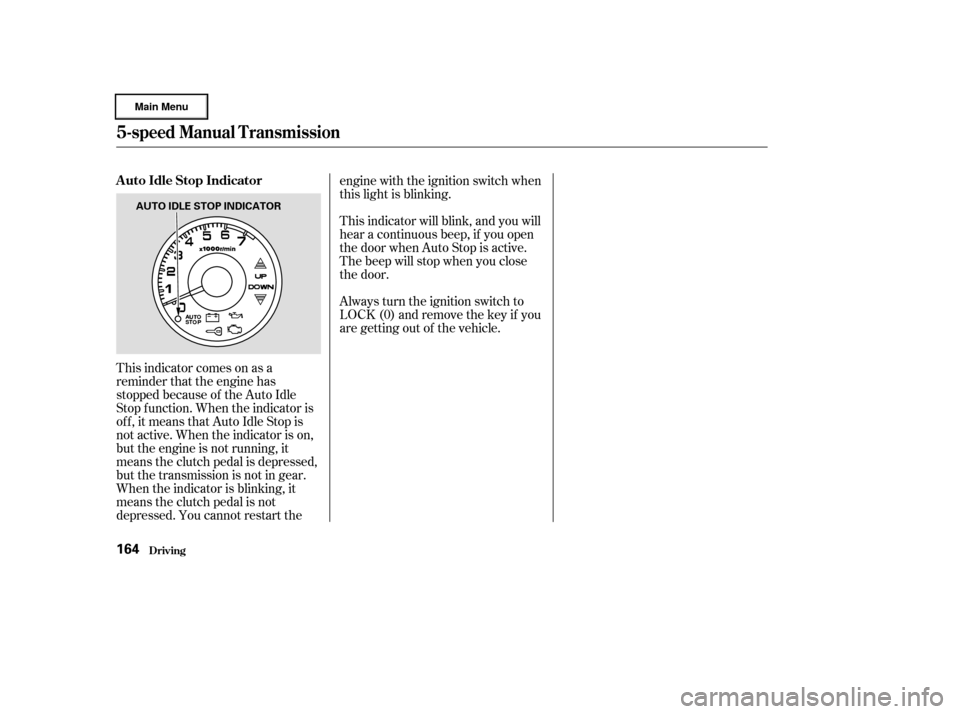
This indicator comes on as a
reminder that the engine has
stopped because of the Auto Idle
Stop f unction. When the indicator is
of f , it means that Auto Idle Stop is
not active. When the indicator is on,
but the engine is not running, it
means the clutch pedal is depressed,
but the transmission is not in gear.
When the indicator is blinking, it
means the clutch pedal is not
depressed. You cannot restart theengine with the ignition switch when
this light is blinking.
This indicator will blink, and you will
hear a continuous beep, if you open
the door when Auto Stop is active.
The beep will stop when you close
the door.
Always turn the ignition switch to
LOCK (0) and remove the key if you
are getting out of the vehicle.
5-speed Manual T ransmission
Driving
A uto Idle Stop Indicator
164
AUTO IDLE STOP INDICATOR
Page 170 of 317
�µ
CONT INUED
Do this:
Press the brake pedal and
press the release button.
Press the release button.
Move the lever.
To shift from:
PtoR
RtoP
NtoR StoL
LtoS
StoD
DtoN DtoS
NtoD RtoN
This position mechani-
cally locks the transmission. Use
Park whenever you are turning of f or
starting the engine. To shif t out of
Park, you must press on the brake
pedal and have your f oot of f the
accelerator pedal. Press the release
buttononthefrontof theshiftlever
to move it.
The shif t lever has six positions. It
must be in Park or Neutral to start
the engine. When you are stopped in
D, S, L, N or R, press f irmly on the
brake pedal and keep your f oot of f
the accelerator pedal.
Driving
Shif t L ever Positions
Park (P)
Automatic Transmission (CVT)
167
SHIFT LEVER
RELEASE BUTTON
Page 171 of 317

�µ
�µ �µ
If you have done all of the above and
still cannot move the lever out of
Park, see Shif t Lock Release on page
.
You must also press the release
button to shift into Park. To avoid
transmission damage, come to a
complete stop bef ore shif ting into
Park. The shif t lever must be in Park
bef ore you can remove the key f rom
the ignition switch. To shif t to Reverse
f rom Park, see the explanation under
Park. To shif t to Reverse f rom
Neutral, come to a complete stop and
then shift. Press the release button
bef ore shif ting into Reverse f rom
Neutral.
Use Neutral if you
need to restart a stalled engine, or if
it is necessary to stop brief ly with
the engine idling. Always shif t to
Park position if you need to leave the
car f or any reason. Press on the
brake pedal when you are moving
the shift lever from Neutral to
another position. Use this position f or
your normal driving. The transmis-
sion automatically adjusts to keep
the engine at the best speed f or
driving conditions. To help the
engine warm up f aster, the transmis-
sion will select ratios that allow the
engine to run at higher speeds when
it is cold.
170
Driving
Reverse (R)
Neutral (N) Drive (D)
Automatic Transmission (CVT)
168
Page 173 of 317
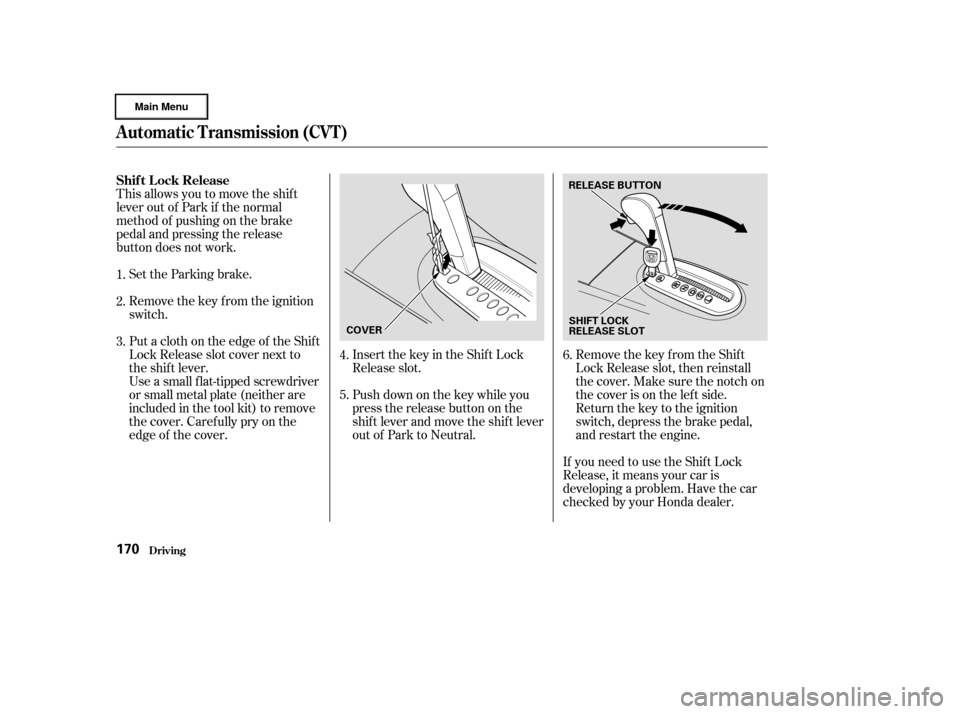
This allows you to move the shif t
lever out of Park if the normal
method of pushing on the brake
pedal and pressing the release
button does not work.Set the Parking brake.
Remove the key from the ignition
switch.
Push down on the key while you
pressthereleasebuttononthe
shif t lever and move the shif t lever
out of Park to Neutral. Insert the key in the Shift Lock
Release slot.
Put a cloth on the edge of the Shif t
Lock Release slot cover next to
the shift lever.
Use a small flat-tipped screwdriver
or small metal plate (neither are
included in the tool kit) to remove
the cover. Caref ully pry on the
edge of the cover. Remove the key from the Shift
Lock Release slot, then reinstall
thecover.Makesurethenotchon
the cover is on the lef t side.
Return the key to the ignition
switch, depress the brake pedal,
and restart the engine.
If you need to use the Shif t Lock
Release, it means your car is
developing a problem. Have the car
checked by your Honda dealer.
1.
2.
3.
4.
5.6.
Driving
Shif t L ock Release
Automatic Transmission (CVT)
170
COVER RELEASE BUTTON
SHIFT LOCK
RELEASE SLOT
Page 175 of 317
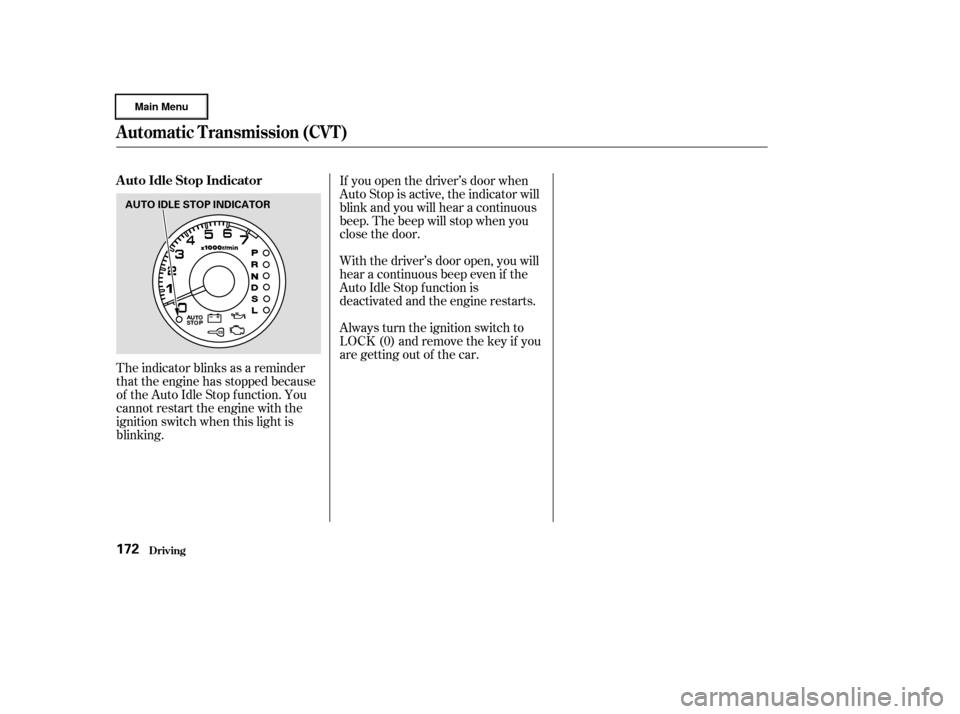
The indicator blinks as a reminder
that the engine has stopped because
of the Auto Idle Stop f unction. You
cannot restart the engine with the
ignition switch when this light is
blinking.If you open the driver’s door when
Auto Stop is active, the indicator will
blink and you will hear a continuous
beep. The beep will stop when you
close the door.
With the driver’s door open, you will
hear a continuous beep even if the
Auto Idle Stop f unction is
deactivated and the engine restarts.
Always turn the ignition switch to
LOCK (0) and remove the key if you
are getting out of the car.
Driving
A uto Idle Stop Indicator
Automatic Transmission (CVT)
172
AUTO IDLE STOP INDICATOR
Page 176 of 317

�µMake sure the parking brake is f ully
released bef ore driving away.
Driving with the parking brake
partially set can overheat or damage
the rear brakes.
Always use the parking brake when
you park your car. The indicator on
the instrument panel shows that the
parking brake is not f ully released; it
does not indicate that the parking
brakeisfirmlyset.Makesurethe
parking brake is set f irmly or your
car may roll if it is parked on an
incline.
If your car has an automatic
transmission, set the parking brake
bef ore you put the transmission in
Park.Thiskeepsthecarfrom
moving and putting pressure on the
parking mechanism in the
transmission making it easier to
move the shift lever out of Park
when you want to drive away. If the car is f acing uphill, turn the
f ront wheels away f rom the curb. If
you have a manual transmission, put
it in f irst gear.
If the car is f acing downhill, turn the
f ront wheels toward the curb. If you
have a manual transmission, put it in
reverse gear.
Make sure the windows are closed.
Turn of f the lights.
Place any packages, valuables, etc.,
in the trunk or take them with you.
Lockthedoorswiththekeyorthe
remote transmitter.
Never park over dry leaves, tall
grass, or other f lammable
materials. The three way catalytic
converter gets very hot, and could
cause these materials to catch on
fire.
Parking
Parking T ips
Driving173
Page 178 of 317
CONT INUED
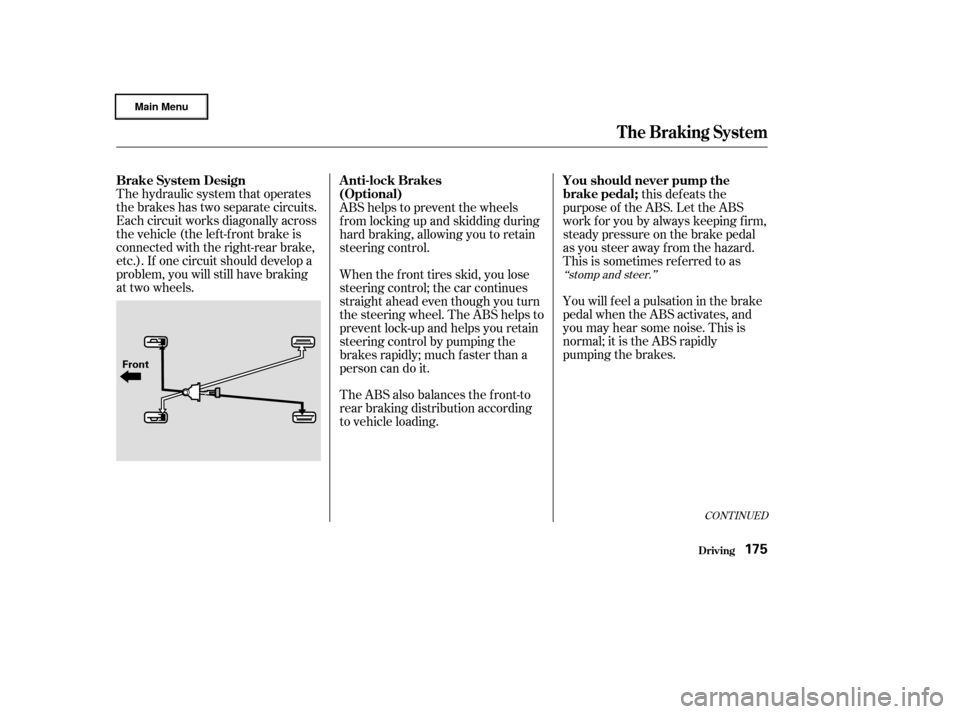
The hydraulic system that operates
the brakes has two separate circuits.
Each circuit works diagonally across
the vehicle (the lef t-f ront brake is
connected with the right-rear brake,
etc.). If one circuit should develop a
problem, you will still have braking
at two wheels.this defeats the
purpose of the ABS. Let the ABS
work f or you by always keeping f irm,
steady pressure on the brake pedal
as you steer away from the hazard.
This is sometimes ref erred to as
You will f eel a pulsation in the brake
pedal when the ABS activates, and
you may hear some noise. This is
normal; it is the ABS rapidly
pumping the brakes.
ABS helps to prevent the wheels
f rom locking up and skidding during
hard braking, allowing you to retain
steering control.
When the f ront tires skid, you lose
steering control; the car continues
straightaheadeventhoughyouturn
the steering wheel. The ABS helps to
prevent lock-up and helps you retain
steering control by pumping the
brakes rapidly; much f aster than a
person can do it.
The ABS also balances the f ront-to
rear braking distribution according
to vehicle loading.
‘‘stomp and steer.’’
Brake System Design
A nti-lock BrakesYou should never pump the
brake pedal;
(Optional)
Driving
The Braking System
175
Front