2003 BMW 760LI SEDAN climate control
[x] Cancel search: climate controlPage 108 of 229
A congenial climate
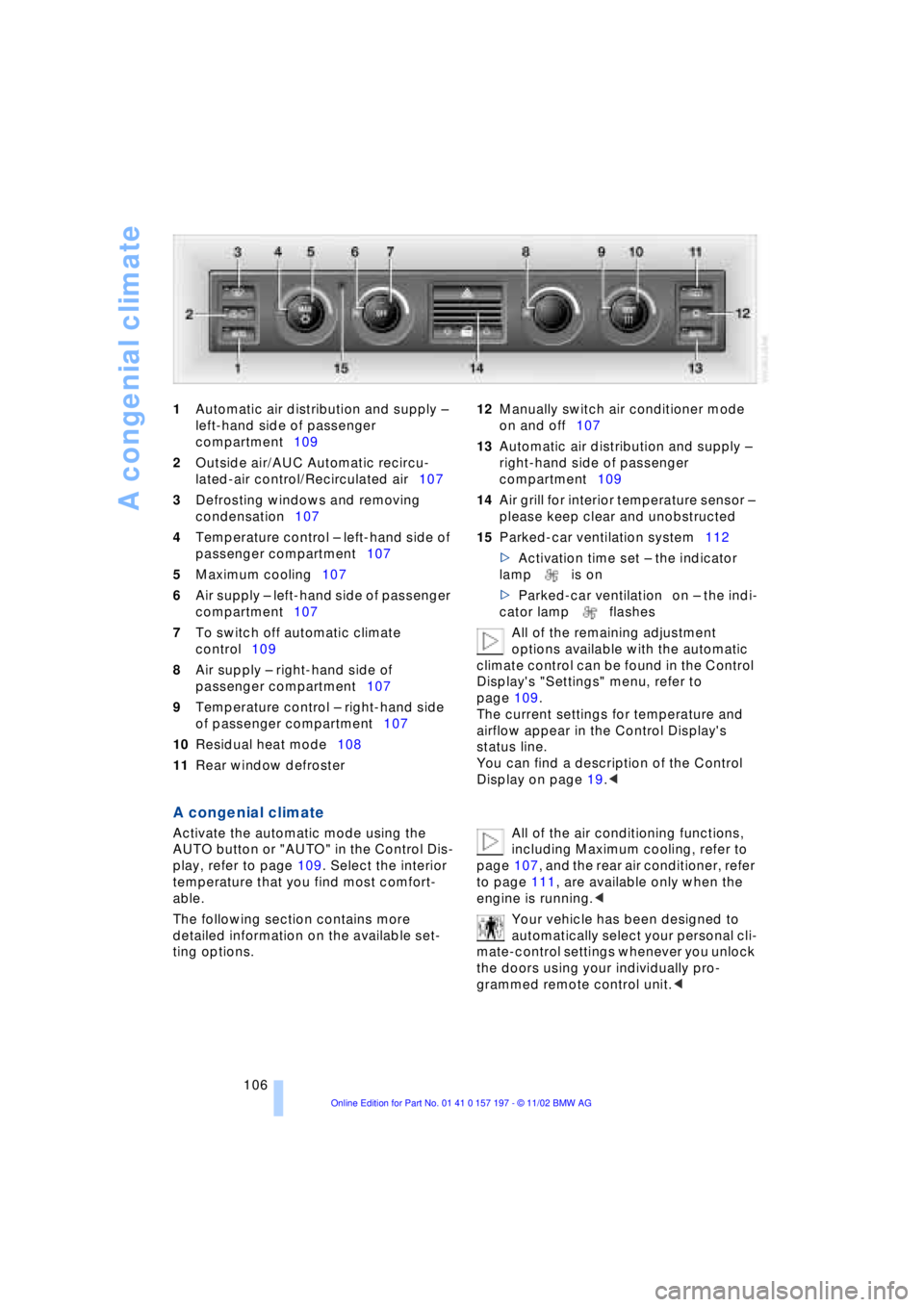
106 1Automatic air distribution and supply Ð
left-hand side of passenger
compartment109
2Outside air/AUC Automatic recircu-
lated-air control/Recirculated air107
3Defrosting windows and removing
condensation107
4Temperature control Ð left-hand side of
passenger compartment107
5Maximum cooling107
6Air supply Ð left-hand side of passenger
compartment107
7To switch off automatic climate
control109
8Air supply Ð right-hand side of
passenger compartment107
9Temperature control Ð right-hand side
of passenger compartment107
10Residual heat mode108
11Rear window defroster 12Manually switch air conditioner mode
on and off107
13Automatic air distribution and supply Ð
right-hand side of passenger
compartment109
14Air grill for interior temperature sensor Ð
please keep clear and unobstructed
15Parked-car ventilation system112
>Activation time set Ð the indicator
lamp is on
>Parked-car ventilation on Ð the indi-
cator lamp flashes
All of the remaining adjustment
options available with the automatic
climate control can be found in the Control
Display's "Settings" menu, refer to
page 109.
The current settings for temperature and
airflow appear in the Control Display's
status line.
You can find a description of the Control
Display on page 19.<
A congenial climate
Activate the automatic mode using the
AUTO button or "AUTO" in the Control Dis-
play, refer to page 109. Select the interior
temperature that you find most comfort-
able.
The following section contains more
detailed information on the available set-
ting options. All of the air conditioning functions,
including Maximum cooling, refer to
page 107, and the rear air conditioner, refer
to page 111, are available only when the
engine is running.<
Your vehicle has been designed to
automatically select your personal cli-
mate-control settings whenever you unlock
the doors using your individually pro-
grammed remote control unit.<
Page 109 of 229
At a glance
Controls
Driving tips
Communications
Navigation
Entertainment
Mobility
Reference
107
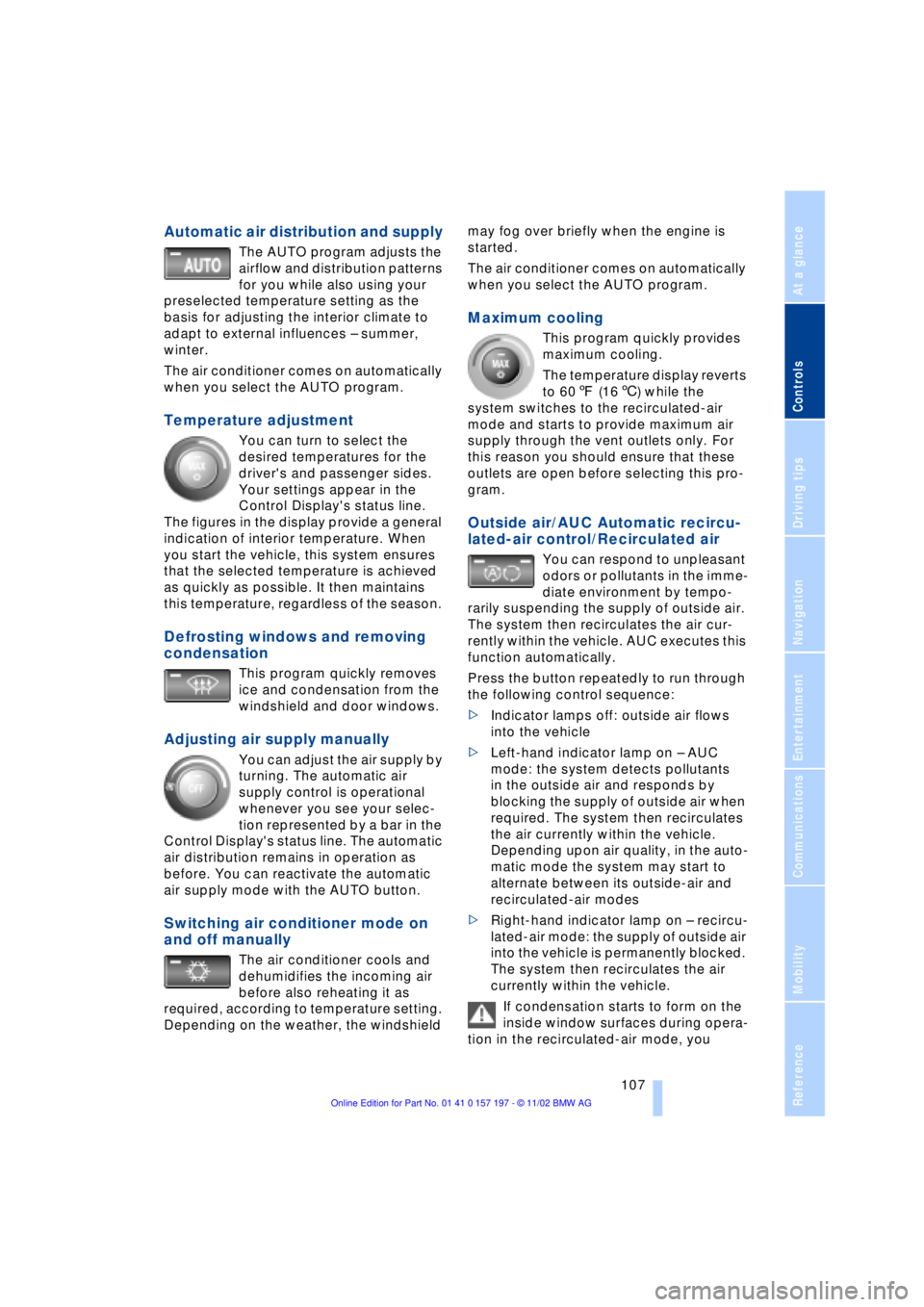
Automatic air distribution and supply
The AUTO program adjusts the
airflow and distribution patterns
for you while also using your
preselected temperature setting as the
basis for adjusting the interior climate to
adapt to external influences Ð summer,
winter.
The air conditioner comes on automatically
when you select the AUTO program.
Temperature adjustment
You can turn to select the
desired temperatures for the
driver's and passenger sides.
Your settings appear in the
Control Display's status line.
The figures in the display provide a general
indication of interior temperature. When
you start the vehicle, this system ensures
that the selected temperature is achieved
as quickly as possible. It then maintains
this temperature, regardless of the season.
Defrosting windows and removing
condensation
This program quickly removes
ice and condensation from the
windshield and door windows.
Adjusting air supply manually
You can adjust the air supply by
turning. The automatic air
supply control is operational
whenever you see your selec-
tion represented by a bar in the
Control Display's status line. The automatic
air distribution remains in operation as
before. You can reactivate the automatic
air supply mode with the AUTO button.
Switching air conditioner mode on
and off manually
The air conditioner cools and
dehumidifies the incoming air
before also reheating it as
required, according to temperature setting.
Depending on the weather, the windshield may fog over briefly when the engine is
started.
The air conditioner comes on automatically
when you select the AUTO program.
Maximum cooling
This program quickly provides
maximum cooling.
The temperature display reverts
to 607 (166) while the
system switches to the recirculated-air
mode and starts to provide maximum air
supply through the vent outlets only. For
this reason you should ensure that these
outlets are open before selecting this pro-
gram.
Outside air/AUC Automatic recircu-
lated-air control/Recirculated air
You can respond to unpleasant
odors or pollutants in the imme-
diate environment by tempo-
rarily suspending the supply of outside air.
The system then recirculates the air cur-
rently within the vehicle. AUC executes this
function automatically.
Press the button repeatedly to run through
the following control sequence:
>Indicator lamps off: outside air flows
into the vehicle
>Left-hand indicator lamp on Ð AUC
mode: the system detects pollutants
in the outside air and responds by
blocking the supply of outside air when
required. The system then recirculates
the air currently within the vehicle.
Depending upon air quality, in the auto-
matic mode the system may start to
alternate between its outside-air and
recirculated-air modes
>Right-hand indicator lamp on Ð recircu-
lated-air mode: the supply of outside air
into the vehicle is permanently blocked.
The system then recirculates the air
currently within the vehicle.
If condensation starts to form on the
inside window surfaces during opera-
tion in the recirculated-air mode, you
Page 110 of 229
A congenial climate
108 should switch it off while also increasing air
supply as required.<
Residual heat mode
The system uses the warmth
stored in the engine to heat the
interior when the ignition is off,
for instance, while the vehicle
is stopped at a school to pick
up a child.
You can adjust the automatic climate con-
trol's settings when the ignition lock is in
the radio mode. The system blows heated
air into the interior in accordance with the
selected distribution pattern while the igni-
tion is off.
Provided that the engine has warmed
to its normal operating temperature
and the battery is charged, you can use this
function for up to 15 minutes after
switching off the ignition. The LED within
the button lights up to confirm compliance
with both of these conditions.<
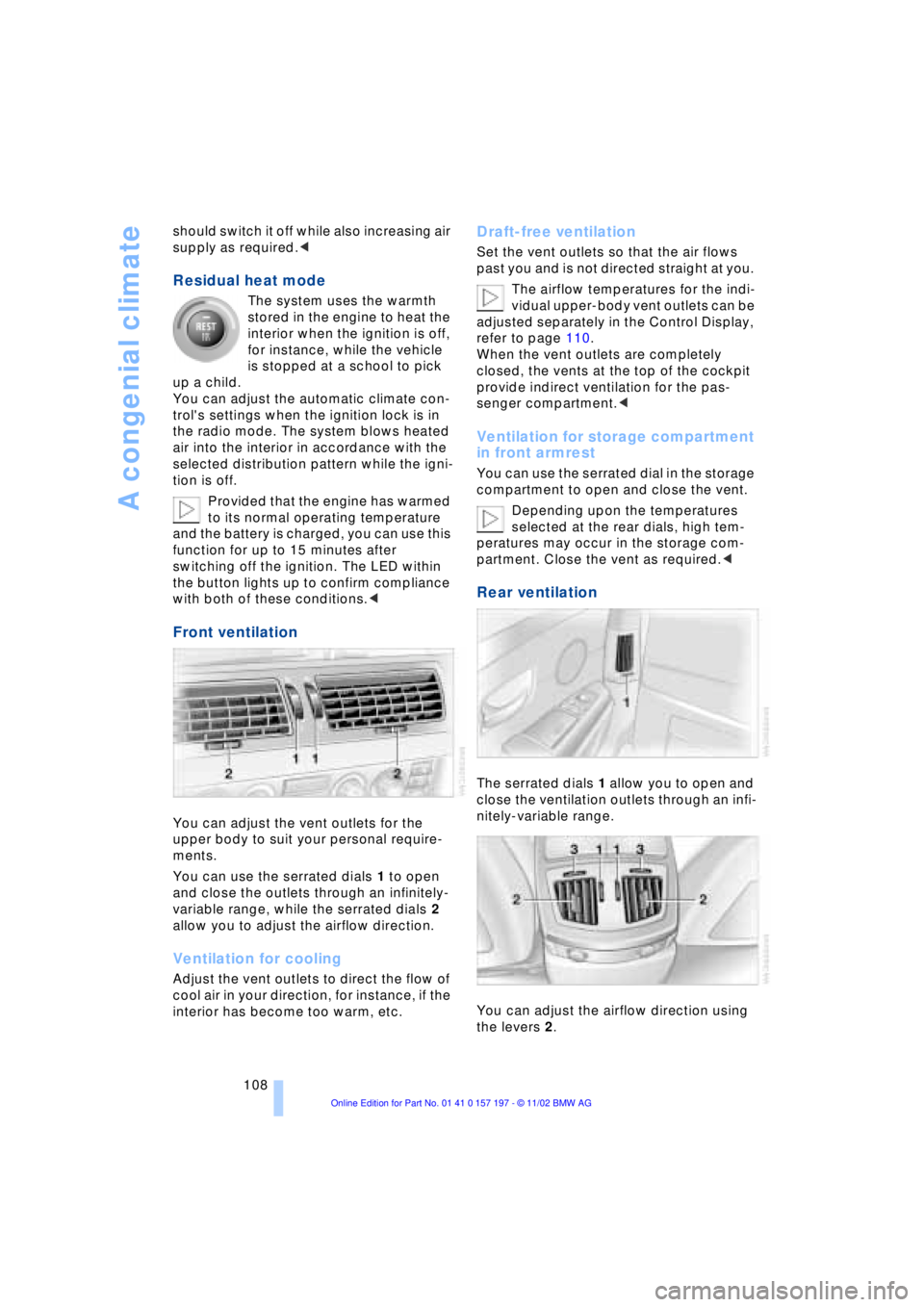
Front ventilation
You can adjust the vent outlets for the
upper body to suit your personal require-
ments.
You can use the serrated dials 1 to open
and close the outlets through an infinitely-
variable range, while the serrated dials 2
allow you to adjust the airflow direction.
Ventilation for cooling
Adjust the vent outlets to direct the flow of
cool air in your direction, for instance, if the
interior has become too warm, etc.
Draft-free ventilation
Set the vent outlets so that the air flows
past you and is not directed straight at you.
The airflow temperatures for the indi-
vidual upper-body vent outlets can be
adjusted separately in the Control Display,
refer to page 110.
When the vent outlets are completely
closed, the vents at the top of the cockpit
provide indirect ventilation for the pas-
senger compartment.<
Ventilation for storage compartment
in front armrest
You can use the serrated dial in the storage
compartment to open and close the vent.
Depending upon the temperatures
selected at the rear dials, high tem-
peratures may occur in the storage com-
partment. Close the vent as required.<
Rear ventilation
The serrated dials 1 allow you to open and
close the ventilation outlets through an infi-
nitely-variable range.
You can adjust the airflow direction using
the levers 2.
Page 111 of 229
At a glance
Controls
Driving tips
Communications
Navigation
Entertainment
Mobility
Reference
109
The serrated dials 3* control the amount of
cooled air in the flow from the vent outlets:
Turn toward blue sector Ð colder
Turn toward red sector Ð warmer.
This function allows you to make minor
adjustments for maximum comfort while
also letting you vary temperatures within
the storage compartment.
Switching off automatic climate
control*
The air supply, the heater and
the air conditioner are all
switched off. You can restart
the automatic climate control
by pressing any of its buttons
except the REST button.
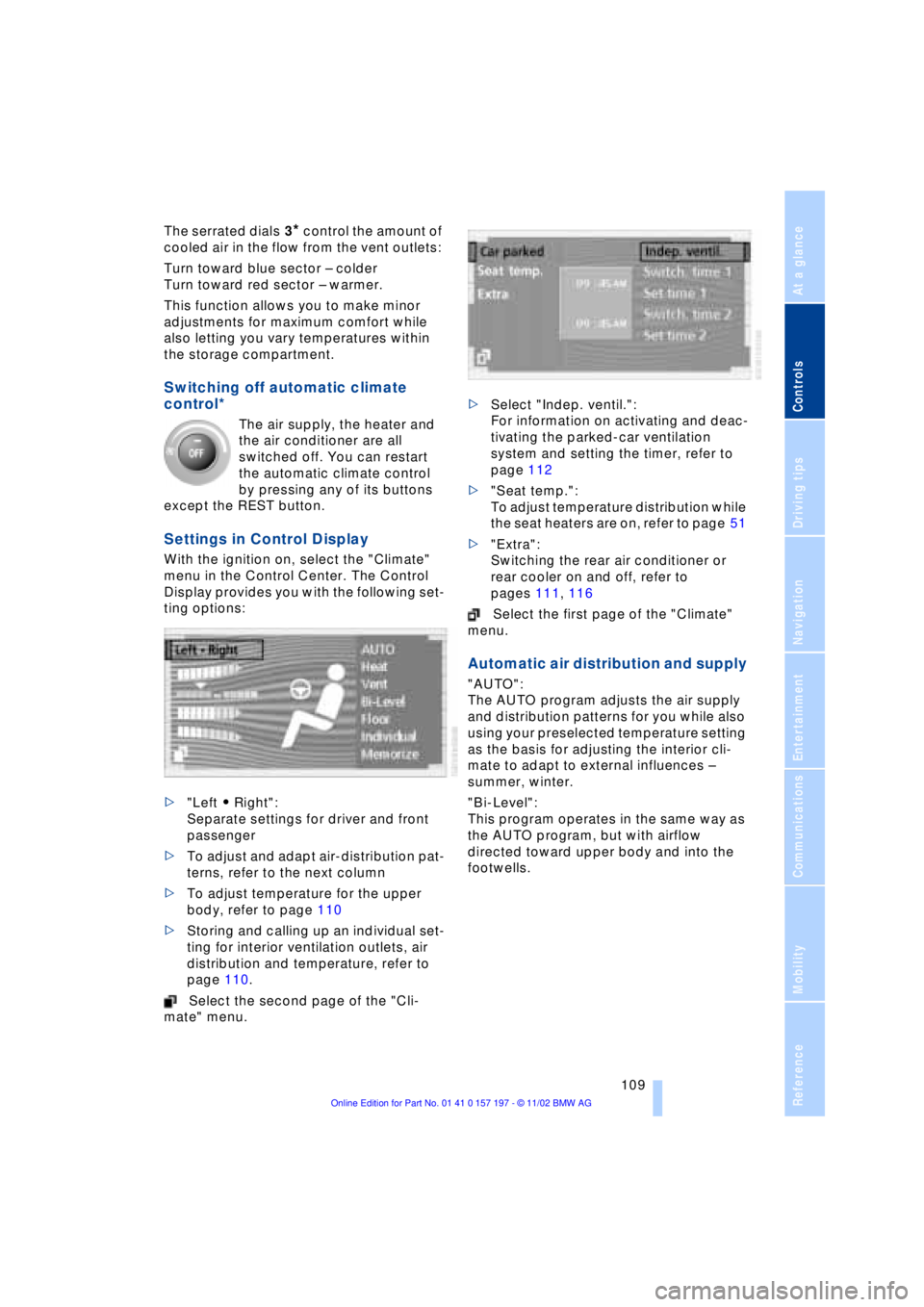
Settings in Control Display
With the ignition on, select the "Climate"
menu in the Control Center. The Control
Display provides you with the following set-
ting options:
>"Left A Right":
Separate settings for driver and front
passenger
>To adjust and adapt air-distribution pat-
terns, refer to the next column
>To adjust temperature for the upper
body, refer to page 110
>Storing and calling up an individual set-
ting for interior ventilation outlets, air
distribution and temperature, refer to
page 110.
Select the second page of the "Cli-
mate" menu. >Select "Indep. ventil.":
For information on activating and deac-
tivating the parked-car ventilation
system and setting the timer, refer to
page 112
>"Seat temp.":
To adjust temperature distribution while
the seat heaters are on, refer to page 51
>"Extra":
Switching the rear air conditioner or
rear cooler on and off, refer to
pages 111, 116
Select the first page of the "Climate"
menu.
Automatic air distribution and supply
"AUTO":
The AUTO program adjusts the air supply
and distribution patterns for you while also
using your preselected temperature setting
as the basis for adjusting the interior cli-
mate to adapt to external influences Ð
summer, winter.
"Bi-Level":
This program operates in the same way as
the AUTO program, but with airflow
directed toward upper body and into the
footwells.
Page 112 of 229
A congenial climate
110
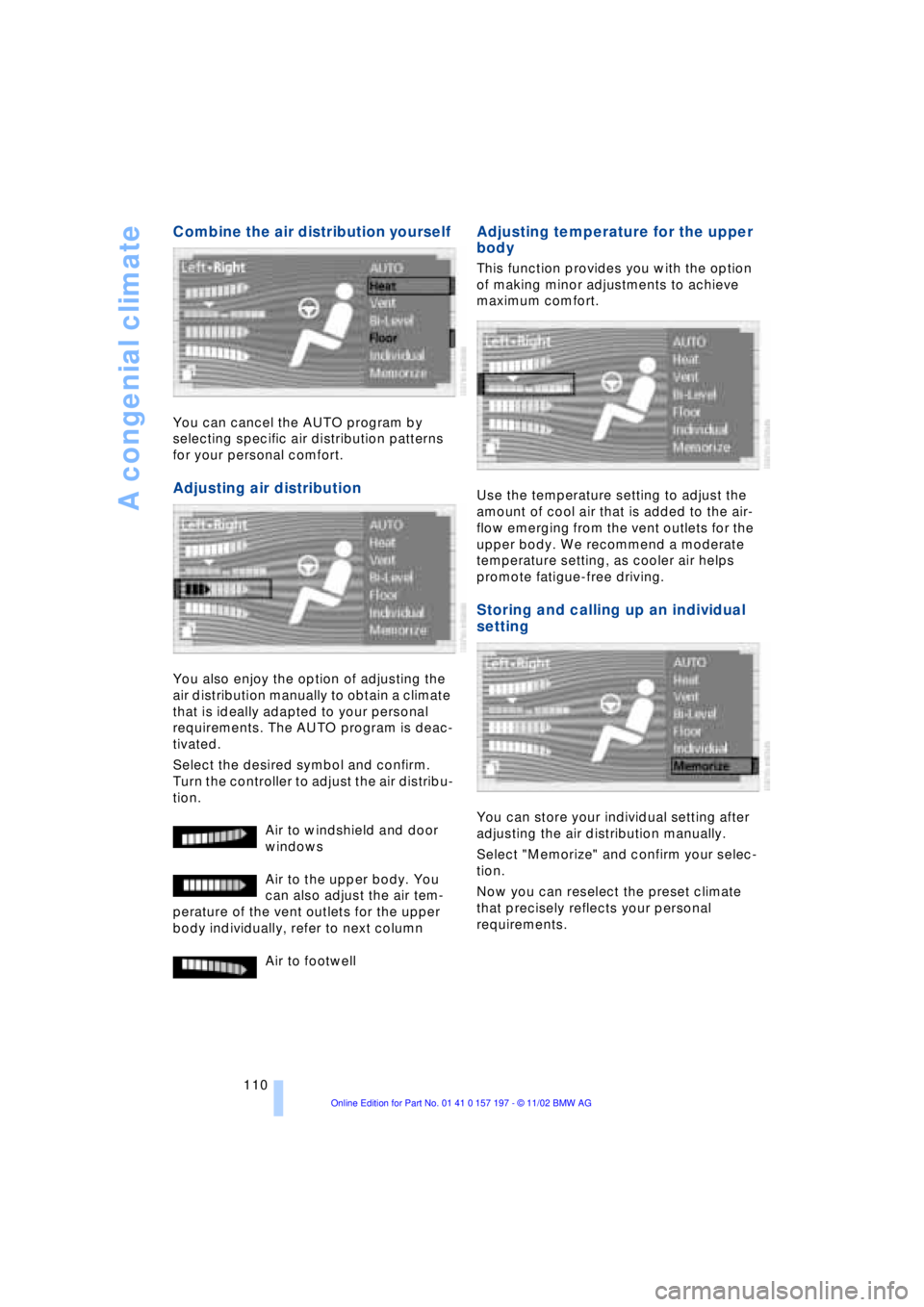
Combine the air distribution yourself
You can cancel the AUTO program by
selecting specific air distribution patterns
for your personal comfort.
Adjusting air distribution
You also enjoy the option of adjusting the
air distribution manually to obtain a climate
that is ideally adapted to your personal
requirements. The AUTO program is deac-
tivated.
Select the desired symbol and confirm.
Turn the controller to adjust the air distribu-
tion.
Air to windshield and door
windows
Air to the upper body. You
can also adjust the air tem-
perature of the vent outlets for the upper
body individually, refer to next column
Air to footwell
Adjusting temperature for the upper
body
This function provides you with the option
of making minor adjustments to achieve
maximum comfort.
Use the temperature setting to adjust the
amount of cool air that is added to the air-
flow emerging from the vent outlets for the
upper body. We recommend a moderate
temperature setting, as cooler air helps
promote fatigue-free driving.
Storing and calling up an individual
setting
You can store your individual setting after
adjusting the air distribution manually.
Select "Memorize" and confirm your selec-
tion.
Now you can reselect the preset climate
that precisely reflects your personal
requirements.
Page 114 of 229
A congenial climate
112
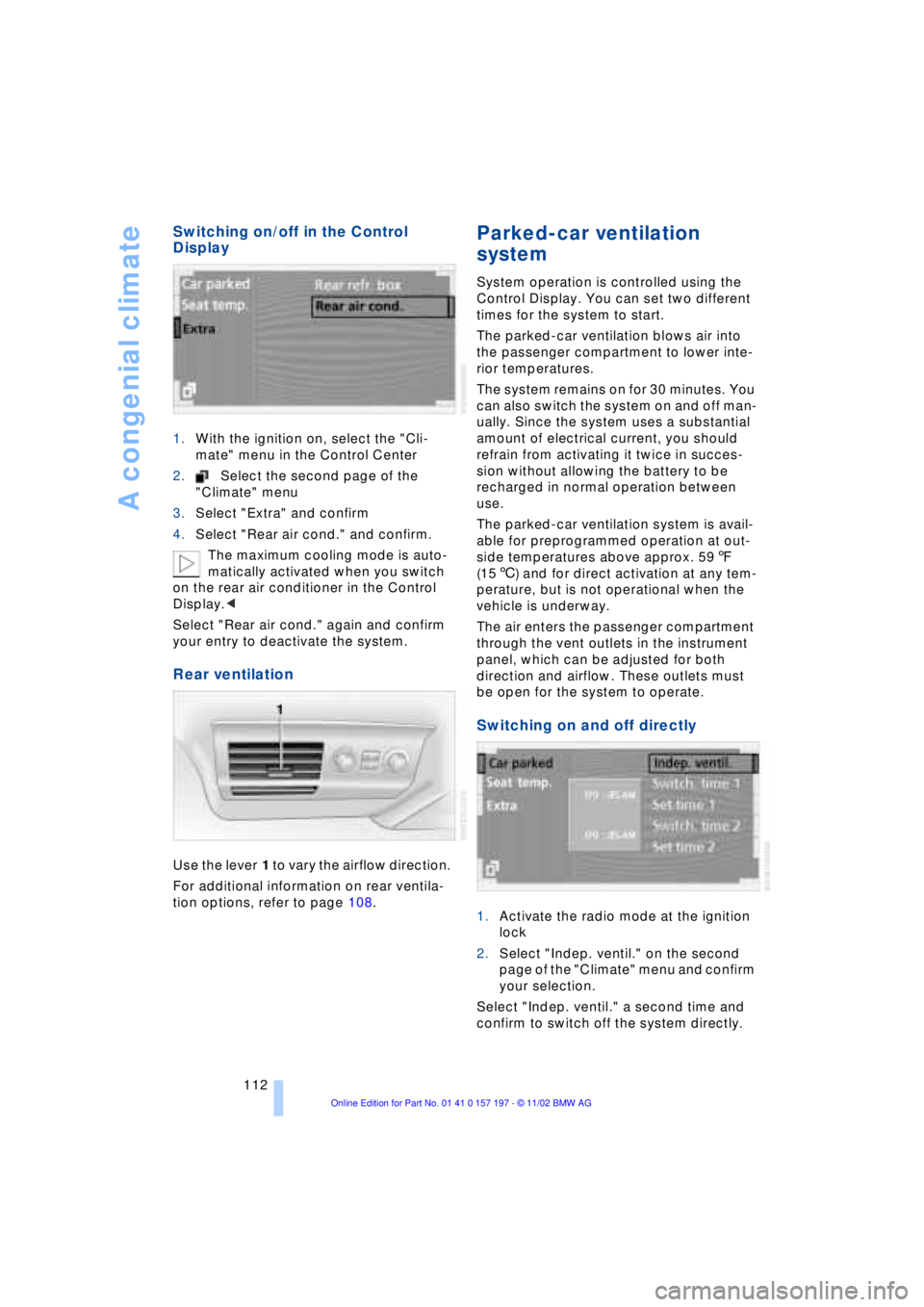
Switching on/off in the Control
Display
1.With the ignition on, select the "Cli-
mate" menu in the Control Center
2.Select the second page of the
"Climate" menu
3.Select "Extra" and confirm
4.Select "Rear air cond." and confirm.
The maximum cooling mode is auto-
matically activated when you switch
on the rear air conditioner in the Control
Display.<
Select "Rear air cond." again and confirm
your entry to deactivate the system.
Rear ventilation
Use the lever 1 to vary the airflow direction.
For additional information on rear ventila-
tion options, refer to page 108.
Parked-car ventilation
system
System operation is controlled using the
Control Display. You can set two different
times for the system to start.
The parked-car ventilation blows air into
the passenger compartment to lower inte-
rior temperatures.
The system remains on for 30 minutes. You
can also switch the system on and off man-
ually. Since the system uses a substantial
amount of electrical current, you should
refrain from activating it twice in succes-
sion without allowing the battery to be
recharged in normal operation between
use.
The parked-car ventilation system is avail-
able for preprogrammed operation at out-
side temperatures above approx. 597
(156) and for direct activation at any tem-
perature, but is not operational when the
vehicle is underway.
The air enters the passenger compartment
through the vent outlets in the instrument
panel, which can be adjusted for both
direction and airflow. These outlets must
be open for the system to operate.
Switching on and off directly
1.Activate the radio mode at the ignition
lock
2.Select "Indep. ventil." on the second
page of the "Climate" menu and confirm
your selection.
Select "Indep. ventil." a second time and
confirm to switch off the system directly.
Page 115 of 229
At a glance
Controls
Driving tips
Communications
Navigation
Entertainment
Mobility
Reference
113
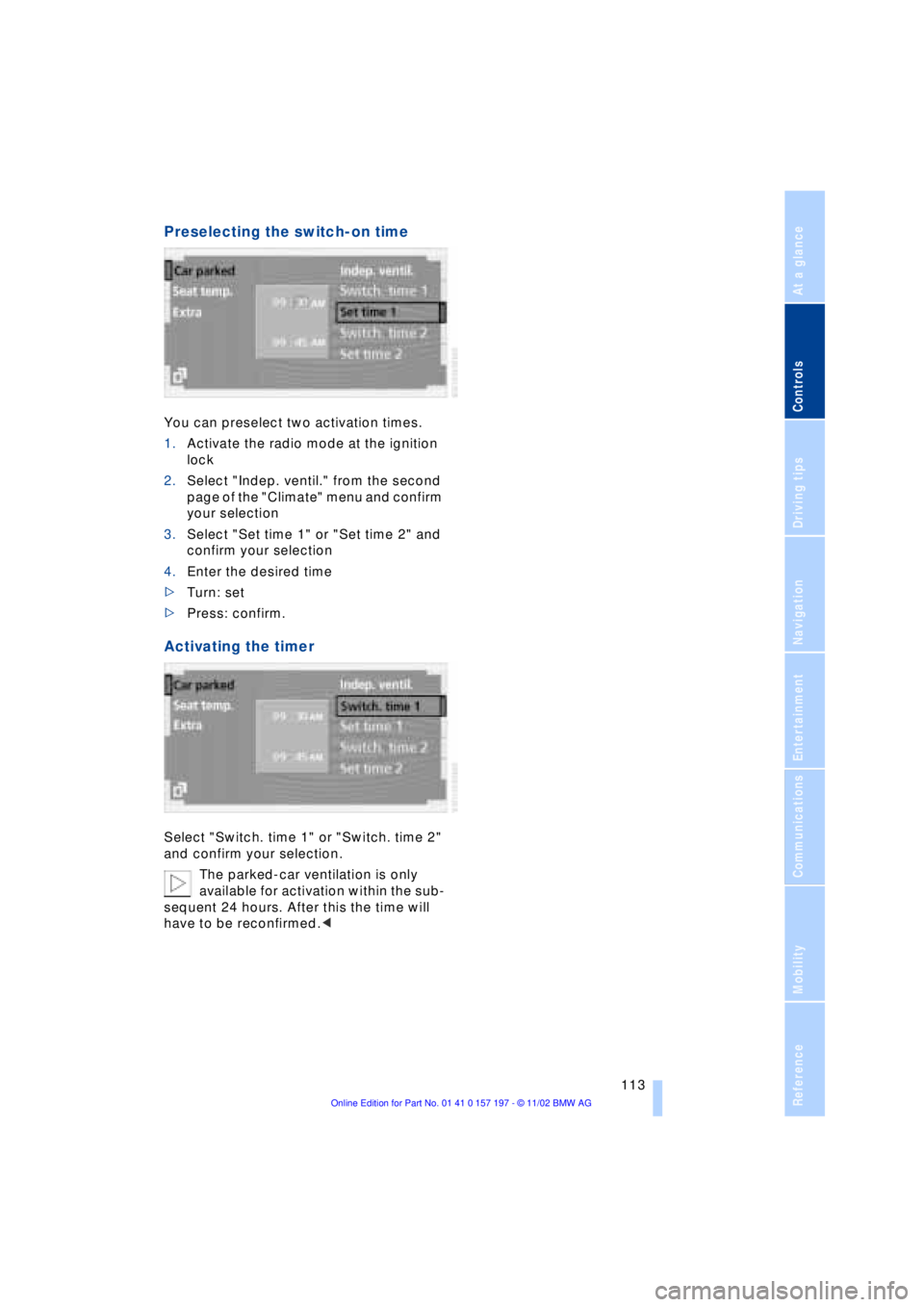
Preselecting the switch-on time
You can preselect two activation times.
1.Activate the radio mode at the ignition
lock
2.Select "Indep. ventil." from the second
page of the "Climate" menu and confirm
your selection
3.Select "Set time 1" or "Set time 2" and
confirm your selection
4.Enter the desired time
>Turn: set
>Press: confirm.
Activating the timer
Select "Switch. time 1" or "Switch. time 2"
and confirm your selection.
The parked-car ventilation is only
available for activation within the sub-
sequent 24 hours. After this the time will
have to be reconfirmed.<
Page 120 of 229
Practical interior accessories
118 Depending on the automatic climate
control setting, the temperature
within the storage compartment may be
higher than in the rest of the interior. Close
the vent as required.<
Storage compartment on center
console between the front seats
Open by pressing the recess on the cover.
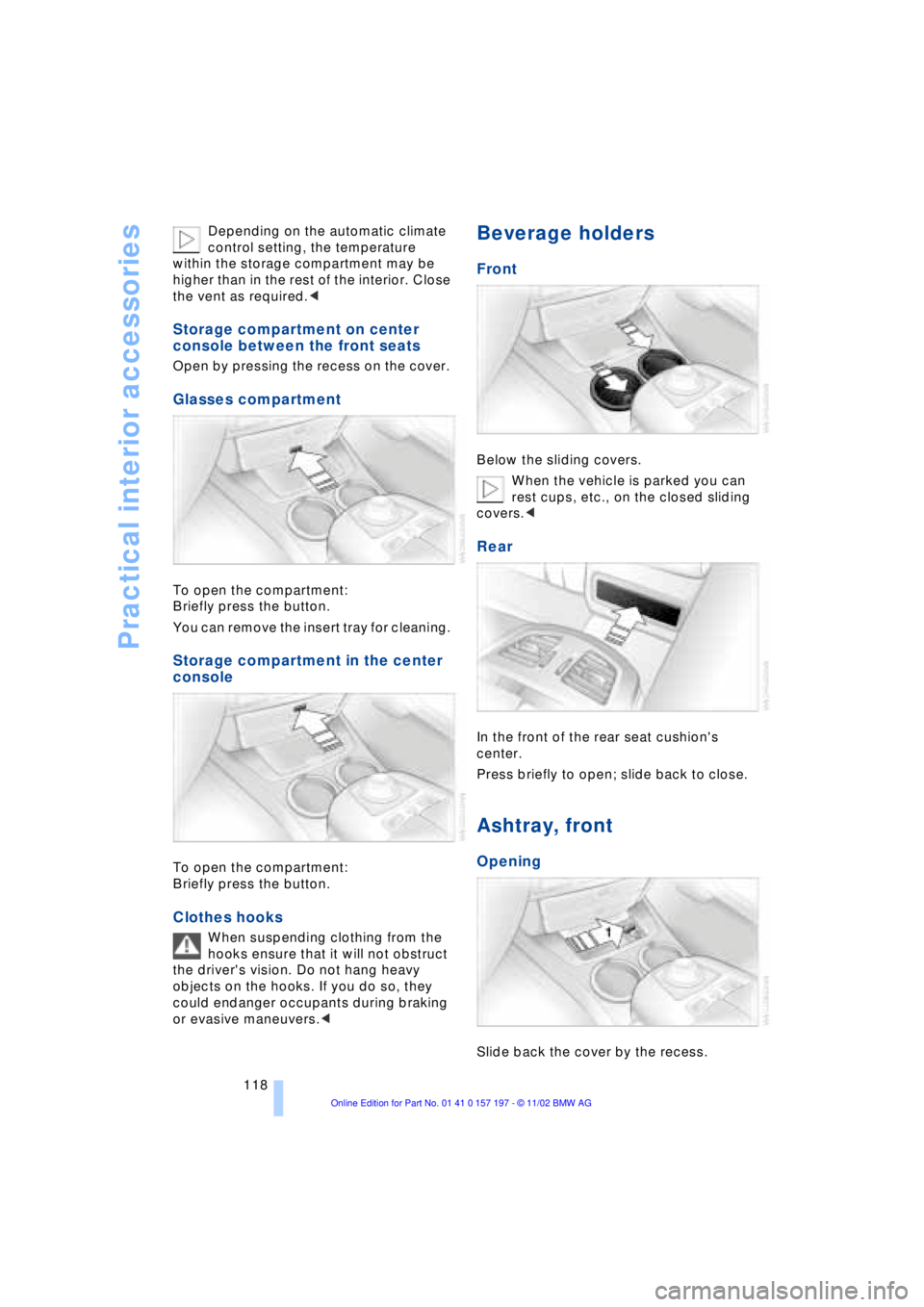
Glasses compartment
To open the compartment:
Briefly press the button.
You can remove the insert tray for cleaning.
Storage compartment in the center
console
To open the compartment:
Briefly press the button.
Clothes hooks
When suspending clothing from the
hooks ensure that it will not obstruct
the driver's vision. Do not hang heavy
objects on the hooks. If you do so, they
could endanger occupants during braking
or evasive maneuvers.<
Beverage holders
Front
Below the sliding covers.
When the vehicle is parked you can
rest cups, etc., on the closed sliding
covers.<
Rear
In the front of the rear seat cushion's
center.
Press briefly to open; slide back to close.
Ashtray, front
Opening
Slide back the cover by the recess.