Page 14 of 184
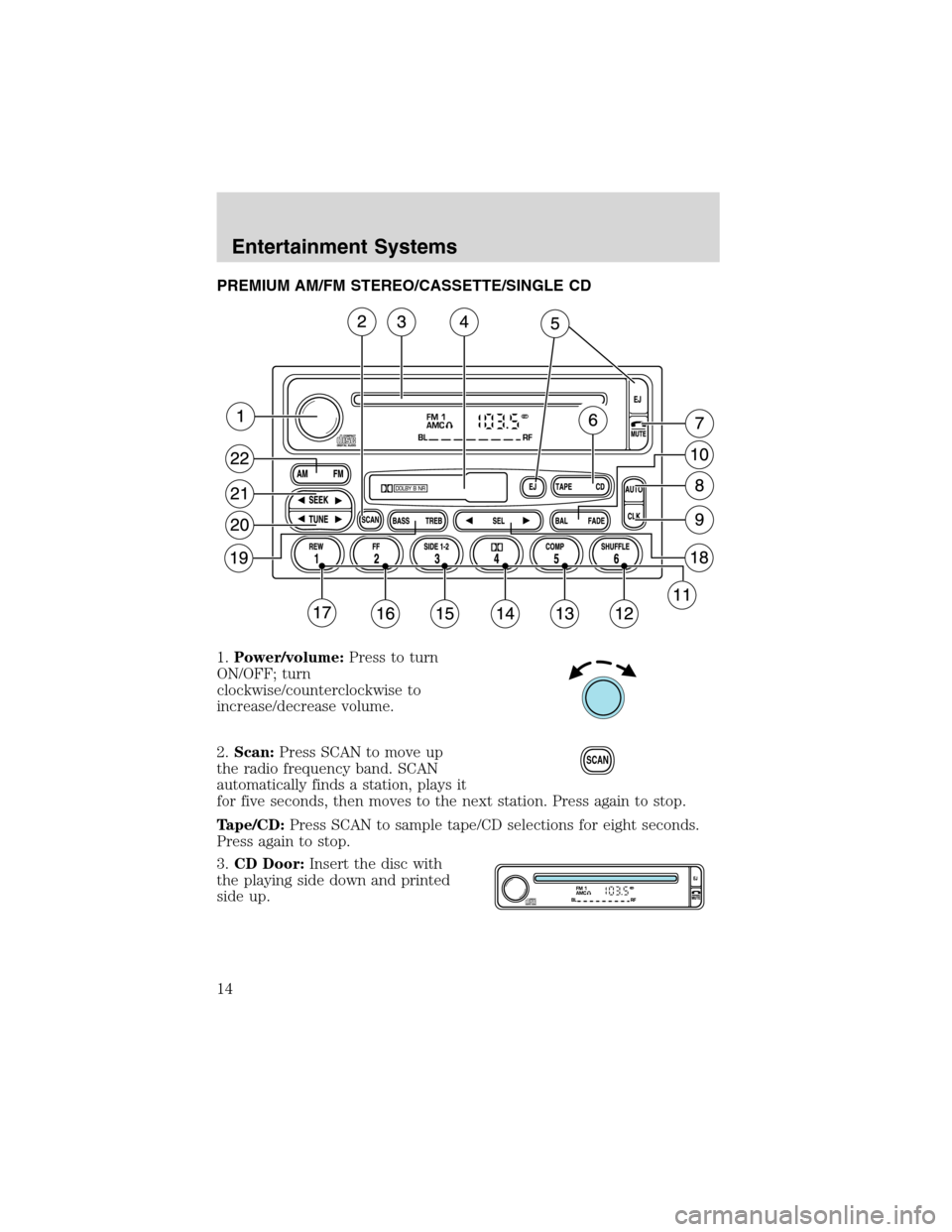
PREMIUM AM/FM STEREO/CASSETTE/SINGLE CD
1.Power/volume:Press to turn
ON/OFF; turn
clockwise/counterclockwise to
increase/decrease volume.
2.Scan:Press SCAN to move up
the radio frequency band. SCAN
automatically finds a station, plays it
for five seconds, then moves to the next station. Press again to stop.
Tape/CD:Press SCAN to sample tape/CD selections for eight seconds.
Press again to stop.
3.CD Door:Insert the disc with
the playing side down and printed
side up.
SCAN
Entertainment Systems
14
Page 15 of 184
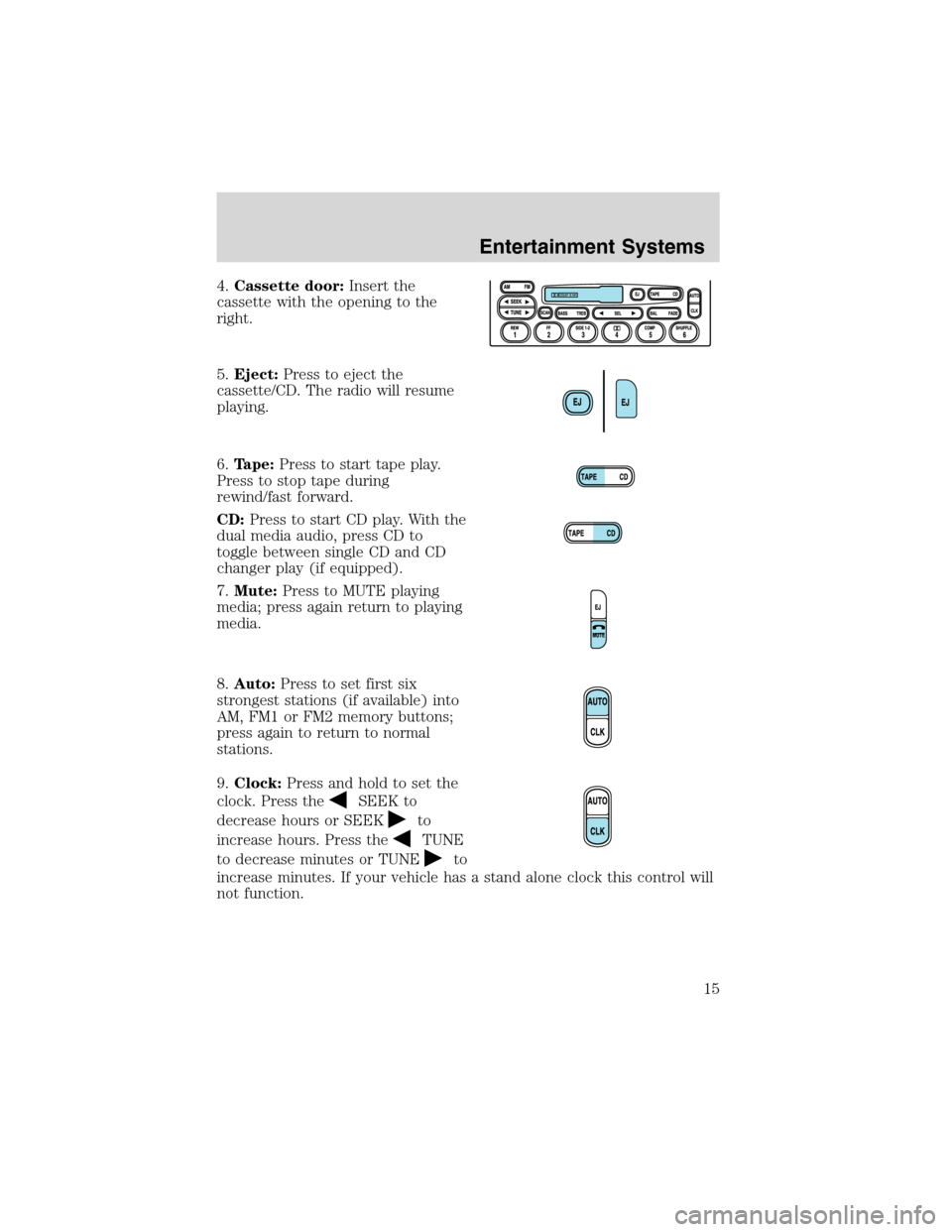
4.Cassette door:Insert the
cassette with the opening to the
right.
5.Eject:Press to eject the
cassette/CD. The radio will resume
playing.
6.Tape:Press to start tape play.
Press to stop tape during
rewind/fast forward.
CD:Press to start CD play. With the
dual media audio, press CD to
toggle between single CD and CD
changer play (if equipped).
7.Mute:Press to MUTE playing
media; press again return to playing
media.
8.Auto:Press to set first six
strongest stations (if available) into
AM, FM1 or FM2 memory buttons;
press again to return to normal
stations.
9.Clock:Press and hold to set the
clock. Press the
SEEK to
decrease hours or SEEK
to
increase hours. Press the
TUNE
to decrease minutes or TUNE
to
increase minutes. If your vehicle has a stand alone clock this control will
not function.
Entertainment Systems
15
Page 20 of 184
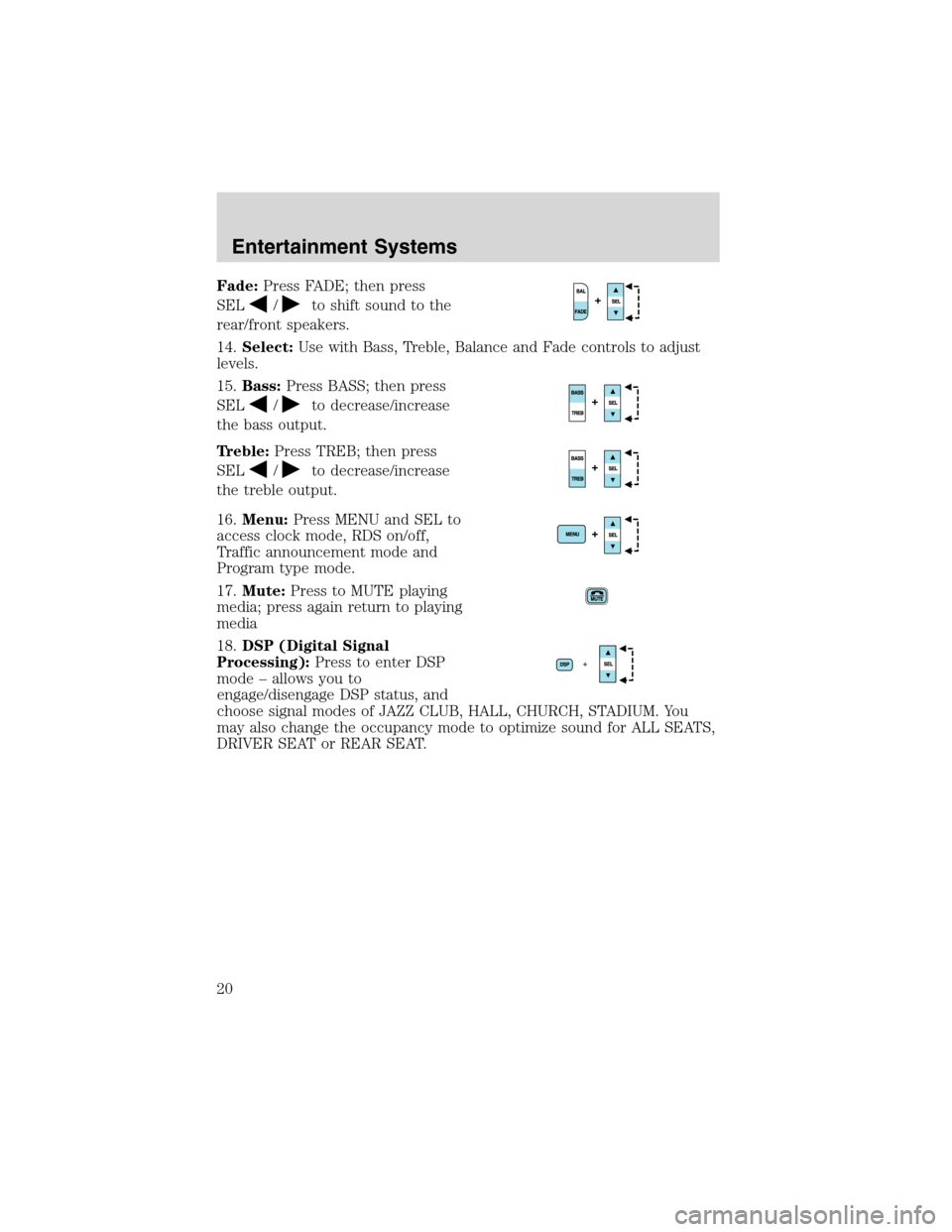
Fade:Press FADE; then press
SEL
/to shift sound to the
rear/front speakers.
14.Select:Use with Bass, Treble, Balance and Fade controls to adjust
levels.
15.Bass:Press BASS; then press
SEL
/to decrease/increase
the bass output.
Treble:Press TREB; then press
SEL
/to decrease/increase
the treble output.
16.Menu:Press MENU and SEL to
access clock mode, RDS on/off,
Traffic announcement mode and
Program type mode.
17.Mute:Press to MUTE playing
media; press again return to playing
media
18.DSP (Digital Signal
Processing):Press to enter DSP
mode–allows you to
engage/disengage DSP status, and
choose signal modes of JAZZ CLUB, HALL, CHURCH, STADIUM. You
may also change the occupancy mode to optimize sound for ALL SEATS,
DRIVER SEAT or REAR SEAT.
Entertainment Systems
20
Page 27 of 184
5. Locate the vertical adjuster for
each headlamp. Adjust the aim by
turning the adjuster control either
clockwise (to adjust down) or
counterclockwise (to adjust up).
NOTE:Usea4mmsocket or box
wrench to turn the vertical adjuster
control.
6. Once you have adjusted the
headlamps close the hood and turn
off the lights.
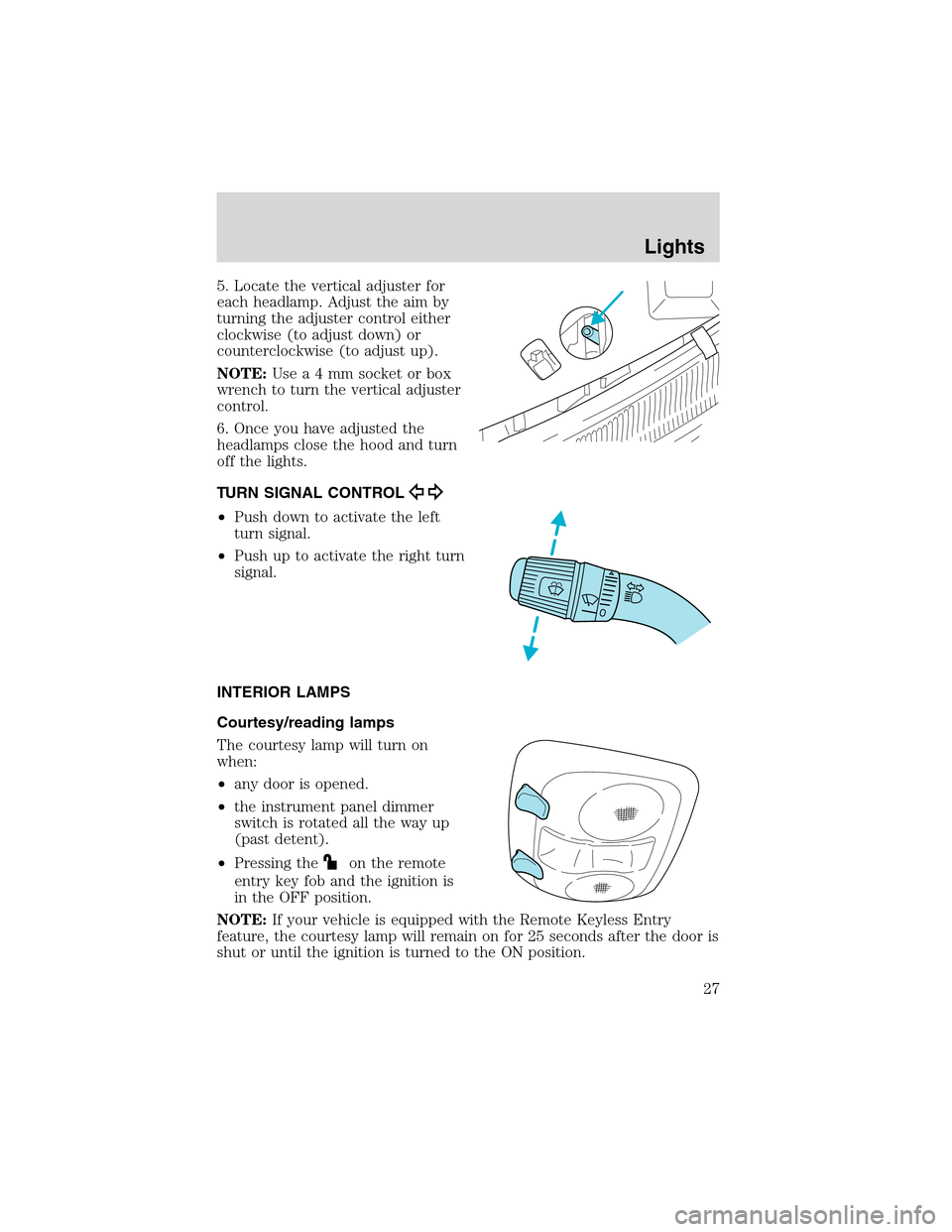
TURN SIGNAL CONTROL
•Push down to activate the left
turn signal.
•Push up to activate the right turn
signal.
INTERIOR LAMPS
Courtesy/reading lamps
The courtesy lamp will turn on
when:
•any door is opened.
•the instrument panel dimmer
switch is rotated all the way up
(past detent).
•Pressing the
on the remote
entry key fob and the ignition is
in the OFF position.
NOTE:If your vehicle is equipped with the Remote Keyless Entry
feature, the courtesy lamp will remain on for 25 seconds after the door is
shut or until the ignition is turned to the ON position.
Lights
27
Page 30 of 184
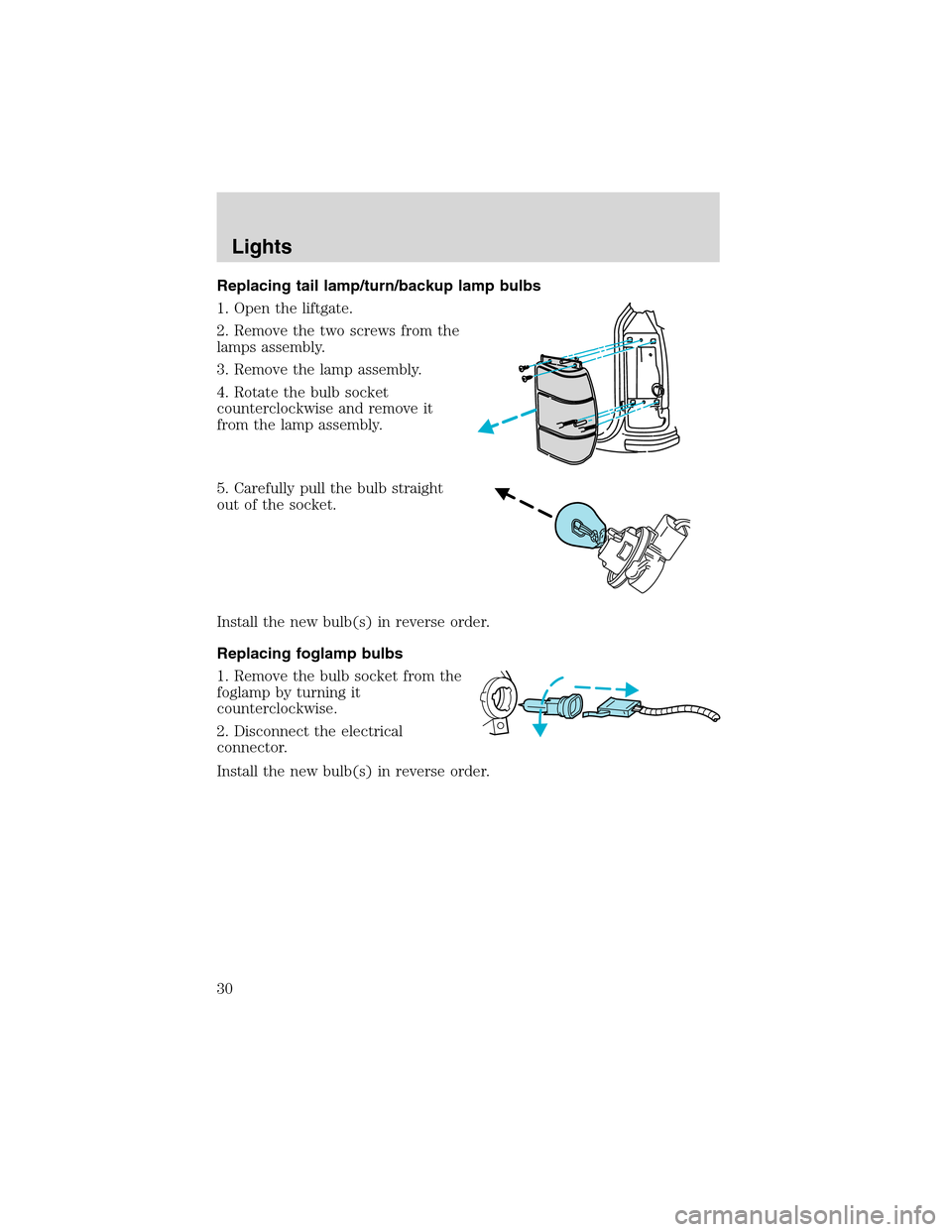
Replacing tail lamp/turn/backup lamp bulbs
1. Open the liftgate.
2. Remove the two screws from the
lamps assembly.
3. Remove the lamp assembly.
4. Rotate the bulb socket
counterclockwise and remove it
from the lamp assembly.
5. Carefully pull the bulb straight
out of the socket.
Install the new bulb(s) in reverse order.
Replacing foglamp bulbs
1. Remove the bulb socket from the
foglamp by turning it
counterclockwise.
2. Disconnect the electrical
connector.
Install the new bulb(s) in reverse order.
Lights
30
Page 31 of 184
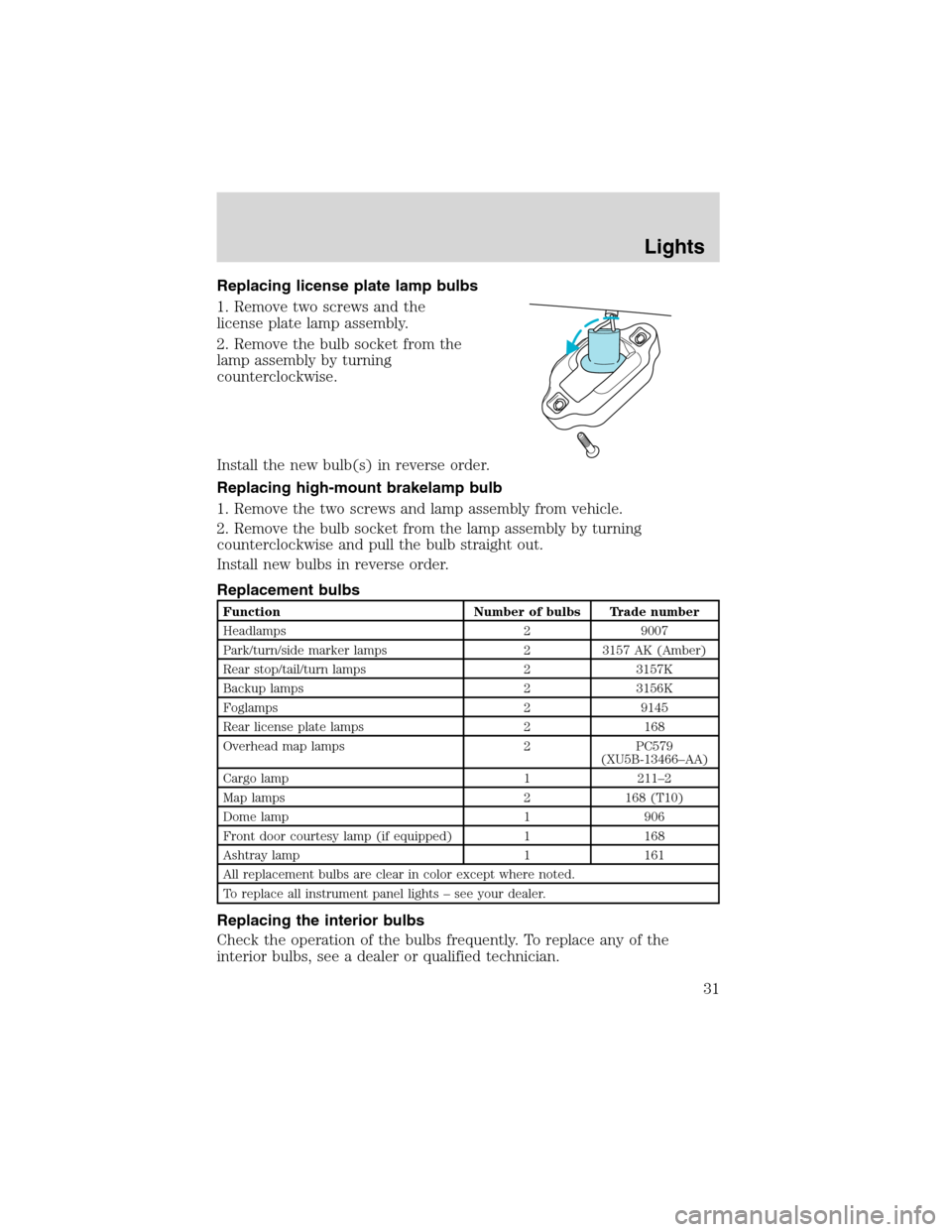
Replacing license plate lamp bulbs
1. Remove two screws and the
license plate lamp assembly.
2. Remove the bulb socket from the
lamp assembly by turning
counterclockwise.
Install the new bulb(s) in reverse order.
Replacing high-mount brakelamp bulb
1. Remove the two screws and lamp assembly from vehicle.
2. Remove the bulb socket from the lamp assembly by turning
counterclockwise and pull the bulb straight out.
Install new bulbs in reverse order.
Replacement bulbs
Function Number of bulbs Trade number
Headlamps 2 9007
Park/turn/side marker lamps 2 3157 AK (Amber)
Rear stop/tail/turn lamps 2 3157K
Backup lamps 2 3156K
Foglamps 2 9145
Rear license plate lamps 2 168
Overhead map lamps 2 PC579
(XU5B-13466–AA)
Cargo lamp 1 211–2
Map lamps 2 168 (T10)
Dome lamp 1 906
Front door courtesy lamp (if equipped) 1 168
Ashtray lamp 1 161
All replacement bulbs are clear in color except where noted.
To replace all instrument panel lights–see your dealer.
Replacing the interior bulbs
Check the operation of the bulbs frequently. To replace any of the
interior bulbs, see a dealer or qualified technician.
Lights
31
Page 121 of 184
Spare tire information
The spare tire on your vehicle can be used as a spare tire or a regular
tire. With 15”wheels, the wheel ornaments from the original wheel/tire
can be used on the spare tire.
Your spare tire and tools can be found in the following locations:
Tool Location
Spare Tire under the vehicle, just in front of the rear
bumper
Jack, lug nut wrench in the cargo area on the left rear quarter
panel, behind the interior access cover
Jack handle, jack
handle extensionbehind the rear seat under the carpet in the
cargo area
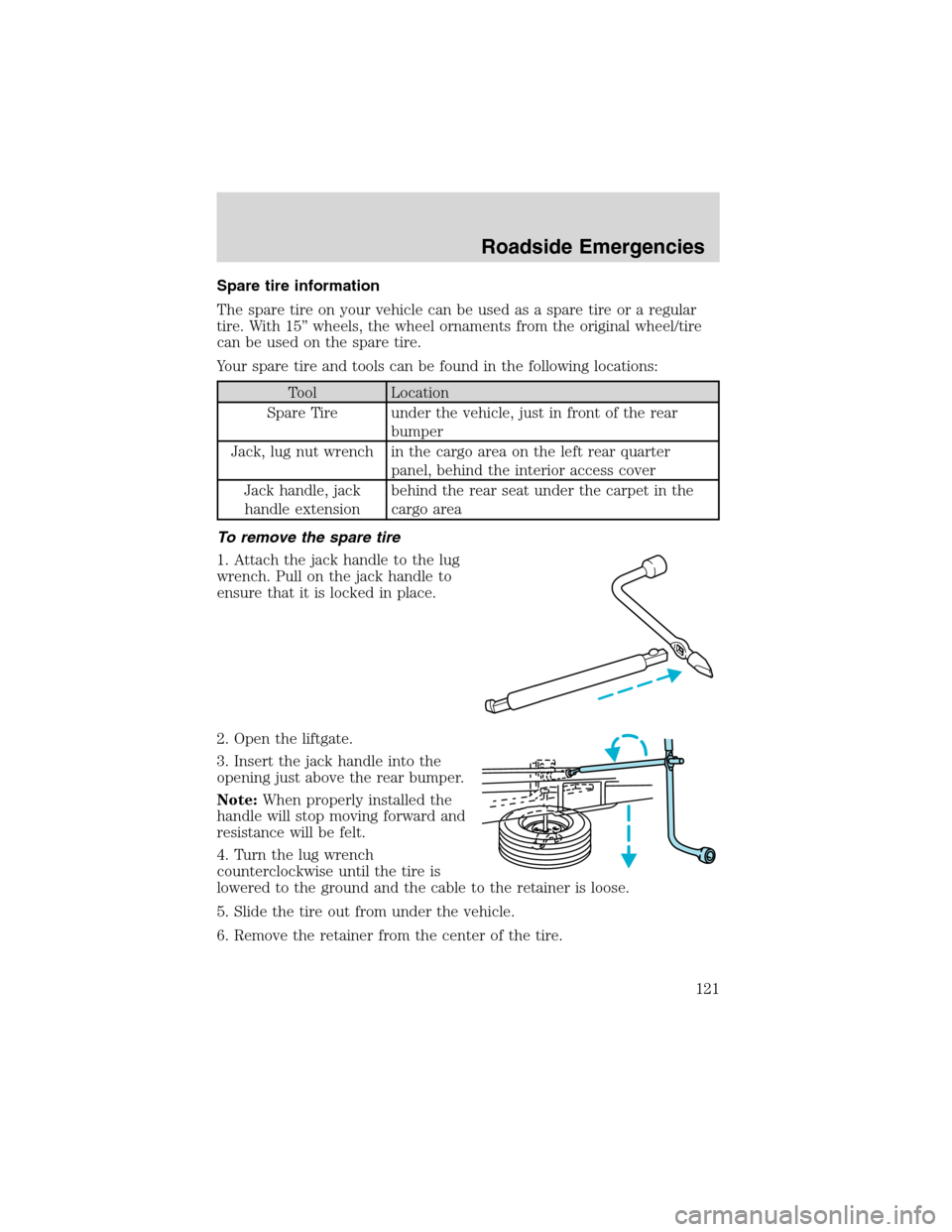
To remove the spare tire
1. Attach the jack handle to the lug
wrench. Pull on the jack handle to
ensure that it is locked in place.
2. Open the liftgate.
3. Insert the jack handle into the
opening just above the rear bumper.
Note:When properly installed the
handle will stop moving forward and
resistance will be felt.
4. Turn the lug wrench
counterclockwise until the tire is
lowered to the ground and the cable to the retainer is loose.
5. Slide the tire out from under the vehicle.
6. Remove the retainer from the center of the tire.
Roadside Emergencies
121
Page 122 of 184
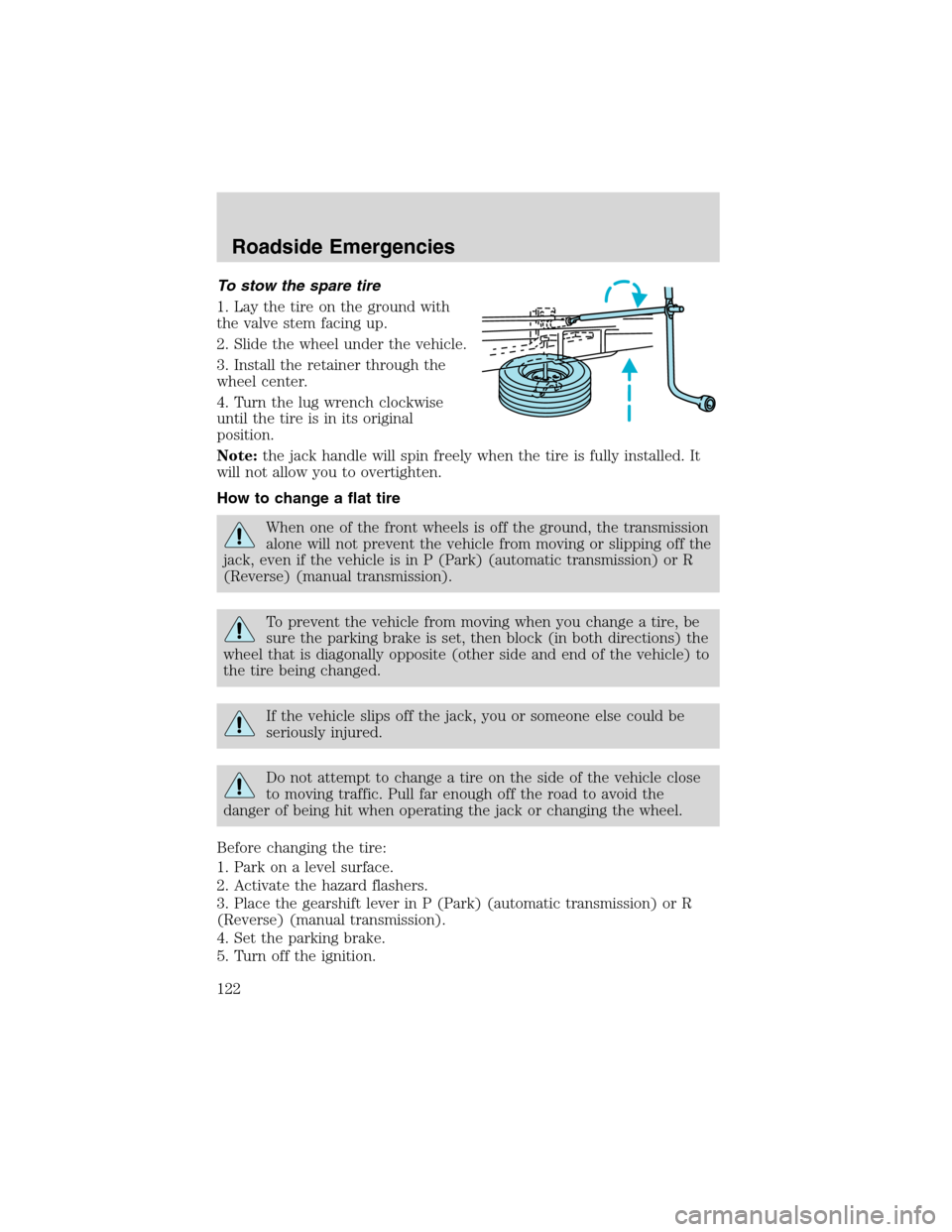
To stow the spare tire
1. Lay the tire on the ground with
the valve stem facing up.
2. Slide the wheel under the vehicle.
3. Install the retainer through the
wheel center.
4. Turn the lug wrench clockwise
until the tire is in its original
position.
Note:the jack handle will spin freely when the tire is fully installed. It
will not allow you to overtighten.
How to change a flat tire
When one of the front wheels is off the ground, the transmission
alone will not prevent the vehicle from moving or slipping off the
jack, even if the vehicle is in P (Park) (automatic transmission) or R
(Reverse) (manual transmission).
To prevent the vehicle from moving when you change a tire, be
sure the parking brake is set, then block (in both directions) the
wheel that is diagonally opposite (other side and end of the vehicle) to
the tire being changed.
If the vehicle slips off the jack, you or someone else could be
seriously injured.
Do not attempt to change a tire on the side of the vehicle close
to moving traffic. Pull far enough off the road to avoid the
danger of being hit when operating the jack or changing the wheel.
Before changing the tire:
1. Park on a level surface.
2. Activate the hazard flashers.
3. Place the gearshift lever in P (Park) (automatic transmission) or R
(Reverse) (manual transmission).
4. Set the parking brake.
5. Turn off the ignition.
Roadside Emergencies
122