Page 151 of 432

2-82
Did you just drive through a deep puddle of water?
If so, your electrical system may be wet. The condition
will usually be corrected when the electrical system
dries out. A few driving trips should turn the light off.
Have you recently changed brands of fuel?
If so, be sure to fuel your vehicle with quality fuel. See
ªFuelº in the Index. Poor fuel quality will cause your
engine not to run as efficiently as designed. You may
notice this as stalling after start
-up, stalling when you
put the vehicle into gear, misfiring, hesitation on
acceleration or stumbling on acceleration. (These
conditions may go away once the engine is warmed up.)
This will be detected by the system and cause the light
to turn on.
If you experience one or more of these conditions,
change the fuel brand you use. It will require at least one
full tank of the proper fuel to turn the light off.
If none of the above steps have made the light turn off,
have your dealer or qualified service center check the
vehicle. Your dealer has the proper test equipment and
diagnostic tools to fix any mechanical or electrical
problems that may have developed.Emissions Inspection and Maintenance Programs
Some state/provincial and local governments have or
may begin programs to inspect the emission control
equipment on your vehicle. Failure to pass this
inspection could prevent you from getting a
vehicle registration.
Here are some things you need to know in order to help
your vehicle pass an inspection:
Your vehicle will not pass this inspection if the
SERVICE ENGINE SOON or CHECK ENGINE light is
on or not working properly.
Your vehicle will not pass this inspection if the OBD
(on
-board diagnostic) system determines that critical
emission control systems have not been completely
diagnosed by the system. The vehicle would be
considered not ready for inspection. This can happen if
you have recently replaced your battery or if your
battery has run down. The diagnostic system is designed
to evaluate critical emission control systems during
normal driving. This may take several days of routine
driving. If you have done this and your vehicle still does
not pass the inspection for lack of OBD system
readiness, see your dealer or qualified service center to
prepare the vehicle for inspection.
Page 152 of 432
2-83
Oil Pressure Gage
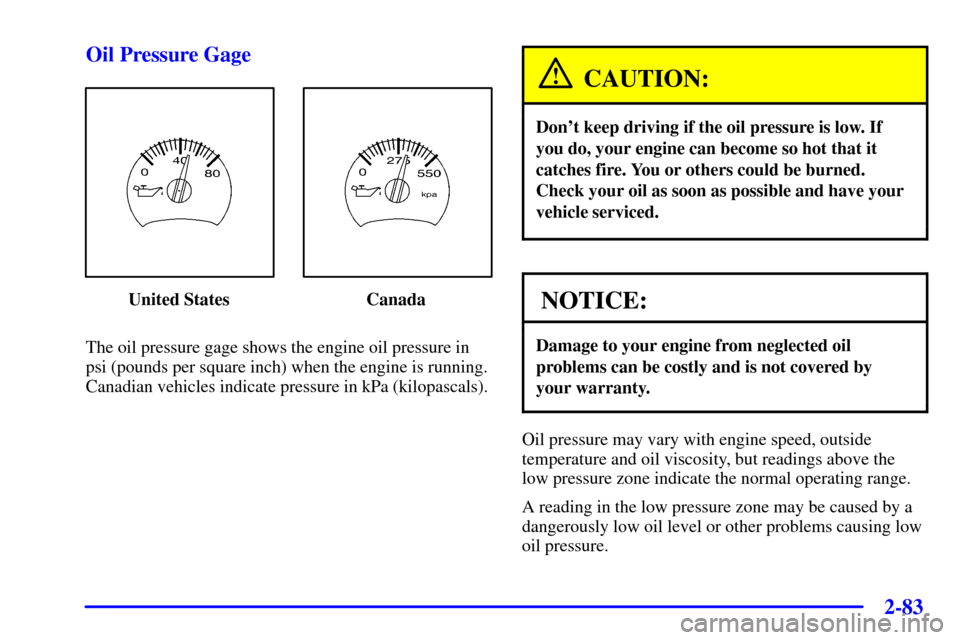
United States Canada
The oil pressure gage shows the engine oil pressure in
psi (pounds per square inch) when the engine is running.
Canadian vehicles indicate pressure in kPa (kilopascals).
CAUTION:
Don't keep driving if the oil pressure is low. If
you do, your engine can become so hot that it
catches fire. You or others could be burned.
Check your oil as soon as possible and have your
vehicle serviced.
NOTICE:
Damage to your engine from neglected oil
problems can be costly and is not covered by
your warranty.
Oil pressure may vary with engine speed, outside
temperature and oil viscosity, but readings above the
low pressure zone indicate the normal operating range.
A reading in the low pressure zone may be caused by a
dangerously low oil level or other problems causing low
oil pressure.
Page 154 of 432
2-85
Cruise Control Light (If Equipped)
United States Canada
The CRUISE light appears whenever you set your cruise
control. See ªCruise Controlº in the Index.
Reduced Engine Power
United States Canada
This light is displayed when a noticeable reduction in
the vehicle's performance may occur. The vehicle may
be driven at a reduced speed when the reduced engine
power light is on but acceleration and speed may be
reduced. The performance may be reduced until the next
time you drive your vehicle. If this light stays on, see
your dealer as soon as possible for diagnosis and repair.
This light may also come on if there is a problem
with the Electronic Throttle Control (ETC) system.
If this happens, take the vehicle in for service as soon
as possible.
Page 155 of 432
2-86
Service Four-Wheel-Drive Warning Light
(If Equipped)
United States Canada
This light should come on briefly when you turn on the
ignition, as a check to show you it is working.
The SERVICE 4WD light comes on to indicate that
there may be a problem with the drive system and
service is required. Malfunctions can be indicated by
the system before any problem is apparent, which may
prevent serious damage to the vehicle. This system is
also designed to assist your service technician in
correctly diagnosing a malfunction.
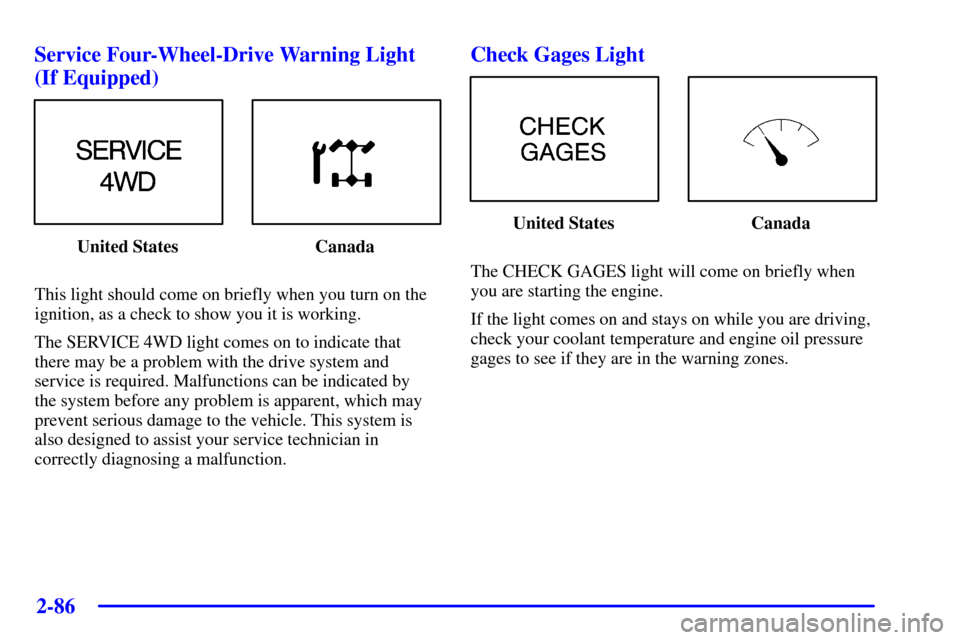
Check Gages Light
United States Canada
The CHECK GAGES light will come on briefly when
you are starting the engine.
If the light comes on and stays on while you are driving,
check your coolant temperature and engine oil pressure
gages to see if they are in the warning zones.
Page 158 of 432
2-89
Driver Information Center (DIC)
(If Equipped)
The DIC display is located on the instrument panel
cluster above the steering wheel. The DIC can display
information such as the trip odometer, fuel economy and
personalization features.
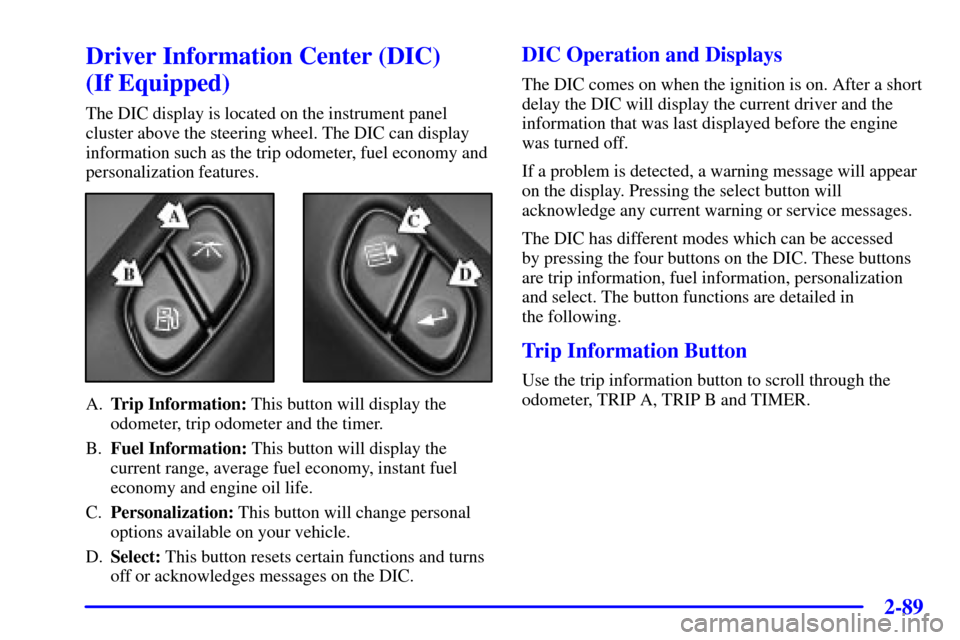
A.Trip Information: This button will display the
odometer, trip odometer and the timer.
B.Fuel Information: This button will display the
current range, average fuel economy, instant fuel
economy and engine oil life.
C.Personalization: This button will change personal
options available on your vehicle.
D.Select: This button resets certain functions and turns
off or acknowledges messages on the DIC.
DIC Operation and Displays
The DIC comes on when the ignition is on. After a short
delay the DIC will display the current driver and the
information that was last displayed before the engine
was turned off.
If a problem is detected, a warning message will appear
on the display. Pressing the select button will
acknowledge any current warning or service messages.
The DIC has different modes which can be accessed
by pressing the four buttons on the DIC. These buttons
are trip information, fuel information, personalization
and select. The button functions are detailed in
the following.
Trip Information Button
Use the trip information button to scroll through the
odometer, TRIP A, TRIP B and TIMER.
Page 169 of 432
2-100
DIC Warnings and Messages
Warning messages are displayed on the DIC to notify
the driver that the status of the vehicle has changed and
that some action may be needed by the driver to correct
the condition. More than one message may appear at
one time, they will appear one behind the other. Some
messages may not require immediate action but you
should press the select button to acknowledge that you
received the message and clear it from the display. Some
messages cannot be cleared from the display because
they are more urgent. These message required action
before they can be removed from the DIC display. The
following are the possible messages that can be
displayed and some information about them.
ENGINE COOLANT HOT/IDLE ENGINE
If the cooling system temperature gets hot this message
will appear in the DIC and you will hear a chime. Stop
the vehicle and let the engine idle in PARK (P) to allow
the coolant to reach a safe temperature. This message
will clear when the coolant temperature drops to a safe
operating temperature.ENGINE OVERHEATED/STOP ENGINE
(If Equipped)
If the engine cooling system reaches unsafe
temperatures for operation, this message will appear in
the DIC and you will hear a chime. Stop and turn off the
vehicle as soon as it is safe to do so to avoid severe
damage. This message will clear when the engine has
cooled to a safe operating temperature.
OIL PRESSURE LOW/STOP ENGINE
If low oil pressure levels occur this message will be
displayed on the DIC. Stop the vehicle as soon as safely
possible and do not operate it until the cause of the low
oil pressure has been corrected. Check your oil as soon
as possible and have your vehicle serviced.
BATTERY NOT CHARGING
If the battery is not charging during operation this
message will appear on the DIC. Driving with this
problem could drain your battery. Have the electrical
system checked as soon as possible. Pressing the select
button will acknowledge this message and clear it from
the DIC display.
Page 170 of 432
2-101
SERVICE AIR BAG
If there is a problem with the air bag system this
message will be displayed on the DIC. Have a qualified
technician inspect the system for problems. Pressing the
select button will acknowledge this message and clear it
from the DIC display.
SERVICE BRAKE SYSTEM
If a problem occurs with the brake system this message
will appear on the DIC. If this message appears, stop as
soon as possible and turn off the vehicle. Restart the
vehicle and check for the message on the DIC display.
If the message is still displayed, or appears again when
you begin driving, the brake system needs service.
TURN SIGNAL ON
If a turn signal is left on for 3/4 of a mile (1.2 km) this
message will appear on the display and you will hear a
chime. Move the turn signal/multifunction lever to the
off position. Pressing the select button will acknowledge
this message and clear it from the DIC display.REAR ACCESS OPEN
If the liftgate or liftglass is open while the ignition is in
RUN, this message will appear on the DIC and you
will hear a chime. Turn off the vehicle and check the
liftgate and liftglass. Restart the vehicle and check for
the message on the DIC display. Pressing the select
button will acknowledge this message and clear it from
the DIC display.
FUEL LEVEL LOW
If the fuel level is low in the vehicle's gas tank this
message will appear on the DIC and you will hear a
chime. Refuel as soon as possible. Pressing the select
button will acknowledge this message and clear it from
the DIC display.
CHANGE TRANS FLUID
If this message appears on the DIC it is time to change
the transmission fluid. Take you vehicle in for service
as soon as possible. Pressing the select button will
acknowledge this message and clear it from the
DIC display.
Page 195 of 432

3-23
Radio/Cassette Tape Messages
(CAL ERR): This message is displayed when the radio
has not been calibrated properly for the vehicle. You
must return to the dealership for service.
(LOCKED): This message is displayed when the
THEFTLOCK
� system has locked up. You must return
to the dealership for service.
(CHK TAPE): If CHK TAPE appears on the radio
display, the tape won't play because of one of the
following errors.
�The tape is tight and the player can't turn the tape
hubs. Remove the tape. Hold the tape with the open
end down and try to turn the right hub
counterclockwise with a pencil. Turn the tape over
and repeat. If the hubs do not turn easily, your tape
may be damaged and should not be used in the
player. Try a new tape to make sure your player is
working properly.
�The tape is broken. Try a new tape.
�The tape is wrapped around the tape head. Attempt
to get the cassette out. Try a new tape.(CLEAN): If this message appears on the display, the
cassette tape player needs to be cleaned. It will still play
tapes, but you should clean it as soon as possible to
prevent damage to the tapes and player. See ªCare of
Your Cassette Tape Playerº in the Index. After you clean
the player, press and hold the EJT button for five
seconds to reset the CLEAN indicator. The radio will
display CLEANED to show the indicator was reset.
If any error occurs repeatedly or if an error can't be
corrected, please contact your dealer.