Page 2405 of 2493
Control Panel Mode=NJEL0521APPLICATION ITEMSNJEL0521S01
Mode Description Reference page
Display Auto OpenDisplay can be set to open by either of the following controls.
+Display will be opened when OPEN/CLOSE SW is selected with Key SW positioned
ACC.
+Display will be automatically opened when Key SW is turned from OFF to ACC.EL-294
GPS InformationThe GPS data includes longitude, latitude and altitude (distance above sea level) of the
present vehicle position, and current date and time for the area in which the vehicle is
being driven.
Also indicated are the GPS reception conditions and the GPS satellite position.EL-294
LanguageLanguage can be selected for the display and voice guidance.
Use the program CD-ROM disk to change the language.EL-295
Quick Stop Customer
SettingOne facility of your selection can be added to your Quick Stop. EL-295
Route Priorities Priorities of search request and automatic re-searching can be set for route search. EL-295
Tracking Tracking to the present vehicle position can be displayed. EL-296
Display SettingThe following display settings can be customized.
+Display color (Day mode or Night mode)
+Brightness of displayEL-296
HeadingHeading of the map display can be customized for either north heading or the actual
driving direction of the vehicle.EL-297
Nearby Display IconsIcons of facilities can be displayed.
Facilities to be displayed can be selected from the variety selections.EL-297
Adjust Current Loca-
tionCurrent location of position marker can be adjusted. Direction of position marker also
can be calibrated when heading direction of the vehicle on the display is not matched
with the actual direction.EL-298
Avoid Area Setting A particular area can be avoided when routing. Ð
Beep On/Off Beep sounds which corresponds to the system operation can be activated/deactivated. EL-298
Clear Memory Address book, Previous destination or Avoid area can be deleted. EL-299
CountryWhen two or more countries are included in one CD-ROM disk, the destination can be
selected from the country name.EL-299
SETTING
SEL618X
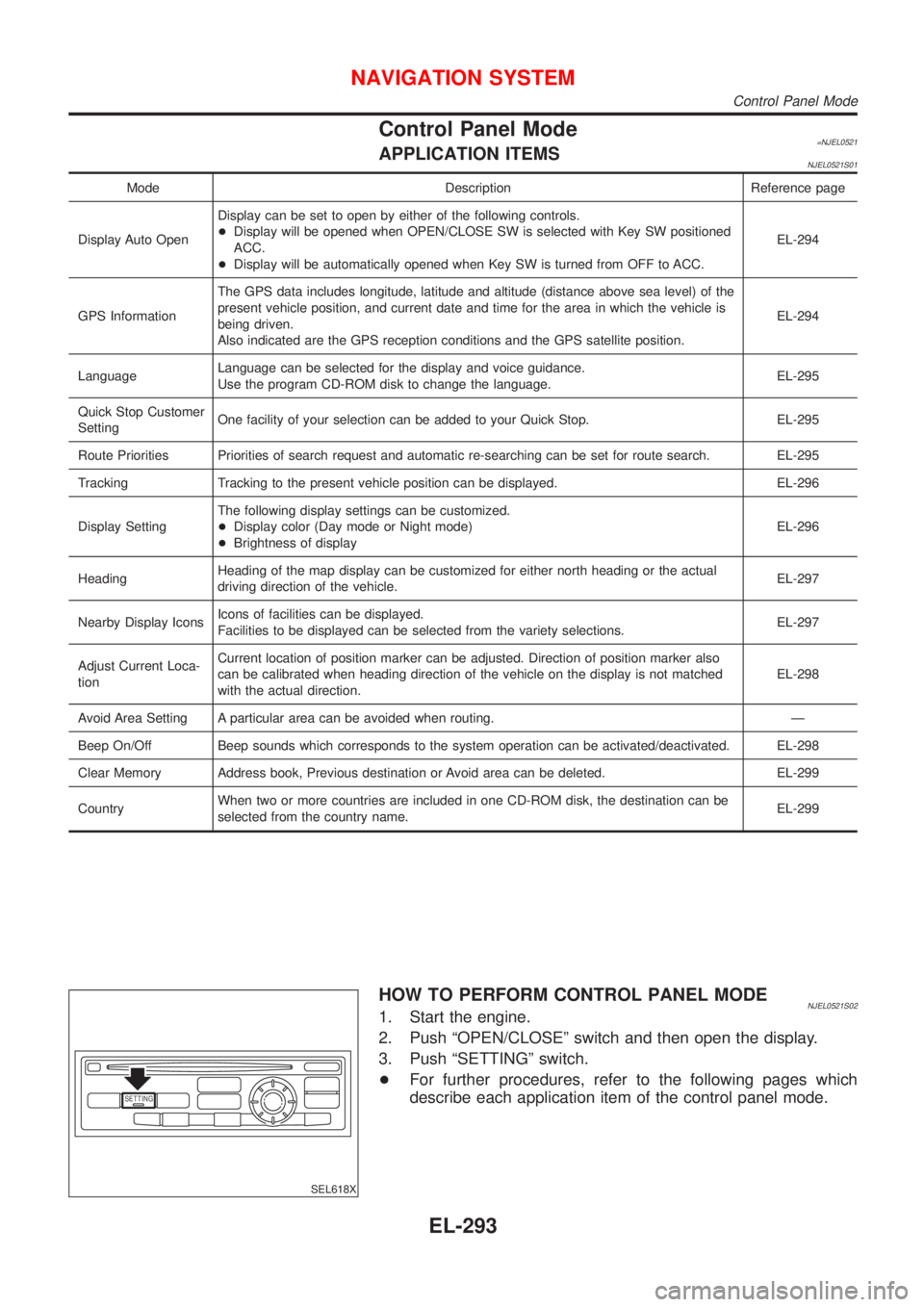
HOW TO PERFORM CONTROL PANEL MODENJEL0521S021. Start the engine.
2. Push ªOPEN/CLOSEº switch and then open the display.
3. Push ªSETTINGº switch.
+For further procedures, refer to the following pages which
describe each application item of the control panel mode.
NAVIGATION SYSTEM
Control Panel Mode
EL-293
Page 2410 of 2493
SEL552X
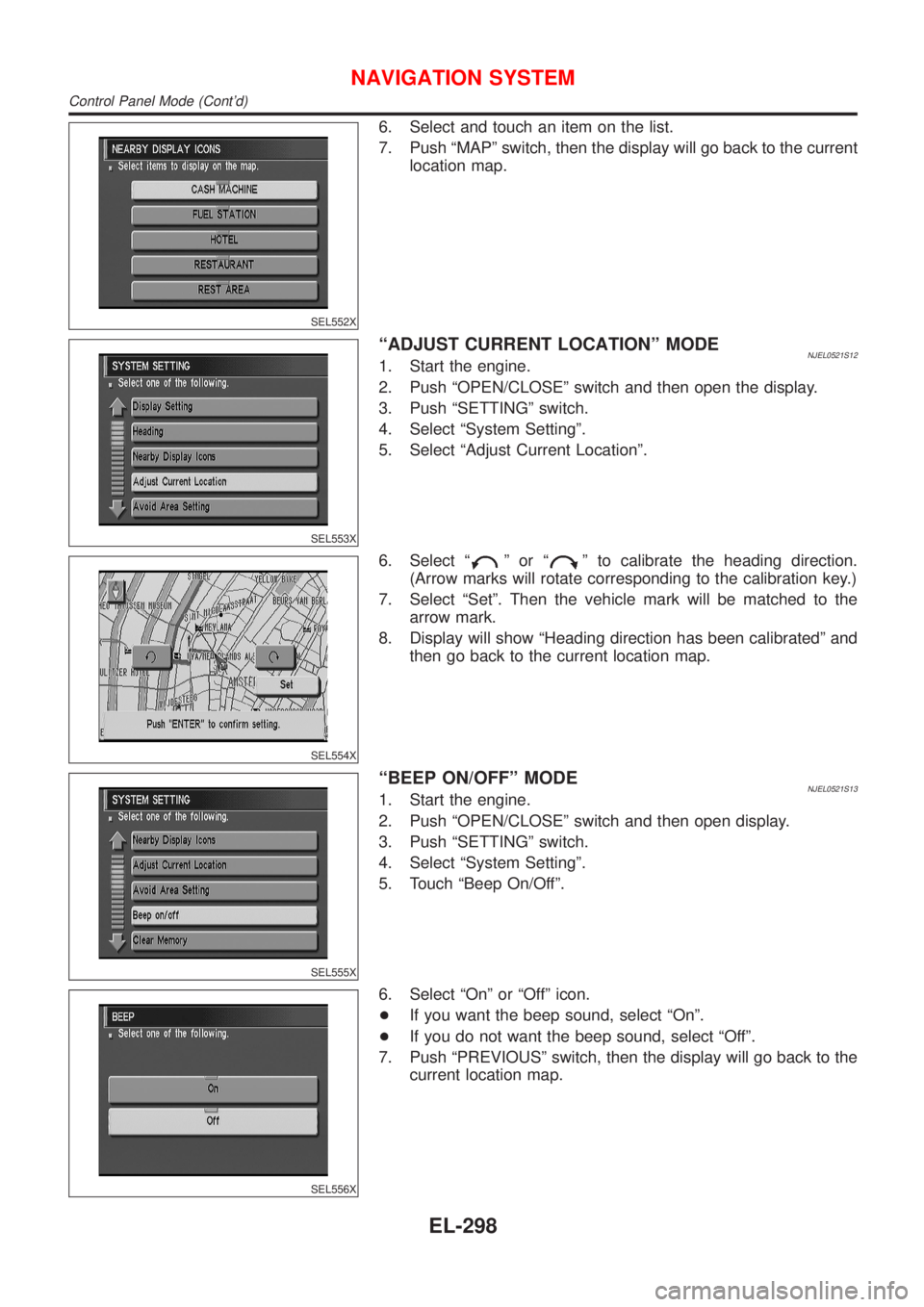
6. Select and touch an item on the list.
7. Push ªMAPº switch, then the display will go back to the current
location map.
SEL553X
ªADJUST CURRENT LOCATIONº MODENJEL0521S121. Start the engine.
2. Push ªOPEN/CLOSEº switch and then open the display.
3. Push ªSETTINGº switch.
4. Select ªSystem Settingº.
5. Select ªAdjust Current Locationº.
SEL554X
6. Select ªºorªº to calibrate the heading direction.
(Arrow marks will rotate corresponding to the calibration key.)
7. Select ªSetº. Then the vehicle mark will be matched to the
arrow mark.
8. Display will show ªHeading direction has been calibratedº and
then go back to the current location map.
SEL555X
ªBEEP ON/OFFº MODENJEL0521S131. Start the engine.
2. Push ªOPEN/CLOSEº switch and then open display.
3. Push ªSETTINGº switch.
4. Select ªSystem Settingº.
5. Touch ªBeep On/Offº.
SEL556X
6. Select ªOnº or ªOffº icon.
+If you want the beep sound, select ªOnº.
+If you do not want the beep sound, select ªOffº.
7. Push ªPREVIOUSº switch, then the display will go back to the
current location map.
NAVIGATION SYSTEM
Control Panel Mode (Cont'd)
EL-298
Page 2424 of 2493
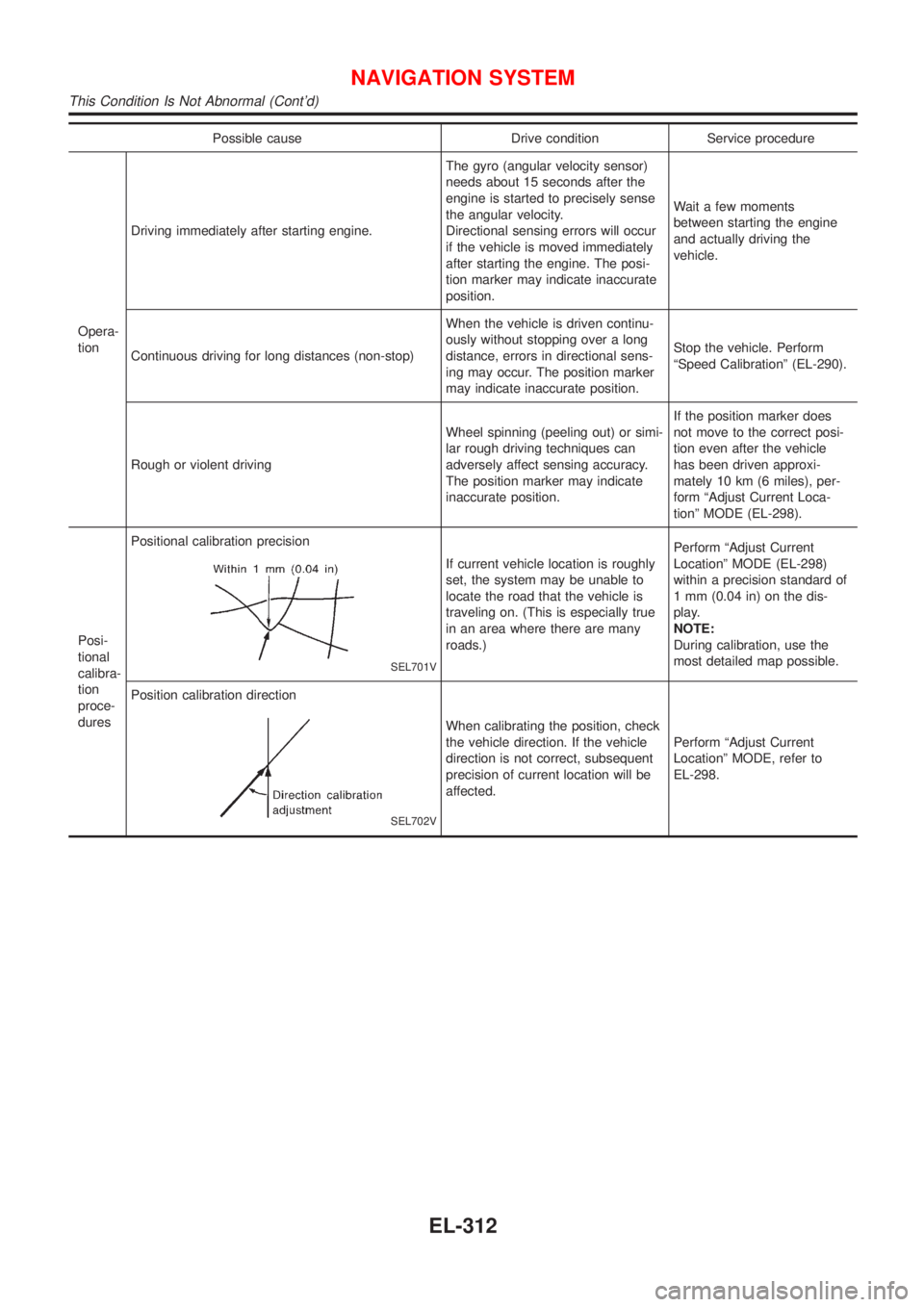
Possible cause Drive condition Service procedure
Opera-
tionDriving immediately after starting engine.The gyro (angular velocity sensor)
needs about 15 seconds after the
engine is started to precisely sense
the angular velocity.
Directional sensing errors will occur
if the vehicle is moved immediately
after starting the engine. The posi-
tion marker may indicate inaccurate
position.Wait a few moments
between starting the engine
and actually driving the
vehicle.
Continuous driving for long distances (non-stop)When the vehicle is driven continu-
ously without stopping over a long
distance, errors in directional sens-
ing may occur. The position marker
may indicate inaccurate position.Stop the vehicle. Perform
ªSpeed Calibrationº (EL-290).
Rough or violent drivingWheel spinning (peeling out) or simi-
lar rough driving techniques can
adversely affect sensing accuracy.
The position marker may indicate
inaccurate position.If the position marker does
not move to the correct posi-
tion even after the vehicle
has been driven approxi-
mately 10 km (6 miles), per-
form ªAdjust Current Loca-
tionº MODE (EL-298).
Posi-
tional
calibra-
tion
proce-
duresPositional calibration precision
SEL701V
If current vehicle location is roughly
set, the system may be unable to
locate the road that the vehicle is
traveling on. (This is especially true
in an area where there are many
roads.)Perform ªAdjust Current
Locationº MODE (EL-298)
within a precision standard of
1 mm (0.04 in) on the dis-
play.
NOTE:
During calibration, use the
most detailed map possible.
Position calibration direction
SEL702V
When calibrating the position, check
the vehicle direction. If the vehicle
direction is not correct, subsequent
precision of current location will be
affected.Perform ªAdjust Current
Locationº MODE, refer to
EL-298.
NAVIGATION SYSTEM
This Condition Is Not Abnormal (Cont'd)
EL-312